Community project
UV Weather Alert Station
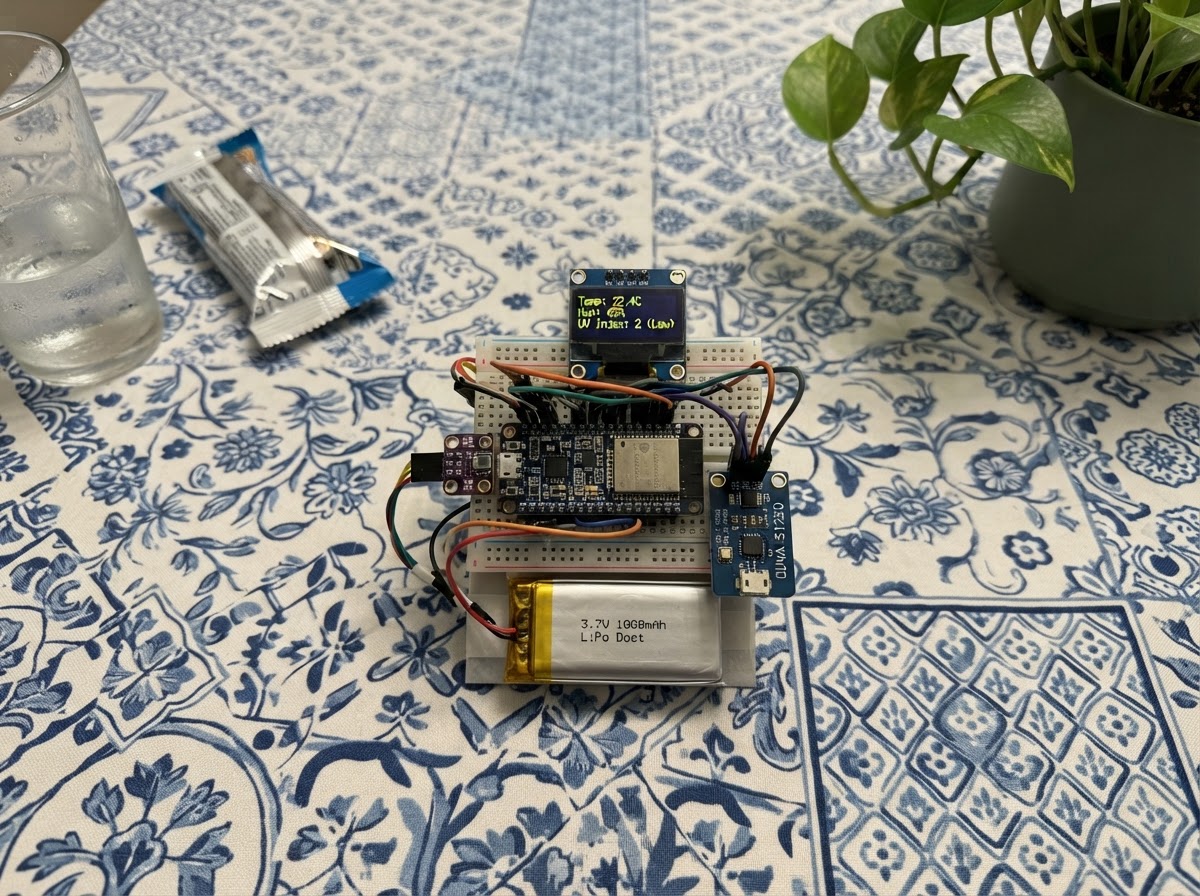
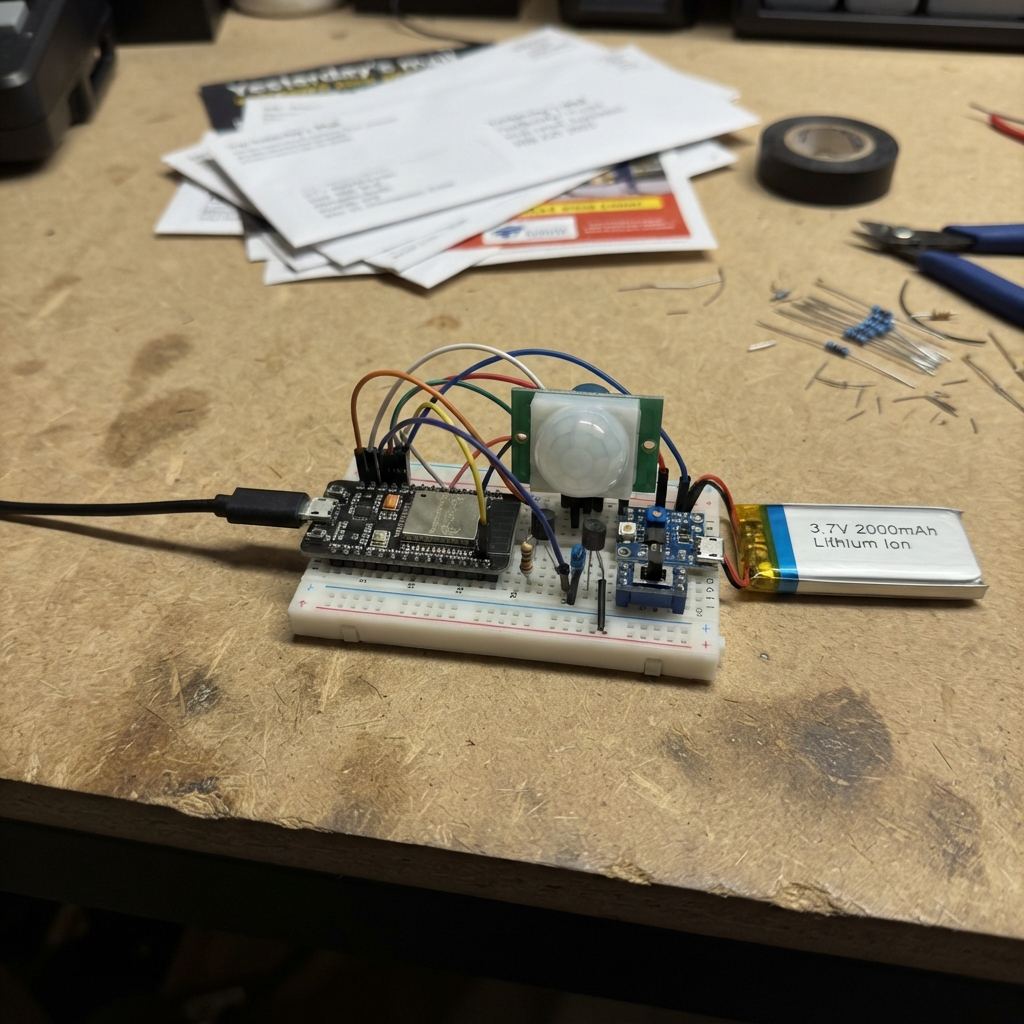
This UV Weather Alert Station monitors ultraviolet radiation, temperature, humidity, and atmospheric pressure in real time. Built around an ESP32 microcontroller, it combines a BME280 environmental sensor with a GUVA-S12SD UV detector and runs on a compact LiPo battery for portable deployment.
The guide provides a complete wiring diagram, parts list, and step-by-step assembly instructions to get the station up and running. The included firmware connects to WiFi, serves a web interface for configuration, logs sensor readings, and sends Telegram alerts when UV levels exceed a user-defined threshold. Readers will learn how to wire I2C and analog sensors, configure WiFi credentials, set alert thresholds, and deploy a battery-powered environmental monitoring device.
Wiring diagram

Gather all the parts
Assemble it in 6 steps
1. Disconnect USB before fitting the battery
Unplug the XIAO ESP32-C3 from USB before connecting the LiPo. Check that it is a protected single-cell 3.7 V LiPo with a connector and positive/negative arrangement made for the XIAO battery input.
- A 1000 mAh cell is a practical starting size for this weather station.
- Never force a battery plug: check that the positive and negative markings match first.
- Do not use a 7.4 V two-cell pack, a 9 V battery, or a swollen or damaged LiPo.
- Do not short, crush, pierce, or charge a LiPo outside the board’s intended battery connector.
2. Connect the LiPo to the XIAO battery input
Connect LiPo +V to the XIAO ESP32-C3 BAT+ contact or the positive side of its battery connector (power), and connect LiPo GND to BAT− or the connector’s negative side (ground). The board’s built-in battery circuit then powers the station.
- Use the board battery connector if the plug and polarity match.
- USB may remain connected during normal use and charging once the battery is correctly attached.
- Check the plug wiring with its markings or a multimeter: JST-style connectors are not all wired the same way.
- Do not connect the LiPo directly to 3V3 or to either sensor’s power pin.
3. Wire the temperature and humidity sensor
Connect BME280 VCC to XIAO 3V3 (power), BME280 GND to XIAO GND (ground), BME280 SDA to XIAO D4 / GPIO6 (data), and BME280 SCL to XIAO D5 / GPIO7 (clock).
- The firmware checks both common BME280 settings automatically.
- Keep this small sensor out of direct sun and away from the board’s warm parts so it measures the surrounding air.
- Use a BME280 breakout designed for 3.3 V power and 3.3 V signal wires; swapped power can damage it.
4. Wire the UV sensor
Connect GUVA-S12SD VCC to XIAO 3V3 (power), GND to XIAO GND (ground), and OUT to XIAO D0 / GPIO1 (UV signal).
- Mount the sensor’s small light window upward with nothing shading it.
- Compare its reading with a trusted local UV report, then adjust the dashboard alert level if required.
- Use 3.3 V only for this module. A 5 V output signal can damage the XIAO’s GPIO1 input.
5. Place and protect the station
Install the board, battery, and sensors in a weather-resistant enclosure. Keep the battery dry and secured, leave the UV sensor window exposed to the sky, and place the BME280 behind a ventilated rain shield out of direct sunlight.
- Small downward-facing ventilation holes improve air measurements while reducing rain entry.
- Battery life changes with Wi-Fi signal strength and how often the dashboard is opened.
- Do not leave a LiPo in a sealed hot box or direct summer sun.
- Stop using the battery if it gets swollen, hot, or damaged.
6. Deploy and enter your alert details
With the wiring complete, plug the XIAO ESP32-C3 into USB and press Schematik’s Deploy button. Join the XIAO-Weather-Setup Wi-Fi network, then open http://192.168.4.1 to enter your home Wi-Fi, Telegram bot token, chat ID, and UV alert level.
- The board can charge the correctly connected battery while USB is attached.
- An alert is sent when the UV level crosses the selected limit, then no more than once per hour while it stays high.
- Treat the Telegram bot token like a password and do not share it.
Review all connections
1. Connections between "bme280_1" and "ESP32"
2. Connections between "guva_s12sd_1" and "ESP32"
3. Connections between "lipo_1" and "ESP32"
Deploy the firmware
#include <Arduino.h>
#include <WiFi.h>
#include <WebServer.h>
#include <HTTPClient.h>
#include <WiFiClientSecure.h>
#include <Wire.h>
#include <Preferences.h>
#include <Adafruit_BME280.h>


// Forward declarations
String enc(const String &s);
String advice();
String amount();
bool telegramReady();
bool telegram(const String &text);
void sample();
String field(const char *name,const String &value,const char *type);
String page();
void api();
void save();

const int UV_PIN = 1;
const int I2C_SDA_PIN = 6;
const int I2C_SCL_PIN = 7;
const unsigned long SAMPLE_MS = 5000;
const unsigned long ALERT_COOLDOWN_MS = 3600000UL;

WebServer server(80);
Preferences prefs;
Adafruit_BME280 bme;
bool bmeOK = false, uvWasHigh = false;
float tempC = NAN, humidity = NAN, pressure = NAN, uv = NAN, threshold = 6.0;
unsigned long lastSample = 0, lastAlert = 0;

String enc(const String &s) { const char *h="0123456789ABCDEF"; String r; for(size_t i=0;i<s.length();i++){uint8_t c=s[i]; if(isalnum(c)||c=='-'||c=='_'||c=='.'||c=='~')r+=(char)c;else{r+='%';r+=h[c>>4];r+=h[c&15];}} return r; }
String advice() {
  if (!isfinite(uv)) return "UV reading unavailable.";
  if (uv < 3) return "Low UV: sunscreen is optional for brief exposure; use SPF 30+ for prolonged outdoor time.";
  if (uv < 6) return "Moderate UV: apply broad-spectrum, water-resistant SPF 30+ to exposed skin.";
  if (uv < 8) return "High UV: apply broad-spectrum, water-resistant SPF 30+ (SPF 50+ for sensitive skin), plus hat and sunglasses.";
  if (uv < 11) return "Very high UV: use SPF 50+, protective clothing and shade; limit long midday exposure.";
  return "Extreme UV: avoid direct midday sun if possible; use SPF 50+, protective clothing, a hat, sunglasses and shade.";
}
String amount() { return "Apply generously: roughly 30 mL (one shot-glass) for an adult full body, 15 minutes before sun; reapply every 2 hours and after swimming or heavy sweating."; }
bool telegramReady() { return prefs.getString("token", "").length() > 10 && prefs.getString("chat", "").length() > 0; }
bool telegram(const String &text) {
  if (WiFi.status()!=WL_CONNECTED || !telegramReady()) return false;
  WiFiClientSecure c; c.setInsecure();
  HTTPClient http;
  String url="https://api.telegram.org/bot"+prefs.getString("token","")+"/sendMessage";
  if(!http.begin(c,url)) return false;
  http.addHeader("Content-Type","application/x-www-form-urlencoded");
  int rc=http.POST("chat_id="+enc(prefs.getString("chat",""))+"&text="+enc(text)); http.end(); return rc==200;
}
void sample() {
  uint32_t raw=analogRead(UV_PIN);
  float volts=raw*3.3f/4095.0f;
  uv=volts/0.1f;
  if(bmeOK){tempC=bme.readTemperature();humidity=bme.readHumidity();pressure=bme.readPressure()/100.0f;}
  bool high=isfinite(uv)&&uv>=threshold; unsigned long now=millis();
  if(high && (!uvWasHigh || now-lastAlert>=ALERT_COOLDOWN_MS)) {
    if(telegram("UV ALERT\nUV Index: "+String(uv,1)+" (threshold "+String(threshold,1)+")\n"+advice()+"\n"+amount())) lastAlert=now;
  }
  uvWasHigh=high;
}
String field(const char *name,const String &value,const char *type="text") { return String("<label>")+name+"</label><input name='"+name+"' type='"+type+"' value='"+value+"'>"; }
String page() {
  String addr=WiFi.status()==WL_CONNECTED?WiFi.localIP().toString():"Join XIAO-Weather-Setup, then open 192.168.4.1";
  String html = "<!doctype html><html><head><meta name='viewport' content='width=device-width,initial-scale=1'><title>XIAO Weather</title><style>body{font-family:Arial;background:#0b1625;color:#eaf4ff;margin:0;padding:18px}main{max-width:800px;margin:auto}.grid{display:grid;grid-template-columns:repeat(auto-fit,minmax(150px,1fr));gap:12px}.card,form{background:#15263b;border-radius:14px;padding:16px}.value{font-size:2em;color:#67d8ff}input{display:block;width:100%;box-sizing:border-box;padding:10px;margin:5px 0 12px;border-radius:6px;border:0}button{padding:11px 16px;background:#27a6d4;color:white;border:0;border-radius:6px}.note{color:#b9cee0}</style></head><body><main><h1>XIAO Weather Station</h1><p class='note'>Address: ";
  html += addr;
  html += "</p><div class='grid'><div class='card'>Temperature<div class='value' id='t'>--</div></div><div class='card'>Humidity<div class='value' id='h'>--</div></div><div class='card'>Pressure<div class='value' id='p'>--</div></div><div class='card'>UV index<div class='value' id='u'>--</div></div></div><div class='card'><h3>Sun protection guidance</h3><p id='a'>Loading...</p><p class='note'>General public-health guidance, not medical advice.</p></div><h2>Connection and Telegram alert</h2><form method='post' action='/save'>";
  html += field("ssid",prefs.getString("ssid",""));
  html += field("pass","","password");
  html += field("token","","password");
  html += field("chat",prefs.getString("chat",""));
  html += field("threshold",String(threshold,1),"number");
  html += "<button>Save settings</button><p class='note'>Password and token fields may be left blank to keep their saved values. Create a Telegram bot with BotFather, start a chat with it, then enter its token and your numeric chat ID.</p></form></main><script>async function r(){let d=await fetch('/api').then(x=>x.json());t.textContent=d.t+' C';h.textContent=d.h+' %';p.textContent=d.p+' hPa';u.textContent=d.u+(d.high?' !':'');a.textContent=d.a;}r();setInterval(r,5000)</script></body></html>";
  return html;
}
void api(){String j="{\"t\":\""+(isfinite(tempC)?String(tempC,1):"--")+"\",\"h\":\""+(isfinite(humidity)?String(humidity,0):"--")+"\",\"p\":\""+(isfinite(pressure)?String(pressure,0):"--")+"\",\"u\":\""+(isfinite(uv)?String(uv,1):"--")+"\",\"high\":"+String(uv>=threshold?"true":"false")+",\"a\":\""+advice()+" "+amount()+"\"}";server.send(200,"application/json",j);}
void save(){if(server.arg("ssid").length())prefs.putString("ssid",server.arg("ssid"));if(server.arg("pass").length())prefs.putString("pass",server.arg("pass"));if(server.arg("token").length())prefs.putString("token",server.arg("token"));if(server.arg("chat").length())prefs.putString("chat",server.arg("chat"));threshold=constrain(server.arg("threshold").toFloat(),0.0f,20.0f);prefs.putFloat("thr",threshold);server.send(200,"text/html","<meta http-equiv='refresh' content='5;url=/'><h2>Saved. Reconnecting...</h2>");WiFi.disconnect();if(prefs.getString("ssid","").length())WiFi.begin(prefs.getString("ssid","").c_str(),prefs.getString("pass","").c_str());}
void setup(){Serial.begin(115200);prefs.begin("weather",false);threshold=prefs.getFloat("thr",6.0f);analogReadResolution(12);Wire.begin(I2C_SDA_PIN,I2C_SCL_PIN);bmeOK=bme.begin(0x76)||bme.begin(0x77);WiFi.mode(WIFI_AP_STA);WiFi.softAP("XIAO-Weather-Setup");if(prefs.getString("ssid","").length())WiFi.begin(prefs.getString("ssid","").c_str(),prefs.getString("pass","").c_str());server.on("/",[](){server.send(200,"text/html",page());});server.on("/api",api);server.on("/save",HTTP_POST,save);server.begin();sample();}
void loop(){server.handleClient();if(millis()-lastSample>=SAMPLE_MS){lastSample=millis();sample();}}
Download project files
Remix this project
Make it yours in one click
Open a full copy of this project in your own Schematik workspace — diagram, code, parts, and assembly steps included. Swap the sensor, add features, or redesign the whole thing with AI. The author's original stays untouched.