
On this page
One of the things I want Schematik to prove is simple: you should not need years of hardware experience before you can build the device you wish existed.
This week started with a viral tweet asking for a distraction-free chess device. No notifications. No app switching. Just chess.
The finished version of that idea probably wants a proper case, a battery, a calmer display, maybe e-ink, and the kind of industrial design that makes you want to leave it on a table. That was not the goal here. The goal was to get to a playable first prototype as quickly as possible.
Watch the full build on YouTube, or read the build notes below.
The most important thing with a hardware project is feeling the progress. Not building the perfect thing on the first try.
The idea
Last week, I built a weather station that tells me what to wear. This week, I wanted something a bit more ambitious: a small touchscreen chess device that runs on hardware I already had in the parts box.
I did not start with a neat bill of materials. I started with a yellow ESP32 display board, a vague idea, and the question every real hardware project eventually asks: can this thing actually do the job?
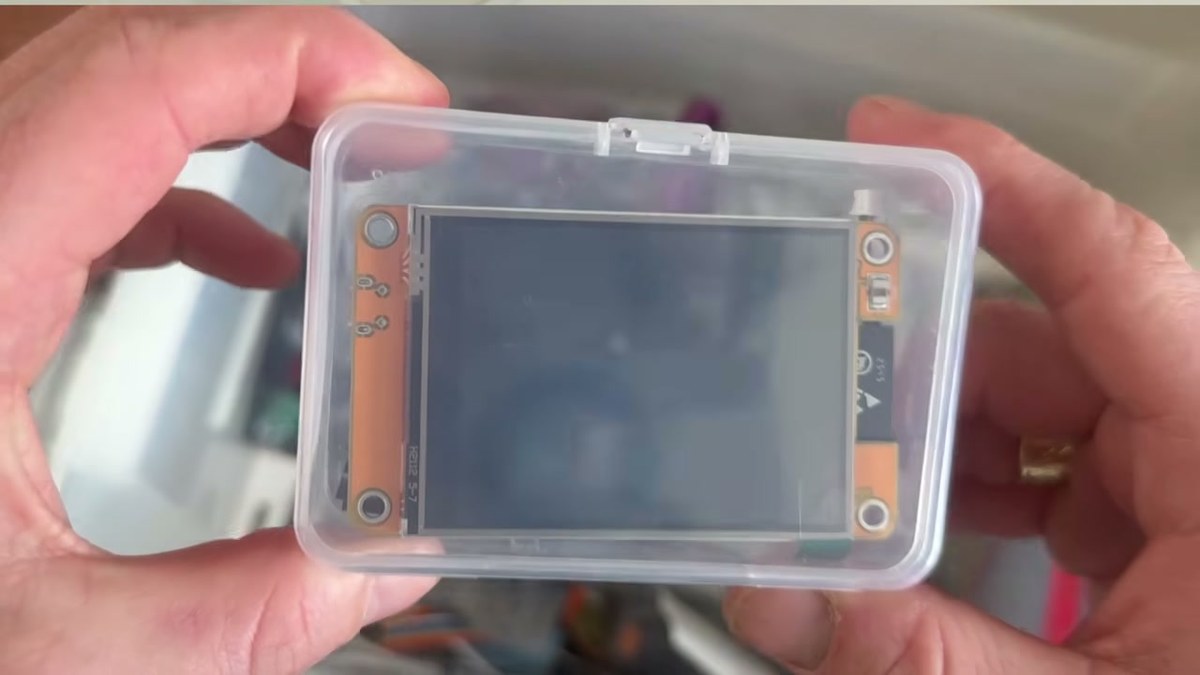
At first, I did not even know the exact board name. It had a product code, but not much else. So I used Schematik's full-screen ask mode to identify it.
Schematik recognised it as an ESP32-2432S028R, better known as the Cheap Yellow Display. That mattered because the board already had almost everything this prototype needed:
- ESP32 microcontroller
- 240×320 ILI9341 TFT display
- XPT2046 resistive touchscreen
- USB power and flashing
- a small stylus
No breadboard. No jumper-wire jungle. No separate screen module to wire up badly at 1am.
Steering the build
The best part of this workflow is that the first answer does not need to be perfect. You can steer it.
Once Schematik knew the board, I asked whether it could run chess. It suggested two versions: local two-player chess, or a player-versus-device version with a small AI opponent running on the ESP32.
Two-player chess would work, but I already own a chess board. The more interesting test was the second option. Could a cheap microcontroller draw the board, handle touch input, track legal moves, and make a reply without collapsing under the weight of its own ambition?

The ESP32 is not a monster. Nobody is claiming this replaces Stockfish on a laptop. But a small depth-limited opponent on a tiny touchscreen is exactly the kind of build that shows whether Schematik is helping or just producing plausible-looking code.
One board, a lot of behaviour
The hardware stayed simple. The Cheap Yellow Display is the main component, and the display wiring is already fixed on the PCB.
The generated project used these onboard display pins:
- MOSI: GPIO13
- MISO: GPIO12
- SCK: GPIO14
- CS: GPIO15
- DC: GPIO2
- backlight: GPIO21
The touch controller uses its own pins in the firmware: CS on GPIO33, IRQ on GPIO36, MOSI on GPIO32, MISO on GPIO39, and SCK on GPIO25.
The code is where the build gets more interesting. Schematik generated a sketch that draws an 8×8 chess board, stores the game state, handles piece selection, highlights legal moves, and lets Black reply with a minimax-based opponent.
A few practical details matter:
- the board state is stored as 8×8 arrays for piece type and colour
- legal moves include normal movement, captures, castling, promotion, en passant, checkmate, and stalemate
- the opponent uses material and position evaluation with piece-square tables
- the search depth is capped so it can run on the ESP32
- the UI stays simple enough for a 240-pixel-wide screen
That is a very different project from blinking an LED. It can fail because the display driver is wrong, touch calibration is off, Web Serial cannot see the board, the AI search is too slow, or chess has one more weird rule than you remembered.
One small cable problem
When I first powered the board, it already showed a pre-installed NerdMiner screen. Funny, but not useful for chess.
Then the board did not appear over USB.
There were two likely explanations. Either the board needed a different flashing path, or the cable was charge-only. This is where ask mode became useful again. Instead of disappearing into forum archaeology, I could ask Schematik about the board and the deploy route.
The answer was the deeply annoying one: the cable was probably not a data cable.
Twenty-four hours later, after finding a proper micro-USB cable, the board finally appeared in the browser. I selected it in Schematik, hit deploy, and waited for the moment where hardware either feels magical or ruins your afternoon.
The result
It worked.
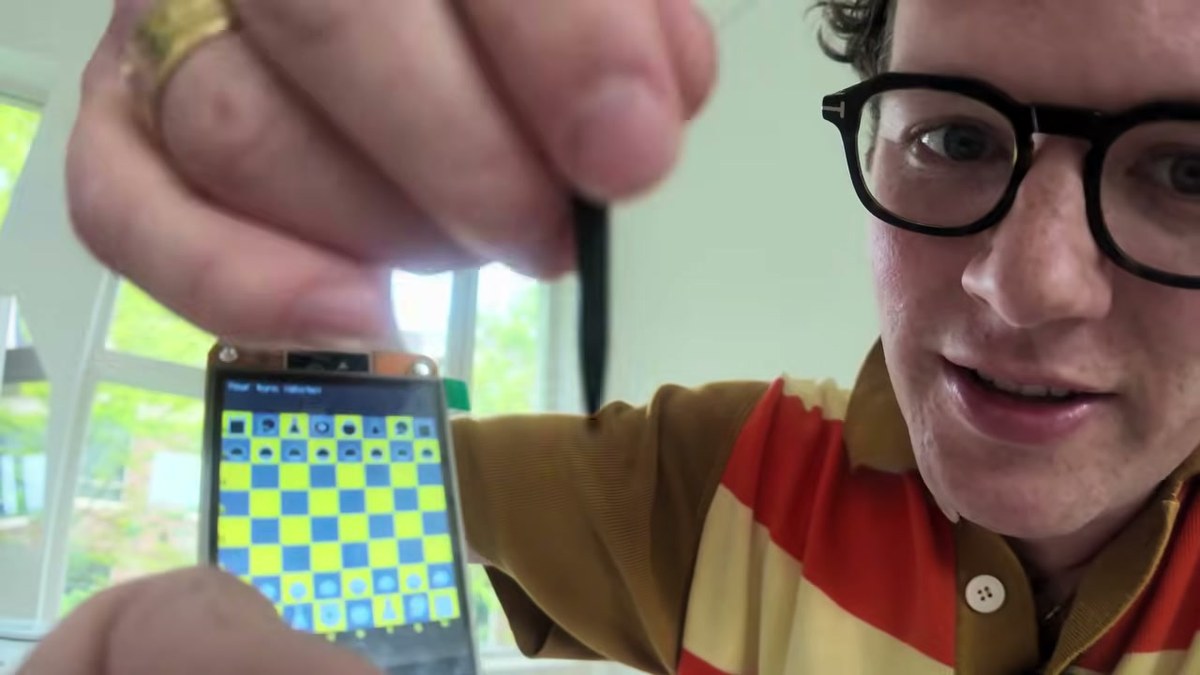
The screen showed a small chess board, the pieces were drawn in a clear abstract style, and the stylus could select pieces directly on the display. Tap a white piece, see the legal moves, tap a destination square, then wait while the ESP32 picks Black's response.
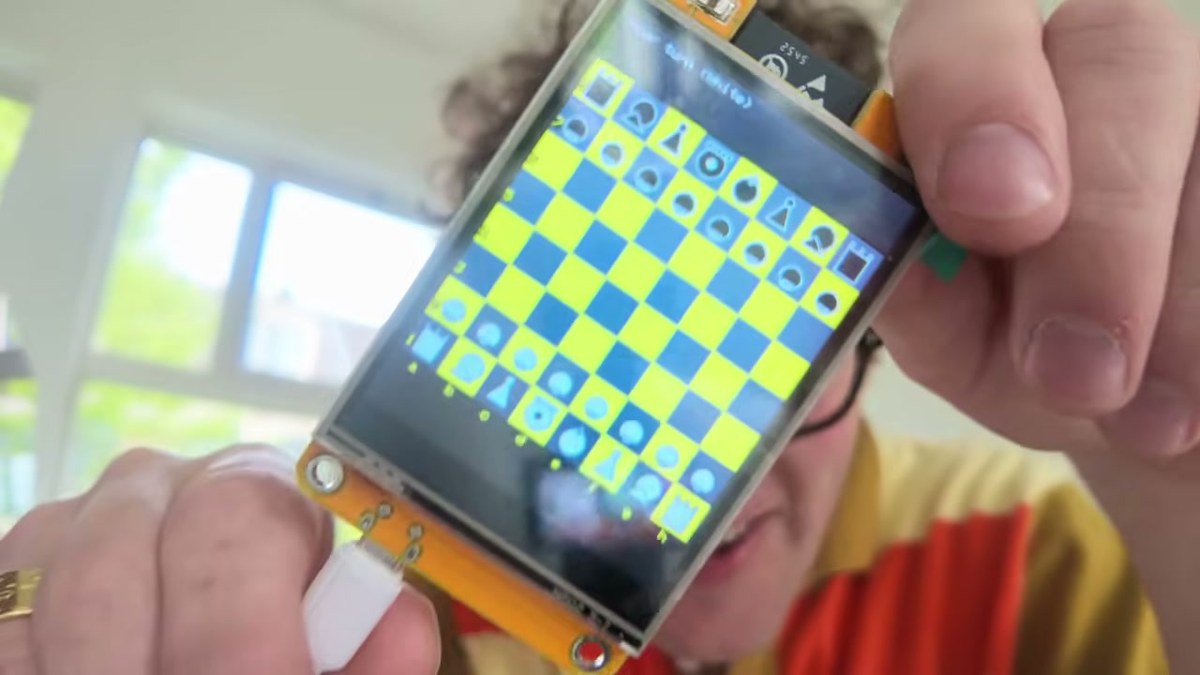
It is still very much a prototype. It needs a battery. It needs a case. The input could feel better, and the display choice is probably too loud if the long-term goal is genuinely distraction-free chess.
But as a working first version, I love it. A cheap yellow ESP32 board became a playable chess device because I described the thing I wanted and kept steering the build until it matched the real hardware in front of me.
What this taught us
This was a useful stress test because it touched several parts of Schematik at once.
Schematik had to:
- identify an unclear board from a product code and description
- explain what the board could realistically run
- turn a messy idea into a buildable project
- avoid inventing unnecessary wiring for an all-in-one board
- generate deployable firmware rather than a loose sketch fragment
- configure TFT_eSPI for fixed onboard display pins
- handle touch input as the main interaction model
- keep the generated code within the limits of an ESP32
That loop matters more than the chess device itself. Hardware usually gets painful when every change means reading docs, rewiring pins, fixing libraries, and guessing which upload tool wants which board setting. If we can make iteration feel normal, more people will build real things.
For the next version, I want to make it feel more like an actual object: battery power, a case, and maybe a connection to lichess or chess.com. If you have an idea for what I should build, leave it in the YouTube comments. I am open to being talked into something strange.
If you want to try your own version, open Schematik, describe what you want to make, and keep steering it until the board, pins, code, and deploy path match the real hardware in front of you. If you want to recreate this one, follow the step-by-step touchscreen chess guide. You can also download Schematik and run it locally on macOS.
Keep building from here
Jump into a step-by-step build, or open Schematik and turn your own idea into code, wiring, and assembly instructions.

