Schematik build
How to Turn Old Speakers into a Smart Bluetooth Speaker
Stream phone audio to real speakers with an ESP32, I2S DAC, and XH-A232 amp
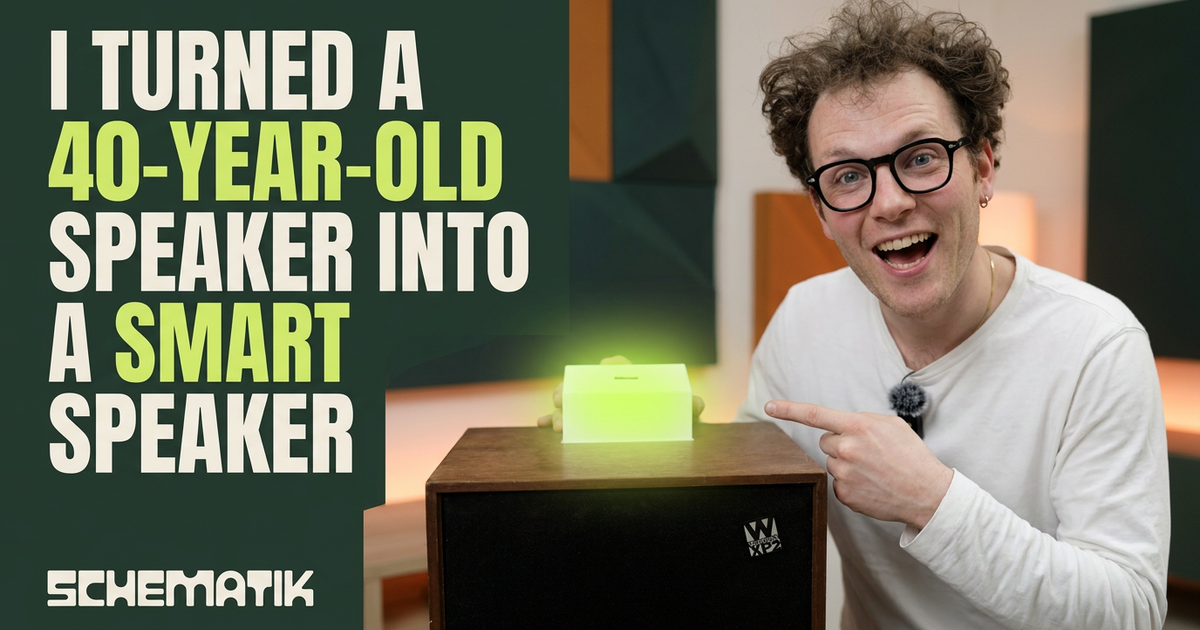
What you'll build
Got an old speaker lying around? The kind that sounds amazing but has no Bluetooth, no Wi-Fi, no way to play from your phone? That's exactly what we're fixing. We're taking an old passive speaker and turning it into a smart Bluetooth speaker with an ESP32.
Here's the idea. The ESP32 receives audio over Bluetooth and sends it out as a digital signal to a PCM5102A DAC, which turns it into clean analog audio. That goes into an XH-A232 amplifier, the part that actually drives the speaker. A 12 V adapter powers the amp, and a buck converter steps that down to 5 V for the ESP32. An SSD1306 OLED shows a little dancing smiley while music plays, because why not.
Watch Sam build the speaker in the workshop video below, then use the wiring and starter notes here to make your own version.
The key thing is keeping the ESP32 out of the analog audio path. It handles Bluetooth and the digital side; the DAC and amp handle the loud part. The power split matters too: 12 V goes only to the amp and the buck converter input, the ESP32 gets 5 V from the buck, and all grounds are shared so the audio stays clean.
The firmware does four things: makes the ESP32 show up as SmartSpeaker in your Bluetooth list, streams audio out over I2S on GPIO 26/25/22, keeps the DAC unmuted through XSMT on GPIO 27, and updates the OLED visualizer. If your PCM5102A breakout labels the data pin DATA instead of DIN, don't worry, it's the same pin, just a different label.
Upload and calibrate
Open the starter in Schematik and flash it to your ESP32. Open Serial Monitor at 115200 baud. If everything's right, you'll see a Bluetooth-ready message and SmartSpeaker will show up in your phone or laptop's Bluetooth list within a few seconds.
Pair with it, start some music at low volume, then turn it up. The OLED should light up with a dancing smiley and bars reacting to the beat. If the audio works but the OLED is blank, double-check the display address and that SCL is on GPIO 23, not the usual GPIO 22.
One thing from experience: start with the volume low. The XH-A232 can get loud fast on efficient speakers, and a wiring mistake is a lot easier to catch before the amp is working hard.
Troubleshooting
Hardware projects rarely work on the first try. That's normal. Here are the usual suspects:
SmartSpeakerdoes not appear in Bluetooth scans. Reset the ESP32 and watch Serial Monitor. The firmware starts Bluetooth Classic A2DP after setup; if it reboots repeatedly, check for a power dip from the buck converter or a wrong library install.- Compile says
BluetoothA2DPSink.his missing. Use the GitHub install URL for the ESP32-A2DP library, not the short package name. The starter declares the library fromhttps://github.com/pschatzmann/ESP32-A2DPfor that reason. - PCM5102A has
DATA, notDIN. WireDATAto ESP32 GPIO 22. On these DAC modulesDATAandDINare two labels for the same I2S data input. - Audio plays but there is high-pitched noise. Shorten the I2S and analog wires, keep the 12 V amplifier wiring away from the DAC outputs, and confirm AGND and GND join at the shared ground. We had this too, and honestly sometimes you just have to live with a little static.
- OLED stays blank. Confirm VCC is on 3V3, SDA is GPIO 21, SCL is GPIO 23, and the module address is 0x3C. Some boards use 0x3D.
- ESP32 resets when music gets loud. The amplifier is pulling the 12 V supply down or injecting noise into the ground. Use a supply with more current headroom, twist the power leads, and keep the buck output wiring short.
3D-printed enclosure
Once the electronics are working, it's time to make it look like something you'd actually put on a shelf. We designed a simple casing in Shapr3D that holds the OLED screen and tucks the boards neatly inside. You can use whatever CAD tool you like, but here are our files so you can print along at home:
Print the casing first, test-fit the screen and boards, then print the base plate. The casing has mounting spots for the OLED inside, so everything stays in place once it's assembled.
Going further
Once the speaker is working and housed, there are a few things worth doing. Add a physical power switch on the 12 V input, some strain relief for the speaker wires, and maybe a nicer front panel for the OLED.
If you want cleaner audio at higher volume, use shielded cable between the PCM5102A and XH-A232 and add local decoupling near the amplifier power input. And if you end up with a bit of static you can't get rid of, don't sweat it too much. Sometimes you just have to live with it, and it still sounds better than a Bluetooth speaker from the store.
Wiring diagram
Gather all the parts
Assemble it in 8 steps
1. Gather all parts
Collect the ESP32 DevKit v1, PCM5102A I2S DAC module, XH-A232 TPA3110 amplifier board, MP1584 buck converter module (pre-set to 5V output), 12V/2A barrel-jack adapter, two 4-8 Ω passive speakers (≥15W each), and a breadboard or perfboard for connections.
- Verify your buck converter is set to 5.0V output BEFORE connecting the ESP32 — use a multimeter with only the 12V supply attached.
2. Set up the 12V power rail
Wire the 12V barrel-jack adapter output to two places: (a) the XH-A232 VCC (+) and GND (−) screw terminals, and (b) the MP1584 buck converter VIN (+) and GND (−) input pads.
- Check polarity carefully — reverse voltage permanently damages both the TPA3110 and the MP1584.
- Do NOT plug the 12V adapter in yet.
3. Adjust and verify the buck converter to 5V
Connect ONLY the 12V adapter (no ESP32 yet). Power on, measure the MP1584 VOUT with a multimeter, and turn its trim potentiometer until VOUT reads 5.0V. Power off before proceeding.
- Turn the pot clockwise to raise voltage, counter-clockwise to lower it.
4. Power the ESP32 from the buck converter
Connect the MP1584 VOUT (+5V) to the ESP32 DevKit VIN pin, and MP1584 GND to ESP32 GND.
- Use the VIN pin on the ESP32, not the 3V3 pin — VIN accepts up to 12V and feeds the on-board regulator.
5. Connect ESP32 to PCM5102A (I2S)
Wire the I2S bus between the ESP32 and the PCM5102A module: • GPIO26 → PCM5102A BCK • GPIO25 → PCM5102A LCK (LRCLK) • GPIO22 → PCM5102A DIN Also connect: • ESP32 3V3 → PCM5102A VCC • ESP32 GND → PCM5102A GND and AGND
- Keep I2S wires as short as possible to avoid noise. 10 cm or less is ideal.
6. Connect PCM5102A analog output to XH-A232 input
Connect the PCM5102A line-level outputs to the amplifier input terminals: • PCM5102A AOUTL → XH-A232 L_IN (Left input) • PCM5102A AOUTR → XH-A232 R_IN (Right input) • PCM5102A AGND → XH-A232 AGND (signal ground) Use short shielded wire or twisted pairs to minimise hum.
- Share a common GND between the PCM5102A and XH-A232 to eliminate ground loops.
- PCM5102A output is ~1 Vrms — well within the XH-A232 ~0.775V input sensitivity.
7. Connect the speakers
Connect each speaker to the XH-A232 screw terminals: • Left speaker + → XH-A232 L+ • Left speaker − → XH-A232 L− • Right speaker + → XH-A232 R+ • Right speaker − → XH-A232 R−
- Never short the speaker output terminals together — it will damage the TPA3110.
- Ensure speakers are rated 4–8 Ω impedance and at least 15W.
8. Final check and power-on
Double-check all connections against the wiring diagram. Plug in the 12V adapter. The ESP32 should boot and the Serial monitor will print 'Waiting for connection…'. Pair your phone or laptop with the Bluetooth device named 'SmartSpeaker' and start playing audio.
- If you hear hum, try lifting the audio ground slightly or adding a 100 Ω resistor in series on each audio input line.
- Volume is controlled entirely by your source device.
Review all connections
1. Connections between "buck_5v" and "ESP32"
2. Connections between "oled" and "ESP32"
3. Connections between "pcm5102" and "ESP32"
4. Connections between "psu_12v" and "ESP32"
5. Connections between "speaker_l" and "ESP32"
6. Connections between "speaker_r" and "ESP32"
7. Connections between "xha232" and "ESP32"
Deploy the firmware
#include <Arduino.h>
#include "AudioTools.h"
#include "BluetoothA2DPSink.h"
#include <Wire.h>
#include <Adafruit_GFX.h>
#include <Adafruit_SSD1306.h>
#include <math.h>

// ── Pins ──────────────────────────────────────────────────────────────────────
#define I2S_BCK_PIN  26
#define I2S_LCK_PIN  25
#define I2S_DIN_PIN  22
#define XSMT_PIN     27
#define OLED_SDA_PIN 21
#define OLED_SCL_PIN 23

// ── OLED ──────────────────────────────────────────────────────────────────────
#define SCREEN_WIDTH  128
#define SCREEN_HEIGHT  64
#define OLED_ADDR     0x3C

// ── Visualizer ────────────────────────────────────────────────────────────────
#define NUM_BARS      16
#define BAR_MAX_H     16
#define BUF_SAMPLES   512

// ── Globals ───────────────────────────────────────────────────────────────────
void audio_data_callback(const uint8_t *data, uint32_t len);
void connection_state_changed(esp_a2d_connection_state_t state, void *ptr);
void audio_state_changed(esp_a2d_audio_state_t state, void *ptr);
void drawCuteSmiley(int cx, int cy, int r, bool excited);
void drawArms(int cx, int cy, int r, float e, uint32_t t, int move);
void updateBars();
void drawVisualizer();
void displayTask(void *param);

static int16_t           audioBuf[BUF_SAMPLES];
static volatile uint16_t audioBufLen = 0;
static SemaphoreHandle_t bufMutex;

static float    bars[NUM_BARS];
static volatile float energy     = 0.0f;
static volatile float energyFast = 0.0f;
static volatile bool  isStreaming = false;

// Beat detection for triggering dance moves
static volatile float  beatAvg   = 0.0f;
static volatile bool   beatHit   = false;

Adafruit_SSD1306  display(SCREEN_WIDTH, SCREEN_HEIGHT, &Wire, -1);
I2SStream i2s;
BluetoothA2DPSink a2dp_sink(i2s);

// ── Audio tap — read-only post-processing hook.
//    with_post_call=true means the library STILL writes the data to I2S itself,
//    we only get a copy. This does NOT replace/disable the I2S output path. ──────
void audio_data_callback(const uint8_t *data, uint32_t len) {
    const int16_t *src = (const int16_t *)data;
    uint32_t stereo    = len / 4;
    uint32_t n         = stereo < BUF_SAMPLES ? stereo : BUF_SAMPLES;

    float sum = 0;
    for (uint32_t i = 0; i < n; i++) {
        float s = (((int32_t)src[i*2] + src[i*2+1]) / 2.0f) / 32768.0f;
        sum += s * s;
    }
    float rms = (n > 0) ? sqrtf(sum / n) : 0.0f;
    // Perceptual (sqrt) curve + higher gain: quiet passages get boosted much
    // more than loud ones, so the animation reacts well at low volume without
    // the loud parts clipping flat at 1.0.
    float e   = fminf(sqrtf(rms * 22.0f), 1.0f);

    // Instant attack, quick decay — strong beat response
    energyFast = (e > energyFast) ? e : energyFast * 0.82f;
    energy     = energy * 0.7f + e * 0.3f;

    // Simple beat detector: flag when energy spikes above a slow running average.
    // Slower average (0.98) makes transient kicks stand out; lower threshold and
    // floor so even quiet music reliably triggers move changes.
    beatAvg = beatAvg * 0.98f + e * 0.02f;
    if (e > beatAvg * 1.22f && e > 0.06f) beatHit = true;

    if (xSemaphoreTake(bufMutex, 0) == pdTRUE) {
        for (uint32_t i = 0; i < n; i++)
            audioBuf[i] = (int16_t)(((int32_t)src[i*2] + src[i*2+1]) >> 1);
        audioBufLen = (uint16_t)n;
        xSemaphoreGive(bufMutex);
    }
}

// ── BT callbacks ──────────────────────────────────────────────────────────────
void connection_state_changed(esp_a2d_connection_state_t state, void *ptr) {
    Serial.println(state == ESP_A2D_CONNECTION_STATE_CONNECTED
        ? "[BT] Connected" : "[BT] Disconnected");
}

void audio_state_changed(esp_a2d_audio_state_t state, void *ptr) {
    if (state == ESP_A2D_AUDIO_STATE_STARTED) {
        isStreaming = true;
        digitalWrite(XSMT_PIN, HIGH);
        Serial.println("[BT] Streaming started");
    } else {
        isStreaming = false;
        digitalWrite(XSMT_PIN, LOW);
        Serial.println("[BT] Streaming stopped");
        for (int i = 0; i < NUM_BARS; i++) bars[i] = 0;
        energy = 0; energyFast = 0;
    }
}

// ── Cute happy smiley ────────────────────────────────────────────────────────
//   Big round head, large shiny eyes, rosy cheeks, real upward grin.
void drawCuteSmiley(int cx, int cy, int r, bool excited) {
    // Head — double-stroke for a bold look
    display.drawCircle(cx, cy, r,     SSD1306_WHITE);
    display.drawCircle(cx, cy, r - 1, SSD1306_WHITE);

    int eo = r / 3 + 2;          // eye spacing
    int ey = cy - r / 5;         // eyes in upper half
    int er = max(r / 4, 3);      // eye radius

    if (excited) {
        // Happy "^ ^" closed eyes on a strong beat — curve opens DOWN (cute squint)
        for (int dx = -er; dx <= er; dx++) {
            int dy = (int)(sqrtf((float)(er*er - dx*dx)) * 0.7f);
            display.drawPixel(cx - eo + dx, ey + dy, SSD1306_WHITE);
            display.drawPixel(cx - eo + dx, ey + dy - 1, SSD1306_WHITE);
            display.drawPixel(cx + eo + dx, ey + dy, SSD1306_WHITE);
            display.drawPixel(cx + eo + dx, ey + dy - 1, SSD1306_WHITE);
        }
    } else {
        // Big shiny round eyes
        display.fillCircle(cx - eo, ey, er, SSD1306_WHITE);
        display.fillCircle(cx + eo, ey, er, SSD1306_WHITE);
        display.fillCircle(cx - eo + 1, ey - 1, 1, SSD1306_BLACK); // shine
        display.fillCircle(cx + eo + 1, ey - 1, 1, SSD1306_BLACK);
    }

    // Rosy cheeks
    int ck  = r * 3 / 4;
    int cky = cy + r / 5;
    display.drawCircle(cx - ck, cky, 2, SSD1306_WHITE);
    display.drawCircle(cx + ck, cky, 2, SSD1306_WHITE);

    // ── Upward grin ── on screen +Y is DOWN, so a smile dips in the MIDDLE
    int mw    = r * 3 / 5;            // mouth half-width
    int my    = cy + r / 5;           // mouth corners baseline
    int depth = excited ? (r * 3 / 5) : (r * 2 / 5);
    for (int dx = -mw; dx <= mw; dx++) {
        float t  = (float)dx / mw;            // -1..1
        int   dy = (int)((1.0f - t * t) * depth);   // center dips DOWN = smile
        display.drawPixel(cx + dx, my + dy,     SSD1306_WHITE);
        display.drawPixel(cx + dx, my + dy + 1, SSD1306_WHITE);
    }
}

// ── Dancing arms — move = current dance move (0 wave, 1 raise-the-roof, 2 sway) ─
void drawArms(int cx, int cy, int r, float e, uint32_t t, int move) {
    int sx = r;
    int sy = cy + r / 3;
    float osc  = sinf((float)t / 220.0f);
    float beat = fminf(e * 26.0f, 22.0f);

    int lx2, ly2, rx2, ry2;
    if (move == 1) {
        // "Raise the roof" — both hands punch straight up on the beat
        int lift = (int)(8 + beat);
        lx2 = cx - sx - 4; ly2 = sy - lift;
        rx2 = cx + sx + 4; ry2 = sy - lift;
    } else if (move == 2) {
        // Side sway — both arms swing the same way, flipping with the oscillator
        int swing = (int)(osc * (10 + beat * 0.5f));
        lx2 = cx - sx - 12 + swing; ly2 = sy + 2;
        rx2 = cx + sx + 12 + swing; ry2 = sy + 2;
    } else {
        // Wave — arms alternate up/down (classic dance)
        lx2 = cx - sx - 12; ly2 = (int)(sy - beat + osc * 5.0f);
        rx2 = cx + sx + 12; ry2 = (int)(sy - beat - osc * 5.0f);
    }

    display.drawLine(cx - sx, sy, lx2, ly2, SSD1306_WHITE);
    display.fillCircle(lx2, ly2, 2, SSD1306_WHITE);
    display.drawLine(cx + sx, sy, rx2, ry2, SSD1306_WHITE);
    display.fillCircle(rx2, ry2, 2, SSD1306_WHITE);
}

// ── Bars ──────────────────────────────────────────────────────────────────────
void updateBars() {
    static int16_t snap[BUF_SAMPLES];
    uint16_t snapLen = 0;
    if (xSemaphoreTake(bufMutex, pdMS_TO_TICKS(4)) == pdTRUE) {
        snapLen = audioBufLen;
        memcpy(snap, audioBuf, snapLen * sizeof(int16_t));
        xSemaphoreGive(bufMutex);
    }
    if (snapLen == 0) return;

    int spb = max(1, (int)snapLen / NUM_BARS);
    for (int b = 0; b < NUM_BARS; b++) {
        int start = b * spb;
        int end   = min(start + spb, (int)snapLen);
        float sum = 0; int cnt = 0;
        for (int i = start; i < end; i++) {
            float s = snap[i] / 32768.0f;
            sum += s * s; cnt++;
        }
        float rms    = (cnt > 0) ? sqrtf(sum / cnt) : 0.0f;
        // Same perceptual sqrt curve as the energy meter so quiet bars still
        // rise to a visible height instead of sitting flat at the bottom.
        float target = fminf(sqrtf(rms * 22.0f), 1.0f);
        bars[b] = (target > bars[b]) ? target : bars[b] * 0.78f;
    }
}

// ── Main draw (core 0) ───────────────────────────────────────────────────────
void drawVisualizer() {
    static int      danceMove   = 0;
    static uint32_t lastSwitch  = 0;

    display.clearDisplay();
    uint32_t now = millis();

    if (!isStreaming) {
        drawCuteSmiley(64, 26, 16, false);
        display.setTextSize(1);
        display.setTextColor(SSD1306_WHITE);
        display.setCursor(16, 52);
        display.print("Waiting for BT...");
        display.display();
        return;
    }

    updateBars();

    // Cycle through the dance moves:
    //  - advance on a detected beat (min 700ms apart so a move is visible), OR
    //  - advance on a 2.5s timeout so it ALWAYS keeps alternating even when the
    //    beat detector is quiet. Each move gets at least one full bar to show.
    bool beat = beatHit;
    beatHit = false;
    if ((beat && now - lastSwitch > 700) || (now - lastSwitch > 2500)) {
        danceMove  = (danceMove + 1) % 3;
        lastSwitch = now;
    }

    float ef  = energyFast;
    bool  exc = ef > 0.35f;                  // big excited face on strong beats
    int   r   = 16 + (int)(ef * 8.0f);       // 16..24 — clearly grows
    int   bcy = 24 - (int)(ef * 6.0f);       // bounces up on beat

    drawArms(64, bcy, r, ef, now, danceMove);
    drawCuteSmiley(64, bcy, r, exc);

    // Full-width spectrum bars across the bottom
    int barW = SCREEN_WIDTH / NUM_BARS;
    for (int b = 0; b < NUM_BARS; b++) {
        int x = b * barW;
        int h = (int)(bars[b] * BAR_MAX_H);
        if (h > 0) display.fillRect(x, SCREEN_HEIGHT - h, barW - 1, h, SSD1306_WHITE);
    }

    display.display();
}

// ── Display task pinned to core 0 (keeps I2C off the BT/I2S core) ────────────
void displayTask(void *param) {
    for (;;) {
        drawVisualizer();
        vTaskDelay(pdMS_TO_TICKS(33));
    }
}

// ── Setup ─────────────────────────────────────────────────────────────────────
void setup() {
    Serial.begin(115200);
    Serial.println("SCHEMATIK SPEAKER starting...");

    pinMode(XSMT_PIN, OUTPUT);
    digitalWrite(XSMT_PIN, LOW);

    // I2C bus recovery before Wire.begin (clears a stuck SSD1306)
    pinMode(OLED_SCL_PIN, OUTPUT);
    pinMode(OLED_SDA_PIN, OUTPUT);
    digitalWrite(OLED_SDA_PIN, HIGH);
    for (int i = 0; i < 9; i++) {
        digitalWrite(OLED_SCL_PIN, HIGH); delayMicroseconds(5);
        digitalWrite(OLED_SCL_PIN, LOW);  delayMicroseconds(5);
    }
    digitalWrite(OLED_SDA_PIN, LOW);
    digitalWrite(OLED_SCL_PIN, HIGH); delayMicroseconds(5);
    digitalWrite(OLED_SDA_PIN, HIGH); delayMicroseconds(5);
    delay(50);

    Wire.begin(OLED_SDA_PIN, OLED_SCL_PIN);
    Wire.setClock(100000);
    if (!display.begin(SSD1306_SWITCHCAPVCC, OLED_ADDR)) {
        Serial.println("[OLED] Init failed — check wiring/address");
    } else {
        display.clearDisplay();
        drawCuteSmiley(64, 26, 16, false);
        display.display();
        Serial.println("[OLED] Ready");
    }

    bufMutex = xSemaphoreCreateMutex();

    // Use AudioTools so the sketch works with the ESP32 Arduino 3 / IDF 5 I2S API.
    auto i2sConfig = i2s.defaultConfig();
    i2sConfig.pin_bck = I2S_BCK_PIN;
    i2sConfig.pin_ws = I2S_LCK_PIN;
    i2sConfig.pin_data = I2S_DIN_PIN;
    i2s.begin(i2sConfig);

    a2dp_sink.set_on_connection_state_changed(connection_state_changed);
    a2dp_sink.set_on_audio_state_changed(audio_state_changed);

    // IMPORTANT: register the tap with post_write_callback semantics — the
    // library still installs+writes I2S itself; we only receive a copy.
    a2dp_sink.set_stream_reader(audio_data_callback, true);

    a2dp_sink.start("SCHEMATIK SPEAKER");
    Serial.println("Bluetooth ready — pair with \"SCHEMATIK SPEAKER\"");

    xTaskCreatePinnedToCore(displayTask, "display", 4096, NULL, 1, NULL, 0);
}

void loop() {
    vTaskDelay(pdMS_TO_TICKS(1000));
}
Download project files
Remix this project
Make it yours in one click
Open a full copy of this project in your own Schematik workspace — diagram, code, parts, and assembly steps included. Swap the sensor, add features, or redesign the whole thing with AI. The author's original stays untouched.
Related projects
How to Build a Local Voice Satellite for Hermes or OpenClaw
ESP32 · Intermediate · 60 minutes · July 22, 2026Schematik
How to Build a Laser Harp Synth with ESP32
ESP32 · Beginner · 40 minutes · June 12, 2026Schematik
How to Build a Scrolling LED Matrix Message Board with ESP32
ESP32 · Beginner · 30 minutes · June 12, 2026Schematik