Community project
Automatic Spray Cleaning Robot
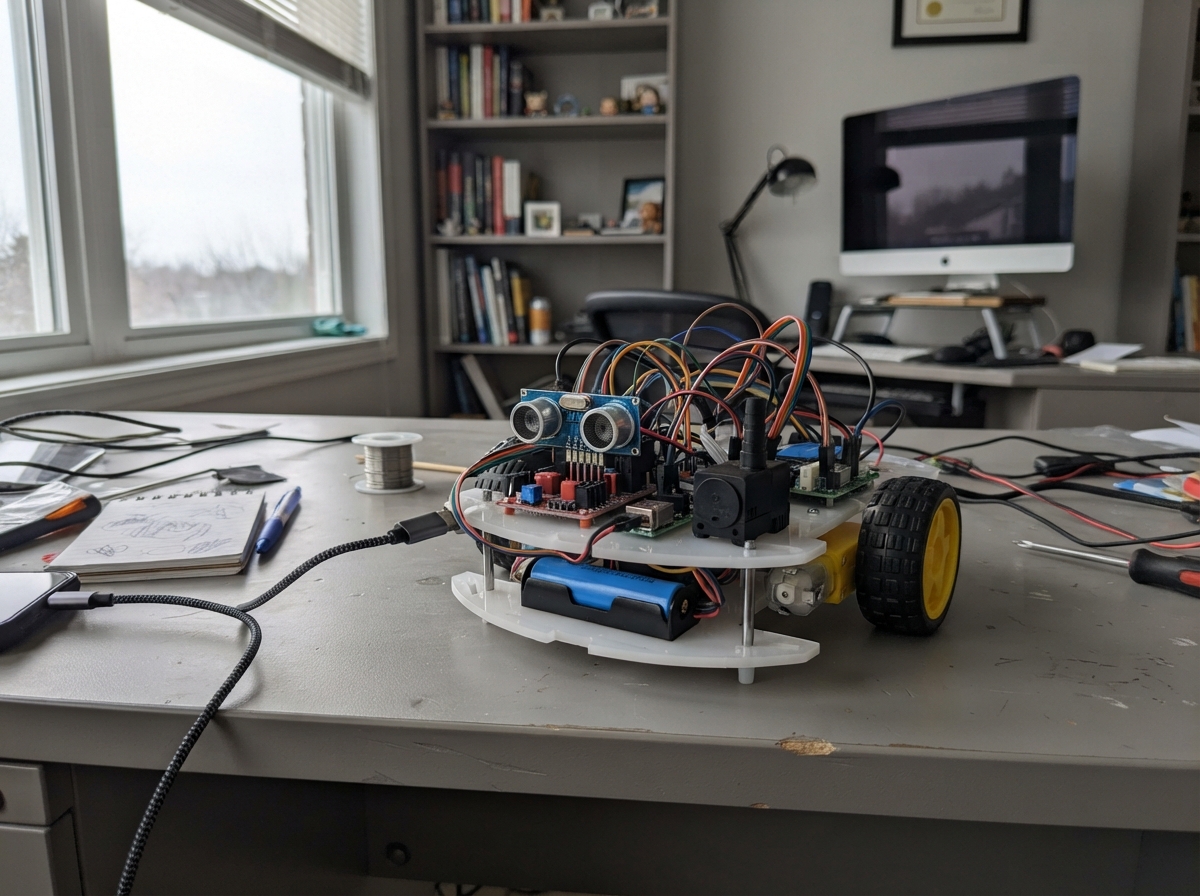
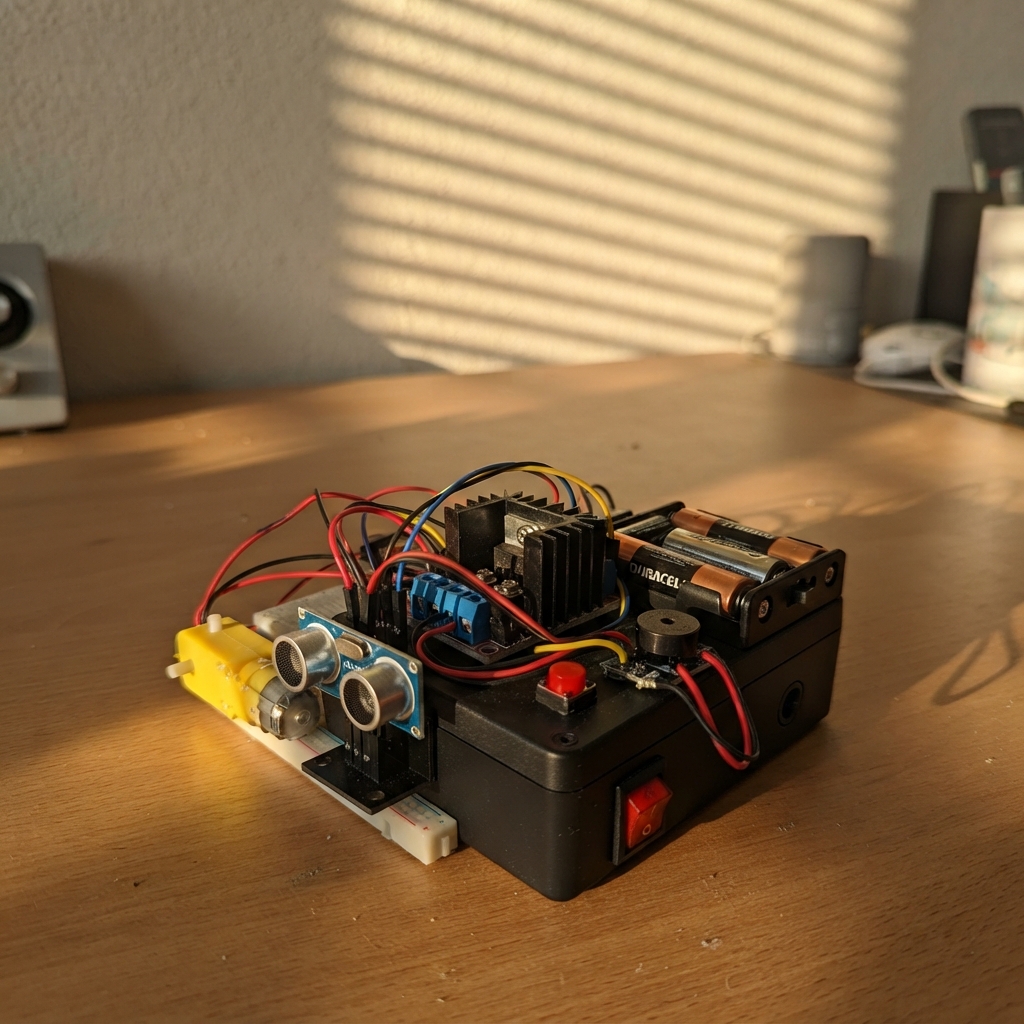
This guide builds an autonomous cleaning robot that navigates spaces while spraying water. The robot uses three ultrasonic distance sensors to detect obstacles and avoid collisions, then drives forward on two independently controlled 12V motors. A submersible pump sprays water on a timed cycle, controlled by a relay module, making it useful for cleaning floors, patios, or garden areas.
The project runs on an Arduino Uno powered by a protected 18650 Li-ion battery pack, with a buck converter stepping voltage down for the microcontroller and sensors. This guide provides a complete wiring diagram, parts list, Arduino firmware with obstacle avoidance logic, and step-by-step assembly instructions including battery safety, motor control setup, and pump testing.
Wiring diagram

Gather all the parts
Assemble it in 7 steps
1. Keep the electronics dry
Mount the Arduino, L298N motor driver, 5 V buck converter, BMS, relay, and pump where splashed water cannot reach them. Keep the 5 V buck adjustment screw reachable.
- Water touching these boards can short the battery and damage them.
2. Prepare the protected battery pack
Wire the three 18650 cells in series and connect the BMS leads: B- to the first cell negative, B1 to the first cell join, B2 to the second cell join, and B+ to the last cell positive. Use P+ as the protected positive supply and P- as the common negative supply for the robot.
- Do not solder directly onto loose 18650 cells; heat can damage a cell and create a fire risk.
- There is no fuse in this version, so disconnect the battery whenever you change a wire.
3. Set the 5 V supply before connecting it
Connect BMS P+ to buck_5v VIN (input power) and BMS P- to buck_5v GND (ground). With a meter, adjust VOUT to exactly 5.0 V before connecting the Arduino, relay, sensors, or L298N logic terminal.
- If the buck gets hot with its output disconnected, disconnect the battery immediately and replace the buck converter.
- More than 5 V on the Arduino 5V pin can damage it.
4. Wire the Arduino and distance sensors
Connect buck_5v VOUT to Arduino 5V (power) and buck_5v GND to Arduino GND (ground). For all three sensors, join VCC to this 5 V output (power) and GND to common GND (ground). Left sensor: TRIG to A0 (signal), ECHO to A1 (signal). Center sensor: TRIG to A2 (signal), ECHO to A3 (signal). Right sensor: TRIG to A4 (signal), ECHO to A5 (signal).
- Do not join any TRIG or ECHO wires together; each sensor needs its own two signal wires.
- Do not use the Arduino 3.3 V pin for these sensors.
5. Wire the L298N wheel driver
Remove the small 5V-EN jumper from the L298N, then connect buck_5v VOUT to L298N 5V (logic power), buck_5v GND to L298N GND (ground), and BMS P+ to L298N 12V (motor power). Leave the ENA and ENB jumpers fitted. Connect IN1 to Arduino D6 (left direction), IN2 to D9 (left direction), IN3 to D11 (right direction), and IN4 to D10 (right direction). Connect the left motor to OUT1 and OUT2; connect the right motor to OUT3 and OUT4.
- If the right wheel runs backward, disconnect the battery and swap only its two wires at OUT3 and OUT4.
- Keep the battery disconnected while tightening terminals; a loose copper strand can short the battery.
- The 5V-EN jumper must be removed before feeding the L298N 5V terminal from the buck converter.
6. Wire the pump relay
Connect relay VCC to the regulated 5 V output (power), relay GND to common GND (ground), and relay IN to Arduino D4 (control). Connect BMS P+ to relay COM (pump power); connect relay NO to pump PUMP+ (switched power); connect pump PUMP- to BMS P- (ground).
- There is no flyback diode across the pump in this version, so the relay contacts may wear sooner and electrical noise can reset the Arduino.
- Never connect the pump directly to an Arduino pin.
7. Test the wheels and pump safely
Raise both wheels off the floor. Plug the Arduino into USB and press Deploy, then connect the battery briefly. The relay on D4 should click once every 5 seconds and power the pump for about 1 second. If the L298N status LEDs change but the right wheel does not turn, disconnect the battery and swap the right motor's two wires with the left motor's two output terminals for a short test; this tells you whether the motor/wire or the L298N right output is at fault.
- Keep fingers and loose wires away from the wheels.
- Without a fuse, disconnect the battery immediately if any wire, BMS, relay, motor driver, or buck converter gets warm.
Review all connections
1. Connections between "cell_1" and "Arduino"
2. Connections between "cell_2" and "Arduino"
3. Connections between "cell_3" and "Arduino"
4. Connections between "bms_3s" and "Arduino"
5. Connections between "buck_5v" and "Arduino"
6. Connections between "sonar_front" and "Arduino"
7. Connections between "sonar_left" and "Arduino"
8. Connections between "sonar_right" and "Arduino"
9. Connections between "pump_relay" and "Arduino"
10. Connections between "pump" and "Arduino"
11. Connections between "motor_driver" and "Arduino"
Deploy the firmware
#include <Arduino.h>
#include <NewPing.h>

const uint8_t FRONT_TRIG_PIN = A2;
const uint8_t FRONT_ECHO_PIN = A3;
const uint8_t LEFT_IN1_PIN = 6;
const uint8_t LEFT_IN2_PIN = 9;
const uint8_t RIGHT_IN3_PIN = 11;
const uint8_t RIGHT_IN4_PIN = 10;
const uint8_t PUMP_PIN = 4;
// This KY-019 is active-low: its relay energizes when IN is LOW.
const uint8_t RELAY_ON_LEVEL = LOW;
const uint8_t LEFT_TRIG_PIN = A0;
const uint8_t LEFT_ECHO_PIN = A1;
const uint8_t RIGHT_TRIG_PIN = A4;
const uint8_t RIGHT_ECHO_PIN = A5;

const uint16_t MAX_DISTANCE_CM = 200;
const uint16_t STOP_DISTANCE_CM = 30;
const uint8_t DRIVE_SPEED = 185;
const uint8_t TURN_SPEED = 170;
const uint16_t BACKUP_TIME_MS = 350;
const uint16_t TURN_TIME_MS = 500;
const unsigned long PUMP_INTERVAL_MS = 5000;
const unsigned long PUMP_ON_TIME_MS = 1000;
unsigned long lastPumpCycleMs = 0;

NewPing frontSonar(FRONT_TRIG_PIN, FRONT_ECHO_PIN, MAX_DISTANCE_CM);
NewPing leftSonar(LEFT_TRIG_PIN, LEFT_ECHO_PIN, MAX_DISTANCE_CM);
NewPing rightSonar(RIGHT_TRIG_PIN, RIGHT_ECHO_PIN, MAX_DISTANCE_CM);

uint16_t readDistanceCm(NewPing &sonar) {
  const uint16_t distance = sonar.ping_cm();
  return distance == 0 ? MAX_DISTANCE_CM : distance;
}

void setPump(bool on) {
  digitalWrite(PUMP_PIN, on ? RELAY_ON_LEVEL : !RELAY_ON_LEVEL);
}

void stopRobot() {
  digitalWrite(LEFT_IN1_PIN, LOW);
  digitalWrite(LEFT_IN2_PIN, LOW);
  digitalWrite(RIGHT_IN3_PIN, LOW);
  digitalWrite(RIGHT_IN4_PIN, LOW);
}

void driveForward(uint8_t speed) {
  (void)speed;
  digitalWrite(LEFT_IN1_PIN, HIGH);
  digitalWrite(LEFT_IN2_PIN, LOW);
  digitalWrite(RIGHT_IN3_PIN, HIGH);
  digitalWrite(RIGHT_IN4_PIN, LOW);
}

void driveBackward(uint8_t speed) {
  (void)speed;
  digitalWrite(LEFT_IN1_PIN, LOW);
  digitalWrite(LEFT_IN2_PIN, HIGH);
  digitalWrite(RIGHT_IN3_PIN, LOW);
  digitalWrite(RIGHT_IN4_PIN, HIGH);
}

void turnLeft() {
  digitalWrite(LEFT_IN1_PIN, LOW);
  digitalWrite(LEFT_IN2_PIN, HIGH);
  digitalWrite(RIGHT_IN3_PIN, HIGH);
  digitalWrite(RIGHT_IN4_PIN, LOW);
}

void turnRight() {
  digitalWrite(LEFT_IN1_PIN, HIGH);
  digitalWrite(LEFT_IN2_PIN, LOW);
  digitalWrite(RIGHT_IN3_PIN, LOW);
  digitalWrite(RIGHT_IN4_PIN, HIGH);
}

void avoidObstacle() {
  stopRobot();
  delay(120);

  driveBackward(DRIVE_SPEED);
  delay(BACKUP_TIME_MS);
  stopRobot();
  delay(120);

  const uint16_t leftDistance = readDistanceCm(leftSonar);
  delay(60);
  const uint16_t rightDistance = readDistanceCm(rightSonar);
  delay(60);

  if (leftDistance >= rightDistance) {
    turnLeft();
  } else {
    turnRight();
  }
  delay(TURN_TIME_MS);
  stopRobot();
}

void setup() {
  pinMode(LEFT_IN1_PIN, OUTPUT);
  pinMode(LEFT_IN2_PIN, OUTPUT);
  pinMode(RIGHT_IN3_PIN, OUTPUT);
  pinMode(RIGHT_IN4_PIN, OUTPUT);
  pinMode(PUMP_PIN, OUTPUT);
  setPump(false);
  stopRobot();
  lastPumpCycleMs = millis();
  delay(1000);
}

void loop() {
  const unsigned long now = millis();
  const unsigned long cycleElapsed = now - lastPumpCycleMs;

  if (cycleElapsed >= PUMP_INTERVAL_MS) {
    lastPumpCycleMs = now;
    setPump(true);
  } else if (cycleElapsed >= PUMP_ON_TIME_MS) {
    setPump(false);
  }

  const uint16_t frontDistance = readDistanceCm(frontSonar);
  delay(60);

  if (frontDistance <= STOP_DISTANCE_CM) {
    avoidObstacle();
  } else {
    driveForward(DRIVE_SPEED);
  }

  delay(40);
}
Remix this project
Make it yours in one click
Open a full copy of this project in your own Schematik workspace, diagram, code, parts, and assembly steps included. Swap the sensor, add features, or redesign the whole thing with AI. The author's original stays untouched.