Community project
Ik Wil Crypto Prijzen Up To Date
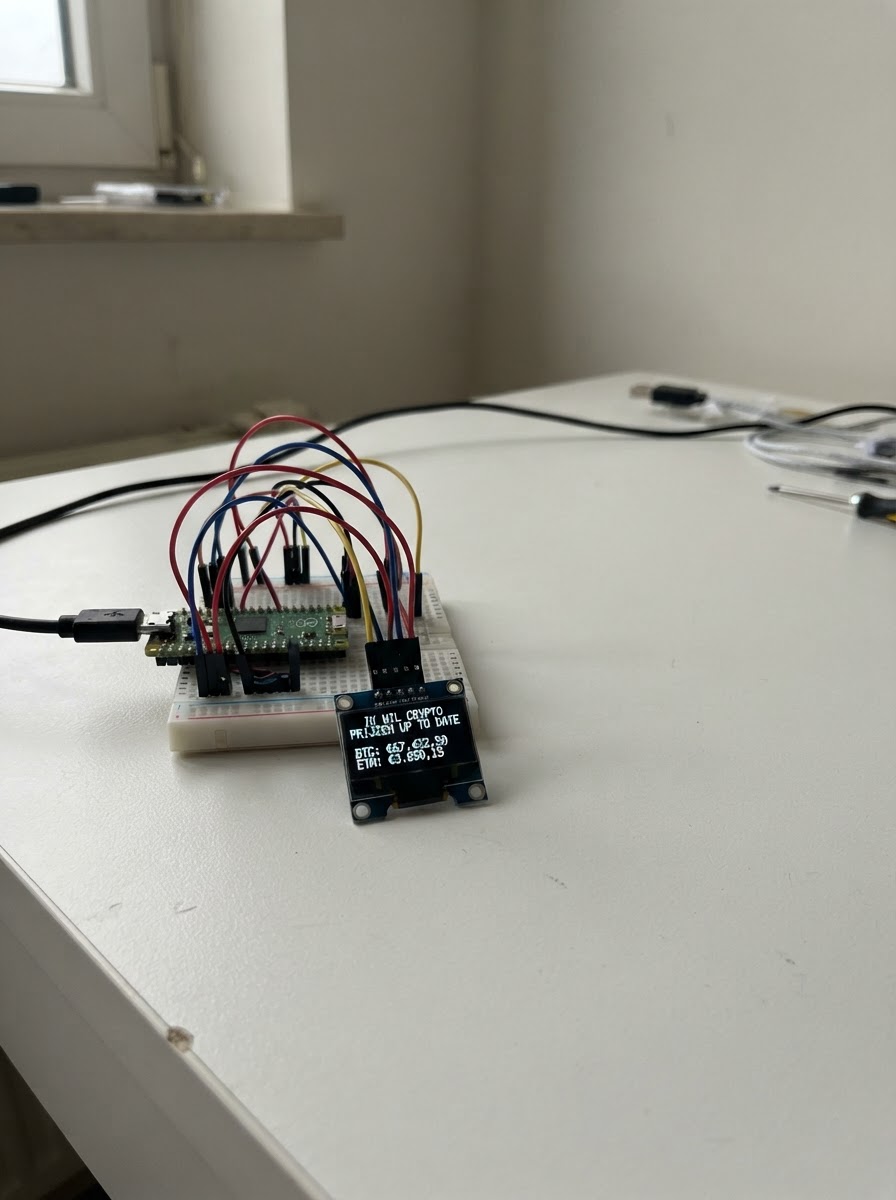
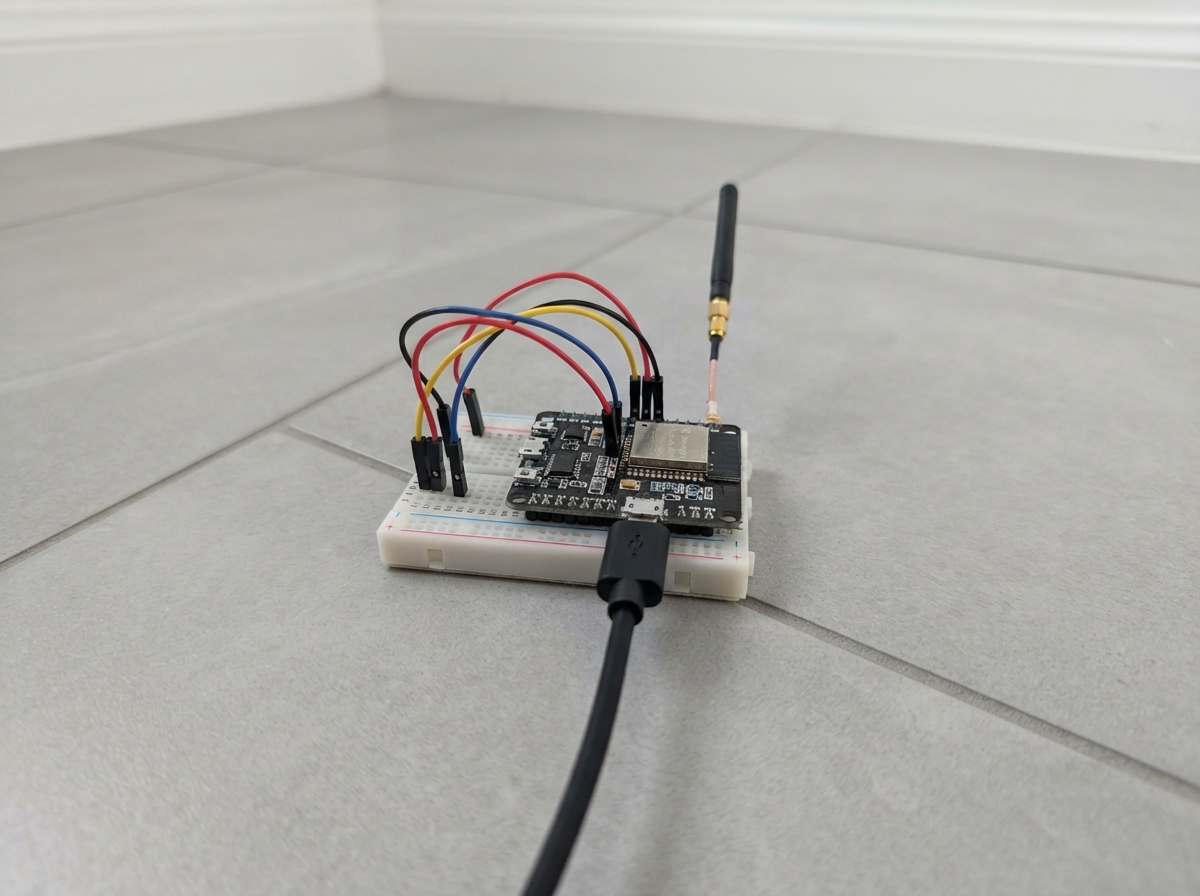
Build a real-time cryptocurrency price tracker that displays live Bitcoin, Ethereum, Solana, and Ripple prices on a compact OLED screen. This ESP32-based project fetches current market data from the internet and cycles through each coin's price and 24-hour change percentage every few seconds.
The guide includes a complete wiring diagram for connecting the SH1106 OLED display to the ESP32, a full parts list, ready-to-flash firmware with WiFi configuration, and step-by-step assembly instructions. Simply wire the display, add your WiFi credentials, and upload the code to start monitoring crypto prices wherever you build it.
Wiring diagram
Gather all the parts
Assemble it in 5 steps
1. Verzamel de onderdelen
Zorg dat je het volgende bij de hand hebt: ESP32 DevKit v1, een 1.3" SH1106 OLED-module (4 pinnen: VCC, GND, SDA, SCL), een micro-USB kabel en 4 jumper wires.
- De meeste 1.3" OLED-modules hebben de pinvolgorde GND – VCC – SCL – SDA van links naar rechts.
2. OLED aansluiten op de ESP32
Verbind de 4 pinnen van de OLED met de ESP32 als volgt: • VCC → 3V3 (pin op het ESP32-bord) • GND → GND • SCL → GPIO22 • SDA → GPIO21 Gebruik jumper wires, geen solderen nodig bij een breadboard.
- GPIO21 en GPIO22 zijn de standaard I2C-pinnen van de ESP32 en staan altijd beschikbaar.
- Sluit VCC ALTIJD aan op 3V3, NIET op 5V — de SH1106 is een 3.3V-module en gaat kapot bij 5V.
3. WiFi-gegevens invullen in de code
Open het firmware-bestand (firmware.cpp) en zoek de regels: #define WIFI_SSID "JouwWiFiNaam" #define WIFI_PASS "JouwWiFiWachtwoord" Vervang JouwWiFiNaam en JouwWiFiWachtwoord door je eigen WiFi-netwerknaam en wachtwoord.
- Let op hoofdletters en spaties in je WiFi-naam en wachtwoord.
4. Flashen via Schematik
Sluit de ESP32 aan op je computer via de micro-USB kabel en druk op de Deploy-knop in Schematik. De firmware wordt automatisch gecompileerd en geflasht.
- Na het flashen herstart de ESP32 automatisch en verschijnt 'Verbinden met WiFi' op het scherm.
5. Werking controleren
Na verbinding met WiFi worden de prijzen van BTC, ETH, SOL en XRP opgehaald van CoinGecko. Het scherm wisselt elke 4 seconden naar de volgende coin en toont de USD-prijs plus de 24-uurs procentuele verandering. Elke 60 seconden worden de prijzen automatisch ververst.
- Als het scherm 'Geen WiFi' toont, controleer dan je SSID en wachtwoord in de code.
- De CoinGecko API is gratis en vereist geen account of API-sleutel.
Review all connections
1. Connections between "oled" and "ESP32"
Deploy the firmware
#include <Arduino.h>
#include <Wire.h>
#include <WiFi.h>
#include <HTTPClient.h>
#include <ArduinoJson.h>
#include <Adafruit_GFX.h>
#include <Adafruit_SH110X.h>

// ─── WiFi instellingen ────────────────────────────────────────────────────────
#define WIFI_SSID   "JouwWiFiNaam"
#define WIFI_PASS   "JouwWiFiWachtwoord"

// ─── OLED ────────────────────────────────────────────────────────────────────
#define SCREEN_WIDTH  128
#define SCREEN_HEIGHT 64
#define OLED_RESET    -1
#define SDA_PIN       21
#define SCL_PIN       22


// Forward declarations
void showConnecting();
void showError(const char* msg);
void fetchPrices();
void drawCoin(int idx);

Adafruit_SH1106G display(SCREEN_WIDTH, SCREEN_HEIGHT, &Wire, OLED_RESET);

// ─── Crypto configuratie ──────────────────────────────────────────────────────
const char* COIN_IDS[]     = {"bitcoin", "ethereum", "solana", "ripple"};
const char* COIN_SYMBOLS[] = {"BTC", "ETH", "SOL", "XRP"};
const int   NUM_COINS      = 4;

float  prices[NUM_COINS]  = {0, 0, 0, 0};
float  changes[NUM_COINS] = {0, 0, 0, 0};
bool   dataLoaded         = false;

// ─── Timing ───────────────────────────────────────────────────────────────────
const unsigned long FETCH_INTERVAL   = 60000;  // Prijs update: elke 60 seconden
const unsigned long DISPLAY_INTERVAL = 4000;   // Wisselen coin: elke 4 seconden

unsigned long lastFetch   = 0;
unsigned long lastDisplay = 0;
int           currentCoin = 0;

// ─── Functies ─────────────────────────────────────────────────────────────────
void showConnecting() {
  display.clearDisplay();
  display.setTextSize(1);
  display.setTextColor(SH110X_WHITE);
  display.setCursor(10, 20);
  display.print("Verbinden met WiFi");
  display.setCursor(30, 35);
  display.print(WIFI_SSID);
  display.display();
}

void showError(const char* msg) {
  display.clearDisplay();
  display.setTextSize(1);
  display.setTextColor(SH110X_WHITE);
  display.setCursor(0, 10);
  display.print("Fout:");
  display.setCursor(0, 24);
  display.print(msg);
  display.display();
}

void fetchPrices() {
  if (WiFi.status() != WL_CONNECTED) return;

  HTTPClient http;
  String url = "https://api.coingecko.com/api/v3/simple/price"
               "?ids=bitcoin,ethereum,solana,ripple"
               "&vs_currencies=usd"
               "&include_24hr_change=true";

  http.begin(url);
  http.addHeader("Accept", "application/json");
  int httpCode = http.GET();

  if (httpCode == 200) {
    String payload = http.getString();
    JsonDocument doc;
    DeserializationError err = deserializeJson(doc, payload);
    if (!err) {
      prices[0]  = doc["bitcoin"]["usd"]             | 0.0f;
      changes[0] = doc["bitcoin"]["usd_24h_change"]  | 0.0f;
      prices[1]  = doc["ethereum"]["usd"]            | 0.0f;
      changes[1] = doc["ethereum"]["usd_24h_change"] | 0.0f;
      prices[2]  = doc["solana"]["usd"]              | 0.0f;
      changes[2] = doc["solana"]["usd_24h_change"]   | 0.0f;
      prices[3]  = doc["ripple"]["usd"]              | 0.0f;
      changes[3] = doc["ripple"]["usd_24h_change"]   | 0.0f;
      dataLoaded = true;
    }
  } else {
    // Toon foutcode maar overschrijf niet de bestaande data
  }
  http.end();
}

void drawCoin(int idx) {
  display.clearDisplay();

  // ── Bovenbalk: naam + nummer ──
  display.fillRect(0, 0, SCREEN_WIDTH, 14, SH110X_WHITE);
  display.setTextColor(SH110X_BLACK);
  display.setTextSize(1);
  display.setCursor(4, 3);
  display.print(COIN_SYMBOLS[idx]);

  // Paginatje rechtsboven  "2/4"
  char page[6];
  snprintf(page, sizeof(page), "%d/%d", idx + 1, NUM_COINS);
  display.setCursor(SCREEN_WIDTH - 22, 3);
  display.print(page);

  display.setTextColor(SH110X_WHITE);

  if (!dataLoaded) {
    display.setTextSize(1);
    display.setCursor(10, 28);
    display.print("Laden...");
    display.display();
    return;
  }

  // ── Prijs ──
  char priceStr[20];
  if (prices[idx] >= 10000.0f) {
    snprintf(priceStr, sizeof(priceStr), "$%.0f", prices[idx]);
  } else if (prices[idx] >= 100.0f) {
    snprintf(priceStr, sizeof(priceStr), "$%.2f", prices[idx]);
  } else {
    snprintf(priceStr, sizeof(priceStr), "$%.4f", prices[idx]);
  }

  display.setTextSize(2);
  // Centreer de prijs
  int16_t x1, y1; uint16_t w, h;
  display.getTextBounds(priceStr, 0, 0, &x1, &y1, &w, &h);
  display.setCursor((SCREEN_WIDTH - w) / 2, 18);
  display.print(priceStr);

  // ── 24u verandering ──
  display.setTextSize(1);
  char changeStr[16];
  float ch = changes[idx];
  snprintf(changeStr, sizeof(changeStr), "%s%.2f%%", ch >= 0 ? "+" : "", ch);

  display.getTextBounds(changeStr, 0, 0, &x1, &y1, &w, &h);
  display.setCursor((SCREEN_WIDTH - w) / 2, 44);
  display.print(changeStr);

  // ── Onderste lijn: "24u verandering" label ──
  display.setTextSize(1);
  display.setCursor(20, 55);
  display.print("24u verandering");

  display.display();
}

// ─── Setup ───────────────────────────────────────────────────────────────────
void setup() {
  Serial.begin(115200);

  Wire.begin(SDA_PIN, SCL_PIN);
  display.begin(0x3C, true);
  display.clearDisplay();
  display.display();

  showConnecting();

  WiFi.begin(WIFI_SSID, WIFI_PASS);
  int attempts = 0;
  while (WiFi.status() != WL_CONNECTED && attempts < 40) {
    delay(500);
    attempts++;
  }

  if (WiFi.status() != WL_CONNECTED) {
    showError("Geen WiFi");
    return;
  }

  fetchPrices();
  lastFetch   = millis();
  lastDisplay = millis();
  drawCoin(currentCoin);
}

// ─── Loop ────────────────────────────────────────────────────────────────────
void loop() {
  unsigned long now = millis();

  // Haal elke 60 seconden nieuwe prijzen op
  if (now - lastFetch >= FETCH_INTERVAL) {
    fetchPrices();
    lastFetch = now;
    drawCoin(currentCoin);   // Meteen scherm verversen na update
  }

  // Wissel elke 4 seconden naar de volgende coin
  if (now - lastDisplay >= DISPLAY_INTERVAL) {
    currentCoin = (currentCoin + 1) % NUM_COINS;
    drawCoin(currentCoin);
    lastDisplay = now;
  }
}
Remix this project
Make it yours in one click
Open a full copy of this project in your own Schematik workspace — diagram, code, parts, and assembly steps included. Swap the sensor, add features, or redesign the whole thing with AI. The author's original stays untouched.