Community project
Miniature 4G Kids Phone
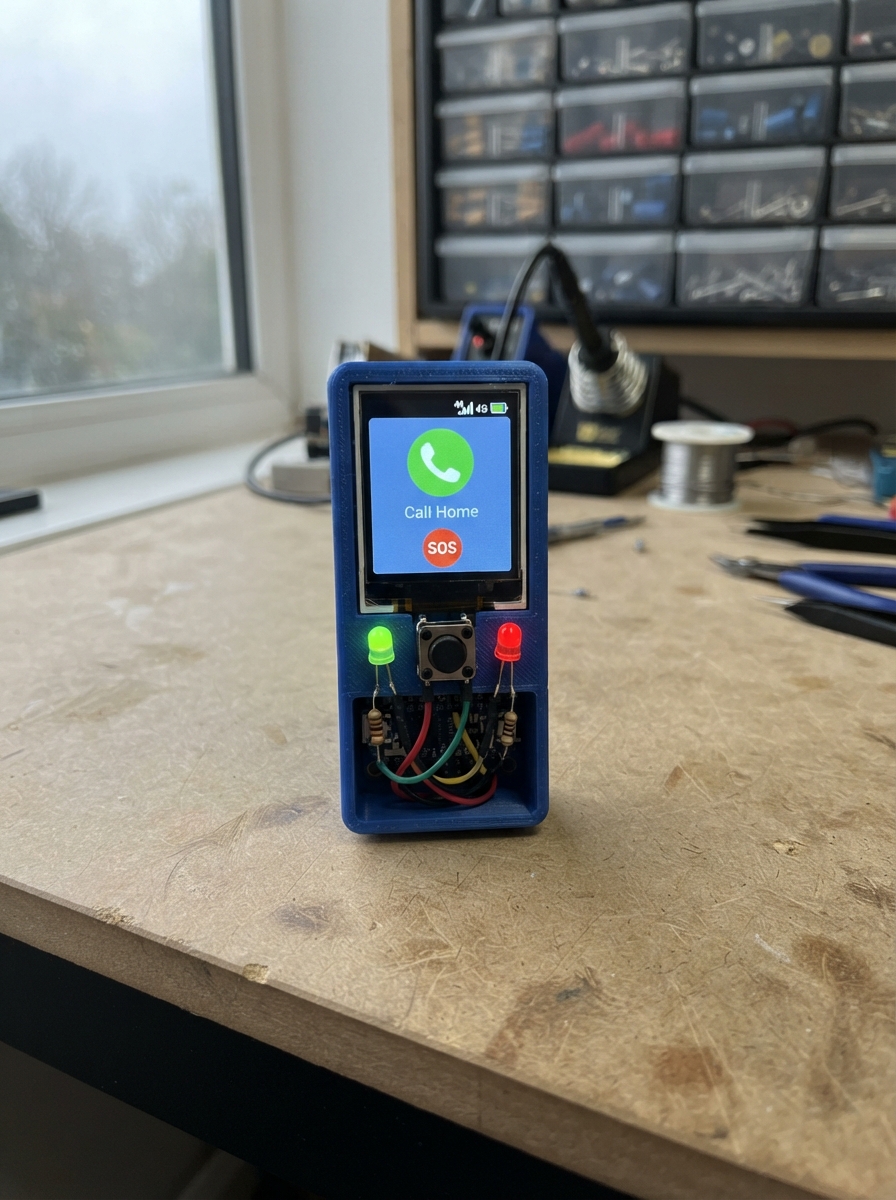
This guide walks through building a miniature 4G kids phone prototype based on the ESP32 microcontroller. The project demonstrates basic button input handling and LED status indicators, providing a foundation for understanding how physical controls and feedback work in embedded systems.
Following this guide, builders will receive a wiring diagram showing how to connect two tactile buttons and two LEDs to the ESP32, a complete parts list, and firmware that debounces button presses and controls the indicator lights. Assembly takes just a few minutes and requires only basic soldering skills.
Wiring diagram

Gather all the parts
Assemble it in 3 steps
1. Review the unreleased phone design
Read data/design/README.md. Only the USB-powered button and LED validation circuit is released here. Do not connect the battery, charger, boost converter or modem to this validation circuit.
- The phone power and audio design is not released for assembly or child use.
2. Connect the two buttons
Connect MAMA between D1 (GPIO3) and ground, and TATA between D2 (GPIO4) and ground. Add one 10 kohm resistor from each button signal to 3V3. Use two electrically distinct switch contacts.
3. Connect the indicators
D4 (GPIO6) connects through its 2.2 kohm resistor to the green LED anode. D5 (GPIO7) connects through its separate 2.2 kohm resistor to the red LED anode. Both cathodes go to ground. Red stays on to indicate this is not phone firmware; green lights when a button is pressed.
Review all connections
1. Connections between "sw_mama" and "ESP32"
2. Connections between "sw_tata" and "ESP32"
3. Connections between "r_mama" and "ESP32"
4. Connections between "r_tata" and "ESP32"
5. Connections between "r_green" and "ESP32"
6. Connections between "led_green" and "ESP32"
7. Connections between "r_red" and "ESP32"
8. Connections between "led_red" and "ESP32"
Deploy the firmware
#include <Arduino.h>
// UI validation ONLY. No modem control or phone functionality is implemented.
// Green lights only while a button is held: it does NOT report network readiness.
constexpr int MAMA=3,TATA=4,GREEN=6,RED=7;
void setup(){pinMode(MAMA,INPUT);pinMode(TATA,INPUT);pinMode(GREEN,OUTPUT);pinMode(RED,OUTPUT);digitalWrite(RED,HIGH);}
void loop(){ static uint32_t changed=0; static bool previous=false,stable=false;
 bool pressed=!digitalRead(MAMA)||!digitalRead(TATA);
 if(pressed!=previous){previous=pressed;changed=millis();}
 if(millis()-changed>=30)stable=pressed;
 digitalWrite(GREEN,stable); delay(5);
}
Remix this project
Make it yours in one click
Open a full copy of this project in your own Schematik workspace — diagram, code, parts, and assembly steps included. Swap the sensor, add features, or redesign the whole thing with AI. The author's original stays untouched.