Community project
Touchscreen Speaker Controller
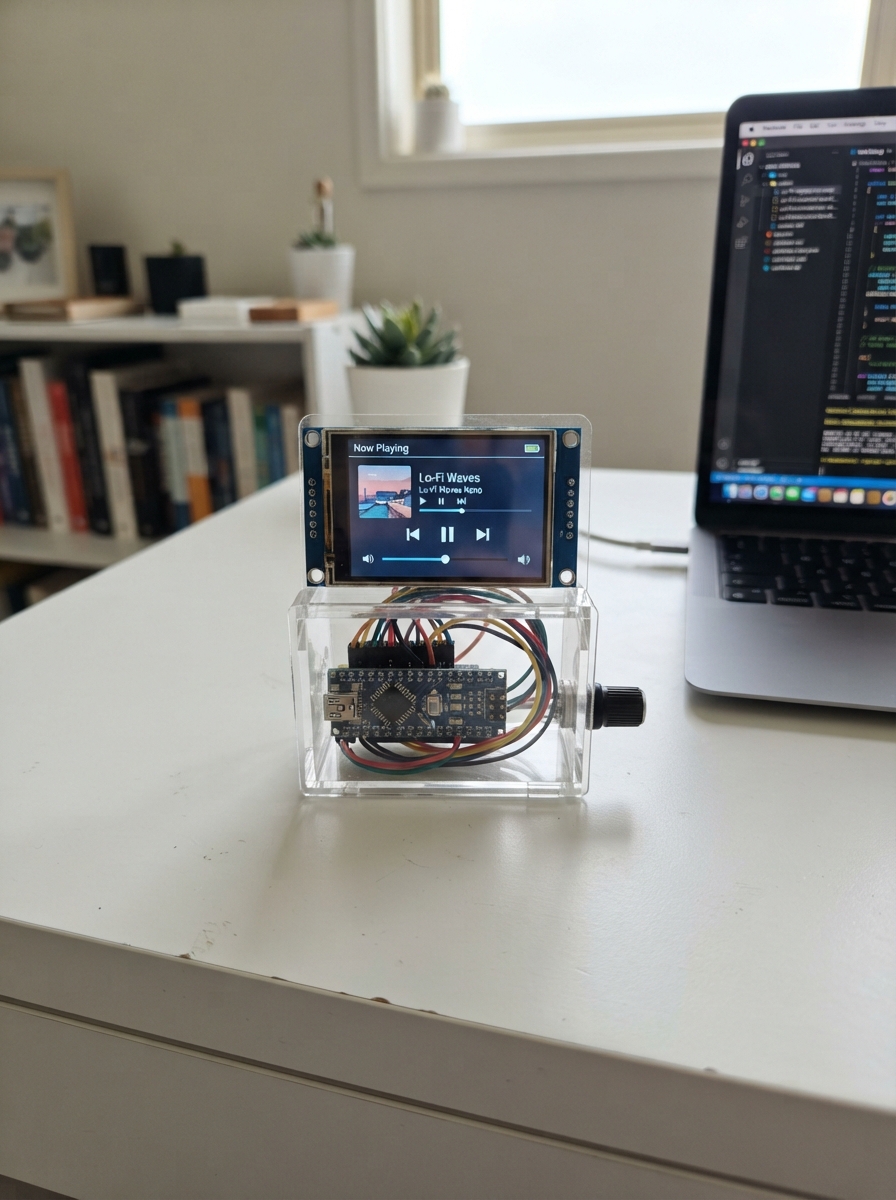
This project turns a Cheap Yellow Display (CYD) board into an interactive touchscreen piano controller. The ESP32-based device features a 3.2-inch ILI9341 display with capacitive touch input and built-in speaker, letting users play notes, learn tutorials, and perform pre-loaded songs through an intuitive on-screen interface.
The guide provides a complete parts list, wiring diagram, and step-by-step assembly instructions. Since the CYD board comes pre-assembled, setup is straightforward: position the board safely, connect USB power, and load the provided firmware. Readers will also get access to the piano application with calibration, tutorial modes, and song playback features ready to explore.
Wiring diagram
Assemble it in 4 steps
1. Use the CYD board as it is
Leave the built-in screen, touch panel, and small speaker connected exactly as they came on the ESP32 CYD board. This piano uses those built-in parts, so no extra electronics or signal wires are needed.
- Remove any clear protective film from the screen so your taps register more reliably.
- Do not attach a second speaker to GPIO26 for this version; the board already has its own small speaker connected there.
2. Put the board somewhere safe
Place the board flat on a dry wooden or plastic surface, with the screen facing up. Keep the underside away from loose metal objects so nothing can touch the contacts.
- Keep the small speaker opening uncovered so the notes are easier to hear.
- Metal touching the powered board can make a short circuit and damage it.
3. Connect USB power
Connect the CYD board to your computer with a USB data cable. The cable powers the board and lets Schematik send the piano app to it.
- If the screen does not light, try a different cable because some USB cables only provide charging power.
- Do not use a damaged cable or place drinks near the powered board.
4. Play the piano app
After deploying, tap Free Style Piano to play the seven colored keys. Tap Tutorial to choose one of three easy songs and follow the highlighted key. Tap Play Songs to choose one of ten songs that play by themselves through the built-in speaker.
- Tap near the centre of a button or colored key. Use the HOME button at the top right to return to the main menu.
- Keep the speaker opening clear; covering it makes the notes much quieter.
Deploy the firmware
#include <Arduino.h>
#include <SPI.h>
#include <Adafruit_GFX.h>
#include <Adafruit_ILI9341.h>


enum Screen { CALIBRATION, WELCOME, HOME, PIANO, TUTORIAL_LIST, TUTORIAL_PLAY, SONG_LIST, SONG_PLAY };

struct Tune { const char *name; const uint8_t *notes; uint8_t length; };


// Forward declarations

// Forward declarations
void clearAutoHighlight();

void header(const char *title);
void button(int x, int y, int w, int h, uint16_t color, const char *text, uint8_t size);
bool inside(int x, int y, int rx, int ry, int rw, int rh);
uint16_t readAxis(uint8_t command);
bool readRawTouch(uint16_t &rawX, uint16_t &rawY);
bool readTouch(int16_t &x, int16_t &y);
void drawCalibration();
void saveCalibrationPoint(uint16_t rawX, uint16_t rawY);
void drawHome();
void drawWelcome();
void updateWelcome();
void drawPiano(const char *title);
void drawTutorialList();
void drawSongList();
void showTutorialKey();
void startAutoSong(int index);
void handleTap(int x, int y);

constexpr int DISPLAY_SCK_PIN = 14;
constexpr int DISPLAY_MISO_PIN = 12;
constexpr int DISPLAY_MOSI_PIN = 13;
constexpr int DISPLAY_CS_PIN = 15;
constexpr int DISPLAY_DC_PIN = 2;
constexpr int DISPLAY_BACKLIGHT_PIN = 21;
constexpr int TOUCH_SCK_PIN = 25;
constexpr int TOUCH_MISO_PIN = 39;
constexpr int TOUCH_MOSI_PIN = 32;
constexpr int TOUCH_CS_PIN = 33;
constexpr int TOUCH_IRQ_PIN = 36;
constexpr int SPEAKER_PIN = 26;
constexpr int SCREEN_W = 320;
constexpr int SCREEN_H = 240;

SPIClass displaySPI(HSPI);
SPIClass touchSPI(VSPI);
Adafruit_ILI9341 tft(&displaySPI, DISPLAY_DC_PIN, DISPLAY_CS_PIN, -1);


Screen screen = CALIBRATION;
// Safe starting values are replaced after the four corner taps.
uint16_t calibrationRawX[4] = {200, 200, 3700, 3700};
uint16_t calibrationRawY[4] = {3800, 240, 240, 3800};
uint8_t calibrationStep = 0;
bool calibrationWasPressed = false;
uint32_t calibrationSumX = 0;
uint32_t calibrationSumY = 0;
uint8_t calibrationSamples = 0;
bool calibrationCapturing = false;
unsigned long welcomeStartedAt = 0;
unsigned long nextWelcomeFrameAt = 0;
uint8_t welcomeFrame = 0;
uint8_t welcomeNotesPlayed = 0;
unsigned long nextWelcomeNoteAt = 0;

const uint16_t noteHz[7] = {262, 294, 330, 349, 392, 440, 494};
const char *noteName[7] = {"C", "D", "E", "F", "G", "A", "B"};
const uint16_t noteColor[7] = {ILI9341_RED, ILI9341_ORANGE, ILI9341_YELLOW, ILI9341_GREEN, ILI9341_CYAN, ILI9341_BLUE, ILI9341_MAGENTA};


const uint8_t tune0[] = {0,0,4,4,5,5,4,3,3,2,2,1,1,0};
const uint8_t tune1[] = {0,0,1,0,0,1,0,1,2,3,2,1,0};
const uint8_t tune2[] = {4,4,4,2,2,2,4,4,4,2,2,2,4,2,4,2,4};
const uint8_t tune3[] = {0,1,2,3,4,4,4,4,3,3,3,3,2,2,2,2,1,1,1,1,0};
const uint8_t tune4[] = {0,2,4,0,2,4,4,4,3,3,3,2,2,2,1,1,1,0};
const uint8_t tune5[] = {0,0,0,1,2,2,1,2,3,4,4,3,2,1,0};
const uint8_t tune6[] = {4,4,5,4,2,1,4,4,5,4,3,2,4,4,4,5,4,2,1};
const uint8_t tune7[] = {0,0,4,0,0,4,0,4,5,4,3,2,1,0};
const uint8_t tune8[] = {2,2,3,4,4,3,2,1,0,0,1,2,2,1,1};
const uint8_t tune9[] = {0,2,3,0,2,3,4,3,2,1,0,1,2,0};
const Tune tunes[] = {
  {"Twinkle Star", tune0, sizeof(tune0)}, {"Happy Walk", tune1, sizeof(tune1)},
  {"Little Train", tune2, sizeof(tune2)}, {"Up The Steps", tune3, sizeof(tune3)},
  {"Rainbow Song", tune4, sizeof(tune4)}, {"Morning Tune", tune5, sizeof(tune5)},
  {"Birthday Song", tune6, sizeof(tune6)}, {"Baa Baa Song", tune7, sizeof(tune7)},
  {"Ode To Joy", tune8, sizeof(tune8)}, {"Fun March", tune9, sizeof(tune9)}
};
constexpr int TUNE_COUNT = sizeof(tunes) / sizeof(tunes[0]);
int selectedTune = 0;
int tutorialStep = 0;
int playingStep = 0;
unsigned long nextNoteAt = 0;
bool wasPressed = false;
// The white outline is only a short visual cue for an automatically played note.
int autoHighlightKey = -1;
unsigned long autoHighlightUntil = 0;

void header(const char *title) {
  tft.fillScreen(ILI9341_NAVY);
  tft.fillRect(0, 0, SCREEN_W, 34, ILI9341_PURPLE);
  tft.setTextColor(ILI9341_WHITE); tft.setTextSize(2);
  tft.setCursor(10, 9); tft.print(title);
}
void button(int x, int y, int w, int h, uint16_t color, const char *text, uint8_t size = 2) {
  tft.fillRoundRect(x, y, w, h, 9, color);
  tft.drawRoundRect(x, y, w, h, 9, ILI9341_WHITE);
  tft.setTextColor(ILI9341_BLACK); tft.setTextSize(size);
  int16_t tx = x + (w - strlen(text) * 6 * size) / 2;
  tft.setCursor(tx, y + (h - 8 * size) / 2); tft.print(text);
}
bool inside(int x, int y, int rx, int ry, int rw, int rh) { return x >= rx && x < rx + rw && y >= ry && y < ry + rh; }

uint16_t readAxis(uint8_t command) {
  touchSPI.beginTransaction(SPISettings(2000000, MSBFIRST, SPI_MODE0));
  digitalWrite(TOUCH_CS_PIN, LOW); touchSPI.transfer(command);
  uint8_t hi = touchSPI.transfer(0); uint8_t lo = touchSPI.transfer(0);
  digitalWrite(TOUCH_CS_PIN, HIGH); touchSPI.endTransaction();
  return ((uint16_t(hi) << 8) | lo) >> 3;
}
bool readRawTouch(uint16_t &rawX, uint16_t &rawY) {
  if (digitalRead(TOUCH_IRQ_PIN) != LOW) return false;
  rawX = readAxis(0xD0);
  rawY = readAxis(0x90);
  return rawX >= 100 && rawY >= 100;
}
bool readTouch(int16_t &x, int16_t &y) {
  uint16_t rawX, rawY;
  if (!readRawTouch(rawX, rawY)) return false;
  uint16_t left = (calibrationRawY[0] + calibrationRawY[3]) / 2;
  uint16_t right = (calibrationRawY[1] + calibrationRawY[2]) / 2;
  uint16_t top = (calibrationRawX[0] + calibrationRawX[1]) / 2;
  uint16_t bottom = (calibrationRawX[2] + calibrationRawX[3]) / 2;
  // The calibration crosses are inset from the bezel, so map to their real
  // screen positions rather than incorrectly stretching them to the edges.
  x = constrain(map(rawY, left, right, 18, 301), 0, SCREEN_W - 1);
  y = constrain(map(rawX, top, bottom, 18, 222), 0, SCREEN_H - 1);
  return true;
}
void drawCalibration() {
  const int targetX[4] = {18, 301, 301, 18};
  const int targetY[4] = {18, 18, 222, 222};
  const char *cornerName[4] = {"TOP LEFT", "TOP RIGHT", "BOTTOM RIGHT", "BOTTOM LEFT"};
  tft.fillScreen(ILI9341_NAVY);
  tft.setTextColor(ILI9341_YELLOW); tft.setTextSize(2); tft.setCursor(31, 82); tft.print("Tap the glowing target");
  tft.setTextColor(ILI9341_WHITE); tft.setTextSize(2); tft.setCursor(82, 108); tft.print(cornerName[calibrationStep]);
  for (int i = 0; i < 4; i++) {
    uint16_t color = (i == calibrationStep) ? ILI9341_YELLOW : ILI9341_DARKGREY;
    tft.fillCircle(targetX[i], targetY[i], i == calibrationStep ? 13 : 7, color);
    tft.drawCircle(targetX[i], targetY[i], i == calibrationStep ? 17 : 10, ILI9341_WHITE);
  }
  tft.setTextColor(ILI9341_CYAN); tft.setTextSize(1); tft.setCursor(49, 140); tft.print("Touch each corner once. Keep your finger still.");
}
void saveCalibrationPoint(uint16_t rawX, uint16_t rawY) {
  calibrationRawX[calibrationStep] = rawX;
  calibrationRawY[calibrationStep] = rawY;
  calibrationStep++;
  if (calibrationStep < 4) {
    drawCalibration();
  } else {
    screen = WELCOME;
    welcomeStartedAt = millis();
    nextWelcomeFrameAt = welcomeStartedAt;
    nextWelcomeNoteAt = welcomeStartedAt + 250;
    welcomeNotesPlayed = 0;
    drawWelcome();
  }
}
void drawWelcome() {
  tft.fillScreen(ILI9341_NAVY);
  tft.fillRect(0, 0, SCREEN_W, 34, ILI9341_PURPLE);
  tft.setTextColor(ILI9341_WHITE); tft.setTextSize(3); tft.setCursor(49, 7); tft.print("Kids Piano!");
  tft.setTextColor(ILI9341_YELLOW); tft.setTextSize(2); tft.setCursor(47, 48); tft.print("Welcome, little musician!");
  // Cute cartoon piano body and its smiling face.
  tft.fillRoundRect(35, 103, 250, 92, 16, ILI9341_RED);
  tft.fillRoundRect(43, 111, 234, 38, 8, ILI9341_YELLOW);
  for (int i = 0; i < 7; i++) {
    int x = 47 + i * 32;
    tft.fillRoundRect(x, 115, 28, 30, 3, noteColor[i]);
    tft.drawRoundRect(x, 115, 28, 30, 3, ILI9341_WHITE);
  }
  tft.fillCircle(112, 168, 7, ILI9341_WHITE); tft.fillCircle(208, 168, 7, ILI9341_WHITE);
  tft.fillCircle(112, 168, 3, ILI9341_BLACK); tft.fillCircle(208, 168, 3, ILI9341_BLACK);
  tft.drawCircle(160, 171, 20, ILI9341_WHITE);
  tft.fillRect(139, 158, 42, 14, ILI9341_RED);
  tft.setTextColor(ILI9341_WHITE); tft.setTextSize(1); tft.setCursor(71, 217); tft.print("Get ready to make happy music!");
}
void updateWelcome() {
  // Only this small sky area changes on each animation frame.
  tft.fillRect(0, 70, SCREEN_W, 28, ILI9341_NAVY);
  const int noteX[4] = {56, 118, 202, 264};
  const uint16_t noteColors[4] = {ILI9341_YELLOW, ILI9341_CYAN, ILI9341_MAGENTA, ILI9341_GREEN};
  for (int i = 0; i < 4; i++) {
    int y = 78 + ((welcomeFrame + i * 3) % 5) * 3;
    tft.fillCircle(noteX[i], y, 4, noteColors[i]);
    tft.fillRect(noteX[i] + 4, y - 16, 3, 16, noteColors[i]);
    tft.fillRect(noteX[i] + 7, y - 16, 8, 3, noteColors[i]);
  }
  welcomeFrame++;
}
void drawHome() {
  header("Colorful Kids Piano");
  button(25, 52, 270, 46, ILI9341_YELLOW, "1  Free Style Piano");
  button(25, 108, 270, 46, ILI9341_GREEN, "2  Tutorial - 3 Songs");
  button(25, 164, 270, 46, ILI9341_CYAN, "3  Play Songs - 10", 2);
  tft.setTextColor(ILI9341_WHITE); tft.setTextSize(1); tft.setCursor(56, 220); tft.print("Tap a colorful choice to begin!");
}
void drawPiano(const char *title) {
  header(title); button(262, 4, 54, 26, ILI9341_ORANGE, "HOME", 1);
  for (int i = 0; i < 7; i++) {
    int x = 4 + i * 45;
    tft.fillRoundRect(x, 55, 41, 150, 6, noteColor[i]);
    tft.drawRoundRect(x, 55, 41, 150, 6, ILI9341_BLACK);
    tft.setTextColor(ILI9341_BLACK); tft.setTextSize(3); tft.setCursor(x + 11, 115); tft.print(noteName[i]);
  }
}
void drawTutorialList() {
  header("Tutorial: Pick a Song"); button(262, 4, 54, 26, ILI9341_ORANGE, "HOME", 1);
  for (int i = 0; i < 3; i++) button(25, 52 + i * 55, 270, 43, noteColor[i + 2], tunes[i].name);
  tft.setTextColor(ILI9341_WHITE); tft.setTextSize(1); tft.setCursor(36, 222); tft.print("Follow the glowing piano key!");
}
void drawSongList() {
  header("Play Songs: Pick One"); button(262, 4, 54, 26, ILI9341_ORANGE, "HOME", 1);
  for (int i = 0; i < TUNE_COUNT; i++) {
    int col = i % 2, row = i / 2;
    button(8 + col * 155, 42 + row * 38, 149, 32, noteColor[i % 7], tunes[i].name, 1);
  }
}
void showTutorialKey() {
  drawPiano(tunes[selectedTune].name);
  tft.fillRoundRect(6, 37, 250, 15, 3, ILI9341_DARKCYAN);
  tft.setTextColor(ILI9341_WHITE); tft.setTextSize(1); tft.setCursor(11, 40);
  tft.print("Play key: "); tft.print(noteName[tunes[selectedTune].notes[tutorialStep]]);
  int x = 4 + tunes[selectedTune].notes[tutorialStep] * 45;
  tft.drawRoundRect(x - 2, 53, 45, 154, 7, ILI9341_WHITE);
}
void clearAutoHighlight() {
  if (autoHighlightKey >= 0) {
    int x = 4 + autoHighlightKey * 45;
    tft.drawRoundRect(x, 55, 41, 150, 6, ILI9341_BLACK);
    autoHighlightKey = -1;
  }
}
void startAutoSong(int index) {
  clearAutoHighlight();
  selectedTune = index;
  playingStep = 0;
  nextNoteAt = 0;
  screen = SONG_PLAY;
  drawPiano(tunes[index].name);
}
void handleTap(int x, int y) {
  if (screen == HOME) {
    if (inside(x,y,25,52,270,46)) { screen = PIANO; drawPiano("Free Style Piano"); }
    else if (inside(x,y,25,108,270,46)) { screen = TUTORIAL_LIST; drawTutorialList(); }
    else if (inside(x,y,25,164,270,46)) { screen = SONG_LIST; drawSongList(); }
    return;
  }
  if (inside(x,y,262,4,54,26)) { noTone(SPEAKER_PIN); screen = HOME; drawHome(); return; }
  if (screen == TUTORIAL_LIST) { for (int i=0;i<3;i++) if (inside(x,y,25,52+i*55,270,43)) { selectedTune=i; tutorialStep=0; screen=TUTORIAL_PLAY; showTutorialKey(); } return; }
  if (screen == SONG_LIST) { for (int i=0;i<TUNE_COUNT;i++) { int col=i%2,row=i/2; if (inside(x,y,8+col*155,42+row*38,149,32)) startAutoSong(i); } return; }
  if (screen == PIANO || screen == TUTORIAL_PLAY) {
    for (int i=0;i<7;i++) if (inside(x,y,4+i*45,55,41,150)) {
      tone(SPEAKER_PIN, noteHz[i], 250);
      if (screen == PIANO) {
        clearAutoHighlight();
        int keyX = 4 + i * 45;
        tft.drawRoundRect(keyX, 55, 41, 150, 6, ILI9341_WHITE);
        autoHighlightKey = i;
        autoHighlightUntil = millis() + 250;
      }
      if (screen == TUTORIAL_PLAY && i == tunes[selectedTune].notes[tutorialStep]) {
        tutorialStep++;
        if (tutorialStep >= tunes[selectedTune].length) {
          // Remove the last lesson outline before showing the finished message.
          int keyX = 4 + i * 45;
          tft.drawRoundRect(keyX, 55, 41, 150, 6, ILI9341_BLACK);
          tft.fillRect(0, 210, 320, 30, ILI9341_GREEN);
          tft.setTextColor(ILI9341_BLACK); tft.setTextSize(2); tft.setCursor(38,218);
          tft.print("Great job! Song done!");
        } else showTutorialKey();
      }
    }
  }
}
void setup() {
  pinMode(DISPLAY_BACKLIGHT_PIN, OUTPUT); digitalWrite(DISPLAY_BACKLIGHT_PIN, HIGH);
  pinMode(TOUCH_CS_PIN, OUTPUT); digitalWrite(TOUCH_CS_PIN, HIGH); pinMode(TOUCH_IRQ_PIN, INPUT); pinMode(SPEAKER_PIN, OUTPUT);
  displaySPI.begin(DISPLAY_SCK_PIN, DISPLAY_MISO_PIN, DISPLAY_MOSI_PIN, DISPLAY_CS_PIN); tft.begin(); tft.setRotation(1);
  touchSPI.begin(TOUCH_SCK_PIN, TOUCH_MISO_PIN, TOUCH_MOSI_PIN, TOUCH_CS_PIN);
  drawCalibration();
}
void loop() {
  if (screen == CALIBRATION) {
    uint16_t rawX, rawY;
    bool pressed = readRawTouch(rawX, rawY);
    if (pressed) {
      if (!calibrationWasPressed) {
        // Wait for the finger to settle, then average several raw readings.
        calibrationSumX = 0;
        calibrationSumY = 0;
        calibrationSamples = 0;
        calibrationCapturing = true;
      } else if (calibrationCapturing) {
        calibrationSumX += rawX;
        calibrationSumY += rawY;
        calibrationSamples++;
        if (calibrationSamples >= 8) {
          calibrationCapturing = false;
          saveCalibrationPoint(calibrationSumX / calibrationSamples, calibrationSumY / calibrationSamples);
        }
      }
    }
    if (!pressed) calibrationCapturing = false;
    calibrationWasPressed = pressed;
    delay(20);
    return;
  }
  // A brief white outline confirms every Free Style key tap, then is redrawn black.
  if (autoHighlightKey >= 0 && millis() >= autoHighlightUntil) clearAutoHighlight();
  if (screen == WELCOME) {
    if (millis() >= nextWelcomeFrameAt) { updateWelcome(); nextWelcomeFrameAt = millis() + 100; }
    // Play eight short, randomly chosen piano notes while the cartoon appears.
    if (welcomeNotesPlayed < 8 && millis() >= nextWelcomeNoteAt) {
      tone(SPEAKER_PIN, noteHz[random(0, 7)], 170);
      welcomeNotesPlayed++;
      nextWelcomeNoteAt = millis() + 390;
    }
    if (millis() - welcomeStartedAt >= 3800) { noTone(SPEAKER_PIN); screen = HOME; drawHome(); }
    delay(12);
    return;
  }
  if (screen == SONG_PLAY) {
    if (millis() >= nextNoteAt) {
      if (playingStep < tunes[selectedTune].length) {
        clearAutoHighlight();
        int n = tunes[selectedTune].notes[playingStep++];
        tone(SPEAKER_PIN, noteHz[n], 250);
        int x = 4 + n * 45;
        tft.drawRoundRect(x, 55, 41, 150, 6, ILI9341_WHITE);
        autoHighlightKey = n;
        autoHighlightUntil = millis() + 250;
        nextNoteAt = millis() + 360;
      } else {
        clearAutoHighlight();
        noTone(SPEAKER_PIN);
        screen = SONG_LIST;
        drawSongList();
      }
    }
  }
  int16_t x,y; bool pressed=readTouch(x,y);
  if (pressed && !wasPressed) handleTap(x,y);
  wasPressed=pressed;
  delay(12);
}
Remix this project
Make it yours in one click
Open a full copy of this project in your own Schematik workspace, diagram, code, parts, and assembly steps included. Swap the sensor, add features, or redesign the whole thing with AI. The author's original stays untouched.