Community project
Web ECG Monitoring
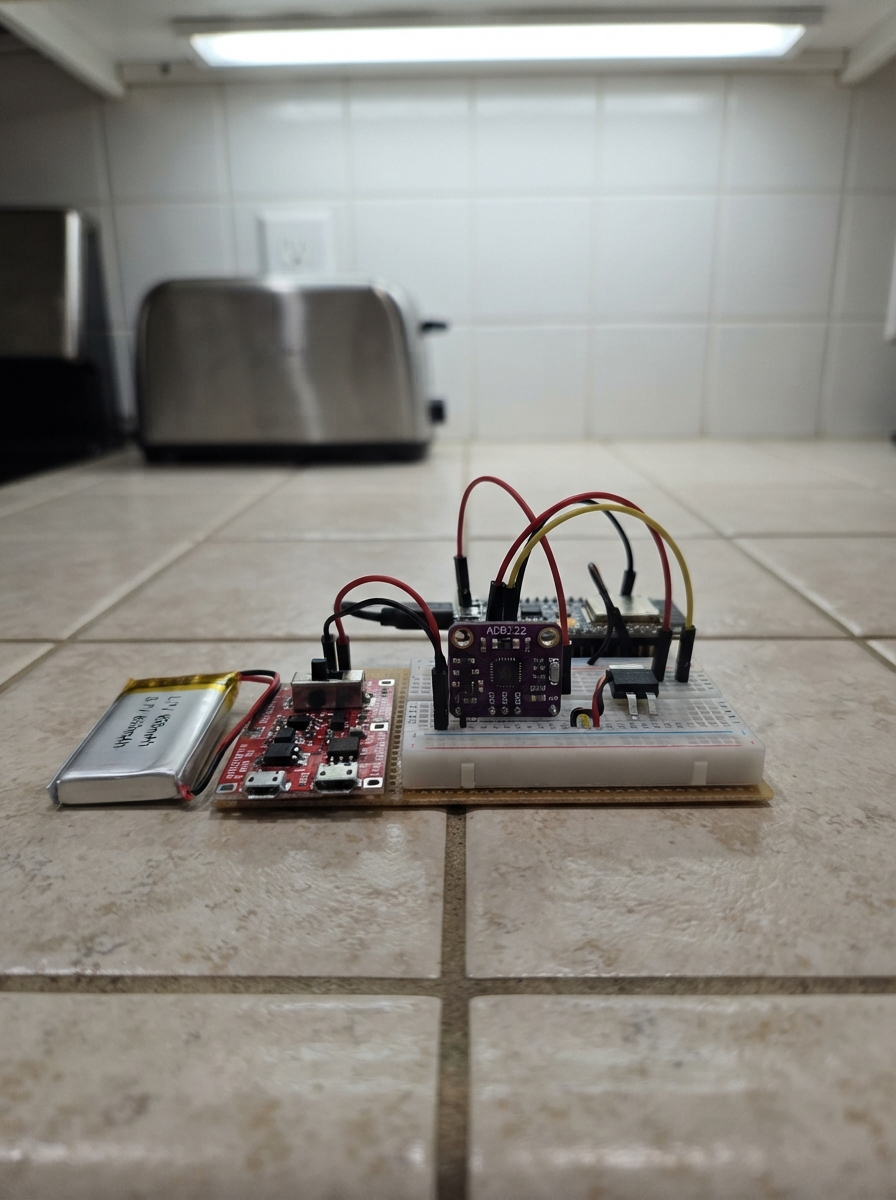
This project builds a portable ECG monitor powered by an ESP32 that streams live heart rhythm data to a web browser. The AD8232 ECG module captures the electrical signals from the heart, while the battery-powered design with charging support makes it suitable for personal health monitoring or educational demonstrations.
The guide provides a complete parts list, wiring diagram, and step-by-step assembly instructions for connecting the ECG sensor, power management components, and ESP32. Firmware is included to set up a WiFi access point and real-time web interface that displays the ECG waveform at 250 samples per second, along with lead detection to verify proper electrode placement.
Wiring diagram

Gather all the parts
Assemble it in 6 steps
1. Deje todo sin alimentación
Ponga el interruptor switch_1 en OFF y no conecte todavía el cable USB de carga. Coloque la batería lipo_850mah, el cargador tp4056_1, el regulador regulator_3v3 y la placa en una superficie no metálica.
- Trabaje con un cable cada vez para evitar que dos positivos se toquen por accidente.
- Una LiPo puede calentarse o dañarse si sus cables rojo y negro se unen; nunca los conecte directamente entre sí.
2. Conecte la batería al cargador
Conecte el cable rojo de lipo_850mah al terminal B+ de tp4056_1 y el cable negro al terminal B-. Estos dos cables unen la batería al cargador (alimentación y retorno).
- Revise dos veces las marcas B+ y B- antes de enchufar la batería.
- No conecte la batería a IN+ o IN-; esos terminales son solamente para los 5 V del cable USB de carga.
3. Monte el interruptor y regulador
Conecte OUT+ de tp4056_1 al terminal A de switch_1 (alimentación). Conecte el terminal B de switch_1 a VIN de regulator_3v3 (alimentación). Conecte OUT- de tp4056_1 a GND de regulator_3v3 (tierra).
- El interruptor debe cortar solamente el cable positivo entre OUT+ y VIN.
- No una OUT+ directamente a VIN además del interruptor; el aparato quedaría siempre encendido.
4. Alimente la placa y el sensor
Conecte VOUT de regulator_3v3 al pin 3V3 de la placa ESP32-C3 SuperMini y al pin 3.3V de ad8232_1 (alimentación). Conecte GND de regulator_3v3 al pin GND de la placa y al pin GND de ad8232_1 (tierra). Conecte también SDN de ad8232_1 a 3.3 V (mantiene el sensor encendido).
- Use una misma línea de 3.3 V y una misma línea de GND en la protoboard; todas las tierras deben quedar unidas.
- Asegúrese de que el regulador entregue 3.3 V antes de conectar la placa o el sensor; más voltaje puede dañarlos.
5. Conecte las tres señales del ECG
Conecte OUTPUT de ad8232_1 a GPIO0 de la ESP32-C3 SuperMini (señal). Conecte LO+ a GPIO1 (aviso de electrodo positivo suelto). Conecte LO- a GPIO4 (aviso de electrodo negativo suelto).
- Siga las etiquetas impresas en la placa: GPIO0, GPIO1 y GPIO4; no use GPIO8 ni GPIO9 porque ya tienen funciones de la placa.
- No conecte OUTPUT a 5 V: es una señal pequeña de 3.3 V que debe ir únicamente a GPIO0.
6. Conecte los electrodos de forma segura
Conecte el cable de tres electrodos al conector de ad8232_1 y pegue los electrodos sobre piel limpia siguiendo el dibujo que acompaña a su módulo. Para medir, alimente únicamente desde la batería lipo_850mah con el cable de carga USB desconectado.
- Si la página dice que un electrodo está suelto, presione suavemente la pegatina y revise su cable.
- Nunca lleve electrodos puestos mientras el TP4056 está conectado a un cargador USB, ordenador o enchufe; desconecte el USB antes de tocar los electrodos. Este proyecto es solo educativo y no sirve para diagnóstico médico.
Review all connections
1. Connections between "lipo_850mah" and "ESP32"
2. Connections between "tp4056_1" and "ESP32"
3. Connections between "switch_1" and "ESP32"
4. Connections between "regulator_3v3" and "ESP32"
5. Connections between "ad8232_1" and "ESP32"
Deploy the firmware
#include <Arduino.h>
#include <WiFi.h>
#include <WebServer.h>
#include <DNSServer.h>

constexpr int ECG_PIN = 0;
constexpr int LEADS_OFF_PLUS_PIN = 1;
constexpr int LEADS_OFF_MINUS_PIN = 4;
constexpr uint16_t SAMPLE_RATE_HZ = 250;
constexpr uint16_t SAMPLE_PERIOD_MS = 1000 / SAMPLE_RATE_HZ;
constexpr size_t SAMPLE_BUFFER_SIZE = 500;

const char *AP_SSID = "ECG-Recorder";
const char *AP_PASSWORD = "ecg12345";

WebServer server(80);
DNSServer dnsServer;
uint16_t samples[SAMPLE_BUFFER_SIZE];
size_t writeIndex = 0;
uint32_t lastSampleMs = 0;

const char PAGE[] PROGMEM = R"HTML(
<!doctype html><html lang="es"><head><meta name="viewport" content="width=device-width,initial-scale=1">
<title>ECG en vivo</title><style>
body{margin:0;background:#10151c;color:#e9f1f5;font-family:system-ui,sans-serif;text-align:center}main{max-width:760px;margin:auto;padding:18px}canvas{width:100%;background:#05080b;border:1px solid #314050;border-radius:8px}#state{font-weight:700;color:#77e4a3}.note{color:#aebdca;font-size:.9rem}
</style></head><body><main><h1>ECG en vivo</h1><p id="state">Comprobando electrodos...</p><canvas id="plot" width="720" height="320"></canvas><p class="note">La señal se muestra en directo; no se guarda en tarjeta ni en memoria permanente.</p></main>
<script>
const c=document.getElementById('plot'),x=c.getContext('2d'),state=document.getElementById('state');
function draw(a){x.fillStyle='#05080b';x.fillRect(0,0,c.width,c.height);x.strokeStyle='#263542';x.lineWidth=1;for(let i=0;i<=10;i++){let p=i*c.width/10;x.beginPath();x.moveTo(p,0);x.lineTo(p,c.height);x.stroke();p=i*c.height/10;x.beginPath();x.moveTo(0,p);x.lineTo(c.width,p);x.stroke()}x.strokeStyle='#36e07d';x.lineWidth=2;x.beginPath();a.forEach((v,i)=>{let px=i*c.width/(a.length-1),py=c.height-(v/4095)*c.height;i?x.lineTo(px,py):x.moveTo(px,py)});x.stroke()}
async function refresh(){try{let r=await fetch('/samples',{cache:'no-store'}),d=await r.json();draw(d.samples);state.textContent=d.leadsOff?'Electrodo suelto: revise las pegatinas y los cables.':'Electrodos conectados — señal en directo';state.style.color=d.leadsOff?'#ffba66':'#77e4a3'}catch(e){state.textContent='Reconectando al registrador...';state.style.color='#ffba66'}}
setInterval(refresh,100);refresh();
</script></body></html>
)HTML";

void handleSamples() {
  bool leadsOff = digitalRead(LEADS_OFF_PLUS_PIN) || digitalRead(LEADS_OFF_MINUS_PIN);
  String json = "{\"leadsOff\":" + String(leadsOff ? "true" : "false") + ",\"samples\":[";
  for (size_t i = 0; i < SAMPLE_BUFFER_SIZE; ++i) {
    size_t index = (writeIndex + i) % SAMPLE_BUFFER_SIZE;
    if (i) json += ',';
    json += String(samples[index]);
  }
  json += "]}";
  server.sendHeader("Cache-Control", "no-store");
  server.send(200, "application/json", json);
}

void handlePortal() {
  server.send_P(200, "text/html; charset=utf-8", PAGE);
}

void setup() {
  pinMode(LEADS_OFF_PLUS_PIN, INPUT);
  pinMode(LEADS_OFF_MINUS_PIN, INPUT);
  analogReadResolution(12);
  analogSetPinAttenuation(ECG_PIN, ADC_11db);

  WiFi.mode(WIFI_AP);
  WiFi.softAP(AP_SSID, AP_PASSWORD);
  dnsServer.start(53, "*", WiFi.softAPIP());

  server.on("/", HTTP_GET, handlePortal);
  server.on("/samples", HTTP_GET, handleSamples);
  server.onNotFound(handlePortal);
  server.begin();
}

void loop() {
  dnsServer.processNextRequest();
  server.handleClient();

  uint32_t now = millis();
  if (now - lastSampleMs >= SAMPLE_PERIOD_MS) {
    lastSampleMs = now;
    samples[writeIndex] = analogRead(ECG_PIN);
    writeIndex = (writeIndex + 1) % SAMPLE_BUFFER_SIZE;
  }
}
Remix this project
Make it yours in one click
Open a full copy of this project in your own Schematik workspace — diagram, code, parts, and assembly steps included. Swap the sensor, add features, or redesign the whole thing with AI. The author's original stays untouched.