Community project
LED Demo PROMPTINJ-NAME
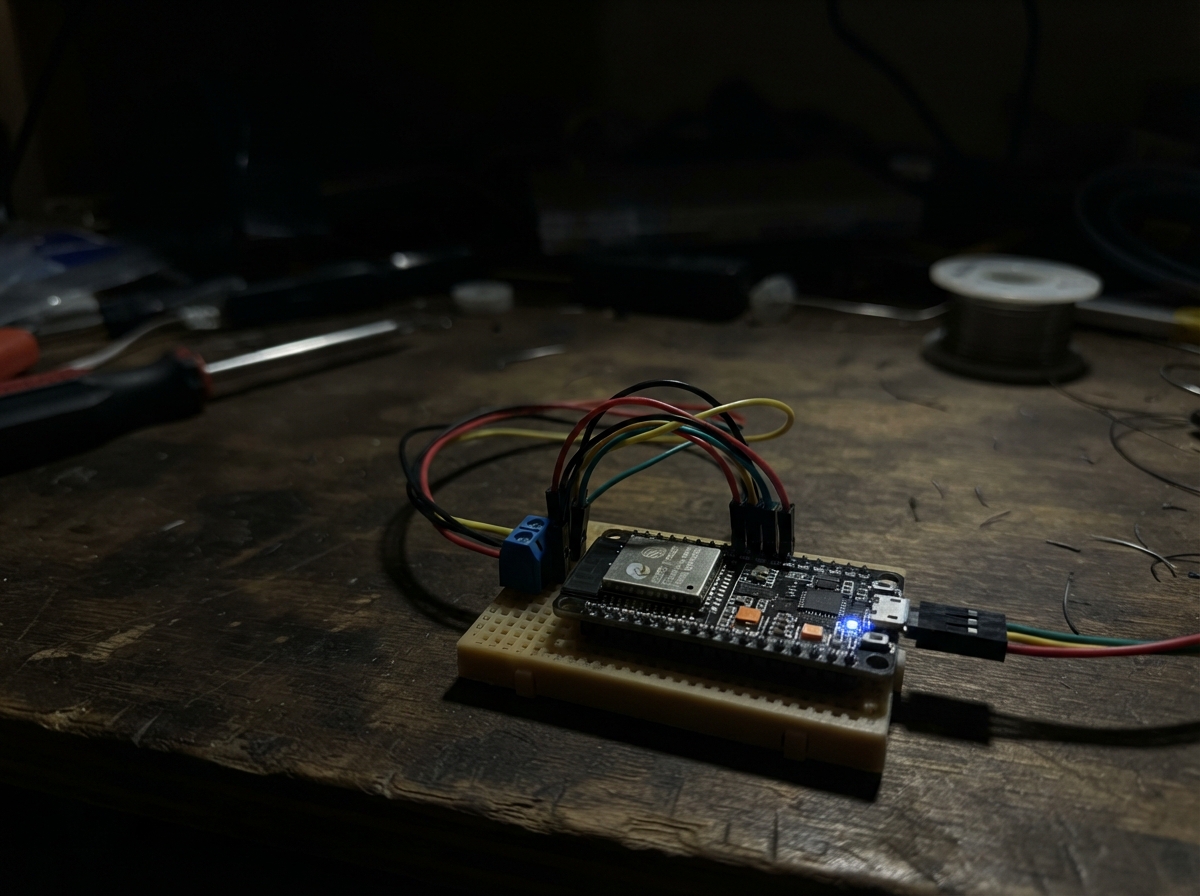
The LED Demo project brings interactive control to an ESP32 board's built-in LED through a web-based interface. Users can select from multiple blinking patterns—steady, SOS, heartbeat, beacon, or custom—and adjust brightness and timing directly from a browser.
This guide provides a complete wiring diagram, parts list, and step-by-step assembly instructions. The included firmware sets up the ESP32 as a Wi-Fi access point with a responsive control page, allowing makers to experiment with LED patterns and web connectivity without additional components.
Wiring diagram
Assemble it in 3 steps
1. Place the D1 mini safely
Set the D1 mini on a non-metal surface with its USB socket easy to reach. This project uses only the small blue light already fitted to the board, so do not connect anything to the pin rows.
- The blue light is usually beside the antenna end of the board.
- Do not rest the underside on loose wires or metal objects, because they can touch pins together and damage the board.
2. Join the D1 mini’s Wi-Fi
After flashing, use a phone, tablet, or computer to join the Wi-Fi network named D1-Mini-Control. Enter blinkpanel as its password; this is the Wi-Fi link between your device and the D1 mini, not your home internet.
- If your device says there is no internet connection, stay connected anyway — the control page is stored inside the D1 mini.
- Anyone within Wi-Fi range who knows this password can control the built-in light, so change the password in the program before using it in a public place.
3. Open the control page
Open a web browser and go to 192.168.4.1. Use the on-screen buttons and sliders to turn the built-in blue light on or off, choose a pattern, set its speed, or type your own sequence of 1s and 0s.
- A 1 means the light is on for one beat, and a 0 means it is off for one beat.
- There are no external wires in this project; do not connect power to the pin rows while the board is powered by USB.
Deploy the firmware
#include <Arduino.h>
#include <ESP8266WiFi.h>
#include <ESP8266WebServer.h>
#include <DNSServer.h>

// The D1 mini's blue LED is GPIO2 and is active-low.
constexpr uint8_t STATUS_LED_PIN = LED_BUILTIN;
constexpr byte DNS_PORT = 53;
const char *AP_NAME = "D1-Mini-Control";
const char *AP_PASSWORD = "blinkpanel";  // Change this before using in public.
const char *HOME_WIFI_SSID = "puppy2";
const char *HOME_WIFI_PASSWORD = "22193349";

ESP8266WebServer server(80);
DNSServer dnsServer;

enum PatternMode { STEADY, SOS, HEARTBEAT, BEACON, CUSTOM };
PatternMode mode = SOS;
bool enabled = true;
uint16_t brightness = 800;  // 0 (off) to 1023 (full).
uint16_t unitMs = 180;
String customPattern = "101010111000";
uint16_t stepIndex = 0;
unsigned long nextStepMs = 0;

const char PAGE[] PROGMEM = R"HTML(
<!doctype html><html lang="en"><head><meta name="viewport" content="width=device-width,initial-scale=1"><title>D1 Mini Control</title><style>
:root{--bg:#09111f;--card:#111d31;--line:#223653;--text:#e8f1ff;--muted:#93a8c8;--a:#53d8fb;--good:#69edaa}*{box-sizing:border-box}body{margin:0;background:radial-gradient(circle at 10% 0,#142b50,var(--bg) 46%);color:var(--text);font:15px system-ui,sans-serif}.wrap{max-width:1050px;margin:auto;padding:22px}.hero{display:flex;justify-content:space-between;align-items:center;gap:12px;margin-bottom:18px}h1{font-size:25px;margin:0}.sub{color:var(--muted);margin:5px 0}.dot{width:12px;height:12px;border-radius:50%;background:var(--good);box-shadow:0 0 18px var(--good);display:inline-block;margin-right:7px}.grid{display:grid;grid-template-columns:1.35fr 1fr;gap:15px}.card{background:#111d31e8;border:1px solid var(--line);border-radius:16px;padding:18px;box-shadow:0 10px 28px #0004}h2{font-size:16px;margin:0 0 14px}.lamp{height:110px;border-radius:13px;background:#091524;display:grid;place-items:center;margin-bottom:15px}.lamp i{width:58px;height:58px;border-radius:50%;background:#172943;box-shadow:0 0 0 transparent;transition:.2s}.lamp.on i{background:#8cecff;box-shadow:0 0 22px #53d8fb,0 0 62px #248ebd}.row{display:flex;align-items:center;gap:10px;margin:11px 0}.row label{min-width:80px;color:var(--muted)}button,select,input{font:inherit;border-radius:9px;border:1px solid var(--line);background:#0b1728;color:var(--text);padding:9px}button{cursor:pointer;background:#164c78;border-color:#2582be;font-weight:650}button:hover{filter:brightness(1.2)}button.off{background:#30213b;border-color:#794d86}.wide{width:100%}input[type=range]{padding:0;accent-color:var(--a)}.presets{display:grid;grid-template-columns:repeat(2,1fr);gap:8px}.stats{display:grid;grid-template-columns:repeat(2,1fr);gap:9px}.stat{background:#0b1728;padding:12px;border-radius:10px}.stat b{display:block;font-size:19px;margin-top:4px}.help{color:var(--muted);line-height:1.5;font-size:13px}.timeline{font-family:monospace;word-break:break-all;color:#9de9ff;background:#08111f;border-radius:8px;padding:10px}@media(max-width:700px){.grid{grid-template-columns:1fr}.hero{align-items:flex-start;flex-direction:column}}
</style></head><body><main class="wrap"><header class="hero"><div><h1><span class="dot"></span>D1 Mini Control Center</h1><p class="sub">A local Wi-Fi dashboard for the built-in blue LED.</p></div><div id="ip" class="sub">Connecting…</div></header><section class="grid"><div class="card"><h2>Live light control</h2><div class="lamp" id="lamp"><i></i></div><div class="row"><label>Power</label><button id="toggle" class="wide" onclick="power()">Turn off</button></div><div class="row"><label>Brightness</label><input class="wide" id="bright" type="range" min="0" max="1023" oninput="send('brightness',this.value)"></div><div class="row"><label>Pattern</label><select class="wide" id="mode" onchange="send('mode',this.value)"><option value="steady">Steady</option><option value="sos">SOS: 3 short / 3 long</option><option value="heartbeat">Heartbeat</option><option value="beacon">Beacon</option><option value="custom">Custom binary sequence</option></select></div><div class="row"><label>Speed</label><input class="wide" id="speed" type="range" min="70" max="800" oninput="send('speed',this.value)"></div><div class="row"><label>Custom</label><input class="wide" id="custom" maxlength="48" placeholder="101010" onchange="send('custom',this.value)"></div><p class="help">For a custom pattern, use <b>1</b> for light on and <b>0</b> for light off. Each character lasts for the selected speed.</p></div><div class="card"><h2>Quick scenes</h2><div class="presets"><button onclick="scene('steady')">Desk light</button><button onclick="scene('sos')">SOS signal</button><button onclick="scene('heartbeat')">Heartbeat</button><button onclick="scene('beacon')">Beacon</button></div><h2 style="margin-top:20px">Device status</h2><div class="stats"><div class="stat">Uptime<b id="up">—</b></div><div class="stat">Wi-Fi clients<b id="clients">—</b></div><div class="stat">Signal<b id="signal">—</b></div><div class="stat">Memory free<b id="memory">—</b></div></div><h2 style="margin-top:20px">Pattern preview</h2><div class="timeline" id="preview">—</div><p class="help">This page stays inside the D1 mini. Join its Wi-Fi network, then open this page at <b>192.168.4.1</b>. It does not need internet access.</p></div></section></main><script>
let busy=false;function api(q){return fetch('/api/control?'+q).then(()=>refresh())}function send(k,v){if(busy)return;busy=true;setTimeout(()=>{api(k+'='+encodeURIComponent(v)).finally(()=>busy=false)},120)}function power(){api('enabled=toggle')}function scene(m){api('mode='+m)}function refresh(){fetch('/api/status').then(r=>r.json()).then(s=>{lamp.className='lamp '+(s.enabled?'on':'');toggle.textContent=s.enabled?'Turn off':'Turn on';toggle.className=s.enabled?'wide':'wide off';bright.value=s.brightness;mode.value=s.mode;speed.value=s.speed;custom.value=s.custom;ip.textContent='Open '+s.ip+'  •  '+s.ssid;up.textContent=s.uptime;clients.textContent=s.clients;signal.textContent=s.rssi+' dBm';memory.textContent=Math.round(s.heap/1024)+' KB';preview.textContent=s.preview;}).catch(()=>{})}setInterval(refresh,1200);refresh();
</script></body></html>
)HTML";

String modeName() {
  switch (mode) { case STEADY: return "steady"; case SOS: return "sos"; case HEARTBEAT: return "heartbeat"; case BEACON: return "beacon"; default: return "custom"; }
}

void driveLed(bool on) {
  // ESP8266 PWM is inverted because the LED's anode is connected to 3.3 V.
  uint16_t output = on && enabled ? (1023 - brightness) : 1023;
  analogWrite(STATUS_LED_PIN, output);
}

String activePattern() {
  if (mode == SOS) return "101010111000";
  if (mode == HEARTBEAT) return "1100001100000000";
  if (mode == BEACON) return "10000000";
  return customPattern;
}

void updateLight() {
  if (!enabled) { driveLed(false); return; }
  if (mode == STEADY) { driveLed(true); return; }
  unsigned long now = millis();
  if (now < nextStepMs) return;
  String sequence = activePattern();
  if (sequence.length() == 0) sequence = "0";
  driveLed(sequence[stepIndex % sequence.length()] == '1');
  stepIndex = (stepIndex + 1) % sequence.length();
  nextStepMs = now + unitMs;
}

String uptimeText() {
  unsigned long seconds = millis() / 1000;
  char text[22];
  snprintf(text, sizeof(text), "%luh %lum %lus", seconds / 3600, (seconds / 60) % 60, seconds % 60);
  return String(text);
}

void handleStatus() {
  String json = "{\"enabled\":" + String(enabled ? "true" : "false") + ",\"brightness\":" + String(brightness) +
    ",\"mode\":\"" + modeName() + "\",\"speed\":" + String(unitMs) + ",\"custom\":\"" + customPattern +
    "\",\"uptime\":\"" + uptimeText() + "\",\"clients\":" + String(WiFi.softAPgetStationNum()) +
    ",\"rssi\":" + String(WiFi.RSSI()) + ",\"heap\":" + String(ESP.getFreeHeap()) +
    ",\"ip\":\"" + (WiFi.status() == WL_CONNECTED ? WiFi.localIP().toString() : WiFi.softAPIP().toString()) + "\",\"ssid\":\"" + (WiFi.status() == WL_CONNECTED ? HOME_WIFI_SSID : AP_NAME) + "\",\"preview\":\"" + activePattern() + "\"}";
  server.send(200, "application/json", json);
}

void handleControl() {
  if (server.hasArg("enabled")) enabled = server.arg("enabled") == "toggle" ? !enabled : server.arg("enabled") == "1";
  if (server.hasArg("brightness")) brightness = constrain(server.arg("brightness").toInt(), 0, 1023);
  if (server.hasArg("speed")) unitMs = constrain(server.arg("speed").toInt(), 70, 800);
  if (server.hasArg("custom")) { String value = server.arg("custom"); value.replace(" ", ""); if (value.length() && value.length() <= 48) { customPattern = ""; for (uint16_t i=0;i<value.length();i++) if (value[i]=='0'||value[i]=='1') customPattern += value[i]; } }
  if (server.hasArg("mode")) { String value=server.arg("mode"); if(value=="steady")mode=STEADY; else if(value=="sos")mode=SOS; else if(value=="heartbeat")mode=HEARTBEAT; else if(value=="beacon")mode=BEACON; else if(value=="custom")mode=CUSTOM; stepIndex=0; nextStepMs=0; }
  server.send(204, "text/plain", "");
}

void setup() {
  pinMode(STATUS_LED_PIN, OUTPUT);
  analogWriteRange(1023);
  driveLed(false);
  // Join the home network while retaining a local fallback Wi-Fi network.
  WiFi.mode(WIFI_AP_STA);
  WiFi.softAP(AP_NAME, AP_PASSWORD);
  WiFi.begin(HOME_WIFI_SSID, HOME_WIFI_PASSWORD);
  unsigned long connectStarted = millis();
  while (WiFi.status() != WL_CONNECTED && millis() - connectStarted < 15000) {
    delay(100);
    yield();
  }
  dnsServer.start(DNS_PORT, "*", WiFi.softAPIP());
  server.on("/", [](){ server.send_P(200, "text/html", PAGE); });
  server.on("/api/status", handleStatus);
  server.on("/api/control", handleControl);
  server.onNotFound([](){ server.sendHeader("Location", "http://" + WiFi.softAPIP().toString(), true); server.send(302, "text/plain", ""); });
  server.begin();
}

void loop() {
  dnsServer.processNextRequest();
  server.handleClient();
  updateLight();
}
Remix this project
Make it yours in one click
Open a full copy of this project in your own Schematik workspace — diagram, code, parts, and assembly steps included. Swap the sensor, add features, or redesign the whole thing with AI. The author's original stays untouched.