Community project
5 MHz Hardware Frequency Counter
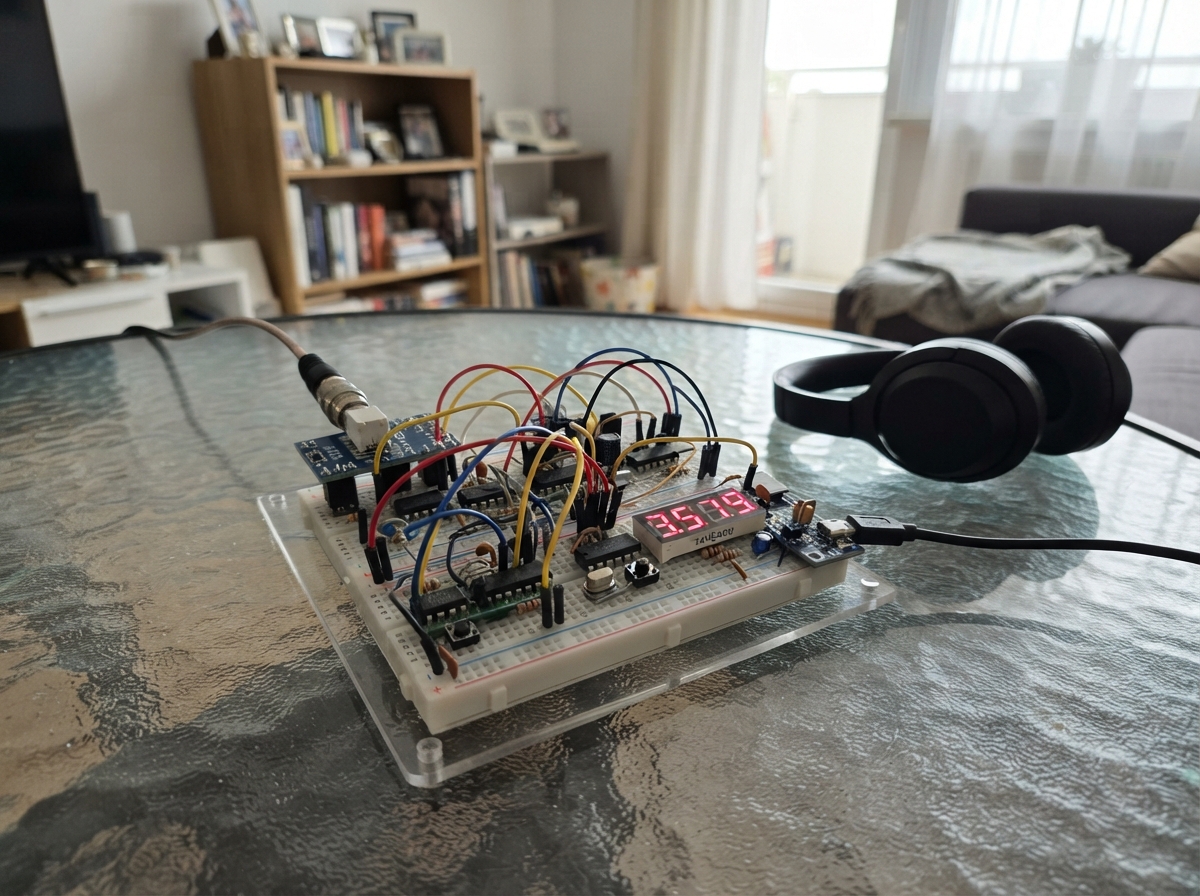
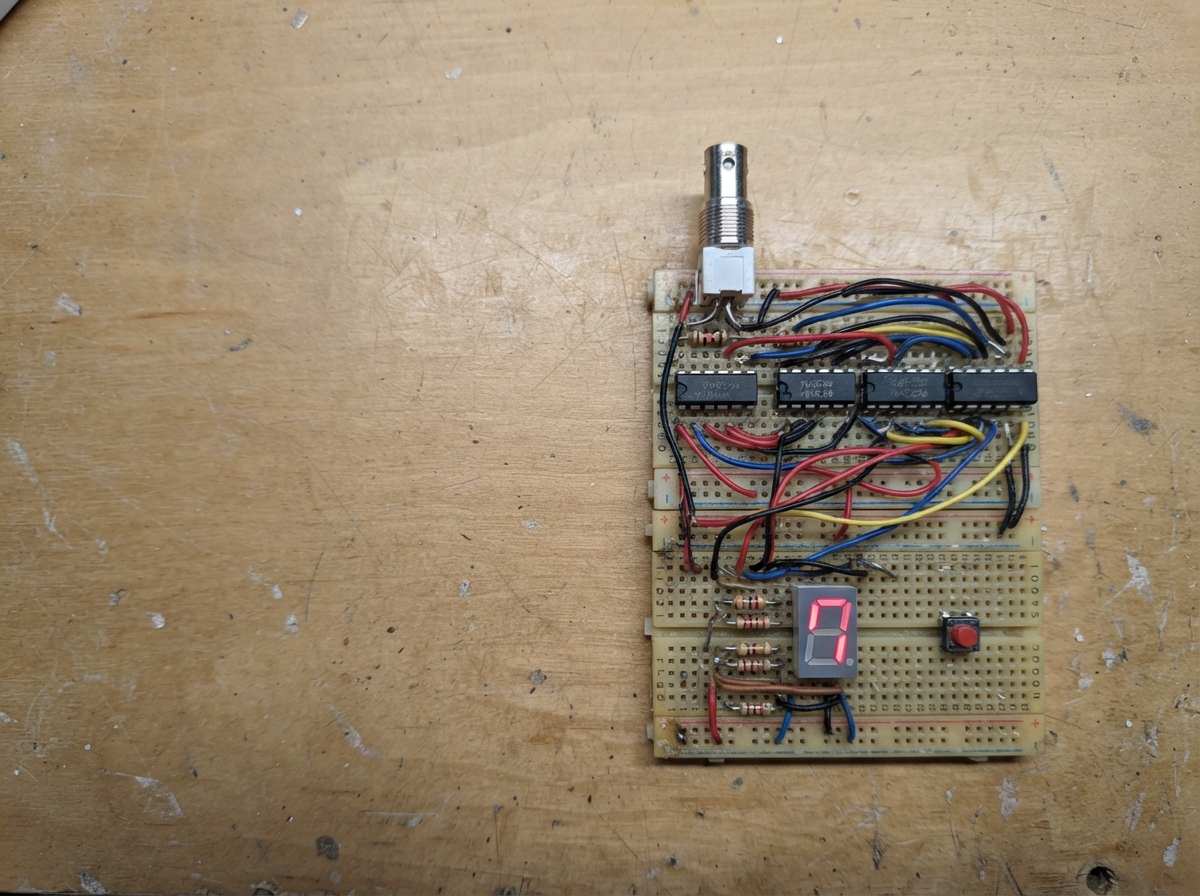
This hardware frequency counter measures input signals up to 5 MHz using classic 74HC logic chips and displays the result on a dual 7-segment LED display. The design uses a 32.768 kHz watch crystal as a stable timebase, a chain of decade counters to tally input pulses, and retriggerable monostables to gate the measurement window—all without requiring any microcontroller involvement.
The guide provides a complete wiring diagram, full parts list, and step-by-step assembly instructions for building the counter on a single PCB. Readers will learn how to wire the input conditioning stage, clock oscillator, timing logic, and display driver circuits, then verify operation across the 5 to 10 MHz range.
Wiring diagram

Gather all the parts
Assemble it in 9 steps
1. Prepare the 5 V board power
Use a two-layer PCB with the whole lower copper layer as an unbroken ground plane. Fit j2_power at the edge: connect its +5 V terminal to the 5 V rail (power) and its GND terminal to the ground plane (ground). Fit c_bulk beside it with its positive lead on +5 V and its marked negative lead on GND.
- Use a regulated 5 V supply rated for at least 500 mA.
- Do not reverse the 10 µF capacitor — reversed power can make it fail.
2. Fit the logic chips and bypass capacitors
Fit U1 through U5, the four display-counting 74HC390 chips, u_time_hc390, and the eight 74HC4511 chips with each pin-1 notch aligned to the PCB mark. Fit all 18 c_decoupling capacitors: one 100 nF capacitor directly from 5 V to GND beside every IC.
- The 100 nF ceramic capacitors have no polarity.
- A missing or distant 100 nF capacitor can cause false counts.
3. Build the short BNC input path
Fit j1_bnc at the input edge. Run its center contact through r1_input, 220 Ω, to U1 pin 1 (signal); put r_input_pulldown, 10 kΩ, from that node to GND (signal return). Connect the BNC metal shell directly into the ground plane with a short, wide copper connection.
- Keep the BNC center to resistor to U1 input path short and away from display traces.
- Only connect clean, ground-referenced 0–5 V square waves. Negative voltage or more than 5 V can damage U1.
- The guaranteed input limit is 5 MHz. Signals between 5 MHz and 10 MHz are an optional test range, not a promised specification.
4. Fit the crystal clock parts
Place x1_crystal, r_crystal_feedback, and c_crystal_load tightly beside U3. Connect the crystal and 10 MΩ resistor across U3 pins 10 and 11 (timing), and connect one 22 pF capacitor from each crystal node to GND (timing return). Keep display-current traces away from this small area.
- Use a 32.768 kHz crystal specified for 12.5 pF load capacitance.
- Long traces or flux residue near the crystal can stop the clock or shift its timing.
5. Wire the 100-second timing section
Route U3 Q14 to u_time_hc390, which divides the 2 Hz clock by 100. Use the second half of U4 as a divide-by-two stage, then route its output to the first half of U4. U4 pin 5 becomes a 100-second high count gate followed by a 100-second low hold interval. Route this gate to U2 and U5 as shown on the diagram.
- The display refreshes once every 200 seconds: 100 seconds counting and 100 seconds holding the result.
- Tie every unused CMOS input to a fixed logic level; a floating input can make the timing unpredictable.
6. Wire the counters and display latches
Cascade the eight 74HC390 decades from ones through ten-millions. Connect each BCD output group to its matching 74HC4511 A through D inputs. Connect the U5 latch pulse to all eight 74HC4511 latch-enable pins, and connect the shared reset network to both reset inputs of every counter section.
- Label every BCD group by digit position before soldering.
- If one BCD bit is swapped, that digit will show incorrect numbers.
7. Fit the display modules and decimal point
Fit the four ds1_ds4 modules in reading order. Fit all 56 segment resistors so every 74HC4511 A–G output passes through its own 1 kΩ resistor before its matching display segment. Connect both common-cathode pins of every module to GND. Fit r_decimal_point from +5 V to decimal-point pin 17 of the DS2 first digit, the hundreds position; it marks that the final two displayed digits are hundredths of a hertz.
- Read the displayed eight-digit count with a decimal point before its final two digits.
- Do not join outputs from different 74HC4511 chips together.
8. Inspect before applying power
Fit the reset parts and check every IC orientation. With power off, confirm that +5 V is not shorted to GND and that the BNC shell, supply negative, and all display cathodes share the ground plane. Power it with no input first; the pull-down should leave the count at zero.
- Use the manual reset to restart the timing cycle before a measurement.
- Do not move wires or probes while powered — a slipped probe can short adjacent IC pins.
9. Optionally evaluate the 5 to 10 MHz range
After the normal 5 MHz check passes, apply clean 0–5 V square waves at 6 MHz, 8 MHz, and 10 MHz through the BNC. Let each 100-second measurement finish and compare the displayed result with the generator setting. Record the highest frequency that remains stable and accurate across repeated runs. Treat any successful result above 5 MHz as an individual-board capability only.
- Begin at 1 MHz, then test 5 MHz before trying any higher frequency.
- Use a known-good generator and a short 50 Ω BNC lead.
- Do not relabel the instrument as 10 MHz unless it repeatedly agrees with a calibrated source; different 74HC390 manufacturers, temperature, and signal edges can change the result.
- Stop if the reading flickers, misses counts, or changes as the cable is moved — that shows this board is outside its dependable range.
Review all connections
1. Connections between "j2_power" and "ESP32"
2. Connections between "c_bulk" and "ESP32"
3. Connections between "c_decoupling" and "ESP32"
4. Connections between "j1_bnc" and "ESP32"
5. Connections between "r1_input" and "ESP32"
6. Connections between "r_input_pulldown" and "ESP32"
7. Connections between "u1_hc14" and "ESP32"
8. Connections between "u2_hc08" and "ESP32"
9. Connections between "u3_hc4060" and "ESP32"
10. Connections between "c_crystal_load" and "ESP32"
11. Connections between "r_crystal_feedback" and "ESP32"
12. Connections between "u4_hc74" and "ESP32"
13. Connections between "u5_hc123" and "ESP32"
14. Connections between "r_timing" and "ESP32"
15. Connections between "c_timing" and "ESP32"
16. Connections between "u6_u9_hc390" and "ESP32"
17. Connections between "u10_u17_hc4511" and "ESP32"
18. Connections between "r_segments" and "ESP32"
19. Connections between "ds1_ds4" and "ESP32"
20. Connections between "r_por" and "ESP32"
21. Connections between "c_por" and "ESP32"
22. Connections between "sw1_reset" and "ESP32"
23. Connections between "r_reset_pulldown" and "ESP32"
24. Connections between "d1_d2" and "ESP32"
25. Connections between "r_segments_digit2" and "ESP32"
26. Connections between "u_time_hc390" and "ESP32"
27. Connections between "r_decimal_point" and "ESP32"
Deploy the firmware
// Project anchor only: the frequency counter is entirely 74HC hardware.
// No ESP32 GPIO is connected to the counter PCB.

void setup() {
}

void loop() {
  delay(1000);
}
Remix this project
Make it yours in one click
Open a full copy of this project in your own Schematik workspace — diagram, code, parts, and assembly steps included. Swap the sensor, add features, or redesign the whole thing with AI. The author's original stays untouched.