Community project
74HC Hardware Frequency Counter
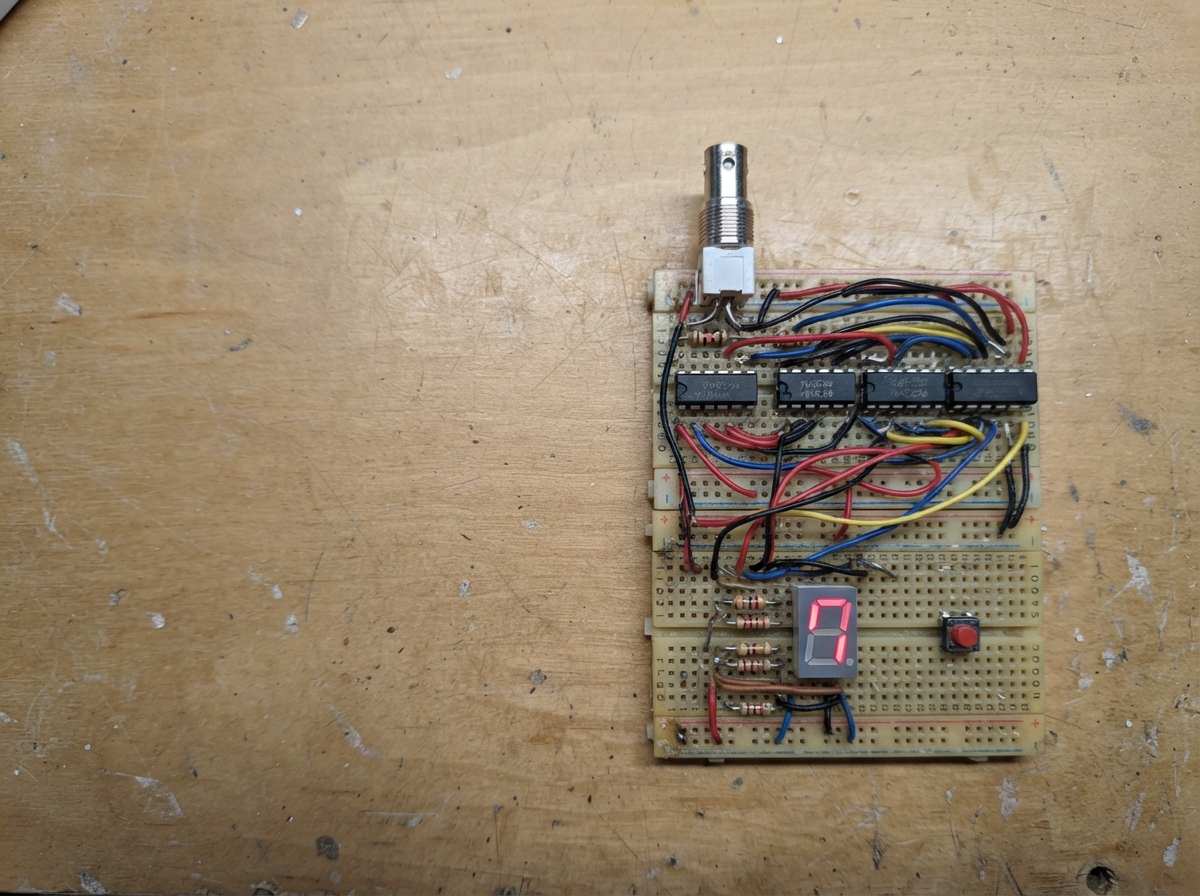
This project builds a hardware frequency counter using classic 74HC logic ICs and an ESP32, capable of measuring signal frequencies up to several megahertz. The counter uses a 32.768 kHz crystal oscillator as a stable time base, decade counter ICs to tally input pulses, and a 7-segment LED display to show the results in real time.
The guide provides a complete wiring diagram, full parts list, and step-by-step assembly instructions across three breadboards. Builders will learn how to chain logic ICs together for frequency measurement, implement a crystal-based timing reference, and drive a 7-segment display with BCD decoder logic. The modular assembly approach allows testing each section independently before integration.
Wiring diagram

Gather all the parts
Assemble it in 9 steps
1. Arrange the three breadboards
Use three full-size solderless breadboards, each with long red and blue power rails. Put them left to right on a flat base: breadboard 1 is TIMING + INPUT, breadboard 2 is COUNTING, and breadboard 3 is DISPLAY. Leave a 2–3 cm gap between boards so the colored jumper wires remain visible. Put printed labels above them: INPUT/TIME, COUNTERS, and DISPLAY.
- A wide, side-by-side layout is easier to trace than stacking boards behind each other.
- Make every IC notch face upward so pin 1 is always in the same corner.
- Do not build the GHz RF circuit on any of these breadboards; it needs its own small ground-plane PCB.
2. Join power rails first
With the 5 V supply turned off, run one red wire from breadboard 1 positive rail to breadboard 2 positive rail and another red wire from breadboard 2 to breadboard 3. Run matching black ground wires between all three ground rails. Connect supply_5v positive to the red rail on breadboard 1 (power) and supply_5v negative to the blue or black rail on breadboard 1 (ground).
- Use thicker red and black wires for the power links than for signal wires.
- Keep power links along the rear edge of the boards so they do not cover the logic wiring.
- Make sure 5 V and ground are not swapped — reversed power can damage every logic IC.
3. Build the timing and input board
On breadboard 1, place hc4060_timebase and watch_crystal at the upper left, hc74_gate_divider beside it, and hc123_control at the upper right. Place the low-range input parts input_bnc, input_resistor, hc14_input, hc08_gate, and rf_range_switch along the lower half. Keep the crystal beside hc4060_timebase with very short leads. Wire the crystal network, one-second gate, latch pulse, and reset pulse on this board. Connect input_bnc center to rf_range_switch LOW_IN (signal), input_bnc shell to GND (ground), and connect rf_range_switch OUT through input_resistor to hc14_input 1A (signal).
- Use yellow wires for the one-second gate, white wires for latch, and orange wires for reset; use the same colors on every board.
- Leave a clear row along the bottom as a labeled connection strip to breadboard 2.
- Do not connect a sine wave, negative voltage, mains, or RF source to the low-range BNC input — it is only for clean 0–5 V square waves.
4. Build the counter board
On breadboard 2, place the two hc390_counters on the left for digits 0–3 and the two hc390_high_counters on the right for digits 4–7. Arrange them in a straight row from the least-significant digit at the left to the highest digit at the right. Bring the gated clock from hc08_gate 1Y on breadboard 1 to hc390_counters DIG0_CLK (count). Cascade each decade to the next, then bring RESET_PULSE from breadboard 1 to every counter reset input (clear). Run each group of four BCD output wires toward the front edge and label them D0 through D7.
- Use four matching colored wires for each BCD group: A, B, C, and D. Keeping that color order identical avoids crossed display digits.
- Use a small paper label below each group: 1 Hz, 10 Hz, 100 Hz, 1 kHz, 10 kHz, 100 kHz, 1 MHz, 10 MHz.
- A carry wire connected to the wrong counter stage gives a believable but incorrect reading, so test one digit at a time before continuing.
5. Build the display board
On breadboard 3, put the eight single-digit displays across the top in one clear row, with digit 7 at the far left and digit 0 at the far right so the number reads normally. Put four hc4511_displaydrivers below the right-hand four displays and four hc4511_high_displaydrivers below the left-hand four displays. Connect each BCD group from breadboard 2 to its matching 74HC4511 inputs (display number). Bring LATCH_PULSE from breadboard 1 to every 74HC4511 latch input (freeze the result).
- Keep all eight displays facing the same direction and label the far-left side “10 MHz” and far-right side “1 Hz”.
- Run the BCD bundles across the lower front edge of the boards, not over the displays, so the digits remain easy to see.
- Use common-cathode displays only; common-anode displays will not work with the 74HC4511 wiring.
6. Add one resistor to every LED segment
For every display digit, connect each 74HC4511 segment output through one separate 1 kΩ resistor to the matching display segment anode (light). Connect every display common cathode to the ground rail (ground). Place the 56 resistors in eight neat groups of seven directly below their matching display, not in one tangled bank.
- Seven vertical resistor groups make it easy to spot a missing segment connection.
- Mark the segment order a, b, c, d, e, f, g on masking tape before plugging resistors in.
- Do not connect a 74HC4511 output straight to a display segment — the missing resistor can damage the LED or driver output.
7. Add the small supply capacitors
Fit one decoupling_caps 100 nF capacitor beside every logic IC: one leg to that chip’s 5 V pin (power) and one leg to its ground pin (ground). Keep each capacitor close to the IC, rather than putting them only at the end of a power rail.
- Use 18 capacitors: one for each logic IC and one for the separate RF prescaler PCB.
- A capacitor’s placement matters more than making its jumper leads tidy; keep its legs short.
- Do not power the circuit above 5.5 V — higher voltage can damage 74HC logic.
8. Keep the 3 GHz input on its own PCB
Build rf_sma_input, rf_coupling_cap, upb1506_prescaler, and rf_bypass_caps on a compact two-layer PCB with a solid ground plane. Connect its OUT pin to rf_range_switch RF_IN on breadboard 1 using one short signal wire alongside a ground wire (signal and ground). Connect the PCB 5 V and ground to the rails at breadboard 1, where the supply enters.
- Mount the RF PCB at the left side of the three-board assembly so its short output lead reaches the range switch without crossing the display wiring.
- Mark the switch positions clearly: LOW for BNC digital input and RF for SMA prescaler input.
- Breadboard contacts and jumper wires do not work at 3 GHz; using them for the SMA-to-prescaler path will make the RF range inaccurate or unusable.
- Never connect a transmitter output directly to the SMA input; use a suitable fixed RF attenuator.
9. Test one section at a time
Turn on the regulated 5 V supply and first check that the timing board creates its repeating gate, latch, and reset signals. Next apply a known 1 kHz, 0–5 V square wave to input_bnc with the selector on LOW and verify that the display freezes near 00001000. Only after the low range works, select RF and connect a low-power 50-ohm RF generator to rf_sma_input. Multiply the displayed RF count by 256 Hz.
- Build from left to right: timing/input first, then counters, then display. This makes faults easier to find.
- At 1 GHz, the divided output is 3,906,250 Hz, so the display should read 03906250 before multiplying by 256.
- Keep the RF input below the prescaler’s permitted level; a strong RF source can damage the prescaler.
Review all connections
1. Connections between "supply_5v" and "ESP32"
2. Connections between "input_bnc" and "ESP32"
3. Connections between "input_resistor" and "ESP32"
4. Connections between "hc14_input" and "ESP32"
5. Connections between "hc08_gate" and "ESP32"
6. Connections between "hc4060_timebase" and "ESP32"
7. Connections between "watch_crystal" and "ESP32"
8. Connections between "hc74_gate_divider" and "ESP32"
9. Connections between "hc123_control" and "ESP32"
10. Connections between "hc390_counters" and "ESP32"
11. Connections between "hc4511_displaydrivers" and "ESP32"
12. Connections between "segment_resistors" and "ESP32"
13. Connections between "digit_displays" and "ESP32"
14. Connections between "decoupling_caps" and "ESP32"
15. Connections between "rf_range_switch" and "ESP32"
16. Connections between "rf_sma_input" and "ESP32"
17. Connections between "rf_coupling_cap" and "ESP32"
18. Connections between "upb1506_prescaler" and "ESP32"
19. Connections between "rf_bypass_caps" and "ESP32"
20. Connections between "hc4511_high_displaydrivers" and "ESP32"
21. Connections between "high_segment_resistors" and "ESP32"
22. Connections between "high_digit_displays" and "ESP32"
23. Connections between "hc390_high_counters" and "ESP32"
24. Connections between "timing_parts" and "ESP32"
Remix this project
Make it yours in one click
Open a full copy of this project in your own Schematik workspace — diagram, code, parts, and assembly steps included. Swap the sensor, add features, or redesign the whole thing with AI. The author's original stays untouched.