Community project
AI Desktop Companion Robot
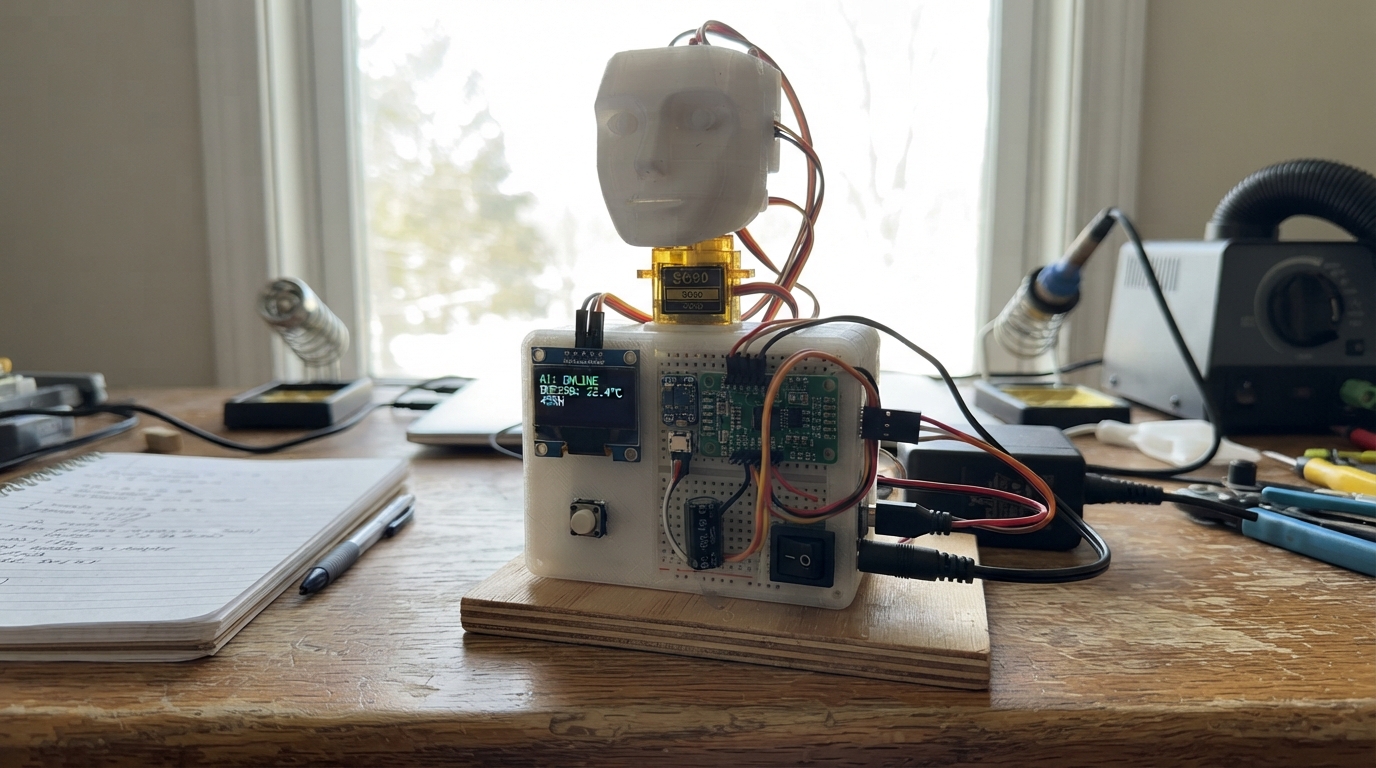
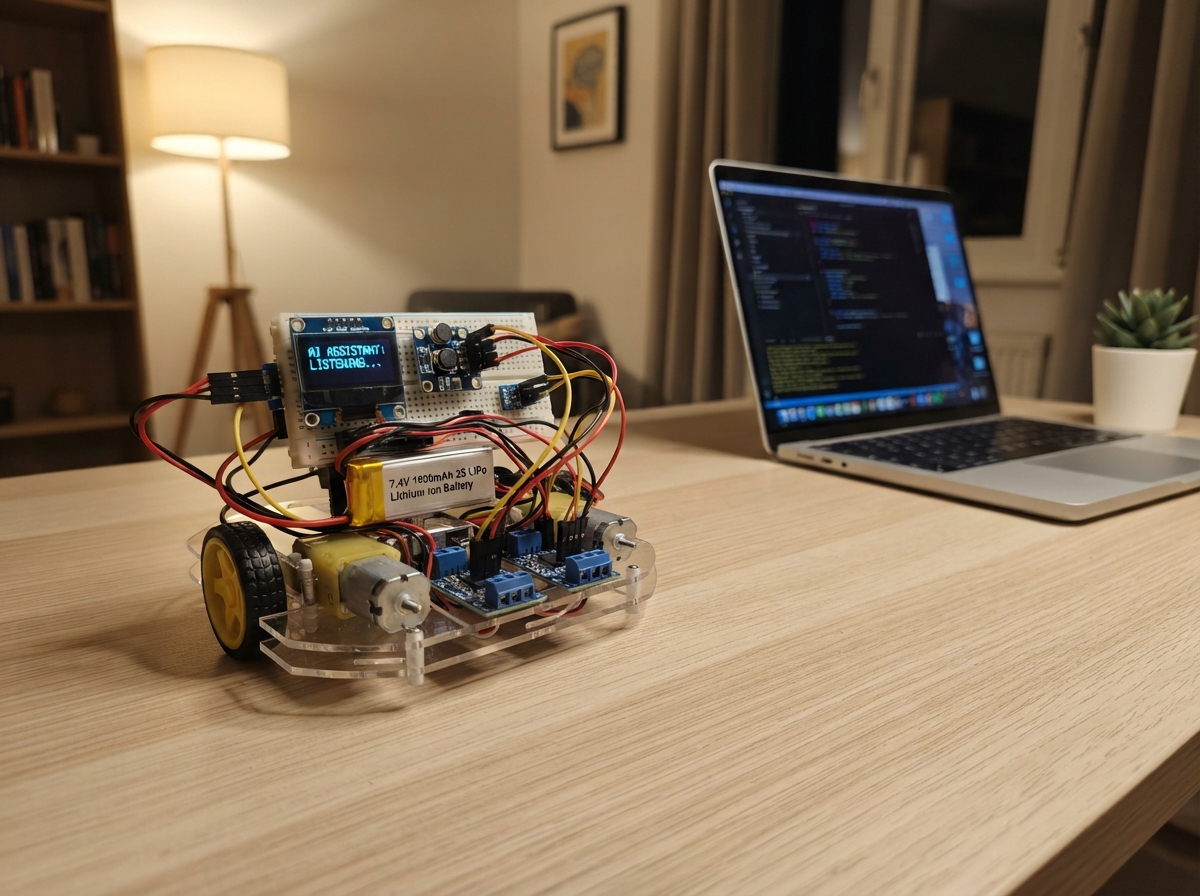
Build a desktop companion robot with an expressive OLED face, environmental awareness, and optional servo-driven motion. The ESP32 microcontroller reads temperature and humidity from a BME280 sensor, displays animated expressions on a 128x64 OLED screen, and responds to a push-button activation. The PCA9685 PWM driver enables smooth servo control for head movements, powered by a separate 5V supply for clean motor operation.
This guide provides a complete wiring diagram, parts list, and step-by-step assembly instructions to build the robot from the ground up. Firmware handles I2C communication with the display and sensor, servo positioning, facial animation states, and serial command processing. Builders will learn how to manage separate power rails, safely center servos, and create an interactive device that displays mood and environmental data on its face.
Wiring diagram

Gather all the parts
Assemble it in 7 steps
1. Start with the stationary face
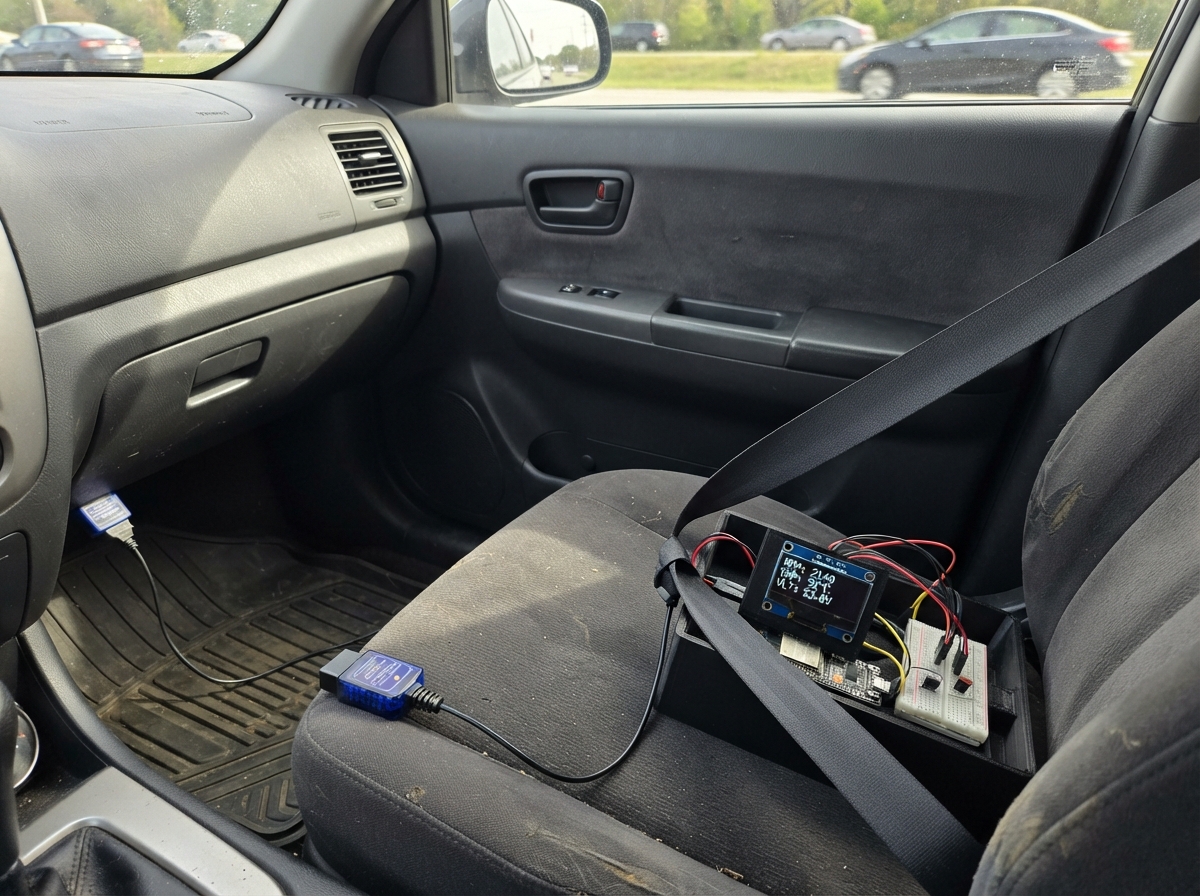
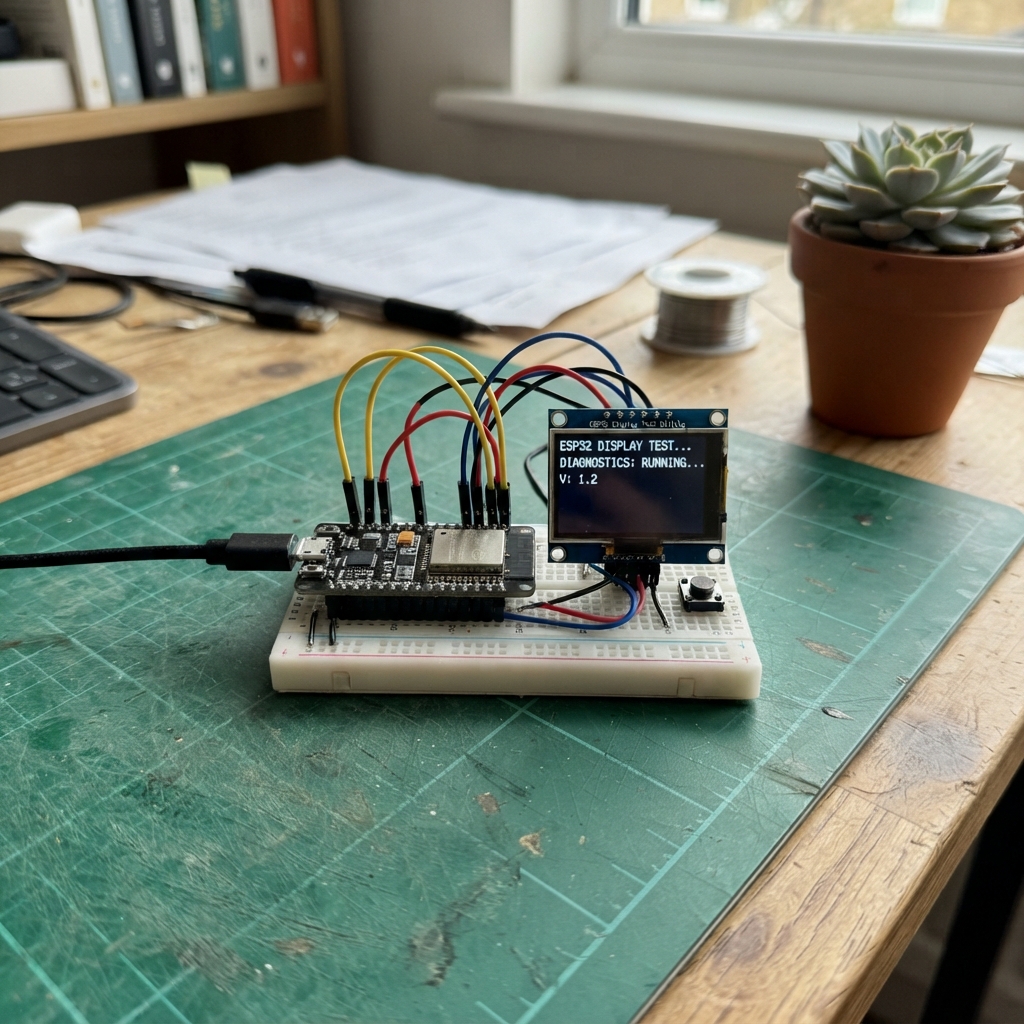
Unplug USB and the motor adapter. Use an ESP32 DevKit v1, short jumper wires, and a small breadboard for logic only. The ESP32 is powered through its USB connector. Leave both servos and the motor supply disconnected for the first test.
- Never connect the external motor supply positive wire to ESP32 VIN, 5V, or 3V3.
2. Connect the screen and room sensor
Connect both modules' VCC to 3V3 and GND to GND. Connect both SDA pins to GPIO21 (data) and both SCL pins to GPIO22 (clock). On the Adafruit 2652 sensor VCC is labelled Vin, SDA is SDI, and SCL is SCK. Leave SDO unconnected for address 0x77. Use a four-pin 128x64 SSD1306 I2C screen, not an SPI or SH1106 screen.
- Keep wires under about 20cm. Both breakouts must have I2C pullups to 3.3V, never 5V.
- Mount the sensor in ventilated room air away from the computer, display, motors and your hand.
3. Add the activation button
Connect the momentary button SIGNAL to GPIO27 and GND to GND. The firmware uses an internal pull-up, so a press connects GPIO27 to ground. For a four-leg switch use two contacts that are not already joined internally.
4. Prepare the optional motion controller
With all power disconnected, connect PCA9685 VCC to 3V3, GND to GND, SDA to GPIO21, SCL to GPIO22 and OE to GPIO25. VCC is logic power; V+ is a DIFFERENT terminal for motor power. Keep address jumpers open for 0x40.
- OE disables control pulses, not motor power. The board defaults to enabled while the ESP32 is resetting. Keep the physical motor switch OFF during startup and resets.
5. Wire the separate motor supply
Use a certified enclosed regulated 5V 3A adapter; never work on mains wiring. Route its positive output through the latching stop switch to PCA9685 V+. Connect its negative output to the common GND. Put the 1000uF capacitor across V+ (positive) and GND (negative stripe). Use insulated screw terminals and short adequately rated motor wires, not the breadboard power rails.
- Reversed capacitor polarity can cause rupture. Verify polarity before plugging in.
- Never join the two supplies' positive outputs. Grounds must join for the control signals.
6. Connect and center the unloaded servos
Remove both servo horns first. Connect each servo red wire to switched V+, brown/black to GND. Connect pan orange/yellow signal to PCA9685 channel 0 and tilt signal to channel 1. Check connector polarity by the board labels, not connector orientation. Run the explicit unloaded centering test only after the controller has started. Turn motor power OFF again before fitting horns.
- Do not attach a Raspberry Pi or heavy enclosure to these micro servos. Only a lightweight screen and optional small camera belong on the head.
- Keep fingers and loose wires away. Cut motor power immediately if a servo buzzes, stalls or heats up; there is no motor temperature or current sensor.
7. Mount a lightweight head safely
Fit the horns at neutral with motor power off. Use a supported pan-tilt bracket, a stable wide base, screws, and cable slack. Keep total head load and leverage low; support the tilt axis near its center of mass. Add soft travel stops outside the allowed movement range. Test small unloaded moves before installing the screen.
- Software limits are pan 70–110 and tilt 80–100 nominal degrees, at about 25 degrees/second. Servo travel varies; reduce these limits if your bracket approaches a stop.
- Support the head so it cannot fall when control pulses or motor power are removed.
Review all connections
1. Connections between "environment" and "ESP32"
2. Connections between "face" and "ESP32"
3. Connections between "activate" and "ESP32"
4. Connections between "motion" and "ESP32"
5. Connections between "motor_supply" and "ESP32"
6. Connections between "motor_stop" and "ESP32"
7. Connections between "bulk" and "ESP32"
8. Connections between "pan" and "ESP32"
9. Connections between "tilt" and "ESP32"
Deploy the firmware
#include <Arduino.h>
#include <Wire.h>
#include <Adafruit_GFX.h>
#include <Adafruit_SSD1306.h>
#include <Adafruit_BME280.h>
#include <Adafruit_PWMServoDriver.h>
#include <math.h>

// All external I2C logic and pullups are 3.3V. Motor V+ is a separate 5V rail.
constexpr int SDA_PIN=21, SCL_PIN=22, BUTTON_PIN=27, OE_PIN=25;
Adafruit_SSD1306 screen(128,64,&Wire,-1);
Adafruit_BME280 bme;
Adafruit_PWMServoDriver driver(0x40,Wire);
bool screenOK=false, sensorOK=false, driverOK=false, armed=false;
bool talking=false, mouthOpen=false, asleep=false, dirty=true;
float tempC=NAN, humidity=NAN;
String mood="happy", caption="Hello, friend!";
int pos[2]={90,90}, target[2]={90,90};
uint32_t lastPing=0, lastMotion=0, lastSensor=0, lastMouth=0;
uint32_t lastBlink=0, blinkEnd=0, lastButtonChange=0, armStart=0;
bool blink=false, buttonRaw=HIGH, buttonStable=HIGH;
char input[192]; size_t used=0; bool overflow=false;

bool present(uint8_t addr) { Wire.beginTransmission(addr); return Wire.endTransmission()==0; }
void stopMotion() { digitalWrite(OE_PIN,HIGH); armed=false; }
void ack(bool ok) { Serial.println(ok ? "{\"event\":\"ack\",\"ok\":true}" : "{\"event\":\"ack\",\"ok\":false}"); }
void drawFace() {
  if (!screenOK || !dirty) return;
  dirty=false; screen.clearDisplay(); screen.setTextColor(SSD1306_WHITE);
  screen.setTextSize(1); screen.setCursor(0,0);
  if (isfinite(tempC)) { screen.print(tempC,1); screen.print("C "); screen.print(humidity,0); screen.print("%"); }
  else screen.print("Sensor unavailable");
  bool shut=blink || asleep;
  int eyeH=shut?2:(mood=="surprise"?20:14);
  screen.fillRoundRect(22,18,24,eyeH,shut?1:5,SSD1306_WHITE);
  screen.fillRoundRect(82,18,24,eyeH,shut?1:5,SSD1306_WHITE);
  if (mood=="curious" || mood=="confused") screen.drawLine(80,13,107,17,SSD1306_WHITE);
  if (mood=="happy") { screen.drawLine(54,40,64,44,SSD1306_WHITE); screen.drawLine(64,44,74,40,SSD1306_WHITE); }
  else screen.drawLine(55,43,73,43,SSD1306_WHITE);
  if (talking && mouthOpen) screen.fillRoundRect(56,38,16,9,3,SSD1306_WHITE);
  if (asleep) { screen.setCursor(112,24); screen.print("z"); }
  screen.setCursor(0,49); screen.setTextWrap(true); screen.print(caption.substring(0,42));
  screen.display();
}
void handleLine(char *line) {
  if (!strcmp(line,"PING")) { lastPing=millis(); return; }
  if (!strcmp(line,"STOP")) { stopMotion(); ack(true); return; }
  if (!strcmp(line,"ARM 1")) {
    if (!driverOK) { ack(false); return; }
    // Center with horns REMOVED before attaching the head. No automatic arming.
    for (int i=0;i<2;i++) { pos[i]=target[i]=90; driver.writeMicroseconds(i,1500); }
    lastPing=armStart=millis(); digitalWrite(OE_PIN,LOW); armed=true; ack(true); return;
  }
  int a,b;
  if (sscanf(line,"MOVE %d %d",&a,&b)==2) {
    if (!armed) { ack(false); return; }
    target[0]=constrain(a,70,110); target[1]=constrain(b,80,100); ack(true); return;
  }
  if (!strncmp(line,"FACE ",5)) {
    String next=line+5;
    if (next!="happy" && next!="curious" && next!="surprise" && next!="confused" && next!="sleep") { ack(false); return; }
    mood=next; asleep=(mood=="sleep"); dirty=true; ack(true); return;
  }
  if (!strncmp(line,"SAY ",4)) { caption=String(line+4).substring(0,42); dirty=true; ack(true); return; }
  if (!strcmp(line,"TALK 1") || !strcmp(line,"TALK 0")) { talking=(line[5]=='1'); mouthOpen=false; dirty=true; ack(true); return; }
  ack(false);
}
void setup() {
  // OE high disables pulses. Physical motor switch must remain OFF at boot.
  digitalWrite(OE_PIN,HIGH); pinMode(OE_PIN,OUTPUT);
  pinMode(BUTTON_PIN,INPUT_PULLUP); Serial.begin(115200);
  Wire.begin(SDA_PIN,SCL_PIN); Wire.setClock(100000); Wire.setTimeOut(30);
  uint8_t addr=present(0x3C)?0x3C:(present(0x3D)?0x3D:0);
  if (addr) screenOK=screen.begin(SSD1306_SWITCHCAPVCC,addr,true,false);
  sensorOK=bme.begin(0x77,&Wire); if (!sensorOK) sensorOK=bme.begin(0x76,&Wire);
  if (present(0x40)) { driverOK=driver.begin(); if(driverOK) { driver.setPWMFreq(50); driver.setOutputMode(true); } }
  stopMotion();
  Serial.printf("{\"event\":\"ready\",\"protocol\":1,\"display\":%s,\"sensor\":%s,\"motion\":%s}\n",screenOK?"true":"false",sensorOK?"true":"false",driverOK?"true":"false");
}
void loop() {
  uint32_t now=millis();
  // Bound work per loop and reject overlong lines rather than parsing fragments.
  for (int n=0;n<128 && Serial.available();n++) {
    char c=Serial.read(); if(c=='\r') continue;
    if(c=='\n') { if(!overflow) { input[used]=0; handleLine(input); } else ack(false); used=0; overflow=false; }
    else if(used<sizeof(input)-1 && !overflow) input[used++]=c; else overflow=true;
  }
  if(armed && ((uint32_t)(now-lastPing)>2000 || (uint32_t)(now-armStart)>15000)) {
    stopMotion(); Serial.println("{\"event\":\"motion_timeout\"}");
  }
  if(armed && (uint32_t)(now-lastMotion)>=40) {
    lastMotion=now;
    for(int i=0;i<2;i++) if(pos[i]!=target[i]) {
      pos[i]+=target[i]>pos[i]?1:-1; // at most 25 degrees per second
      driver.writeMicroseconds(i,1500+(pos[i]-90)*10);
    }
  }
  bool raw=digitalRead(BUTTON_PIN);
  if(raw!=buttonRaw) { buttonRaw=raw; lastButtonChange=now; }
  if((uint32_t)(now-lastButtonChange)>35 && raw!=buttonStable) {
    buttonStable=raw;
    if(raw==LOW) { Serial.println("{\"event\":\"activate\"}"); mood="curious"; asleep=false; caption="Ready for input"; dirty=true; }
  }
  if((uint32_t)(now-lastSensor)>=2000) {
    lastSensor=now; float t=NAN,h=NAN;
    if(sensorOK) { t=bme.readTemperature(); h=bme.readHumidity(); }
    if(isfinite(t) && isfinite(h) && t>=-40 && t<=85 && h>=0 && h<=100) {
      if(!isfinite(tempC) || lroundf(t*10)!=lroundf(tempC*10) || lroundf(h)!=lroundf(humidity)) dirty=true;
      tempC=t; humidity=h;
      Serial.printf("{\"event\":\"environment\",\"c\":%.2f,\"humidity\":%.2f}\n",t,h);
    } else { if(isfinite(tempC)) dirty=true; tempC=humidity=NAN; Serial.println("{\"event\":\"sensor_error\"}"); }
  }
  if(!asleep && (uint32_t)(now-lastBlink)>=4500) { lastBlink=now; blinkEnd=now; blink=true; dirty=true; }
  if(blink && (uint32_t)(now-blinkEnd)>=130) { blink=false; dirty=true; }
  if(talking && (uint32_t)(now-lastMouth)>=180) { lastMouth=now; mouthOpen=!mouthOpen; dirty=true; }
  drawFace(); delay(2);
}
Remix this project
Make it yours in one click
Open a full copy of this project in your own Schematik workspace — diagram, code, parts, and assembly steps included. Swap the sensor, add features, or redesign the whole thing with AI. The author's original stays untouched.