Community project
ESP32 Display Test Utility
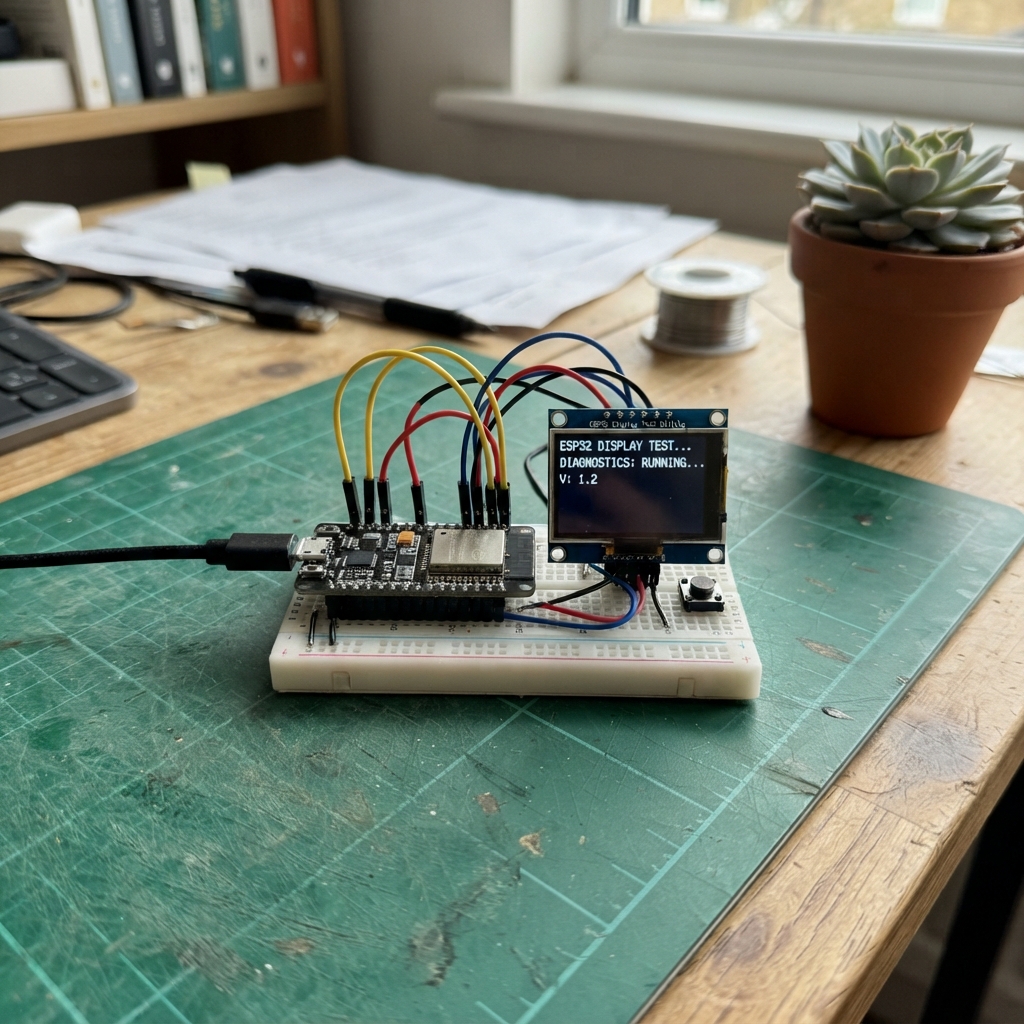
This project turns an ESP32 with a touchscreen display into a customizable clock and weather utility. The device connects to Wi-Fi to fetch weather data, displays the current time with multiple theme options, and provides an interactive interface for adjusting settings like brightness and date/time.
Builders will receive a complete wiring diagram showing connections for the TFT display, XPT2046 touch controller, and programming USB socket, along with a full parts list, ready-to-flash firmware, and step-by-step assembly instructions. The guide covers everything needed to get the display running and responsive to touch input.
Wiring diagram
Assemble it in 2 steps
1. Connect the programming USB socket
Leave the screen and its internal wiring alone. Connect a data-capable USB cable to the board's programming socket, usually the socket nearest the small USB-to-serial chip; the other socket may only supply power or act as a USB host.
- No loose wires are needed because the screen is already built into the board.
- Do not force a connector into the other socket; use the socket that lets Schematik detect the board.
2. Keep the board connected to Wi-Fi
Place the board where the EPUB WIFI signal reaches it. After it starts, the clock gets Philippine time from the internet and then asks for Manila weather.
- The clock and date can take a short time to appear after the first start while the board connects.
- Do not share the Wi-Fi password in a public screenshot of the program, because anyone who can read it could use that network.
Deploy the firmware
#include <SPI.h>
#include <TFT_eSPI.h>
#include <XPT2046_Touchscreen.h>
#include <FS.h>
using fs::FS;
#include <WiFiManager.h>
#include <WiFi.h>
#include <HTTPClient.h>
#include <time.h>
#define TFT_BL 21
#define TOUCH_CS 33
#define TOUCH_IRQ 36
#define TOUCH_SCK 25
#define TOUCH_MISO 39
#define TOUCH_MOSI 32
SPIClass touchSPI(VSPI);
TFT_eSPI tft;
XPT2046_Touchscreen touch(TOUCH_CS, TOUCH_IRQ);
WiFiManager wifiManager;
enum Page { CLOCK, SETTINGS, EDITOR, THEME, BRIGHTNESS }; Page page=CLOCK;
int setYear=2026,setMonth=10,setDay=26,setHour=12,setMinute=0; time_t baseEpoch; unsigned long baseMillis; String oldClock,oldDate; bool wasTouched=false; uint8_t theme=0; uint8_t brightness=255; int oldWifiStatus=-1;
String weatherLine="Weather unavailable", forecastLine="Connect Wi-Fi in Settings", shownWeather="", shownForecast="";
unsigned long lastWeatherFetch=0;
uint16_t NIGHT,NAVY,CARD,LINE,SKY,VIOLET,GOLD,MINT,SOFT,DIGITS;
void loadTheme(){if(theme==0){NIGHT=0x0861;NAVY=0x10A3;CARD=0x18E4;LINE=0x4A69;SKY=0x5DDF;VIOLET=0x7A5F;GOLD=0xFD20;MINT=0x05E0;SOFT=0xC638;DIGITS=TFT_CYAN;}else if(theme==1){NIGHT=0x0200;NAVY=0x03A0;CARD=0x14A5;LINE=0x4E73;SKY=0x87F0;VIOLET=0x5DA0;GOLD=0xFE60;MINT=0x07E0;SOFT=0xBDF7;DIGITS=0xAFE5;}else if(theme==2){NIGHT=0x2008;NAVY=0x480F;CARD=0x59D3;LINE=0x8C71;SKY=0xF9BF;VIOLET=0xA95F;GOLD=0xFD20;MINT=0xFE70;SOFT=0xEF7D;DIGITS=0xFFE0;}else if(theme==3){NIGHT=0x3000;NAVY=0x6000;CARD=0x7800;LINE=0xB800;SKY=0xF800;VIOLET=0xD805;GOLD=0xFD20;MINT=0x07FF;SOFT=0xFBEF;DIGITS=0xFFE0;}else if(theme==4){NIGHT=0x1082;NAVY=0x2945;CARD=0x4208;LINE=0x7BEF;SKY=0xFFFF;VIOLET=0xBDF7;GOLD=0x07FF;MINT=0xF81F;SOFT=0xD69A;DIGITS=TFT_WHITE;}else{NIGHT=0x1800;NAVY=0x3800;CARD=0x6000;LINE=0x9A60;SKY=0xFBE0;VIOLET=0xFA40;GOLD=0xFFE0;MINT=0x07E0;SOFT=0xEF7D;DIGITS=0xFBE0;}}
bool leap(int y){return(y%4==0&&y%100!=0)||y%400==0;}int monthDays(int y,int m){const int d[]={31,28,31,30,31,30,31,31,30,31,30,31};return m==2&&leap(y)?29:d[m-1];}time_t epochFor(int y,int m,int d,int h,int mi){long days=0;for(int yy=1970;yy<y;yy++)days+=leap(yy)?366:365;for(int mm=1;mm<m;mm++)days+=monthDays(y,mm);return(time_t)((days+d-1)*86400L+h*3600L+mi*60L);}
void textCenter(const char*s,int y,uint8_t z,uint16_t fg,uint16_t bg){tft.setTextSize(z);tft.setTextColor(fg,bg);tft.setCursor((320-strlen(s)*6*z)/2,y);tft.print(s);}
String weatherName(int code){if(code==0)return "Clear sky";if(code<=2)return "Partly cloudy";if(code==3)return "Overcast";if(code<=48)return "Foggy";if(code<=57)return "Drizzle";if(code<=67)return "Rain";if(code<=77)return "Snow or hail";if(code<=82)return "Rain showers";if(code<=86)return "Snow showers";return "Thunderstorms";}
float jsonNumber(const String& body,const char* key){int p=body.indexOf(key);if(p<0)return NAN;p+=strlen(key);while(p<body.length()&&(body[p]==' '||body[p]=='\t'))p++;int e=p;while(e<body.length()&&(isDigit(body[e])||body[e]=='-'||body[e]=='.'))e++;return body.substring(p,e).toFloat();}
void drawWeather(bool force=false){if(!force&&weatherLine==shownWeather&&forecastLine==shownForecast)return;tft.fillRect(18,177,220,28,CARD);tft.setTextSize(1);tft.setTextColor(SOFT,CARD);tft.setCursor(24,180);tft.print(weatherLine);tft.setTextColor(SKY,CARD);tft.setCursor(24,195);tft.print(forecastLine);shownWeather=weatherLine;shownForecast=forecastLine;}
void fetchWeather(){if(WiFi.status()!=WL_CONNECTED)return;HTTPClient http;http.setTimeout(7000);http.begin("http://api.open-meteo.com/v1/forecast?latitude=17.6131&longitude=121.7269¤t=temperature_2m,weather_code&daily=temperature_2m_max,temperature_2m_min&timezone=Asia%2FManila&forecast_days=1");int result=http.GET();if(result==HTTP_CODE_OK){String body=http.getString();float temp=jsonNumber(body,"\"temperature_2m\":");int code=(int)jsonNumber(body,"\"weather_code\":");int daily=body.indexOf("\"daily\"");float high=NAN,low=NAN;if(daily>=0){String today=body.substring(daily);high=jsonNumber(today,"\"temperature_2m_max\":[");low=jsonNumber(today,"\"temperature_2m_min\":[");}if(!isnan(temp)&&!isnan(high)&&!isnan(low)){weatherLine="Cagayan Valley: "+String(temp,0)+" C "+weatherName(code);forecastLine="Today "+String(low,0)+"-"+String(high,0)+" C forecast";}}http.end();drawWeather();}
void drawWifiStatus(bool force=false){int status=(WiFi.status()==WL_CONNECTED)?1:0;if(!force&&status==oldWifiStatus)return;tft.fillRect(221,4,94,26,NAVY);tft.fillCircle(228,17,6,status?MINT:TFT_RED);tft.drawCircle(228,17,7,TFT_WHITE);tft.setTextSize(1);tft.setTextColor(TFT_WHITE,NAVY);tft.setCursor(240,13);tft.print(status?"Wi-Fi ON":"Wi-Fi OFF");oldWifiStatus=status;}void button(int x,int y,int w,int h,uint16_t c,const char*l){tft.fillRoundRect(x,y,w,h,7,c);tft.drawRoundRect(x,y,w,h,7,TFT_WHITE);tft.setTextSize(1);tft.setTextColor(TFT_WHITE,c);tft.setCursor(x+(w-strlen(l)*6)/2,y+(h-8)/2);tft.print(l);}
void drawClockPage(){tft.fillScreen(NIGHT);tft.fillRect(0,0,320,34,NAVY);tft.fillCircle(19,17,9,GOLD);tft.drawCircle(19,17,12,TFT_WHITE);tft.setTextSize(2);tft.setTextColor(TFT_WHITE,NAVY);tft.setCursor(39,10);tft.print("COLOR CLOCK");tft.fillRoundRect(10,45,300,96,12,CARD);tft.drawRoundRect(10,45,300,96,12,SKY);tft.setTextSize(1);tft.setTextColor(SKY,CARD);tft.setCursor(24,58);tft.print("LOCAL TIME");tft.drawFastHLine(24,72,272,LINE);tft.fillRoundRect(10,151,300,59,12,CARD);tft.drawRoundRect(10,151,300,59,12,VIOLET);tft.setTextColor(GOLD,CARD);tft.setCursor(24,163);tft.print("CAGAYAN VALLEY FORECAST");drawWeather(true);tft.fillCircle(273,172,13,GOLD);tft.fillCircle(258,186,12,SKY);tft.fillCircle(276,181,17,SKY);tft.fillCircle(294,187,11,SKY);tft.fillRoundRect(246,186,58,12,6,SKY);button(10,220,300,18,VIOLET,"TOUCH HERE FOR SETTINGS");oldClock="";oldDate="";drawWifiStatus(true);}
void drawClockText(){time_t now=baseEpoch+(millis()-baseMillis)/1000UL;struct tm n;gmtime_r(&now,&n);char ct[14],dt[30];strftime(ct,sizeof(ct),"%I:%M:%S %p",&n);if(ct[0]=='0')memmove(ct,ct+1,strlen(ct));strftime(dt,sizeof(dt),"%A, %d %b %Y",&n);if(oldClock!=ct){tft.fillRect(17,79,286,35,CARD);textCenter(ct,80,4,DIGITS,CARD);oldClock=ct;}if(oldDate!=dt){tft.fillRect(17,117,286,15,CARD);textCenter(dt,118,1,TFT_WHITE,CARD);oldDate=dt;}}
void drawSettings(){tft.fillScreen(NIGHT);tft.fillRect(0,0,320,34,NAVY);tft.setTextSize(2);tft.setTextColor(TFT_WHITE,NAVY);tft.setCursor(10,10);tft.print("SETTINGS");button(252,5,60,24,GOLD,"BACK");tft.fillRoundRect(12,42,296,40,10,CARD);tft.drawRoundRect(12,42,296,40,10,SKY);tft.setTextSize(1);tft.setTextColor(TFT_WHITE,CARD);tft.setCursor(25,50);tft.print("DATE AND TIME");tft.setTextColor(SOFT,CARD);tft.setCursor(25,66);tft.print("Set the clock on this display");button(215,51,75,25,MINT,"EDIT");tft.fillRoundRect(12,88,296,40,10,CARD);tft.drawRoundRect(12,88,296,40,10,VIOLET);tft.setTextColor(TFT_WHITE,CARD);tft.setCursor(25,96);tft.print("DISPLAY COLOURS");tft.setTextColor(SOFT,CARD);tft.setCursor(25,112);tft.print("Choose clock and number colours");button(205,97,85,25,SKY,"COLOURS");tft.fillRoundRect(12,134,296,40,10,CARD);tft.drawRoundRect(12,134,296,40,10,GOLD);tft.setTextColor(TFT_WHITE,CARD);tft.setCursor(25,142);tft.print("SCREEN BRIGHTNESS");tft.setTextColor(SOFT,CARD);tft.setCursor(25,158);tft.print("Make the screen brighter or dimmer");button(205,143,85,25,GOLD,"BRIGHT");tft.fillRoundRect(12,180,296,47,10,CARD);tft.drawRoundRect(12,180,296,47,10,VIOLET);tft.setTextColor(TFT_WHITE,CARD);tft.setCursor(25,187);tft.print("WI-FI CONNECTION");tft.setTextColor(SOFT,CARD);tft.setCursor(25,202);tft.print("Connect a phone to Clock-Setup");tft.setTextColor(SKY,CARD);tft.setCursor(25,215);tft.print("Password: clocksetup");button(215,198,75,25,SKY,"WI-FI");}
void applyBrightness(){ledcWrite(TFT_BL,brightness);}
void drawBrightness(){tft.fillScreen(NIGHT);tft.fillRect(0,0,320,34,NAVY);tft.setTextSize(2);tft.setTextColor(TFT_WHITE,NAVY);tft.setCursor(10,10);tft.print("BRIGHTNESS");button(252,5,60,24,GOLD,"BACK");tft.setTextSize(1);tft.setTextColor(SOFT,NIGHT);tft.setCursor(25,48);tft.print("Tap a level. It changes right away.");for(int i=0;i<5;i++){int value=(i+1)*51;char label[10];snprintf(label,sizeof(label),"%d%%",(i+1)*20);button(20+i*58,82,50,42,value<=brightness?GOLD:LINE,label);}tft.fillRoundRect(20,148,280,22,8,CARD);tft.fillRoundRect(22,150,map(brightness,0,255,0,276),18,6,GOLD);tft.setTextColor(TFT_WHITE,NIGHT);tft.setCursor(22,192);tft.print("Brightness is kept until the next restart.");}
void drawTheme(){tft.fillScreen(NIGHT);tft.fillRect(0,0,320,34,NAVY);tft.setTextSize(2);tft.setTextColor(TFT_WHITE,NAVY);tft.setCursor(10,10);tft.print("COLOURS");button(252,5,60,24,GOLD,"BACK");button(20,42,280,24,0x5DDF,"BLUE / CYAN");button(20,71,280,24,0x03A0,"GREEN / MINT");button(20,100,280,24,0xA95F,"PURPLE / GOLD");button(20,129,280,24,0xD000,"RED / YELLOW");button(20,158,280,24,0x4208,"MONO / WHITE");button(20,187,280,24,0xFA40,"SUNSET / AMBER");tft.setTextSize(1);tft.setTextColor(SOFT,NIGHT);tft.setCursor(25,220);tft.print("Tap one to change the clock now.");}
void drawEditor(){tft.fillScreen(NIGHT);tft.fillRect(0,0,320,34,NAVY);tft.setTextSize(2);tft.setTextColor(TFT_WHITE,NAVY);tft.setCursor(8,10);tft.print("SET TIME");button(252,5,60,24,GOLD,"BACK");const char*n[]={"YEAR","MON","DAY","HOUR","MIN"};int v[]={setYear,setMonth,setDay,setHour,setMinute};for(int i=0;i<5;i++){int x=4+i*64;tft.fillRoundRect(x,52,60,112,7,CARD);tft.setTextSize(1);tft.setTextColor(SKY,CARD);tft.setCursor(x+8,62);tft.print(n[i]);button(x+7,80,46,24,MINT,"+");char s[6];if(i==0)snprintf(s,sizeof(s),"%d",v[i]);else snprintf(s,sizeof(s),"%02d",v[i]);tft.setTextColor(TFT_WHITE,CARD);tft.setCursor(x+(60-strlen(s)*6)/2,115);tft.print(s);button(x+7,132,46,24,GOLD,"-");}button(20,187,280,37,VIOLET,"SAVE DATE AND TIME");}
bool inside(int x,int y,int l,int t,int w,int h){return x>=l&&x<l+w&&y>=t&&y<t+h;}void adjust(int f,int d){if(f==0)setYear=constrain(setYear+d,2024,2099);if(f==1){setMonth+=d;if(setMonth>12)setMonth=1;if(setMonth<1)setMonth=12;}if(f==2){setDay+=d;if(setDay>monthDays(setYear,setMonth))setDay=1;if(setDay<1)setDay=monthDays(setYear,setMonth);}if(f==3)setHour=(setHour+d+24)%24;if(f==4)setMinute=(setMinute+d+60)%60;setDay=min(setDay,monthDays(setYear,setMonth));}
void tap(int x,int y){if(page==CLOCK){if(y>=210){page=SETTINGS;drawSettings();}return;}if(page==SETTINGS){if(inside(x,y,252,5,60,24)){page=CLOCK;drawClockPage();}else if(inside(x,y,215,51,75,25)){page=EDITOR;drawEditor();}else if(inside(x,y,205,97,85,25)){page=THEME;drawTheme();}else if(inside(x,y,205,143,85,25)){page=BRIGHTNESS;drawBrightness();}else if(inside(x,y,215,198,75,25)){wifiManager.setConfigPortalTimeout(180);wifiManager.startConfigPortal("Clock-Setup","clocksetup");drawSettings();}return;}if(page==BRIGHTNESS){if(inside(x,y,252,5,60,24)){page=SETTINGS;drawSettings();return;}for(int i=0;i<5;i++){if(inside(x,y,20+i*58,82,50,42)){brightness=(i+1)*51;applyBrightness();drawBrightness();return;}}return;}if(page==THEME){if(inside(x,y,252,5,60,24)){page=SETTINGS;drawSettings();return;}if(inside(x,y,20,42,280,24))theme=0;else if(inside(x,y,20,71,280,24))theme=1;else if(inside(x,y,20,100,280,24))theme=2;else if(inside(x,y,20,129,280,24))theme=3;else if(inside(x,y,20,158,280,24))theme=4;else if(inside(x,y,20,187,280,24))theme=5;else return;loadTheme();page=CLOCK;drawClockPage();drawClockText();return;}if(inside(x,y,252,5,60,24)){page=SETTINGS;drawSettings();return;}if(inside(x,y,20,187,280,37)){baseEpoch=epochFor(setYear,setMonth,setDay,setHour,setMinute);baseMillis=millis();page=CLOCK;drawClockPage();return;}for(int i=0;i<5;i++){int a=4+i*64;if(inside(x,y,a+7,80,46,24)){adjust(i,1);drawEditor();return;}if(inside(x,y,a+7,132,46,24)){adjust(i,-1);drawEditor();return;}}}
bool readTouch(int&x,int&y){if(!touch.touched())return false;TS_Point p=touch.getPoint();if(p.x<120||p.x>3980||p.y<120||p.y>3980)return false;x=constrain(map(p.x,220,3820,0,319),0,319);y=constrain(map(p.y,220,3820,0,239),0,239);return true;}void setup(){ledcAttach(TFT_BL,5000,8);applyBrightness();loadTheme();tft.init();tft.setRotation(1);touchSPI.begin(TOUCH_SCK,TOUCH_MISO,TOUCH_MOSI,TOUCH_CS);touch.begin(touchSPI);baseEpoch=epochFor(setYear,setMonth,setDay,setHour,setMinute);baseMillis=millis();drawClockPage();drawClockText();}void loop(){int x,y;bool down=readTouch(x,y);if(down&&!wasTouched)tap(x,y);wasTouched=down;if(page==CLOCK){drawClockText();drawWifiStatus();if(WiFi.status()==WL_CONNECTED&&(lastWeatherFetch==0||millis()-lastWeatherFetch>=1800000UL)){lastWeatherFetch=millis();fetchWeather();}}delay(20);}Remix this project
Make it yours in one click
Open a full copy of this project in your own Schematik workspace — diagram, code, parts, and assembly steps included. Swap the sensor, add features, or redesign the whole thing with AI. The author's original stays untouched.