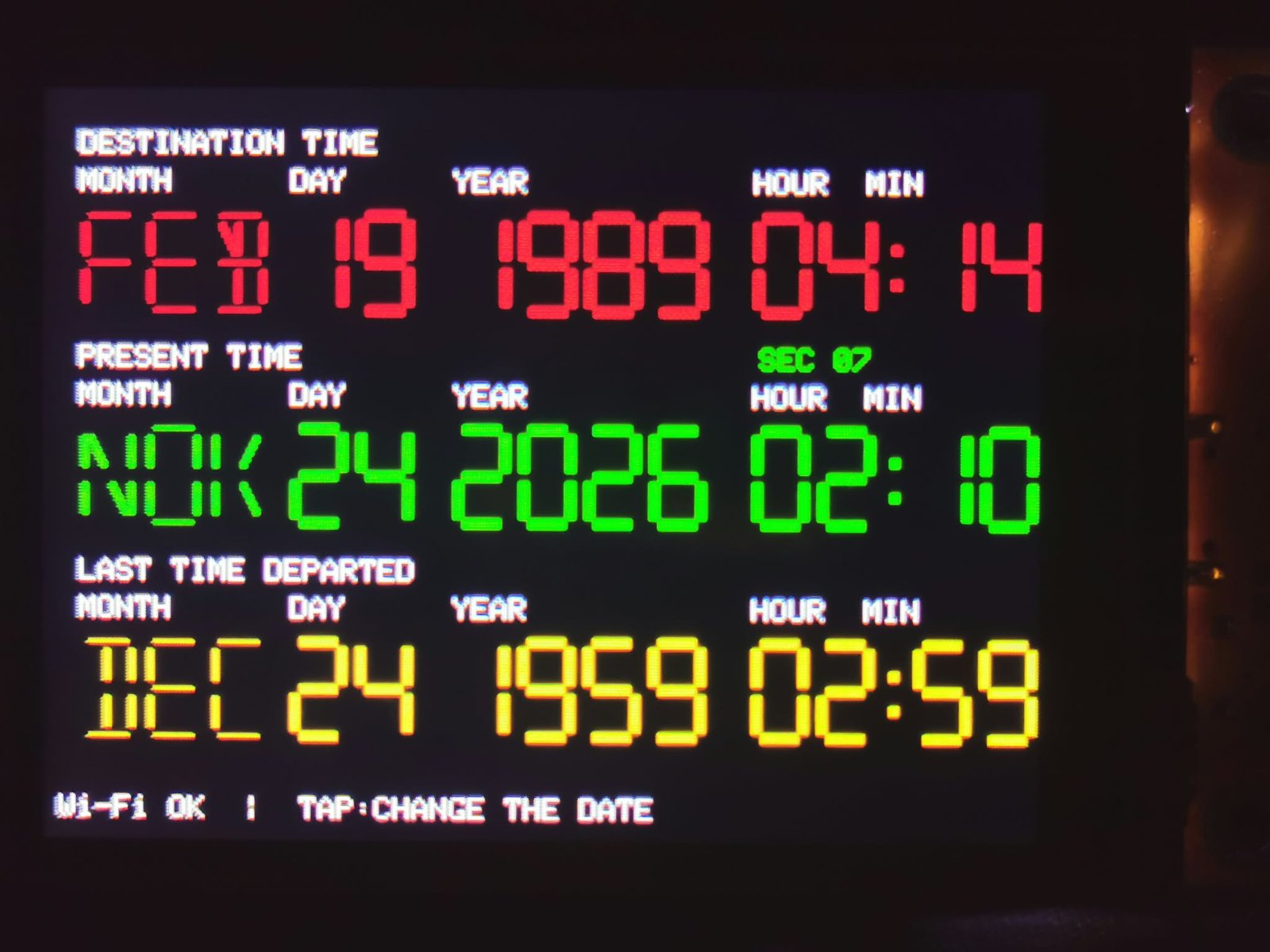
This project recreates the iconic time display from Back to the Future, featuring a touchscreen interface that cycles through memorable dates from the film. Built around an ESP32 microcontroller with a TFT display and touch input, the clock shows the current time alongside selectable destination dates, complete with animated colons and period-accurate styling.
The guide provides a complete wiring diagram, parts list including the display and touch controller connections, and step-by-step assembly instructions. The included firmware handles WiFi connectivity for time synchronization, touch input for date selection, and the characteristic visual effects that make this a standout desk display for any fan of the trilogy.
Wiring diagram
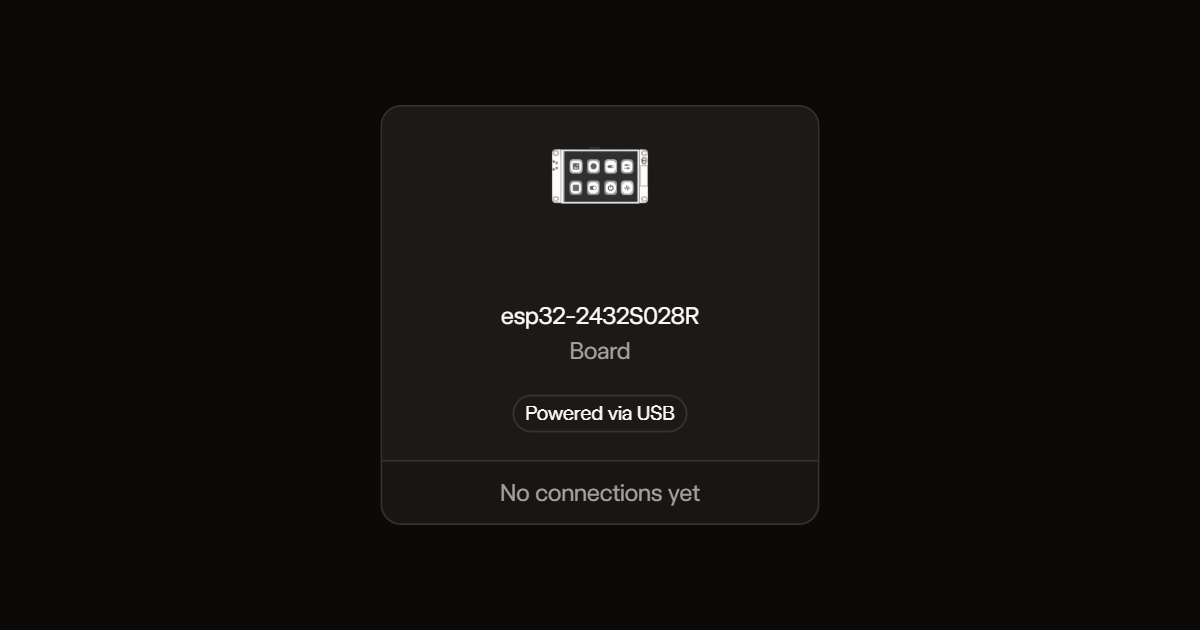
Assemble it in 2 steps
1. Przygotuj płytkę
Użyj ESP32-2432S028R z dotykiem oporowym. Wyświetlacz i dotyk są już podłączone. Nie potrzeba dodatkowych części ani przewodów.
- Ustaw płytkę poziomo. Dotykaj palcem lub plastikowym rysikiem, bez mocnego nacisku.
2. Podłącz zasilanie USB
Podłącz płytkę przewodem USB do komputera. Docelowo użyj zasilacza USB 5 V.
- Nie kładź odsłoniętego spodu płytki na metalu: może to spowodować zwarcie.
Deploy the firmware
#include <Arduino.h>
#include <FS.h>
using fs::FS;
#include <TFT_eSPI.h>
#include <XPT2046_Touchscreen.h>
#include <WiFi.h>
#include <WebServer.h>
#include <Preferences.h>
#include <time.h>
#include <sys/time.h>
#include <esp_system.h>
// Panel shows inverted RGB values; compensate neutral background and labels.
constexpr uint16_t BACKGROUND = TFT_BLACK; // Fizycznie biale tlo przy invertDisplay(true).
constexpr uint16_t DISPLAY_TOP = 0xF800; // Cyjan: odwrotnosc czerwonego, z kompensacja odwroconych kolorow panelu.
constexpr uint16_t DISPLAY_MIDDLE = 0x07E0; // Magenta (odwrotnosc zielonego), z kompensacja odwroconych kolorow panelu.
constexpr uint16_t DISPLAY_BOTTOM = 0xFFE0; // Odwrotnosc RGB565 blue: niebieski na panelu z odwroconymi kolorami.
TFT_eSPI tft;
SPIClass touchSPI(VSPI);
XPT2046_Touchscreen touch(33,36);
WebServer server(80);
Preferences prefs;
const char* months[]={"JAN","FEB","MAR","APR","MAY","JUN","JUL","AUG","SEP","OCT","NOV","DEC"};
const char* destinations[]={"OCT 21 2015 16:29","NOV 05 1955 06:00","SEP 02 1885 08:00"};
String previous="OCT 26 1985 01:21", lastPresent="", lastStatus="", lastSeconds="";
int destination=0;
bool held=false;
bool colonVisible=true;
void drawColon(int index,uint16_t color){
 int y=12+index*68;
 uint16_t ink=colonVisible?color:TFT_BLACK;
 tft.fillRect(272,y+37,3,3,ink);
 tft.fillRect(272,y+48,3,3,ink);
}
uint32_t lastTap=0;
uint32_t lastDepartedChange=0;
uint32_t lastDestinationChange=0;
String destinationValue;
constexpr uint32_t DEPARTED_INTERVAL_MS=10000;
void row(int index,const char* label,String value,uint16_t color);
String randomDeparted(){
 int year=1885+esp_random()%131;
 int month=esp_random()%12;
 const int days[]={31,28,31,30,31,30,31,31,30,31,30,31};
 int limit=days[month];
 if(month==1 && year%4==0 && (year%100!=0 || year%400==0))limit=29;
 int day=1+esp_random()%limit;
 int hour=esp_random()%24, minute=esp_random()%60;
 char b[24];
 snprintf(b,sizeof(b),"%s %02d %04d %02d:%02d",months[month],day,year,hour,minute);
 return b;
}
void changeDestination(){
 String next;
 do{next=randomDeparted();}while(next==destinationValue);
 destinationValue=next;
 row(0,"DESTINATION TIME",destinationValue,DISPLAY_TOP);
 lastDestinationChange=millis();
}
void changeDeparted(){
 String next;
 do{next=randomDeparted();}while(next==previous);
 previous=next;
 row(2,"LAST TIME DEPARTED",previous,DISPLAY_BOTTOM);
 lastDepartedChange=millis();
}
const uint8_t masks[]={0x3f,0x06,0x5b,0x4f,0x66,0x6d,0x7d,0x07,0x7f,0x6f};
void digit(int x,int y,char c,uint16_t color,uint16_t background){
 if(c=='-'){tft.fillRect(x+3,y+15,12,3,color);return;}
 if(c<'0'||c>'9')return;
 uint8_t m=masks[c-'0'];
 const int seg[7][4]={{3,0,12,3},{15,3,3,12},{15,18,3,12},{3,30,12,3},{0,18,3,12},{0,3,3,12},{3,15,12,3}};
 for(int i=0;i<7;i++)tft.fillRect(x+seg[i][0],y+seg[i][1],seg[i][2],seg[i][3],m&(1<<i)?color:background);
}
// Fourteen-segment LCD letters, matching the height of the numeric digits.
void lcdLetter(int x,int y,char c,uint16_t color){
 const char* lit="";
 switch(c){
 case 'A':lit="abcefg";break; case 'B':lit="abcdghmn";break;
 case 'C':lit="adef";break; case 'D':lit="abcdmn";break;
 case 'E':lit="adefg";break; case 'F':lit="aefg";break;
 case 'G':lit="acdefg";break; case 'J':lit="bcde";break;
 case 'L':lit="def";break; case 'M':lit="bcefhj";break;
 case 'N':lit="bcefhl";break; case 'O':lit="abcdef";break;
 case 'P':lit="abefg";break; case 'R':lit="abefgl";break;
 case 'S':lit="acdfg";break; case 'T':lit="amn";break;
 case 'U':lit="bcdef";break; case 'V':lit="efjk";break;
 case 'Y':lit="hjn";break; case '-':lit="g";break;
 }
 // a-f: outside bars, g: middle, h-l: diagonals, m-n: centre bars.
 const int lines[14][4]={
 {3,1,14,1},{16,4,16,13},{16,19,16,28},
 {3,31,14,31},{1,19,1,28},{1,4,1,13},{3,16,14,16},
 {3,4,7,13},{3,28,7,19},{14,4,10,13},{14,28,10,19},
 {10,19,14,28},{8,4,8,13},{8,19,8,28}};
 for(int i=0;i<14;i++)if(strchr(lit,'a'+i)){
  const int* q=lines[i];
  tft.drawLine(x+q[0],y+q[1],x+q[2],y+q[3],color);
  tft.drawLine(x+q[0]+1,y+q[1],x+q[2]+1,y+q[3],color);
 }
}
void lcdMonth(int x,int y,const String& text,uint16_t color){
 for(int i=0;i<3 && i<(int)text.length();i++)lcdLetter(x+i*21,y,text[i],color);
}
void row(int index,const char* label,String value,uint16_t color){
 int y=12+index*68;
 const uint16_t background=TFT_BLACK;
 const uint16_t labelColor=TFT_WHITE;
 tft.fillRect(5,y,310,65,background);
 tft.setTextColor(labelColor,background);tft.drawString(label,12,y+2,1);
 const int xpos[]={12,80,132,228};
 const char* fields[]={"MONTH","DAY","YEAR","HOUR  MIN"};
 for(int i=0;i<4;i++)tft.drawString(fields[i],xpos[i],y+14,1);
 tft.fillRect(9,y+25,302,37,background);
 lcdMonth(12,y+27,value.substring(0,3),color);
 int positions[]={80,101,132,153,174,195,228,249,280,301};
 int chars[]={4,5,7,8,9,10,12,13,15,16};
 for(int i=0;i<10;i++)digit(positions[i],y+27,value[chars[i]],color,background);
 drawColon(index,color);
}
String present(){
 time_t now=time(nullptr);if(now<1700000000)return "--- -- ---- --:--";
 struct tm t;localtime_r(&now,&t);char b[24];
 snprintf(b,sizeof(b),"%s %02d %04d %02d:%02d",months[t.tm_mon],t.tm_mday,t.tm_year+1900,t.tm_hour,t.tm_min);return b;
}
void root(){
 server.send(200,"text/html; charset=utf-8",R"HTML(<!doctype html><meta name="viewport" content="width=device-width"><title>Time Circuits</title><style>body{background:#111;color:#fea;font:18px sans-serif;max-width:420px;margin:30px auto}input,button{font:18px;margin:8px;padding:8px;max-width:90%}</style><h1>TIME CIRCUITS</h1><p>Ustaw czas z telefonu albo polacz zegar z siecia Wi-Fi 2,4 GHz. Strefa: Polska.</p><button onclick="fetch('/time?epoch='+Math.floor(Date.now()/1000)).then(()=>alert('Czas ustawiony'))">Ustaw czas z telefonu</button><form action="/wifi" method="post"><input name="ssid" placeholder="Nazwa Wi-Fi" required><input name="pass" type="password" placeholder="Haslo Wi-Fi"><button>Zapisz Wi-Fi</button></form><p>Dotknij ekranu zegara, aby wybrac kolejna filmowa date. Czas aktualny nie zmienia sie podczas tej zabawy.</p>)HTML");
}
void setup(){
 tft.init();tft.invertDisplay(true);tft.setRotation(1);tft.fillScreen(BACKGROUND);
 touchSPI.begin(25,39,32,33);touch.begin(touchSPI);touch.setRotation(1);
 setenv("TZ","CET-1CEST,M3.5.0,M10.5.0/3",1);tzset();
 prefs.begin("circuits",false);destination=prefs.getUInt("dest",0)%3;previous=randomDeparted();
 WiFi.mode(WIFI_AP_STA);WiFi.softAP("Time-Circuits","DeLorean88");
 String ssid=prefs.getString("ssid","");if(ssid.length())WiFi.begin(ssid.c_str(),prefs.getString("pass","").c_str());
 configTzTime("CET-1CEST,M3.5.0,M10.5.0/3","pool.ntp.org","time.google.com");
 server.on("/",root);
 server.on("/time",[]{time_t epoch=server.arg("epoch").toInt();if(epoch<1700000000){server.send(400,"text/plain","Niepoprawny czas");return;}timeval tv={epoch,0};settimeofday(&tv,nullptr);server.send(200,"text/plain","OK");});
 server.on("/wifi",HTTP_POST,[]{String s=server.arg("ssid"),p=server.arg("pass");prefs.putString("ssid",s);prefs.putString("pass",p);WiFi.begin(s.c_str(),p.c_str());server.send(200,"text/html; charset=utf-8","Zapisano. <a href='/'>Powrot</a>");});
 server.begin();destinationValue=destinations[destination];row(0,"DESTINATION TIME",destinationValue,DISPLAY_TOP);row(2,"LAST TIME DEPARTED",previous,DISPLAY_BOTTOM);
}
void loop(){
 server.handleClient();
 bool nextColonVisible=((millis()/1000)%2)==0;
 if(nextColonVisible!=colonVisible){
  colonVisible=nextColonVisible;
  drawColon(0,DISPLAY_TOP);
  drawColon(1,DISPLAY_MIDDLE);
  drawColon(2,DISPLAY_BOTTOM);
 }
 if(millis()-lastDestinationChange>=DEPARTED_INTERVAL_MS)changeDestination();
 if(millis()-lastDepartedChange>=DEPARTED_INTERVAL_MS)changeDeparted();
 String p=present();if(p!=lastPresent){row(1,"PRESENT TIME",p,DISPLAY_MIDDLE);lastPresent=p;lastSeconds="";}
 bool clockReady=time(nullptr)>=1700000000;
 String seconds="";
 if(clockReady){time_t now=time(nullptr);struct tm t;localtime_r(&now,&t);char b[16];snprintf(b,sizeof(b),"SEC %02d",t.tm_sec);seconds=b;}
 else seconds="USTAW CZAS";
 if(seconds!=lastSeconds){tft.fillRect(230,82,82,10,TFT_BLACK);tft.setTextColor(DISPLAY_MIDDLE,TFT_BLACK);tft.drawString(seconds,230,82,1);lastSeconds=seconds;}
 String status=!clockReady?"Wi-Fi: Time-Circuits > 192.168.4.1":(WiFi.status()==WL_CONNECTED?"Wi-Fi OK  |  TAP:CHANGE THE DATE":"Time-Circuits | 192.168.4.1");
 if(status!=lastStatus){tft.fillRect(0,220,320,20,BACKGROUND);tft.setTextColor(TFT_WHITE,BACKGROUND);tft.drawString(status,5,226,1);lastStatus=status;}
 bool down=touch.touched();if(down&&!held&&millis()-lastTap>500){
 changeDeparted();
 destination=(destination+1)%3;prefs.putUInt("dest",destination);destinationValue=destinations[destination];row(0,"DESTINATION TIME",destinationValue,DISPLAY_TOP);lastDestinationChange=millis();lastTap=millis();}
 held=down;delay(15);
}
Remix this project
Make it yours in one click
Open a full copy of this project in your own Schematik workspace, diagram, code, parts, and assembly steps included. Swap the sensor, add features, or redesign the whole thing with AI. The author's original stays untouched.