Community project
ESP32 Dice Roller
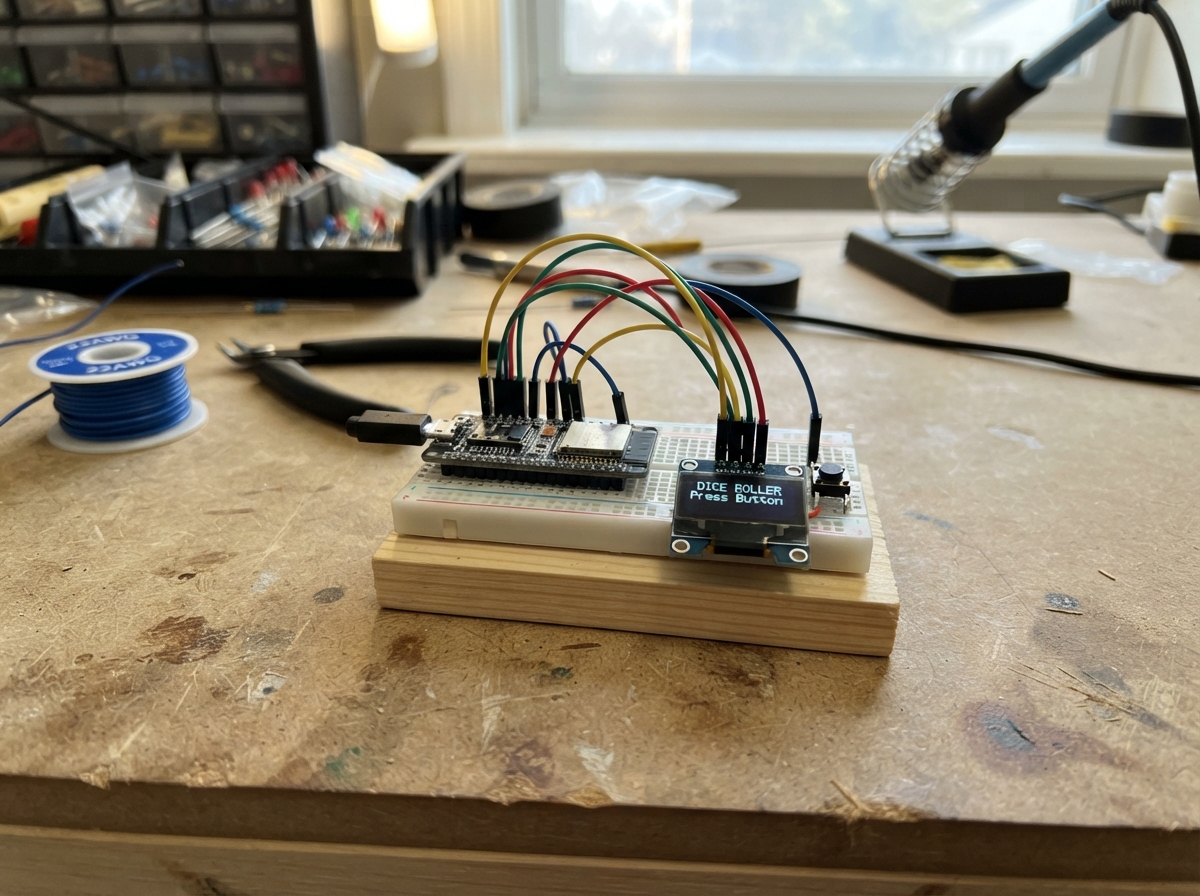
This ESP32 Dice Roller is a handheld encounter generator that displays random adventure scenarios on a colorful TFT screen. Press the built-in button to roll and reveal combat encounters, non-combat challenges, or other story prompts perfect for tabletop gaming sessions.
The guide includes a complete parts list, wiring diagram for connecting the display and power, and ready-to-flash firmware. Assembly takes just minutes—mount the board, connect the USB power, and start rolling encounters.
Wiring diagram
Assemble it in 3 steps
1. Place the board safely
Put the ESP32-C6-LCD-1.47-M on a dry, non-metal table with the screen facing up. This project uses the button and screen already fitted to the board, so no extra parts or wires are needed.
- Keep the board away from loose metal objects that could touch its pins.
2. Find the built-in button
Locate the small button marked BOOT on the board. A short press is the control: it chooses and shows one new tabletop role-playing encounter.
- Press and release the button; holding it is not necessary.
3. Connect USB power
Plug a USB-C cable from your computer into the board. The cable powers the board and lets Schematik send the program to it.
- Do not force the USB-C plug; turn it over if it does not slide in easily.
Deploy the firmware
#include <Arduino.h>
#include <Arduino_GFX_Library.h>

constexpr int BOOT_BUTTON_PIN = 9;
constexpr int TFT_MOSI_PIN = 6;
constexpr int TFT_SCK_PIN = 7;
constexpr int TFT_CS_PIN = 14;
constexpr int TFT_DC_PIN = 15;
constexpr int TFT_RST_PIN = 21;
constexpr int TFT_BACKLIGHT_PIN = 22;
constexpr int SCREEN_W = 320;
constexpr int SCREEN_H = 172;
constexpr uint16_t BG = 0x10A3;
constexpr uint16_t PANEL = 0x2128;
constexpr uint16_t TEXT = 0xFFFF;
constexpr uint16_t CYAN = 0x07FF;
constexpr uint16_t GOLD = 0xFEA0;
constexpr uint16_t RED = 0xF800;

Arduino_DataBus *bus = new Arduino_ESP32SPI(TFT_DC_PIN, TFT_CS_PIN, TFT_SCK_PIN, TFT_MOSI_PIN, GFX_NOT_DEFINED);
Arduino_GFX *gfx = new Arduino_ST7789(bus, TFT_RST_PIN, 0, true, 172, 320, 34, 0, 34, 0);

const char *combat[] = {
  "Bandits demand a toll.", "A wounded owlbear guards prey.", "Cult scouts block the path.",
  "Skeletons rise from loose soil.", "A mimic waits among supplies.", "A rival party seeks a duel.",
  "Goblins set an ambush.", "A hungry basilisk stalks nearby.", "A rogue mage tests a new spell.",
  "Kobolds defend a trapped tunnel.", "A swamp troll blocks the ford.", "Mercenaries mistake you for targets.",
  "Giant spiders descend from above.", "A cursed knight challenges the party.", "Wolves circle your camp at dusk.",
  "A necromancer's servants raid nearby."
};
const char *nonCombat[] = {
  "A trader offers a strange map.", "A bridge is missing three planks.", "You find a sealed stone door.",
  "Fog hides an old milestone.", "A child asks for help finding home.", "A raven drops a silver key.",
  "A shrine grants one cryptic omen.", "Fresh tracks split in two directions.", "A broken wagon blocks the road.",
  "An old well echoes with singing.", "Fireflies reveal a hidden trail.", "A hermit trades riddles for food.",
  "A message is carved into a tree.", "A sudden storm floods the path.", "A festival begins in the next village.",
  "An injured courier needs an escort."
};
constexpr int COMBAT_EVENT_COUNT = sizeof(combat) / sizeof(combat[0]);
constexpr int NON_COMBAT_EVENT_COUNT = sizeof(nonCombat) / sizeof(nonCombat[0]);
bool buttonWasDown = false;

void centerText(const char *text, int y, uint8_t size, uint16_t color) {
  gfx->setTextSize(size); gfx->setTextColor(color);
  gfx->setCursor((SCREEN_W - strlen(text) * 6 * size) / 2, y); gfx->print(text);
}
void wrappedText(const char *text, int y, uint16_t color) {
  // Default-font characters are 12 pixels wide at size 2. Keep each line
  // within the 280-pixel inside width of the card.
  constexpr int MAX_CHARS_PER_LINE = 23;
  char line[32] = "";
  int lineY = y;
  const char *p = text;
  while (*p) {
    char word[24] = ""; int n = 0;
    while (*p == ' ') p++;
    while (*p && *p != ' ' && n < 22) word[n++] = *p++;
    word[n] = '\0';
    if (strlen(line) && strlen(line) + strlen(word) + 1 > MAX_CHARS_PER_LINE) {
      centerText(line, lineY, 2, color); lineY += 20; line[0] = '\0';
    }
    if (strlen(line)) strcat(line, " ");
    strcat(line, word);
  }
  if (strlen(line)) centerText(line, lineY, 2, color);
}
void drawEvent() {
  bool isCombat = random(100) < 50;
  const char *eventText = isCombat ? combat[random(COMBAT_EVENT_COUNT)] : nonCombat[random(NON_COMBAT_EVENT_COUNT)];
  uint16_t accent = isCombat ? RED : CYAN;
  gfx->fillScreen(BG);
  gfx->fillRoundRect(12, 10, 296, 152, 10, PANEL);
  gfx->drawRoundRect(12, 10, 296, 152, 10, accent);
  centerText("RANDOM ENCOUNTER", 22, 2, GOLD);
  gfx->drawFastHLine(28, 48, 264, accent);
  centerText(isCombat ? "COMBAT" : "NON-COMBAT", 61, 2, accent);
  wrappedText(eventText, 88, TEXT);
  centerText("PRESS BOOT FOR NEXT", 150, 1, GOLD);
}
void setup() {
  pinMode(BOOT_BUTTON_PIN, INPUT_PULLUP);
  pinMode(TFT_BACKLIGHT_PIN, OUTPUT); analogWrite(TFT_BACKLIGHT_PIN, 128);
  randomSeed((uint32_t)esp_random());
  gfx->begin(); gfx->setRotation(1); drawEvent();
}
void loop() {
  bool down = digitalRead(BOOT_BUTTON_PIN) == LOW;
  if (down && !buttonWasDown) drawEvent();
  buttonWasDown = down;
  delay(15);
}
Remix this project
Make it yours in one click
Open a full copy of this project in your own Schematik workspace — diagram, code, parts, and assembly steps included. Swap the sensor, add features, or redesign the whole thing with AI. The author's original stays untouched.