Community project
Single-Cell Satellite EPS
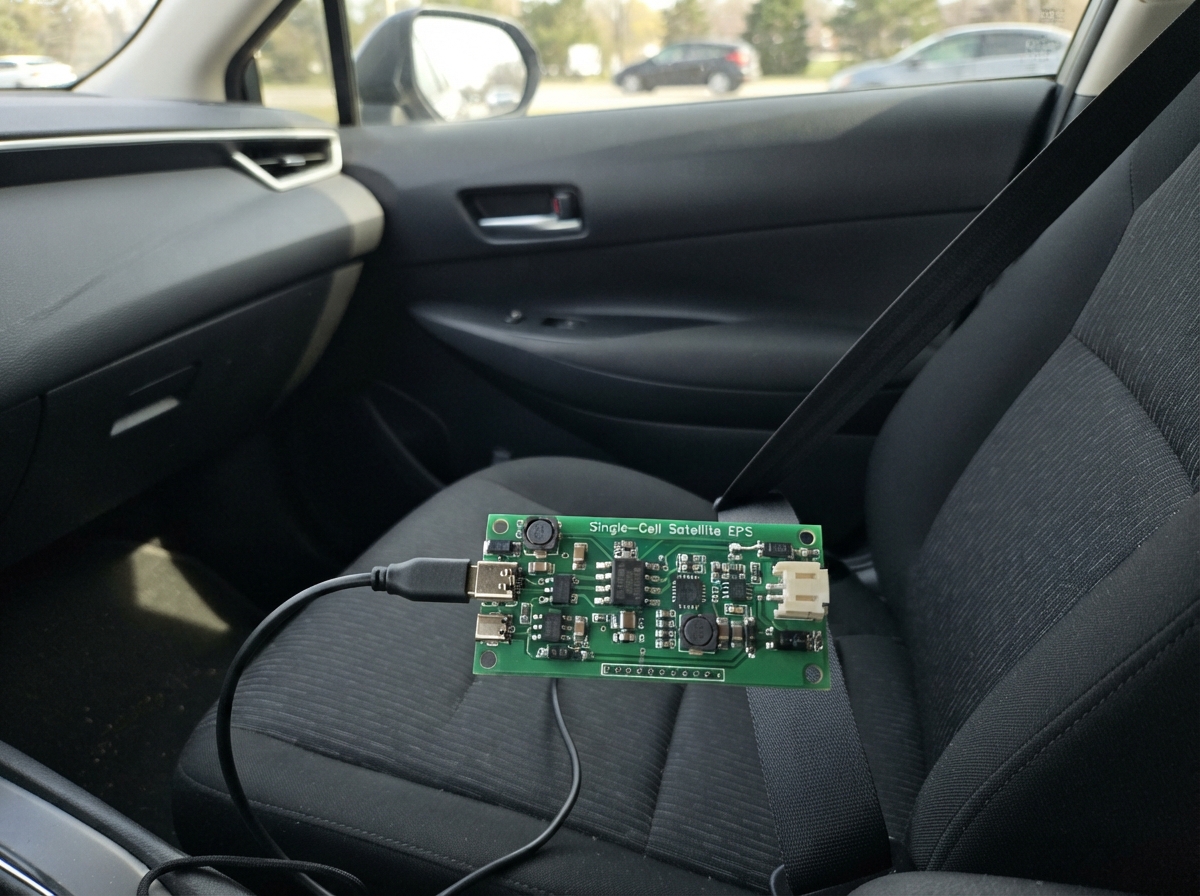
This guide builds a complete electrical power system (EPS) for a single-cell satellite or remote device. The system prioritizes USB input power when available, falls back to a solar panel, and intelligently charges a protected 3.7 V lithium-ion battery while monitoring its temperature. All three power sources feed into a regulated 3.3 V output rail via a buck-boost converter, ensuring stable power delivery across a wide input voltage range.
The guide provides a complete wiring diagram, detailed parts list, and step-by-step assembly instructions organized by functional block: input protection and fusing, USB priority selection, battery charging with thermal monitoring, voltage regulation, and sensor integration. Included firmware demonstrates how to read battery and solar panel voltages using the ESP32's analog inputs, with divider ratios calibrated for accurate telemetry.
Wiring diagram

Gather all the parts
Assemble it in 6 steps
1. Place the input protection parts
Place the USB-C connector and solar connector at the board edge. Put the USB TVS diode and USB resettable fuse beside the USB connector, and put the solar TVS diode and solar resettable fuse beside the solar connector. Keep each TVS diode's ground end short and wide to the ground plane so it can divert a surge before it reaches the EPS.
- Do not connect a solar panel until its open-circuit voltage has been checked; an over-voltage panel can damage the input protection and charger.
2. Build the USB-priority selector
Place the TPS2121 beside the two protected inputs. Connect USB through the USB fuse to IN1 and solar through the solar fuse to IN2. Fit the 10.2 kΩ and 5.00 kΩ resistors from USB input to PR1 and then to ground, so a valid USB source wins. Fit the 80.0 kΩ ILIM resistor and 100 nF SS capacitor to ground, and place both 1 µF input capacitors directly beside the IC.
- Keep IN1, IN2, OUT, and their bypass capacitors in a tight group; these are the high-current paths.
3. Wire the battery charger and temperature check
Place the BQ25185 close to the battery connector. Connect the protected cell positive lead to BAT and the negative lead to GND. Attach the 10 kΩ NTC tightly to the battery pouch or cell holder, then wire it from TS/MR to ground. Fit the 18.0 kΩ and 1.00 kΩ setting resistors to ground and place the 1 µF, 10 µF, and 1 µF capacitors directly beside IN, SYS, and BAT.
- Make sure battery positive and negative are not swapped — reverse battery wiring can damage the charger even when the cell itself is protected.
- Do not charge a swollen, punctured, or unlabelled lithium cell.
4. Build the regulated 3.3 V rail
Place the 0.47 µH inductor, 10 µF input capacitor, 22 µF output capacitor, and the 511 kΩ / 91.0 kΩ feedback resistors immediately around the TPS63802. Connect SYS to VIN and tie EN high to SYS. Tie MODE to ground for low-load power-save operation. Route the switching loop between L1, L2, and the inductor as short and wide copper traces.
- Do not run the battery-sense or solar-sense traces through the inductor area; switching noise can make the readings inaccurate.
5. Add the monitor dividers and output header
Fit the 220 kΩ over 100 kΩ battery divider and its 100 nF capacitor, then route its midpoint to BAT_SENSE and ESP32 GPIO34. Fit the 330 kΩ over 68.0 kΩ solar divider and its 100 nF capacitor, then route its midpoint to SOLAR_SENSE and ESP32 GPIO35. Connect the output header's 3V3 and GND pins to the regulated rail and ground, and connect UART_TX to GPIO17 and UART_RX to GPIO16.
- GPIO34 and GPIO35 are input-only pins, which is exactly what these voltage measurements need.
6. Fit and use the test points
Fit the five loop test points on protected USB input, protected solar input, battery positive, SYS, and 3.3 V. Before connecting the ESP32 payload, check each point with a multimeter: battery must never exceed 4.2 V while charging and the output must be close to 3.3 V.
- Do not short a test-point loop with a probe tip; a lithium battery can supply enough current to overheat traces or wires.
Review all connections
1. Connections between "usb_c" and "ESP32"
2. Connections between "r_cc1" and "ESP32"
3. Connections between "r_cc2" and "ESP32"
4. Connections between "usb_esd" and "ESP32"
5. Connections between "usb_ptc" and "ESP32"
6. Connections between "c_mux_usb" and "ESP32"
7. Connections between "tp_vbus" and "ESP32"
8. Connections between "solar_in" and "ESP32"
9. Connections between "solar_esd" and "ESP32"
10. Connections between "solar_ptc" and "ESP32"
11. Connections between "c_mux_solar" and "ESP32"
12. Connections between "tp_solar" and "ESP32"
13. Connections between "power_mux" and "ESP32"
14. Connections between "r_pr1_hi" and "ESP32"
15. Connections between "r_pr1_lo" and "ESP32"
16. Connections between "r_mux_ilim" and "ESP32"
17. Connections between "c_mux_ss" and "ESP32"
18. Connections between "charger" and "ESP32"
19. Connections between "battery" and "ESP32"
20. Connections between "battery_ntc" and "ESP32"
21. Connections between "r_chg_iset" and "ESP32"
22. Connections between "r_chg_ilimvset" and "ESP32"
23. Connections between "c_chg_in" and "ESP32"
24. Connections between "c_sys" and "ESP32"
25. Connections between "c_bat" and "ESP32"
26. Connections between "tp_bat" and "ESP32"
27. Connections between "tp_sys" and "ESP32"
28. Connections between "c_buck_in" and "ESP32"
29. Connections between "buckboost" and "ESP32"
30. Connections between "l_buck" and "ESP32"
31. Connections between "c_3v3" and "ESP32"
32. Connections between "tp_3v3" and "ESP32"
33. Connections between "r_fb_top" and "ESP32"
34. Connections between "r_fb_bottom" and "ESP32"
35. Connections between "output_header" and "ESP32"
36. Connections between "r_bat_top" and "ESP32"
37. Connections between "r_bat_bottom" and "ESP32"
38. Connections between "c_bat_sense" and "ESP32"
39. Connections between "r_solar_top" and "ESP32"
40. Connections between "r_solar_bottom" and "ESP32"
41. Connections between "c_solar_sense" and "ESP32"
Deploy the firmware
#include <Arduino.h>

constexpr int BAT_SENSE_PIN = 34;
constexpr int SOLAR_SENSE_PIN = 35;
constexpr float ADC_FULL_SCALE_COUNTS = 4095.0f;
constexpr float ADC_REFERENCE_VOLTS = 3.3f;
// Divider ratios: battery = 100k/(220k+100k); solar = 68k/(330k+68k).
constexpr float BATTERY_DIVIDER_RATIO = 100.0f / 320.0f;
constexpr float SOLAR_DIVIDER_RATIO = 68.0f / 398.0f;

float readScaledVoltage(int pin, float dividerRatio) {
  const uint32_t raw = analogRead(pin);
  const float adcVoltage = (static_cast<float>(raw) * ADC_REFERENCE_VOLTS) / ADC_FULL_SCALE_COUNTS;
  return adcVoltage / dividerRatio;
}

void setup() {
  Serial.begin(115200);
  analogReadResolution(12);
  analogSetPinAttenuation(BAT_SENSE_PIN, ADC_11db);
  analogSetPinAttenuation(SOLAR_SENSE_PIN, ADC_11db);
}

void loop() {
  const float batteryVoltage = readScaledVoltage(BAT_SENSE_PIN, BATTERY_DIVIDER_RATIO);
  const float solarVoltage = readScaledVoltage(SOLAR_SENSE_PIN, SOLAR_DIVIDER_RATIO);

  Serial.print("BAT_SENSE: ");
  Serial.print(batteryVoltage, 3);
  Serial.print(" V, SOLAR_SENSE: ");
  Serial.print(solarVoltage, 3);
  Serial.println(" V");

  delay(1000);
}
Remix this project
Make it yours in one click
Open a full copy of this project in your own Schematik workspace — diagram, code, parts, and assembly steps included. Swap the sensor, add features, or redesign the whole thing with AI. The author's original stays untouched.