Community project
ESP32 Weather Station
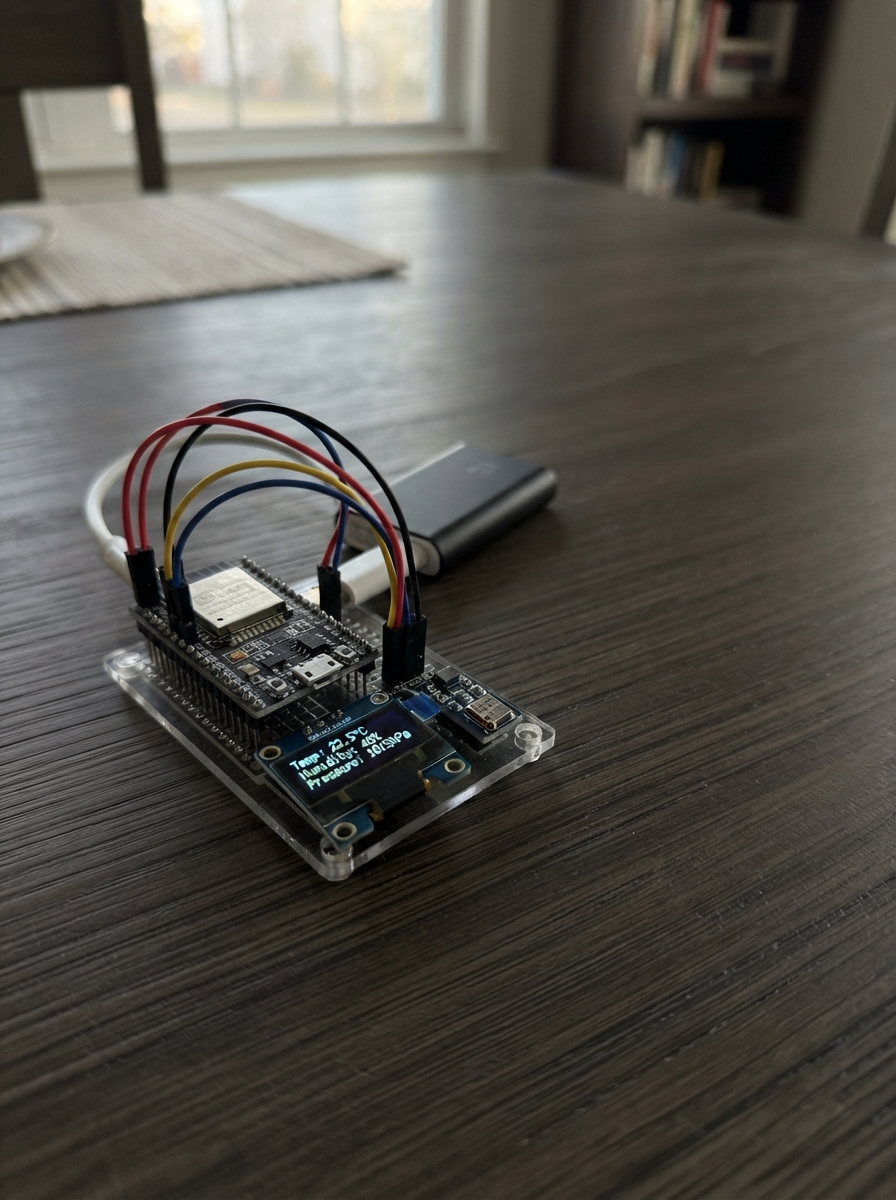
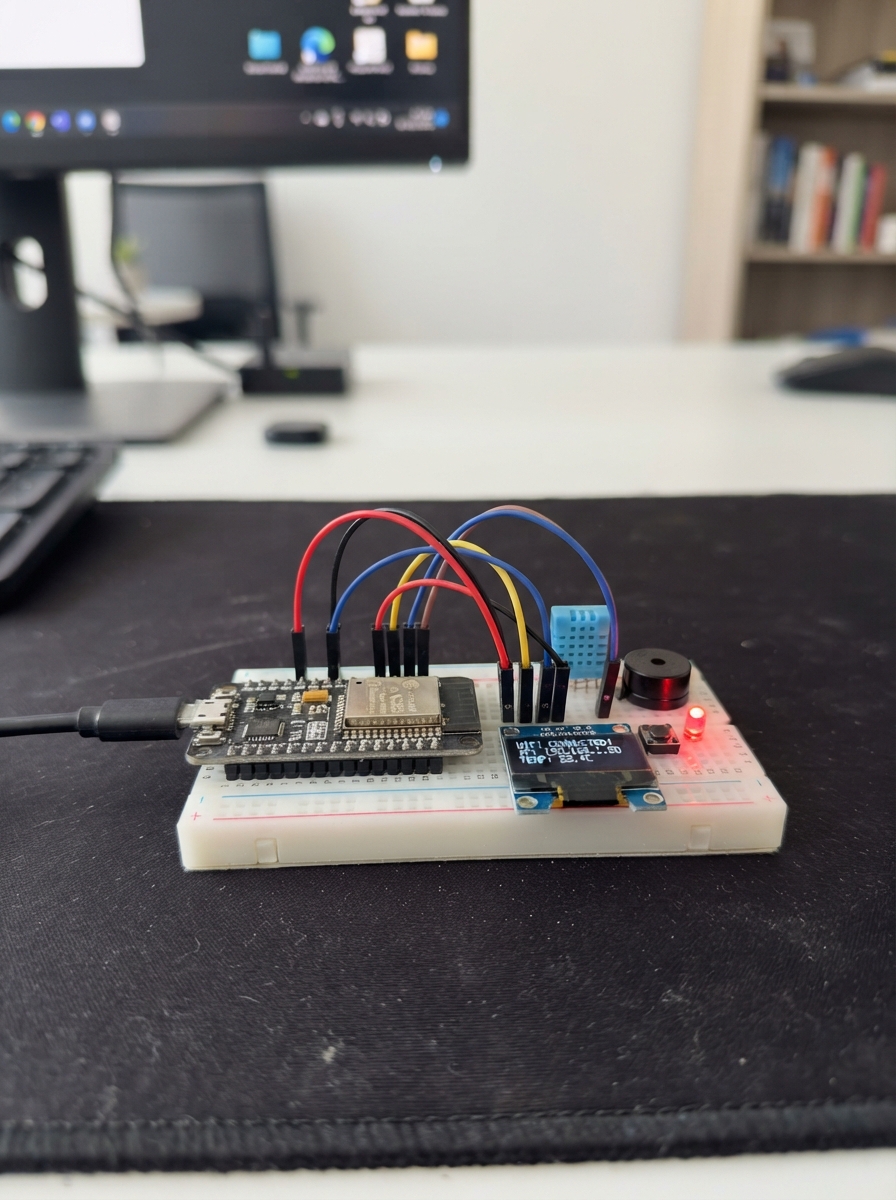
This project builds a compact weather station using an ESP32 microcontroller to read temperature, humidity, and atmospheric pressure from a BME280 sensor and display the readings on a small OLED screen. The station samples environmental conditions and updates the display in real time, making it useful for monitoring local weather patterns or verifying sensor accuracy in different locations.
The guide provides a complete wiring diagram showing how to connect the BME280 and SSD1306 OLED display to the ESP32 via I2C, a full parts list, ready-to-use firmware, and step-by-step assembly instructions including sensor positioning and custom enclosure fitting. No soldering experience is required—all connections use standard headers and jumper wires.
Wiring diagram

Gather all the parts
Assemble it in 6 steps
1. Prepare the parts with USB unplugged
Use an ESP32 DevKit v1, an Adafruit 2652 BME280 breakout, and a four-pin 128x64 SSD1306 I2C OLED. Place them on a breadboard with jumper wires. Use modules with fitted headers, or solder their headers before wiring.
- Disconnect USB before wiring. Reversing power and ground can damage the modules.
2. Connect the weather sensor
Connect the BME280 Vin (VCC) to ESP32 3V3 for power, GND to GND, SDI (SDA) to GPIO21 for data, and SCK (SCL) to GPIO22 for the clock. Connect SDO to GND to select address 0x76. Leave CS and 3Vo unconnected.
- Use a BME280, not a BMP280: the BMP280 cannot measure humidity.
3. Connect the OLED screen
Connect screen VCC to 3V3, GND to GND, SDA to GPIO21 for data, and SCL to GPIO22 for the clock. The screen and sensor share these data and clock connections. Use breadboard rails if needed to share power and ground.
- Read the labels on the screen; different modules may swap the physical positions of VCC and GND. Use 3V3, not 5V, for both modules in this build.
4. Position the sensor for useful readings
Keep the BME280 away from the warm ESP32 and direct sunlight. Leave air able to reach it. The screen shows Celsius, relative humidity, and local air pressure in hPa, updated every two seconds.
- Local pressure is not corrected to sea level, so it may differ from a weather app.
- These bare modules are not waterproof. Keep them indoors or in a suitable ventilated weather shelter, protected from rain and condensation.
5. Print and check the custom enclosure
Open include/enclosure/weather_station.scad in OpenSCAD. Follow include/enclosure/README.md to check your module measurements and export separate base and lid STL files. Print the base bottom-down and lid outer-face-down. The case is 120 by 75 mm with a ventilated sensor bay, USB opening and OLED window. These adjustable dimensions need a fit check before final assembly.
- Use PLA indoors, 0.2 mm layers, three walls and 20 percent infill as starting settings. Adjust lid clearance if the fit is too tight.
- The enclosure is not waterproof and does not fit a full-size breadboard.
6. Fit the modules with power disconnected
Unplug USB. Secure the ESP32 on the raised supports with its USB connector facing the opening. Attach the OLED behind the lid window and the BME280 in the separate ventilated end bay using small pieces of removable electrically insulating mounting tape on bare board margins. Keep adhesive away from the sensor opening and electronic components. Route wires through the divider notch and keep them clear of the lid rim. Preserve all existing electrical connections using secure insulated wiring rather than squeezing a breadboard into the case.
- Compare temperature readings with the lid open and closed after they settle; the ESP32 can still warm the sensor.
- Do not force the OLED glass or close the lid on wires. Check connector clearance and that no exposed contacts can touch before reconnecting USB.
Review all connections
1. Connections between "weather" and "ESP32"
2. Connections between "screen" and "ESP32"
Deploy the firmware
#include <Arduino.h>
#include <Wire.h>
#include <Adafruit_BME280.h>
#include <Adafruit_GFX.h>
#include <Adafruit_SSD1306.h>
#include <math.h>

Adafruit_BME280 sensor;
Adafruit_SSD1306 screen(128, 64, &Wire, -1);
bool screenOK = false;
bool sensorOK = false;
String lastPage;
uint32_t lastRead = 0;

void showPage(const String &page) {
  if (!screenOK || page == lastPage) return;
  screen.clearDisplay();
  screen.setTextSize(1);
  screen.setTextColor(SSD1306_WHITE);
  screen.setCursor(0, 0);
  screen.print(page);
  screen.display();
  lastPage = page;
}

void sample() {
  if (!sensorOK) sensorOK = sensor.begin(0x76, &Wire);
  if (!sensorOK) {
    showPage("WEATHER STATION\n\nBME280 not found\nCheck sensor wires\nRetrying...");
    Serial.println("BME280 not found at 0x76; check power, SDA, SCL and SDO.");
    return;
  }
  float t = sensor.readTemperature();
  float h = sensor.readHumidity();
  float p = sensor.readPressure() / 100.0f;
  if (!isfinite(t) || !isfinite(h) || !isfinite(p) || p <= 0) {
    sensorOK = false;
    showPage("WEATHER STATION\n\nSensor read error\nRetrying...");
    Serial.println("Sensor read error");
    return;
  }
  char page[180];
  snprintf(page, sizeof(page), "WEATHER STATION\n\nTemp: %5.1f C\n\nHum:  %5.1f %%\n\nPres: %6.1f hPa", t, h, p);
  showPage(String(page));
  Serial.printf("Temperature: %.1f C | Humidity: %.1f %% | Station pressure: %.1f hPa\n", t, h, p);
}

void setup() {
  Serial.begin(115200);
  Wire.begin(21, 22);
  Wire.beginTransmission(0x3C);
  if (Wire.endTransmission() == 0)
    screenOK = screen.begin(SSD1306_SWITCHCAPVCC, 0x3C);
  if (!screenOK) Serial.println("OLED not found; continuing with serial readings.");
  sample();
  lastRead = millis();
}

void loop() {
  if (millis() - lastRead >= 2000) {
    lastRead = millis();
    sample();
  }
  delay(10);
}
Remix this project
Make it yours in one click
Open a full copy of this project in your own Schematik workspace — diagram, code, parts, and assembly steps included. Swap the sensor, add features, or redesign the whole thing with AI. The author's original stays untouched.