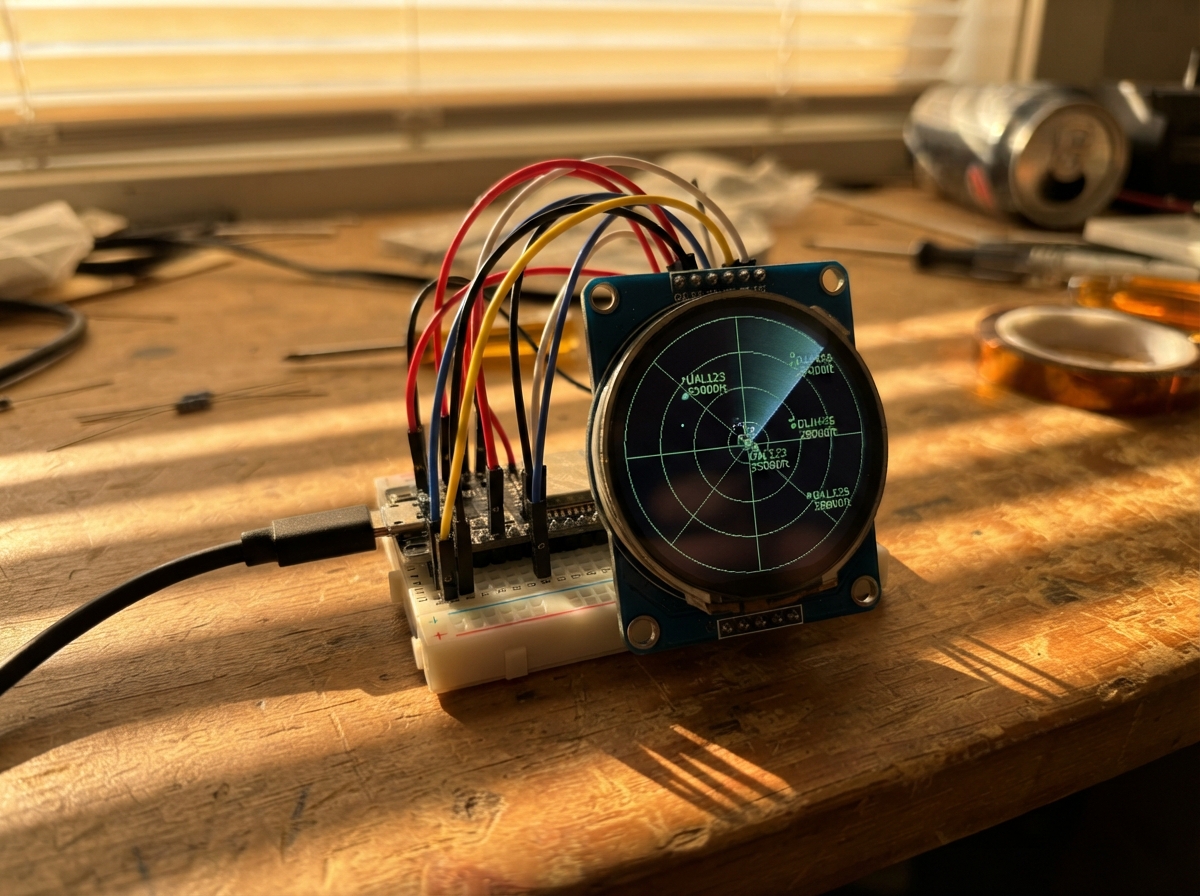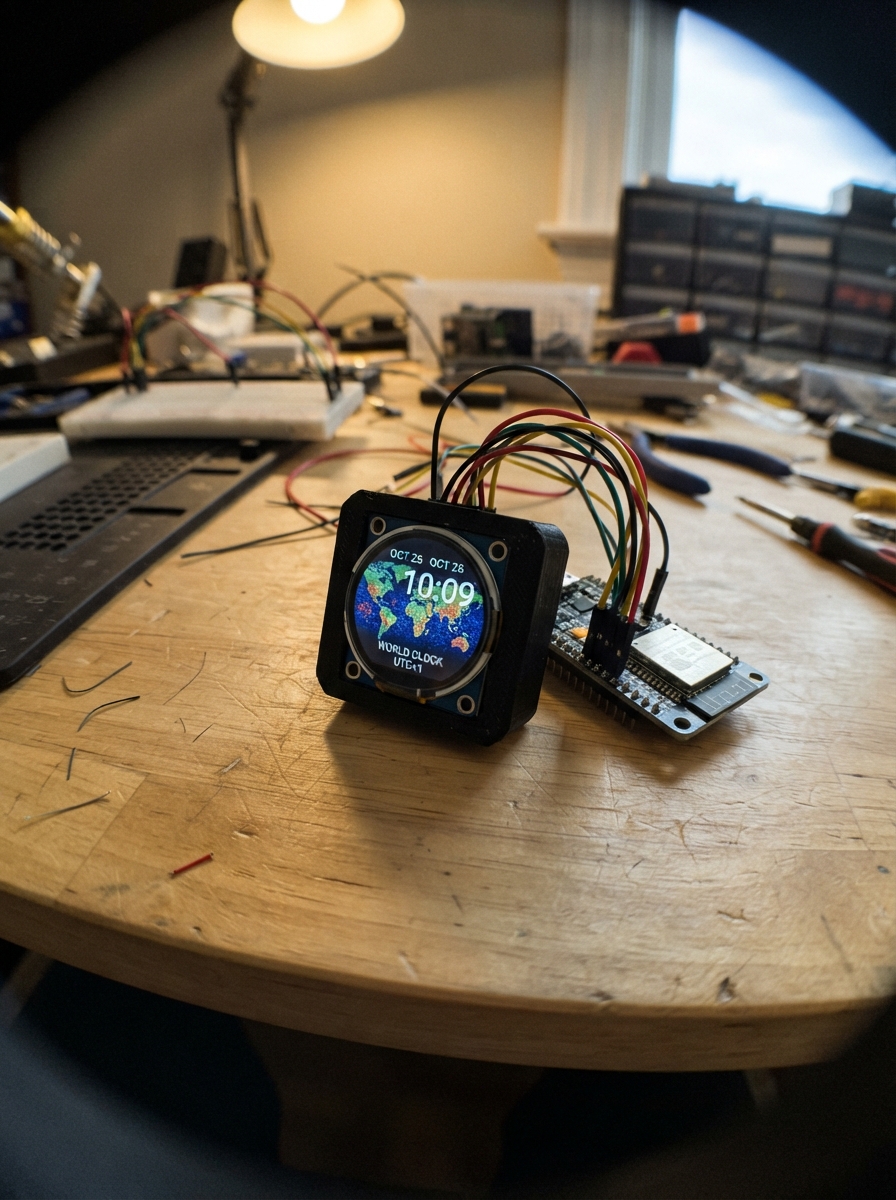
Build a networked world clock that displays multiple time zones on a vibrant 2.1 inch round TFT display. The ESP32 connects to WiFi to fetch accurate time and renders an interactive globe showing major cities with their local times, creating a compact yet informative desk display.
This guide provides a complete parts list, wiring diagram for connecting the GC9B72 SPI display to the ESP32, and ready-to-flash firmware that handles WiFi setup, time synchronization, and animated globe rendering. Assembly takes just minutes—mount the round screen, connect five signal wires plus power, and configure your WiFi to get started.
Wiring diagram
Gather all the parts
Assemble it in 4 steps
1. Place the round screen
Put the ESP32-C3 board and the 2.1-inch round GC9B72 screen on a non-metal table or breadboard with their printed pin labels facing up. Keep the USB socket clear so you can power the board after the wires are checked.
- The screen labels SDA and SCL are SPI labels here, not the same kind of two-wire connection used by the old OLED.
- Do not plug in USB power while moving jumper wires; a loose wire can touch the wrong pin.
2. Connect screen power
Use a red jumper from the screen VCC pin to the ESP32-C3 3V3 pin (power), and a black jumper from screen GND to an ESP32-C3 GND pin (ground).
- Follow the labels printed on your screen board instead of its left-to-right pin order.
- Make sure VCC and GND are not swapped; swapped power can damage the screen. This screen must use 3V3, not 5V.
3. Connect the SPI signal wires
Connect screen SDA to ESP32-C3 GPIO6 (pixel data), screen SCL to GPIO4 (clock), screen CS to GPIO7 (screen selector), screen DC to GPIO3 (command or pixel-data selector), screen RST to GPIO1 (screen reset), and screen BL to GPIO0 (backlight enable). Leave screen SDO and TE unconnected.
- Use six different wire colors or label the wires before plugging them in. The screen SDA/SCL labels mean MOSI/clock for SPI, not I2C data/clock.
- A wire one hole off can leave the screen black or white even when its power wiring is correct. Do not connect SDO to the board; the clock only sends data to the display.
4. Power and set up the clock
Recheck all eight connected screen wires, then plug the ESP32-C3 into your computer with USB. After you press Deploy, the screen shows Wi-Fi setup instructions. Connect a phone or computer to WorldClock-Setup using password clocksetup, then enter your home Wi-Fi details so the clock can set itself.
- The static round clock face is drawn once; only the three changing time areas update afterward.
- The temporary Wi-Fi network is only for entering Wi-Fi details. Change the setup password in the firmware before using this clock in a public place.
Review all connections
1. Connections between "gc9b72_1" and "ESP32"
Deploy the firmware
#include <Arduino.h>
#include <WiFi.h>
#include <WiFiManager.h>
#include <time.h>
#include <Arduino_GFX_Library.h>
#include <Arduino_GC9B72.h>

constexpr int TFT_MOSI_PIN = 6;
constexpr int TFT_SCK_PIN = 4;
constexpr int TFT_CS_PIN = 7;
constexpr int TFT_DC_PIN = 3;
constexpr int TFT_RST_PIN = 1;
constexpr int TFT_BL_PIN = 0;

constexpr uint16_t BLACK = 0x0000;
constexpr uint16_t WHITE = 0xFFFF;
constexpr uint16_t CYAN = 0x07FF;
constexpr uint16_t YELLOW = 0xFFE0;
constexpr uint16_t BLUE = 0x001F;
constexpr uint16_t NAVY = 0x000C;
constexpr uint16_t GRID_BLUE = 0x03EF;
constexpr uint16_t LAND_GREEN = 0x3E67;

constexpr int GLOBE_X = 180;
constexpr int GLOBE_Y = 192;
constexpr int GLOBE_RADIUS = 151;
constexpr unsigned long FRAME_INTERVAL_MS = 50;

Arduino_DataBus *bus = new Arduino_ESP32SPI(
  TFT_DC_PIN, TFT_CS_PIN, TFT_SCK_PIN, TFT_MOSI_PIN, GFX_NOT_DEFINED, FSPI);
Arduino_GFX *display = new Arduino_GC9B72(bus, TFT_RST_PIN, 0, true);
unsigned long lastFrameMs = 0;
float globeYaw = 0.0f;
bool titleDrawn = false;

struct City {
  const char *name;
  const char *timezone;
  float latitude;
  float longitude;
  uint16_t color;
};

const City cities[] = {
  {"LONDON", "GMT0BST,M3.5.0/1,M10.5.0/2", 51.5074f, -0.1278f, WHITE},
  {"NEW YORK", "EST5EDT,M3.2.0/2,M11.1.0/2", 40.7128f, -74.0060f, CYAN},
  {"TOKYO", "JST-9", 35.6762f, 139.6503f, YELLOW}
};

float radiansFromDegrees(float degrees) {
  return degrees * PI / 180.0f;
}

void showMessage(const char *line1, const char *line2) {
  display->fillScreen(BLACK);
  display->setTextColor(WHITE);
  display->setTextSize(2);
  display->setCursor(32, 145);
  display->println(line1);
  display->setCursor(32, 180);
  display->println(line2);
  titleDrawn = false;
}

void cityTime(const char *timezone, time_t now, char *out, size_t outSize) {
  setenv("TZ", timezone, 1);
  tzset();
  struct tm cityTm;
  localtime_r(&now, &cityTm);
  strftime(out, outSize, "%H:%M:%S", &cityTm);
}

void drawLatitudeLine(float latitudeDegrees) {
  const float latitude = radiansFromDegrees(latitudeDegrees);
  int lastX = 0;
  int lastY = 0;
  bool haveLastPoint = false;
  for (int longitude = -180; longitude <= 180; longitude += 5) {
    const float relativeLongitude = radiansFromDegrees(static_cast<float>(longitude)) - globeYaw;
    const float x3 = cosf(latitude) * sinf(relativeLongitude);
    const float y3 = sinf(latitude);
    const float z3 = cosf(latitude) * cosf(relativeLongitude);
    if (z3 <= 0.0f) {
      haveLastPoint = false;
      continue;
    }
    const int x = GLOBE_X + static_cast<int>(x3 * GLOBE_RADIUS);
    const int y = GLOBE_Y - static_cast<int>(y3 * GLOBE_RADIUS);
    if (haveLastPoint) display->drawLine(lastX, lastY, x, y, GRID_BLUE);
    lastX = x;
    lastY = y;
    haveLastPoint = true;
  }
}

void drawLongitudeLine(float longitudeDegrees) {
  const float longitude = radiansFromDegrees(longitudeDegrees) - globeYaw;
  int lastX = 0;
  int lastY = 0;
  bool haveLastPoint = false;
  for (int latitude = -85; latitude <= 85; latitude += 5) {
    const float lat = radiansFromDegrees(static_cast<float>(latitude));
    const float x3 = cosf(lat) * sinf(longitude);
    const float y3 = sinf(lat);
    const float z3 = cosf(lat) * cosf(longitude);
    if (z3 <= 0.0f) {
      haveLastPoint = false;
      continue;
    }
    const int x = GLOBE_X + static_cast<int>(x3 * GLOBE_RADIUS);
    const int y = GLOBE_Y - static_cast<int>(y3 * GLOBE_RADIUS);
    if (haveLastPoint) display->drawLine(lastX, lastY, x, y, GRID_BLUE);
    lastX = x;
    lastY = y;
    haveLastPoint = true;
  }
}

void drawSimpleContinents() {
  for (int latitude = -45; latitude <= 65; latitude += 7) {
    for (int longitude = -170; longitude <= 170; longitude += 7) {
      const float shape = sinf(radiansFromDegrees(latitude * 2.0f)) +
                          cosf(radiansFromDegrees(longitude * 1.7f)) +
                          0.35f * sinf(radiansFromDegrees(latitude + longitude));
      if (shape < 1.25f) continue;
      const float lat = radiansFromDegrees(static_cast<float>(latitude));
      const float relativeLon = radiansFromDegrees(static_cast<float>(longitude)) - globeYaw;
      const float x3 = cosf(lat) * sinf(relativeLon);
      const float y3 = sinf(lat);
      const float z3 = cosf(lat) * cosf(relativeLon);
      if (z3 <= 0.08f) continue;
      const int x = GLOBE_X + static_cast<int>(x3 * GLOBE_RADIUS);
      const int y = GLOBE_Y - static_cast<int>(y3 * GLOBE_RADIUS);
      display->fillCircle(x, y, 3, LAND_GREEN);
    }
  }
}

void drawCity(const City &city, time_t now) {
  const float latitude = radiansFromDegrees(city.latitude);
  const float relativeLongitude = radiansFromDegrees(city.longitude) - globeYaw;
  const float x3 = cosf(latitude) * sinf(relativeLongitude);
  const float y3 = sinf(latitude);
  const float z3 = cosf(latitude) * cosf(relativeLongitude);
  if (z3 <= 0.12f) return;

  const int x = GLOBE_X + static_cast<int>(x3 * GLOBE_RADIUS);
  const int y = GLOBE_Y - static_cast<int>(y3 * GLOBE_RADIUS);
  char timeText[8];
  cityTime(city.timezone, now, timeText, sizeof(timeText));
  display->fillCircle(x, y, 6, city.color);
  display->drawCircle(x, y, 8, WHITE);
  const int labelX = x > GLOBE_X ? x - 112 : x + 12;
  const int labelY = constrain(y - 14, 45, 322);
  display->fillRect(labelX - 2, labelY - 2, 104, 30, BLACK);
  display->setTextColor(city.color);
  display->setTextSize(1);
  display->setCursor(labelX, labelY);
  display->print(city.name);
  display->setTextSize(2);
  display->setCursor(labelX, labelY + 10);
  display->print(timeText);
}

void drawGlobe(time_t now) {
  display->fillRect(16, 35, 328, 325, BLACK);
  display->fillCircle(GLOBE_X, GLOBE_Y, GLOBE_RADIUS, NAVY);
  drawSimpleContinents();
  for (int latitude = -60; latitude <= 60; latitude += 30) drawLatitudeLine(static_cast<float>(latitude));
  for (int longitude = -150; longitude < 180; longitude += 30) drawLongitudeLine(static_cast<float>(longitude));
  display->drawCircle(GLOBE_X, GLOBE_Y, GLOBE_RADIUS, BLUE);
  for (const City &city : cities) drawCity(city, now);
}

void setup() {
  pinMode(TFT_BL_PIN, OUTPUT);
  digitalWrite(TFT_BL_PIN, HIGH);
  display->begin();
  showMessage("World clock", "Starting Wi-Fi...");

  WiFi.mode(WIFI_STA);
  WiFiManager wifiManager;
  wifiManager.setConfigPortalTimeout(180);
  if (!wifiManager.autoConnect("WorldClock-Setup", "clocksetup")) {
    showMessage("Wi-Fi not set", "Restart to try again");
    delay(3000);
  }

  configTime(0, 0, "pool.ntp.org", "time.nist.gov");
  showMessage("World clock", "Waiting for time...");
}

void loop() {
  const time_t now = time(nullptr);
  if (now < 1700000000) {
    showMessage("No time yet", "Check Wi-Fi setup");
    delay(1000);
    return;
  }

  const unsigned long frameStartMs = millis();
  if (frameStartMs - lastFrameMs >= FRAME_INTERVAL_MS) {
    lastFrameMs = frameStartMs;
    if (!titleDrawn) {
      display->fillScreen(BLACK);
      display->setTextColor(WHITE);
      display->setTextSize(2);
      display->setCursor(116, 12);
      display->print("WORLD CLOCK");
      titleDrawn = true;
    }
    globeYaw += 0.012f;
    if (globeYaw >= 2.0f * PI) globeYaw -= 2.0f * PI;
    drawGlobe(now);
  }

  const unsigned long elapsedMs = millis() - frameStartMs;
  if (elapsedMs < FRAME_INTERVAL_MS) delay(FRAME_INTERVAL_MS - elapsedMs);
  else delay(1);
}
Remix this project
Make it yours in one click
Open a full copy of this project in your own Schematik workspace, diagram, code, parts, and assembly steps included. Swap the sensor, add features, or redesign the whole thing with AI. The author's original stays untouched.