Community project
Morse Code Translator
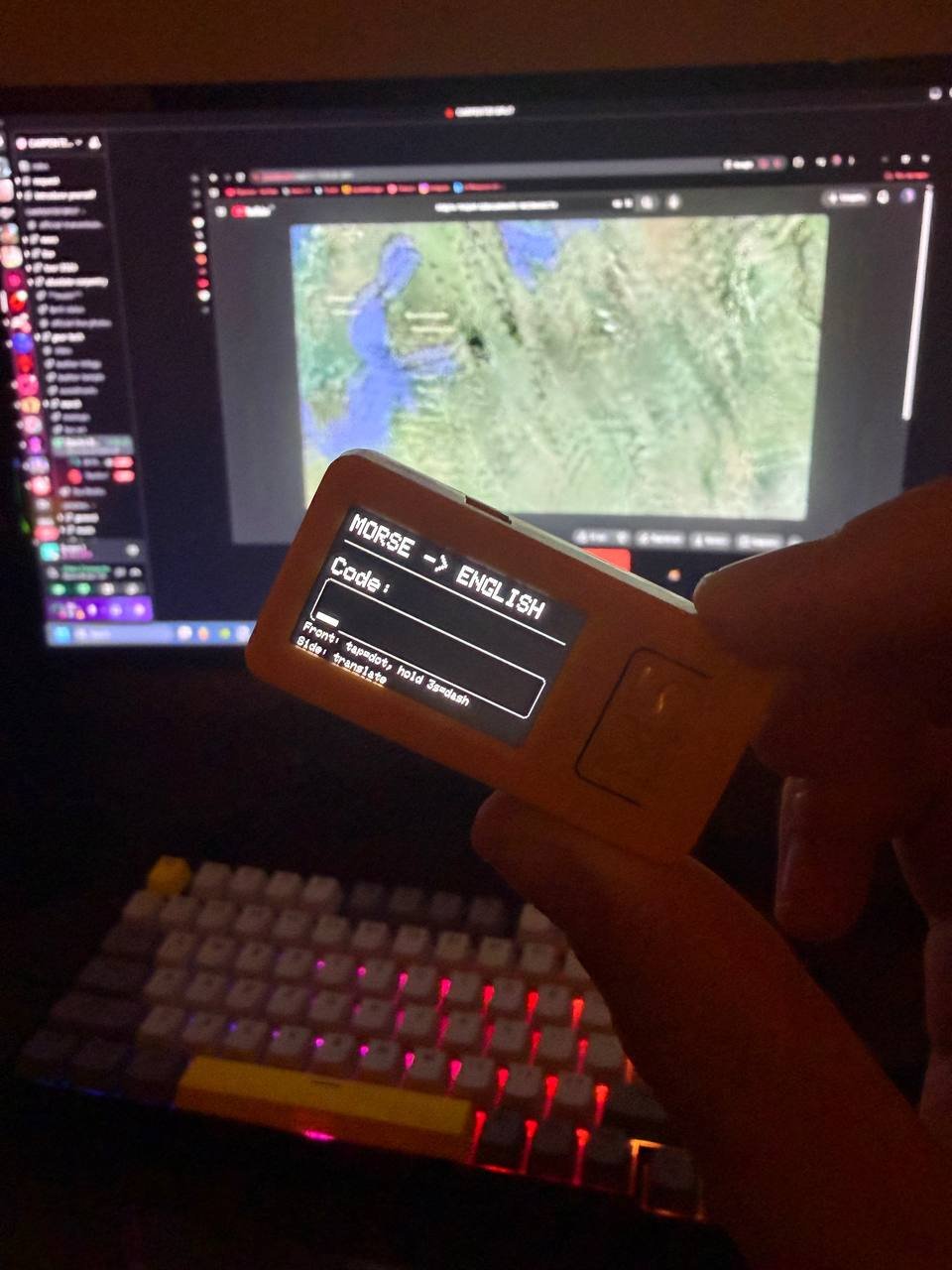
This project turns an M5StickC PLUS2 into a handheld Morse code decoder. Input dot-and-dash sequences using the device's front button, and watch the display instantly translate each symbol into its corresponding letter or number.
The guide includes a complete wiring diagram, parts list, and ready-to-flash firmware that handles Morse-to-English translation for the full alphabet and digits 0-9. Assembly takes minutes—just prepare the M5StickC PLUS2 and load the code to start decoding.
Wiring diagram
Assemble it in 3 steps
1. Prepare the M5StickC PLUS2
No external wires or extra electronic parts are needed. Charge the M5StickC PLUS2 if its battery is low, then keep its front screen and the small side button reachable.
- The wide button below the screen is the input button. The small button on the side is the translate button.
- Do not connect anything to the exposed pins for this project; it is designed to use only the built-in buttons and screen.
2. Enter one Morse code symbol sequence
Use the large front button to enter one English letter or number. A quick press adds a dot (.). Hold the same button down for at least 2 seconds, then release it, to add a dash (-). The symbols appear on the screen as you enter them.
- For example, press quickly once and then hold for 2 seconds to enter .-, which is the letter A.
3. Show the English translation
Press the small side button after entering the dots and dashes. The screen shows the matching English letter or number. Press the large front button once to start a new symbol sequence.
- A question mark means the entered sequence is not one of the supported English letters A–Z or digits 0–9.
Deploy the firmware
#include <M5Unified.h>

constexpr int POWER_HOLD_PIN = 4;
constexpr uint32_t DASH_HOLD_MS = 2000;
constexpr size_t MAX_MORSE_LENGTH = 6;

String morse;
String translation;
uint32_t frontPressStartedAt = 0;
bool showingTranslation = false;

struct MorseEntry {
  const char* code;
  char letter;
};

const MorseEntry MORSE_TABLE[] = {
  {".-", 'A'}, {"-...", 'B'}, {"-.-.", 'C'}, {"-..", 'D'}, {".", 'E'},
  {"..-.", 'F'}, {"--.", 'G'}, {"....", 'H'}, {"..", 'I'}, {".---", 'J'},
  {"-.-", 'K'}, {".-..", 'L'}, {"--", 'M'}, {"-.", 'N'}, {"---", 'O'},
  {".--.", 'P'}, {"--.-", 'Q'}, {".-.", 'R'}, {"...", 'S'}, {"-", 'T'},
  {"..-", 'U'}, {"...-", 'V'}, {".--", 'W'}, {"-..-", 'X'}, {"-.--", 'Y'},
  {"--..", 'Z'},
  {"-----", '0'}, {".----", '1'}, {"..---", '2'}, {"...--", '3'},
  {"....-", '4'}, {".....", '5'}, {"-....", '6'}, {"--...", '7'},
  {"---..", '8'}, {"----.", '9'}
};

char decodeMorse(const String& code) {
  for (const MorseEntry& entry : MORSE_TABLE) {
    if (code == entry.code) return entry.letter;
  }
  return '?';
}

void drawInputScreen() {
  M5.Display.fillScreen(TFT_BLACK);
  M5.Display.setTextColor(TFT_WHITE, TFT_BLACK);
  M5.Display.setTextSize(2);
  M5.Display.setCursor(8, 8);
  M5.Display.println("MORSE -> ENGLISH");
  M5.Display.drawFastHLine(8, 32, M5.Display.width() - 16, TFT_DARKGREY);
  M5.Display.setTextSize(2);
  M5.Display.setCursor(8, 48);
  M5.Display.println("Code:");
  // Large entry box: it visibly fits at least three Morse marks.
  M5.Display.drawRoundRect(8, 68, M5.Display.width() - 16, 40, 4, TFT_DARKGREY);
  M5.Display.setTextSize(4);
  M5.Display.setCursor(14, 76);
  M5.Display.println(morse.length() ? morse : "_");
  M5.Display.setTextSize(1);
  M5.Display.setCursor(8, 112);
  M5.Display.println("Front: tap=dot, hold 3s=dash");
  M5.Display.setCursor(8, 126);
  M5.Display.println("Side: translate");
}

void drawTranslationScreen() {
  M5.Display.fillScreen(TFT_BLACK);
  M5.Display.setTextColor(TFT_CYAN, TFT_BLACK);
  M5.Display.setTextSize(2);
  M5.Display.setCursor(8, 8);
  M5.Display.println("TRANSLATION");
  M5.Display.drawFastHLine(8, 32, M5.Display.width() - 16, TFT_DARKGREY);
  M5.Display.setTextColor(TFT_WHITE, TFT_BLACK);
  M5.Display.setTextSize(2);
  M5.Display.setCursor(8, 46);
  M5.Display.print("Morse: ");
  M5.Display.println(morse);
  M5.Display.setTextColor(translation == "?" ? TFT_ORANGE : TFT_GREEN, TFT_BLACK);
  M5.Display.setTextSize(7);
  M5.Display.setCursor(50, 76);
  M5.Display.println(translation);
  M5.Display.setTextColor(TFT_LIGHTGREY, TFT_BLACK);
  M5.Display.setTextSize(1);
  M5.Display.setCursor(8, 126);
  M5.Display.println("Press front button for a new letter");
}

void setup() {
  pinMode(POWER_HOLD_PIN, OUTPUT);
  digitalWrite(POWER_HOLD_PIN, HIGH);

  auto config = M5.config();
  M5.begin(config);
  M5.Display.setRotation(1);
  drawInputScreen();
}

void loop() {
  M5.update();

  if (M5.BtnA.wasPressed()) {
    if (showingTranslation) {
      morse = "";
      translation = "";
      showingTranslation = false;
      drawInputScreen();
    }
    frontPressStartedAt = millis();
  }

  if (M5.BtnA.wasReleased() && !showingTranslation) {
    const uint32_t heldMs = millis() - frontPressStartedAt;
    if (morse.length() < MAX_MORSE_LENGTH) {
      morse += (heldMs >= DASH_HOLD_MS) ? '-' : '.';
      drawInputScreen();
    }
  }

  if (M5.BtnB.wasPressed() && !showingTranslation && morse.length() > 0) {
    translation = String(decodeMorse(morse));
    showingTranslation = true;
    drawTranslationScreen();
  }

  delay(10);
}
Download project files
Remix this project
Make it yours in one click
Open a full copy of this project in your own Schematik workspace — diagram, code, parts, and assembly steps included. Swap the sensor, add features, or redesign the whole thing with AI. The author's original stays untouched.