Community project
Northallerton Train Board
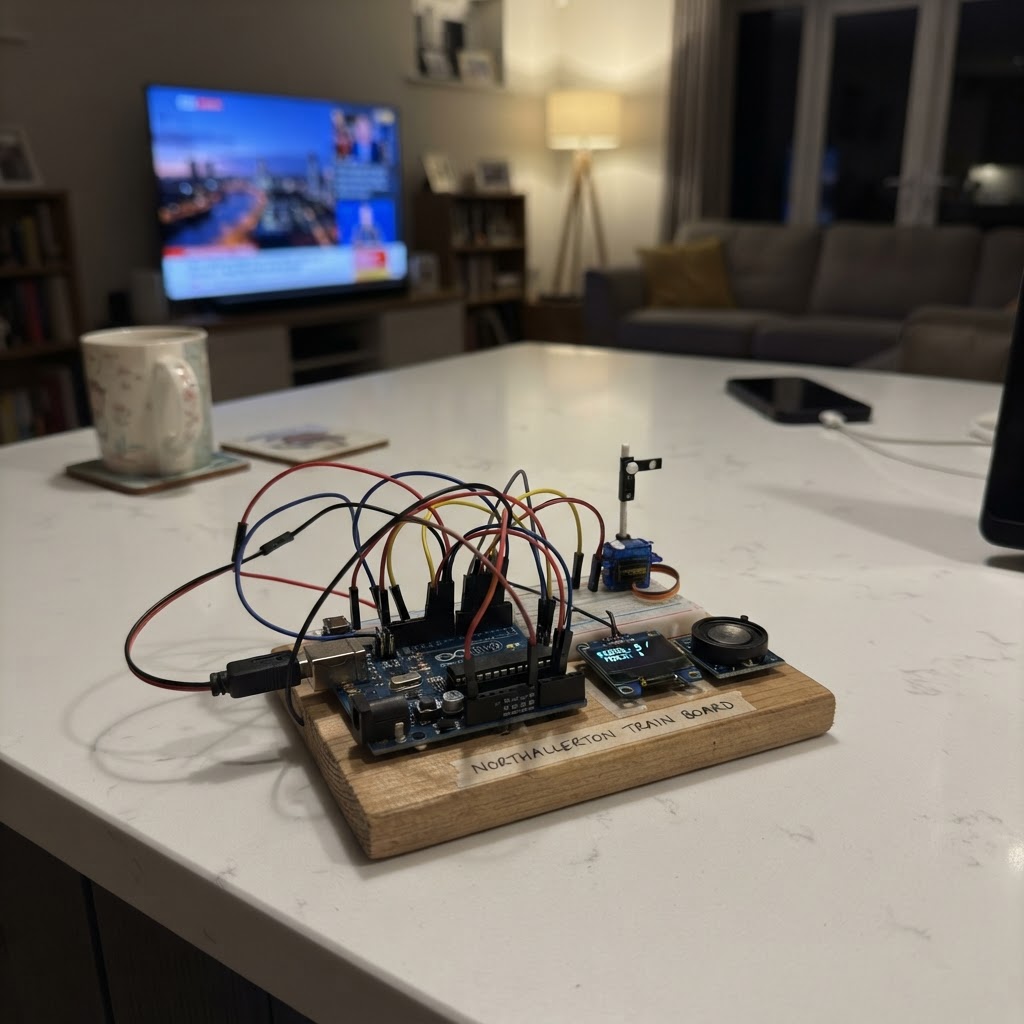
The Northallerton Train Board is a weather dashboard that displays indoor and outdoor temperature data from a Netatmo weather station on an ESP32-powered display. Built around the M5Unified library, this project connects to the Netatmo API to fetch real-time measurements and historical data, presenting them as easy-to-read graphs on a PaperColor e-ink screen.
This guide provides everything needed to build the project: a wiring diagram showing how to connect the PaperColor display to the ESP32, a complete parts list, the Arduino firmware with Netatmo API integration, and step-by-step assembly instructions. Readers will learn how to authenticate with the Netatmo cloud service, retrieve weather station data, and render multi-hour temperature trends on an e-ink display.
Wiring diagram
Assemble it in 2 steps
1. Power and position the PaperColor
Place the M5Stack PaperColor C151 where it can receive stable Wi‑Fi and where its front e-paper panel is readable. Power it with a good-quality USB-C cable connected to a 5 V USB power source. The e-paper display and A/B/C buttons are built into the board; do not wire anything to its internal display pins.
- Keep the board on USB power for continuous 15-minute Netatmo updates.
- The dashboard works with the PaperColor C151 alone; it obtains indoor and outdoor readings over Wi‑Fi from the Netatmo cloud.
- Do not connect wires to GPIO 11, 12, 13, 15, 43, or 44: they are reserved for the built-in e-paper display.
- Use only the USB-C power connector for this project; do not apply power to GPIO or Grove pins.
2. Prepare the Netatmo dashboard credentials
Before deployment, replace the clearly labelled placeholder values in include/netatmo_config.h with your Wi‑Fi name/password and Netatmo client ID, client secret, and refresh token. The refresh token must permit the Netatmo read_station scope. No hardware wiring is required.
- Keep netatmo_config.h private because it contains account credentials.
- The firmware automatically identifies the base station for indoor temperature and the first outdoor module it finds.
- Never share your Netatmo client secret or refresh token in screenshots or public project copies.
Deploy the firmware
#include <Arduino.h>
#include <M5Unified.h>
#include <WiFi.h>
#include <HTTPClient.h>
#include <ArduinoJson.h>
#include "netatmo_config.h"

struct Series {
  float points[24];
  int count = 0;
  float current = NAN;
  float previous = NAN;
};


// Forward declarations
String urlEncode(const String &text);
bool httpsPostForm(const char *url, const String &form, String &response);
bool httpsGet(const String &url, String &response);
bool getAccessToken();
bool findStation();
bool fetchSeries(const String &moduleId, Series &series);
void drawGraph(int x, int y, int w, int h, const Series &s, uint16_t color, const char *label);
void drawDashboard();
void updateMeasurements();

String accessToken;
String indoorDeviceId;
String outdoorModuleId;
Series indoor, outdoor;
uint32_t lastUpdate = 0;
bool refreshRequested = true;
int graphHours = 24;
String statusText = "Starting";

const char *TOKEN_URL = "https://api.netatmo.com/oauth2/token";
const char *STATIONS_URL = "https://api.netatmo.com/api/getstationsdata";
const char *MEASURE_URL = "https://api.netatmo.com/api/getmeasure";

String urlEncode(const String &text) {
  const char *hex = "0123456789ABCDEF";
  String out;
  for (size_t i = 0; i < text.length(); ++i) {
    uint8_t c = (uint8_t)text[i];
    if (isalnum(c) || c == '-' || c == '_' || c == '.' || c == '~') out += (char)c;
    else { out += '%'; out += hex[c >> 4]; out += hex[c & 15]; }
  }
  return out;
}

bool httpsPostForm(const char *url, const String &form, String &response) {
  HTTPClient http;
  http.setTimeout(15000);
  if (!http.begin(url)) return false;
  http.addHeader("Content-Type", "application/x-www-form-urlencoded");
  int code = http.POST(form);
  response = http.getString();
  http.end();
  return code == 200;
}

bool httpsGet(const String &url, String &response) {
  HTTPClient http;
  http.setTimeout(15000);
  if (!http.begin(url)) return false;
  http.addHeader("Authorization", "Bearer " + accessToken);
  int code = http.GET();
  response = http.getString();
  http.end();
  return code == 200;
}

bool getAccessToken() {
  String response;
  String form = "grant_type=refresh_token&refresh_token=" + urlEncode(NETATMO_REFRESH_TOKEN) +
                "&client_id=" + urlEncode(NETATMO_CLIENT_ID) +
                "&client_secret=" + urlEncode(NETATMO_CLIENT_SECRET);
  if (!httpsPostForm(TOKEN_URL, form, response)) return false;
  DynamicJsonDocument doc(4096);
  if (deserializeJson(doc, response)) return false;
  accessToken = doc["access_token"].as<String>();
  return accessToken.length() > 20;
}

bool findStation() {
  String response;
  if (!httpsGet(STATIONS_URL, response)) return false;
  DynamicJsonDocument doc(16384);
  if (deserializeJson(doc, response)) return false;
  JsonObject device = doc["body"]["devices"][0];
  if (device.isNull()) return false;
  indoorDeviceId = device["_id"].as<String>();
  JsonArray modules = device["modules"].as<JsonArray>();
  outdoorModuleId = "";
  for (JsonObject module : modules) {
    String type = module["type"].as<String>();
    if (type == "NAModule1" || type == "NAModuleNHC") {
      outdoorModuleId = module["_id"].as<String>();
      break;
    }
  }
  return indoorDeviceId.length() > 0 && outdoorModuleId.length() > 0;
}

bool fetchSeries(const String &moduleId, Series &series) {
  time_t now = time(nullptr);
  if (now < 1700000000) return false;
  time_t begin = now - (graphHours * 3600);
  String url = String(MEASURE_URL) + "?device_id=" + urlEncode(indoorDeviceId) +
               "&module_id=" + urlEncode(moduleId) +
               "&scale=1hour&type=Temperature&date_begin=" + String((uint32_t)begin) +
               "&date_end=" + String((uint32_t)now);
  String response;
  if (!httpsGet(url, response)) return false;
  DynamicJsonDocument doc(12288);
  if (deserializeJson(doc, response)) return false;
  JsonArray values = doc["body"]["value"].as<JsonArray>();
  series.count = 0;
  for (JsonArray row : values) {
    if (series.count >= 24 || row.size() < 1 || row[0].isNull()) continue;
    series.points[series.count++] = row[0].as<float>();
  }
  if (series.count > 0) {
    series.current = series.points[series.count - 1];
    series.previous = series.count > 1 ? series.points[series.count - 2] : series.current;
  }
  return series.count > 0;
}

void drawGraph(int x, int y, int w, int h, const Series &s, uint16_t color, const char *label) {
  M5.Display.setTextColor(TFT_BLACK, TFT_WHITE);
  M5.Display.setTextSize(1);
  M5.Display.drawString(label, x, y - 18);
  M5.Display.drawRect(x, y, w, h, TFT_BLACK);
  if (s.count < 2) return;
  float low = s.points[0], high = s.points[0];
  for (int i = 1; i < s.count; ++i) { low = min(low, s.points[i]); high = max(high, s.points[i]); }
  low = floorf(low - 1.0f); high = ceilf(high + 1.0f);
  if (high <= low) high = low + 2.0f;
  for (int i = 1; i < s.count; ++i) {
    int x0 = x + 2 + ((i - 1) * (w - 4)) / (s.count - 1);
    int x1 = x + 2 + (i * (w - 4)) / (s.count - 1);
    int y0 = y + h - 3 - (int)((s.points[i - 1] - low) * (h - 6) / (high - low));
    int y1 = y + h - 3 - (int)((s.points[i] - low) * (h - 6) / (high - low));
    M5.Display.drawLine(x0, y0, x1, y1, color);
  }
  M5.Display.setTextColor(TFT_BLACK, TFT_WHITE);
  M5.Display.drawString(String(low, 0) + "C", x + 3, y + h - 14);
  M5.Display.drawString(String(high, 0) + "C", x + 3, y + 3);
}

void drawDashboard() {
  M5.Display.fillScreen(TFT_WHITE);
  M5.Display.setTextColor(TFT_BLACK, TFT_WHITE);
  M5.Display.setTextSize(2);
  M5.Display.drawString("NETATMO TEMPERATURES", 18, 14);
  M5.Display.drawFastHLine(18, 42, 364, TFT_BLACK);

  M5.Display.setTextSize(1);
  M5.Display.drawString("INDOOR", 24, 58);
  M5.Display.drawString("OUTDOOR", 220, 58);
  M5.Display.setTextSize(4);
  M5.Display.drawString(isnan(indoor.current) ? "--.- C" : String(indoor.current, 1) + " C", 24, 76);
  M5.Display.drawString(isnan(outdoor.current) ? "--.- C" : String(outdoor.current, 1) + " C", 220, 76);
  M5.Display.setTextSize(1);
  String inTrend = isnan(indoor.current) ? "" : (indoor.current > indoor.previous + 0.1f ? "rising" : indoor.current < indoor.previous - 0.1f ? "falling" : "steady");
  String outTrend = isnan(outdoor.current) ? "" : (outdoor.current > outdoor.previous + 0.1f ? "rising" : outdoor.current < outdoor.previous - 0.1f ? "falling" : "steady");
  M5.Display.drawString(inTrend, 24, 126);
  M5.Display.drawString(outTrend, 220, 126);

  drawGraph(24, 175, 352, 120, indoor, TFT_RED, "Indoor trend (last " + String(graphHours) + " h)");
  drawGraph(24, 345, 352, 120, outdoor, TFT_BLUE, "Outdoor trend (last " + String(graphHours) + " h)");
  M5.Display.setTextColor(TFT_BLACK, TFT_WHITE);
  M5.Display.setTextSize(1);
  M5.Display.drawString(statusText, 18, 510);
  M5.Display.drawString("A refresh  B 12h  C 24h", 18, 530);
}

void updateMeasurements() {
  statusText = "Connecting to Wi-Fi...";
  drawDashboard();
  if (WiFi.status() != WL_CONNECTED) {
    WiFi.mode(WIFI_STA);
    WiFi.begin(WIFI_SSID, WIFI_PASSWORD);
    uint32_t started = millis();
    while (WiFi.status() != WL_CONNECTED && millis() - started < 20000) delay(200);
  }
  if (WiFi.status() != WL_CONNECTED) { statusText = "Wi-Fi connection failed"; drawDashboard(); return; }
  configTime(0, 0, "pool.ntp.org", "time.nist.gov");
  uint32_t started = millis();
  while (time(nullptr) < 1700000000 && millis() - started < 10000) delay(200);
  if (!getAccessToken()) { statusText = "Netatmo login failed"; drawDashboard(); return; }
  if (!findStation()) { statusText = "Outdoor Netatmo module not found"; drawDashboard(); return; }
  if (!fetchSeries(indoorDeviceId, indoor) || !fetchSeries(outdoorModuleId, outdoor)) { statusText = "Netatmo measurement download failed"; drawDashboard(); return; }
  statusText = "Updated from Netatmo - Button A refreshes";
  lastUpdate = millis();
  drawDashboard();
}

void setup() {
  auto cfg = M5.config();
  M5.begin(cfg);
  M5.Display.setRotation(0);
  M5.Display.setBrightness(100);
  drawDashboard();
}

void loop() {
  M5.update();
  if (M5.BtnA.wasPressed()) refreshRequested = true;
  if (M5.BtnB.wasPressed()) { graphHours = 12; refreshRequested = true; }
  if (M5.BtnC.wasPressed()) { graphHours = 24; refreshRequested = true; }
  if (refreshRequested || (millis() - lastUpdate > UPDATE_INTERVAL_MS)) {
    refreshRequested = false;
    updateMeasurements();
  }
  delay(20);
}
Remix this project
Make it yours in one click
Open a full copy of this project in your own Schematik workspace — diagram, code, parts, and assembly steps included. Swap the sensor, add features, or redesign the whole thing with AI. The author's original stays untouched.