Community project
Portable AI Companion Buddy
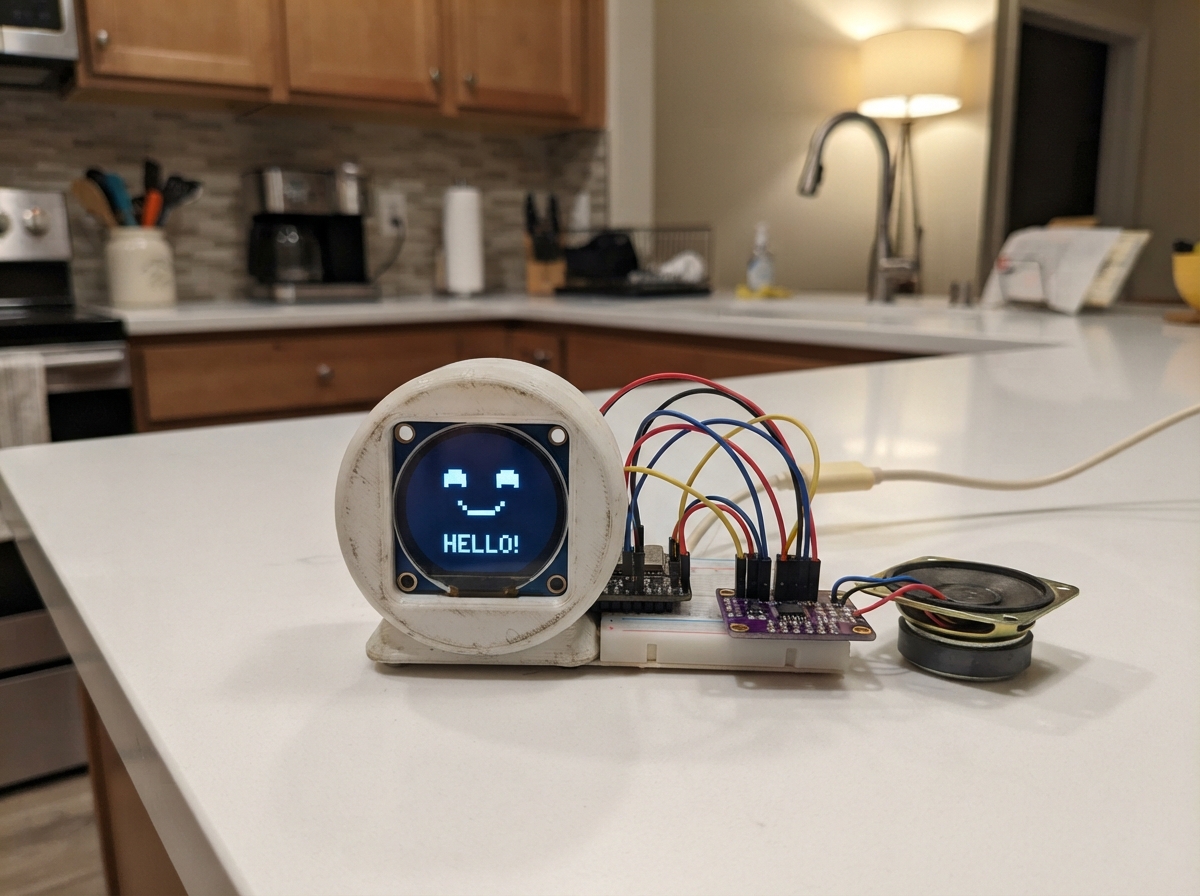
Build a portable AI companion with a friendly round display face and voice interaction capabilities. This project combines an ESP32 microcontroller with a 1.28-inch circular TFT screen, I2S audio amplifier, and speaker to create an interactive device that can display emotions and play audio responses.
This guide provides a complete parts list, wiring diagram, and step-by-step assembly instructions to connect the round LCD screen, audio amplifier, and speaker to the ESP32. You'll also get the firmware code needed to drive the display animations, manage audio playback, and handle the device's interactive features.
Wiring diagram
Gather all the parts
Assemble it in 5 steps
1. Fit the Sense camera board
Attach the XIAO ESP32S3 Sense expansion board and its camera to the XIAO exactly as the board maker shows. The tiny camera ribbon and socket are fragile; press the ribbon straight in with its contacts facing the socket contacts.
- Do this before connecting USB power so you do not bend the camera connector.
- Do not force or twist the camera ribbon — damage here stops the buddy from seeing.
2. Wire the round face screen
Connect the GC9A01 display: VCC → 3V3 (power), GND → GND (ground), SCK/CLK → D8/GPIO7 (clock), MOSI/DIN → D10/GPIO9 (picture data), CS → D7/GPIO44 (select), DC → D1/GPIO2 (screen command/data), RST → D2/GPIO3 (screen reset), and BL/BLK → 3V3 (backlight power).
- Use short wires; the screen pins are normally printed along one edge of the module.
- The display is a 3.3 V device here, so do not connect its VCC or BL pin to 5 V.
- Make sure VCC and GND are not swapped — swapped power can damage the screen.
3. Wire the voice amplifier
Connect the MAX98357A amplifier: VIN → 5V (power), GND → GND (ground), BCLK → D4/GPIO5 (audio timing), LRC/LRCLK → D5/GPIO6 (audio timing), and DIN → D9/GPIO8 (voice data). Leave SD and GAIN alone on a normal breakout board.
- Keep these three signal wires short and away from the camera ribbon to reduce noise.
- The amplifier VIN pin needs 5 V for useful speaker volume; do not connect it to a GPIO pin.
4. Connect the speaker to the amplifier
Connect the speaker’s positive terminal to SPK+ on the MAX98357A and its other terminal to SPK− on the MAX98357A (voice output).
- If the speaker has a marked red or + terminal, use it for SPK+.
- Mount the speaker with its front facing an opening in the case so speech is not muffled.
- Never connect either speaker wire to GND or directly to the XIAO — the amplifier drives both speaker wires.
5. Power and package the buddy
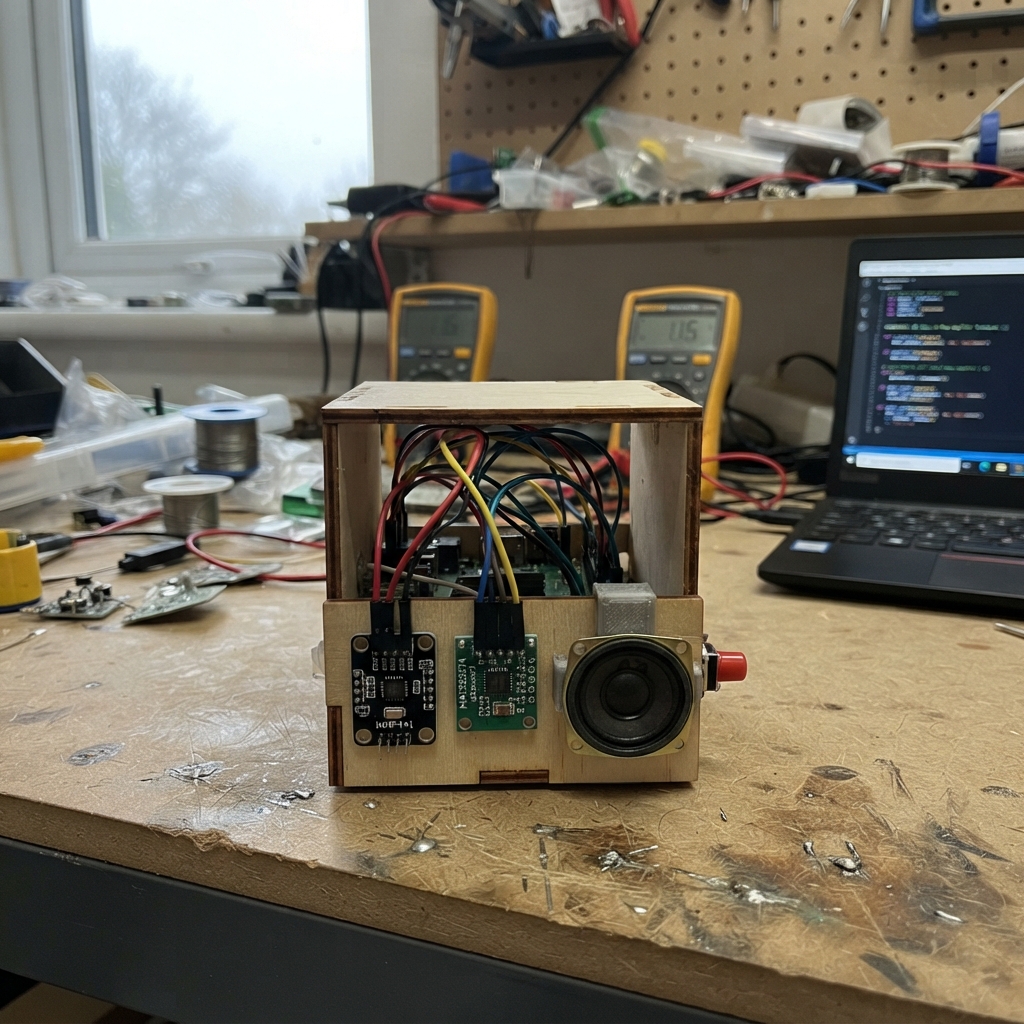
Place the boards in a non-metal case with clear openings for the camera, microphone hole, display, and speaker. Plug the XIAO into USB for initial power and use.
- A short USB power bank cable makes it portable; the optional battery pack can be added as a later power-design change.
- Keep the amplifier and speaker away from the microphone opening to reduce feedback.
- Do not let loose wire ends touch each other inside the case — a short can damage the board or your USB power source.
Review all connections
1. Connections between "face_display" and "ESP32"
2. Connections between "voice_amp" and "ESP32"
Deploy the firmware
#include <WiFi.h>
#include <HTTPClient.h>
#include <WiFiManager.h>
#include <Preferences.h>
#include <SPI.h>
#include <Adafruit_GFX.h>
#include <Adafruit_GC9A01A.h>
#include <esp_camera.h>
#include <driver/i2s.h>
#define TFT_SCK 7
#define TFT_MOSI 9
#define TFT_CS 44
#define TFT_DC 2
#define TFT_RST 3
#define AUDIO_BCLK 5
#define AUDIO_LRCK 6
#define AUDIO_DOUT 8
#define PDM_CLK 42
#define PDM_DATA 41
constexpr uint32_t RATE=16000; constexpr size_t CLIP=RATE;
Adafruit_GC9A01A tft(TFT_CS,TFT_DC,TFT_RST); Preferences prefs;
String bridge,token,shown=""; uint32_t faceTick=0,camTick=0,micTick=0;
void face(String s){if(s==shown)return;shown=s;uint16_t bg=GC9A01A_BLACK,e=GC9A01A_CYAN,m=GC9A01A_WHITE;if(s=="happy"){bg=0x03E0;e=GC9A01A_WHITE;}if(s=="listen"){bg=0x001F;e=GC9A01A_YELLOW;}if(s=="speak"){bg=0x780F;e=GC9A01A_WHITE;m=GC9A01A_YELLOW;}if(s=="error"){bg=0x7800;e=GC9A01A_WHITE;}tft.fillScreen(bg);tft.fillCircle(75,88,25,e);tft.fillCircle(165,88,25,e);tft.fillCircle(75,88,9,GC9A01A_BLACK);tft.fillCircle(165,88,9,GC9A01A_BLACK);if(s=="speak")tft.fillRoundRect(85,150,70,42,20,m);else if(s=="listen"){tft.drawCircle(120,165,30,m);tft.drawCircle(120,165,20,m);}else { tft.drawCircle(120,148,42,m); tft.fillRect(72,106,96,42,bg); }tft.setTextColor(GC9A01A_WHITE,bg);tft.setCursor(57,215);tft.print(s);}
bool cameraStart(){camera_config_t c={};c.ledc_channel=LEDC_CHANNEL_0;c.ledc_timer=LEDC_TIMER_0;c.pin_d0=48;c.pin_d1=18;c.pin_d2=15;c.pin_d3=17;c.pin_d4=16;c.pin_d5=14;c.pin_d6=12;c.pin_d7=11;c.pin_xclk=10;c.pin_pclk=13;c.pin_vsync=38;c.pin_href=47;c.pin_sccb_sda=40;c.pin_sccb_scl=39;c.pin_pwdn=-1;c.pin_reset=-1;c.xclk_freq_hz=20000000;c.pixel_format=PIXFORMAT_JPEG;c.frame_size=FRAMESIZE_QVGA;c.jpeg_quality=15;c.fb_count=1;c.fb_location=CAMERA_FB_IN_PSRAM;return esp_camera_init(&c)==ESP_OK;}
void speakerStart(){i2s_config_t c={};c.mode=(i2s_mode_t)(I2S_MODE_MASTER|I2S_MODE_TX);c.sample_rate=RATE;c.bits_per_sample=I2S_BITS_PER_SAMPLE_16BIT;c.channel_format=I2S_CHANNEL_FMT_ONLY_LEFT;c.communication_format=I2S_COMM_FORMAT_I2S;c.intr_alloc_flags=ESP_INTR_FLAG_LEVEL1;c.dma_buf_count=8;c.dma_buf_len=256;c.tx_desc_auto_clear=true;i2s_driver_install(I2S_NUM_1,&c,0,nullptr);i2s_pin_config_t p={};p.bck_io_num=AUDIO_BCLK;p.ws_io_num=AUDIO_LRCK;p.data_out_num=AUDIO_DOUT;p.data_in_num=I2S_PIN_NO_CHANGE;i2s_set_pin(I2S_NUM_1,&p);}
void micStart(){i2s_config_t c={};c.mode=(i2s_mode_t)(I2S_MODE_MASTER|I2S_MODE_RX|I2S_MODE_PDM);c.sample_rate=RATE;c.bits_per_sample=I2S_BITS_PER_SAMPLE_16BIT;c.channel_format=I2S_CHANNEL_FMT_ONLY_LEFT;c.communication_format=I2S_COMM_FORMAT_I2S;c.intr_alloc_flags=ESP_INTR_FLAG_LEVEL1;c.dma_buf_count=4;c.dma_buf_len=512;i2s_driver_install(I2S_NUM_0,&c,0,nullptr);i2s_pin_config_t p={};p.bck_io_num=I2S_PIN_NO_CHANGE;p.ws_io_num=PDM_CLK;p.data_out_num=I2S_PIN_NO_CHANGE;p.data_in_num=PDM_DATA;i2s_set_pin(I2S_NUM_0,&p);}
void network(){prefs.begin("buddy",false);bridge=prefs.getString("url","http://buddy-bridge.local:8787");token=prefs.getString("token","");WiFiManager w;WiFiManagerParameter u("url","Bridge URL",bridge.c_str(),120),t("token","Bridge access token",token.c_str(),96);w.addParameter(&u);w.addParameter(&t);w.setConfigPortalTimeout(180);if(!w.autoConnect("Buddy-Setup","buddy-setup"))ESP.restart();bridge=String(u.getValue());token=String(t.getValue());while(bridge.endsWith("/"))bridge.remove(bridge.length()-1);prefs.putString("url",bridge);prefs.putString("token",token);}
void auth(HTTPClient &h){if(token.length())h.addHeader("Authorization","Bearer "+token);}
void cameraPost(){if(WiFi.status()!=WL_CONNECTED)return;camera_fb_t*f=esp_camera_fb_get();if(!f)return;HTTPClient h;if(h.begin(bridge+"/v1/buddy/camera")){h.addHeader("Content-Type","image/jpeg");auth(h);h.POST(f->buf,f->len);h.end();}esp_camera_fb_return(f);}
void facePoll(){if(WiFi.status()!=WL_CONNECTED)return;HTTPClient h;if(h.begin(bridge+"/v1/buddy/face")){auth(h);if(h.GET()==HTTP_CODE_OK){String s=h.getString();s.trim();if(s.length()<16)face(s);}h.end();}}
void audioPoll(){if(WiFi.status()!=WL_CONNECTED)return;HTTPClient h;h.setTimeout(2000);if(!h.begin(bridge+"/v1/buddy/audio.pcm"))return;auth(h);if(h.GET()!=HTTP_CODE_OK){h.end();return;}face("speak");WiFiClient*s=h.getStreamPtr();uint8_t b[512];uint32_t wait=millis();while(h.connected()||s->available()){if(s->available()){size_t n=s->readBytes(b, min((size_t)s->available(), sizeof(b)));size_t out;i2s_write(I2S_NUM_1,b,n,&out,portMAX_DELAY);wait=millis();}else if(millis()-wait>1200)break;else delay(5);}h.end();}
void micPost(){if(WiFi.status()!=WL_CONNECTED)return;static int16_t data[CLIP];size_t got=0;i2s_read(I2S_NUM_0,data,sizeof(data),&got,50/portTICK_PERIOD_MS);size_t n=got/2;if(n<256)return;uint32_t energy=0;for(size_t i=0;i<n;i++)energy+=abs(data[i]);if(energy/n<900)return;face("listen");while(n<CLIP){size_t b=0;i2s_read(I2S_NUM_0,data+n,(CLIP-n)*2,&b,portMAX_DELAY);n+=b/2;}HTTPClient h;if(h.begin(bridge+"/v1/buddy/microphone.pcm")){h.addHeader("Content-Type","audio/L16;rate=16000;channels=1");auth(h);h.POST((uint8_t*)data,sizeof(data));h.end();}}
void setup(){Serial.begin(115200);SPI.begin(TFT_SCK,-1,TFT_MOSI,TFT_CS);tft.begin();tft.setRotation(0);face("boot");speakerStart();micStart();if(!cameraStart())face("error");network();face("happy");}
void loop(){uint32_t now=millis();if(now-faceTick>1000){faceTick=now;facePoll();}if(now-camTick>5000){camTick=now;cameraPost();}if(now-micTick>300){micTick=now;micPost();}audioPoll();delay(10);}
Remix this project
Make it yours in one click
Open a full copy of this project in your own Schematik workspace — diagram, code, parts, and assembly steps included. Swap the sensor, add features, or redesign the whole thing with AI. The author's original stays untouched.