Community project
3D Loud Sound Generator
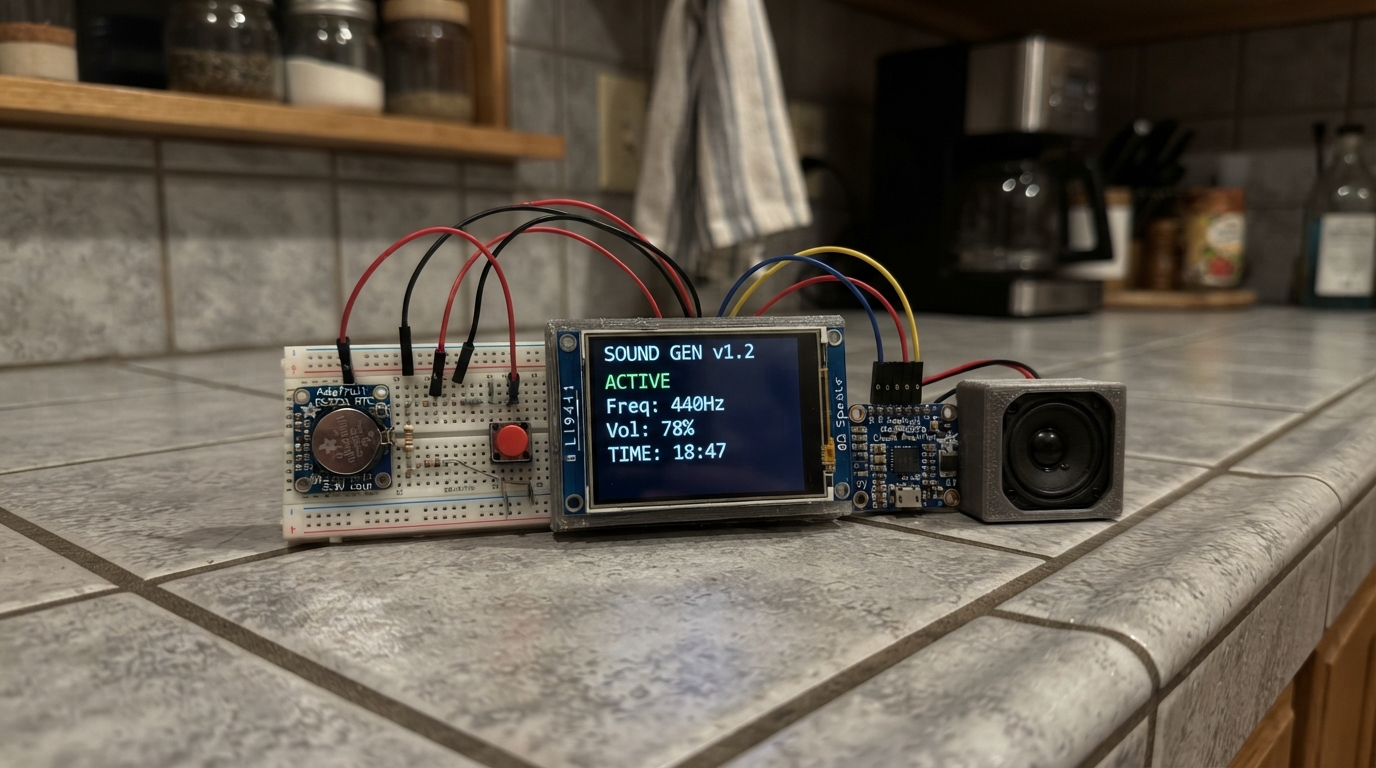
This project builds a customizable alarm clock with a loud speaker output, touchscreen interface, and real-time clock. The ESP32 drives an ILI9341 touchscreen for settings and display, uses a DS3231 real-time clock module to keep accurate time, and outputs sound through a MAX98357A I2S amplifier connected to an 8Ω speaker. Push buttons provide tactile control alongside the touch interface.
The guide includes a complete wiring diagram showing all connections between the ESP32, TFT display, audio amplifier, RTC module, and buttons, a full parts list with component specifications, and firmware with support for multiple alarm sounds, volume control, and persistent settings storage. Assembly steps walk through safe connection procedures and clock initialization to get the alarm functioning.
Wiring diagram

Gather all the parts
Assemble it in 5 steps
1. Choose the matching parts
Use an ESP32 DevKit v1, a 3.3 V ILI9341 SPI screen with the listed pins, an Adafruit MAX98357A breakout, an 8 ohm 3 W speaker, the Adafruit DS3231 breakout, three buttons and one 220 ohm resistor. This build uses buttons, not touch input.
2. Connect the screen with power disconnected
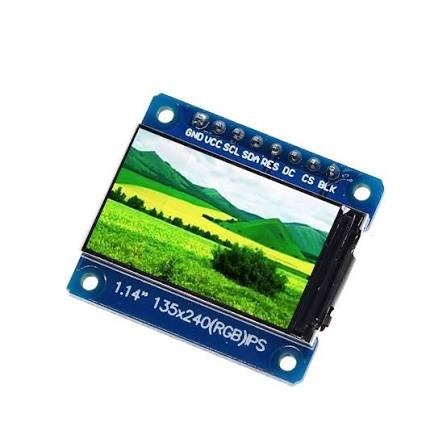
Connect VCC to 3V3 and GND to GND. SCK goes to GPIO18 (clock), MOSI to GPIO23 (display data), MISO to GPIO19 (return data), TFT_CS to GPIO4 (select), TFT_DC to GPIO16 (commands), and TFT_RST to GPIO17 (reset). Tie TOUCH_CS to 3V3 to leave touch inactive. Connect TFT_BL to 3V3 through the 220 ohm resistor.
- Use a screen rated for 3.3 V logic. Never connect its signal pins to 5 V.
3. Connect the louder sound output
Connect amplifier VIN to the board 5V pin and GND to GND. BCLK goes to GPIO26 (audio timing), LRC to GPIO25 (sample timing), and DIN to GPIO27 (sound data). Connect speaker POS only to SPK+ and NEG only to SPK-. Leave SD and GAIN unconnected on the Adafruit breakout for their default operation.
- Neither speaker terminal may connect to ground. Start at volume 1 and keep the speaker away from ears. Use an 8 ohm 3 W speaker
- not a 0.5 W version.
4. Connect the clock and buttons
Power the Adafruit DS3231 VIN from 3V3 so its signal pull-ups are safe. Connect GND to GND, SDA to GPIO21 (clock data), and SCL to GPIO22 (clock timing). Connect MODE SIGNAL to GPIO32, PLUS SIGNAL to GPIO33, and TEST SIGNAL to GPIO13. Connect each button GND to GND. On four-legged buttons use contacts that join only when pressed.
5. Power and set the clock
Use one regulated 5 V USB supply rated at least 1 A through the ESP32 USB socket. Do not add a second power source. Press MODE to choose the clock hour, clock minute, alarm hour, alarm minute, alarm enabled, sound or volume. PLUS increments the selected setting. TEST plays the selected sound; any button stops it. Alarms stop automatically after 30 seconds. Return MODE to Normal when finished. Alarm settings are saved; without a backup battery the time must be reset after power loss. The initial time comes from the firmware build and must be corrected to local time.
- Mount the speaker behind a grille in a rigid enclosure for fuller sound. Actual loudness depends on the speaker and enclosure; it cannot be compared reliably with the pictured unit.
Review all connections
1. Connections between "screen" and "ESP32"
2. Connections between "backlight_resistor" and "ESP32"
3. Connections between "amp" and "ESP32"
4. Connections between "rtc" and "ESP32"
5. Connections between "mode" and "ESP32"
6. Connections between "plus" and "ESP32"
7. Connections between "test" and "ESP32"
Deploy the firmware
#include <Arduino.h>
#include <SPI.h>
#include <Wire.h>
#include <Adafruit_GFX.h>
#include <Adafruit_ILI9341.h>
#include <RTClib.h>
#include <Preferences.h>
#include <driver/i2s.h>
#include <math.h>

Adafruit_ILI9341 tft(4,16,17);
RTC_DS3231 rtc;
Preferences prefs;
const int buttons[]={32,33,13};
const char* sounds[]={"Digital bell","Space pulse","Rising siren","Triple beep"};
const char* fields[]={"Normal","Clock hour","Clock minute","Alarm hour","Alarm minute","Alarm enabled","Sound","Volume"};
int field=0, ah=7, am=0, soundId=0, volume=2;
bool enabled=false, rtcOK=false, audioOK=false, ringing=false, dirty=true;
uint32_t ringStart=0, sampleIndex=0, lastPoll=0;
int lastMinute=-1; uint32_t lastAlarm=0;
bool stable[3]={true,true,true}, rawOld[3]={true,true,true};
uint32_t changed[3]={0,0,0};
uint32_t fallbackEpoch=0, fallbackMillis=0;
DateTime clockNow(){return rtcOK?rtc.now():DateTime(fallbackEpoch+(millis()-fallbackMillis)/1000);}
void setClock(DateTime d){if(rtcOK)rtc.adjust(d); fallbackEpoch=d.unixtime();fallbackMillis=millis();}
void save(){prefs.putInt("ah",ah);prefs.putInt("am",am);prefs.putInt("sound",soundId);prefs.putInt("vol",volume);prefs.putBool("on",enabled);}
void startSound(){if(!audioOK)return;ringing=true;ringStart=millis();sampleIndex=0;dirty=true;}
void stopSound(){ringing=false;dirty=true;}
void digit(int x,int y,int n){
 const uint8_t masks[]={0x3f,0x06,0x5b,0x4f,0x66,0x6d,0x7d,0x07,0x7f,0x6f};
 const int sx[]={8,43,43,8,0,0,8}, sy[]={0,8,55,100,55,8,50};
 for(int s=0;s<7;s++){
  int w=(s==0||s==3||s==6)?35:9,h=(s==0||s==3||s==6)?9:43;
  if(masks[n]&(1<<s)){
   for(int d=6;d>0;d--)tft.fillRoundRect(x+sx[s]+d,y+sy[s]+d,w,h,3,0x0190);
   tft.fillRoundRect(x+sx[s],y+sy[s],w,h,3,ILI9341_CYAN);
   tft.drawFastHLine(x+sx[s]+2,y+sy[s]+1,w-4,ILI9341_WHITE);
  }else tft.fillRoundRect(x+sx[s],y+sy[s],w,h,3,0x1082);
 }
}
void draw(DateTime now){
 tft.fillScreen(0x0841);tft.setTextWrap(false);tft.setTextSize(2);tft.setTextColor(ILI9341_CYAN);
 tft.setCursor(12,8);tft.print("DIMENSION / DIGITAL");
 digit(17,43,now.hour()/10);digit(78,43,now.hour()%10);
 digit(175,43,now.minute()/10);digit(236,43,now.minute()%10);
 tft.fillCircle(155,78,4,ILI9341_WHITE);tft.fillCircle(155,120,4,ILI9341_WHITE);
 char line[48];snprintf(line,sizeof(line),"Alarm %02d:%02d %s  Vol %d/5",ah,am,enabled?"ON":"OFF",volume);
 tft.setTextSize(1);tft.setTextColor(ILI9341_WHITE);tft.setCursor(12,171);tft.print(line);
 tft.setCursor(12,187);tft.print(sounds[soundId]);
 tft.setTextColor(ILI9341_YELLOW);tft.setCursor(12,203);
 if(!rtcOK)tft.print("RTC missing: check wires");
 else if(!audioOK)tft.print("Audio initialization failed");
 else if(ringing)tft.print("ALARM! Press any button to stop");
 else {tft.print("Edit: ");tft.print(fields[field]);}
 tft.setTextColor(0xBDF7);tft.setCursor(12,225);tft.print("MODE: next   +: change   TEST: listen");
 dirty=false;
}
void press(int b){
 if(ringing){stopSound();return;}
 if(b==0){field=(field+1)%8;dirty=true;return;}
 if(b==2){startSound();return;}
 DateTime n=clockNow();
 switch(field){
 case 1:setClock(DateTime(n.year(),n.month(),n.day(),(n.hour()+1)%24,n.minute(),0));break;
 case 2:setClock(DateTime(n.year(),n.month(),n.day(),n.hour(),(n.minute()+1)%60,0));break;
 case 3:ah=(ah+1)%24;break;case 4:am=(am+1)%60;break;
 case 5:enabled=!enabled;break;case 6:soundId=(soundId+1)%4;break;
 default:volume=volume%5+1;break;
 }save();dirty=true;
}
void audio(){
 if(!audioOK){delay(4);return;}
 int16_t out[256];
 for(int i=0;i<128;i++){
  float v=0;
  if(ringing){
   float t=sampleIndex/16000.0f, f=880, env=1;
   if(soundId==0){float p=fmodf(t,1.0f);env=expf(-5*p);v=(sinf(2*PI*660*t)+0.4f*sinf(2*PI*1320*t))*env/1.4f;}
   else {if(soundId==1){f=700+350*((sampleIndex/4000)%3);env=fmodf(t,0.25f)<0.18f?1:0;}
    if(soundId==2)f=600+700*(0.5f-0.5f*cosf(2*PI*t));
    if(soundId==3)env=fmodf(t,1.4f)<0.75f && fmodf(t,0.25f)<0.13f?1:0;
    v=sinf(2*PI*f*t)*env;}
   sampleIndex++;
  }
  // Conservative digital gain: start at volume 1 before trying higher levels.
  int16_t s=(int16_t)(v*volume*2400);out[2*i]=s;out[2*i+1]=s;
 }
 size_t written;i2s_write(I2S_NUM_0,out,sizeof(out),&written,portMAX_DELAY);
}
void setup(){
 Serial.begin(115200);for(int p:buttons)pinMode(p,INPUT_PULLUP);
 prefs.begin("clock",false);ah=prefs.getInt("ah",7);am=prefs.getInt("am",0);soundId=prefs.getInt("sound",0);volume=prefs.getInt("vol",2);enabled=prefs.getBool("on",false);
 Wire.begin(21,22);rtcOK=rtc.begin();DateTime initial(F(__DATE__),F(__TIME__));
 fallbackEpoch=initial.unixtime();fallbackMillis=millis();if(rtcOK&&rtc.lostPower())rtc.adjust(initial);
 SPI.begin(18,19,23,4);tft.begin();tft.setRotation(1);
 i2s_config_t cfg={};cfg.mode=(i2s_mode_t)(I2S_MODE_MASTER|I2S_MODE_TX);cfg.sample_rate=16000;cfg.bits_per_sample=I2S_BITS_PER_SAMPLE_16BIT;cfg.channel_format=I2S_CHANNEL_FMT_RIGHT_LEFT;cfg.communication_format=I2S_COMM_FORMAT_STAND_I2S;cfg.intr_alloc_flags=0;cfg.dma_buf_count=4;cfg.dma_buf_len=128;cfg.use_apll=false;cfg.tx_desc_auto_clear=true;
 i2s_pin_config_t pins={};pins.bck_io_num=26;pins.ws_io_num=25;pins.data_out_num=27;pins.data_in_num=I2S_PIN_NO_CHANGE;
 audioOK=i2s_driver_install(I2S_NUM_0,&cfg,0,nullptr)==ESP_OK;
 if(audioOK)audioOK=i2s_set_pin(I2S_NUM_0,&pins)==ESP_OK;
}
void loop(){
 for(int i=0;i<3;i++){bool r=digitalRead(buttons[i]);if(r!=rawOld[i]){rawOld[i]=r;changed[i]=millis();}if(millis()-changed[i]>35&&r!=stable[i]){stable[i]=r;if(!r)press(i);}}
 if(millis()-lastPoll>=200){lastPoll=millis();DateTime n=clockNow();if(n.minute()!=lastMinute){lastMinute=n.minute();dirty=true;}
 uint32_t minuteKey=n.unixtime()/60;
 if(enabled&&n.hour()==ah&&n.minute()==am&&lastAlarm!=minuteKey){lastAlarm=minuteKey;startSound();}
 if(ringing&&millis()-ringStart>30000)stopSound();if(dirty)draw(n);}
 audio();
}
Remix this project
Make it yours in one click
Open a full copy of this project in your own Schematik workspace — diagram, code, parts, and assembly steps included. Swap the sensor, add features, or redesign the whole thing with AI. The author's original stays untouched.