Community project
Abbey Wood Elizabeth Line Times
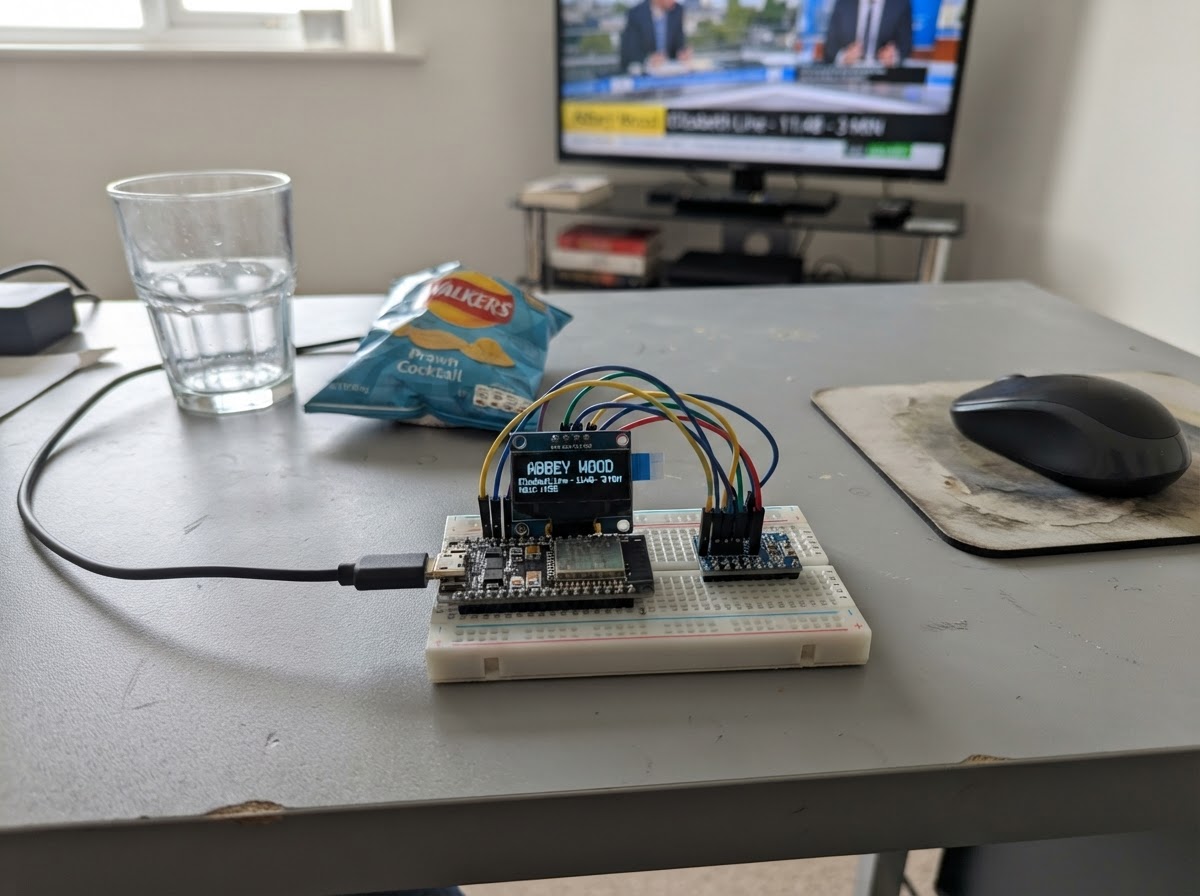
This project builds a real-time departure display for Abbey Wood station on London's Elizabeth Line. The ESP32 microcontroller fetches live train times from Transport for London's API and renders them on a 300x400 pixel display, updating every 60 seconds to show the next five departures.
The guide provides a complete parts list, wiring diagram for connecting the display to the ESP32, and step-by-step assembly instructions. Builders will configure Wi-Fi credentials, deploy the provided firmware, and mount the board where the display can be easily viewed. The result is a dedicated station information panel that works anywhere with internet access.
Wiring diagram
Assemble it in 4 steps
1. Place the board where the display can be lit
Set the Waveshare ESP32-S3-RLCD-4.2 on a stable surface with ambient light falling onto the front of the reflective LCD. This display has no backlight, so it needs room light or daylight to be readable.
- Avoid mounting the screen face-down or in a dark enclosed box.
- There are no external display wires to connect; the LCD is already wired inside the board.
- Do not expose the board or USB connector to rain, condensation, or conductive surfaces.
2. Connect USB-C power
Connect a suitable USB-C data-and-power cable from the board to your computer or a stable 5 V USB supply. The same cable powers the board and is used by Schematik’s Deploy button.
- Use a known-good data cable, not a charge-only cable.
- If your board has its optional 18650 holder fitted, leave the battery out for initial USB-powered testing.
- Never insert an 18650 cell with reversed polarity.
- Do not use a damaged, swollen, or unprotected lithium-ion cell.
3. Prepare the Wi-Fi placeholders
Before deployment, replace the WIFI_SSID and WIFI_PASSWORD placeholder text at the top of the firmware with your 2.4 GHz Wi-Fi network name and password. The screen will otherwise show its Wi-Fi setup message.
- Keep the quotation marks around each Wi-Fi value.
- The ESP32-S3 connects to 2.4 GHz Wi-Fi; a 5 GHz-only network will not work.
- Treat the project firmware as containing your Wi-Fi password after you add it.
4. Deploy and view departures
Use Schematik’s Deploy button. Once connected to Wi-Fi, the board requests TfL’s public Abbey Wood Elizabeth line arrivals data and displays the next five services. It refreshes every 60 seconds.
- Increase room lighting if the reflective screen appears faint.
- The TfL feed may temporarily show no services during disruption or outside service hours.
- This is an information display only; always check official TfL announcements before travelling.
Deploy the firmware
#include <Arduino.h>
#include <WiFi.h>
#include <WiFiClientSecure.h>
#include <HTTPClient.h>
#include <ArduinoJson.h>
#include <U8g2lib.h>
#include <SPI.h>
#include <time.h>

// Replace these placeholders before deployment. Keep the quotation marks.

// Hoisted type definitions
struct Departure {
  char destination[48];
  time_t expected;
};


// Forward declarations
bool credentialsMissing();
bool parseUtc(const char *isoTime, time_t &result);
void drawScreen();
void sortDepartures();
bool fetchDepartures();
void connectWifi();

const char *WIFI_SSID = "YOUR_WIFI_SSID";
const char *WIFI_PASSWORD = "YOUR_WIFI_PASSWORD";

constexpr char TFL_URL[] =
    "https://api.tfl.gov.uk/StopPoint/910GABWDXR/Arrivals?lineId=elizabeth";
constexpr uint32_t REFRESH_INTERVAL_MS = 60000;
constexpr int LCD_SCK = 11;
constexpr int LCD_MOSI = 12;
constexpr int LCD_CS = 40;
constexpr int LCD_DC = 5;
constexpr int LCD_RESET = 41;

// Physical panel is 300 x 400. Rotation R1 presents a 400 x 300 landscape dashboard.
U8G2_ST7305_300X400_F_4W_HW_SPI display(U8G2_R1, LCD_CS, LCD_DC, LCD_RESET);


Departure departures[5];
uint8_t departureCount = 0;
uint32_t lastRefresh = 0;
char statusMessage[56] = "Starting...";

bool credentialsMissing() {
  return strcmp(WIFI_SSID, "YOUR_WIFI_NAME") == 0 ||
         strcmp(WIFI_PASSWORD, "YOUR_WIFI_PASSWORD") == 0;
}

bool parseUtc(const char *isoTime, time_t &result) {
  int year, month, day, hour, minute, second;
  if (sscanf(isoTime, "%d-%d-%dT%d:%d:%d", &year, &month, &day, &hour,
             &minute, &second) != 6) return false;
  tm value = {};
  value.tm_year = year - 1900;
  value.tm_mon = month - 1;
  value.tm_mday = day;
  value.tm_hour = hour;
  value.tm_min = minute;
  value.tm_sec = second;
  result = mktime(&value); // setup() explicitly selects UTC.
  return result != static_cast<time_t>(-1);
}

void drawScreen() {
  display.clearBuffer();
  display.setFont(u8g2_font_helvB14_tf);
  display.drawStr(12, 24, "ELIZABETH LINE");
  display.setFont(u8g2_font_helvR10_tf);
  display.drawStr(12, 40, "Abbey Wood departures");
  display.drawHLine(12, 48, 376);

  if (credentialsMissing()) {
    display.setFont(u8g2_font_helvB12_tf);
    display.drawStr(12, 82, "Wi-Fi setup needed");
    display.setFont(u8g2_font_helvR10_tf);
    display.drawStr(12, 108, "Edit WIFI_SSID and WIFI_PASSWORD,");
    display.drawStr(12, 124, "then press Deploy again.");
  } else if (departureCount == 0) {
    display.setFont(u8g2_font_helvB12_tf);
    display.drawStr(12, 82, statusMessage);
    display.setFont(u8g2_font_helvR10_tf);
    display.drawStr(12, 106, "TfL data will retry automatically.");
  } else {
    time_t now = time(nullptr);
    for (uint8_t i = 0; i < departureCount; ++i) {
      int y = 75 + i * 40;
      long seconds = static_cast<long>(difftime(departures[i].expected, now));
      long minutes = seconds <= 30 ? 0 : (seconds + 30) / 60;
      char due[12];
      if (minutes == 0) strcpy(due, "Due");
      else snprintf(due, sizeof(due), "%ld min", minutes);
      display.setFont(u8g2_font_helvB12_tf);
      display.drawStr(12, y, departures[i].destination);
      display.setFont(u8g2_font_helvB10_tf);
      display.drawStr(386 - display.getStrWidth(due), y, due);
      display.drawHLine(12, y + 10, 376);
    }
  }

  display.setFont(u8g2_font_6x10_tf);
  display.drawStr(12, 289, statusMessage);
  // This driver transfers the complete monochrome buffer only after a visible update.
  display.sendBuffer();
}

void sortDepartures() {
  for (uint8_t i = 0; i + 1 < departureCount; ++i) {
    for (uint8_t j = i + 1; j < departureCount; ++j) {
      if (departures[j].expected < departures[i].expected) {
        Departure temporary = departures[i];
        departures[i] = departures[j];
        departures[j] = temporary;
      }
    }
  }
}

bool fetchDepartures() {
  WiFiClientSecure client;
  client.setInsecure(); // A CA bundle is not embedded; HTTPS is still encrypted.
  HTTPClient http;
  if (!http.begin(client, TFL_URL)) {
    strcpy(statusMessage, "Could not start TfL request");
    return false;
  }
  const int responseCode = http.GET();
  if (responseCode != HTTP_CODE_OK) {
    snprintf(statusMessage, sizeof(statusMessage), "TfL request error: %d", responseCode);
    http.end();
    return false;
  }

  DynamicJsonDocument doc(16384);
  const DeserializationError error = deserializeJson(doc, http.getStream());
  http.end();
  if (error) {
    strcpy(statusMessage, "Could not read TfL data");
    return false;
  }

  departureCount = 0;
  for (JsonObject item : doc.as<JsonArray>()) {
    if (departureCount == 5) break;
    const char *destination = item["destinationName"] | "Unknown destination";
    const char *expectedArrival = item["expectedArrival"] | "";
    time_t expected;
    if (!parseUtc(expectedArrival, expected)) continue;
    strncpy(departures[departureCount].destination, destination,
            sizeof(departures[departureCount].destination) - 1);
    departures[departureCount].destination[sizeof(departures[departureCount].destination) - 1] = '\0';
    departures[departureCount].expected = expected;
    ++departureCount;
  }

  sortDepartures();
  snprintf(statusMessage, sizeof(statusMessage), "Updated from TfL - %u services", departureCount);
  return departureCount > 0;
}

void connectWifi() {
  WiFi.mode(WIFI_STA);
  WiFi.begin(WIFI_SSID, WIFI_PASSWORD);
  const uint32_t started = millis();
  while (WiFi.status() != WL_CONNECTED && millis() - started < 15000) delay(250);
}

void setup() {
  Serial.begin(115200);
  setenv("TZ", "UTC0", 1);
  tzset();
  SPI.begin(LCD_SCK, -1, LCD_MOSI, LCD_CS);
  display.begin();

  if (credentialsMissing()) {
    strcpy(statusMessage, "Add Wi-Fi credentials in firmware");
    drawScreen();
    return;
  }

  connectWifi();
  if (WiFi.status() != WL_CONNECTED) {
    strcpy(statusMessage, "Wi-Fi connection failed");
    drawScreen();
    return;
  }

  configTime(0, 0, "pool.ntp.org", "time.nist.gov");
  const uint32_t started = millis();
  while (time(nullptr) < 1700000000 && millis() - started < 10000) delay(200);
  fetchDepartures();
  lastRefresh = millis();
  drawScreen();
}

void loop() {
  if (credentialsMissing()) return;
  if (WiFi.status() != WL_CONNECTED) connectWifi();

  if (millis() - lastRefresh >= REFRESH_INTERVAL_MS) {
    if (WiFi.status() == WL_CONNECTED) fetchDepartures();
    else strcpy(statusMessage, "Wi-Fi disconnected; retrying");
    lastRefresh = millis();
    drawScreen();
  }
}
Remix this project
Make it yours in one click
Open a full copy of this project in your own Schematik workspace, diagram, code, parts, and assembly steps included. Swap the sensor, add features, or redesign the whole thing with AI. The author's original stays untouched.