Community project
Animated TFT Display Demo
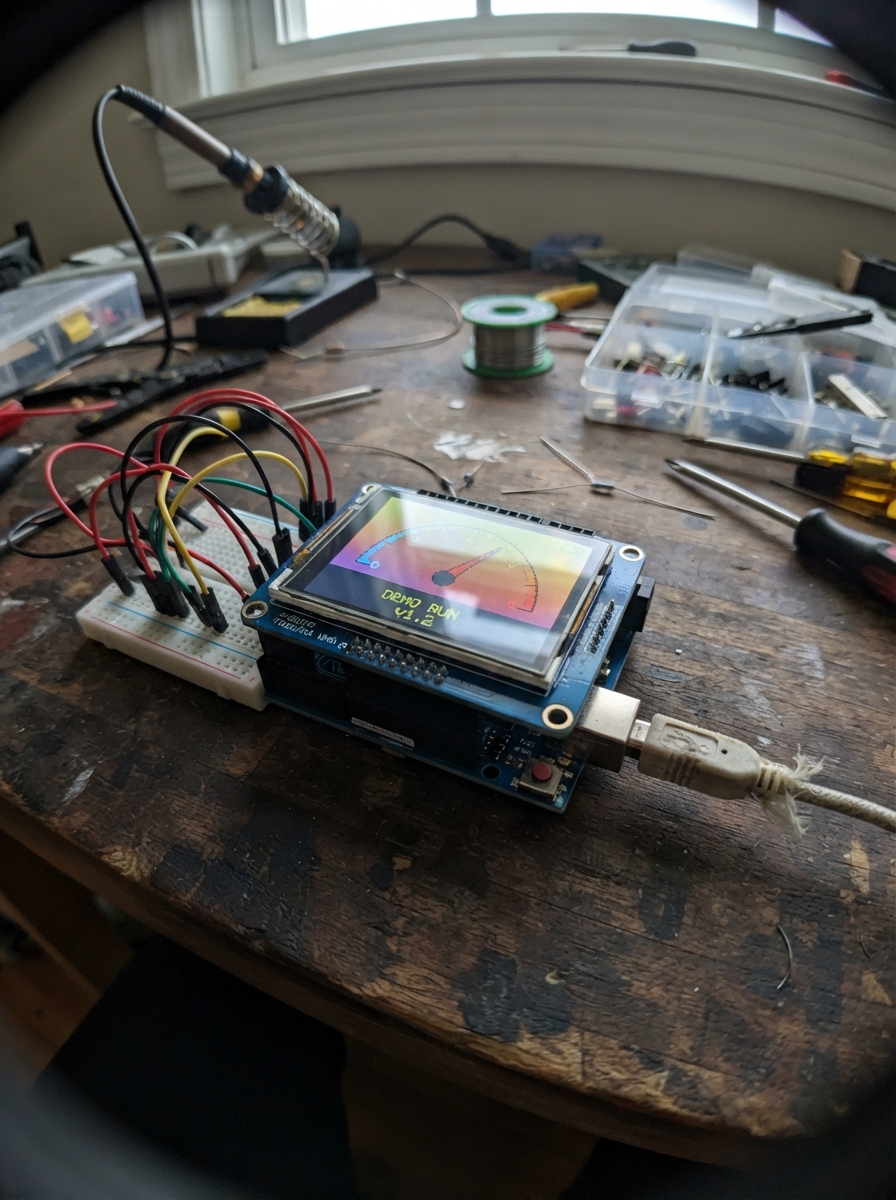
This project brings a 2.4-inch color TFT display to life on an Arduino Uno, rendering animated graphics and festive visuals. Built around the MCUFRIEND-style 8-bit shield, it demonstrates how to draw shapes, manage frame animations, and create colorful scenes using the Adafruit GFX library.
The guide includes a complete wiring diagram showing how the shield connects via analog pins A0–A4, a full parts list, ready-to-upload firmware with animation loops, and step-by-step assembly instructions. Builders will learn to control the display, work with color palettes, and structure animated scenes that run smoothly on the Uno's limited resources.
Wiring diagram

Gather all the parts
Assemble it in 3 steps
1. Turn off the Uno
Unplug the Uno’s USB cable before handling the screen. This stops power from reaching the shield while you line up its pins.
- Do not press the shield on or pull it off while USB power is connected; a slipped pin can short two connections.
2. Fit the display shield
Hold the 2.4-inch TFT shield directly above the Uno. Line up every long black header socket with the matching row of Uno header pins, including the row by the USB connector, then press it straight down evenly.
- Check from both long sides that no row of pins is sitting beside the matching socket. The shield should sit flat and parallel to the Uno.
- The shield carries its own display wiring: do not add jumper wires to the Uno pins.
3. Power the birthday display
Plug the Uno into USB. The screen will show the birthday card with a cat that hops, waves its tail, and blinks.
- If the screen stays blank, unplug USB and check that the shield is not shifted by one row before trying again.
Review all connections
1. Connections between "tft_shield_24" and "Arduino"
Deploy the firmware
#include <Adafruit_GFX.h>
#include <MCUFRIEND_kbv.h>

// Standard 2.4-inch Uno TFT shield control wiring: A0 through A4.
const uint8_t LCD_RD_PIN = A0;
const uint8_t LCD_WR_PIN = A1;
const uint8_t LCD_RS_PIN = A2;
const uint8_t LCD_CS_PIN = A3;
const uint8_t LCD_RST_PIN = A4;

MCUFRIEND_kbv tft;

const uint16_t SKY = 0x6D7F;
const uint16_t CARD = 0xFFF7;
const uint16_t PINK = 0xF9B6;
const uint16_t HOT_PINK = 0xF817;
const uint16_t PURPLE = 0x780F;
const uint16_t YELLOW = 0xFFE0;
const uint16_t ORANGE = 0xFD20;
const uint16_t MINT = 0x97F2;
const uint16_t BROWN = 0x79E0;
const uint16_t DARK_BROWN = 0x40C0;
const uint16_t BLACK = 0x0000;
const uint16_t WHITE = 0xFFFF;

const int CAT_X = 122;
const int CAT_AREA_X = 91;
const int CAT_AREA_Y = 79;
const int CAT_AREA_W = 139;
const int CAT_AREA_H = 113;

uint8_t frame = 0;
unsigned long lastFrame = 0;

void drawConfetti() {
  const uint16_t colors[] = {HOT_PINK, YELLOW, PURPLE, MINT, ORANGE};
  const int xs[] = {18, 42, 72, 251, 282, 301, 23, 292};
  const int ys[] = {51, 73, 54, 57, 78, 48, 181, 180};
  for (uint8_t i = 0; i < 8; i++) {
    tft.drawLine(xs[i], ys[i], xs[i] + 4, ys[i] + 7, colors[i % 5]);
    tft.drawPixel(xs[i] + 5, ys[i] + 2, colors[(i + 2) % 5]);
  }
}

void drawPresent() {
  tft.fillRoundRect(20, 143, 60, 52, 5, HOT_PINK);
  tft.fillRect(46, 143, 8, 52, YELLOW);
  tft.fillRect(20, 159, 60, 7, YELLOW);
  tft.fillCircle(40, 140, 9, YELLOW);
  tft.fillCircle(58, 140, 9, YELLOW);
  tft.fillCircle(49, 145, 5, ORANGE);
}

void drawStaticCard() {
  tft.fillScreen(SKY);
  tft.fillRoundRect(8, 7, 304, 226, 16, CARD);
  tft.drawRoundRect(8, 7, 304, 226, 16, PURPLE);
  tft.setTextColor(PURPLE, CARD);
  tft.setTextSize(3);
  tft.setCursor(45, 19);
  tft.print(F("HAPPY"));
  tft.setCursor(29, 48);
  tft.print(F("BIRTHDAY!"));
  tft.fillRoundRect(91, 78, 139, 114, 18, MINT);
  tft.drawRoundRect(91, 78, 139, 114, 18, PURPLE);
  drawPresent();
  drawConfetti();
  tft.setTextColor(PURPLE, CARD);
  tft.setTextSize(1);
  tft.setCursor(174, 210);
  tft.print(F("A LITTLE GIFT FOR YOU"));
}

void drawCat(int y, bool tailUp, bool blink) {
  // This panel is deliberately cleared locally, leaving the birthday card intact.
  tft.fillRoundRect(CAT_AREA_X, CAT_AREA_Y, CAT_AREA_W, CAT_AREA_H, 18, MINT);
  if (tailUp) {
    tft.drawLine(CAT_X + 72, y + 53, CAT_X + 86, y + 37, DARK_BROWN);
    tft.drawLine(CAT_X + 73, y + 54, CAT_X + 87, y + 38, DARK_BROWN);
    tft.drawLine(CAT_X + 86, y + 37, CAT_X + 88, y + 46, DARK_BROWN);
  } else {
    tft.drawLine(CAT_X + 72, y + 54, CAT_X + 87, y + 64, DARK_BROWN);
    tft.drawLine(CAT_X + 73, y + 55, CAT_X + 86, y + 65, DARK_BROWN);
    tft.drawLine(CAT_X + 87, y + 64, CAT_X + 91, y + 58, DARK_BROWN);
  }
  tft.fillRoundRect(CAT_X + 18, y + 43, 58, 35, 14, BROWN);
  tft.fillTriangle(CAT_X + 23, y + 30, CAT_X + 32, y + 12, CAT_X + 40, y + 32, BROWN);
  tft.fillTriangle(CAT_X + 55, y + 32, CAT_X + 64, y + 12, CAT_X + 70, y + 33, BROWN);
  tft.fillCircle(CAT_X + 47, y + 42, 29, BROWN);
  tft.fillCircle(CAT_X + 37, y + 31, 4, PINK);
  tft.fillCircle(CAT_X + 60, y + 31, 4, PINK);
  if (blink) {
    tft.drawFastHLine(CAT_X + 32, y + 42, 8, BLACK);
    tft.drawFastHLine(CAT_X + 54, y + 42, 8, BLACK);
  } else {
    tft.fillCircle(CAT_X + 36, y + 42, 4, BLACK);
    tft.fillCircle(CAT_X + 58, y + 42, 4, BLACK);
    tft.drawPixel(CAT_X + 35, y + 41, WHITE);
    tft.drawPixel(CAT_X + 57, y + 41, WHITE);
  }
  tft.fillTriangle(CAT_X + 45, y + 50, CAT_X + 50, y + 50, CAT_X + 47, y + 54, HOT_PINK);
  tft.drawLine(CAT_X + 47, y + 55, CAT_X + 47, y + 58, BLACK);
  tft.drawLine(CAT_X + 47, y + 58, CAT_X + 42, y + 60, BLACK);
  tft.drawLine(CAT_X + 47, y + 58, CAT_X + 52, y + 60, BLACK);
  tft.drawFastHLine(CAT_X + 14, y + 52, 18, DARK_BROWN);
  tft.drawFastHLine(CAT_X + 63, y + 52, 18, DARK_BROWN);
  tft.fillCircle(CAT_X + 33, y + 78, 7, DARK_BROWN);
  tft.fillCircle(CAT_X + 64, y + 78, 7, DARK_BROWN);
}

void setup() {
  uint16_t controllerId = tft.readID();
  if (controllerId == 0xD3D3 || controllerId == 0x0000 || controllerId == 0xFFFF) controllerId = 0x9341;
  tft.begin(controllerId);
  tft.setRotation(3);
  drawStaticCard();
  drawCat(93, true, false);
}

void loop() {
  if (millis() - lastFrame < 50) return;
  lastFrame = millis();
  frame++;
  uint8_t phase = frame % 20;
  int hop = (phase < 10) ? phase : 20 - phase;
  int catY = 101 - hop * 2;
  bool tailUp = (phase % 8) < 4;
  bool blink = (phase == 0 || phase == 1);
  drawCat(catY, tailUp, blink);
}
Remix this project
Make it yours in one click
Open a full copy of this project in your own Schematik workspace — diagram, code, parts, and assembly steps included. Swap the sensor, add features, or redesign the whole thing with AI. The author's original stays untouched.