Community project
Battle Pass Spin Analyzer
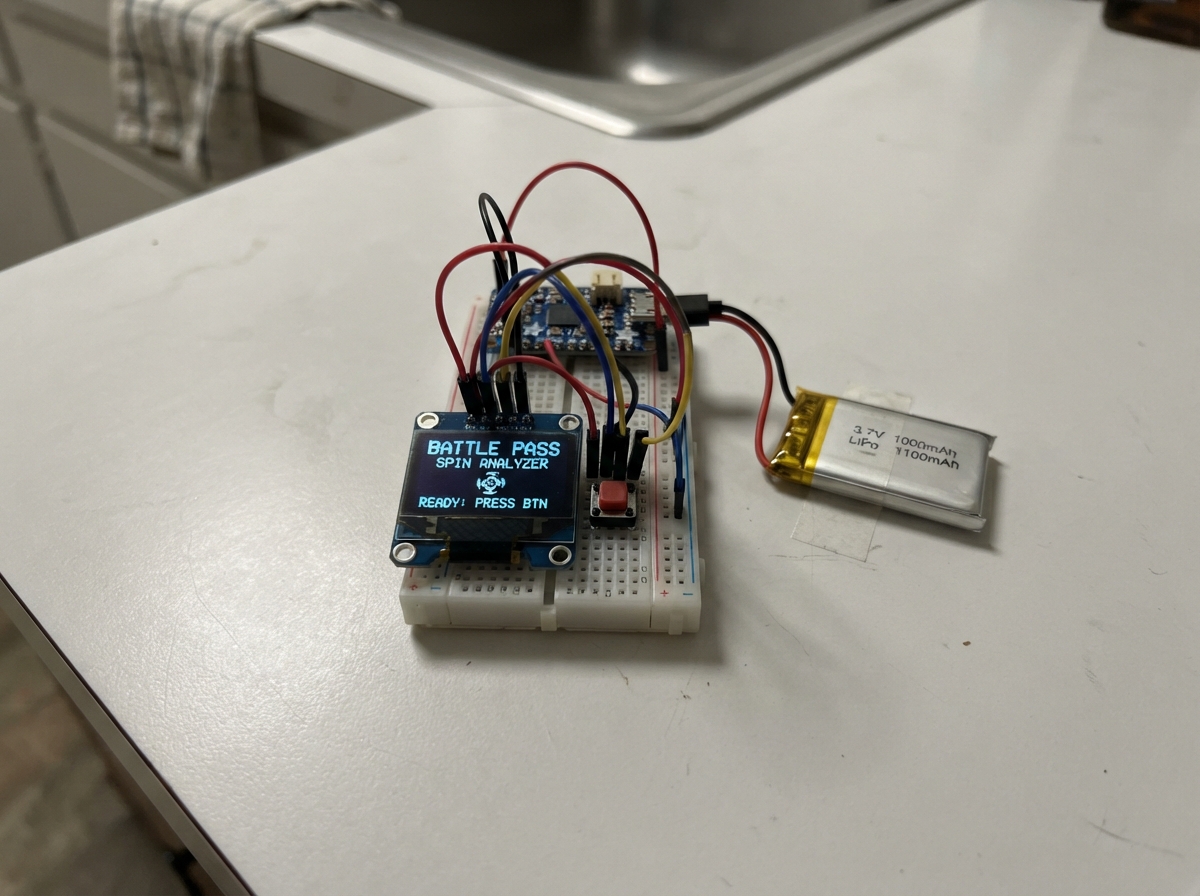
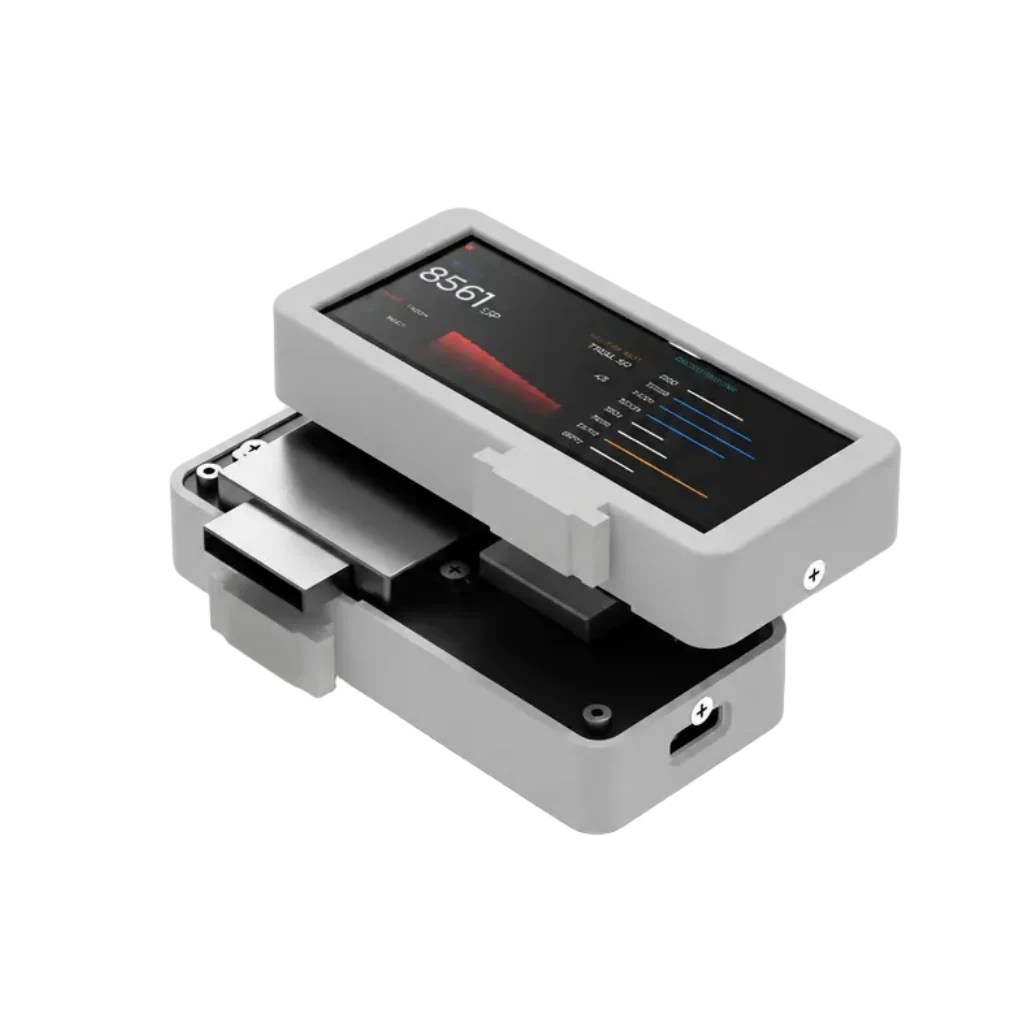
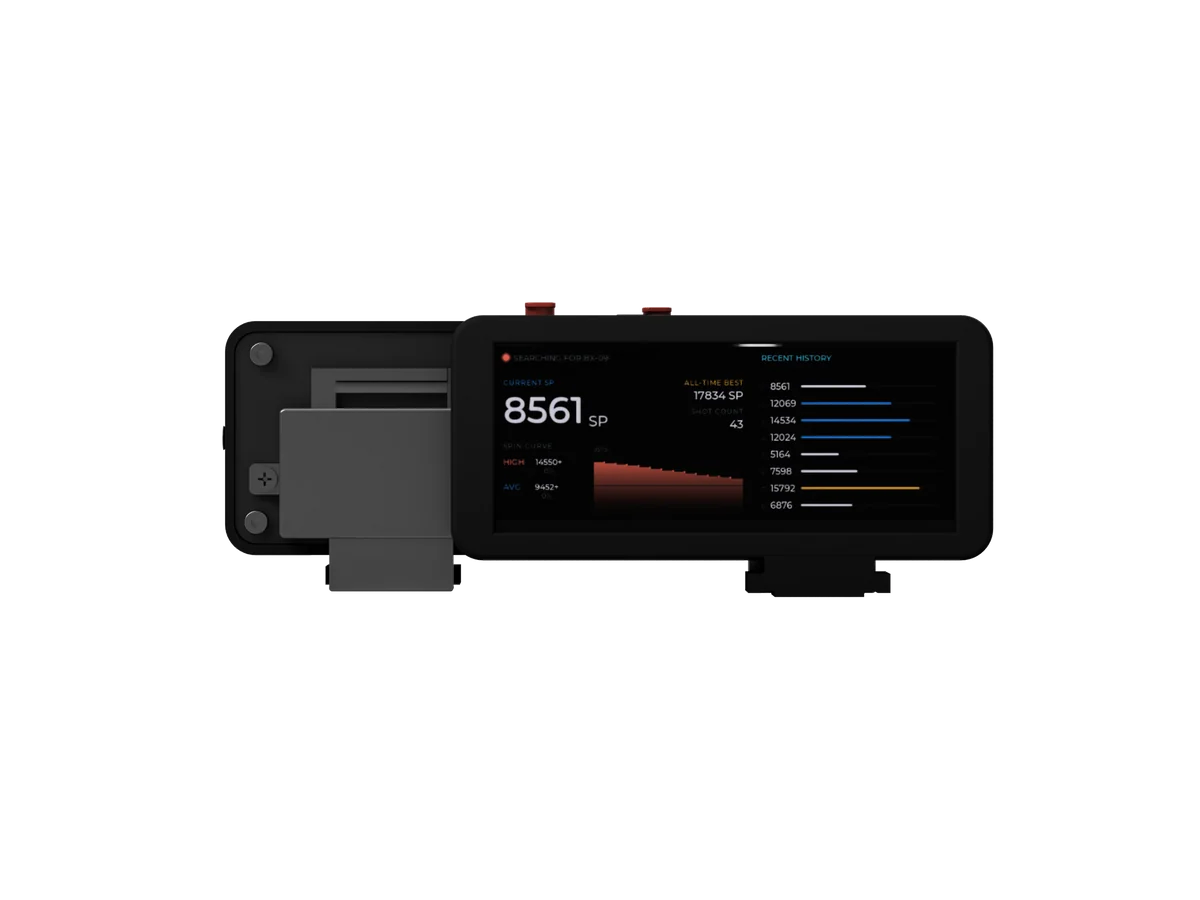
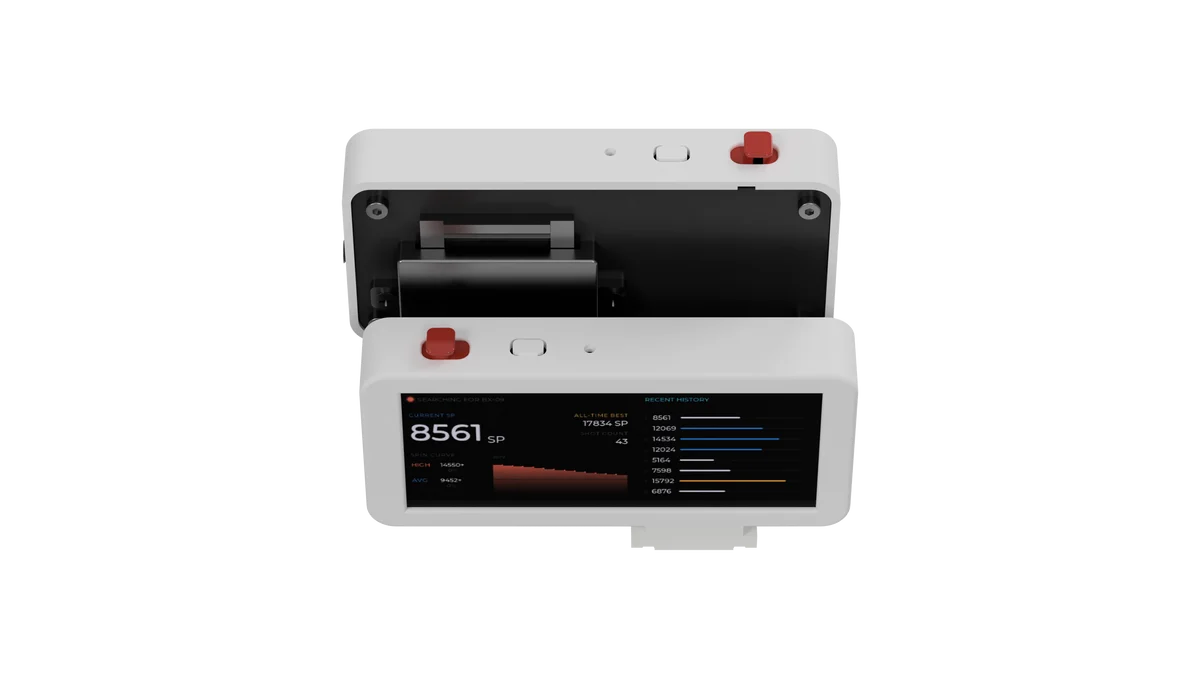
The Battle Pass Spin Analyzer is a portable Bluetooth packet sniffer that captures and displays real-time data from nearby BLE devices on a compact OLED screen. Built around an ESP32 microcontroller, it logs packet information, tracks signal patterns over time, and stores analysis history for later review—all powered by a rechargeable LiPo battery with USB charging.
This guide provides a complete parts list, wiring diagram, and step-by-step assembly instructions to get the analyzer up and running. Builders will also receive the Arduino firmware with Bluetooth scanning, packet graphing, and persistent storage features already configured and ready to upload.
Wiring diagram

Gather all the parts
Assemble it in 5 steps
1. Keep the board unpowered while wiring
Place the ESP32-S3 board on a non-metal surface and unplug USB and the battery before joining wires. This prevents a loose wire from touching the wrong pin while you build.
- Use four different wire colours if possible: red for power, black for ground, and two other colours for the screen signals.
- A loose wire can touch a neighbouring pin and damage the board when power is connected.
2. Connect the 1.3-inch screen
Connect display_1 VCC to the ESP32 3V3 pin (power), GND to ESP32 GND (ground), SDA to GPIO8 (data), and SCL to GPIO9 (clock). These are the only four connections for the 1.3-inch SH1106 OLED.
- The larger 128×64 screen makes the packet view and curve easier to read.
- Keep the SDA and SCL wires short; do not swap them.
- Make sure VCC and GND are not swapped — swapped power can damage the screen.
- Do not connect the OLED VCC wire to the PowerBoost 5V output; this screen must use the ESP32 3V3 pin.
3. Wire the two controls
For button_next, connect one leg to GPIO1 (signal) and the leg directly opposite it to GND (ground). For button_save, connect one leg to GPIO2 (signal) and the leg directly opposite it to GND (ground).
- The Next button changes between the live view and saved captures. The Save button keeps the latest raw Bluetooth packet record.
- A four-leg button has two legs on each side already joined together, so use legs from opposite sides.
- Do not connect either button signal leg to 3V3; the program already supplies the safe internal pull-up connection.
4. Make the rechargeable power connection
Connect battery_1 +V to powerboost_1 BAT (battery power) and battery_1 GND to powerboost_1 GND (ground). Connect powerboost_1 5V to the ESP32 VIN or 5V pin (power), and powerboost_1 GND to ESP32 GND (ground). Plug a normal 5V USB cable into the PowerBoost USB socket when charging.
- The PowerBoost charges the battery and provides steady power to the ESP32.
- Never connect the LiPo battery directly to the ESP32 VIN pin — the changing battery voltage can make the reader unreliable.
- Use only a protected single-cell 3.7V LiPo battery with this charger.
5. Mount and test the reader
After checking every wire, mount the 1.3-inch OLED and buttons in a non-metal holder near the launcher. Plug the ESP32 into USB for its first firmware upload, then use Schematik's Deploy button. The OLED shows BX09 SCANNING while it searches, then BX09 LINKED after it connects.
- At this stage the small graph represents received Bluetooth packet size, not RPM. It becomes a true speed graph after real notification data is used to decode the BX-09 packets.
- Keep the reader outside the spinning top's path so the spinning top cannot strike the battery or exposed circuit board.
Review all connections
1. Connections between "battery_1" and "ESP32"
2. Connections between "powerboost_1" and "ESP32"
3. Connections between "display_1" and "ESP32"
4. Connections between "button_next" and "ESP32"
5. Connections between "button_save" and "ESP32"
Deploy the firmware
#include <Arduino.h>
#include <Wire.h>
#include <Preferences.h>
#include <NimBLEDevice.h>
#include <Adafruit_GFX.h>
#include <Adafruit_SH110X.h>

static const char* BATTLE_PASS_SERVICE_UUID = "55C40000-F8EB-11EC-B939-0242AC120002";
constexpr int OLED_SDA = 8;
constexpr int OLED_SCL = 9;
constexpr int BUTTON_NEXT = 1;
constexpr int BUTTON_SAVE = 2;
constexpr uint8_t OLED_ADDRESS = 0x3C;
constexpr uint8_t GRAPH_POINTS = 30;
constexpr uint8_t HISTORY_LIMIT = 8;

Adafruit_SH1106G display(128, 64, &Wire, -1);
Preferences preferences;
NimBLEClient* client = nullptr;
volatile bool packetArrived = false;
char newestPacket[49] = "WAITING";
uint16_t packetBytes = 0;
uint32_t packetCount = 0;
uint8_t packetGraph[GRAPH_POINTS] = {};
uint8_t graphHead = 0;
String history[HISTORY_LIMIT];
uint8_t historyCount = 0;
bool connected = false;
bool scanning = false;
bool displayDirty = true;
uint8_t page = 0;
uint32_t lastButton = 0;
uint32_t timerStartedAt = 0;

String hexText(const uint8_t* data, size_t length) {
  String text;
  for (size_t i = 0; i < length && i < 12; ++i) {
    if (data[i] < 16) text += '0';
    text += String(data[i], HEX);
  }
  if (length > 12) text += "+";
  text.toUpperCase();
  return text;
}

void saveHistory() {
  String joined;
  for (uint8_t i = 0; i < historyCount; ++i) {
    if (i) joined += '\n';
    joined += history[i];
  }
  preferences.putString("history", joined);
}

void addHistory(const String& item) {
  if (historyCount < HISTORY_LIMIT) history[historyCount++] = item;
  else {
    for (uint8_t i = 1; i < HISTORY_LIMIT; ++i) history[i - 1] = history[i];
    history[HISTORY_LIMIT - 1] = item;
  }
  saveHistory();
}

void loadHistory() {
  String joined = preferences.getString("history", "");
  while (joined.length() && historyCount < HISTORY_LIMIT) {
    int end = joined.indexOf('\n');
    if (end < 0) { history[historyCount++] = joined; break; }
    history[historyCount++] = joined.substring(0, end);
    joined.remove(0, end + 1);
  }
}

void notifyCallback(NimBLERemoteCharacteristic* characteristic, uint8_t* data, size_t length, bool isNotify) {
  (void)characteristic;
  (void)isNotify;
  packetBytes = length;
  packetCount++;
  graphHead = (graphHead + 1) % GRAPH_POINTS;
  packetGraph[graphHead] = min((size_t)48, length * 3);
  String packet = hexText(data, length);
  packet.toCharArray(newestPacket, sizeof(newestPacket));
  packetArrived = true;
}

class ClientCallbacks : public NimBLEClientCallbacks {
  void onConnect(NimBLEClient* pClient) override {
    (void)pClient;
    connected = true;
    displayDirty = true;
  }
  void onDisconnect(NimBLEClient* pClient, int reason) override {
    (void)pClient;
    (void)reason;
    connected = false;
    scanning = false;
    strcpy(newestPacket, "DISCONNECTED");
    displayDirty = true;
  }
};
ClientCallbacks clientCallbacks;

bool subscribeAllNotifications() {
  const std::vector<NimBLERemoteService*>& services = client->getServices(true);
  bool subscribed = false;
  for (NimBLERemoteService* service : services) {
    const std::vector<NimBLERemoteCharacteristic*>& characteristics = service->getCharacteristics(true);
    for (NimBLERemoteCharacteristic* characteristic : characteristics) {
      if (characteristic->canNotify() || characteristic->canIndicate()) {
        bool indication = characteristic->canIndicate() && !characteristic->canNotify();
        if (characteristic->subscribe(indication, notifyCallback)) subscribed = true;
      }
      if (characteristic->canRead()) {
        std::string value = characteristic->readValue();
        if (!value.empty()) notifyCallback(characteristic, reinterpret_cast<uint8_t*>(value.data()), value.length(), false);
      }
    }
  }
  return subscribed;
}

void connectToPass(NimBLEAdvertisedDevice* device) {
  if (client && client->isConnected()) return;
  if (!client) {
    client = NimBLEDevice::createClient();
    client->setClientCallbacks(&clientCallbacks, false);
    client->setConnectTimeout(5);
  }
  if (client->connect(device)) {
    connected = true;
    if (!subscribeAllNotifications()) strcpy(newestPacket, "NO NOTIFY");
  } else strcpy(newestPacket, "CONNECT FAIL");
  displayDirty = true;
}

class ScanCallbacks : public NimBLEScanCallbacks {
  void onResult(const NimBLEAdvertisedDevice* device) override {
    NimBLEUUID wanted(BATTLE_PASS_SERVICE_UUID);
    if (device->isAdvertisingService(wanted) && !connected) {
      NimBLEDevice::getScan()->stop();
      scanning = false;
      connectToPass(const_cast<NimBLEAdvertisedDevice*>(device));
    }
  }
};
ScanCallbacks scanCallbacks;

void startScan() {
  if (connected || scanning) return;
  NimBLEScan* scan = NimBLEDevice::getScan();
  scan->setScanCallbacks(&scanCallbacks, false);
  scan->setInterval(45);
  scan->setWindow(15);
  scan->setActiveScan(true);
  scan->start(0, false, true);
  scanning = true;
  displayDirty = true;
}

void printLine(uint8_t row, const String& text) {
  display.setCursor(0, row * 8);
  display.print(text.substring(0, 21));
}

String elapsedText() {
  uint32_t seconds = (millis() - timerStartedAt) / 1000;
  char text[10];
  snprintf(text, sizeof(text), "%02lu:%02lu", (unsigned long)(seconds / 60), (unsigned long)(seconds % 60));
  return String(text);
}

void drawLive() {
  display.clearDisplay();
  printLine(0, connected ? "LIVE  BX09 LINKED" : "LIVE  SCANNING BX09");
  printLine(1, "SP: --   TIME " + elapsedText());
  printLine(2, "RAW PKT:" + String(packetCount) + " B:" + String(packetBytes));
  printLine(3, String(newestPacket));
  display.drawFastHLine(0, 31, 128, SH110X_WHITE);
  for (uint8_t i = 1; i < GRAPH_POINTS; ++i) {
    uint8_t a = (graphHead + i) % GRAPH_POINTS;
    uint8_t b = (graphHead + i + 1) % GRAPH_POINTS;
    display.drawLine((i - 1) * 4, 63 - packetGraph[a], i * 4, 63 - packetGraph[b], SH110X_WHITE);
  }
  display.display();
}

void drawMetrics() {
  display.clearDisplay();
  printLine(0, "SHOT METRICS");
  printLine(1, "HIGH RPM: --");
  printLine(2, "LOW  RPM: --");
  printLine(3, "AVG  RPM: --");
  printLine(4, "STABILITY: --");
  printLine(5, "SHOTS: --");
  printLine(7, "WAITING FOR BX09 DATA");
  display.display();
}

void drawHistory() {
  display.clearDisplay();
  printLine(0, "SAVED RAW PACKETS");
  if (!historyCount) printLine(2, "NO SAVES YET");
  else {
    uint8_t first = historyCount > 7 ? historyCount - 7 : 0;
    for (uint8_t i = first; i < historyCount; ++i) printLine(i - first + 1, history[i]);
  }
  display.display();
}

void redraw() {
  if (page == 0) drawLive();
  else if (page == 1) drawMetrics();
  else drawHistory();
  displayDirty = false;
}

void handleButtons() {
  if (millis() - lastButton < 220) return;
  if (digitalRead(BUTTON_NEXT) == LOW) {
    page = (page + 1) % 3;
    lastButton = millis();
    displayDirty = true;
  } else if (digitalRead(BUTTON_SAVE) == LOW) {
    addHistory(String(packetCount) + ":" + String(newestPacket));
    lastButton = millis();
    displayDirty = true;
  }
}

void setup() {
  Serial.begin(115200);
  pinMode(BUTTON_NEXT, INPUT_PULLUP);
  pinMode(BUTTON_SAVE, INPUT_PULLUP);
  Wire.begin(OLED_SDA, OLED_SCL);
  if (!display.begin(OLED_ADDRESS, true)) while (true) delay(1000);
  display.setTextSize(1);
  display.setTextColor(SH110X_WHITE);
  preferences.begin("bx09", false);
  loadHistory();
  NimBLEDevice::init("BX09-Reader");
  timerStartedAt = millis();
  startScan();
  redraw();
}

void loop() {
  handleButtons();
  if (!connected && !scanning) startScan();
  if (packetArrived) {
    packetArrived = false;
    displayDirty = true;
  }
  if (page == 0 && millis() % 1000 < 10) displayDirty = true;
  if (displayDirty) redraw();
  delay(10);
}
Download project files
Remix this project
Make it yours in one click
Open a full copy of this project in your own Schematik workspace — diagram, code, parts, and assembly steps included. Swap the sensor, add features, or redesign the whole thing with AI. The author's original stays untouched.