Community project
Bitcoin Price Ticker
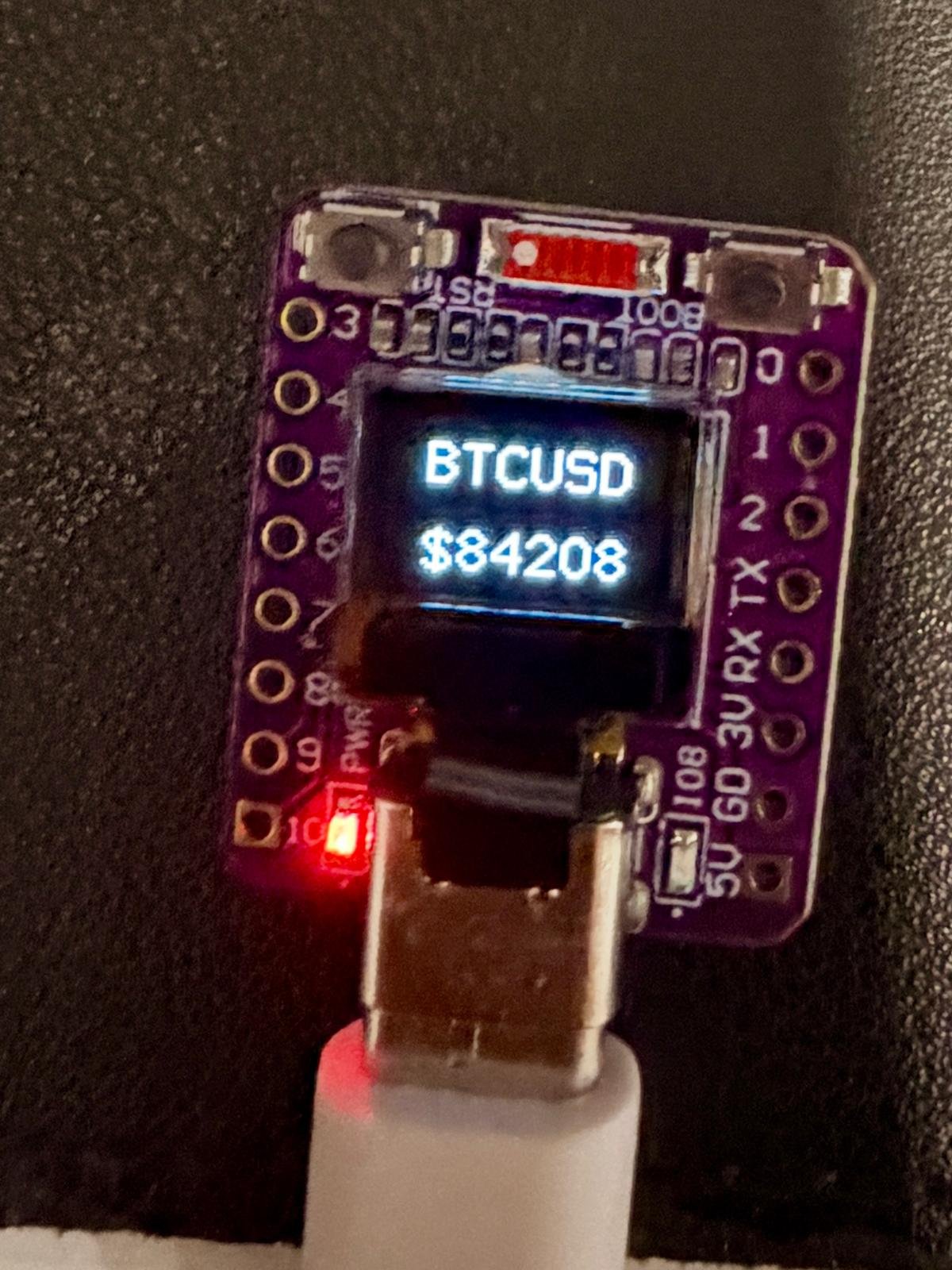
This project builds a real-time Bitcoin price ticker using an ESP32 microcontroller, OLED display, and WiFi connectivity. The device fetches the current BTC-USD price from the Coinbase API every five minutes and displays it on a small screen, making it perfect for monitoring Bitcoin's value at a glance from a desk or shelf.
This guide provides everything needed to assemble and program the ticker: a wiring diagram showing how to connect the OLED display and status LED to the ESP32, a complete parts list, the Arduino firmware with WiFi and API integration, and step-by-step assembly instructions. Simply place the board in its case, connect USB power, and the ticker will start fetching and displaying live price data.
Wiring diagram
Assemble it in 2 steps
1. Place the board in its case
Slide the purple ESP32-C3 OLED board upright into the front opening of the matte-black 3D-printed case. Keep the tiny screen facing outward and leave the USB-C socket exposed at the case edge.
- The board already contains the display, so there are no small screen wires to connect.
- Do not force the board against the case; pressure on the OLED glass can crack the screen.
2. Connect USB power
Plug a USB-C cable into the board’s USB-C socket, then connect the other end to a normal USB power source or computer. The cable powers the board and is also used when you press Deploy.
- Use a cable that carries data as well as power so Schematik can deploy the firmware.
- Keep the metal USB-C plug away from loose metal parts; a short circuit can damage the board.
Deploy the firmware
#include <Arduino.h>
#include <Wire.h>
#include <WiFi.h>
#include <WiFiClientSecure.h>
#include <HTTPClient.h>
#include <U8g2lib.h>


// Forward declarations
void showPrice(const String &price);
void showUpdateAnimation();
String fetchBtcUsd();
void updateTicker();

constexpr uint8_t OLED_SDA = 5;
constexpr uint8_t OLED_SCL = 6;
constexpr uint8_t STATUS_LED = 8;  // Active-low blue LED.
constexpr unsigned long UPDATE_INTERVAL_MS = 5UL * 60UL * 1000UL;

const char *WIFI_SSID = "my_wifi";
const char *WIFI_PASSWORD = "password1234!";
const char *COINBASE_URL = "https://api.coinbase.com/v2/prices/BTC-USD/spot";

U8G2_SSD1306_72X40_ER_F_HW_I2C display(U8G2_R0, U8X8_PIN_NONE, OLED_SCL, OLED_SDA);
String shownPrice;
unsigned long lastUpdateMs = 0;

void showPrice(const String &price) {
  display.clearBuffer();
  display.setFont(u8g2_font_9x18_tf);

  const char *symbol = "BTCUSD";
  const int symbolX = (display.getDisplayWidth() - display.getStrWidth(symbol)) / 2;
  const int priceX = (display.getDisplayWidth() - display.getStrWidth(price.c_str())) / 2;
  display.drawStr(symbolX, 17, symbol);
  display.drawStr(priceX, 39, price.c_str());
  display.sendBuffer();
  shownPrice = price;
}

void showUpdateAnimation() {
  digitalWrite(STATUS_LED, LOW);  // The blue LED is active-low.
  display.clearBuffer();
  display.sendBuffer();

  display.setFont(u8g2_font_9x18_tf);
  for (uint8_t dots = 1; dots <= 3; ++dots) {
    display.clearBuffer();
    String frame;
    for (uint8_t i = 0; i < dots; ++i) {
      frame += ".";
    }
    const int x = (display.getDisplayWidth() - display.getStrWidth(frame.c_str())) / 2;
    display.drawStr(x, 29, frame.c_str());
    display.sendBuffer();
    delay(180);
  }

  display.clearBuffer();
  display.sendBuffer();
  digitalWrite(STATUS_LED, HIGH);  // Turn the blue LED off before showing the price.
}

String fetchBtcUsd() {
  WiFiClientSecure client;
  client.setInsecure();
  HTTPClient http;

  if (!http.begin(client, COINBASE_URL)) {
    return "";
  }

  const int status = http.GET();
  if (status != HTTP_CODE_OK) {
    http.end();
    return "";
  }

  const String body = http.getString();
  http.end();

  const String key = "\"amount\":\"";
  const int start = body.indexOf(key);
  if (start < 0) {
    return "";
  }
  const int valueStart = start + key.length();
  const int valueEnd = body.indexOf('"', valueStart);
  if (valueEnd < 0) {
    return "";
  }

  String price = body.substring(valueStart, valueEnd);
  const int dot = price.indexOf('.');
  if (dot >= 0) {
    price.remove(dot);
  }
  return "$" + price;
}

void updateTicker() {
  if (WiFi.status() != WL_CONNECTED) {
    WiFi.disconnect();
    WiFi.begin(WIFI_SSID, WIFI_PASSWORD);
    const unsigned long started = millis();
    while (WiFi.status() != WL_CONNECTED && millis() - started < 15000UL) {
      delay(250);
    }
  }

  if (WiFi.status() == WL_CONNECTED) {
    const String price = fetchBtcUsd();
    if (price.length() > 0) {
      showUpdateAnimation();
      showPrice(price);
    }
  }
}

void setup() {
  pinMode(STATUS_LED, OUTPUT);
  digitalWrite(STATUS_LED, HIGH);  // Keep the blue LED off until a price refresh starts.
  Wire.begin(OLED_SDA, OLED_SCL);
  display.begin();
  display.setPowerSave(0);
  showPrice("--");
  WiFi.mode(WIFI_STA);
  updateTicker();
  lastUpdateMs = millis();
}

void loop() {
  if (millis() - lastUpdateMs >= UPDATE_INTERVAL_MS) {
    lastUpdateMs = millis();
    updateTicker();
  }
  delay(50);
}
Remix this project
Make it yours in one click
Open a full copy of this project in your own Schematik workspace — diagram, code, parts, and assembly steps included. Swap the sensor, add features, or redesign the whole thing with AI. The author's original stays untouched.