Community project
Bluetooth Pokémon Robot Control
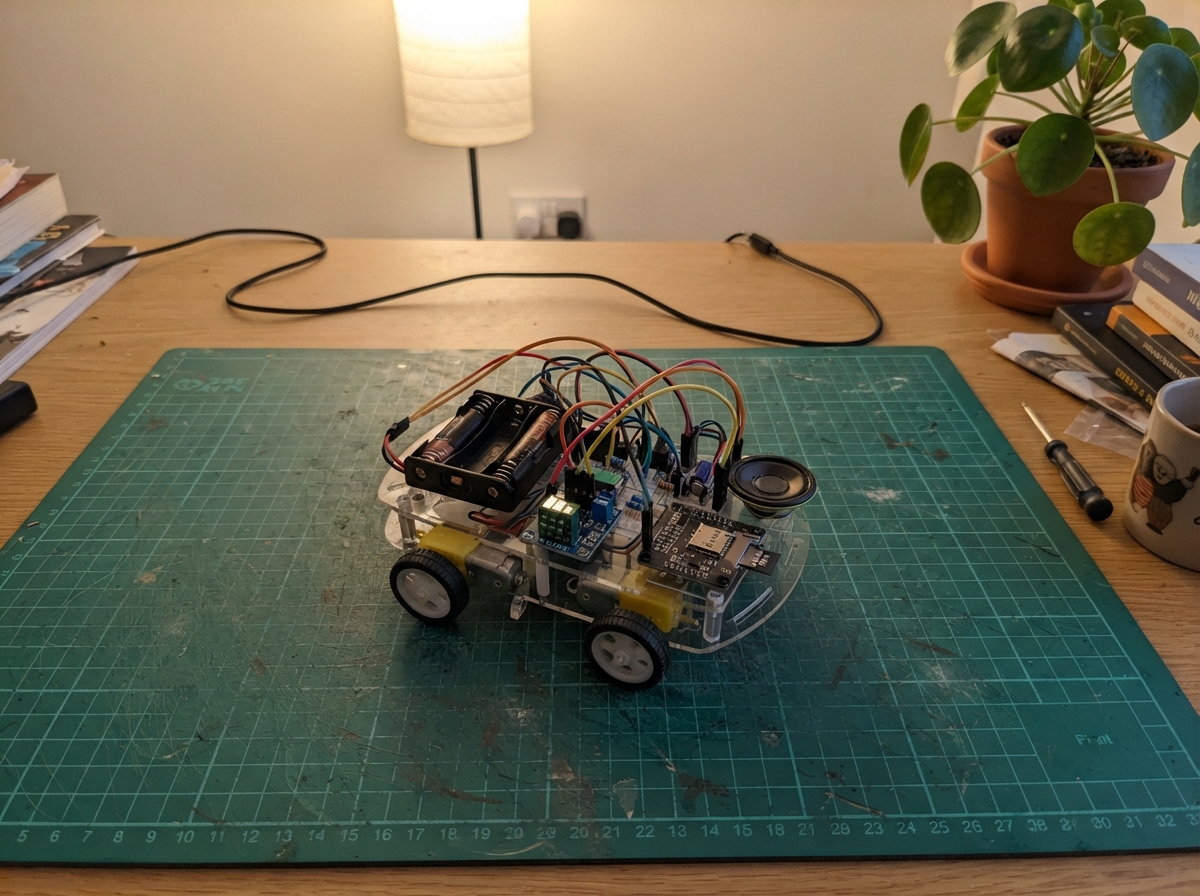
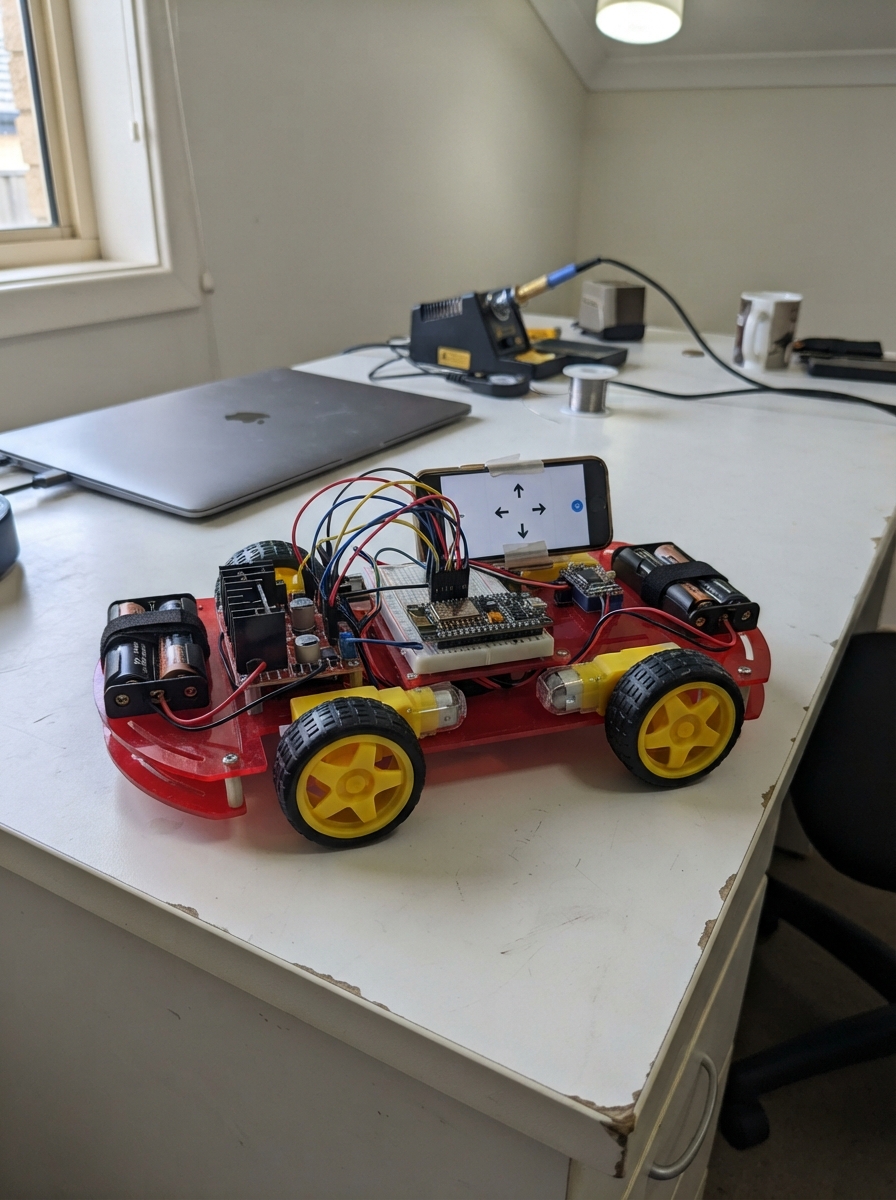
Build a wheeled robot controlled via Bluetooth that responds to commands from a smartphone or tablet. This project combines an ESP32 microcontroller with dual N20 motors, a TB6612FNG motor driver, and a DFPlayer Mini audio module to create an interactive robot that moves forward, backward, and plays sound effects.
The guide provides a complete wiring diagram, parts list, and step-by-step assembly instructions for integrating the power system, motor control circuit, and audio module. Firmware code is included to handle Bluetooth commands and motor control, allowing makers to customize movement patterns and sound playback for their own Pokémon-themed robot.
Wiring diagram
Gather all the parts
Assemble it in 7 steps
1. Prepara los rieles de alimentación
Con el interruptor del portapilas apagado y sin pilas, lleva el cable rojo VOUT del portapilas al riel rojo de 6 V y el cable negro al riel negro de GND. Ese riel negro será la tierra común de todo el robot.
- Usa rojo para 6 V y negro para GND; mantén esos dos rieles separados.
- No pongas las pilas ni enciendas el interruptor mientras estés conectando cables: un corto puede calentar cables y dañar los módulos.
2. Ajusta y conecta el convertidor de 5 V
Antes de conectar el ESP32, une VIN del MP1584 al riel de 6 V y GND al riel negro. Enciende brevemente el portapilas y ajusta el pequeño tornillo del MP1584 hasta medir exactamente 5,0 V entre VOUT y GND; apágalo. Después lleva VOUT al riel rojo de 5 V y su GND al riel negro.
- Usa rojo para el riel de 5 V. Mide primero con multímetro: el ajuste incorrecto puede dañar el ESP32.
- No conectes la salida del MP1584 al ESP32 hasta que hayas confirmado 5,0 V; más voltaje puede dañarlo.
3. Añade los dos capacitores
Coloca cap_6v cerca del TB6612FNG: su pata larga con signo + al riel de 6 V y su pata con franja - al riel negro. Coloca cap_5v cerca del ESP32: su pata + al riel de 5 V y la pata con franja - al riel negro.
- Los capacitores son de 100 µF y de 16 V o más; la franja lateral siempre marca el lado negativo.
- Si inviertes un capacitor electrolítico puede calentarse, perder líquido o estropearse.
4. Conecta el ESP32 y el controlador de motores
Lleva el riel de 5 V al pin VIN del ESP32 y el riel negro a un pin GND del ESP32. Conecta VM del TB6612FNG al riel de 6 V, VCC y STBY a 3V3 del ESP32, y GND al riel negro. Usa cables amarillos para las señales: AIN1 a GPIO26, AIN2 a GPIO27, PWMA a GPIO25, BIN1 a GPIO32, BIN2 a GPIO33 y PWMB a GPIO14.
- La salida 3V3 del ESP32 solo alimenta la lógica del TB6612FNG; los motores reciben sus 6 V por VM.
- No conectes VM del TB6612FNG al pin 3V3 del ESP32: los motores no deben alimentarse desde ese pin.
5. Conecta las ruedas motrices
Conecta los dos cables de motor_left a AO1 y AO2 del TB6612FNG. Conecta los dos cables de motor_right a BO1 y BO2. Si al probar adelante una rueda gira al revés, apaga el robot e intercambia solo los dos cables de ese motor.
- Mantén cada par de cables de motor junto y lejos de la antena del ESP32 para reducir ruido.
- Nunca conectes los cables de los motores directamente a un GPIO del ESP32: dañaría el microcontrolador.
6. Conecta el módulo de sonido y la bocina
Conecta VCC del DFPlayer al riel de 5 V y GND al riel negro. Conecta TX del DFPlayer a GPIO16. Conecta GPIO17 al extremo A de resistor_dfplayer_rx y el extremo B de la resistencia de 1 kΩ a RX del DFPlayer. Une SPK1 al terminal SPK+ de la bocina y SPK2 al terminal SPK-.
- Usa azul para TX del DFPlayer hacia GPIO16 y amarillo para la ruta GPIO17–resistencia–RX. Copia la pista como 0001.mp3 en una tarjeta microSD FAT32.
- No conectes ninguno de los terminales SPK1 o SPK2 a GND: son dos salidas de audio y hacerlo puede dañar el DFPlayer.
7. Revisa la tierra y enciende
Revisa que el negativo del portapilas, GND del MP1584, GND del ESP32, GND del TB6612FNG y GND del DFPlayer estén todos unidos al mismo riel negro. Inserta la microSD, coloca las cuatro pilas AA respetando sus marcas + y -, conecta el ESP32 por USB y después enciende el interruptor.
- Los colores del esquema son: rojo 6 V, rojo claro 5 V, naranja 3,3 V, negro GND, amarillo señales de motores y azul/amarillo señales de audio.
- Si algo se calienta, huele raro o el ESP32 se reinicia, apaga de inmediato y revisa que 5 V y GND no estén intercambiados.
Review all connections
1. Connections between "battery_4aa" and "ESP32"
2. Connections between "buck_mp1584" and "ESP32"
3. Connections between "motor_driver" and "ESP32"
4. Connections between "motor_left" and "ESP32"
5. Connections between "motor_right" and "ESP32"
6. Connections between "dfplayer" and "ESP32"
7. Connections between "resistor_dfplayer_rx" and "ESP32"
8. Connections between "speaker" and "ESP32"
9. Connections between "cap_6v" and "ESP32"
10. Connections between "cap_5v" and "ESP32"
Deploy the firmware
#include <Arduino.h>
#include <BluetoothSerial.h>
#include <DFRobotDFPlayerMini.h>

#define LEFT_IN1_PIN 26
#define LEFT_IN2_PIN 27
#define LEFT_PWM_PIN 25
#define RIGHT_IN1_PIN 32
#define RIGHT_IN2_PIN 33
#define RIGHT_PWM_PIN 14
#define DFPLAYER_RX_PIN 16
#define DFPLAYER_TX_PIN 17

const uint8_t MOTOR_SPEED = 210;
const uint32_t PWM_FREQUENCY = 20000;
const uint8_t PWM_RESOLUTION = 8;
const uint16_t SOUND_TRACK = sizeof("A") - sizeof("");

BluetoothSerial SerialBT;
HardwareSerial dfSerial(2);
DFRobotDFPlayerMini dfPlayer;
bool dfPlayerReady = false;

void setMotorPins(bool leftForward, bool rightForward, uint8_t speed) {
  digitalWrite(LEFT_IN1_PIN, leftForward ? HIGH : LOW);
  digitalWrite(LEFT_IN2_PIN, leftForward ? LOW : HIGH);
  digitalWrite(RIGHT_IN1_PIN, rightForward ? HIGH : LOW);
  digitalWrite(RIGHT_IN2_PIN, rightForward ? LOW : HIGH);
  ledcWrite(LEFT_PWM_PIN, speed);
  ledcWrite(RIGHT_PWM_PIN, speed);
}

void stopMotors() {
  digitalWrite(LEFT_IN1_PIN, LOW);
  digitalWrite(LEFT_IN2_PIN, LOW);
  digitalWrite(RIGHT_IN1_PIN, LOW);
  digitalWrite(RIGHT_IN2_PIN, LOW);
  ledcWrite(LEFT_PWM_PIN, 0);
  ledcWrite(RIGHT_PWM_PIN, 0);
}

void playSound() {
  if (dfPlayerReady) {
    dfPlayer.play(SOUND_TRACK);
    SerialBT.println("Reproduciendo sonido 1");
  } else {
    SerialBT.println("No se detecta el DFPlayer o la microSD");
  }
}

void handleCommand(char command) {
  switch (toupper(command)) {
    case 'F':
      setMotorPins(true, true, MOTOR_SPEED);
      SerialBT.println("Adelante");
      break;
    case 'B':
      setMotorPins(false, false, MOTOR_SPEED);
      SerialBT.println("Atras");
      break;
    case 'S':
      stopMotors();
      SerialBT.println("Parado");
      break;
    case 'P':
      playSound();
      break;
    default:
      SerialBT.println("Comandos: F=adelante, B=atras, S=parar, P=sonido");
      break;
  }
}

void setup() {
  pinMode(LEFT_IN1_PIN, OUTPUT);
  pinMode(LEFT_IN2_PIN, OUTPUT);
  pinMode(RIGHT_IN1_PIN, OUTPUT);
  pinMode(RIGHT_IN2_PIN, OUTPUT);

  ledcAttach(LEFT_PWM_PIN, PWM_FREQUENCY, PWM_RESOLUTION);
  ledcAttach(RIGHT_PWM_PIN, PWM_FREQUENCY, PWM_RESOLUTION);
  stopMotors();

  Serial.begin(115200);
  SerialBT.begin("PokemonRobot");
  dfSerial.begin(9600, SERIAL_8N1, DFPLAYER_RX_PIN, DFPLAYER_TX_PIN);

  if (dfPlayer.begin(dfSerial, true, true)) {
    dfPlayerReady = true;
    dfPlayer.volume(22);
  }

  SerialBT.println("PokemonRobot listo. F=adelante, B=atras, S=parar, P=sonido");
}

void loop() {
  if (SerialBT.available()) {
    handleCommand((char)SerialBT.read());
  }
  delay(10);
}
Remix this project
Make it yours in one click
Open a full copy of this project in your own Schematik workspace — diagram, code, parts, and assembly steps included. Swap the sensor, add features, or redesign the whole thing with AI. The author's original stays untouched.