Community project
Cozmo Robot Eyes
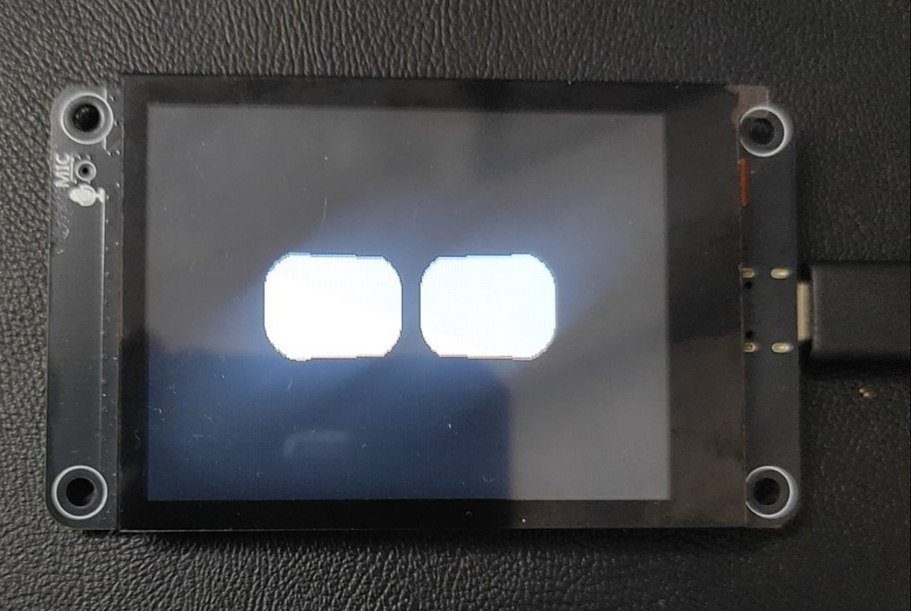
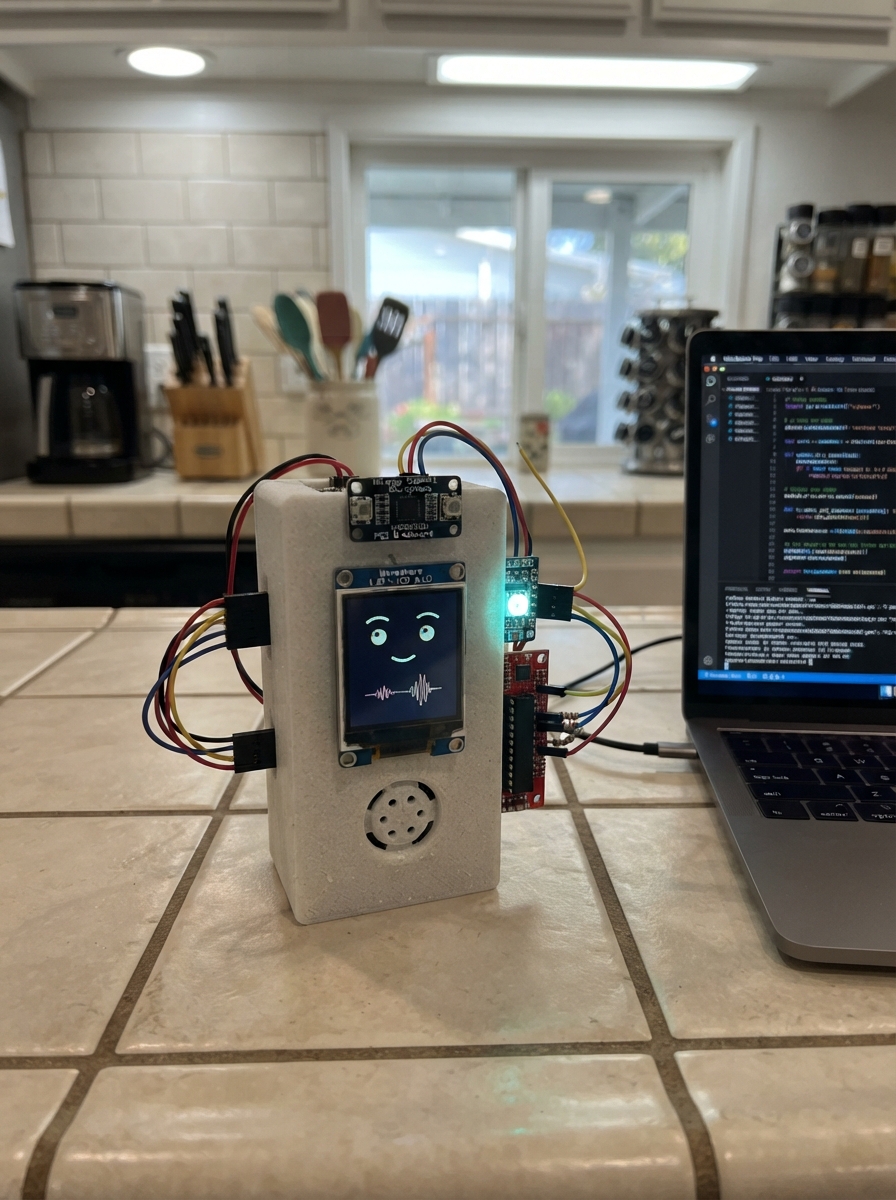
This guide builds expressive robot eyes on an ESP32 with an ILI9341 display. The project uses the built-in screen to render a variety of eye shapes and emotions, from wide-eyed surprise to narrow suspicious glares, all driven by configurable presets that control pupil size, position, and eyelid curves.
Builders will receive a complete parts list, wiring diagram for connecting the display to the ESP32, and Arduino firmware with pre-programmed emotion states. The guide covers USB power setup, display configuration, and how to trigger different eye expressions in code.
Wiring diagram
Assemble it in 2 steps
1. Use the built-in screen
Place the ES3C28P board on a non-conductive surface with its 2.8-inch screen facing up. The screen is already wired inside the board, so do not connect an SSD1306 module or wires to GPIO10, GPIO11, GPIO12, GPIO13, GPIO45, or GPIO46.
- The board’s own screen is a colour IPS display, so the old four-wire SSD1306 connection is not used.
- Do not connect another device to the screen pins; those pins are already connected inside the board and a second connection can stop the display from working.
2. Power the board by USB
Connect a USB-C cable from the board’s Type-C socket to your computer. This cable supplies power and is also used to send the firmware to the board.
- Use a USB cable that carries data as well as power; some charging-only cables cannot transfer the firmware.
- Keep the board on a dry surface and avoid resting it on metal, because a short circuit can damage it.
Deploy the firmware
#include <Arduino.h>
#include <Arduino_GFX_Library.h>

#define TFT_CS 10
#define TFT_DC 46
#define TFT_SCK 12
#define TFT_MOSI 11
#define TFT_MISO 13
#define TFT_BL 45

Arduino_DataBus *bus = new Arduino_ESP32SPI(TFT_DC, TFT_CS, TFT_SCK, TFT_MOSI, TFT_MISO, FSPI);
// The ES3C28P has an ILI9341 panel; it is not an ST7789 panel.
// Rotation 1 uses the display in landscape: 320 pixels wide by 240 pixels tall.
Arduino_GFX *gfx = new Arduino_ILI9341(bus, GFX_NOT_DEFINED, 1, false);

struct EyeConfig { int16_t offsetX, offsetY, height, width; float slopeTop, slopeBottom; int16_t radiusTop, radiusBottom; bool mirrored; };
struct EmotionPreset { EyeConfig left; EyeConfig right; };
const EmotionPreset presets[] = {
{{0,0,75,75,0,0,15,15,true},{0,0,75,75,0,0,15,15,false}},{{0,0,19,75,0,0,19,0,true},{0,0,19,75,0,0,19,0,false}},{{0,0,15,75,0,0,15,0,true},{0,0,15,75,0,0,15,0,false}},{{0,0,28,75,-.5f,0,2,19,true},{0,0,28,75,-.5f,0,2,19,false}},{{0,0,66,75,-.2f,0,11,19,true},{0,0,47,75,-.1f,0,11,19,false}},{{0,0,26,75,.2f,0,6,2,true},{0,0,26,75,.2f,0,6,2,false}},{{0,0,9,75,0,0,0,8,true},{0,0,23,75,0,0,0,19,false}},{{-4,0,84,84,0,0,30,30,true},{-4,0,84,84,0,0,30,30,false}},{{0,-11,49,75,.3f,0,2,19,true},{0,0,75,75,0,0,19,19,false}},{{6,-9,23,75,0,0,0,19,true},{6,-9,23,75,0,0,0,19,false}},{{6,-6,41,75,0,0,2,30,true},{6,0,23,75,0,0,2,19,false}},{{0,-4,15,75,-.5f,-.5f,6,6,true},{0,-4,26,75,-.5f,-.5f,6,6,false}},{{0,-6,30,75,.2f,0,11,6,true},{0,0,41,75,0,0,15,6,false}},{{9,0,38,38,0,0,9,9,true},{-19,-6,66,66,0,0,15,15,false}},{{-6,0,38,75,.3f,0,4,23,true},{-6,0,38,75,.3f,0,4,23,false}},{{-4,0,56,75,.4f,0,4,15,true},{-4,0,56,75,.4f,0,4,15,false}},{{-6,0,75,75,-.1f,0,23,15,true},{-6,0,75,75,-.1f,0,23,15,false}},{{4,0,66,84,-.1f,.1f,23,23,true},{4,0,66,84,-.1f,.1f,23,23,false}}
};
constexpr uint8_t EMOTION_COUNT = sizeof(presets) / sizeof(presets[0]);
constexpr int EYE_CENTER_LEFT = 116, EYE_CENTER_RIGHT = 204, EYE_CENTER_Y = 120;
// The complete screen is black. The eye shapes are white.
constexpr uint16_t OUTER_COLOR = 0x0000;
constexpr uint16_t EYE_COLOR = 0xFFFF;
uint8_t currentEmotion = 0; bool isBlinking = false;
unsigned long blinkStarted = 0, blinkDuration = 130, nextBlink = 0, nextLook = 0, lookReset = 0, nextEmotion = 0, nextFrame = 0;
float blinkFactor = 1, currentLookX = 0, currentLookY = 0, targetLookX = 0, targetLookY = 0;
int eyeOffsetX = 0, eyeOffsetY = 0;
int lastDrawnEyeOffsetX = 999, lastDrawnEyeOffsetY = 999;
int lastDrawnBlink = -1;
uint8_t lastDrawnEmotion = 255;

void updateIdleAnimations() {
  unsigned long now = millis();
  if (now >= nextEmotion) { nextEmotion = now + random(3500,5500); currentEmotion = (currentEmotion + 1) % EMOTION_COUNT; isBlinking = true; blinkStarted = now; blinkDuration = 120; }
  if (!isBlinking && now >= nextBlink) { isBlinking = true; blinkStarted = now; blinkDuration = random(110,150); nextBlink = now + random(2200,4800); if (random(100) < 25) nextBlink = now + random(230,320); }
  if (isBlinking) { unsigned long elapsed = now - blinkStarted; if (elapsed < blinkDuration) { float p = (float)elapsed / blinkDuration; blinkFactor = max(.06f, 1.0f - sinf(p * PI) * .94f); } else { isBlinking = false; blinkFactor = 1; } }
  if (now >= nextLook) { targetLookX = random(-6,7); targetLookY = random(-4,5); nextLook = now + random(2200,4500); lookReset = now + random(1200,2000); }
  if (lookReset && now >= lookReset) { targetLookX = 0; targetLookY = 0; lookReset = 0; }
  currentLookX += (targetLookX - currentLookX) * .22f; currentLookY += (targetLookY - currentLookY) * .22f;
  eyeOffsetX = lroundf(currentLookX); eyeOffsetY = lroundf(currentLookY);
}
void drawSingleEye(int centerX, int centerY, const EyeConfig &eye, int ox, int oy, float blink) {
  int h = max(2, (int)lroundf(eye.height * blink)), w = eye.width;
  int r = min(w / 2, min(h / 2, max(0, (int)min(eye.radiusTop, eye.radiusBottom))));
  int cx = centerX + (eye.mirrored ? -eye.offsetX : eye.offsetX) + ox, cy = centerY + eye.offsetY + oy;
  int x = cx - w / 2, y = cy - h / 2;
  gfx->fillRoundRect(x, y, w, h, r, EYE_COLOR);
  float topSlope = eye.mirrored ? eye.slopeTop : -eye.slopeTop, bottomSlope = eye.mirrored ? eye.slopeBottom : -eye.slopeBottom;
  int topDelta = lroundf(h * topSlope / 2), bottomDelta = lroundf(h * bottomSlope / 2);
  if (topDelta > 0) gfx->fillTriangle(x,y,x+w,y,x,y+topDelta,OUTER_COLOR); else if (topDelta < 0) gfx->fillTriangle(x,y,x+w,y,x+w,y-topDelta,OUTER_COLOR);
  if (bottomDelta > 0) gfx->fillTriangle(x,y+h-1,x+w,y+h-1,x+w,y+h-1-bottomDelta,OUTER_COLOR); else if (bottomDelta < 0) gfx->fillTriangle(x,y+h-1,x+w,y+h-1,x,y+h-1+bottomDelta,OUTER_COLOR);
}
void drawFaceIfChanged() {
  // Quantising the blink prevents invisible sub-pixel changes from needlessly
  // rewriting the display while the face is otherwise still.
  int blinkStep = lroundf(blinkFactor * 100.0f);
  if (eyeOffsetX == lastDrawnEyeOffsetX && eyeOffsetY == lastDrawnEyeOffsetY &&
      blinkStep == lastDrawnBlink && currentEmotion == lastDrawnEmotion) {
    return;
  }
  // Only refresh the area that contains the eyes. Repainting the full 320x240
  // panel every frame over SPI causes visible tearing and jerky animation.
  gfx->fillRect(52, 45, 216, 150, OUTER_COLOR);
  const EmotionPreset &e = presets[currentEmotion];
  drawSingleEye(EYE_CENTER_LEFT, EYE_CENTER_Y, e.left, eyeOffsetX, eyeOffsetY, blinkFactor);
  drawSingleEye(EYE_CENTER_RIGHT, EYE_CENTER_Y, e.right, eyeOffsetX, eyeOffsetY, blinkFactor);
  lastDrawnEyeOffsetX = eyeOffsetX;
  lastDrawnEyeOffsetY = eyeOffsetY;
  lastDrawnBlink = blinkStep;
  lastDrawnEmotion = currentEmotion;
}
void setup() {
  pinMode(TFT_BL, OUTPUT);
  digitalWrite(TFT_BL, HIGH);
  gfx->begin(40000000);
  // This ES3C28P panel's visible colours are reversed in normal mode.
  // Hardware inversion makes code black appear physically black.
  gfx->invertDisplay(true);
  gfx->fillScreen(OUTER_COLOR);
  randomSeed((uint32_t)esp_random());
  unsigned long now = millis();
  nextBlink = now + random(1800, 3500);
  nextLook = now + 700;
  nextEmotion = now + 4000;
}
void loop() {
  unsigned long now = millis();
  if (now < nextFrame) {
    delay(nextFrame - now);
    return;
  }
  // 25 FPS is smooth for eye motion while the partial redraw leaves time for
  // the ESP32-S3 and LCD controller to complete each transfer.
  nextFrame = now + 40;
  updateIdleAnimations();
  drawFaceIfChanged();
}
Remix this project
Make it yours in one click
Open a full copy of this project in your own Schematik workspace — diagram, code, parts, and assembly steps included. Swap the sensor, add features, or redesign the whole thing with AI. The author's original stays untouched.