Community project
Create A Complete Professional Fully Working Sma
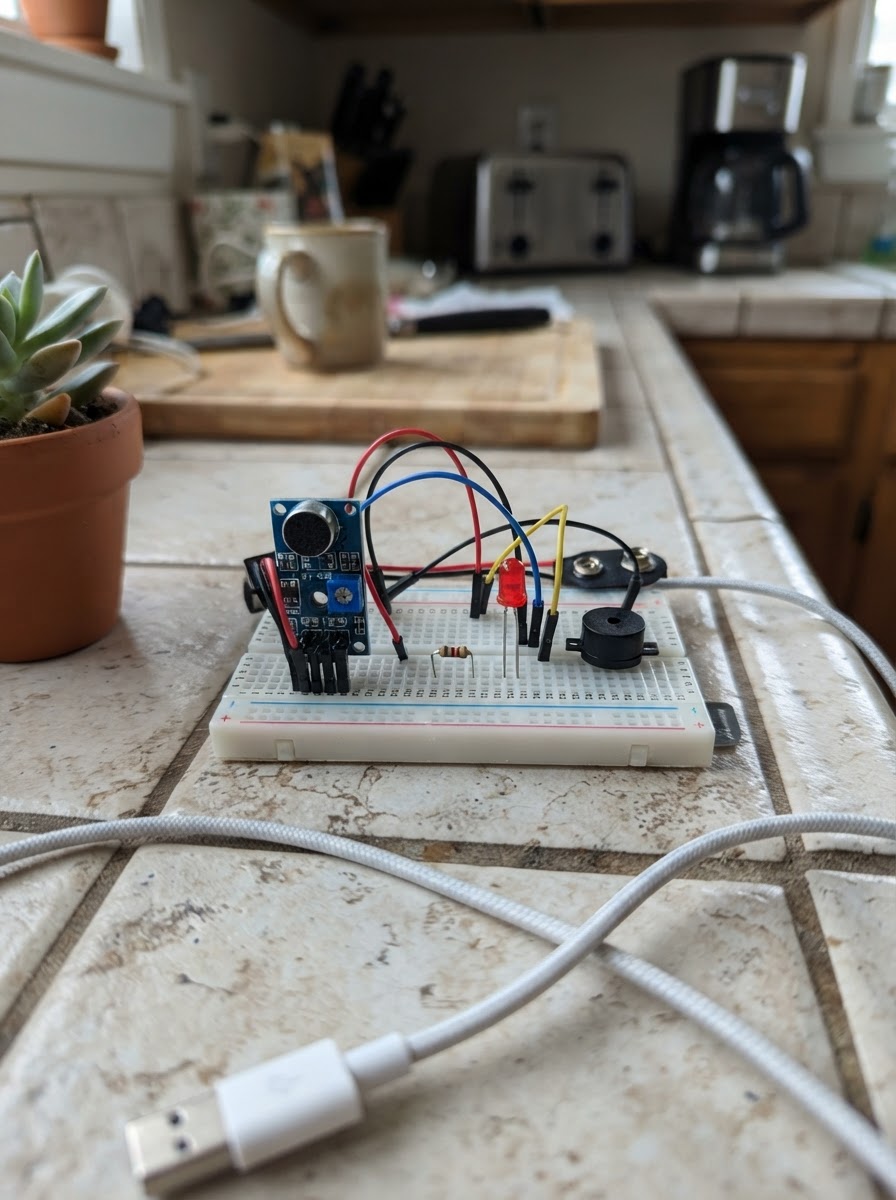
This project builds a smart classroom noise monitor using an ESP32 microcontroller that detects sound levels and provides real-time visual and audio feedback. The KY-038 sound sensor continuously measures ambient noise, while three status LEDs (green, yellow, red) and a buzzer indicate whether the room is quiet, moderately noisy, or exceeds safe noise limits.
The guide provides a complete wiring diagram, parts list, and step-by-step assembly instructions to get the system running. Once deployed, the ESP32 creates its own Wi-Fi network where users can access a live dashboard showing current noise levels, historical data, and event logs. The firmware is fully configurable, allowing educators to adjust noise thresholds and customize alert behavior for their specific classroom environment.
Wiring diagram

Gather all the parts
Assemble it in 5 steps
1. Place the ESP32 and make ground common
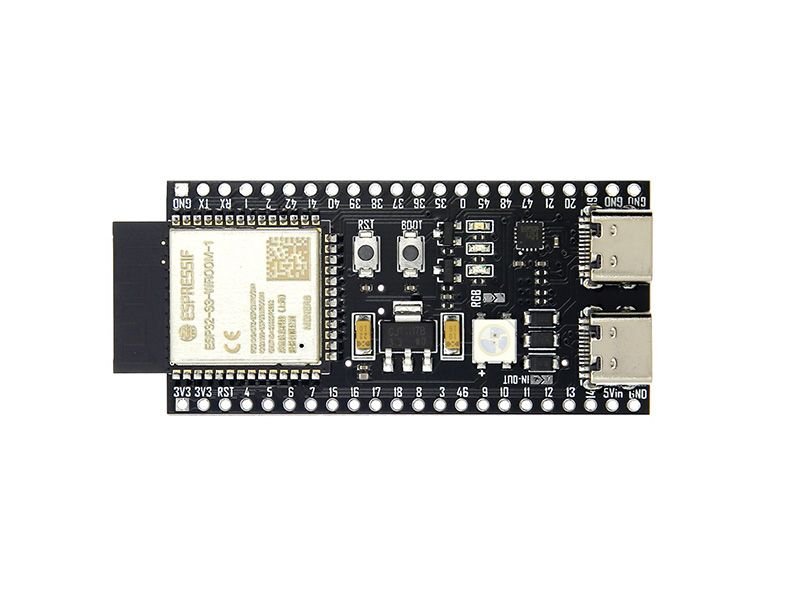
Place the ESP32 DevKit V1 across the breadboard centre gap. Connect one ESP32 GND pin to the breadboard ground rail. Every module, LED cathode, and buzzer ground connection must reach this same rail.
- Keep the ground rail continuous if your breadboard has split power rails.
- Do not power the microphone module from 5 V when its AO pin is connected directly to GPIO34; ESP32 GPIO inputs are 3.3 V only.
2. Wire the analog sound sensor
Connect the sound sensor VCC pin to the ESP32 3V3 pin, its GND pin to the common ground rail, and its analog-output pin marked AO to GPIO34. Leave DO unconnected; this project measures the analog signal rather than using the module's fixed digital threshold.
- Use the module's AO pin, not DO.
- GPIO34 is input-only, which is correct for this analog sensor.
- Confirm that the sensor module is powered from 3.3 V so AO can never exceed the ESP32 ADC voltage limit.
3. Wire the three status LEDs
For each LED, connect its short leg (cathode/flat-side lead) to the common ground rail. Connect its long leg (anode) through its own 220 Ω resistor to the assigned GPIO: green to GPIO18, yellow to GPIO19, and red to GPIO21.
- A 220 Ω to 330 Ω resistor is suitable for each LED.
- Put the resistor in series with the anode; it may be placed before or after the LED electrically.
- Never connect an LED directly to an ESP32 GPIO without a series resistor.
4. Wire the buzzer
For a small 3.3 V active buzzer module, connect SIGNAL/+ to GPIO22 and GND/− to the common ground rail. The firmware pulses this output only after sustained noisy conditions.
- An active buzzer makes a sound from a steady HIGH signal; the program provides the intermittent alert pattern.
- If you have a bare high-current buzzer rather than a low-current active buzzer module, do not connect it directly to GPIO22. Use a transistor driver instead.
5. Power and inspect before deployment
Power the ESP32 from its USB connector. Recheck the exact pin map: AO→34, green LED→18, yellow LED→19, red LED→21, buzzer→22, and one shared ground. Deploy the prepared firmware with Schematik's Deploy button.
- The ESP32 starts the local Wi-Fi network ClassroomNoiseMonitor using password quietclass; join it and open http://192.168.4.1.
- The dashboard includes a CSV download button and reset/arm controls.
- Disconnect power before moving any wire.
Review all connections
1. Connections between "sound_sensor" and "ESP32"
2. Connections between "resistor_green" and "ESP32"
3. Connections between "led_green" and "ESP32"
4. Connections between "resistor_yellow" and "ESP32"
5. Connections between "led_yellow" and "ESP32"
6. Connections between "resistor_red" and "ESP32"
7. Connections between "led_red" and "ESP32"
8. Connections between "buzzer" and "ESP32"
Deploy the firmware
/* Smart Classroom Noise Monitor — ESP32 DevKit V1
QUICK SETUP: wire AO->34, LEDs (through 220 ohm resistors)->18/19/21,
active 3.3V buzzer signal->22, and connect every GND together. Deploy with
Schematik. The ESP32 creates Wi-Fi ClassroomNoiseMonitor / quietclass;
connect to it and open http://192.168.4.1. To use classroom Wi-Fi instead,
fill WIFI_SSID and WIFI_PASSWORD below. Tune QUIET_LIMIT/NOISY_LIMIT after
looking at normal room readings on the dashboard.
*/
#include <Arduino.h>
#include <WiFi.h>
#include <ESPAsyncWebServer.h>
#include <LittleFS.h>
#include <Preferences.h>
// Hoisted type definitions
struct Event { unsigned long stamp; String text, level; };
// Forward declarations
String esc(const String &s);
String label(unsigned long t);
void event(const String&t,const String&l);
int score();
String status();
int readNoise();
void outputs();
void logData();
void resetAll();
const char *WIFI_SSID=""; const char *WIFI_PASSWORD="";
const char *AP_SSID="ClassroomNoiseMonitor", *AP_PASSWORD="quietclass";
const uint8_t SOUND_PIN=34, GREEN_LED_PIN=18, YELLOW_LED_PIN=19, RED_LED_PIN=21, BUZZER_PIN=22;
const int QUIET_LIMIT=18, NOISY_LIMIT=40;
const unsigned long SAMPLE_MS=100, ALERT_MS=3000, LOG_MS=5000, WS_MS=500;
AsyncWebServer server(80); AsyncWebSocket ws("/ws"); Preferences prefs;
Event events[10]; uint8_t eventHead=0,eventUsed=0;
int currentNoise=0,minNoise=100,peakNoise=0; float averageNoise=0; unsigned long samples=0,violations=0;
bool armed=true,alertActive=false,episodeCounted=false; unsigned long noisySince=0,lastSample=0,lastLog=0,lastWs=0;
String state="QUIET";
const char INDEX_HTML[] PROGMEM=R"WEB(
<!doctype html><html><head><meta charset="utf-8"><meta name="viewport" content="width=device-width,initial-scale=1"><title>Classroom Noise Monitor</title><style>
:root{--bg:#09111f;--p:#111d31;--p2:#15243c;--l:#263955;--t:#edf5ff;--m:#91a5c3;--c:#22d3ee;--g:#32d583;--y:#fbbf24;--r:#fb5b6b}*{box-sizing:border-box}body{margin:0;background:radial-gradient(circle at 80% 0,#17325b,transparent 32%),var(--bg);font-family:Arial,sans-serif;color:var(--t)}main{max-width:1240px;margin:auto;padding:24px}header{display:flex;justify-content:space-between;gap:15px;align-items:center;margin-bottom:20px}h1{font-size:clamp(1.35rem,3vw,2rem);margin:0}header p,.muted{color:var(--m)}header p{margin:6px 0}.live{font-size:.85rem;color:var(--m)}.dot{display:inline-block;width:10px;height:10px;border-radius:50%;background:var(--r);margin-right:7px}.dot.on{background:var(--g);box-shadow:0 0 14px var(--g)}.grid{display:grid;grid-template-columns:1.4fr repeat(3,1fr);gap:14px}.card{background:linear-gradient(145deg,var(--p2),var(--p));border:1px solid var(--l);border-radius:16px;padding:18px}.label{font-size:.76rem;text-transform:uppercase;letter-spacing:.1em;color:var(--m)}.val{font-size:2rem;font-weight:bold;margin:8px 0}.hero .val{font-size:3.5rem}.badge{display:inline-block;padding:5px 10px;border-radius:20px;font-size:.78rem;font-weight:bold}.quiet{background:#1d493c;color:#81f0b9}.moderate{background:#55441c;color:#ffd76a}.noisy{background:#542735;color:#ff9aa5}.main{display:grid;grid-template-columns:1.7fr 1fr;gap:14px;margin-top:14px}canvas{width:100%;height:250px;margin-top:10px}.score{font-size:3.2rem;font-weight:bold;color:var(--c);margin:12px 0}.bar{height:12px;border-radius:9px;background:#091423;overflow:hidden}.bar i{display:block;height:100%;background:linear-gradient(90deg,var(--r),var(--y),var(--g));transition:width .3s}button{border:0;border-radius:9px;padding:10px 13px;margin:15px 6px 0 0;background:var(--c);font-weight:bold;cursor:pointer}.alt{background:#263955;color:var(--t)}.danger{background:var(--r);color:#fff}table{width:100%;border-collapse:collapse;margin-top:7px}td,th{padding:10px 6px;text-align:left;border-bottom:1px solid var(--l)}th{font-size:.75rem;color:var(--m)}.events{margin-top:14px}.alert{color:#ff9aa5;font-weight:bold}@media(max-width:800px){main{padding:15px}.grid{grid-template-columns:1fr 1fr}.hero{grid-column:span 2}.main{grid-template-columns:1fr}header{align-items:flex-start;flex-direction:column}}@media(max-width:420px){.grid{grid-template-columns:1fr}.hero{grid-column:auto}}
</style></head><body><main><header><div><h1>Smart Classroom Noise Monitor</h1><p>Real-time local classroom sound analytics</p></div><div class="live"><span id="dot" class="dot"></span><span id="conn">Connecting…</span></div></header><section class="grid"><article class="card hero"><div class="label">Live noise level</div><div class="val"><span id="n">0</span> <small class="muted">/100</small></div><span id="st" class="badge quiet">QUIET</span> <span id="al" class="alert"></span></article><article class="card"><div class="label">Average noise</div><div id="avg" class="val">0</div><span class="muted">session average</span></article><article class="card"><div class="label">Peak / minimum</div><div class="val"><span id="pk">0</span> <small class="muted">/ <span id="mn">0</span></small></div><span class="muted">session range</span></article><article class="card"><div class="label">Noise violations</div><div id="vio" class="val">0</div><span class="muted">sustained loud episodes</span></article></section><section class="main"><article class="card"><div class="label">Live noise trend</div><canvas id="chart"></canvas><div class="muted">Latest 60 readings • noisy threshold: 40</div></article><article class="card"><div class="label">Discipline score</div><div><span id="sc" class="score">100</span> <span class="muted">/100</span></div><div class="bar"><i id="bar" style="width:100%"></i></div><p id="msg" class="muted">Excellent classroom sound environment.</p><p class="muted">Monitoring: <b id="arm">ARMED</b></p><button id="armbtn" onclick="arm()">Disarm monitor</button><button class="alt" onclick="location='/api/log'">Download CSV</button><button class="danger" onclick="resetData()">Reset analytics</button></article></section><section class="card events"><div class="label">Recent events</div><table><thead><tr><th>Time</th><th>Event</th><th>Level</th></tr></thead><tbody id="ev"></tbody></table></section></main><script>
const h=[],c=document.getElementById('chart'),x=c.getContext('2d');function draw(){let r=c.getBoundingClientRect(),d=devicePixelRatio||1;c.width=r.width*d;c.height=r.height*d;x.setTransform(d,0,0,d,0,0);let w=r.width,H=r.height;x.clearRect(0,0,w,H);x.strokeStyle='#263955';for(let i=0;i<5;i++){let y=H*i/4;x.beginPath();x.moveTo(0,y);x.lineTo(w,y);x.stroke()}x.setLineDash([5,5]);x.strokeStyle='#fb5b6b';x.beginPath();x.moveTo(0,H*.6);x.lineTo(w,H*.6);x.stroke();x.setLineDash([]);if(h.length>1){x.strokeStyle='#22d3ee';x.lineWidth=2;x.beginPath();h.forEach((v,i)=>{let X=i*w/59,Y=H*(1-v/100);i?x.lineTo(X,Y):x.moveTo(X,Y)});x.stroke()}}function esc(v){return String(v).replace(/[&<>"']/g,a=>({'&':'&','<':'<','>':'>','"':'"',"'":'''}[a]))}function apply(d){n.textContent=d.current;avg.textContent=d.average;pk.textContent=d.peak;mn.textContent=d.min;vio.textContent=d.violations;st.textContent=d.state;st.className='badge '+d.state.toLowerCase();al.textContent=d.alert?' • SUSTAINED NOISE ALERT':'';sc.textContent=d.score;bar.style.width=d.score+'%';msg.textContent=d.score>=80?'Excellent classroom sound environment.':d.score>=55?'Some noise needs attention.':'Noise level needs immediate improvement.';arm.textContent=d.armed?'ARMED':'DISARMED';armbtn.textContent=d.armed?'Disarm monitor':'Arm monitor';h.push(d.current);if(h.length>60)h.shift();draw();ev.innerHTML=d.events.map(e=>'<tr><td>'+esc(e.time)+'</td><td>'+esc(e.text)+'</td><td>'+esc(e.level)+'</td></tr>').join('')||'<tr><td colspan="3">No events yet</td></tr>'}async function api(p,o){let r=await fetch(p,o);return r.json()}async function arm(){await api('/api/arm',{method:'POST'});load()}async function resetData(){if(confirm('Reset analytics?')){await api('/api/reset',{method:'POST'});load()}}async function load(){apply(await api('/api/status'))}let s;function ws(){s=new WebSocket('ws://'+location.host+'/ws');s.onopen=()=>{dot.className='dot on';conn.textContent='Live connection'};s.onmessage=e=>apply(JSON.parse(e.data));s.onclose=()=>{dot.className='dot';conn.textContent='Reconnecting…';setTimeout(ws,1500)}}addEventListener('resize',draw);load();ws();
</script></body></html>)WEB";
String esc(const String &s){String o;for(char c:s){if(c=='"'||c=='\\'){o+='\\';o+=c;}else if(c=='\n')o+="\\n";else o+=c;}return o;}
String label(unsigned long t){char b[16];t/=1000;snprintf(b,sizeof(b),"%02lu:%02lu:%02lu",t/3600,(t/60)%60,t%60);return String(b);}
void event(const String&t,const String&l){events[eventHead]={millis(),t,l};eventHead=(eventHead+1)%10;if(eventUsed<10)eventUsed++;}
int score(){int s=100-(int)(violations*8)-(int)(averageNoise*.45f);if(state=="NOISY")s-=8;return constrain(s,0,100);}
String status(){String j="{\"current\":"+String(currentNoise)+",\"average\":"+String(averageNoise,1)+",\"peak\":"+String(peakNoise)+",\"min\":"+String(minNoise==100?0:minNoise)+",\"violations\":"+String(violations)+",\"score\":"+String(score())+",\"armed\":"+(armed?"true":"false")+",\"alert\":"+(alertActive?"true":"false")+",\"state\":\""+state+"\",\"events\":[";for(uint8_t i=0;i<eventUsed;i++){int q=(eventHead+9-i)%10;if(i)j+=',';j+="{\"time\":\""+label(events[q].stamp)+"\",\"text\":\""+esc(events[q].text)+"\",\"level\":\""+events[q].level+"\"}";}return j+"]}";}
int readNoise(){int lo=4095,hi=0;for(uint8_t i=0;i<48;i++){int v=analogRead(SOUND_PIN);lo=min(lo,v);hi=max(hi,v);delayMicroseconds(140);}return constrain(map(hi-lo,0,850,0,100),0,100);}
void outputs(){digitalWrite(GREEN_LED_PIN,state=="QUIET");digitalWrite(YELLOW_LED_PIN,state=="MODERATE");digitalWrite(RED_LED_PIN,state=="NOISY");digitalWrite(BUZZER_PIN,alertActive&&((millis()/350)%2==0));}
void logData(){File f=LittleFS.open("/noise.csv",FILE_APPEND);if(f){f.printf("%lu,%s,%d,%.1f,%d,%d,%lu\n",millis()/1000,state.c_str(),currentNoise,averageNoise,peakNoise,score(),violations);f.close();}}
void resetAll(){currentNoise=0;minNoise=100;peakNoise=0;averageNoise=0;samples=0;violations=0;alertActive=false;episodeCounted=false;noisySince=0;prefs.putULong("violations",0);LittleFS.remove("/noise.csv");File f=LittleFS.open("/noise.csv",FILE_WRITE);if(f){f.println("uptime_seconds,state,current_noise,average_noise,peak_noise,discipline_score,violations");f.close();}event("Analytics reset","SYSTEM");}
void setup(){Serial.begin(115200);pinMode(GREEN_LED_PIN,OUTPUT);pinMode(YELLOW_LED_PIN,OUTPUT);pinMode(RED_LED_PIN,OUTPUT);pinMode(BUZZER_PIN,OUTPUT);analogReadResolution(12);analogSetPinAttenuation(SOUND_PIN,ADC_11db);LittleFS.begin(true);prefs.begin("noise",false);violations=prefs.getULong("violations",0);if(!LittleFS.exists("/noise.csv"))resetAll();event("Monitor started","SYSTEM");WiFi.mode(WIFI_AP);WiFi.softAP(AP_SSID,AP_PASSWORD);if(strlen(WIFI_SSID)){WiFi.mode(WIFI_AP_STA);WiFi.begin(WIFI_SSID,WIFI_PASSWORD);}ws.onEvent([](AsyncWebSocket*,AsyncWebSocketClient*c,AwsEventType t,void*,uint8_t*,size_t){if(t==WS_EVT_CONNECT)c->text(status());});server.addHandler(&ws);server.on("/",HTTP_GET,[](AsyncWebServerRequest*r){r->send_P(200,"text/html",INDEX_HTML);});server.on("/api/status",HTTP_GET,[](AsyncWebServerRequest*r){r->send(200,"application/json",status());});server.on("/api/reset",HTTP_POST,[](AsyncWebServerRequest*r){resetAll();r->send(200,"application/json","{\"ok\":true}");});server.on("/api/arm",HTTP_POST,[](AsyncWebServerRequest*r){armed=!armed;alertActive=false;noisySince=0;event(armed?"Monitor armed":"Monitor disarmed","SYSTEM");r->send(200,"application/json",armed?"{\"armed\":true}":"{\"armed\":false}");});server.on("/api/log",HTTP_GET,[](AsyncWebServerRequest*r){r->send(LittleFS,"/noise.csv","text/csv",true);});server.begin();Serial.println("Dashboard AP: http://192.168.4.1");}
void loop(){unsigned long now=millis();if(now-lastSample>=SAMPLE_MS){lastSample=now;currentNoise=readNoise();samples++;averageNoise+=(currentNoise-averageNoise)/samples;minNoise=min(minNoise,currentNoise);peakNoise=max(peakNoise,currentNoise);String old=state;state=currentNoise<QUIET_LIMIT?"QUIET":currentNoise<NOISY_LIMIT?"MODERATE":"NOISY";if(old!=state)event("Noise changed to "+state,state);if(armed&&state=="NOISY"){if(!noisySince)noisySince=now;if(!episodeCounted&&now-noisySince>=ALERT_MS){episodeCounted=true;alertActive=true;violations++;prefs.putULong("violations",violations);event("Sustained noise violation (3 seconds)","ALERT");}}else{if(alertActive)event("Noise alert cleared","SYSTEM");noisySince=0;episodeCounted=false;alertActive=false;}outputs();}if(now-lastLog>=LOG_MS){lastLog=now;logData();}if(now-lastWs>=WS_MS){lastWs=now;ws.textAll(status());ws.cleanupClients();}}Remix this project
Make it yours in one click
Open a full copy of this project in your own Schematik workspace — diagram, code, parts, and assembly steps included. Swap the sensor, add features, or redesign the whole thing with AI. The author's original stays untouched.