Community project
Seed Drying Box Controller
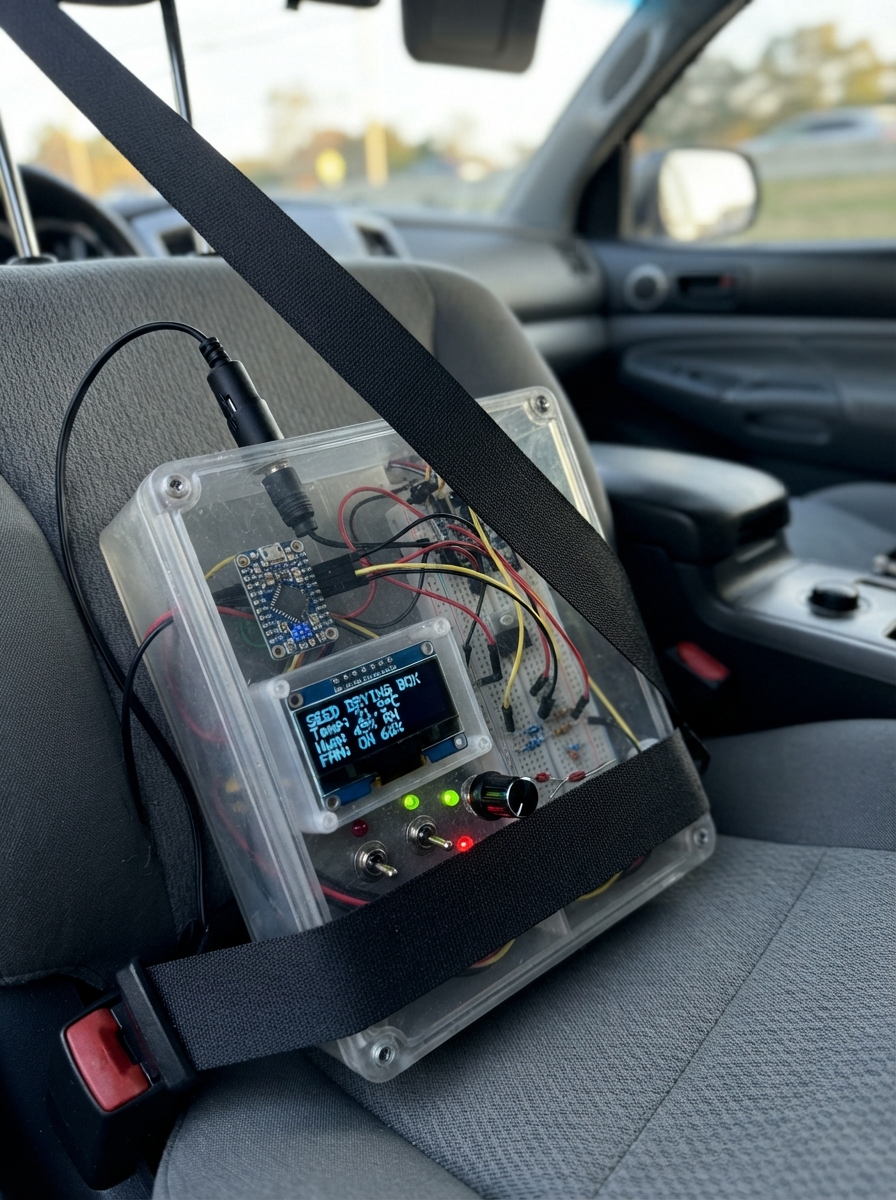
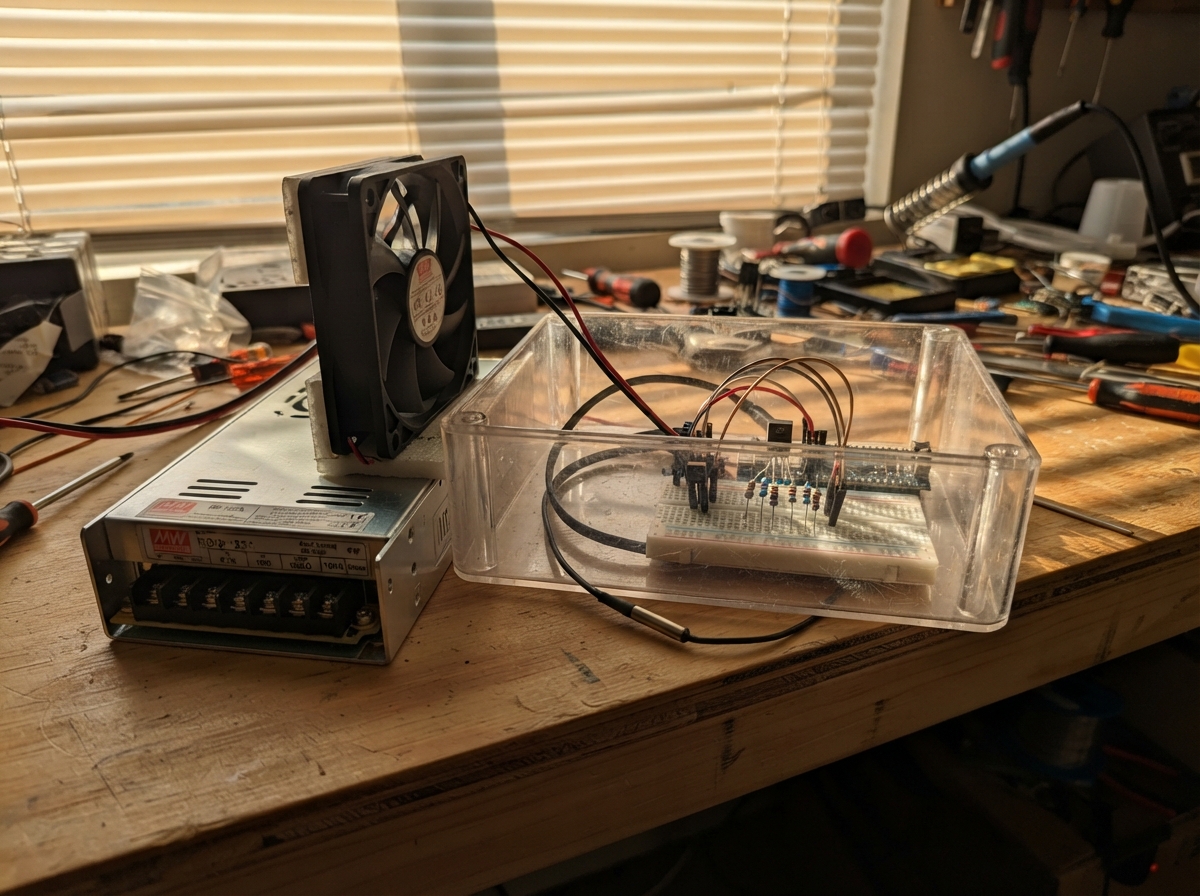
This seed drying box controller automatically manages humidity levels by modulating a 12V computer fan based on real-time sensor readings. The ESP32 microcontroller reads temperature and humidity from an SHT31-D sensor, displays the values on a small OLED screen, and adjusts fan speed via PWM control through a logic-level MOSFET to keep seeds drying at an optimal pace.
This guide provides a complete parts list, wiring diagram, and step-by-step assembly instructions for building the controller. You'll also get the Arduino firmware that implements proportional fan control—ramping speed from 30% at 45% humidity up to full speed at 65% humidity—along with details on configuring the 12V power supply and setting up the I2C sensor bus.
Wiring diagram

Gather all the parts
Assemble it in 6 steps
1. Set the 5 V converter before connecting the ESP32
With the ESP32 unplugged, connect supply_12v positive to buck_5v VIN+ and supply_12v negative to buck_5v VIN-. Plug in the adapter and use a multimeter while turning the converter’s small adjustment screw until VOUT+ to VOUT- reads 5.0 V. Disconnect the adapter after setting it.
- Turn the adjustment screw in very small amounts and re-measure each time.
- Do not connect the ESP32 until the converter measures 5.0 V — a higher setting can damage the board.
2. Power the ESP32 and fan from the 12 V supply
Connect buck_5v VOUT+ to the ESP32 pin labelled 5V or VIN (power), and buck_5v VOUT- to an ESP32 GND pin (ground). Connect fan_1 +12V to supply_12v +12V (power), and fan_1 GND to supply_12v GND (ground).
- On many computer fans the power wires are yellow for +12 V and black for GND, but follow the labels on your own fan.
- Keep the 12 V fan positive wire away from the ESP32 3V3 pins — 12 V on a 3.3 V pin can permanently damage the board.
- All grounds must meet at the shared GND connection or the fan speed control will not work reliably.
3. Wire the IRLZ44N fan-control switch
Hold fan_pwm_mosfet with its labelled flat face toward you and its three legs pointing down: on the usual TO-220 IRLZ44N, the left leg is GATE, middle is DRAIN, and right is SOURCE; the metal tab is also DRAIN. Connect SOURCE to supply_12v GND (ground). Connect DRAIN to fan_1 PWM (signal). Connect GPIO25 to one end of gate_resistor (signal) and its other end to GATE. Connect gate_pulldown between that same GATE connection and GND (off-at-startup safety). Leave the fan TACH wire unconnected and insulated.
- The PWM wire is commonly blue and the unused TACH wire commonly green, but use the fan’s label or datasheet rather than color alone.
- The IRLZ44N metal tab is electrically connected to DRAIN, so do not let it touch ground or a metal case unless it is insulated.
- Do not connect the fan PWM wire straight to GPIO25 — this MOSFET makes the safe pull-to-ground control signal the fan expects.
- Do not short the unused TACH wire to power or ground; cover its bare end with tape or heat-shrink.
4. Wire the humidity sensor
Connect sht31_1 VCC to ESP32 3V3 (power), GND to ESP32 GND (ground), SDA to GPIO21 (data), and SCL to GPIO22 (clock). Connect the sensor’s ADR pin to GND; that makes it answer at the address used by this project.
- Keep the sensor away from the fan motor and mount it where air from the seed tray passes it, not where it touches wet seeds.
- Make sure VCC and GND are not swapped — swapped power can damage the sensor.
5. Wire the small display
Connect oled_1 VCC to ESP32 3V3 (power), GND to ESP32 GND (ground), SDA to GPIO21 (data), and SCL to GPIO22 (clock). The screen and sensor intentionally share the two GPIO21 and GPIO22 wires.
- Read the labels on the OLED header; look-alike modules can put the four pins in a different physical order.
- Make sure VCC and GND are not swapped — swapped power can damage the screen.
6. Mount the parts inside the drying box
Mount fan_1 so it moves air through the seed tray rather than directly blasting the sensor. Place sht31_1 in the moving air but shield it from drips and direct wet-seed contact. Keep the ESP32, buck converter, and all bare connections outside the humid air path or in a ventilated electronics compartment.
- Use cable ties or screw terminals so vibration from the fan cannot pull out a wire.
- Keep mains-powered adapter wiring outside the box; only the low-voltage 12 V output should enter the enclosure.
Review all connections
1. Connections between "sht31_1" and "ESP32"
2. Connections between "oled_1" and "ESP32"
3. Connections between "fan_1" and "ESP32"
4. Connections between "supply_12v" and "ESP32"
5. Connections between "buck_5v" and "ESP32"
6. Connections between "gate_resistor" and "ESP32"
7. Connections between "gate_pulldown" and "ESP32"
8. Connections between "fan_pwm_mosfet" and "ESP32"
Deploy the firmware
#include <Wire.h>
#include <Adafruit_GFX.h>
#include <Adafruit_SSD1306.h>
#include <Adafruit_SHT31.h>

#define I2C_SDA_PIN 21
#define I2C_SCL_PIN 22
#define FAN_PWM_PIN 25

constexpr uint8_t SCREEN_WIDTH = 128;
constexpr uint8_t SCREEN_HEIGHT = 64;
constexpr uint8_t FAN_PWM_CHANNEL = 0;
constexpr uint16_t FAN_PWM_FREQUENCY = 25000;
constexpr uint8_t FAN_PWM_RESOLUTION = 8;
constexpr uint8_t FAN_MIN_PERCENT = 30;
constexpr float DRY_TARGET_RH = 45.0f;
constexpr float HIGH_RH = 65.0f;
constexpr unsigned long SAMPLE_INTERVAL_MS = 2000;

Adafruit_SSD1306 display(SCREEN_WIDTH, SCREEN_HEIGHT, &Wire, -1);
Adafruit_SHT31 sht31 = Adafruit_SHT31();

float shownTemperature = NAN;
float shownHumidity = NAN;
int shownFanPercent = -1;
bool shownSensorFault = false;
unsigned long lastSampleMs = 0;

int fanPercentForHumidity(float humidity) {
  if (humidity <= DRY_TARGET_RH) {
    return FAN_MIN_PERCENT;
  }
  if (humidity >= HIGH_RH) {
    return 100;
  }
  float fraction = (humidity - DRY_TARGET_RH) / (HIGH_RH - DRY_TARGET_RH);
  return FAN_MIN_PERCENT + (int)((100 - FAN_MIN_PERCENT) * fraction + 0.5f);
}

void setFanPercent(int percent) {
  percent = constrain(percent, FAN_MIN_PERCENT, 100);
  uint32_t maxDuty = (1UL << FAN_PWM_RESOLUTION) - 1;
  // A 4-pin fan internally pulls PWM high. The MOSFET makes a GPIO HIGH pull it LOW,
  // so invert the ESP32 duty cycle to give the fan the requested high-time percentage.
  uint32_t mosfetDuty = (maxDuty * (100 - percent)) / 100;
  ledcWrite(FAN_PWM_PIN, mosfetDuty);
}

void drawReadings(float temperature, float humidity, int fanPercent) {
  display.clearDisplay();
  display.setTextColor(SSD1306_WHITE);
  display.setTextSize(1);
  display.setCursor(0, 0);
  display.println(F("SEED DRYER"));
  display.drawFastHLine(0, 11, SCREEN_WIDTH, SSD1306_WHITE);

  display.setTextSize(2);
  display.setCursor(0, 18);
  display.print(humidity, 1);
  display.println(F("%RH"));

  display.setTextSize(1);
  display.setCursor(0, 43);
  display.print(F("Temp: "));
  display.print(temperature, 1);
  display.println(F(" C"));
  display.setCursor(0, 54);
  display.print(F("Fan:  "));
  display.print(fanPercent);
  display.print(F("%  Target: "));
  display.print(DRY_TARGET_RH, 0);
  display.print(F("%"));
  display.display();
}

void drawSensorFault() {
  display.clearDisplay();
  display.setTextColor(SSD1306_WHITE);
  display.setTextSize(1);
  display.setCursor(0, 0);
  display.println(F("SEED DRYER"));
  display.drawFastHLine(0, 11, SCREEN_WIDTH, SSD1306_WHITE);
  display.setTextSize(1);
  display.setCursor(0, 25);
  display.println(F("SHT31 not found"));
  display.setCursor(0, 40);
  display.println(F("Check SDA / SCL"));
  display.display();
}

void takeSample() {
  float temperature = sht31.readTemperature();
  float humidity = sht31.readHumidity();

  if (isnan(temperature) || isnan(humidity)) {
    setFanPercent(100);
    if (!shownSensorFault) {
      drawSensorFault();
      shownSensorFault = true;
    }
    return;
  }

  int fanPercent = fanPercentForHumidity(humidity);
  setFanPercent(fanPercent);

  bool changed = shownSensorFault || isnan(shownTemperature) ||
                 fabsf(temperature - shownTemperature) >= 0.1f ||
                 fabsf(humidity - shownHumidity) >= 0.1f ||
                 fanPercent != shownFanPercent;
  if (changed) {
    drawReadings(temperature, humidity, fanPercent);
    shownTemperature = temperature;
    shownHumidity = humidity;
    shownFanPercent = fanPercent;
    shownSensorFault = false;
  }
}

void setup() {
  Wire.begin(I2C_SDA_PIN, I2C_SCL_PIN);

  display.begin(SSD1306_SWITCHCAPVCC, 0x3C);
  display.clearDisplay();
  display.display();

  ledcAttach(FAN_PWM_PIN, FAN_PWM_FREQUENCY, FAN_PWM_RESOLUTION);
  setFanPercent(100);

  sht31.begin(0x44);
  takeSample();
}

void loop() {
  unsigned long now = millis();
  if (now - lastSampleMs >= SAMPLE_INTERVAL_MS) {
    lastSampleMs = now;
    takeSample();
  }

  unsigned long elapsed = millis() - lastSampleMs;
  unsigned long remaining = elapsed < SAMPLE_INTERVAL_MS ? SAMPLE_INTERVAL_MS - elapsed : 1;
  delay(remaining > 20 ? 20 : remaining);
}
Remix this project
Make it yours in one click
Open a full copy of this project in your own Schematik workspace — diagram, code, parts, and assembly steps included. Swap the sensor, add features, or redesign the whole thing with AI. The author's original stays untouched.