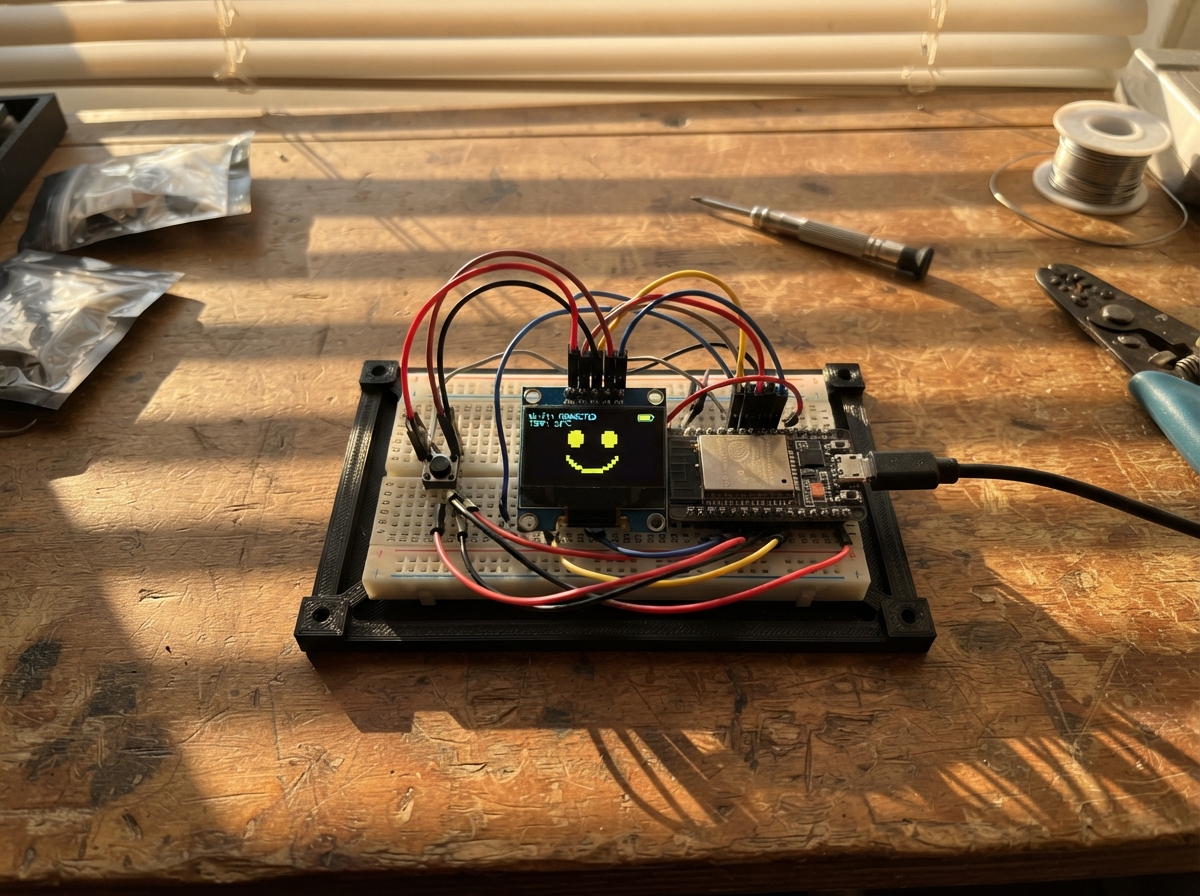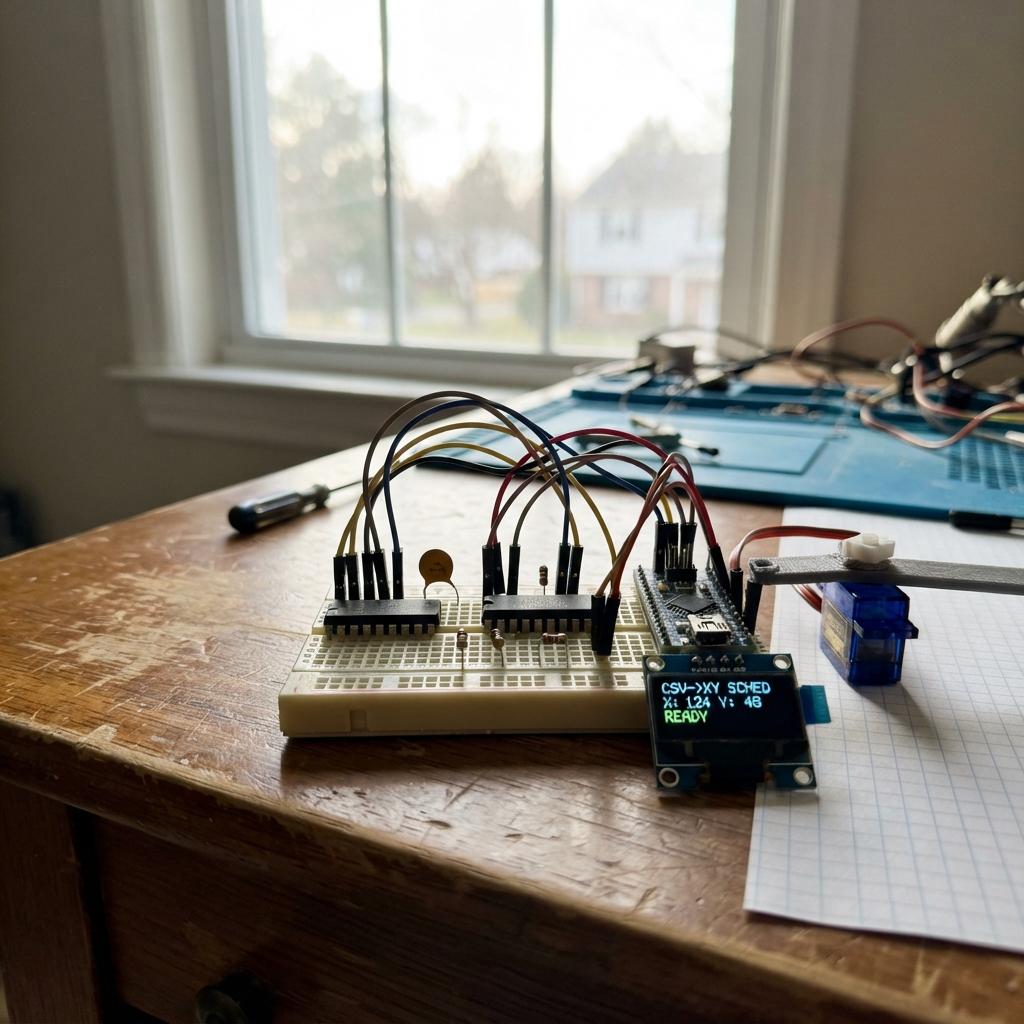
The CSV-to-XY Servo Scheduler reads time-stamped position data from a CSV file and converts it into coordinated servo movements across two axes. Built around an ESP32 microcontroller with isolated RS-422 output drivers (ISO7740FDWR and AM26C31IN), the system provides galvanic isolation between the control logic and external servo hardware, protecting sensitive equipment from ground loops and voltage transients.
This guide covers the complete wiring diagram, parts list, and assembly procedure for the isolated output stage. The included firmware handles CSV parsing, motion scheduling, and a web-based dashboard for configuration and preview. Builders will receive step-by-step assembly instructions, electrical schematics for both input and isolated output sections, and all necessary code to get the scheduler running—with safety interlocks that keep motor outputs disabled until mechanics and drive systems are fully verified.
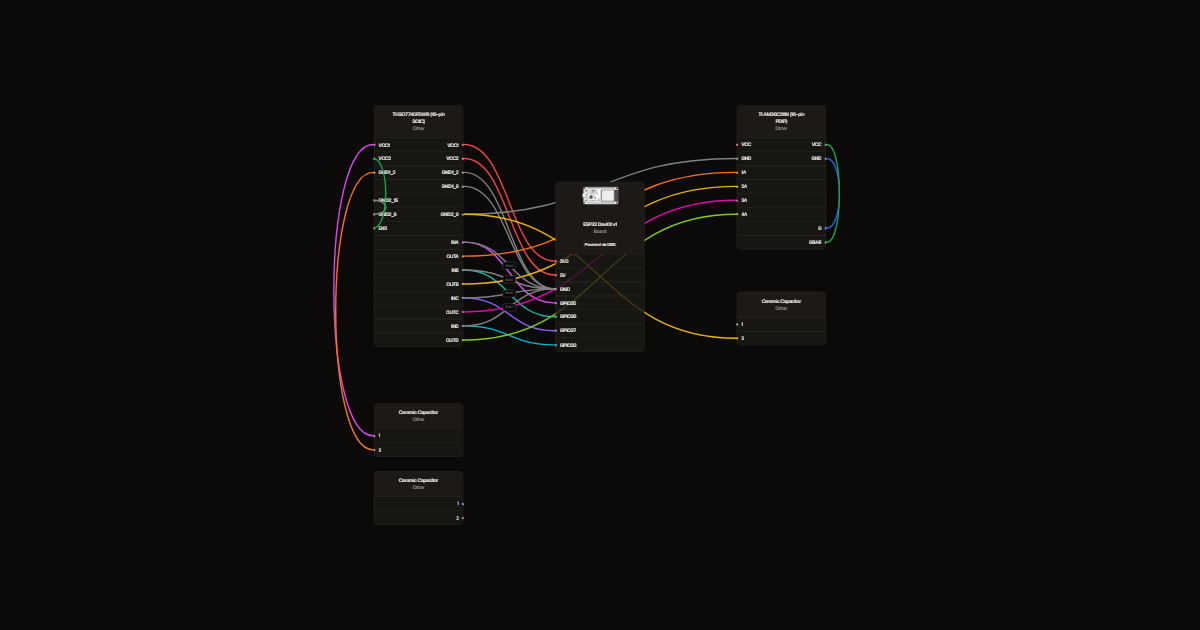
Wiring diagram
Gather all the parts
Assemble it in 4 steps
1. Keep both axes disconnected
This is a USB-powered, preview-only controller. Do not connect the line-driver outputs to either MR-TB50 or servo drive. Each axis needs a separate compatible servo drive; one motor per axis does not confirm that two drives are present.
- Industrial servo systems can cause serious injury. Unknown travel and electronic gearing prohibit motion commissioning.
2. Build the input side
Use a suitable PCB or SOIC adapter for ISO7740FDWR. GPIO25/26 are the reserved X command channels; GPIO27/33 are Y. Wire them to INA/INB/INC/IND. Fit one 10 kΩ pull-down on each input. Connect VCC1 to 3V3 and both GND1 pins to ESP32 ground. Leave isolator pin 7 unconnected.
3. Build the isolated output side
Power VCC2 and AM26C31 VCC from a separate, regulated, isolated 5 V bench supply. Connect its negative to both GND2 pins and driver ground, never to ESP32 ground. Connect OUTA/B/C/D to driver inputs 1A/2A/3A/4A. EN2 goes to isolated 5 V. Driver G goes to isolated ground and Gbar to isolated 5 V: all outputs stay disabled.
- Do not use servo 24 V on these 5 V parts. Do not bridge the isolation gap with wires or test-equipment grounds.
4. Fit local bypass capacitors
Place each 100 nF capacitor directly across its supply pins: c1 at isolator input side, c2 at output side, c3 at the driver. Leave all eight driver Y/Z outputs disconnected. Use the datasheet pin numbers in each part description.
Review all connections
1. Connections between "iso" and "ESP32"
2. Connections between "driver" and "ESP32"
3. Connections between "r1" and "ESP32"
4. Connections between "r2" and "ESP32"
5. Connections between "r3" and "ESP32"
6. Connections between "r4" and "ESP32"
7. Connections between "c1" and "ESP32"
8. Connections between "c2" and "ESP32"
9. Connections between "c3" and "ESP32"
Deploy the firmware
#include <Arduino.h>
#include <math.h>
#include <WiFi.h>
#include <WebServer.h>
#include "dashboard.h"
WebServer server(80);
String terminalLog;
class Console : public Print { public: size_t write(uint8_t c) override { Serial.write(c); terminalLog += char(c); if(terminalLog.length()>12000) terminalLog.remove(0,2000); return 1; } };
Console console;
// Intentionally preview-only. No command can enable motor output.
const int outputs[] = {25,26,27,33};
// CSV ENE/ENN are displacement in centimetres; TABLE remains a scaled mm preview.
struct Row { double t,e,n; };
Row rows[2000];
size_t count=0;
bool receiving=false, valid=false;
double scaleX=0,scaleY=0,ppmX=0,ppmY=0;
String line;
void command(String s) {
 s.trim();
 if(s=="BEGIN") {count=0; receiving=true;valid=false;console.println("READY");return;}
 if(s=="END") {receiving=false;valid=count>=2;console.println(valid?"LOADED":"ERROR: need at least two rows");return;}
 if(s.startsWith("CONFIG,")) {
  double a,b,c,d;char extra;
  if(sscanf(s.c_str(),"CONFIG,%lf,%lf,%lf,%lf%c",&a,&b,&c,&d,&extra)==4 && isfinite(a)&&isfinite(b)&&isfinite(c)&&isfinite(d)&&a>0&&b>0&&c>0&&d>0 && a*c<100000000 && b*d<100000000) {
   scaleX=a;scaleY=b;ppmX=c;ppmY=d;console.println("CONFIGURED: preview only");
  } else console.println("ERROR CONFIG");
  return;
 }
 if(s=="RUN") {console.println("LOCKED: outputs disabled; mechanics, drive mode and safety circuit unverified");return;}
 if(s=="TABLE") {
  if(!valid || ppmX==0){console.println("ERROR: load CSV and CONFIG first");return;}
  double ex=0,ny=0;
  for(size_t i=0;i<count;i++){ex=fmax(ex,fabs(rows[i].e-rows[0].e));ny=fmax(ny,fabs(rows[i].n-rows[0].n));}
  console.println("t_s,x_mm,y_mm,x_target_pulses,y_target_pulses,dx_pulses,dy_pulses,x_rate_pps,y_rate_pps");
  long px=0,py=0;
  for(size_t i=0;i<count;i++) {
   double x=ex?scaleX*(rows[i].e-rows[0].e)/ex:0;
   double y=ny?scaleY*(rows[i].n-rows[0].n)/ny:0;
   long nx=lround(x*ppmX),nn=lround(y*ppmY);
   double dt=i?rows[i].t-rows[i-1].t:1;
   console.printf("%.6f,%.6f,%.6f,%ld,%ld,%ld,%ld,%.3f,%.3f\n",rows[i].t,x,y,nx,nn,nx-px,nn-py,i?fabs(nx-px)/dt:0,i?fabs(nn-py)/dt:0);
   px=nx;py=nn;
  }
  console.println("TABLE_END");return;
 }
 if(receiving) {
  if(s=="t_s,ENE,ENN")return;
  double t,e,n;char extra;
  if(count>=2000 || sscanf(s.c_str(),"%lf,%lf,%lf%c",&t,&e,&n,&extra)!=3 || !isfinite(t)||!isfinite(e)||!isfinite(n)||t<0||t>3600 || (count==0 && t!=0) || (count && t<=rows[count-1].t)) {
   receiving=false;valid=false;console.println("ERROR CSV: finite ascending time starting at zero; max 2000 rows, 3600 seconds");return;
  }
  rows[count++]={t,e,n};console.println("OK");return;
 }
 console.println("Commands: BEGIN, CSV rows, END, CONFIG,x_span_mm,y_span_mm,x_pulses_per_mm,y_pulses_per_mm, TABLE. RUN is locked.");
}
void setup(){
 for(int pin:outputs){pinMode(pin,OUTPUT);digitalWrite(pin,LOW);}
 Serial.begin(115200);line.reserve(160);
 WiFi.softAP("Shake-Preview", "ShakePreview2026");
 server.on("/",HTTP_GET,[](){server.send_P(200,"text/html; charset=utf-8",dashboard);});
 server.on("/log",HTTP_GET,[](){server.send(200,"text/plain",terminalLog);});
 server.on("/command",HTTP_POST,[](){
  String text=server.arg("plain");
  if(text.length()>160){server.send(413,"text/plain","Command too long");return;}
  command(text);server.send(200,"text/plain","Command processed; see terminal");
 });
 server.on("/data",HTTP_GET,[](){
  server.setContentLength(CONTENT_LENGTH_UNKNOWN);server.send(200,"text/csv","");
  server.sendContent("t_s,ENE,ENN\n");
  if(valid) for(size_t i=0;i<count;i++){
   char buf[128];snprintf(buf,sizeof(buf),"%.9g,%.9g,%.9g\n",rows[i].t,rows[i].e,rows[i].n);server.sendContent(buf);
  }
  server.sendContent("");
 });
 server.begin();
 console.println("Phone Wi-Fi: Shake-Preview; password: ShakePreview2026; page: http://192.168.4.1");
 console.println("CSV scheduler PREVIEW ONLY; line driver hardware disabled");
}
void loop(){
 server.handleClient();
 while(Serial.available()){
  char c=Serial.read();
  if(c=='\n'){command(line);line="";}
  else if(c!='\r'){if(line.length()<159)line+=c;else{line="";receiving=false;valid=false;console.println("ERROR line too long");}}
 }
}
Remix this project
Make it yours in one click
Open a full copy of this project in your own Schematik workspace, diagram, code, parts, and assembly steps included. Swap the sensor, add features, or redesign the whole thing with AI. The author's original stays untouched.