Community project
ESP32 GIF Display
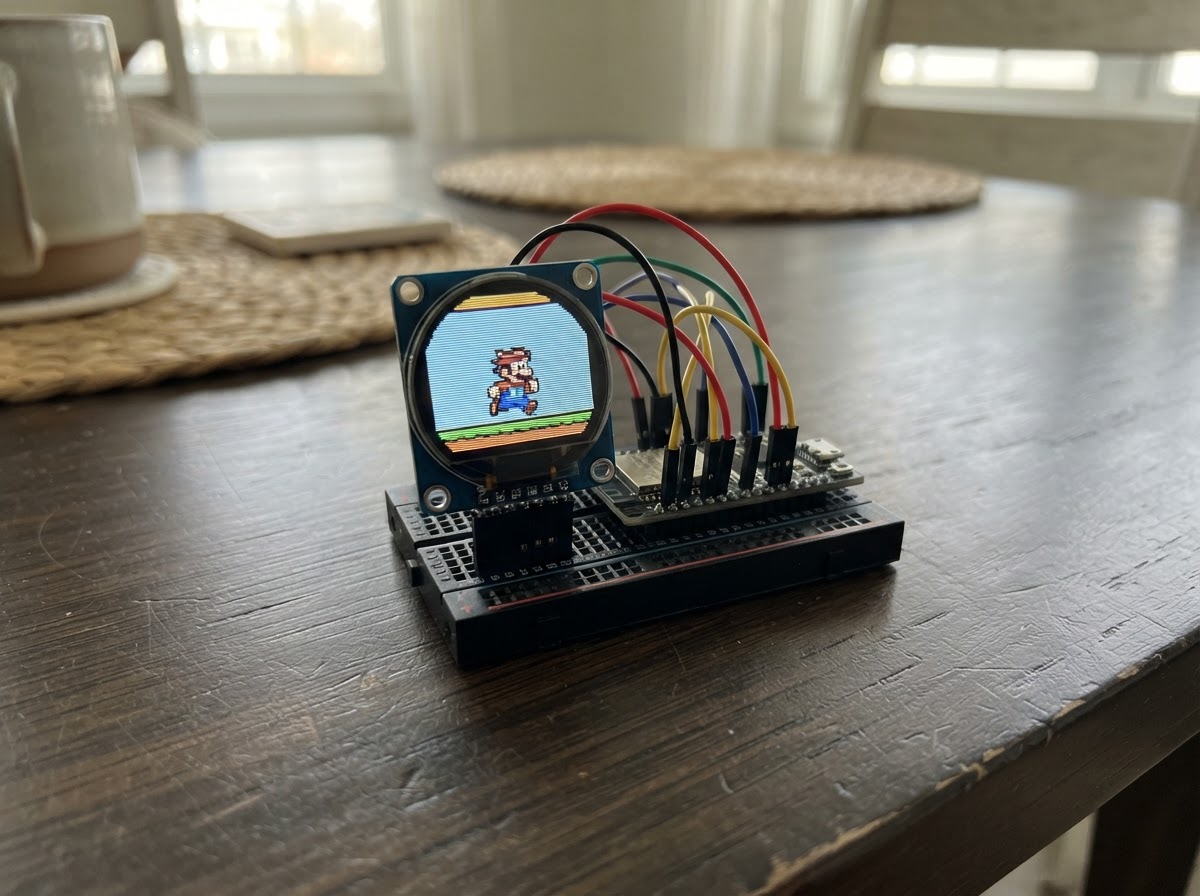
Build a playable dinosaur game on a compact 1.28-inch round display powered by an ESP32. This project combines the GC9A01 circular TFT LCD with SPI communication to render smooth animations and interactive gameplay, complete with score tracking and increasing difficulty.
The guide provides a complete wiring diagram showing how to connect the display's control lines (CS, DC, RST) and SPI data lines (MOSI, SCK) to the ESP32, a full parts list, ready-to-run firmware with game logic, and step-by-step assembly instructions to get the dinosaur jumping and dodging cacti.
Wiring diagram

Gather all the parts
Assemble it in 5 steps
1. Keep the display unpowered while checking the connections
Disconnect USB power from the ESP32-C3. Confirm that the GC9A01 module is a 3.3 V logic display and identify its labels; some modules label SPI data as DIN or SDA, and clock as CLK or SCL.
- The display SDA/DIN label means SPI data (MOSI), not I2C SDA.
- Use short wires where possible to keep the high-speed display signal clean.
- Never connect the display VCC to 5 V for this project.
2. Connect display power
Connect GC9A01 VCC to the ESP32-C3 3V3 pin, and GC9A01 GND to an ESP32-C3 GND pin.
- Power and ground must both be connected before the SPI signals can work.
- Check VCC and GND polarity carefully before plugging USB power back in.
3. Connect the control lines
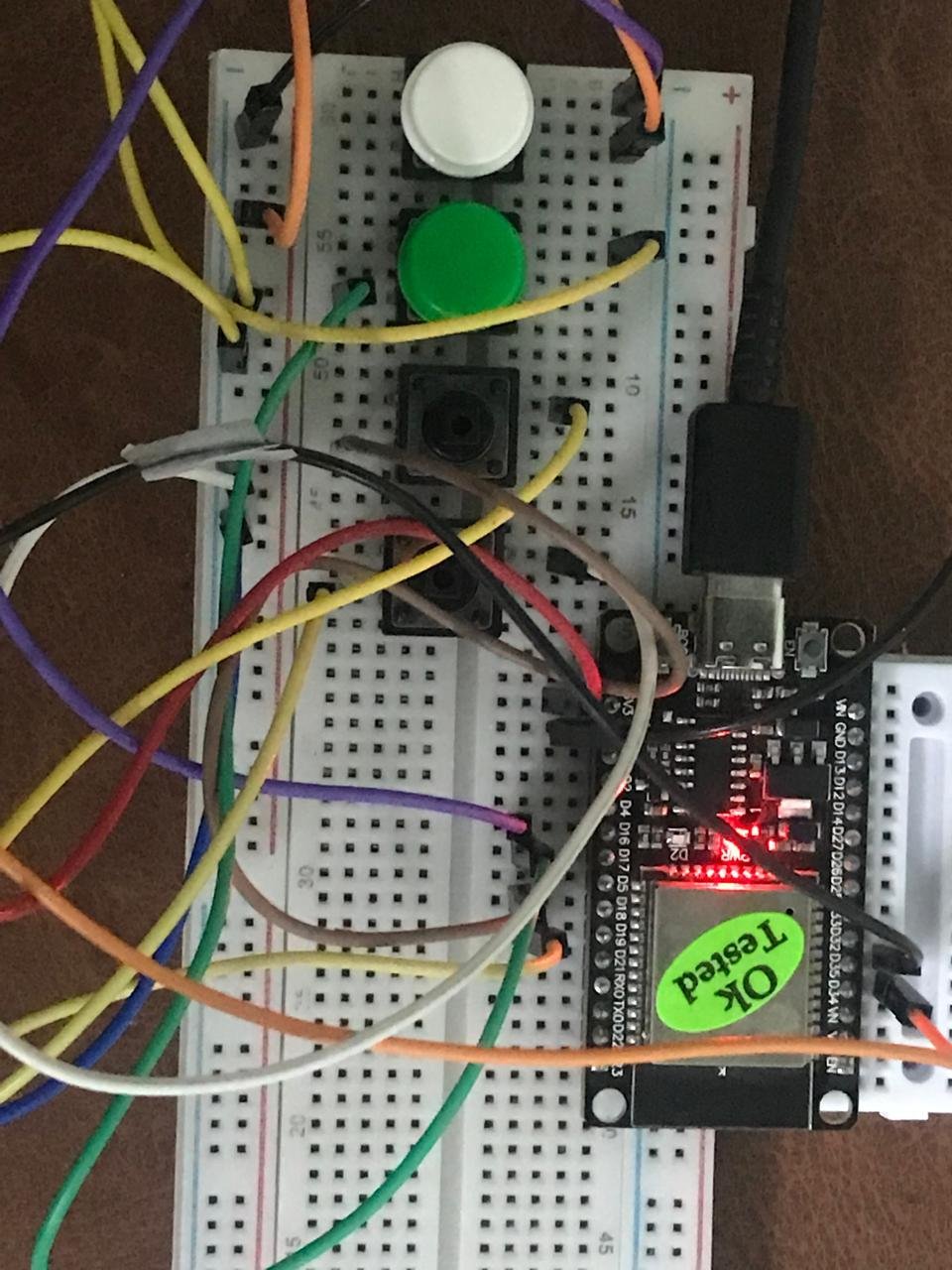
Wire GC9A01 RST to GPIO0, CS to GPIO1, and DC to GPIO10, matching the existing wiring shown in your photo.
- Follow the screen pin labels rather than wire colours.
- GPIO0 is used only as the display reset line in this build.
- If the C3 will not enter its normal boot/upload mode, temporarily disconnect the RST-to-GPIO0 wire; moving that reset line to a free GPIO is the longer-term fix.
4. Connect the SPI data lines
Wire GC9A01 SDA/DIN/MOSI to GPIO3 and GC9A01 SCL/CLK/SCK to GPIO4. Leave MISO disconnected because this display does not send data back to the ESP32.
- Keep these two wires as short as practical.
- The firmware explicitly assigns these pins to SPI, so it follows your wiring rather than a board default.
- Do not swap GPIO3 and GPIO4: data and clock are different signals.
5. Power and run the waterfall animation
Recheck all seven connections, then connect the ESP32-C3 through USB. Use Schematik's Deploy button to compile and flash the included firmware. The display should show a landscape with a continuously animated blue waterfall.
- The animation is built into the firmware, so no GIF file, SD card, or filesystem upload is required.
- If the screen is blank, immediately remove power and recheck VCC, GND, CS, DC, RST, and the DIN/CLK labels.
Review all connections
1. Connections between "gc9a01_display" and "ESP32"
Deploy the firmware
#include <Arduino.h>
#include <SPI.h>
#include <Adafruit_GFX.h>
#include <Adafruit_GC9A01A.h>
#include <Preferences.h>


// Forward declarations

// Forward declarations

// Forward declarations

// Forward declarations
void printPaddedScore(uint16_t value);

int cactusSpeed();
void drawGround();
void drawScore();
void updateMovingSprites();
void drawGameOver();

void resetGame();

void drawDino(int x, int y, bool legForward);
void drawCactus(int x);
void drawFrame();

constexpr int TFT_RST = 0;
constexpr int TFT_CS = 1;
constexpr int TFT_DC = 10;
constexpr int TFT_MOSI = 3;
constexpr int TFT_SCK = 4;
constexpr int BUTTON_PIN = 9;  // BOOT button: pressed = LOW
constexpr uint32_t FRAME_INTERVAL_MS = 50;
constexpr uint32_t BUTTON_DEBOUNCE_MS = 35;
constexpr int GAME_LEFT = 12;
constexpr int GAME_TOP = 48;
constexpr int GAME_W = 216;
constexpr int GAME_H = 154;
constexpr int GROUND_Y = 176;
constexpr uint16_t SKY = 0xFFFF;
constexpr uint16_t INK = 0x18C3;

Adafruit_GC9A01A tft(TFT_CS, TFT_DC, TFT_RST);
uint32_t lastFrameMs = 0;
int dinoY = GROUND_Y - 32;
int jumpVelocity = 0;
bool jumping = false;
int cactusX = 222;
uint16_t score = 0;
uint16_t highScore = 0;
Preferences preferences;
bool runLeg = false;
bool gameOver = false;
bool lastButtonReading = HIGH;
bool stableButtonState = HIGH;
uint32_t lastButtonChangeMs = 0;
int previousDinoY = GROUND_Y - 32;
int previousCactusX = 222;

int cactusSpeed() {
  // Add one pixel per frame every five points, capped to keep the game playable.
  return 5 + min(5, static_cast<int>(score / 5));
}

void drawGround() {
  tft.drawFastHLine(GAME_LEFT, GROUND_Y, GAME_W, INK);
  for (int x = GAME_LEFT + 4; x < GAME_LEFT + GAME_W; x += 27) {
    tft.drawFastHLine(x, GROUND_Y + 7, 11, INK);
  }
}

void printPaddedScore(uint16_t value) {
  if (value < 1000) tft.print('0');
  if (value < 100) tft.print('0');
  if (value < 10) tft.print('0');
  tft.print(value);
}

void drawScore() {
  // Keep the current score and the saved all-time high score together.
  tft.fillRect(103, 54, 121, 34, SKY);
  tft.setTextColor(INK, SKY);
  tft.setTextSize(1);
  tft.setCursor(106, 57);
  tft.print("SCORE ");
  printPaddedScore(score);
  tft.setCursor(106, 73);
  tft.print("HIGH  ");
  printPaddedScore(highScore);
}

void drawDino(int x, int y, bool legForward) {
  tft.fillRect(x + 12, y, 19, 17, INK);
  tft.fillRect(x + 8, y + 12, 18, 18, INK);
  tft.fillRect(x + 3, y + 23, 23, 9, INK);
  tft.fillRect(x, y + 25, 8, 5, INK);
  tft.fillRect(x + 22, y + 17, 9, 5, SKY);
  tft.fillRect(x + 24, y + 4, 3, 3, SKY);
  tft.fillRect(x + 7, y + 30, 5, 7, INK);
  tft.fillRect(x + 17, y + 30, 5, 7, INK);
  if (legForward) {
    tft.fillRect(x + 4, y + 36, 10, 4, INK);
    tft.fillRect(x + 17, y + 36, 5, 4, INK);
  } else {
    tft.fillRect(x + 7, y + 36, 5, 4, INK);
    tft.fillRect(x + 15, y + 36, 10, 4, INK);
  }
}

void drawCactus(int x) {
  tft.fillRect(x + 6, GROUND_Y - 35, 7, 35, INK);
  tft.fillRect(x, GROUND_Y - 23, 7, 6, INK);
  tft.fillRect(x, GROUND_Y - 29, 5, 8, INK);
  tft.fillRect(x + 12, GROUND_Y - 18, 8, 6, INK);
  tft.fillRect(x + 16, GROUND_Y - 25, 5, 10, INK);
}

void drawFrame() {
  // Used only for the initial screen and restart, never for the animation loop.
  tft.fillRect(GAME_LEFT, GAME_TOP, GAME_W, GAME_H, SKY);
  drawGround();
  drawDino(38, dinoY, runLeg);
  drawCactus(cactusX);
  drawScore();
  previousDinoY = dinoY;
  previousCactusX = cactusX;
}

void updateMovingSprites() {
  // Clear just the old sprite footprints instead of blanking the whole playfield.
  const int dinoClearTop = min(previousDinoY, dinoY) - 1;
  const int dinoClearBottom = max(previousDinoY, dinoY) + 41;
  tft.fillRect(36, dinoClearTop, 38, dinoClearBottom - dinoClearTop, SKY);

  const int cactusClearLeft = min(previousCactusX, cactusX) - 1;
  const int cactusClearRight = max(previousCactusX, cactusX) + 22;
  tft.fillRect(cactusClearLeft, GROUND_Y - 37,
               cactusClearRight - cactusClearLeft, 39, SKY);

  // The small erased areas may cross the ground, so restore only those thin lines.
  drawGround();
  drawDino(38, dinoY, runLeg);
  drawCactus(cactusX);
  previousDinoY = dinoY;
  previousCactusX = cactusX;
}

void drawGameOver() {
  tft.fillRect(38, 101, 164, 34, SKY);
  tft.setTextColor(INK, SKY);
  tft.setTextSize(2);
  tft.setCursor(61, 103);
  tft.print("GAME OVER");
  tft.setTextSize(1);
  tft.setCursor(55, 122);
  tft.print("PRESS BOOT TO RESTART");
}

void resetGame() {
  dinoY = GROUND_Y - 32;
  jumpVelocity = 0;
  jumping = false;
  cactusX = 222;
  score = 0;
  runLeg = false;
  gameOver = false;
  previousDinoY = dinoY;
  previousCactusX = cactusX;
}

void setup() {
  pinMode(BUTTON_PIN, INPUT_PULLUP);
  preferences.begin("dino-run", false);
  highScore = preferences.getUShort("high", 0);
  SPI.begin(TFT_SCK, -1, TFT_MOSI, TFT_CS);
  tft.begin(40000000);
  tft.setRotation(0);
  tft.fillScreen(SKY);
  tft.setTextColor(INK, SKY);
  tft.setTextSize(2);
  // "DINO RUN" is 96 pixels wide at text size 2; place it centrally.
  tft.setCursor(72, 22);
  tft.print("DINO RUN");
  drawFrame();
}

void loop() {
  const uint32_t now = millis();

  // Debounce the active-low BOOT button and act once per press.
  const bool buttonReading = digitalRead(BUTTON_PIN);
  if (buttonReading != lastButtonReading) lastButtonChangeMs = now;
  if (now - lastButtonChangeMs >= BUTTON_DEBOUNCE_MS &&
      buttonReading != stableButtonState) {
    stableButtonState = buttonReading;
    if (stableButtonState == LOW) {
      if (gameOver) {
        resetGame();
        drawFrame();
      } else if (!jumping) {
        // Higher launch speed gives enough clearance over the 35-pixel cactus.
        jumpVelocity = -12;
        jumping = true;
      }
    }
  }
  lastButtonReading = buttonReading;

  if (now - lastFrameMs < FRAME_INTERVAL_MS) return;
  lastFrameMs = now;
  if (gameOver) return;

  if (jumping) {
    dinoY += jumpVelocity;
    jumpVelocity += 1;
    if (dinoY >= GROUND_Y - 32) {
      dinoY = GROUND_Y - 32;
      jumpVelocity = 0;
      jumping = false;
    }
  }

  cactusX -= cactusSpeed();
  // Dinosaur body spans x=38..69; cactus spans cactusX..cactusX+20.
  // A collision is only possible while the dinosaur is close to the ground.
  if (cactusX + 20 >= 38 && cactusX <= 69 && dinoY + 40 >= GROUND_Y - 35) {
    gameOver = true;
    updateMovingSprites();
    drawGameOver();
    return;
  }
  if (cactusX < GAME_LEFT - 22) {
    cactusX = GAME_LEFT + GAME_W - 6;
    ++score;
    if (score > highScore) {
      highScore = score;
      preferences.putUShort("high", highScore);
    }
    drawScore();
  }
  runLeg = !runLeg;
  updateMovingSprites();
}
Remix this project
Make it yours in one click
Open a full copy of this project in your own Schematik workspace, diagram, code, parts, and assembly steps included. Swap the sensor, add features, or redesign the whole thing with AI. The author's original stays untouched.