Community project
ESP32 Statek radar
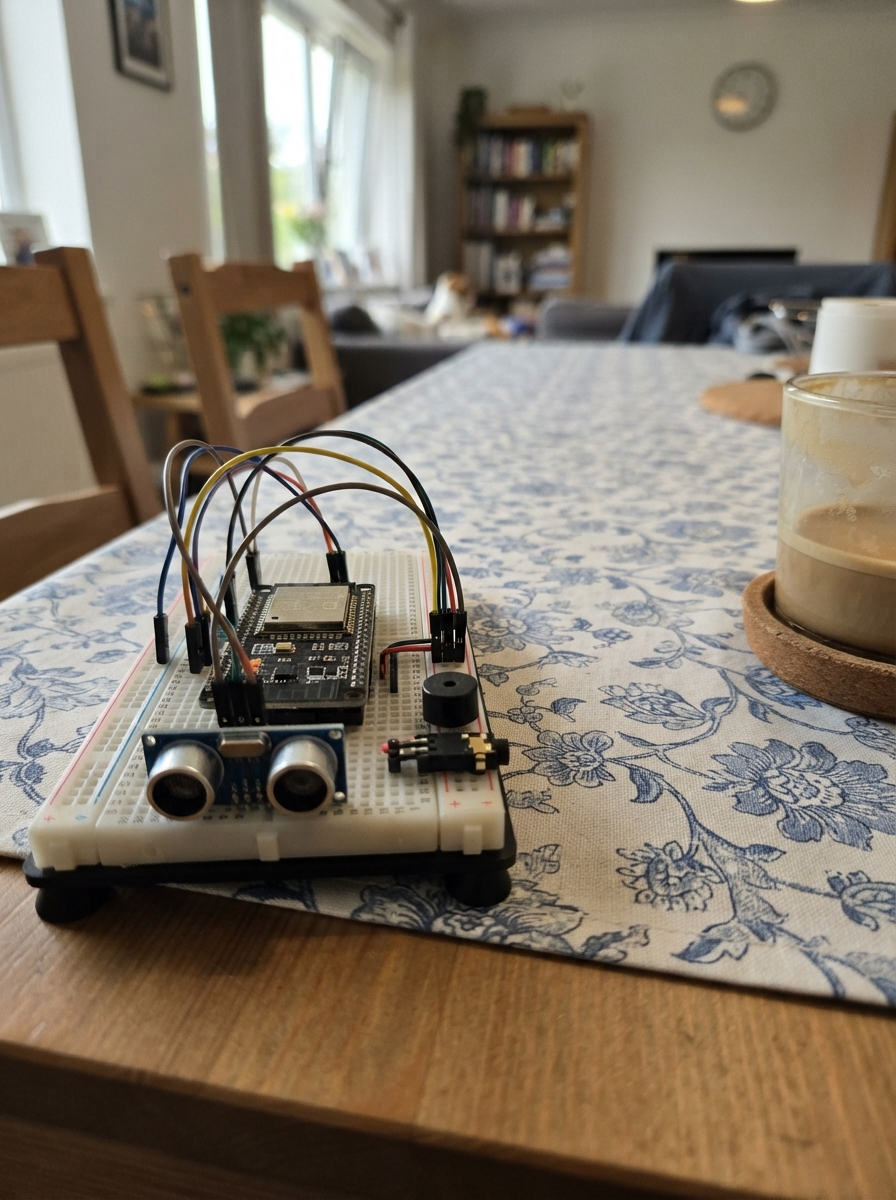
The ESP32 Statek radar displays live vessel positions from AISStream on a compact TFT screen, showing nearby ships within a 10 km radius on a rotating radar display. Built around a LilyGo T-Display with WiFi connectivity, it tracks up to 80 vessels in real time and includes optional alarm outputs for proximity alerts.
This guide provides a wiring diagram, complete parts list, and step-by-step assembly instructions. The firmware is pre-configured for the display and sensor pins; setup is handled through a captive WiFi portal where users enter their network credentials and preferred alert distance. Simply power on, rotate through the menu, and begin monitoring maritime traffic.
Wiring diagram

Gather all the parts
Assemble it in 3 steps
1. Leave the display board assembled
Use the LilyGO T-Display as it comes from the factory. Its screen, two buttons, and battery measurement circuit are already connected inside the board, so do not add wires to those parts.
- Keep the board on a non-metal surface while testing.
2. Connect the optional alarm header
If you use an external alarm circuit, connect DIGITAL_ALARM to GPIO13 (signal), LEVEL_PWM to GPIO32 (signal), TONE_PWM to GPIO33 (signal), AUDIO_DAC to GPIO25 through a 1 kΩ resistor (audio signal), and GND to GND (ground).
- Do not connect any alarm output to a voltage higher than 3.3 V — a higher voltage can damage the ESP32 pins.
3. Power, rotate, and open setup
Plug the board into USB for power. Press the left button briefly to rotate the display through vertical 0°, horizontal 90°, vertical 180°, and horizontal 270°; the selected position is saved. Hold the right-hand button for at least five seconds to open setup without deleting anything. If the board is connected to your router, open the router IP shown on the display in a phone browser. Otherwise join the ShipRadar-Setup Wi-Fi network and open 192.168.4.1.
- Hold the right button for about three seconds to open the information screen; it shows the connected Wi-Fi name, the router IP, and the selected location. On that screen, a short right-button press selects the next saved location.
Review all connections
1. Connections between "alarm_header" and "ESP32"
Deploy the firmware
/* LilyGo T-Display Ship Radar — AISStream live vessel reports */
#include <Arduino.h>
#include <WiFi.h>
#include <WebServer.h>
#include <Preferences.h>
#include <WebSocketsClient.h>
#include <ArduinoJson.h>
#include <LovyanGFX.hpp>
#include <math.h>
#define TFT_MOSI 19
#define TFT_SCLK 18
#define TFT_CS 5
#define TFT_DC 16
#define TFT_RST 23
#define TFT_BL 4
#define BTN_NEXT_PIN 0
#define BTN_ACTION_PIN 35
#define ALARM_DIGITAL_PIN 13
#define ALARM_LEVEL_PWM_PIN 32
#define ALARM_TONE_PWM_PIN 33
#define BATTERY_ENABLE_PIN 14
#define BATTERY_ADC_PIN 34
#define ALERT_DISTANCE_KM 10.0f
#define HOLD_INFO_MS 3000UL
#define HOLD_RESET_MS 5000UL
#define AP_SSID "ShipRadar-Setup"
#define NVS_NAMESPACE "shipradar"
#define SCREEN_W 240
#define SCREEN_H 135
#define RADAR_CX 120
#define RADAR_CY 70
#define RADAR_RADIUS 55
#define MAX_SHIPS 80
#define SHIP_STALE_MS 300000UL
class RadarDisplay : public lgfx::LGFX_Device { lgfx::Bus_SPI bus; lgfx::Panel_ST7789 panel; public: RadarDisplay(){auto bc=bus.config();bc.spi_host=SPI2_HOST;bc.freq_write=40000000;bc.pin_sclk=TFT_SCLK;bc.pin_mosi=TFT_MOSI;bc.pin_miso=-1;bc.pin_dc=TFT_DC;bus.config(bc);panel.setBus(&bus);auto pc=panel.config();pc.pin_cs=TFT_CS;pc.pin_rst=TFT_RST;pc.panel_width=135;pc.panel_height=240;pc.memory_width=240;pc.memory_height=320;pc.offset_x=52;pc.offset_y=40;pc.invert=true;pc.rgb_order=false;panel.config(pc);setPanel(&panel);}};
RadarDisplay display; Preferences prefs; WebServer configServer(80); WebSocketsClient aisSocket;
static const float RANGE_OPTIONS[]={0.5f,1,2,3,5,7.5f,10,15,20,25,30,40,50,60,75,100,125,150,175,200};
// This controls the periodic screen/battery refresh. Incoming AIS reports are drawn immediately.
static const unsigned long REFRESH_OPTIONS_MS[]={60000UL,120000UL,300000UL,600000UL,900000UL};
size_t rangeOptionIndex=12,refreshOptionIndex=0; float radarRangeKm=RANGE_OPTIONS[rangeOptionIndex]; unsigned long refreshIntervalMs=REFRESH_OPTIONS_MS[refreshOptionIndex]; double radarLat=0,radarLon=0; int activeLocationIndex=0; String aisApiKey; bool configMode=false,configServerReady=false,socketConnected=false,redrawNeeded=true; int shipListPage=-1; bool nextWasDown=false,actionWasDown=false,actionLongTriggered=false; unsigned long actionPressedAt=0; String radarStatus="Starting..."; String activeNetwork="Not connected"; String activeLocation="Not selected"; unsigned long lastBatteryReadMs=0,lastRedrawMs=0; float batteryVoltage=0, supplyVoltage=0; int batteryPercent=0; bool externalPower=false; uint8_t displayRotation=1; bool showChargeText=false; unsigned long lastChargeSwapMs=0; int screenW=240,screenH=135,radarCx=120,radarCy=70,radarRadius=55; const double DEG2RAD=M_PI/180.0;
bool isPortrait(){ return displayRotation==0 || displayRotation==2; }
String rotationLabel(){ const char* labels[]={"Vertical 0°","Horizontal 90°","Vertical 180°","Horizontal 270°"}; return labels[displayRotation & 3]; }
struct ShipPoint{uint32_t mmsi;float bearing,distance;String label;unsigned long seenAt;}; ShipPoint ships[MAX_SHIPS];int shipCount=0;
static const char CONFIG_HTML[] PROGMEM=R"HTML(<!doctype html><html><head><meta name="viewport" content="width=device-width,initial-scale=1"><title>Ship Radar setup</title><style>body{font-family:sans-serif;max-width:380px;margin:32px auto;padding:0 16px}input,button{box-sizing:border-box;width:100%;padding:10px;margin:5px 0 14px;font-size:16px}button{background:#087f23;color:#fff;border:0}</style></head><body><h2>Ship Radar setup</h2><p>Enter Wi-Fi, the radar centre and your AISStream key.</p><form method="post" action="/save"><label>Wi-Fi name</label><input name="ssid" required><label>Wi-Fi password</label><input name="pass" type="password"><label>Latitude</label><input name="lat" placeholder="54.3520" required><label>Longitude</label><input name="lon" placeholder="18.6466" required><label>AISStream API key</label><input name="aiskey" type="password" required><button>Save and connect</button></form></body></html>)HTML";
void showMessage(const char*a,const char*b=nullptr){display.fillScreen(TFT_BLACK);display.setTextSize(1);display.setTextColor(TFT_WHITE,TFT_BLACK);display.drawCentreString(a,screenW/2,screenH/2-18,2);if(b)display.drawCentreString(b,screenW/2,screenH/2+8,2);} double haversineKm(double a,double o,double b,double p){double dl=(b-a)*DEG2RAD,dn=(p-o)*DEG2RAD,x=sin(dl/2)*sin(dl/2)+cos(a*DEG2RAD)*cos(b*DEG2RAD)*sin(dn/2)*sin(dn/2);return 6371.0*2*atan2(sqrt(x),sqrt(1-x));} double bearingDeg(double a,double o,double b,double p){double d=(p-o)*DEG2RAD,y=sin(d)*cos(b*DEG2RAD),x=cos(a*DEG2RAD)*sin(b*DEG2RAD)-sin(a*DEG2RAD)*cos(b*DEG2RAD)*cos(d);return fmod(atan2(y,x)/DEG2RAD+360,360);}
void updateAlertOutputs(float nearest){bool near=nearest<=ALERT_DISTANCE_KM;digitalWrite(ALARM_DIGITAL_PIN,near);uint8_t level=near?(uint8_t)constrain((int)((ALERT_DISTANCE_KM-nearest)*255/ALERT_DISTANCE_KM),1,255):0;ledcWrite(ALARM_LEVEL_PWM_PIN,level);ledcWrite(ALARM_TONE_PWM_PIN,near?128:0);} int batteryPercentFromVoltage(float v){if(v>=4.20f)return 100;if(v>=4.15f)return 95;if(v>=4.10f)return 90;if(v>=4.05f)return 80;if(v>=4.00f)return 70;if(v>=3.95f)return 60;if(v>=3.90f)return 50;if(v>=3.85f)return 40;if(v>=3.80f)return 30;if(v>=3.75f)return 20;if(v>=3.70f)return 10;return 0;}
float readDividerVoltage(bool dividerEnabled){
  // GPIO14 controls the T-Display's divider; GPIO34 is the only analogue input.
  // The board's 1:2 divider keeps up to 6.0 V at roughly 3.0 V on GPIO34.
  digitalWrite(BATTERY_ENABLE_PIN,dividerEnabled ? HIGH : LOW);
  delay(12);
  analogReadMilliVolts(BATTERY_ADC_PIN); // discard settling conversion
  uint32_t totalMv=0;
  for(int i=0;i<16;i++){ totalMv+=analogReadMilliVolts(BATTERY_ADC_PIN); delay(2); }
  return (totalMv/16.0f)*2.0f/1000.0f;
}
void readBattery(){
  // Print both GPIO14 divider states to COM. This diagnoses the T-Display power path;
  // GPIO14 itself is a control output, not a second voltage-measurement input.
  float dividerHighVoltage=readDividerVoltage(true);
  float dividerLowVoltage=readDividerVoltage(false);
  digitalWrite(BATTERY_ENABLE_PIN,LOW);

  // A real Li-ion cell is normally 3.0–4.25 V. Retain only that reading for the
  // battery gauge, while still reporting values up to 6 V on COM for diagnosis.
  bool highIsCell=dividerHighVoltage>=3.00f && dividerHighVoltage<=4.35f;
  bool lowIsCell=dividerLowVoltage>=3.00f && dividerLowVoltage<=4.35f;
  if(highIsCell) batteryVoltage=dividerHighVoltage;
  else if(lowIsCell) batteryVoltage=dividerLowVoltage;
  else batteryVoltage=0.0f;
  supplyVoltage=dividerHighVoltage;
  batteryPercent=batteryVoltage>0 ? constrain(batteryPercentFromVoltage(batteryVoltage),0,100) : 0;
  // A value above the single-cell range is the board supply seen while USB/external
  // power is present. Alternate its measured value with the charge indication.
  externalPower=dividerHighVoltage>4.30f || dividerLowVoltage>4.30f;
  Serial.printf("Battery divider GPIO14=HIGH: %.3f V; GPIO14=LOW: %.3f V; gauge: %.3f V, %d%%; external=%s\n",dividerHighVoltage,dividerLowVoltage,batteryVoltage,batteryPercent,externalPower?"yes":"no");
}
void drawRadar(){display.fillScreen(TFT_BLACK);display.drawRect(0,0,screenW,screenH,TFT_DARKGREEN);display.drawCircle(radarCx,radarCy,radarRadius,TFT_GREEN);display.drawCircle(radarCx,radarCy,radarRadius*2/3,TFT_DARKGREEN);display.drawCircle(radarCx,radarCy,radarRadius/3,TFT_DARKGREEN);display.drawLine(radarCx-radarRadius,radarCy,radarCx+radarRadius,radarCy,TFT_DARKGREEN);display.drawLine(radarCx,radarCy-radarRadius,radarCx,radarCy+radarRadius,TFT_DARKGREEN);display.setTextSize(1);display.setTextColor(TFT_WHITE,TFT_BLACK);display.drawCentreString("N",radarCx,radarCy-radarRadius-10,1);display.drawCentreString("S",radarCx,radarCy+radarRadius+2,1);display.drawString("W",radarCx-radarRadius-10,radarCy-3);display.drawString("E",radarCx+radarRadius+4,radarCy-3);char buf[24];snprintf(buf,sizeof(buf),radarRangeKm<10&&floorf(radarRangeKm)!=radarRangeKm?"%.1f km":"%.0f km",radarRangeKm);display.setTextColor(TFT_YELLOW,TFT_BLACK);display.drawString(buf,4,4);snprintf(buf,sizeof(buf),"%lum",refreshIntervalMs/60000UL);display.drawCentreString(buf,screenW/2,4,1);if(externalPower){if(showChargeText)snprintf(buf,sizeof(buf),"Charge...");else snprintf(buf,sizeof(buf),"%.2fV",supplyVoltage);}else snprintf(buf,sizeof(buf),"%.2fV %d%%",batteryVoltage,batteryPercent);display.setTextColor(TFT_CYAN,TFT_BLACK);display.drawRightString(buf,screenW-4,4);display.drawString(radarStatus,4,screenH-14);for(int i=0;i<shipCount;i++){ShipPoint&s=ships[i];if(s.distance>radarRangeKm)continue;float a=(s.bearing-90)*DEG_TO_RAD,r=s.distance*radarRadius/radarRangeKm;int x=radarCx+(int)(cosf(a)*r),y=radarCy+(int)(sinf(a)*r);display.fillTriangle(x,y-4,x-4,y+3,x+4,y+3,TFT_CYAN);String label=s.label;label.trim();if(label.length()>7)label=label.substring(0,7);display.setTextColor(TFT_WHITE,TFT_BLACK);display.drawString(label,constrain(x+4,0,screenW-42),constrain(y-8,15,screenH-24));}redrawNeeded=false;}
void drawShipList(){const int PER_PAGE=isPortrait()?9:5;int order[MAX_SHIPS];for(int i=0;i<shipCount;i++)order[i]=i;for(int i=0;i<shipCount-1;i++)for(int j=i+1;j<shipCount;j++)if(ships[order[j]].distance<ships[order[i]].distance){int t=order[i];order[i]=order[j];order[j]=t;}int pages=max(1,(shipCount+PER_PAGE-1)/PER_PAGE);if(shipListPage<0||shipListPage>=pages)shipListPage=0;display.fillScreen(TFT_BLACK);display.setTextColor(TFT_CYAN,TFT_BLACK);display.drawString("Nearby ships",4,3,2);char pageText[20];snprintf(pageText,sizeof(pageText),"%d/%d",shipListPage+1,pages);display.drawRightString(pageText,screenW-4,5,2);int first=shipListPage*PER_PAGE;for(int row=0;row<PER_PAGE;row++){int n=first+row;if(n>=shipCount)break;ShipPoint&s=ships[order[n]];String name=s.label;name.trim();if(name.isEmpty())name="Unknown ship";int y=25+row*21;display.setTextColor(TFT_WHITE,TFT_BLACK);display.drawString(name.substring(0,isPortrait()?12:22),4,y,1);char distanceText[18];snprintf(distanceText,sizeof(distanceText),"%.1f km",s.distance);display.setTextColor(TFT_YELLOW,TFT_BLACK);display.drawRightString(distanceText,screenW-4,y,1);display.drawFastHLine(4,y+15,screenW-8,TFT_DARKGREY);}display.setTextColor(TFT_LIGHTGREY,TFT_BLACK);display.drawString("Short: next  Hold: radar",4,screenH-14,1);redrawNeeded=false;}
void drawInfoScreen(){
  display.fillScreen(TFT_BLACK); display.setTextColor(TFT_CYAN,TFT_BLACK); display.drawString("Connection info",4,4,2);
  display.setTextColor(TFT_WHITE,TFT_BLACK); display.drawString("Wi-Fi:",4,30,1); display.drawString(activeNetwork.substring(0,isPortrait()?18:25),4,42,1);
  display.drawString("Router IP:",4,58,1); display.drawString(WiFi.status()==WL_CONNECTED?WiFi.localIP().toString():"not connected",4,70,1);
  display.drawString("Location:",4,86,1); display.drawString(activeLocation.substring(0,isPortrait()?18:22),4,98,1);
  display.setTextColor(TFT_YELLOW,TFT_BLACK); display.drawString("Right: place  Left: rotate",4,screenH-14,1); redrawNeeded=false;
}
void drawCurrentScreen(){if(shipListPage==-2)drawInfoScreen();else if(shipListPage<0)drawRadar();else drawShipList();}
void subscribeAis(){if(!socketConnected||aisApiKey.isEmpty())return;double latSpan=radarRangeKm/111.0,lonSpan=radarRangeKm/(111.0*max(0.10,cos(radarLat*DEG2RAD)));JsonDocument doc;doc["APIKey"]=aisApiKey;JsonArray boxes=doc["BoundingBoxes"].to<JsonArray>();JsonArray box=boxes.add<JsonArray>();
// AISStream requires [[north-west latitude, longitude], [south-east latitude, longitude]].
// This is the same corner order as the official AISStream example.
JsonArray northWest=box.add<JsonArray>();northWest.add(radarLat+latSpan);northWest.add(radarLon-lonSpan);JsonArray southEast=box.add<JsonArray>();southEast.add(radarLat-latSpan);southEast.add(radarLon+lonSpan);JsonArray messageTypes=doc["FilterMessageTypes"].to<JsonArray>();messageTypes.add("PositionReport");String message;serializeJson(doc,message);Serial.printf("AIS box NW %.5f,%.5f SE %.5f,%.5f; range %.1f km\n",radarLat+latSpan,radarLon-lonSpan,radarLat-latSpan,radarLon+lonSpan,radarRangeKm);Serial.printf("AIS subscription bytes: %u\n",(unsigned)message.length());bool sent=aisSocket.sendTXT(message);Serial.printf("AIS subscription sent: %s\n",sent?"yes":"no");radarStatus=sent?"AIS: subscribed":"AIS send failed";redrawNeeded=true;drawCurrentScreen();lastRedrawMs=millis();}
void processAis(uint8_t*payload,size_t length){JsonDocument doc;if(deserializeJson(doc,payload,length)){radarStatus="AIS bad JSON";redrawNeeded=true;return;}const char *messageType=doc["MessageType"]|"";bool isPosition=String(messageType)=="PositionReport"||String(messageType)=="StandardClassBPositionReport"||String(messageType)=="ExtendedClassBPositionReport";if(!isPosition){const char *error=doc["Error"]|doc["Message"]|"";if(strlen(error)>0){radarStatus=String("AIS: ")+String(error).substring(0,22);redrawNeeded=true;}return;}JsonObject meta=doc["MetaData"];JsonObject report=doc["Message"][messageType];
// AISStream's PositionReport places Latitude and Longitude inside Message.PositionReport.
// Some server variants also include lowercase coordinates in MetaData, so accept both.
double lat=report["Latitude"]|meta["latitude"]|NAN;
double lon=report["Longitude"]|meta["longitude"]|NAN;
if(isnan(lat)||isnan(lon)){radarStatus="AIS: no coordinates";redrawNeeded=true;return;}
float distance=haversineKm(radarLat,radarLon,lat,lon);if(distance>radarRangeKm)return;uint32_t mmsi=report["UserID"]|meta["MMSI"]|0;if(!mmsi)return;int index=-1;for(int i=0;i<shipCount;i++)if(ships[i].mmsi==mmsi){index=i;break;}if(index<0){if(shipCount>=MAX_SHIPS)return;index=shipCount++;}ships[index].mmsi=mmsi;ships[index].bearing=bearingDeg(radarLat,radarLon,lat,lon);ships[index].distance=distance;const char *shipName=meta["ShipName"]|"SHIP";ships[index].label=String(shipName);ships[index].seenAt=millis();float nearest=999999;for(int i=0;i<shipCount;i++)nearest=min(nearest,ships[i].distance);updateAlertOutputs(nearest);radarStatus=String("AIS: ")+shipCount+" ships";redrawNeeded=true;
// A received report changes what is visible, so show it immediately. The selected
// interval only schedules the quiet periodic refresh when no AIS report arrives.
lastRedrawMs=millis();drawCurrentScreen();}
void webSocketEvent(WStype_t type,uint8_t*payload,size_t length){
  if(type==WStype_CONNECTED){socketConnected=true;Serial.println("AIS connected");radarStatus="AIS: subscribing";redrawNeeded=true;drawCurrentScreen();lastRedrawMs=millis();subscribeAis();}
  else if(type==WStype_DISCONNECTED){socketConnected=false;uint16_t closeCode=0;if(payload&&length>=2)closeCode=((uint16_t)payload[0]<<8)|payload[1];String closeReason="";if(payload&&length>2)for(size_t i=2;i<length;i++)closeReason+=(char)payload[i];Serial.printf("AIS disconnected; close %u %s\n",closeCode,closeReason.c_str());radarStatus=closeCode?String("AIS closed ")+closeCode:"AIS reconnecting";redrawNeeded=true;}
  else if(type==WStype_ERROR){String error;for(size_t i=0;i<length;i++) error+=(char)payload[i];Serial.printf("AIS error: %s\n",error.c_str());radarStatus="AIS error";redrawNeeded=true;}
  else if(type==WStype_TEXT||type==WStype_BIN){
    // AISStream transmits UTF-8 JSON in binary WebSocket frames.
    Serial.printf("AIS %s: %u bytes: %.*s\n",type==WStype_BIN?"binary JSON":"text JSON",(unsigned)length,(int)min(length,(size_t)160),payload);
    processAis(payload,length);
  }
}void startAis(){if(aisApiKey.isEmpty()){radarStatus="Missing AIS key";redrawNeeded=true;drawCurrentScreen();return;}aisSocket.onEvent(webSocketEvent);aisSocket.setReconnectInterval(5000);radarStatus="AIS connecting";redrawNeeded=true;drawCurrentScreen();lastRedrawMs=millis();aisSocket.beginSSL("stream.aisstream.io",443,"/v0/stream");}
void applyOrientation(){
  display.setRotation(displayRotation & 3);
  screenW=isPortrait()?135:240; screenH=isPortrait()?240:135;
  radarCx=screenW/2; radarCy=isPortrait()?130:70; radarRadius=isPortrait()?52:55;
}
String configInput(const String& label,const String& name,const String& value,const String& type="text") { return "<label>"+label+"</label><input name='"+name+"' type='"+type+"' value='"+value+"'>"; }
String buildConfigPage(){
  prefs.begin(NVS_NAMESPACE,true); int li=prefs.getUInt("locidx",0),ki=prefs.getUInt("keyidx",0); uint8_t savedRotation=prefs.isKey("rotation") ? prefs.getUChar("rotation",1) : (prefs.getBool("portrait",false)?0:1); String p="<!doctype html><html><head><meta name='viewport' content='width=device-width,initial-scale=1'><title>Ship Radar setup</title><style>body{font-family:sans-serif;max-width:480px;margin:18px auto;padding:0 14px}input,select,button{box-sizing:border-box;width:100%;padding:9px;margin:4px 0 11px;font-size:16px}button{background:#087f23;color:#fff;border:0}h3{margin:18px 0 4px}</style></head><body><h2>Ship Radar setup</h2><p>Save up to three Wi-Fi networks, places and AIS keys. The radar tries Wi-Fi 1, then 2, then 3.</p><form method='post' action='/save'>";
  for(int i=0;i<3;i++){p+="<h3>Wi-Fi "+String(i+1)+"</h3>"+configInput("Network name","ssid"+String(i),prefs.getString(("ssid"+String(i)).c_str(),""))+configInput("Password","pass"+String(i),prefs.getString(("pass"+String(i)).c_str(),""),"password");}
  p+="<h3>Current location</h3><select name='locidx'>"; for(int i=0;i<3;i++){String n=prefs.getString(("locname"+String(i)).c_str(),"Place "+String(i+1));p+="<option value='"+String(i)+"'"+(i==li?" selected":"")+">"+n+"</option>";} p+="</select>";
  for(int i=0;i<3;i++){p+="<h3>Place "+String(i+1)+"</h3>"+configInput("Name","locname"+String(i),prefs.getString(("locname"+String(i)).c_str(),"Place "+String(i+1)))+configInput("Latitude","lat"+String(i),String(prefs.getDouble(("lat"+String(i)).c_str(),0),6))+configInput("Longitude","lon"+String(i),String(prefs.getDouble(("lon"+String(i)).c_str(),0),6));}
  p+="<h3>Current AIS key</h3><select name='keyidx'>"; for(int i=0;i<3;i++){String n=prefs.getString(("keyname"+String(i)).c_str(),"AIS key "+String(i+1));p+="<option value='"+String(i)+"'"+(i==ki?" selected":"")+">"+n+"</option>";} p+="</select>";
  for(int i=0;i<3;i++)p+="<h3>AIS key "+String(i+1)+"</h3>"+configInput("Label","keyname"+String(i),prefs.getString(("keyname"+String(i)).c_str(),"AIS key "+String(i+1)))+configInput("AISStream API key","aiskey"+String(i),prefs.getString(("aiskey"+String(i)).c_str(),""),"password");
  p+="<h3>Screen rotation</h3><select name='rotation'><option value='0'"+String(savedRotation==0?" selected":"")+">Vertical 0 degrees</option><option value='1'"+String(savedRotation==1?" selected":"")+">Horizontal 90 degrees</option><option value='2'"+String(savedRotation==2?" selected":"")+">Vertical 180 degrees</option><option value='3'"+String(savedRotation==3?" selected":"")+">Horizontal 270 degrees</option></select><button>Save and restart</button></form></body></html>"; prefs.end(); return p;
}
void startConfigPortal(bool apMode=true){
  // On normal startup the server listens on the router-assigned address without
  // changing radio mode. A five-second right-button hold deliberately switches to
  // this board's own setup network.
  if(apMode) {
    configMode=true; aisSocket.disconnect(); WiFi.disconnect(true); delay(100);
    WiFi.mode(WIFI_AP); WiFi.setSleep(false); WiFi.softAP(AP_SSID);
    Serial.printf("Setup portal started: AP http://%s\n",WiFi.softAPIP().toString().c_str());
  } else {
    configMode=false;
    Serial.printf("Setup page available at router IP: http://%s\n",WiFi.localIP().toString().c_str());
  }
  if(!configServerReady) {
  configServer.on("/",HTTP_GET,[](){ configServer.sendHeader("Cache-Control","no-store"); configServer.send(200,"text/html",buildConfigPage()); });
  configServer.on("/save",HTTP_POST,[](){
prefs.begin(NVS_NAMESPACE,false);for(int i=0;i<3;i++){prefs.putString(("ssid"+String(i)).c_str(),configServer.arg("ssid"+String(i)));prefs.putString(("pass"+String(i)).c_str(),configServer.arg("pass"+String(i)));prefs.putString(("locname"+String(i)).c_str(),configServer.arg("locname"+String(i)));prefs.putDouble(("lat"+String(i)).c_str(),configServer.arg("lat"+String(i)).toDouble());prefs.putDouble(("lon"+String(i)).c_str(),configServer.arg("lon"+String(i)).toDouble());prefs.putString(("keyname"+String(i)).c_str(),configServer.arg("keyname"+String(i)));prefs.putString(("aiskey"+String(i)).c_str(),configServer.arg("aiskey"+String(i)));}prefs.putUInt("locidx",configServer.arg("locidx").toInt());prefs.putUInt("keyidx",configServer.arg("keyidx").toInt());prefs.putUChar("rotation",(uint8_t)constrain(configServer.arg("rotation").toInt(),0,3));prefs.end();configServer.send(200,"text/html","<h2>Saved. Restarting.</h2>");delay(800);ESP.restart();});
  configServer.onNotFound([](){ configServer.sendHeader("Location","/"); configServer.send(302,"text/plain",""); });
  configServer.begin();
  configServerReady=true;
  }
  if(apMode) showMessage("Join ShipRadar-Setup","open 192.168.4.1");
}
void setup(){Serial.begin(115200);pinMode(TFT_BL,OUTPUT);digitalWrite(TFT_BL,HIGH);pinMode(BTN_NEXT_PIN,INPUT_PULLUP);pinMode(BTN_ACTION_PIN,INPUT);pinMode(ALARM_DIGITAL_PIN,OUTPUT);pinMode(BATTERY_ENABLE_PIN,OUTPUT);digitalWrite(BATTERY_ENABLE_PIN,LOW);pinMode(BATTERY_ADC_PIN,INPUT);analogReadResolution(12);analogSetPinAttenuation(BATTERY_ADC_PIN,ADC_11db);readBattery();ledcAttach(ALARM_LEVEL_PWM_PIN,5000,8);ledcAttach(ALARM_TONE_PWM_PIN,2000,8);updateAlertOutputs(999999);display.init();prefs.begin(NVS_NAMESPACE,true);displayRotation=prefs.isKey("rotation") ? prefs.getUChar("rotation",1) : (prefs.getBool("portrait",false)?0:1); displayRotation&=3;int locIndex=min((int)prefs.getUInt("locidx",0),2),keyIndex=min((int)prefs.getUInt("keyidx",0),2);activeLocationIndex=locIndex;activeLocation=prefs.getString(("locname"+String(locIndex)).c_str(),"Place "+String(locIndex+1));String ssids[3],passes[3];for(int i=0;i<3;i++){ssids[i]=prefs.getString(("ssid"+String(i)).c_str(),i==0?prefs.getString("ssid",""):"");passes[i]=prefs.getString(("pass"+String(i)).c_str(),i==0?prefs.getString("pass",""):"");}aisApiKey=prefs.getString(("aiskey"+String(keyIndex)).c_str(),keyIndex==0?prefs.getString("aiskey",""):"");radarLat=prefs.getDouble(("lat"+String(locIndex)).c_str(),locIndex==0?prefs.getDouble("lat",0):0);radarLon=prefs.getDouble(("lon"+String(locIndex)).c_str(),locIndex==0?prefs.getDouble("lon",0):0);rangeOptionIndex=min((size_t)prefs.getUInt("rangeIdx",rangeOptionIndex),(size_t)19);radarRangeKm=RANGE_OPTIONS[rangeOptionIndex];refreshOptionIndex=min((size_t)prefs.getUInt("refreshIdx",refreshOptionIndex),(size_t)4);refreshIntervalMs=REFRESH_OPTIONS_MS[refreshOptionIndex];prefs.end();applyOrientation();drawCurrentScreen();if(ssids[0].isEmpty()||aisApiKey.isEmpty()){startConfigPortal();return;}WiFi.mode(WIFI_STA);bool connected=false;String activeSsid;for(int i=0;i<3&&!connected;i++){if(ssids[i].isEmpty())continue;showMessage("Connecting to Wi-Fi...",ssids[i].c_str());WiFi.disconnect(true);delay(200);WiFi.begin(ssids[i].c_str(),passes[i].c_str());unsigned long start=millis();while(WiFi.status()!=WL_CONNECTED&&millis()-start<8000)delay(250);connected=WiFi.status()==WL_CONNECTED;if(connected){activeSsid=ssids[i];activeNetwork=activeSsid;}}if(!connected)startConfigPortal();else {Serial.printf("Wi-Fi connected (%s): %s\n",activeSsid.c_str(),WiFi.localIP().toString().c_str());startConfigPortal(false);showMessage("Wi-Fi connected","Connecting to AIS...");delay(400);startAis();}}
void loop(){configServer.handleClient();if(configMode){delay(2);return;}aisSocket.loop();
  // The T-Display buttons are read by polling instead of interrupts, so a normal tap
  // is handled reliably even while the Wi-Fi socket is active.
  bool nextDown=digitalRead(BTN_NEXT_PIN)==LOW;
  bool actionDown=digitalRead(BTN_ACTION_PIN)==LOW;
  if(!nextDown && nextWasDown){
    if(shipListPage==-2) {
      // Rotation is intentionally available only from the connection/IP screen.
      displayRotation=(displayRotation+1)&3; applyOrientation();
      prefs.begin(NVS_NAMESPACE,false); prefs.putUChar("rotation",displayRotation); prefs.end();
      radarStatus=rotationLabel();
    } else {
      // In normal radar/list use, left changes the displayed radar distance.
      rangeOptionIndex=(rangeOptionIndex+1)%(sizeof(RANGE_OPTIONS)/sizeof(RANGE_OPTIONS[0]));
      radarRangeKm=RANGE_OPTIONS[rangeOptionIndex];
      prefs.begin(NVS_NAMESPACE,false); prefs.putUInt("rangeIdx",rangeOptionIndex); prefs.end();
      radarStatus="Range changed";
      // AISStream subscriptions cannot be resized in place; reconnect with the new box.
      aisSocket.disconnect();
    }
    redrawNeeded=true; drawCurrentScreen(); lastRedrawMs=millis();
  }
  if(actionDown && !actionWasDown) { actionPressedAt=millis(); actionLongTriggered=false; }
  // Start setup while the button is still held. The former release-only behaviour
  // made the five-second action easy to miss and gave no portal feedback.
  if(actionDown && !actionLongTriggered && millis()-actionPressedAt>=HOLD_RESET_MS) {
    actionLongTriggered=true;
    startConfigPortal();
  }
  if(!actionDown && actionWasDown && !actionLongTriggered){
    unsigned long held=millis()-actionPressedAt;
    if(held>=HOLD_INFO_MS) {
      // Three seconds opens connection information; another long press returns to radar.
      shipListPage=(shipListPage==-2)?-1:-2; redrawNeeded=true; drawCurrentScreen(); lastRedrawMs=millis();
    } else if(shipListPage==-2) {
      // On the information screen, a normal press selects the next saved location.
      activeLocationIndex=(activeLocationIndex+1)%3;
      prefs.begin(NVS_NAMESPACE,false);
      prefs.putUInt("locidx",activeLocationIndex);
      activeLocation=prefs.getString(("locname"+String(activeLocationIndex)).c_str(),"Place "+String(activeLocationIndex+1));
      radarLat=prefs.getDouble(("lat"+String(activeLocationIndex)).c_str(),0);
      radarLon=prefs.getDouble(("lon"+String(activeLocationIndex)).c_str(),0);
      prefs.end();
      radarStatus="Location changed"; redrawNeeded=true; drawCurrentScreen(); lastRedrawMs=millis();
      // AISStream needs a new bounding box for a changed radar centre. Keep ships
      // already received on screen until new reports replace or age them out.
      aisSocket.disconnect();
    } else {const int PER_PAGE=isPortrait()?9:5;int pages=max(1,(shipCount+PER_PAGE-1)/PER_PAGE);if(shipListPage<0)shipListPage=0;else if(shipListPage+1<pages)shipListPage++;else shipListPage=-1;redrawNeeded=true;drawCurrentScreen();lastRedrawMs=millis();}
  }
  nextWasDown=nextDown; actionWasDown=actionDown;if(externalPower&&millis()-lastChargeSwapMs>=2000){lastChargeSwapMs=millis();showChargeText=!showChargeText;redrawNeeded=true;}if(millis()-lastBatteryReadMs>=10000){lastBatteryReadMs=millis();readBattery();redrawNeeded=true;}for(int i=0;i<shipCount;){if(millis()-ships[i].seenAt>SHIP_STALE_MS){ships[i]=ships[--shipCount];redrawNeeded=true;}else i++;}// New AIS reports draw immediately in processAis(). This only refreshes the quiet screen
// (battery/status/stale markers) at the interval selected with the right button.
if(redrawNeeded&&millis()-lastRedrawMs>=refreshIntervalMs){lastRedrawMs=millis();drawCurrentScreen();}delay(10);}
Remix this project
Make it yours in one click
Open a full copy of this project in your own Schematik workspace — diagram, code, parts, and assembly steps included. Swap the sensor, add features, or redesign the whole thing with AI. The author's original stays untouched.