Community project
ESP32 Weather Clock
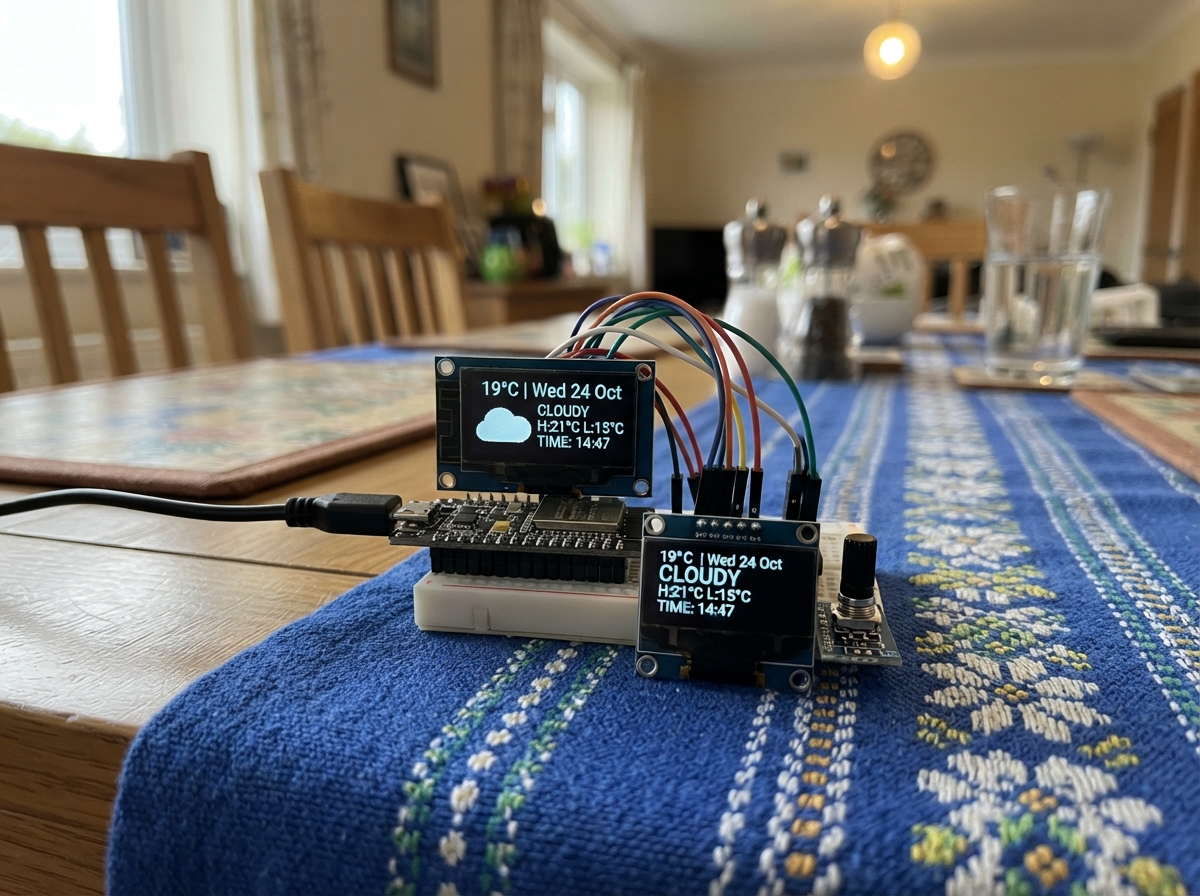
The ESP32 Weather Clock is a connected timepiece that displays current weather conditions and temperature on a round LCD screen. It fetches real-time weather data from an online API based on geographic coordinates, shows temperature, humidity, and weather conditions with descriptive text, and automatically updates at regular intervals.
This guide provides a complete parts list, wiring diagram for connecting the GC9A01A circular display to the ESP32, and ready-to-use firmware with WiFi setup and weather API integration. Builders will learn how to configure location settings, manage WiFi credentials, and display dynamic weather information on an embedded display.
Wiring diagram
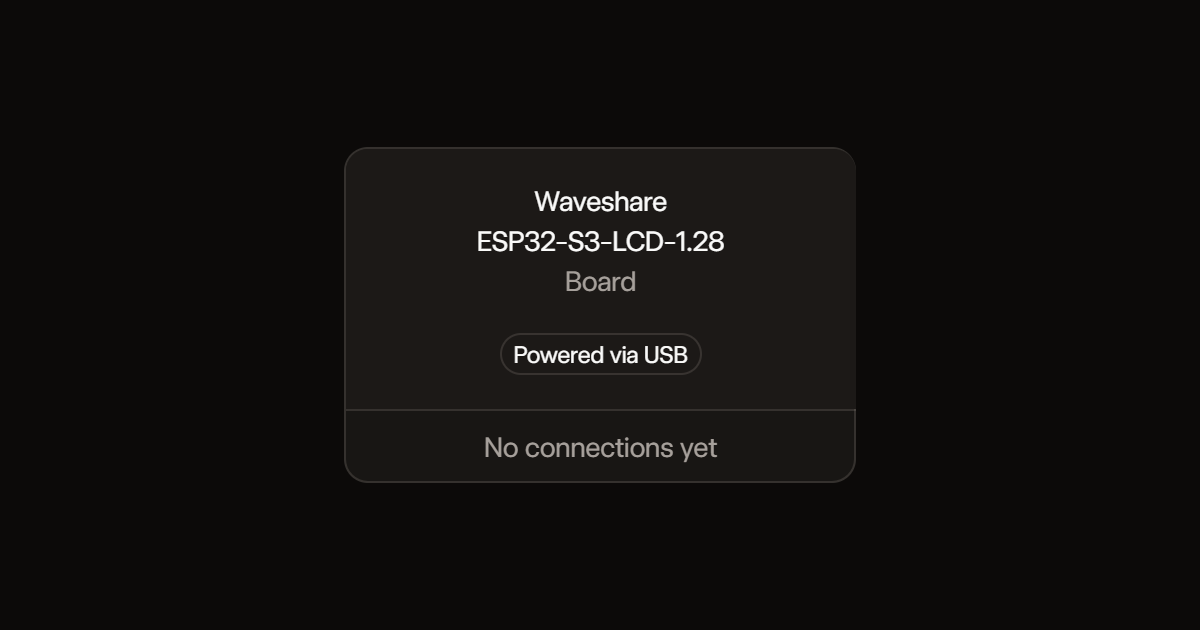
Assemble it in 2 steps
1. Připravte desku
Použijte Waveshare ESP32-S3-LCD-1.28 bez dotyku. Displej je vestavěný, žádný externí OLED ani propojovací vodiče nejsou potřeba. Původní OLED odpojte při vypnutém napájení.
2. Připojte napájení
Připojte datový USB-C kabel k desce a počítači. Pro tuto verzi používejte napájení přes USB, baterii nepřipojujte.
Deploy the firmware
#include <Arduino.h>
#include <SPI.h>
#include <WiFi.h>
#include <WiFiManager.h>
#include <HTTPClient.h>
#include <ArduinoJson.h>
#include <Preferences.h>
#include <Adafruit_GFX.h>
#include <Adafruit_GC9A01A.h>
#include <time.h>
Adafruit_GC9A01A screen(9,8,11,10,12);
WiFiManager wm;
Preferences prefs;
WiFiManagerParameter latParam("lat","Zemepisna sirka (-90 az 90)","50.0755",16);
WiFiManagerParameter lonParam("lon","Zemepisna delka (-180 az 180)","14.4378",16);
WiFiManagerParameter townParam("town","Nazev obce (bez diakritiky)","Praha",40);
String town="Praha";
String lat="50.0755", lon="14.4378", previous;
bool screenOK=false, haveWeather=false, failed=false, requestWeather=true;
float temperature=0; int humidity=0, code=0;
uint32_t lastFetch=0, lastSuccess=0;
const char* condition(int c) {
if(c==0) return "Jasno";
if(c<=3) return "Oblacno";
if(c==45 || c==48) return "Mlha";
if(c>=95) return "Bourka";
if((c>=71 && c<=77)||c==85||c==86) return "Snezeni";
if((c>=51 && c<=67)||(c>=80 && c<=82)) return "Dest";
return "Pocasi";
}
void saveLocation() {
// Save the name independently of coordinate validation.
String enteredTown=String(townParam.getValue()); enteredTown.trim();
if(enteredTown=="Poloha" || enteredTown=="Nastavte obec") enteredTown="";
town=enteredTown;
prefs.putString("town",town);
char *end;
double a=strtod(latParam.getValue(),&end);
if(end==latParam.getValue() || *end || !isfinite(a) || a < -90 || a>90) return;
double b=strtod(lonParam.getValue(),&end);
if(end==lonParam.getValue() || *end || !isfinite(b) || b < -180 || b>180) return;
lat=String(a,5); lon=String(b,5);
prefs.putString("lat",lat); prefs.putString("lon",lon);
haveWeather=false; requestWeather=true;
}
void fetchWeather() {
lastFetch=millis(); requestWeather=false;
HTTPClient http;
// Public weather data only: no credentials are sent to this HTTP endpoint.
String url="http://api.open-meteo.com/v1/forecast?latitude="+lat+"&longitude="+lon+"¤t=temperature_2m,relative_humidity_2m,weather_code";
http.setConnectTimeout(4000); http.setTimeout(4000);
failed=true;
if(http.begin(url)) {
int status=http.GET();
if(status==200) {
JsonDocument doc;
if(!deserializeJson(doc,http.getString()) && doc["current"]["temperature_2m"].is<float>() && doc["current"]["weather_code"].is<int>()) {
temperature=doc["current"]["temperature_2m"].as<float>();
humidity=doc["current"]["relative_humidity_2m"].as<int>();
code=doc["current"]["weather_code"].as<int>();
haveWeather=true; failed=false; lastSuccess=millis();
}
}
http.end();
}
}
// Small off-screen buffers keep animation updates confined to the icon.
GFXcanvas16 face(240,240), icon(112,64);
const uint16_t BG=0x0843, CYAN=0x4E7F, WHITE=0xEF7D, MUTED=0x8494;
uint32_t animationAt=0;
unsigned animationFrame=0;
void centered(GFXcanvas16 &g,const String &text,int y,int size,uint16_t color) {
g.setTextWrap(false); g.setTextSize(size); g.setTextColor(color);
g.setCursor((g.width()-int(text.length())*6*size)/2,y); g.print(text);
}
void animateWeather() {
if(!screenOK || millis()-animationAt<160) return;
animationAt=millis(); unsigned f=animationFrame++;
icon.fillScreen(BG);
bool snow=(code>=71&&code<=77)||code==85||code==86;
bool rain=(code>=51&&code<=67)||(code>=80&&code<=82)||code>=95;
if(!haveWeather) {
for(int i=0;i<8;i++) {
float a=(i+f%8)*PI/4;
icon.fillCircle(56+cosf(a)*18,30+sinf(a)*18,3,i==0?CYAN:MUTED);
}
} else {
if(code<=2) {
int x=code==0?56:38, y=26;
for(int i=0;i<8;i++) {
float a=i*PI/4+f*0.055f;
icon.drawLine(x+cosf(a)*19,y+sinf(a)*19,x+cosf(a)*25,y+sinf(a)*25,0xFD20);
}
icon.fillCircle(x,y,14,0xFFE0);
icon.fillCircle(x-4,y-4,5,0xFFF3);
}
if(code!=0) {
int drift=int(sinf(f*0.12f)*4);
uint16_t cloud=rain?0x9CF5:0xD6FC;
icon.fillCircle(42+drift,25,12,cloud);
icon.fillCircle(58+drift,19,17,cloud);
icon.fillCircle(76+drift,29,12,cloud);
icon.fillRoundRect(33+drift,26,55,17,8,cloud);
}
if(rain||snow) for(int i=0;i<5;i++) {
int x=32+i*12, y=43+(f*3+i*7)%19;
if(snow) {
icon.drawLine(x-2,y,x+2,y,WHITE); icon.drawLine(x,y-2,x,y+2,WHITE);
} else icon.drawLine(x,y,x-3,y+5,CYAN);
}
if(code==45||code==48) for(int i=0;i<3;i++) {
int x=25+int(sinf(f*0.15f+i)*5);
icon.drawFastHLine(x,46+i*6,60,MUTED);
}
if(code>=95 && f%12<3) {
icon.fillTriangle(58,35,48,50,58,47,0xFFE0);
icon.fillTriangle(55,45,64,43,52,61,0xFFE0);
}
}
screen.drawRGBBitmap(64,112,icon.getBuffer(),112,64);
}
void draw() {
time_t now=time(nullptr); struct tm local;
char clockText[12]="--:--", dateText[24]="Cekam na cas";
if(now>1700000000) {
localtime_r(&now,&local);
strftime(clockText,sizeof(clockText),"%H:%M",&local);
strftime(dateText,sizeof(dateText),"%d.%m.%Y",&local);
}
bool connected=WiFi.status()==WL_CONNECTED;
bool stale=failed || (haveWeather && millis()-lastSuccess>1800000UL);
String weather=haveWeather ? String(temperature,1)+" C" : "--.- C";
String state=!connected?"Hodiny-Setup":haveWeather?String(condition(code))+(stale?" *stare":""):"Cekam na pocasi";
String frame=String(clockText)+dateText+weather+state+String(humidity)+town;
if(frame!=previous && screenOK) {
previous=frame;
face.fillScreen(BG);
face.drawCircle(120,120,118,0x19CC);
face.drawCircle(120,120,115,0x19CC);
for(int i=0;i<60;i++) {
float a=i*PI/30-PI/2;
int r=i%5==0?108:112;
face.drawLine(120+cosf(a)*r,120+sinf(a)*r,120+cosf(a)*114,120+sinf(a)*114,i%5==0?CYAN:0x326D);
}
String label=town.isEmpty()?"Nastavte obec":town;
if(label.length()>24) label=label.substring(0,21)+"...";
centered(face,label,26,1,CYAN);
centered(face,clockText,48,5,WHITE);
centered(face,dateText,94,1,MUTED);
centered(face,weather,178,3,WHITE);
centered(face,connected?state:"WiFi: Hodiny-Setup",208,1,CYAN);
centered(face,connected?(haveWeather?"Vlhkost "+String(humidity)+"%":"Open-Meteo"):"192.168.4.1",222,1,MUTED);
screen.drawRGBBitmap(0,0,face.getBuffer(),240,240);
animationAt=millis()-160;
}
animateWeather();
}
void setup() {
Serial.begin(115200);
pinMode(40,OUTPUT); digitalWrite(40,LOW);
screen.begin(20000000); screen.setRotation(0);
screen.fillScreen(0); screen.setTextWrap(false);
digitalWrite(40,HIGH); screenOK=true;
prefs.begin("weather",false);
lat=prefs.getString("lat","50.0755"); lon=prefs.getString("lon","14.4378");
town=prefs.isKey("town")?prefs.getString("town",""):"";
town.trim();
if(town=="Poloha") town="";
townParam.setValue(town.c_str(),40);
latParam.setValue(lat.c_str(),16); lonParam.setValue(lon.c_str(),16);
WiFi.mode(WIFI_STA); WiFi.setAutoReconnect(true); WiFi.begin();
wm.addParameter(&townParam); wm.addParameter(&latParam); wm.addParameter(&lonParam);
wm.setSaveParamsCallback(saveLocation);
wm.setConfigPortalBlocking(false);
wm.startConfigPortal("Hodiny-Setup","Pocasi123");
configTzTime("CET-1CEST,M3.5.0,M10.5.0/3","pool.ntp.org","time.nist.gov");
draw();
}
void loop() {
wm.process();
if(WiFi.status()==WL_CONNECTED && (requestWeather || millis()-lastFetch >= (failed?60000UL:900000UL))) fetchWeather();
draw(); delay(20);
}Remix this project
Make it yours in one click
Open a full copy of this project in your own Schematik workspace, diagram, code, parts, and assembly steps included. Swap the sensor, add features, or redesign the whole thing with AI. The author's original stays untouched.