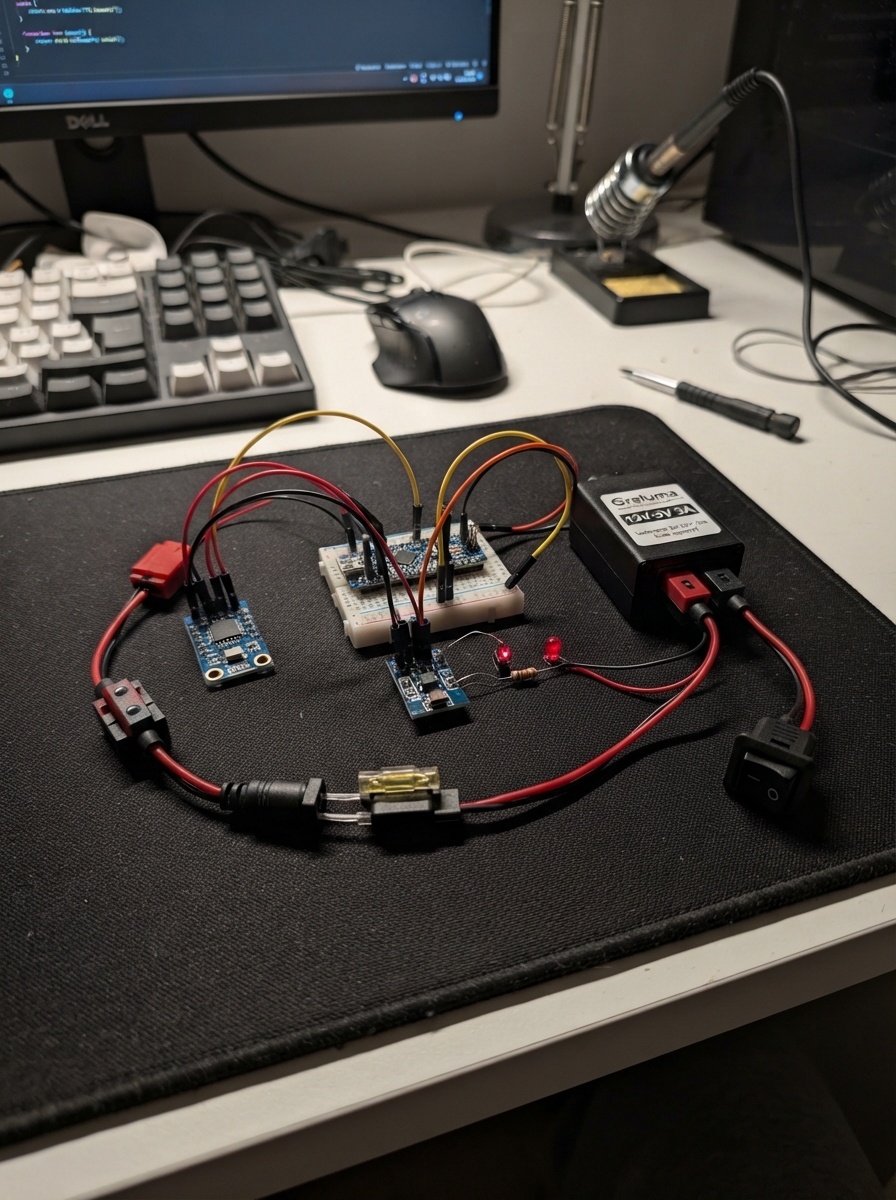
This off-road inclinometer system uses an ESP32 microcontroller to monitor vehicle tilt angles in real time, helping drivers assess terrain difficulty and prevent rollovers. Built around the Witmotion WT61PC-TTL 3-axis accelerometer and a BH1750 light sensor, the system displays pitch and roll angles on a 480×480 canvas display, with configurable tilt alarms and ambient light monitoring for safe operation in varying conditions.
This guide provides a complete wiring diagram, parts list, and step-by-step assembly instructions for integrating the inclinometer into a vehicle's 12V electrical system. The included firmware handles sensor calibration, angle computation with drift compensation, alarm thresholds, and a menu interface for adjusting limits—everything needed to build a rugged, reliable tilt monitoring system for off-road adventures.
Wiring diagram
Gather all the parts
Assemble it in 5 steps
1. Preparare alimentazione protetta
Con quadro spento collegare positivo sotto chiave al fusibile da 2A, poi all'interruttore DC e a IN+ del Greluma. Il negativo va a IN-. Posizionare il portafusibile vicino alla presa e usare cavi da almeno 0.5 mm².
- Il Greluma accetta 8–22V: il fusibile non protegge dai picchi automotive. Usare esclusivamente una presa già protetta dai transitori del veicolo; prima di un collegamento diretto alla rete auto serve una protezione automotive qualificata. Non usare su impianti a 24V.
2. Collegare la linea da 5V
Verificare con multimetro 5V e polarità prima di collegare OUT+ a VBus del connettore 12 pin e OUT- a GND. Collegare la resistenza da 1 kohm fra 5V e anodo lungo del LED verde; catodo corto a GND.
- Mai applicare 12V alla scheda. Scollegare alimentazione del veicolo prima di collegare USB al computer; evitare due fonti 5V contemporanee. Non collegare batterie ai connettori della scheda.
3. Collegare il sensore di inclinazione
WT61PC VCC a 3V3, GND a GND, TXD a RXD GPIO44. Lasciare RXD del sensore scollegato. Usare il connettore UART dedicato senza collegare la porta Type-C UART durante le misure. Il firmware riceve pacchetti a 9600 baud.
- Fissare rigidamente il sensore con X verso il muso, Y verso sinistra e Z verso alto. Verificare segno e assi inclinando lentamente il modulo prima del montaggio definitivo.
4. Collegare il sensore luce
BH1750 VCC a 3V3 e GND a GND; SDA a GPIO15 (dati), SCL a GPIO7 (clock), ADDR a GND. Esporre il sensore alla luce ambiente evitando la luce diretta del display.
5. Installare e controllare da fermo
Proteggere scheda e sensori in un contenitore asciutto e fissare lontano da airbag e comandi. Su piano livellato mantenere ZERO sul display per due secondi. In SOGLIE usare meno e più per ciascun asse e SALVA per tornare. Soglie e zero rimangono memorizzati dopo lo spegnimento.
- Strumento indicativo, non dispositivo di sicurezza anti-ribaltamento. Accelerazioni, vibrazioni e terreno dinamico alterano le misure: la soglia non determina il limite sicuro del mezzo. Regolare soltanto da fermi.
Review all connections
1. Connections between "supply" and "ESP32"
2. Connections between "fuse" and "ESP32"
3. Connections between "sw" and "ESP32"
4. Connections between "buck" and "ESP32"
5. Connections between "rled" and "ESP32"
6. Connections between "led" and "ESP32"
7. Connections between "imu" and "ESP32"
8. Connections between "lux" and "ESP32"
Deploy the firmware
#include <Arduino.h>
#include <esp_display_panel.hpp>
#include <Arduino_GFX_Library.h>
#include <Preferences.h>
#include <driver/i2c.h>
using namespace esp_panel::board;
using namespace esp_panel::drivers;
Board board;
Arduino_Canvas canvas(480,480,nullptr);
Preferences prefs;
HardwareSerial sensor(1);
float rawR=0,rawP=0,zR=0,zP=0;
int limitR=25,limitP=30;
uint32_t lastFrame=0,lastData=0,hold=0,lastLux=0;
bool menu=false,dirty=true,tiltAlarm=false,flash=false,zeroDone=false,lightOK=false;
uint8_t packet[11]; int used=0; int lastAction=-1;
float wrap(float x){while(x>180)x-=360;while(x< -180)x+=360;return x;}
void save(){prefs.putFloat("zr",zR);prefs.putFloat("zp",zP);prefs.putInt("lr",limitR);prefs.putInt("lp",limitP);}
void text(int x,int y,const String &s,int size=2){canvas.setTextSize(size);canvas.setTextColor(0xffff);canvas.setCursor(x,y);canvas.print(s);}
void lineRot(int cx,int cy,float a,int x1,int y1,int x2,int y2,uint16_t col){float c=cos(a),s=sin(a);canvas.drawLine(cx+x1*c-y1*s,cy+x1*s+y1*c,cx+x2*c-y2*s,cy+x2*s+y2*c,col);}
void suv(int cx,int cy,float deg,bool side){float a=deg*PI/180; int w=side?65:45;
lineRot(cx,cy,a,-w,15,w,15,0x07ff);lineRot(cx,cy,a,-w,15,-w,-15,0x07ff);lineRot(cx,cy,a,w,15,w,-15,0x07ff);
lineRot(cx,cy,a,-w,-15,-w+18,-45,0x07ff);lineRot(cx,cy,a,-w+18,-45,w-18,-45,0x07ff);lineRot(cx,cy,a,w-18,-45,w,-15,0x07ff);lineRot(cx,cy,a,-w,-15,w,-15,0x07ff);
for(int k=-1;k<=1;k+=2){lineRot(cx,cy,a,k*(w-12)-8,16,k*(w-12)-8,30,0xffff);lineRot(cx,cy,a,k*(w-12)+8,16,k*(w-12)+8,30,0xffff);lineRot(cx,cy,a,k*(w-12)-8,30,k*(w-12)+8,30,0xffff);}
if(!side){lineRot(cx,cy,a,-18,-10,18,-10,0xffff);lineRot(cx,cy,a,-18,-10,-18,10,0xffff);lineRot(cx,cy,a,18,-10,18,10,0xffff);lineRot(cx,cy,a,-18,10,18,10,0xffff);}}
void scale(int x,float value){canvas.drawFastVLine(x,145,191,0x7bef);for(int d=-45;d<=45;d+=15){int y=240-d*2;canvas.drawFastHLine(x-6,y,13,0xffff);text(x<240?x+12:x-45,y-6,String(d),1);}int y=240-constrain(value,-45.f,45.f)*2;canvas.fillTriangle(x-8,y,x+8,y-6,x+8,y+6,0xffe0);}
void render(){float r=wrap(rawR-zR),p=wrap(rawP-zP);canvas.fillScreen(flash?0xf800:0x0841);text(143,55,"OFFROAD",3);
if(menu){text(90,120,"SOGLIE ALLARME");text(100,180,"ROLLIO  "+String(limitR)+" gradi");text(100,250,"BECC.   "+String(limitP)+" gradi");text(85,210,"-                 +");text(85,280,"-                 +");text(170,355,"SALVA");}
else {text(100,115,"ROLLIO");text(275,115,"BECC.");suv(155,220,r,false);suv(325,220,p,true);scale(55,r);scale(425,p);bool valid=lastData && millis()-lastData<1000;text(104,295,valid?String(r,1)+" deg":"---",2);text(280,295,valid?String(p,1)+" deg":"---",2);text(85,340,valid?(tiltAlarm?"ALLARME INCLINAZIONE":"WT61PC collegato"):"ERRORE: SENSORE ASSENTE",1);text(95,385,"ZERO");text(270,385,"SOGLIE");text(100,415,hold?"Mantieni ZERO per 2 secondi":"ZERO: pressione lunga",1);if(!lightOK)text(140,365,"LUCE: NON RILEVATA",1);}
board.getLCD()->drawBitmap(0,0,480,480,(uint8_t*)canvas.getFramebuffer());dirty=false;}
void setup(){prefs.begin("inclino",false);zR=prefs.getFloat("zr",0);zP=prefs.getFloat("zp",0);limitR=constrain(prefs.getInt("lr",25),5,60);limitP=constrain(prefs.getInt("lp",30),5,60);
if(!board.init()||!board.begin()||!canvas.begin())while(true)delay(1000);
sensor.begin(9600,SERIAL_8N1,44,-1);
uint8_t cmd=0x10;lightOK=i2c_master_write_to_device(I2C_NUM_0,0x23,&cmd,1,pdMS_TO_TICKS(20))==ESP_OK;board.getBacklight()->setBrightness(60);}
void loop(){uint32_t now=millis();while(sensor.available()){uint8_t b=sensor.read();if(used==0&&b!=0x55)continue;packet[used++]=b;if(used==11){used=0;uint8_t sum=0;for(int i=0;i<10;i++)sum+=packet[i];if(sum==packet[10]&&packet[1]==0x53){rawR=(int16_t)(packet[2]|packet[3]<<8)*180.f/32768;rawP=(int16_t)(packet[4]|packet[5]<<8)*180.f/32768;lastData=now;}}}
static int oldR=9999,oldP=9999;int r=lround(wrap(rawR-zR)*10),p=lround(wrap(rawP-zP)*10);if(r!=oldR||p!=oldP){dirty=true;oldR=r;oldP=p;}
static bool staleOld=true;bool stale=!lastData||now-lastData>1000;if(stale!=staleOld){dirty=true;staleOld=stale;}bool newAlarm=!stale&&(abs(r)>=limitR*10||abs(p)>=limitP*10);if(tiltAlarm&& !stale && abs(r)>(limitR-2)*10)newAlarm=true;if(tiltAlarm&&!stale&&abs(p)>(limitP-2)*10)newAlarm=true;tiltAlarm=newAlarm;bool nf=tiltAlarm&&((now/400)%2==0);if(nf!=flash){flash=nf;dirty=true;}
TouchPoint pt;bool down=board.getTouch()->readPoints(&pt,1)>0;int action=-1;if(down){if(!menu&&pt.y>=375&&pt.y<415){if(pt.x>=75&&pt.x<220)action=0;else if(pt.x>=250&&pt.x<400)action=1;}else if(menu){if(pt.y>=175&&pt.y<240)action=pt.x<240?2:3;else if(pt.y>=245&&pt.y<310)action=pt.x<240?4:5;else if(pt.y>=340&&pt.y<390)action=6;}}
if(action==0&&!stale){if(!hold){hold=now;dirty=true;}if(now-hold>=2000&&!zeroDone){zR=rawR;zP=rawP;save();zeroDone=true;dirty=true;}}
else{if(hold)dirty=true;hold=0;zeroDone=false;}
if(action>=1&&lastAction==-1){if(action==1)menu=true;if(action==2)limitR=max(5,limitR-1);if(action==3)limitR=min(60,limitR+1);if(action==4)limitP=max(5,limitP-1);if(action==5)limitP=min(60,limitP+1);if(action==6){save();menu=false;}dirty=true;}lastAction=down?action:-1;
if(now-lastLux>=500){lastLux=now;uint8_t data[2];bool ok=i2c_master_read_from_device(I2C_NUM_0,0x23,data,2,pdMS_TO_TICKS(20))==ESP_OK;if(ok!=lightOK){lightOK=ok;dirty=true;}static float filtered=100;static int previous=-1;if(ok){float lux=((data[0]<<8)|data[1])/1.2f;filtered=filtered*.8f+lux*.2f;}int bright=ok?constrain((int)(15+log10(1+filtered)*22),15,100):60;if(abs(bright-previous)>=3){board.getBacklight()->setBrightness(bright);previous=bright;}}
if(dirty&&now-lastFrame>=100){lastFrame=now;render();}delay(5);}
Remix this project
Make it yours in one click
Open a full copy of this project in your own Schematik workspace, diagram, code, parts, and assembly steps included. Swap the sensor, add features, or redesign the whole thing with AI. The author's original stays untouched.