Community project
GPS Compass Dashboard
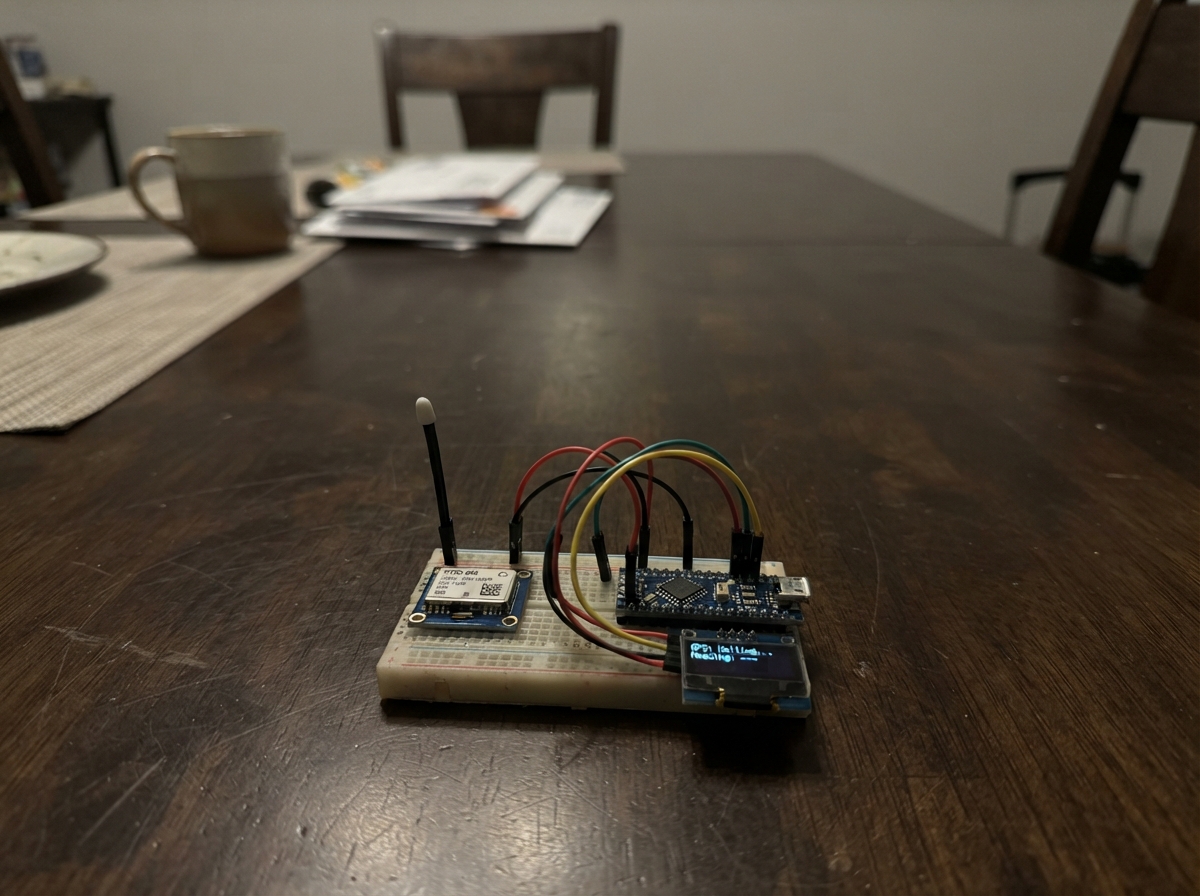
Build a real-time GPS compass dashboard that displays your heading and cardinal direction on an ESP32. This project combines a NEO-6M GPS module with a TFT display to create a visual compass that updates as you move, showing your current bearing with an animated arrow and cardinal indicators.
This guide includes a complete wiring diagram, parts list, and ready-to-flash firmware. Assembly is straightforward: position the GPS module where it has a clear view of the sky, wire power and ground, connect the data line, and load the code onto your ESP32. The dashboard renders a compass rose with a dynamic arrow that rotates to match your heading in real time.
Wiring diagram

Gather all the parts
Assemble it in 3 steps
1. Place the GPS where it can see the sky
Keep the NEO-6M GPS module with its ceramic patch antenna facing upward and away from the CYD screen and USB cable. Put it near a window or outdoors for its first position lock.
- The first lock can take several minutes, especially after the module has been stored without power.
- Do not cover the square ceramic antenna with metal, or the module may not receive satellite signals.
2. Connect power and ground
Connect the GPS VCC pin to the CYD 3V3 pin (power), then connect GPS GND to a CYD GND pin (ground). These two wires let the GPS run safely at the CYD's 3.3-volt signal level.
- Use red for 3V3 and black for GND so the connections are easy to check.
- Make sure VCC and GND are not swapped — swapped power can damage the GPS module.
3. Connect the GPS data wire
Connect the GPS TX pin to CYD GPIO3/RX0 (data). Leave the GPS RX and PPS pins unconnected; this project only listens to the GPS position messages.
- Use a short jumper wire and check that it is on TX, not RX, on the GPS module.
- Do not connect the GPS TX wire to 5V; it must go only to GPIO3/RX0.
Review all connections
1. Connections between "gps_1" and "ESP32"
Deploy the firmware
#include <Arduino.h>
#include <TFT_eSPI.h>
#include <TinyGPS++.h>
#include <math.h>

#define GPS_RX_PIN 3

TFT_eSPI tft = TFT_eSPI();
TinyGPSPlus gps;
HardwareSerial gpsSerial(2);

unsigned long lastScreenUpdate = 0;
float lastHeading = -1.0f;
bool lastFix = false;

const uint16_t BG = TFT_BLACK;
const uint16_t PANEL = 0x18E3;
const uint16_t ACCENT = TFT_CYAN;
const uint16_t GOOD = TFT_GREEN;
const uint16_t MUTED = 0x7BEF;

const char *cardinal(float degrees) {
  if (degrees < 0.0f || degrees >= 360.0f) return "--";
  static const char *names[] = {"N", "NE", "E", "SE", "S", "SW", "W", "NW"};
  return names[(int)((degrees + 22.5f) / 45.0f) % 8];
}

void drawArrow(float heading) {
  const int cx = 78, cy = 126, r = 45;
  tft.fillCircle(cx, cy, r + 4, BG);
  tft.drawCircle(cx, cy, r, MUTED);
  tft.setTextDatum(MC_DATUM);
  tft.setTextColor(MUTED, BG);
  tft.drawString("N", cx, cy - r - 9, 2);
  tft.drawString("S", cx, cy + r + 9, 2);
  tft.drawString("E", cx + r + 10, cy, 2);
  tft.drawString("W", cx - r - 10, cy, 2);

  if (heading >= 0.0f) {
    float a = (heading - 90.0f) * DEG_TO_RAD;
    float left = a + 2.55f;
    float right = a - 2.55f;
    int tx = cx + (int)(r * cosf(a));
    int ty = cy + (int)(r * sinf(a));
    int lx = cx + (int)(18 * cosf(left));
    int ly = cy + (int)(18 * sinf(left));
    int rx = cx + (int)(18 * cosf(right));
    int ry = cy + (int)(18 * sinf(right));
    tft.fillTriangle(tx, ty, lx, ly, rx, ry, ACCENT);
    tft.fillCircle(cx, cy, 4, TFT_WHITE);
  }
}

void drawStaticPage() {
  tft.fillScreen(BG);
  tft.setTextColor(TFT_WHITE, BG);
  tft.setTextDatum(TL_DATUM);
  tft.drawString("GPS NAVIGATION", 12, 8, 4);
  tft.drawFastHLine(10, 36, 300, ACCENT);
  tft.setTextColor(MUTED, BG);
  tft.drawString("GPS travel direction", 166, 48, 2);
  tft.drawString("LATITUDE", 166, 89, 2);
  tft.drawString("LONGITUDE", 166, 126, 2);
  tft.drawString("SPEED", 166, 163, 2);
  tft.drawString("SATELLITES", 166, 200, 2);
}

void updateScreen() {
  bool fix = gps.location.isValid() && gps.location.age() < 3000;
  float heading = (gps.course.isValid() && gps.course.age() < 3000) ? gps.course.deg() : -1.0f;

  tft.fillRect(10, 211, 140, 22, BG);
  tft.setTextDatum(MC_DATUM);
  tft.setTextColor(fix ? GOOD : TFT_ORANGE, BG);
  tft.drawString(fix ? "GPS FIX" : "WAITING FOR FIX", 78, 222, 2);

  tft.fillRect(165, 61, 145, 23, BG);
  tft.setTextColor(heading >= 0.0f ? ACCENT : MUTED, BG);
  if (heading >= 0.0f) {
    char direction[24];
    snprintf(direction, sizeof(direction), "%03.0f%c  %s", heading, 247, cardinal(heading));
    tft.drawString(direction, 166, 64, 4);
  } else {
    tft.drawString("MOVE TO SET", 166, 65, 2);
  }

  tft.fillRect(165, 105, 150, 20, BG);
  tft.fillRect(165, 142, 150, 20, BG);
  tft.fillRect(165, 179, 150, 20, BG);
  tft.fillRect(165, 216, 150, 20, BG);
  tft.setTextDatum(TL_DATUM);
  tft.setTextColor(TFT_WHITE, BG);
  char text[32];
  if (fix) {
    snprintf(text, sizeof(text), "%.6f", gps.location.lat());
    tft.drawString(text, 166, 106, 2);
    snprintf(text, sizeof(text), "%.6f", gps.location.lng());
    tft.drawString(text, 166, 143, 2);
  } else {
    tft.drawString("--", 166, 106, 2);
    tft.drawString("--", 166, 143, 2);
  }
  if (gps.speed.isValid()) snprintf(text, sizeof(text), "%.1f km/h", gps.speed.kmph());
  else snprintf(text, sizeof(text), "--");
  tft.drawString(text, 166, 180, 2);
  if (gps.satellites.isValid()) snprintf(text, sizeof(text), "%lu", gps.satellites.value());
  else snprintf(text, sizeof(text), "--");
  tft.drawString(text, 166, 217, 2);

  if (heading != lastHeading || fix != lastFix) drawArrow(heading);
  lastHeading = heading;
  lastFix = fix;
}

void setup() {
  gpsSerial.begin(9600, SERIAL_8N1, GPS_RX_PIN, -1);
  tft.init();
  tft.setRotation(1);
  drawStaticPage();
  updateScreen();
}

void loop() {
  while (gpsSerial.available() > 0) gps.encode(gpsSerial.read());
  unsigned long now = millis();
  if (now - lastScreenUpdate >= 500) {
    lastScreenUpdate = now;
    updateScreen();
  }
  delay(2);
}
Remix this project
Make it yours in one click
Open a full copy of this project in your own Schematik workspace — diagram, code, parts, and assembly steps included. Swap the sensor, add features, or redesign the whole thing with AI. The author's original stays untouched.