Community project
Offline WiFi Map Viewer
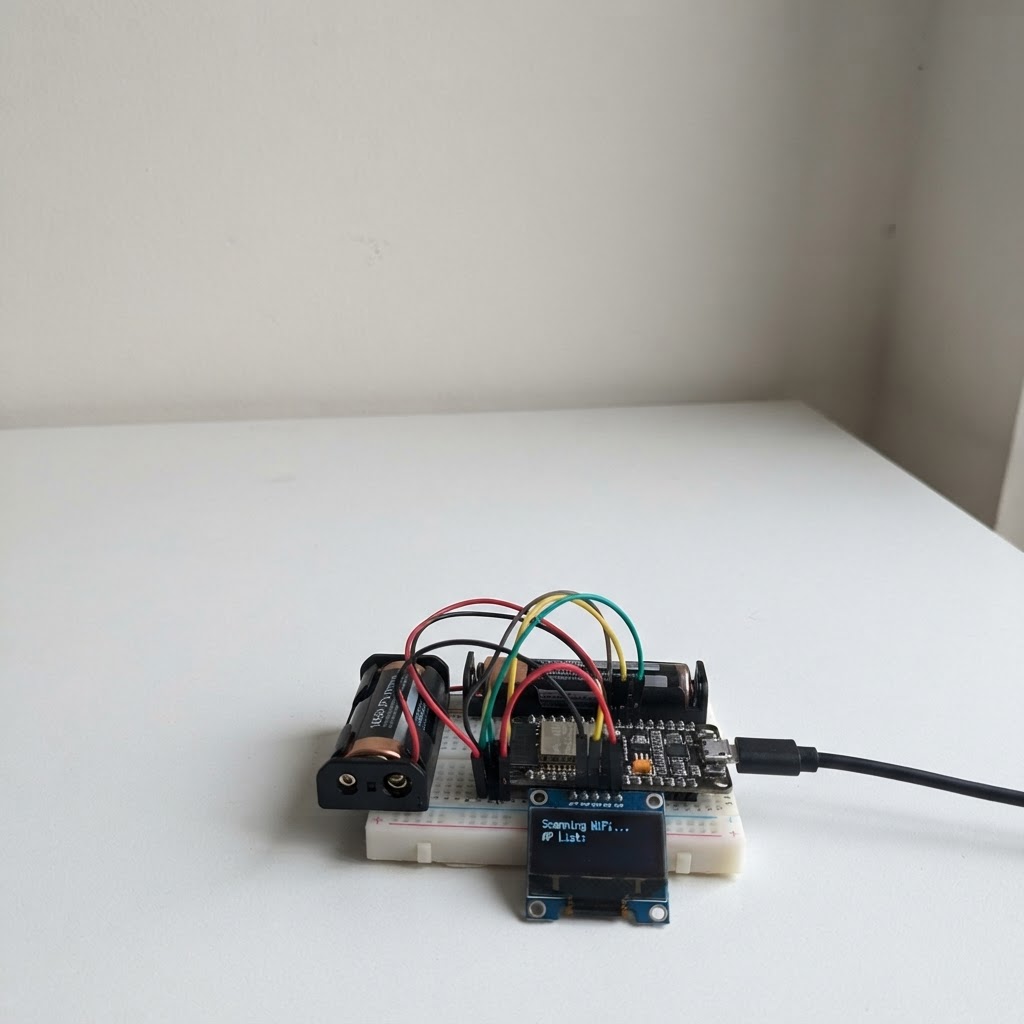
This project turns an M5Stack Cardputer into a portable offline WiFi access-point map viewer. Load a CSV file of WiFi networks with their locations onto a microSD card, and browse them on the device's built-in display without needing internet connectivity.
The guide provides a complete parts list, microSD card preparation steps, firmware upload instructions, and keyboard controls for panning and zooming the map. Builders will get a wiring diagram, the ready-to-compile Arduino sketch, and a sample CSV format for adding WiFi network data.
Wiring diagram
Assemble it in 3 steps
1. Prepare the microSD card
Format a microSD card as FAT32 and copy a plain-text file named wifi.csv into the card's root directory. Its first row may be the header SSID,BSSID,RSSI,CHANNEL,LATITUDE,LONGITUDE; each following row must contain those six comma-separated values.
- Keep SSIDs free of unescaped commas because this simple CSV format uses commas as field separators.
- The firmware reads one line at a time, so large files with thousands of rows are supported.
2. Insert the card
With the Cardputer powered off or idle, insert the microSD card into the built-in card slot with the contacts facing away from the screen.
- The Cardputer’s built-in SD socket, display, and keyboard need no jumper wires.
- Do not force the card; remove and rotate it if it does not slide in smoothly.
3. Power and use the map
Power the Cardputer from its normal USB-C port, then use Schematik’s Deploy button to flash the firmware. On the map, use the Cardputer arrow-key layer (Fn plus ;, comma, period, or slash) to pan, + or = to zoom in, - to zoom out, and Enter to select the next access point.
- Green dots are stronger signals, then yellow/orange/red as signal strength decreases.
- The white ring marks the selected access point; its SSID and RSSI appear in the bottom status area.
Deploy the firmware
#include <Arduino.h>
/*
  CardputerWifiMap.ino

  Offline Wi-Fi access-point map for M5Stack Cardputer (ESP32-S3).

  Put a FAT32-formatted microSD card in the Cardputer, with this file at:
    /wifi.csv

  CSV columns (a header row is allowed):
    SSID,BSSID,RSSI,CHANNEL,LATITUDE,LONGITUDE

  Controls:
    Fn + ; / , / . / /  : pan up / left / down / right (Cardputer arrows)
    + or =              : zoom in
    -                   : zoom out
    Enter               : select next valid AP

  The CSV is always processed one line at a time.  AP records are never kept
  in RAM: the complete file is rescanned only when the view must be redrawn.
*/

#include <M5Unified.h>     // Required M5 device/platform support
#include <M5Cardputer.h>   // Cardputer keyboard and board-specific support
#include <LovyanGFX.h>     // M5Unified/M5Cardputer Display is a LovyanGFX display
#include <SPI.h>
#include <SD.h>
#include <math.h>

// Cardputer's built-in microSD SPI wiring.

// Hoisted type definitions
struct AccessPoint {
  char ssid[80];
  int rssi;
  int channel;
  float latitude;
  float longitude;
};


// Forward declarations
static void trim(char *s);
static bool splitSixFields(char *line, char *field[6]);
static bool parseFloatStrict(const char *s, float &value);
static bool parseIntStrict(const char *s, int &value);
static bool parseAP(char *line, AccessPoint &ap);
static bool readCsvLine(File &file, char *buffer, size_t bufferSize, bool &tooLong);
static bool scanBoundsAndFirstAP();
static bool selectNextAP();
static uint16_t rssiColor(int rssi);
static int rssiRadius(int rssi);
static bool projectToScreen(float lat, float lon, int &x, int &y);
static void drawGrid();
static void drawTopBar();
static void drawBottomBar();
static void drawAllAPsStreaming();
static void redrawMap();
static void showMessage(const char *line1, const char *line2);
static void pan(float latitudeFraction, float longitudeFraction);
static void zoom(bool in);
static void handleKeyboard();

static constexpr int SD_SCK  = 40;
static constexpr int SD_MISO = 39;
static constexpr int SD_MOSI = 14;
static constexpr int SD_CS   = 12;

static constexpr const char *CSV_PATH = "/wifi.csv";
static constexpr size_t LINE_BUFFER_SIZE = 256; // Long CSV lines are safely skipped.
static constexpr int SCREEN_W = 240;
static constexpr int SCREEN_H = 135;
static constexpr int TOP_BAR_H = 12;
static constexpr int BOTTOM_BAR_H = 24;
static constexpr int MAP_TOP = TOP_BAR_H;
static constexpr int MAP_BOTTOM = SCREEN_H - BOTTOM_BAR_H - 1;
static constexpr int MAP_H = MAP_BOTTOM - MAP_TOP + 1;


static char lineBuffer[LINE_BUFFER_SIZE];
static bool sdReady = false;
static bool haveData = false;
static uint32_t recordCount = 0;
static uint32_t selectedIndex = 0;
static uint32_t selectedOffset = 0;
static uint32_t selectedNextOffset = 0;
static AccessPoint selectedAP;

// Geographic extent found during the first streaming pass.
static float minLat, maxLat, minLon, maxLon;
static float centerLat, centerLon;
static float zoomLevel = 1.0f;

// ---------- Small, allocation-free CSV helpers ----------

static void trim(char *s) {
  char *start = s;
  while (*start == ' ' || *start == '\t' || *start == '\r') ++start;
  if (start != s) {
    char *dst = s;
    while ((*dst++ = *start++) != '\0') {}
  }
  size_t n = strlen(s);
  while (n && (s[n - 1] == ' ' || s[n - 1] == '\t' || s[n - 1] == '\r')) {
    s[--n] = '\0';
  }
}

// Returns pointers to six comma-separated fields, changing commas to NUL.
static bool splitSixFields(char *line, char *field[6]) {
  field[0] = line;
  uint8_t count = 1;
  for (char *p = line; *p; ++p) {
    if (*p == ',') {
      *p = '\0';
      if (count < 6) field[count] = p + 1;
      ++count;
    }
  }
  if (count != 6) return false;
  for (uint8_t i = 0; i < 6; ++i) trim(field[i]);
  return true;
}

static bool parseFloatStrict(const char *s, float &value) {
  char *endPtr;
  value = strtof(s, &endPtr);
  return endPtr != s && *endPtr == '\0' && isfinite(value);
}

static bool parseIntStrict(const char *s, int &value) {
  char *endPtr;
  long temp = strtol(s, &endPtr, 10);
  if (endPtr == s || *endPtr != '\0') return false;
  value = (int)temp;
  return true;
}

static bool parseAP(char *line, AccessPoint &ap) {
  char *field[6];
  if (!splitSixFields(line, field)) return false;

  int rssi, channel;
  float lat, lon;
  if (!parseIntStrict(field[2], rssi) || !parseIntStrict(field[3], channel) ||
      !parseFloatStrict(field[4], lat) || !parseFloatStrict(field[5], lon)) {
    return false; // This also cleanly rejects the header row.
  }
  if (lat < -90.0f || lat > 90.0f || lon < -180.0f || lon > 180.0f) return false;

  strncpy(ap.ssid, field[0], sizeof(ap.ssid) - 1);
  ap.ssid[sizeof(ap.ssid) - 1] = '\0';
  ap.rssi = rssi;
  ap.channel = channel;
  ap.latitude = lat;
  ap.longitude = lon;
  return true;
}

// Reads one line into the fixed buffer. Lines too long for the buffer are
// consumed and rejected, protecting parsing and memory use.
static bool readCsvLine(File &file, char *buffer, size_t bufferSize, bool &tooLong) {
  tooLong = false;
  size_t length = 0;
  while (file.available()) {
    int c = file.read();
    if (c == '\n') {
      buffer[length] = '\0';
      return true;
    }
    if (c == '\r') continue;
    if (length + 1 < bufferSize) {
      buffer[length++] = (char)c;
    } else {
      tooLong = true;
    }
  }
  if (length || tooLong) {
    buffer[length] = '\0';
    return true;
  }
  return false;
}

// ---------- Streaming file operations ----------

static bool scanBoundsAndFirstAP() {
  File file = SD.open(CSV_PATH, FILE_READ);
  if (!file) return false;

  bool found = false;
  bool tooLong;
  AccessPoint ap;
  recordCount = 0;
  selectedOffset = selectedNextOffset = 0;

  while (file.available()) {
    uint32_t offset = file.position();
    if (!readCsvLine(file, lineBuffer, sizeof(lineBuffer), tooLong) || tooLong) continue;
    if (!parseAP(lineBuffer, ap)) continue;

    if (!found) {
      minLat = maxLat = ap.latitude;
      minLon = maxLon = ap.longitude;
      selectedAP = ap;
      selectedOffset = offset;
      selectedNextOffset = file.position();
      found = true;
    } else {
      if (ap.latitude < minLat) minLat = ap.latitude;
      if (ap.latitude > maxLat) maxLat = ap.latitude;
      if (ap.longitude < minLon) minLon = ap.longitude;
      if (ap.longitude > maxLon) maxLon = ap.longitude;
    }
    ++recordCount;
  }
  file.close();

  if (!found) return false;
  // Avoid a zero-sized map if all APs have the same coordinate.
  if (maxLat - minLat < 0.00001f) { minLat -= 0.00005f; maxLat += 0.00005f; }
  if (maxLon - minLon < 0.00001f) { minLon -= 0.00005f; maxLon += 0.00005f; }
  centerLat = (minLat + maxLat) * 0.5f;
  centerLon = (minLon + maxLon) * 0.5f;
  selectedIndex = 0;
  return true;
}

static bool selectNextAP() {
  File file = SD.open(CSV_PATH, FILE_READ);
  if (!file) return false;

  // Search from immediately after the current selected record.
  uint32_t start = selectedNextOffset;
  bool wrapped = false;
  bool tooLong;
  AccessPoint ap;

  while (true) {
    if (file.position() >= file.size()) {
      if (wrapped) break;
      file.seek(0);
      wrapped = true;
    }
    uint32_t offset = file.position();
    if (!readCsvLine(file, lineBuffer, sizeof(lineBuffer), tooLong)) {
      if (wrapped) break;
      file.seek(0);
      wrapped = true;
      continue;
    }
    if (tooLong || !parseAP(lineBuffer, ap)) continue;

    // Do not select the same record after wrapping a one-record file.
    if (wrapped && offset == selectedOffset) break;
    selectedAP = ap;
    selectedOffset = offset;
    selectedNextOffset = file.position();
    selectedIndex = (selectedIndex + 1) % recordCount;
    file.close();
    return true;
  }
  file.close();
  return true;
}

// ---------- Map drawing ----------

static uint16_t rssiColor(int rssi) {
  if (rssi >= -55) return TFT_GREEN;
  if (rssi >= -70) return TFT_YELLOW;
  if (rssi >= -82) return TFT_ORANGE;
  return TFT_RED;
}

static int rssiRadius(int rssi) {
  if (rssi >= -55) return 3;
  if (rssi >= -70) return 2;
  return 1;
}

static bool projectToScreen(float lat, float lon, int &x, int &y) {
  const float rangeLon = maxLon - minLon;
  const float rangeLat = maxLat - minLat;
  const float pixelsPerLon = (float)(SCREEN_W - 8) / rangeLon * zoomLevel;
  const float pixelsPerLat = (float)(MAP_H - 8) / rangeLat * zoomLevel;
  x = SCREEN_W / 2 + (int)((lon - centerLon) * pixelsPerLon);
  y = MAP_TOP + MAP_H / 2 - (int)((lat - centerLat) * pixelsPerLat);
  return x >= 0 && x < SCREEN_W && y >= MAP_TOP && y <= MAP_BOTTOM;
}

static void drawGrid() {
  M5Cardputer.Display.fillRect(0, MAP_TOP, SCREEN_W, MAP_H, TFT_DARKGREY);
  M5Cardputer.Display.drawRect(0, MAP_TOP, SCREEN_W, MAP_H, TFT_LIGHTGREY);
  for (int x = 20; x < SCREEN_W; x += 20)
    M5Cardputer.Display.drawFastVLine(x, MAP_TOP + 1, MAP_H - 2, 0x39E7);
  for (int y = MAP_TOP + 16; y < MAP_BOTTOM; y += 16)
    M5Cardputer.Display.drawFastHLine(1, y, SCREEN_W - 2, 0x39E7);
  M5Cardputer.Display.drawFastHLine(0, MAP_TOP + MAP_H / 2, SCREEN_W, 0x7BEF);
  M5Cardputer.Display.drawFastVLine(SCREEN_W / 2, MAP_TOP, MAP_H, 0x7BEF);
}

static void drawTopBar() {
  M5Cardputer.Display.fillRect(0, 0, SCREEN_W, TOP_BAR_H, TFT_NAVY);
  M5Cardputer.Display.setTextColor(TFT_WHITE, TFT_NAVY);
  M5Cardputer.Display.setTextSize(1);
  M5Cardputer.Display.setCursor(2, 2);
  M5Cardputer.Display.printf("AP %lu/%lu  zoom %.1fx", (unsigned long)(selectedIndex + 1),
                             (unsigned long)recordCount, zoomLevel);
}

static void drawBottomBar() {
  M5Cardputer.Display.fillRect(0, MAP_BOTTOM + 1, SCREEN_W, BOTTOM_BAR_H, TFT_BLACK);
  M5Cardputer.Display.setTextColor(rssiColor(selectedAP.rssi), TFT_BLACK);
  M5Cardputer.Display.setTextSize(1);
  M5Cardputer.Display.setCursor(2, MAP_BOTTOM + 3);
  M5Cardputer.Display.printf("%s", selectedAP.ssid[0] ? selectedAP.ssid : "<hidden SSID>");
  M5Cardputer.Display.setCursor(2, MAP_BOTTOM + 13);
  M5Cardputer.Display.setTextColor(TFT_WHITE, TFT_BLACK);
  M5Cardputer.Display.printf("%d dBm  ch %d  Enter=next", selectedAP.rssi, selectedAP.channel);
}

static void drawAllAPsStreaming() {
  File file = SD.open(CSV_PATH, FILE_READ);
  if (!file) return;
  bool tooLong;
  AccessPoint ap;
  while (file.available()) {
    uint32_t offset = file.position();
    if (!readCsvLine(file, lineBuffer, sizeof(lineBuffer), tooLong) || tooLong) continue;
    if (!parseAP(lineBuffer, ap)) continue;
    int x, y;
    if (projectToScreen(ap.latitude, ap.longitude, x, y)) {
      int radius = rssiRadius(ap.rssi);
      uint16_t color = rssiColor(ap.rssi);
      M5Cardputer.Display.fillCircle(x, y, radius, color);
      if (offset == selectedOffset) {
        M5Cardputer.Display.drawCircle(x, y, radius + 2, TFT_WHITE);
      }
    }
  }
  file.close();
}

static void redrawMap() {
  drawGrid();
  drawAllAPsStreaming();
  drawTopBar();
  drawBottomBar();
}

static void showMessage(const char *line1, const char *line2) {
  M5Cardputer.Display.fillScreen(TFT_BLACK);
  M5Cardputer.Display.setTextColor(TFT_WHITE, TFT_BLACK);
  M5Cardputer.Display.setTextSize(1);
  M5Cardputer.Display.setCursor(8, 42);
  M5Cardputer.Display.print(line1);
  M5Cardputer.Display.setCursor(8, 58);
  M5Cardputer.Display.print(line2);
}

static void pan(float latitudeFraction, float longitudeFraction) {
  // A fraction of the currently visible geographical span gives predictable pan.
  centerLat += (maxLat - minLat) * latitudeFraction / zoomLevel;
  centerLon += (maxLon - minLon) * longitudeFraction / zoomLevel;
  redrawMap();
}

static void zoom(bool in) {
  zoomLevel = in ? zoomLevel * 1.35f : zoomLevel / 1.35f;
  if (zoomLevel < 0.35f) zoomLevel = 0.35f;
  if (zoomLevel > 30.0f) zoomLevel = 30.0f;
  redrawMap();
}

static void handleKeyboard() {
  M5Cardputer.update();
  if (!M5Cardputer.Keyboard.isChange() || !M5Cardputer.Keyboard.isPressed()) return;

  // The Cardputer's arrow layer is Fn + ; , . /.  HID values are used so this
  // works regardless of keyboard layout. (0x33 ;, 0x36 ,, 0x37 ., 0x38 /)
  const auto &keys = M5Cardputer.Keyboard.keysState();
  if (keys.fn) {
    for (auto hid : keys.hid_keys) {
      if (hid == 0x33) { pan(+0.20f, 0.0f); return; } // Up
      if (hid == 0x36) { pan(0.0f, -0.20f); return; } // Left
      if (hid == 0x37) { pan(-0.20f, 0.0f); return; } // Down
      if (hid == 0x38) { pan(0.0f, +0.20f); return; } // Right
    }
  }

  // word is the resolved printable character(s), with no heap allocation here.
  const char *word = keys.word.c_str();
  if (strchr(word, '+') || strchr(word, '=')) {
    zoom(true);
  } else if (strchr(word, '-')) {
    zoom(false);
  } else {
    for (auto hid : keys.hid_keys) {
      if (hid == KEY_ENTER || hid == 0x28) {
        selectNextAP();
        redrawMap();
        return;
      }
    }
  }
}

void setup() {
  auto cfg = M5.config();
  M5Cardputer.begin(cfg, true); // true enables the built-in keyboard
  M5Cardputer.Display.setRotation(1);
  M5Cardputer.Display.setTextWrap(false);
  M5Cardputer.Display.setTextSize(1);
  showMessage("Offline WiFi map", "Starting SD card...");

  SPI.begin(SD_SCK, SD_MISO, SD_MOSI, SD_CS);
  sdReady = SD.begin(SD_CS, SPI, 25000000);
  if (!sdReady) {
    showMessage("microSD init failed", "Insert FAT32 card and restart");
    return;
  }
  if (!SD.exists(CSV_PATH)) {
    showMessage("/wifi.csv not found", "Place it in card root");
    return;
  }

  showMessage("Scanning CSV...", "Streaming bounds only");
  haveData = scanBoundsAndFirstAP();
  if (!haveData) {
    showMessage("No valid AP rows", "Check CSV columns/coordinates");
    return;
  }
  redrawMap();
}

void loop() {
  if (sdReady && haveData) handleKeyboard();
  delay(5); // Keeps keyboard polling responsive without a busy loop.
}
Remix this project
Make it yours in one click
Open a full copy of this project in your own Schematik workspace — diagram, code, parts, and assembly steps included. Swap the sensor, add features, or redesign the whole thing with AI. The author's original stays untouched.