Community project
Patternflow Desen Oynatıcı
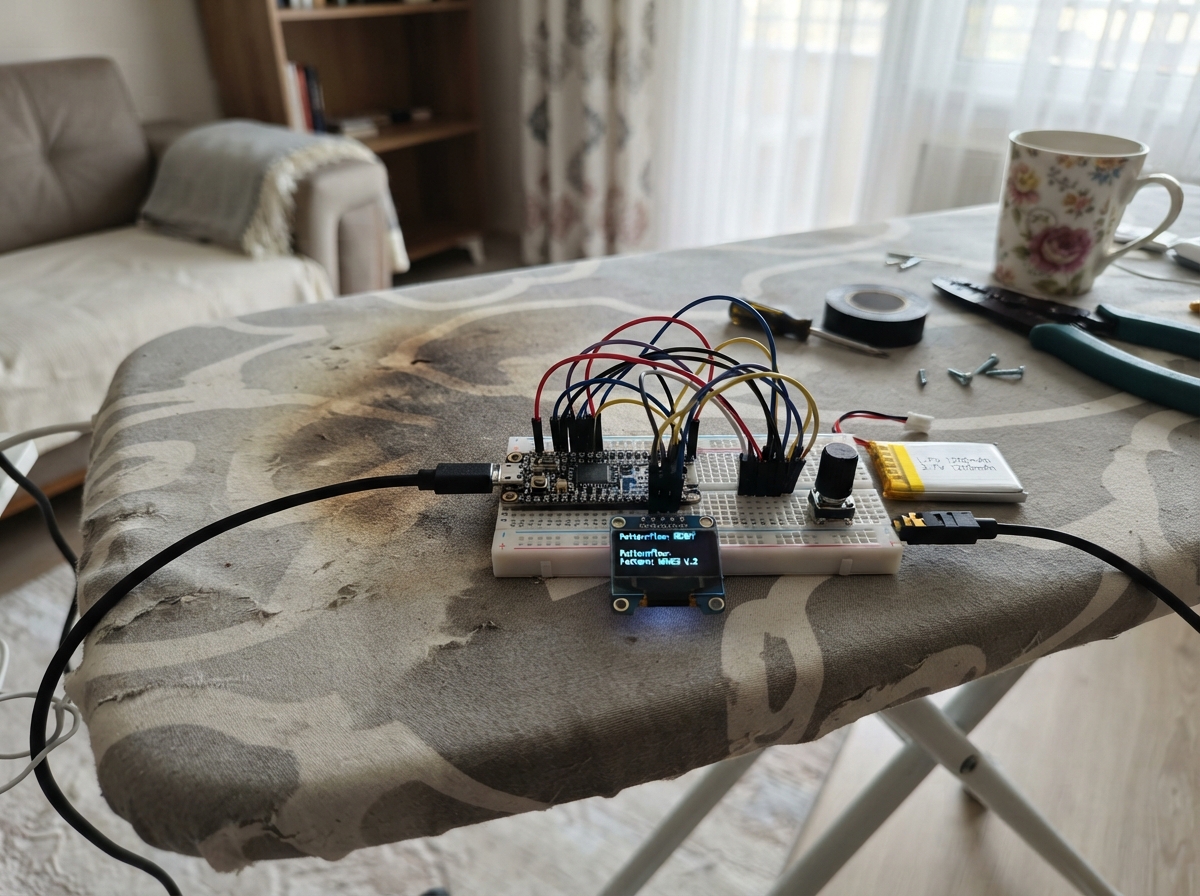
Patternflow Desen Oynatıcı is a generative pattern player that runs on the ESP32-based CYD (Cheap Yellow Display) with a 2.8-inch touchscreen. The project displays animated, procedurally-generated visual patterns including plasma effects, orbital animations, cellular automata, and wave forms that evolve in real time, with touch controls to switch between different pattern modes.
This guide provides the complete wiring diagram, parts list, and firmware needed to build your own pattern player. The CYD's built-in display and touchscreen are used directly—no additional components required—making this an ideal project for learning graphics programming and real-time animation on microcontrollers. Simply connect USB power and upload the firmware to start exploring dynamic visual patterns.
Wiring diagram
Assemble it in 3 steps
1. Use the CYD by itself
This first version uses only the parts already built into your 2.8-inch CYD: its colour screen and touch layer. Do not connect anything to the side pins.
- Place the board on a non-metal surface so the pins underneath cannot touch anything conductive.
- Do not power the board from more than one source at the same time; use its USB connector for this build.
2. Check the screen side
Keep the screen facing up. The pattern name appears at the top and the touch hint appears at the bottom after the firmware starts.
- A single tap anywhere on the screen switches to the next visual pattern.
3. Connect USB power
Plug a data-capable USB cable into the CYD USB connector and then into your computer. The USB cable powers the board and is also used by Schematik to install the firmware.
- If the display stays black, unplug it first before checking the USB cable or the board.
Deploy the firmware
#include <Arduino.h>
#include <SPI.h>
#include <Arduino_GFX_Library.h>
#include <XPT2046_Touchscreen.h>
#include <math.h>

// Built-in ESP32-2432S028R / 2.8-inch CYD wiring.

struct PatternInfo {
  const char *name;
  const char *description;
};


// Forward declarations
uint16_t colour(uint8_t r, uint8_t g, uint8_t b);
uint16_t hue(uint16_t wheel, uint8_t brightness);
void clearCanvas();
void drawChrome();
void drawOrigin(float t);
void drawWaveSaw(float t);
void drawPlasma(float t);
void drawOrbits(float t);
void drawCells(float t);
void renderFrame();
void checkTouch();

constexpr int DISP_SCK = 14;
constexpr int DISP_MOSI = 13;
constexpr int DISP_MISO = 12;
constexpr int DISP_CS = 15;
constexpr int DISP_DC = 2;
constexpr int DISP_BL = 21;
constexpr int TOUCH_SCK = 25;
constexpr int TOUCH_MISO = 39;
constexpr int TOUCH_MOSI = 32;
constexpr int TOUCH_CS = 33;
constexpr int TOUCH_IRQ = 36;

Arduino_DataBus *displayBus = new Arduino_ESP32SPI(
  DISP_DC, DISP_CS, DISP_SCK, DISP_MOSI, DISP_MISO, HSPI);
Arduino_GFX *gfx = new Arduino_ILI9341(displayBus, GFX_NOT_DEFINED, 0, false);
SPIClass touchSPI(VSPI);
XPT2046_Touchscreen touch(TOUCH_CS, TOUCH_IRQ);

constexpr int SCREEN_W = 240;
constexpr int SCREEN_H = 320;
constexpr int HEADER_H = 34;
constexpr int FOOTER_H = 30;
constexpr int DRAW_Y = HEADER_H;
constexpr int DRAW_H = SCREEN_H - HEADER_H - FOOTER_H;
constexpr uint32_t FRAME_MS = 50;  // approximately 20 FPS


// CYD versions of Patternflow's generative canvas patterns.
const PatternInfo patterns[] = {
  {"ORIGIN", "radial colour field"},
  {"WAVE SAW", "saw wave interference"},
  {"DEV 1", "flowing plasma"},
  {"DEV 2", "orbiting particles"},
  {"DEV 3", "cell colour drift"}
};
constexpr uint8_t PATTERN_COUNT = sizeof(patterns) / sizeof(patterns[0]);
uint8_t patternIndex = 0;
uint32_t lastFrame = 0;
uint32_t frameNumber = 0;
bool chromeNeedsRedraw = true;

uint16_t colour(uint8_t r, uint8_t g, uint8_t b) {
  return gfx->color565(r, g, b);
}

uint16_t hue(uint16_t wheel, uint8_t brightness = 255) {
  wheel %= 1536;
  uint8_t section = wheel >> 8;
  uint8_t x = wheel & 255;
  uint8_t r = 0, g = 0, b = 0;
  switch (section) {
    case 0: r = 255; g = x; break;
    case 1: r = 255 - x; g = 255; break;
    case 2: g = 255; b = x; break;
    case 3: g = 255 - x; b = 255; break;
    case 4: r = x; b = 255; break;
    default: r = 255; b = 255 - x; break;
  }
  return colour((uint16_t)r * brightness / 255,
                (uint16_t)g * brightness / 255,
                (uint16_t)b * brightness / 255);
}

void clearCanvas() {
  gfx->fillRect(0, DRAW_Y, SCREEN_W, DRAW_H, colour(0, 0, 0));
}

void drawChrome() {
  gfx->fillRect(0, 0, SCREEN_W, HEADER_H, colour(7, 10, 19));
  gfx->drawFastHLine(0, HEADER_H - 1, SCREEN_W, colour(65, 190, 255));
  gfx->setTextSize(2);
  gfx->setTextColor(colour(225, 242, 255));
  gfx->setCursor(9, 7);
  gfx->print(patterns[patternIndex].name);
  gfx->setTextSize(1);
  gfx->setTextColor(colour(125, 180, 215));
  gfx->setCursor(9, 24);
  gfx->print(patterns[patternIndex].description);

  gfx->fillRect(0, SCREEN_H - FOOTER_H, SCREEN_W, FOOTER_H, colour(7, 10, 19));
  gfx->drawFastHLine(0, SCREEN_H - FOOTER_H, SCREEN_W, colour(65, 190, 255));
  gfx->setTextSize(1);
  gfx->setTextColor(colour(195, 220, 235));
  gfx->setCursor(26, SCREEN_H - 19);
  gfx->print("touch screen: next pattern");
  chromeNeedsRedraw = false;
}

void drawOrigin(float t) {
  float centerX = 120.0f + sinf(t * 0.37f) * 25.0f;
  float centerY = DRAW_Y + DRAW_H / 2.0f + cosf(t * 0.29f) * 40.0f;
  for (int y = DRAW_Y; y < DRAW_Y + DRAW_H; y += 4) {
    for (int x = 0; x < SCREEN_W; x += 4) {
      float dx = x - centerX;
      float dy = y - centerY;
      float distance = sqrtf(dx * dx + dy * dy);
      uint8_t value = (uint8_t)max(20, 230 - (int)(distance * 1.35f));
      gfx->fillRect(x, y, 4, 4, hue((uint16_t)(distance * 9.0f + t * 120.0f), value));
    }
  }
}

void drawWaveSaw(float t) {
  clearCanvas();
  for (int x = 0; x < SCREEN_W; x += 2) {
    float phase = fmodf(x * 0.072f + t * 1.65f, 6.283185f);
    float saw = phase / 3.141593f - 1.0f;
    int sawY = DRAW_Y + DRAW_H / 2 + (int)(saw * 75.0f);
    int sineY = DRAW_Y + DRAW_H / 2 + (int)(sinf(x * 0.105f - t * 2.1f) * 48.0f);
    gfx->drawLine(x, DRAW_Y + DRAW_H / 2, x, sawY, hue((uint16_t)(x * 5 + t * 190), 220));
    gfx->drawPixel(x, sineY, colour(255, 255, 255));
  }
}

void drawPlasma(float t) {
  for (int y = DRAW_Y; y < DRAW_Y + DRAW_H; y += 5) {
    for (int x = 0; x < SCREEN_W; x += 5) {
      float wave = sinf(x * 0.050f + t) + sinf(y * 0.065f - t * 1.2f) + sinf((x + y) * 0.032f + t * 0.8f);
      gfx->fillRect(x, y, 5, 5, hue((uint16_t)((wave + 3.0f) * 245.0f + t * 90.0f)));
    }
  }
}

void drawOrbits(float t) {
  clearCanvas();
  const int centerX = SCREEN_W / 2;
  const int centerY = DRAW_Y + DRAW_H / 2;
  for (uint8_t ring = 0; ring < 7; ring++) {
    float radius = 18.0f + ring * 17.0f;
    float angle = t * (0.70f + ring * 0.13f) + ring * 0.92f;
    int x = centerX + (int)(cosf(angle) * radius);
    int y = centerY + (int)(sinf(angle * 1.35f) * radius * 0.62f);
    gfx->drawCircle(centerX, centerY, (int)radius, colour(12, 20, 35));
    gfx->fillCircle(x, y, 3 + (ring & 1), hue((uint16_t)(ring * 205 + t * 120)));
  }
  gfx->fillCircle(centerX, centerY, 8, colour(255, 255, 255));
}

void drawCells(float t) {
  constexpr int CELL = 12;
  for (int y = DRAW_Y; y < DRAW_Y + DRAW_H; y += CELL) {
    for (int x = 0; x < SCREEN_W; x += CELL) {
      float noise = sinf(x * 0.095f + t) * cosf(y * 0.081f - t * 0.73f);
      uint8_t radius = 2 + (uint8_t)((noise + 1.0f) * 3.5f);
      gfx->fillRect(x, y, CELL - 1, CELL - 1, colour(5, 8, 15));
      gfx->fillCircle(x + CELL / 2, y + CELL / 2, radius,
                      hue((uint16_t)((noise + 1.0f) * 400 + t * 150), 230));
    }
  }
}

void renderFrame() {
  float t = frameNumber * (FRAME_MS / 1000.0f);
  if (chromeNeedsRedraw) drawChrome();
  switch (patternIndex) {
    case 0: drawOrigin(t); break;
    case 1: drawWaveSaw(t); break;
    case 2: drawPlasma(t); break;
    case 3: drawOrbits(t); break;
    default: drawCells(t); break;
  }
  frameNumber++;
}

void checkTouch() {
  static bool touchWasDown = false;
  bool isDown = touch.touched();
  if (isDown && !touchWasDown) {
    patternIndex = (patternIndex + 1) % PATTERN_COUNT;
    clearCanvas();
    chromeNeedsRedraw = true;
  }
  touchWasDown = isDown;
}

void setup() {
  pinMode(DISP_BL, OUTPUT);
  digitalWrite(DISP_BL, HIGH);
  gfx->begin();
  gfx->setRotation(0);  // portrait, 240 x 320
  gfx->fillScreen(colour(0, 0, 0));

  // XPT2046_Touchscreen uses the global SPI bus for this CYD touch controller.
  SPI.begin(TOUCH_SCK, TOUCH_MISO, TOUCH_MOSI, TOUCH_CS);
  touch.begin();
  touch.setRotation(0);
  drawChrome();
}

void loop() {
  checkTouch();
  uint32_t now = millis();
  if (now - lastFrame >= FRAME_MS) {
    lastFrame = now;
    renderFrame();
  }
}
Remix this project
Make it yours in one click
Open a full copy of this project in your own Schematik workspace — diagram, code, parts, and assembly steps included. Swap the sensor, add features, or redesign the whole thing with AI. The author's original stays untouched.