Community project
مساعد صوتي عربي
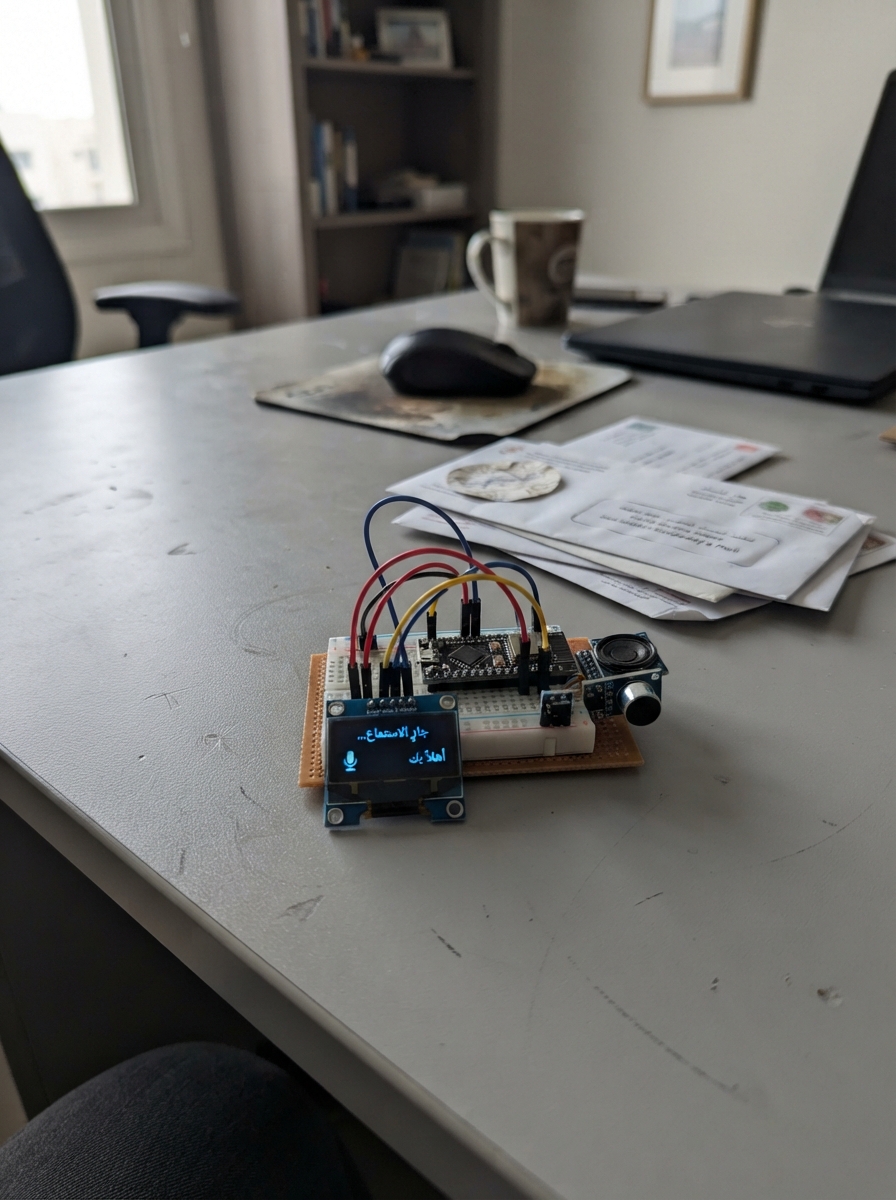
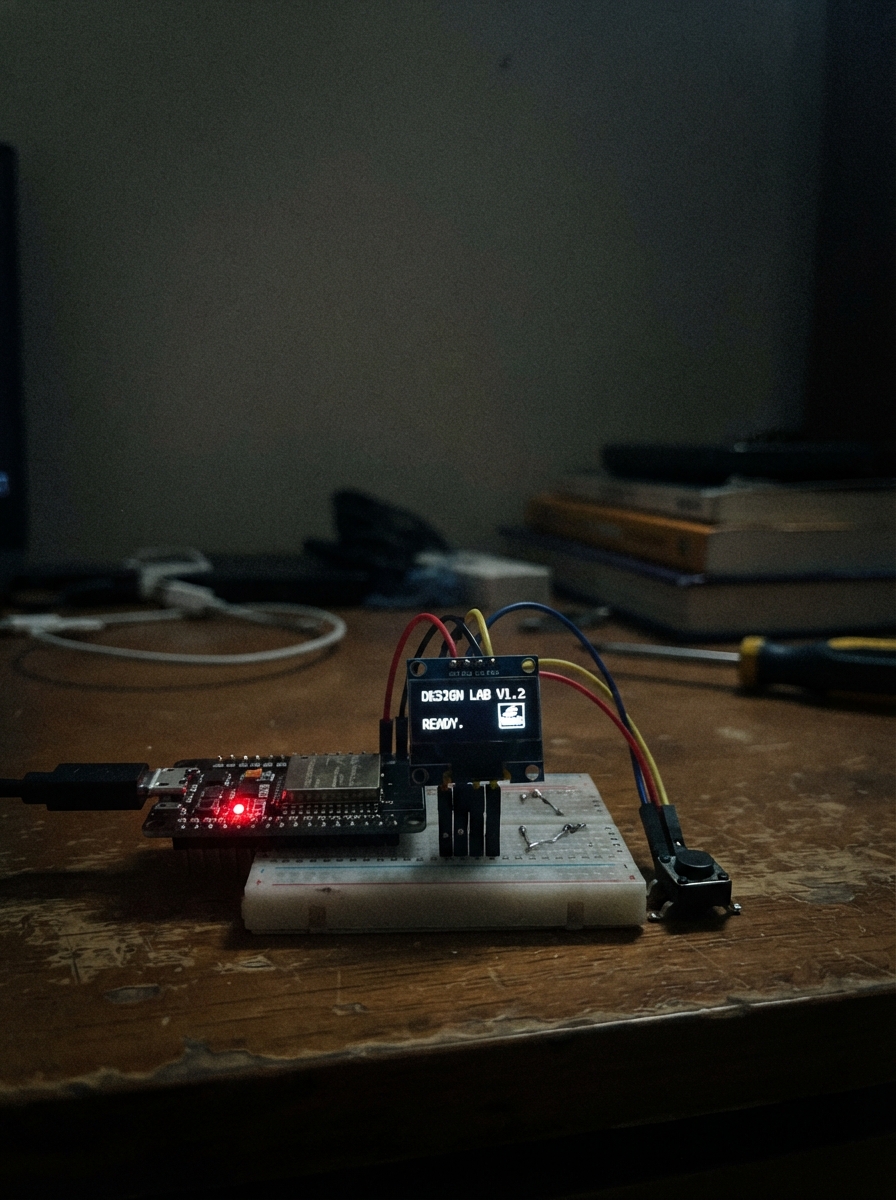
This project builds an Arabic-language motivational assistant on the ESP32 microcontroller, designed to help students prepare for exams. The device displays countdown timers, motivational messages, weather information, and time on a small OLED screen, with all data synchronized over WiFi.
This guide provides a complete wiring diagram connecting the 0.96" OLED display to the ESP32, a full parts list, the complete Arduino firmware with Arabic message support, and step-by-step assembly instructions. The setup process is straightforward: connect the display via I2C pins, keep the battery and sensor disconnected for now, and sync the real-time clock from your phone over WiFi.
Wiring diagram
Gather all the parts
Assemble it in 3 steps
1. اترك البطارية والحساس خارج التوصيل
لا توصل البطارية أو حساس الحرارة في هذا الإصدار. تعمل الساعة من كابل USB فقط، والشاشة هي القطعة الخارجية الوحيدة المطلوبة.
- هذا الإصدار لا يستخدم الإنترنت أو شبكة المنزل للحصول على الوقت.
- لا توصل مصدر طاقة ثانٍ مع USB في الوقت نفسه، لأن ذلك قد يضر اللوحة.
2. وصل الشاشة الصغيرة
افصل لوحة ESP32 من USB أولًا. وصل VCC أو VDD في الشاشة إلى 3V3 في ESP32 (طاقة)، وGND إلى GND (أرضي)، وSCL أو SCK إلى GPIO22 (ساعة البيانات)، وSDA إلى GPIO21 (بيانات الشاشة).
- ابحث عن الرقمين 21 و22 المطبوعين على لوحة ESP32؛ لا تعتمد على تسميات D1 وD2.
- تأكد أن VCC وGND غير مقلوبين، لأن عكس سلكي الطاقة قد يتلف الشاشة.
3. اضبط الساعة من هاتفك
بعد رفع البرنامج وتشغيل اللوحة من USB، افتح إعدادات الواي فاي في الهاتف واتصل بالشبكة التي اسمها StudyClock-Setup. كلمة مرورها clock2026. افتح المتصفح واكتب 192.168.4.1، ثم اضغط زر ضبط الوقت؛ يأخذ البرنامج الوقت الحالي من هاتفك ويخزنه داخل اللوحة.
- الهاتف لا يحتاج إنترنت لهذه الخطوة؛ اتصل فقط بشبكة الساعة المحلية.
- بعد فصل الكهرباء لفترة طويلة قد تحتاج إلى فتح الصفحة وضبط الوقت مرة أخرى، لأن اللوحة لا تحتوي على ساعة احتياطية مستقلة.
Review all connections
1. Connections between "oled_1" and "ESP32"
Deploy the firmware
#include <Arduino.h>
#include <Wire.h>
#include <WiFi.h>
#include <WiFiClientSecure.h>
#include <HTTPClient.h>
#include <time.h>
#include <math.h>
#include <Adafruit_GFX.h>
#include <Adafruit_SSD1306.h>
#define OLED_SDA 21
#define OLED_SCL 22
const char *WIFI_SSID = "Vodafone_VDSL";
const char *WIFI_PASSWORD = "xxZRTDetcEbAsubC";
const uint8_t SCREEN_WIDTH = 128, SCREEN_HEIGHT = 64;
const unsigned long LAYOUT_INTERVAL_MS = 3UL * 60UL * 60UL * 1000UL;
const unsigned long MOTIVATION_INTERVAL_MS = 10UL * 60UL * 1000UL;
const unsigned long MOTIVATION_SHOW_MS = 20UL * 1000UL;
const unsigned long WEATHER_INTERVAL_MS = 30UL * 60UL * 1000UL;
const time_t EXAM_UNIX = 1808438400;
Adafruit_SSD1306 display(SCREEN_WIDTH, SCREEN_HEIGHT, &Wire, -1);
unsigned long lastLayoutChange, lastMotivationChange, motivationStarted, lastWeatherUpdate;
int currentLayout = 0, currentMotivation = -1, nextMotivation = 0, weatherTemp = 0;
bool weatherKnown = false, displayReady = false;
String lastScreen;
const char *MESSAGES[] = {"Success is waiting for you", "You will be first in Sudan: 99%", "Your universe is waiting for you", "God has chosen you", "Be yourself"};
const uint8_t MESSAGE_COUNT = 5;
bool timeIsReady() { return time(nullptr) > 1700000000; }
int daysRemaining() {
if (!timeIsReady()) return 0;
double seconds = difftime(EXAM_UNIX, time(nullptr));
return seconds <= 0 ? 0 : (int)ceil(seconds / 86400.0);
}
void drawCentered(const String &text, int y, uint8_t size) {
display.setTextSize(size); int16_t x1, y1; uint16_t w, h;
display.getTextBounds(text.c_str(), 0, y, &x1, &y1, &w, &h);
display.setCursor((SCREEN_WIDTH - w) / 2, y); display.print(text);
}
void updateWeather() {
if (WiFi.status() != WL_CONNECTED) return;
WiFiClientSecure client; client.setInsecure(); HTTPClient http;
if (!http.begin(client, "https://api.open-meteo.com/v1/forecast?latitude=15.50&longitude=32.56¤t=temperature_2m")) return;
if (http.GET() == HTTP_CODE_OK) {
String body = http.getString(); int key = body.indexOf("\"temperature_2m\":");
if (key >= 0) { int start = key + 17, end = body.indexOf(',', start); if (end < 0) end = body.indexOf('}', start);
weatherTemp = (int)roundf(body.substring(start, end).toFloat()); weatherKnown = true; lastScreen = ""; }
}
http.end();
}
void drawLayout1(const char *clockText, const char *dateText, const String &weather, int days) {
display.setTextSize(1); display.setCursor(0, 0); display.print(weather); display.drawFastHLine(0, 10, 128, SSD1306_WHITE);
drawCentered(clockText, 16, 2); drawCentered(dateText, 37, 1); display.drawRect(1, 50, 126, 13, SSD1306_WHITE);
drawCentered("EXAM: " + String(days) + " DAYS LEFT", 53, 1);
}
void drawLayout2(const char *clockText, const char *dateText, const String &weather, int days) {
drawCentered(clockText, 10, 2); display.drawFastHLine(7, 33, 114, SSD1306_WHITE);
drawCentered(dateText, 37, 1); drawCentered(weather, 47, 1); drawCentered("Sudan Exam: " + String(days) + "d", 55, 1);
}
void drawLayout3(const char *clockText, const char *dateText, const String &weather, int days) {
display.drawRect(0, 0, 128, 64, SSD1306_WHITE); display.drawRect(2, 2, 124, 60, SSD1306_WHITE);
drawCentered("STUDY CLOCK", 7, 1); display.drawFastHLine(7, 17, 114, SSD1306_WHITE);
drawCentered(clockText, 22, 2); drawCentered(dateText, 41, 1); drawCentered(weather + " Exam:" + String(days) + "d", 52, 1);
}
void drawMotivation(const String &message) {
display.drawRect(0, 0, 128, 64, SSD1306_WHITE); drawCentered("KEEP GOING", 8, 1); display.drawFastHLine(12, 19, 104, SSD1306_WHITE);
int split = message.length() > 19 ? message.lastIndexOf(' ', 19) : -1;
if (split > 0) { drawCentered(message.substring(0, split), 29, 1); drawCentered(message.substring(split + 1), 42, 1); }
else drawCentered(message, 35, 1); drawCentered("Every step counts", 53, 1);
}
void drawScreen() {
if (!displayReady) return;
char clockText[10] = "--:--", dateText[18] = "Connecting..."; struct tm timeinfo;
if (timeIsReady()) { time_t now = time(nullptr); localtime_r(&now, &timeinfo); strftime(clockText, sizeof(clockText), "%I:%M %p", &timeinfo); strftime(dateText, sizeof(dateText), "%a %d %b", &timeinfo); }
String weather = weatherKnown ? "Khartoum: " + String(weatherTemp) + "C" : "Weather: waiting";
String state = String(currentLayout) + clockText + dateText + weather + String(currentMotivation);
if (state == lastScreen) return; lastScreen = state; display.clearDisplay(); display.setTextColor(SSD1306_WHITE);
if (currentMotivation >= 0) drawMotivation(MESSAGES[currentMotivation]);
else if (currentLayout == 0) drawLayout1(clockText, dateText, weather, daysRemaining());
else if (currentLayout == 1) drawLayout2(clockText, dateText, weather, daysRemaining());
else drawLayout3(clockText, dateText, weather, daysRemaining());
display.display();
}
void setup() {
Serial.begin(115200); Wire.begin(OLED_SDA, OLED_SCL); displayReady = display.begin(SSD1306_SWITCHCAPVCC, 0x3C);
WiFi.mode(WIFI_STA); WiFi.begin(WIFI_SSID, WIFI_PASSWORD); configTzTime("CAT-2", "pool.ntp.org", "time.nist.gov");
lastLayoutChange = lastMotivationChange = millis(); drawScreen();
}
void loop() {
unsigned long now = millis();
if (WiFi.status() != WL_CONNECTED) { static unsigned long lastReconnect = 0; if (now - lastReconnect >= 15000UL) { lastReconnect = now; WiFi.disconnect(); WiFi.begin(WIFI_SSID, WIFI_PASSWORD); } }
else if (!weatherKnown || now - lastWeatherUpdate >= WEATHER_INTERVAL_MS) { lastWeatherUpdate = now; updateWeather(); }
if (now - lastLayoutChange >= LAYOUT_INTERVAL_MS) { lastLayoutChange = now; currentLayout = (currentLayout + 1) % 3; lastScreen = ""; }
if (currentMotivation < 0 && now - lastMotivationChange >= MOTIVATION_INTERVAL_MS) { currentMotivation = nextMotivation; nextMotivation = (nextMotivation + 1) % MESSAGE_COUNT; motivationStarted = now; lastMotivationChange = now; lastScreen = ""; }
if (currentMotivation >= 0 && now - motivationStarted >= MOTIVATION_SHOW_MS) { currentMotivation = -1; lastScreen = ""; }
drawScreen(); delay(50);
}Remix this project
Make it yours in one click
Open a full copy of this project in your own Schematik workspace, diagram, code, parts, and assembly steps included. Swap the sensor, add features, or redesign the whole thing with AI. The author's original stays untouched.