Community project
Real-Time Cellular Data Monitor
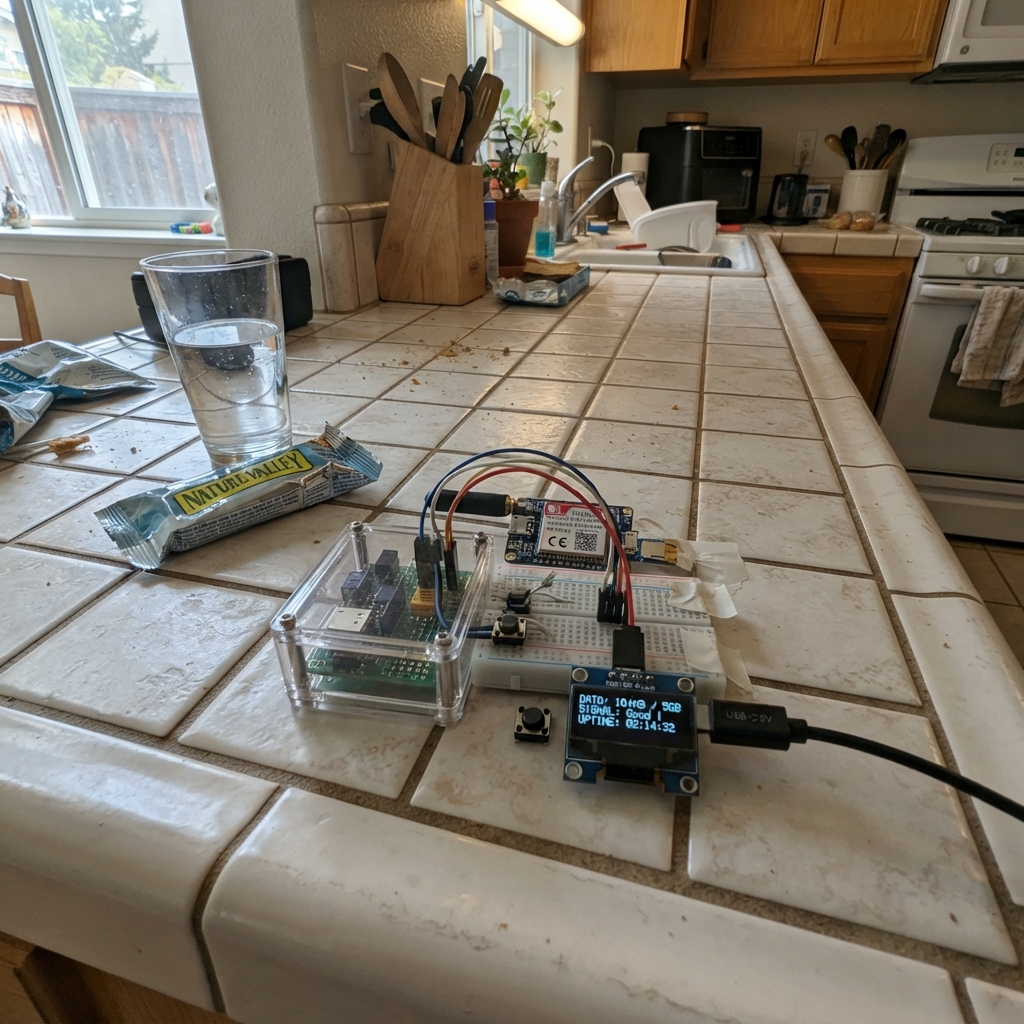
This project builds a real-time cellular data monitor using an ESP32 microcontroller paired with an SIM7600 LTE modem. The device displays live signal strength, network registration status, operator name, and connection statistics on a small OLED screen, making it easy to diagnose cellular coverage and connectivity issues in any location.
The guide provides a complete parts list, wiring diagram, and step-by-step assembly instructions for connecting the modem, display, and control button to the ESP32. Firmware is included to poll the modem every 10 seconds, track signal quality and outage events, and cycle through multiple information pages with a push button. Power is supplied via USB-C, with safe modem startup sequencing built into the code.
Wiring diagram

Gather all the parts
Assemble it in 5 steps
1. Prepare the modem and SIM card
With all power unplugged, fit an activated nano-SIM into cellular_modem and screw its LTE antenna onto the connector marked MAIN. Place the antenna where it is not covered by metal or the ESP32 board.
- The antenna must be connected before the modem is powered; it is what lets the modem reach the mobile network.
- Do not power the modem without its antenna attached — transmitting without an antenna can damage the radio.
2. Connect the screen
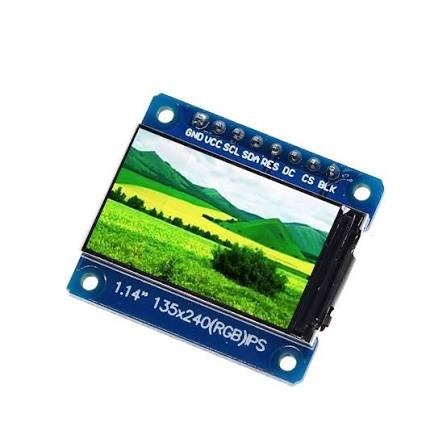
Connect status_oled VCC to the ESP32 3V3 pin (power), GND to an ESP32 GND pin (ground), SDA to GPIO21 (data), and SCL to GPIO22 (clock). Keep these four wires short.
- The labels are normally printed beside the four screen pins.
- Make sure VCC and GND are not swapped — swapped power can damage the screen.
3. Connect the modem control wires
Connect cellular_modem TXD to ESP32 GPIO16 (data), cellular_modem RXD to ESP32 GPIO17 (data), cellular_modem PWRKEY to ESP32 GPIO27 (turn-on control), and cellular_modem GND to an ESP32 GND pin (ground). Buy the specified breakout with 3.3 V UART pins; do not connect a bare 1.8 V SIM7600 module directly to these pins.
- TXD and RXD cross over: the modem's transmit pin goes to the ESP32 receive pin.
- The ESP32, modem, and power adapter must share the same GND wire or the serial data cannot be read reliably.
4. Add the page button
Connect one leg of mode_button to GPIO4 (signal) and the other leg to GND (ground). If your small four-leg tactile switch is used, choose two legs on opposite sides of the switch, not the two legs that are already joined on one side.
- A quick tap changes the information page exactly once.
- Do not connect the button to 3V3; this design uses the ESP32's built-in pull-up and expects the button to connect GPIO4 to GND.
5. Power the modem safely
Connect usb_power +5V to cellular_modem VCC (power) and usb_power GND to cellular_modem GND (ground). Use a USB-C wall adapter rated for at least 5 V and 3 A. Connect the ESP32 to your computer with its normal USB cable for programming; its GND is already joined to the modem in the previous step.
- A separate strong supply prevents the modem's short transmit bursts from making the ESP32 restart.
- Do not try to run the modem from the ESP32 3V3 pin or from a weak computer USB port — the modem can need much more current than those can safely provide.
Review all connections
1. Connections between "usb_power" and "ESP32"
2. Connections between "cellular_modem" and "ESP32"
3. Connections between "status_oled" and "ESP32"
4. Connections between "mode_button" and "ESP32"
Deploy the firmware
#include <Arduino.h>
#include <Wire.h>
#include <Adafruit_GFX.h>
#include <Adafruit_SSD1306.h>

#define MODEM_RX_PIN 16
#define MODEM_TX_PIN 17
#define MODEM_PWRKEY_PIN 27
#define BUTTON_PIN 4
#define OLED_SDA_PIN 21
#define OLED_SCL_PIN 22

const uint8_t SCREEN_WIDTH = 128;
const uint8_t SCREEN_HEIGHT = 64;
const uint8_t OLED_ADDRESS = 0x3C;
const unsigned long POLL_INTERVAL_MS = 10000;
const unsigned long BUTTON_DEBOUNCE_MS = 40;

HardwareSerial modemSerial(2);
Adafruit_SSD1306 display(SCREEN_WIDTH, SCREEN_HEIGHT, &Wire, -1);

struct CellularState {
  String signalText = "Waiting";
  String operatorName = "Not read yet";
  String registration = "Not read yet";
  String attached = "Not read yet";
  String radio = "Not read yet";
  int csq = -1;
  int dbm = 0;
  uint32_t polls = 0;
  uint32_t weakEvents = 0;
  uint32_t outageEvents = 0;
  bool inOutage = false;
  bool modemAnswered = false;
};

CellularState cell;
uint8_t page = 0;
unsigned long lastPollMs = 0;
unsigned long lastButtonChangeMs = 0;
bool lastButtonReading = HIGH;
bool stableButtonState = HIGH;

String cleanReply(String reply) {
  reply.replace("\r", " ");
  reply.replace("\n", " ");
  reply.replace("OK", "");
  reply.replace("ERROR", "");
  reply.trim();
  while (reply.indexOf("  ") >= 0) reply.replace("  ", " ");
  return reply;
}

String atCommand(const char *command, unsigned long timeoutMs = 1800) {
  while (modemSerial.available()) modemSerial.read();
  modemSerial.println(command);
  String reply;
  unsigned long started = millis();
  while (millis() - started < timeoutMs) {
    while (modemSerial.available()) {
      char c = (char)modemSerial.read();
      reply += c;
    }
    if (reply.indexOf("\r\nOK\r\n") >= 0 || reply.indexOf("\r\nERROR\r\n") >= 0) break;
    delay(5);
  }
  return cleanReply(reply);
}

String payloadAfterColon(const String &reply) {
  int colon = reply.indexOf(':');
  if (colon < 0) return reply;
  String value = reply.substring(colon + 1);
  value.trim();
  return value;
}

bool modemIsResponding() {
  String reply = atCommand("AT", 900);
  return reply.indexOf("AT") >= 0;
}

void requestModemPowerIfNeeded() {
  if (modemIsResponding()) return;
  digitalWrite(MODEM_PWRKEY_PIN, LOW);
  delay(1200);
  digitalWrite(MODEM_PWRKEY_PIN, HIGH);
  delay(2500);
}

void pollCellular() {
  cell.polls++;
  cell.modemAnswered = modemIsResponding();
  if (!cell.modemAnswered) {
    if (!cell.inOutage) {
      cell.outageEvents++;
      cell.inOutage = true;
    }
    cell.signalText = "No modem reply";
    cell.registration = "No modem reply";
    cell.attached = "No modem reply";
    return;
  }

  String csqReply = atCommand("AT+CSQ");
  String csqData = payloadAfterColon(csqReply);
  int comma = csqData.indexOf(',');
  cell.csq = csqData.substring(0, comma < 0 ? csqData.length() : comma).toInt();
  if (cell.csq >= 0 && cell.csq <= 31) {
    cell.dbm = -113 + (2 * cell.csq);
    cell.signalText = String(cell.csq) + "/31 " + String(cell.dbm) + " dBm";
    if (cell.csq <= 8) cell.weakEvents++;
  } else {
    cell.signalText = "Unknown";
  }

  cell.operatorName = payloadAfterColon(atCommand("AT+COPS?", 4000));
  cell.registration = payloadAfterColon(atCommand("AT+CREG?"));
  cell.attached = payloadAfterColon(atCommand("AT+CGATT?"));
  cell.radio = payloadAfterColon(atCommand("AT+CPSI?", 3500));

  bool registered = cell.registration.endsWith(",1") || cell.registration.endsWith(",5");
  if (!registered) {
    if (!cell.inOutage) {
      cell.outageEvents++;
      cell.inOutage = true;
    }
  } else {
    cell.inOutage = false;
  }
}

void line(uint8_t row, const String &text) {
  display.setCursor(0, row * 10);
  display.print(text);
}

String shorten(String value, uint8_t maxChars) {
  if (value.length() <= maxChars) return value;
  return value.substring(0, maxChars - 1) + ".";
}

void render() {
  display.clearDisplay();
  display.setTextColor(SSD1306_WHITE);
  display.setTextSize(1);

  if (page == 0) {
    line(0, "CELLULAR LIVE");
    line(1, "Signal: " + cell.signalText);
    line(2, "Carrier:");
    line(3, shorten(cell.operatorName, 21));
    line(4, "Reg: " + shorten(cell.registration, 18));
    line(5, cell.inOutage ? "NETWORK NOT READY" : "Network registered");
    line(6, "Button: details");
  } else if (page == 1) {
    line(0, "NETWORK DETAILS");
    line(1, "Attached: " + shorten(cell.attached, 15));
    line(2, "Radio:");
    line(3, shorten(cell.radio, 21));
    line(4, "Polls: " + String(cell.polls));
    line(5, "Weak readings: " + String(cell.weakEvents));
    line(6, "Button: health");
  } else {
    line(0, "CELLULAR HEALTH");
    line(1, "Modem: " + String(cell.modemAnswered ? "answering" : "no reply"));
    line(2, "Signal drops: " + String(cell.weakEvents));
    line(3, "Outage starts: " + String(cell.outageEvents));
    line(4, "Updates every 10 sec");
    line(5, "Tap = live page");
    line(6, "Live diagnostics");
  }
  display.display();
}

void setup() {
  pinMode(MODEM_PWRKEY_PIN, OUTPUT);
  digitalWrite(MODEM_PWRKEY_PIN, HIGH);
  pinMode(BUTTON_PIN, INPUT_PULLUP);
  Serial.begin(115200);
  modemSerial.begin(115200, SERIAL_8N1, MODEM_RX_PIN, MODEM_TX_PIN);
  Wire.begin(OLED_SDA_PIN, OLED_SCL_PIN);
  display.begin(SSD1306_SWITCHCAPVCC, OLED_ADDRESS);
  display.clearDisplay();
  display.setTextColor(SSD1306_WHITE);
  display.setTextSize(1);
  display.setCursor(0, 0);
  display.println("Starting cellular");
  display.println("monitor...");
  display.display();

  requestModemPowerIfNeeded();
  pollCellular();
  render();
  lastPollMs = millis();
}

void loop() {
  bool reading = digitalRead(BUTTON_PIN);
  if (reading != lastButtonReading) lastButtonChangeMs = millis();
  if ((millis() - lastButtonChangeMs) > BUTTON_DEBOUNCE_MS && reading != stableButtonState) {
    stableButtonState = reading;
    if (stableButtonState == LOW) {
      page = (page + 1) % 3;
      render();
    }
  }
  lastButtonReading = reading;

  if (millis() - lastPollMs >= POLL_INTERVAL_MS) {
    pollCellular();
    render();
    lastPollMs = millis();
  }
  delay(10);
}
Remix this project
Make it yours in one click
Open a full copy of this project in your own Schematik workspace — diagram, code, parts, and assembly steps included. Swap the sensor, add features, or redesign the whole thing with AI. The author's original stays untouched.