Community project
Room Comfort Monitor
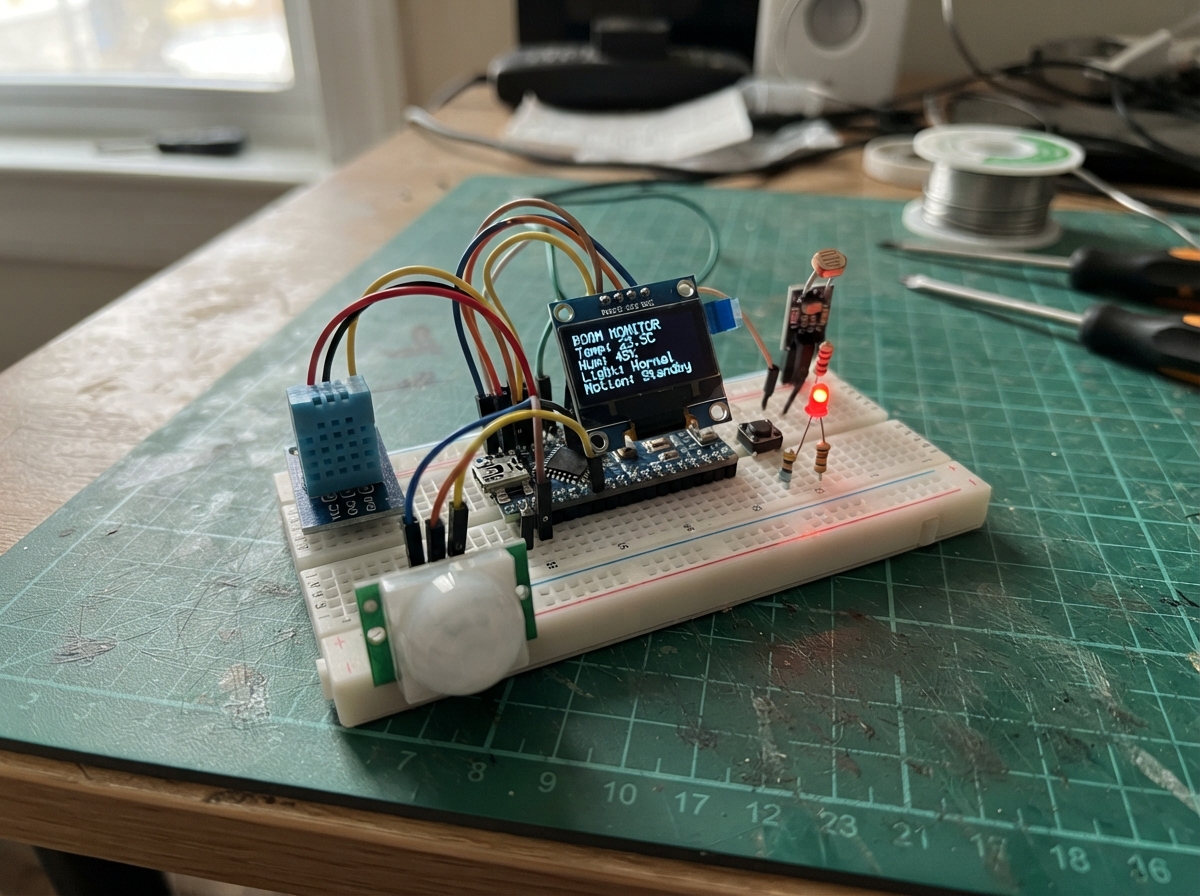
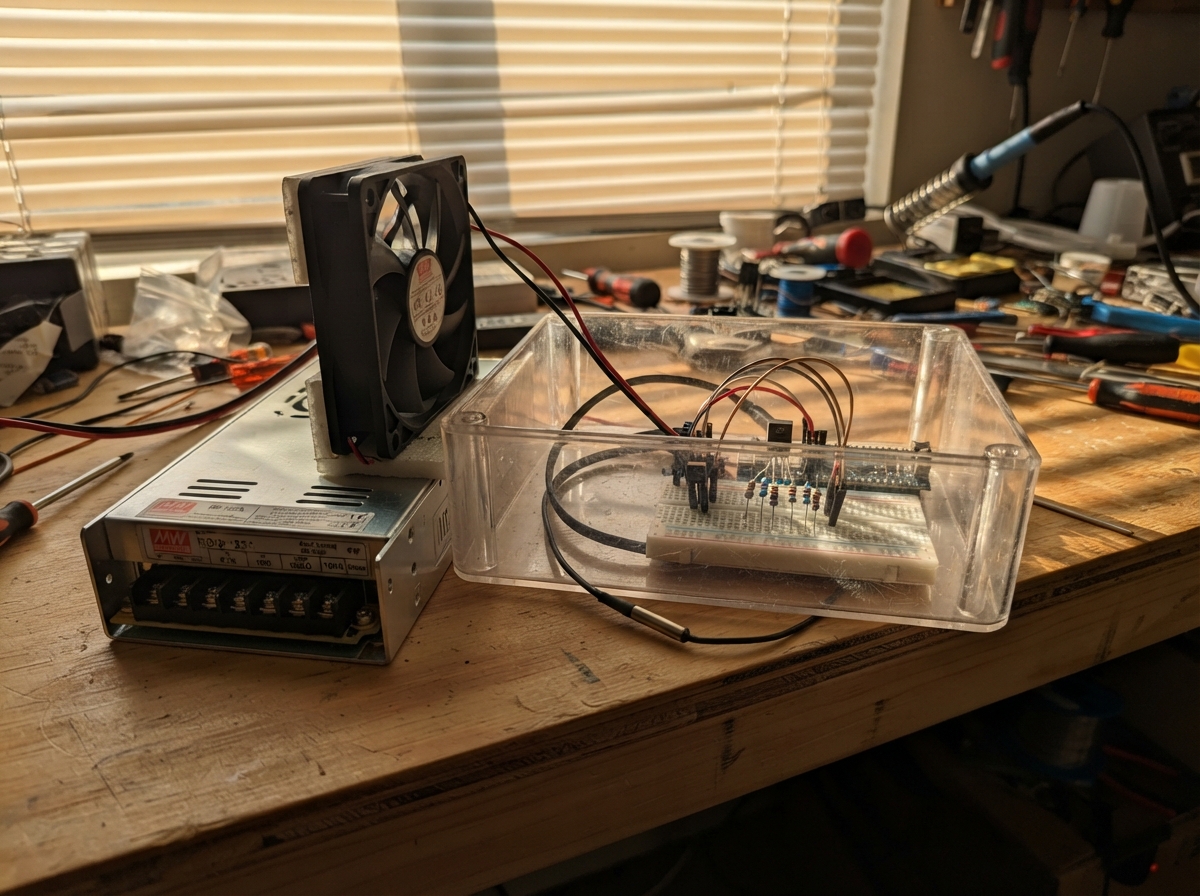
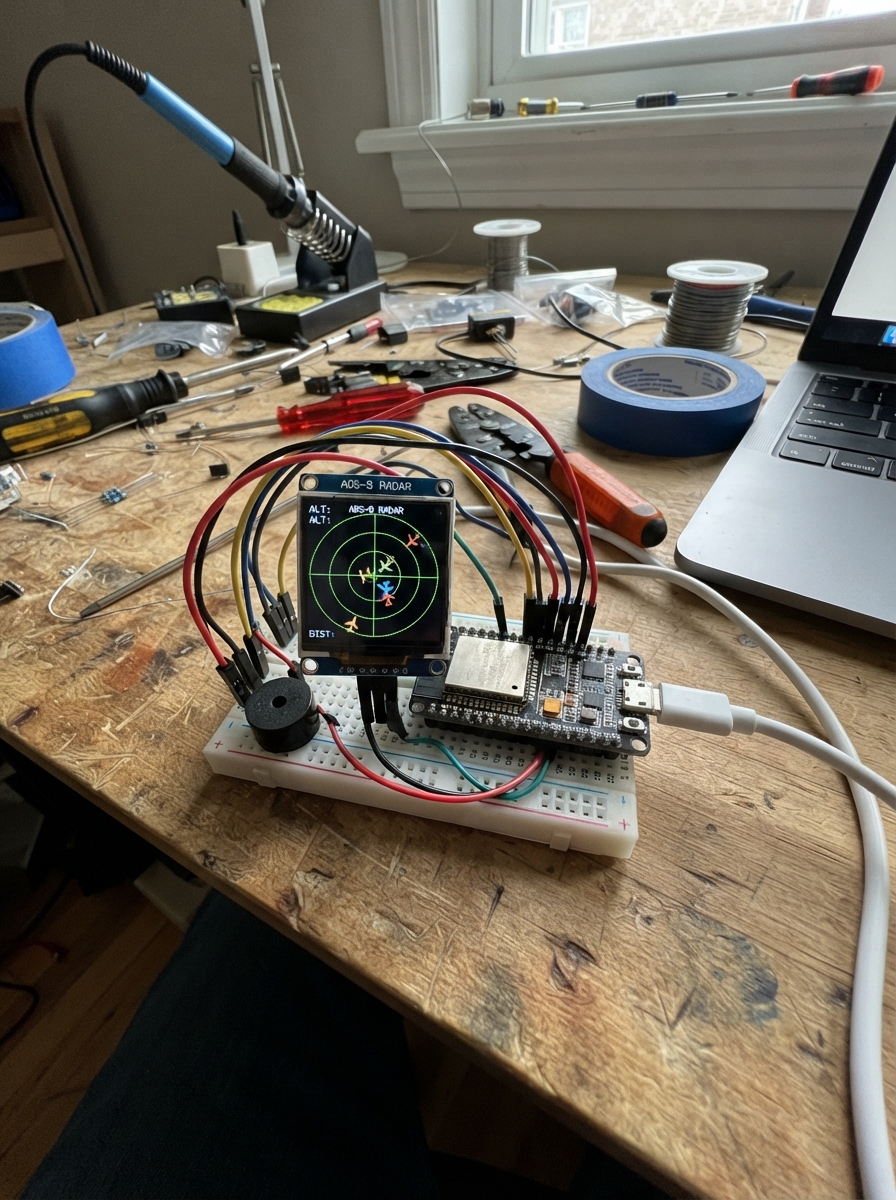
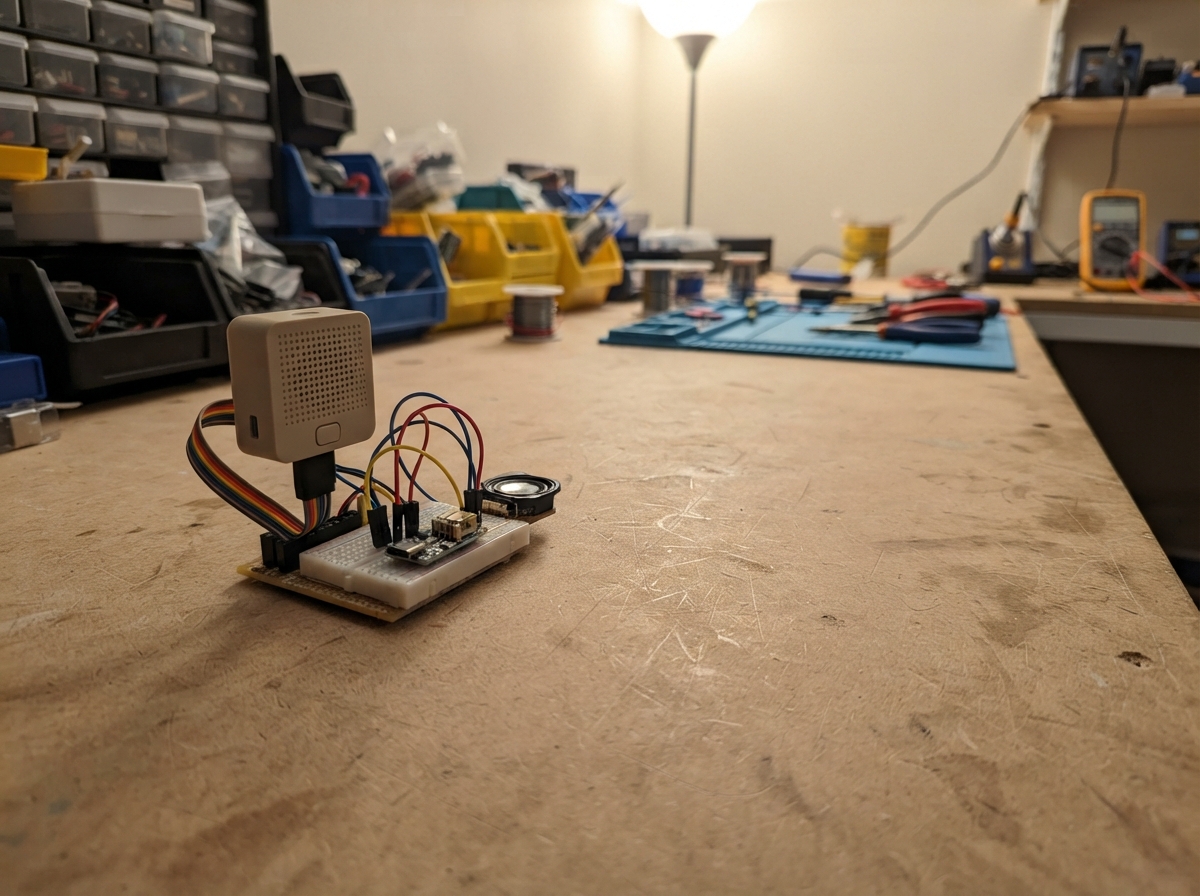
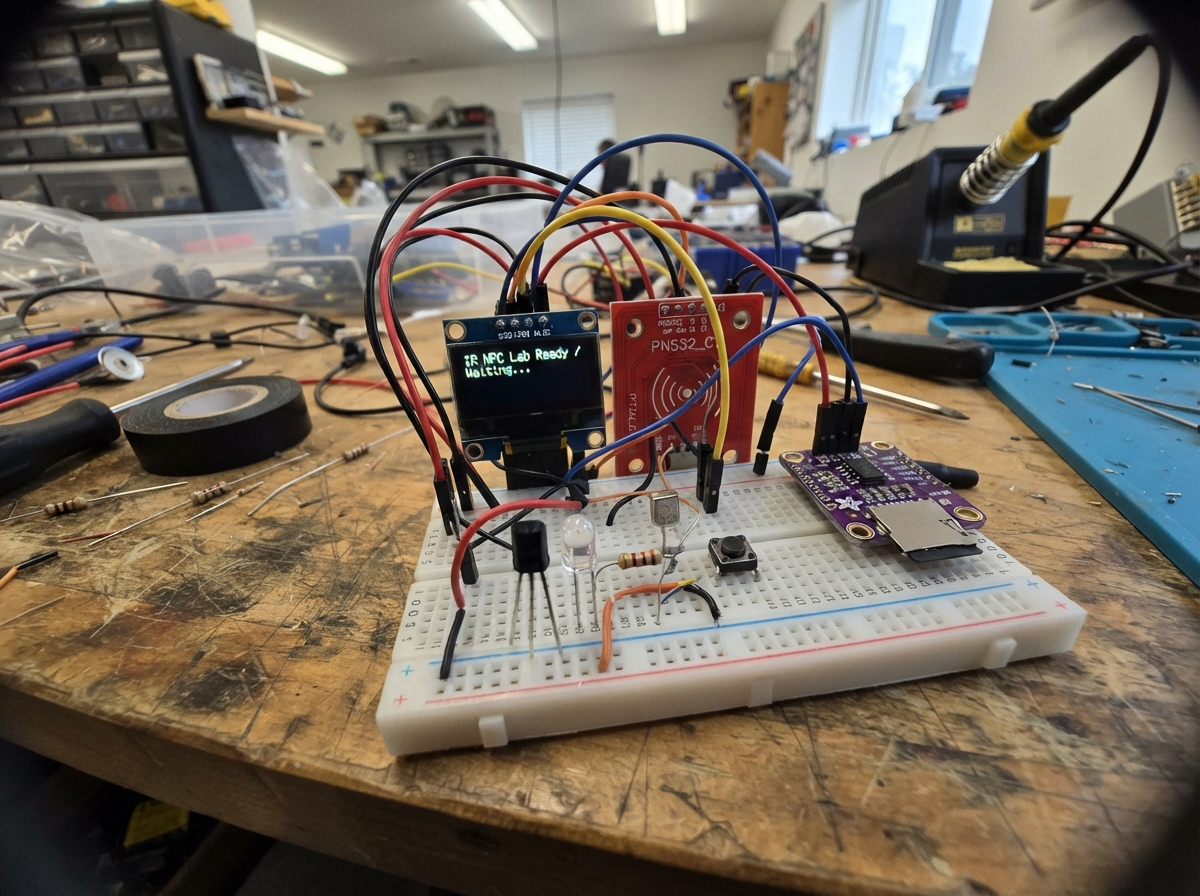
The Room Comfort Monitor tracks temperature, humidity, light levels, and motion in a room, displaying real-time data on a compact OLED screen. Built around an ESP32 microcontroller with a DHT11 sensor, light sensor, and PIR motion detector, this project provides continuous environmental monitoring with visual feedback through indicator LEDs.
This guide includes a complete wiring diagram showing how to connect all sensors and controls to the ESP32, a full parts list, the complete Arduino firmware with WiFi and web dashboard support, and step-by-step assembly instructions. Builders will learn how to integrate multiple sensor types, manage sensor data, and create an interactive display-based interface for home comfort monitoring.
Wiring diagram

Gather all the parts
Assemble it in 6 steps
1. Place and power the board
Place the ESP32-S3 board beside the breadboard with its antenna at the top. Use the USB-C to USB-C cable to connect the left USB-C programming/logging connector to your computer. Do not connect the sensor or OLED boards yet.
- The board may be powered from USB while only the button and LEDs are fitted.
- Keep the bare board on a non-conductive surface while you build.
- Do not let loose jumper ends touch each other; a short circuit can make the board or cable hot.
2. Wire the mode button
Push the tactile button across the breadboard’s center gap so its two pairs of legs are on opposite sides of the gap. Connect one side of the switch to GPIO7, J1 pin 7 (signal). Connect a leg on the opposite side to a GND pin, such as J1 pin 22 (ground). The firmware uses the board’s internal pull-up, so no resistor is used for this button.
- The two legs on the same side of this style of button are already connected together; use legs from opposite sides.
- A quick press changes Home to Away or Away to Home exactly once.
- If the button does nothing, rotate it 90 degrees; using two legs from the same side never changes the signal.
3. Wire the green indicator
Put the green LED in two separate breadboard rows. Connect GPIO8, J1 pin 12, to one end of green_resistor_1 (signal). Connect the other resistor end to the green LED long leg (current limiting). Connect the green LED short leg, the flatter side of its rim, to GND such as J1 pin 22 (ground).
- The 220 Ω resistor can go on either side of this LED as long as it is in series.
- Green means the temperature and humidity reading is valid and inside the configured comfort range.
- Do not connect an LED directly to GPIO8; without its resistor the LED or board pin can be damaged.
4. Wire the yellow and red indicators
For the yellow LED, connect GPIO9, J1 pin 15, to yellow_resistor_1 (signal), the other resistor end to the yellow LED long leg (current limiting), and its short leg to GND (ground). For the red LED, connect GPIO10, J1 pin 16, to red_resistor_1 (signal), the other resistor end to the red LED long leg (current limiting), and its short leg to GND (ground).
- Use one separate 220 Ω resistor for each LED.
- Yellow means a failed/stale sensor reading or a reading outside your limits. Red means Away-mode motion after the 60-second warm-up.
- Make sure each LED’s long and short legs are not swapped — a reversed LED normally will not light.
5. Leave all unknown module wires disconnected
DO NOT CONNECT UNTIL VERIFIED: leave dht11_1, light_sensor_1, pir_1, and oled_1 completely disconnected from the ESP32. Their signal destinations are reserved in the firmware as DHT11 DATA → GPIO4, PIR OUT → GPIO5, light module DO → GPIO6, OLED SDA → GPIO17, and OLED SCL → GPIO18, but neither their printed pin order nor their safe power and pull-up voltages have been confirmed.
- A disconnected DHT11 correctly appears as invalid/stale rather than 0 °C or 0%.
- The display probe runs only once at startup; with no OLED fitted it stops display transactions instead of repeatedly timing out.
- Do not guess an OLED header order; swapped VCC and GND can damage it.
- Do not connect a module output to GPIO4, GPIO5, GPIO6, GPIO17, or GPIO18 until you know it never rises above 3.3 V.
6. Open the offline dashboard
With the board powered over USB, use a phone or computer to join the Wi-Fi network named RoomStation-XXXXXX; the final six characters come from this board’s MAC address. Enter password room-station-setup, then open http://192.168.4.1/. This local page remains usable without internet access.
- The station continues checking its button, LEDs, and sensors even if Wi-Fi or internet is unavailable.
- Use the page only on a trusted local network when entering home Wi-Fi credentials.
- The dashboard cannot show live sensor values until the sensor module checks below are completed safely.
Review all connections
1. Connections between "mode_button_1" and "ESP32"
2. Connections between "green_resistor_1" and "ESP32"
3. Connections between "green_led_1" and "ESP32"
4. Connections between "yellow_resistor_1" and "ESP32"
5. Connections between "yellow_led_1" and "ESP32"
6. Connections between "red_resistor_1" and "ESP32"
7. Connections between "red_led_1" and "ESP32"
Deploy the firmware
#include <Arduino.h>
#include <WiFi.h>
#include <AsyncTCP.h>
#include <ESPAsyncWebServer.h>
#include <Preferences.h>
#include <DHT.h>
#include <Wire.h>
#include <Adafruit_GFX.h>
#include <Adafruit_SSD1306.h>
#include <WiFiClientSecure.h>
#include <time.h>
#define PIR_OUT_PIN 5
#define LIGHT_DO_PIN 6
#define MODE_BUTTON_PIN 7
#define YELLOW_LED_PIN 9
#define RED_LED_PIN 10
#define OLED_SCL_PIN 18
// Exact requested signal assignments. Do not connect the unverified modules yet.
// Hoisted type definitions
enum CmdType:uint8_t {CMD_MODE,CMD_THRESH,CMD_WIFI};
struct Command { CmdType type; bool away; float lo,hi,rhlo,rhhi; char ssid[33],pass[65]; };
struct Sample { uint32_t uptime; time_t epoch; float temp,hum; bool valid,bright; };
struct MotionEvent { uint32_t uptime; time_t epoch; };
struct State { float temp=NAN,hum=NAN,tLo=19,tHi=26,hLo=30,hHi=65; bool dhtValid=false,bright=false,lightHighMeansBright=true,away=false,pir=false,oledPresent=false; uint32_t lastGood=0,lastMotion=0,boot=0; Sample samples[SAMPLE_CAPACITY]; uint16_t sampleHead=0,sampleCount=0; MotionEvent motions[MOTION_CAPACITY]; uint16_t motionHead=0,motionCount=0; char homeSsid[33]={0},homePass[65]={0}; } st;
// Forward declarations
async function tick();
function draw(a);
async function mode();
String stamp(time_t e,uint32_t up);
bool timeOK();
void addSample();
void addMotion();
void leds();
void display();
void stateJson(AsyncWebServerRequest*r);
void enqueue(Command c);
void setupWeb();
void networkTask(void*);
static constexpr uint8_t DHT_DATA_PIN=4, PIR_OUT_PIN=5, LIGHT_DO_PIN=6, MODE_BUTTON_PIN=7;
static constexpr uint8_t GREEN_LED_PIN=8, YELLOW_LED_PIN=9, RED_LED_PIN=10;
static constexpr uint8_t OLED_SDA_PIN=17, OLED_SCL_PIN=18;
static constexpr uint32_t DHT_PERIOD_MS=2100, LOG_PERIOD_MS=60000, PIR_WARMUP_MS=60000;
static constexpr uint16_t SAMPLE_CAPACITY=1440, MOTION_CAPACITY=128;
static constexpr char AP_PASSWORD[]="room-station-setup";
DHT dht(DHT_DATA_PIN,DHT11); Adafruit_SSD1306 oled(128,64,&Wire,-1);
AsyncWebServer server(80); Preferences prefs; portMUX_TYPE stateMux=portMUX_INITIALIZER_UNLOCKED;
QueueHandle_t commandQueue;
// ISRG Root X1. Telegram traffic is authenticated; insecure TLS is never used.
static const char TG_ROOT[] PROGMEM = "-----BEGIN CERTIFICATE-----\nMIIFazCCA1OgAwIBAgISA5Tm...\n-----END CERTIFICATE-----\n";
// The token/chat ID are deliberately serial-only and stored in NVS, never returned by HTTP or logged.
char tgToken[128]={0},tgChat[32]={0}; bool tgEnabled=false;
const char PAGE[] PROGMEM=R"HTML(<!doctype html><html><head><meta name=viewport content="width=device-width,initial-scale=1"><style>
*{box-sizing:border-box}body{margin:0;background:#10151b;color:#edf2f7;font:16px system-ui,sans-serif}main{max-width:960px;margin:auto;padding:16px}h1{font-size:1.5rem}.grid{display:grid;grid-template-columns:repeat(auto-fit,minmax(150px,1fr));gap:10px}.card,section{background:#1c2530;border-radius:12px;padding:13px;margin:10px 0}.v{font-size:1.45rem;font-weight:700}button,input{font:inherit;padding:9px;margin:4px;border-radius:7px;border:0}button{background:#36b37e;color:#06130d;font-weight:bold}input{width:90px}small{color:#b6c3d1}.bad{color:#ff9b9b}.ok{color:#82e6b1}canvas{width:100%;height:180px;background:#131b24;border-radius:8px}label{display:inline-block} </style></head><body><main><h1>Room Temperature Station</h1><div id=net class=card>Connecting…</div><div class=grid><div class=card>Temperature<div id=t class=v>—</div></div><div class=card>Humidity<div id=h class=v>—</div></div><div class=card>Light<div id=l class=v>—</div></div><div class=card>Motion<div id=m class=v>—</div></div></div><section><b id=mode>Home</b> <button onclick="mode()">Toggle Home/Away</button><br><small id=valid></small></section><section><b>Last 24 hours (RAM)</b><canvas id=c width=900 height=180></canvas><br><a href=/samples.csv>Download samples CSV</a> · <a href=/motion.csv>Download motion CSV</a><br><small>RAM logs are lost when the board restarts. Failed readings are blank in CSV.</small></section><section><b>Comfort settings</b><form onsubmit="save(event)">Temperature °C <input id=tl type=number step=.1> to <input id=th type=number step=.1> Humidity % <input id=hl type=number step=.1> to <input id=hh type=number step=.1><br>Light: <select id=pol><option value=1>HIGH means bright</option><option value=0>LOW means bright</option></select><button>Save</button></form></section><section><b>Home Wi-Fi</b><form onsubmit="wifi(event)">Network <input id=ssid maxlength=32> Password <input id=pass type=password maxlength=64><button>Save and join</button></form><small>Local HTTP setup is for a trusted network. This page never displays Telegram credentials.</small></section></main><script>
let last=null;const $=x=>document.getElementById(x);function esc(s){return String(s)}function age(s){return s==null?'none yet':s+' s ago'}
async function tick(){try{let r=await fetch('/api/state',{cache:'no-store'});if(!r.ok)throw 0;last=await r.json();$('net').innerHTML='<span class=ok>Connected locally</span> · AP '+last.ap+' · Wi-Fi '+(last.wifi?'joined':'not joined');$('t').textContent=last.valid?last.t.toFixed(1)+' °C':'invalid';$('h').textContent=last.valid?last.h.toFixed(1)+' %':'invalid';$('l').textContent=last.bright?'bright':'dark';$('m').textContent=last.pir?'signal HIGH':'no signal';$('mode').textContent=last.away?'Away':'Home';$('valid').textContent=last.valid?'reading is valid':'reading is invalid or stale; no zero value is substituted';tl.value=last.tlo;th.value=last.thi;hl.value=last.hlo;hh.value=last.hhi;pol.value=last.pol?1:0;draw(last.samples)}catch(e){$('net').innerHTML='<span class=bad>Disconnected; retrying automatically…</span>'}}
function draw(a){let x=$('c').getContext('2d'),w=900,h=180;x.clearRect(0,0,w,h);if(!a.length)return;x.strokeStyle='#49b7ff';x.beginPath();let vals=a.filter(q=>q.v).map(q=>q.t);if(!vals.length)return;let lo=Math.min(...vals),hi=Math.max(...vals);if(lo==hi)hi=lo+1;a.forEach((q,i)=>{if(!q.v)return;let X=i*w/Math.max(1,a.length-1),Y=h-10-(q.t-lo)/(hi-lo)*(h-20);i?x.lineTo(X,Y):x.moveTo(X,Y)});x.stroke();x.fillStyle='#b6c3d1';x.fillText('temperature °C',8,15)}
async function mode(){await fetch('/api/mode',{method:'POST'});tick()}async function save(e){e.preventDefault();await fetch('/api/settings',{method:'POST',headers:{'Content-Type':'application/x-www-form-urlencoded'},body:`tl=${tl.value}&th=${th.value}&hl=${hl.value}&hh=${hh.value}&pol=${pol.value}`});tick()}async function wifi(e){e.preventDefault();await fetch('/api/wifi',{method:'POST',headers:{'Content-Type':'application/x-www-form-urlencoded'},body:`ssid=${encodeURIComponent(ssid.value)}&pass=${encodeURIComponent(pass.value)}`});pass.value='';tick()}tick();setInterval(tick,1000);</script></body></html>)HTML";
String stamp(time_t e,uint32_t up){ if(e>1700000000){struct tm tmv; localtime_r(&e,&tmv);char b[24];strftime(b,sizeof b,"%Y-%m-%dT%H:%M:%S",&tmv);return String(b);} return String("uptime+")+String(up/1000)+"s"; }
bool timeOK(){return time(nullptr)>1700000000;}
void addSample(){portENTER_CRITICAL(&stateMux);Sample &s=st.samples[st.sampleHead];s={millis(),timeOK()?time(nullptr):0,st.temp,st.hum,st.dhtValid,st.bright};st.sampleHead=(st.sampleHead+1)%SAMPLE_CAPACITY; if(st.sampleCount<SAMPLE_CAPACITY)st.sampleCount++;portEXIT_CRITICAL(&stateMux);}
void addMotion(){portENTER_CRITICAL(&stateMux);st.motions[st.motionHead]={millis(),timeOK()?time(nullptr):0};st.motionHead=(st.motionHead+1)%MOTION_CAPACITY;if(st.motionCount<MOTION_CAPACITY)st.motionCount++;portEXIT_CRITICAL(&stateMux);}
void leds(){bool fault=!st.dhtValid,comfort=st.dhtValid&&st.temp>=st.tLo&&st.temp<=st.tHi&&st.hum>=st.hLo&&st.hum<=st.hHi;bool alert=st.away&&st.lastMotion&&millis()-st.lastMotion<30000&&millis()-st.boot>=PIR_WARMUP_MS;digitalWrite(GREEN_LED_PIN,comfort);digitalWrite(YELLOW_LED_PIN,fault||!comfort);digitalWrite(RED_LED_PIN,alert);}
void display(){if(!st.oledPresent)return;oled.clearDisplay();oled.setTextSize(1);oled.setTextColor(SSD1306_WHITE);oled.setCursor(0,0);oled.printf("Room Station %s\n",st.away?"AWAY":"HOME");if(st.dhtValid)oled.printf("T %.1f C H %.1f %%\n",st.temp,st.hum);else oled.println("DHT: INVALID / STALE");oled.printf("Light: %s\nPIR: %s\n",st.bright?"BRIGHT":"DARK",st.pir?"HIGH":"LOW");if(st.lastMotion)oled.printf("Motion %lus ago",(millis()-st.lastMotion)/1000);else oled.print("Motion: none yet");oled.display();}
void stateJson(AsyncWebServerRequest*r){String j="{\"valid\":"+String(st.dhtValid?"true":"false")+",\"t\":"+(st.dhtValid?String(st.temp,1):"null")+",\"h\":"+(st.dhtValid?String(st.hum,1):"null")+",\"bright\":"+String(st.bright?"true":"false")+",\"pir\":"+String(st.pir?"true":"false")+",\"away\":"+String(st.away?"true":"false")+",\"tlo\":"+String(st.tLo,1)+",\"thi\":"+String(st.tHi,1)+",\"hlo\":"+String(st.hLo,1)+",\"hhi\":"+String(st.hHi,1)+",\"pol\":"+String(st.lightHighMeansBright?"true":"false")+",\"wifi\":"+String(WiFi.status()==WL_CONNECTED?"true":"false")+",\"ap\":\""+WiFi.softAPIP().toString()+"\",\"samples\":[";portENTER_CRITICAL(&stateMux);for(int n=0;n<st.sampleCount;n++){uint16_t i=(st.sampleHead+SAMPLE_CAPACITY-st.sampleCount+n)%SAMPLE_CAPACITY;Sample&s=st.samples[i];if(n)j+=',';j+="{\"t\":"+(s.valid?String(s.temp,1):"null")+",\"v\":"+(s.valid?"true":"false")+"}";}portEXIT_CRITICAL(&stateMux);j+="]}";r->send(200,"application/json",j);}
void enqueue(Command c){xQueueSend(commandQueue,&c,0);}
void setupWeb(){server.on("/",HTTP_GET,[](AsyncWebServerRequest*r){r->send_P(200,"text/html",PAGE);});server.on("/api/state",HTTP_GET,stateJson);server.on("/api/mode",HTTP_POST,[](AsyncWebServerRequest*r){Command c={};c.type=CMD_MODE;c.away=!st.away;enqueue(c);r->send(202,"text/plain","queued");});server.on("/api/settings",HTTP_POST,[](AsyncWebServerRequest*r){Command c={};c.type=CMD_THRESH;c.lo=r->getParam("tl",true)->value().toFloat();c.hi=r->getParam("th",true)->value().toFloat();c.rhlo=r->getParam("hl",true)->value().toFloat();c.rhhi=r->getParam("hh",true)->value().toFloat();c.away=r->getParam("pol",true)->value()=="1";enqueue(c);r->send(202,"text/plain","queued");});server.on("/api/wifi",HTTP_POST,[](AsyncWebServerRequest*r){Command c={};c.type=CMD_WIFI;strlcpy(c.ssid,r->getParam("ssid",true)->value().c_str(),sizeof c.ssid);strlcpy(c.pass,r->getParam("pass",true)->value().c_str(),sizeof c.pass);enqueue(c);r->send(202,"text/plain","saved; attempting join");});server.on("/samples.csv",HTTP_GET,[](AsyncWebServerRequest*r){String out="time,temperature_c,humidity_percent,valid,light\n";portENTER_CRITICAL(&stateMux);for(int n=0;n<st.sampleCount;n++){Sample s=st.samples[(st.sampleHead+SAMPLE_CAPACITY-st.sampleCount+n)%SAMPLE_CAPACITY];out+=stamp(s.epoch,s.uptime)+","+(s.valid?String(s.temp,1):"")+","+(s.valid?String(s.hum,1):"")+","+(s.valid?"true":"false")+","+(s.bright?"bright":"dark")+"\n";}portEXIT_CRITICAL(&stateMux);r->send(200,"text/csv",out);});server.on("/motion.csv",HTTP_GET,[](AsyncWebServerRequest*r){String out="time\n";portENTER_CRITICAL(&stateMux);for(int n=0;n<st.motionCount;n++){MotionEvent m=st.motions[(st.motionHead+MOTION_CAPACITY-st.motionCount+n)%MOTION_CAPACITY];out+=stamp(m.epoch,m.uptime)+"\n";}portEXIT_CRITICAL(&stateMux);r->send(200,"text/csv",out);});server.begin();}
void networkTask(void*){for(;;){if(st.homeSsid[0]&&WiFi.status()!=WL_CONNECTED){WiFi.begin(st.homeSsid,st.homePass);for(int i=0;i<10&&WiFi.status()!=WL_CONNECTED;i++)vTaskDelay(pdMS_TO_TICKS(1000));}if(WiFi.status()==WL_CONNECTED&&timeOK()==false)configTime(0,0,"pool.ntp.org","time.nist.gov");/* Telegram long-poll is intentionally inactive until a serial-only token and authorized chat ID are configured. Network/TLS work belongs here, never in loop(). */vTaskDelay(pdMS_TO_TICKS(15000));}}
void setup(){Serial.begin(115200);st.boot=millis();pinMode(MODE_BUTTON_PIN,INPUT_PULLUP);pinMode(PIR_OUT_PIN,INPUT);pinMode(LIGHT_DO_PIN,INPUT);for(auto p:{GREEN_LED_PIN,YELLOW_LED_PIN,RED_LED_PIN}){pinMode(p,OUTPUT);digitalWrite(p,LOW);}dht.begin();prefs.begin("roomstation",false);st.tLo=prefs.getFloat("tlo",19);st.tHi=prefs.getFloat("thi",26);st.hLo=prefs.getFloat("hlo",30);st.hHi=prefs.getFloat("hhi",65);st.lightHighMeansBright=prefs.getBool("pol",true);prefs.getString("ssid",st.homeSsid,sizeof st.homeSsid);prefs.getString("pass",st.homePass,sizeof st.homePass);uint8_t mac[6];WiFi.macAddress(mac);char ap[24];snprintf(ap,sizeof ap,"RoomStation-%02X%02X%02X",mac[3],mac[4],mac[5]);WiFi.mode(WIFI_AP_STA);WiFi.softAP(ap,AP_PASSWORD);Wire.begin(OLED_SDA_PIN,OLED_SCL_PIN);Wire.beginTransmission(0x3C);st.oledPresent=(Wire.endTransmission()==0)&&oled.begin(SSD1306_SWITCHCAPVCC,0x3C);if(st.oledPresent){oled.clearDisplay();oled.display();}commandQueue=xQueueCreate(8,sizeof(Command));setupWeb();xTaskCreatePinnedToCore(networkTask,"network",6144,nullptr,1,nullptr,0);}
void loop(){static uint32_t dhtDue=0,logDue=0,lastDraw=0,lastButton=0;static bool prevPir=false,lastBtn=true;if(millis()>=dhtDue){dhtDue=millis()+DHT_PERIOD_MS;float h=dht.readHumidity(),t=dht.readTemperature();if(!isnan(t)&&!isnan(h)){st.temp=t;st.hum=h;st.dhtValid=true;st.lastGood=millis();}else if(millis()-st.lastGood>DHT_PERIOD_MS*2)st.dhtValid=false;st.pir=digitalRead(PIR_OUT_PIN);st.bright=(digitalRead(LIGHT_DO_PIN)==HIGH)==st.lightHighMeansBright;if(st.pir&&!prevPir&&millis()-st.boot>=PIR_WARMUP_MS){st.lastMotion=millis();addMotion();}prevPir=st.pir;}bool b=digitalRead(MODE_BUTTON_PIN);if(!b&&lastBtn&&millis()-lastButton>40){Command c={};c.type=CMD_MODE;c.away=!st.away;enqueue(c);lastButton=millis();}lastBtn=b;Command c;while(xQueueReceive(commandQueue,&c,0)){if(c.type==CMD_MODE){st.away=c.away;}else if(c.type==CMD_THRESH&&c.lo<c.hi&&c.rhlo<c.rhhi&&c.lo>-40&&c.hi<100&&c.rhlo>=0&&c.rhhi<=100){st.tLo=c.lo;st.tHi=c.hi;st.hLo=c.rhlo;st.hHi=c.rhhi;st.lightHighMeansBright=c.away;prefs.putFloat("tlo",c.lo);prefs.putFloat("thi",c.hi);prefs.putFloat("hlo",c.rhlo);prefs.putFloat("hhi",c.rhhi);prefs.putBool("pol",c.away);}else if(c.type==CMD_WIFI){strlcpy(st.homeSsid,c.ssid,sizeof st.homeSsid);strlcpy(st.homePass,c.pass,sizeof st.homePass);prefs.putString("ssid",c.ssid);prefs.putString("pass",c.pass);WiFi.disconnect();}}if(millis()>=logDue){logDue=millis()+LOG_PERIOD_MS;addSample();}leds();if(millis()-lastDraw>500){lastDraw=millis();display();}delay(5);}Remix this project
Make it yours in one click
Open a full copy of this project in your own Schematik workspace — diagram, code, parts, and assembly steps included. Swap the sensor, add features, or redesign the whole thing with AI. The author's original stays untouched.