Community project
Symbolic Routine Clock
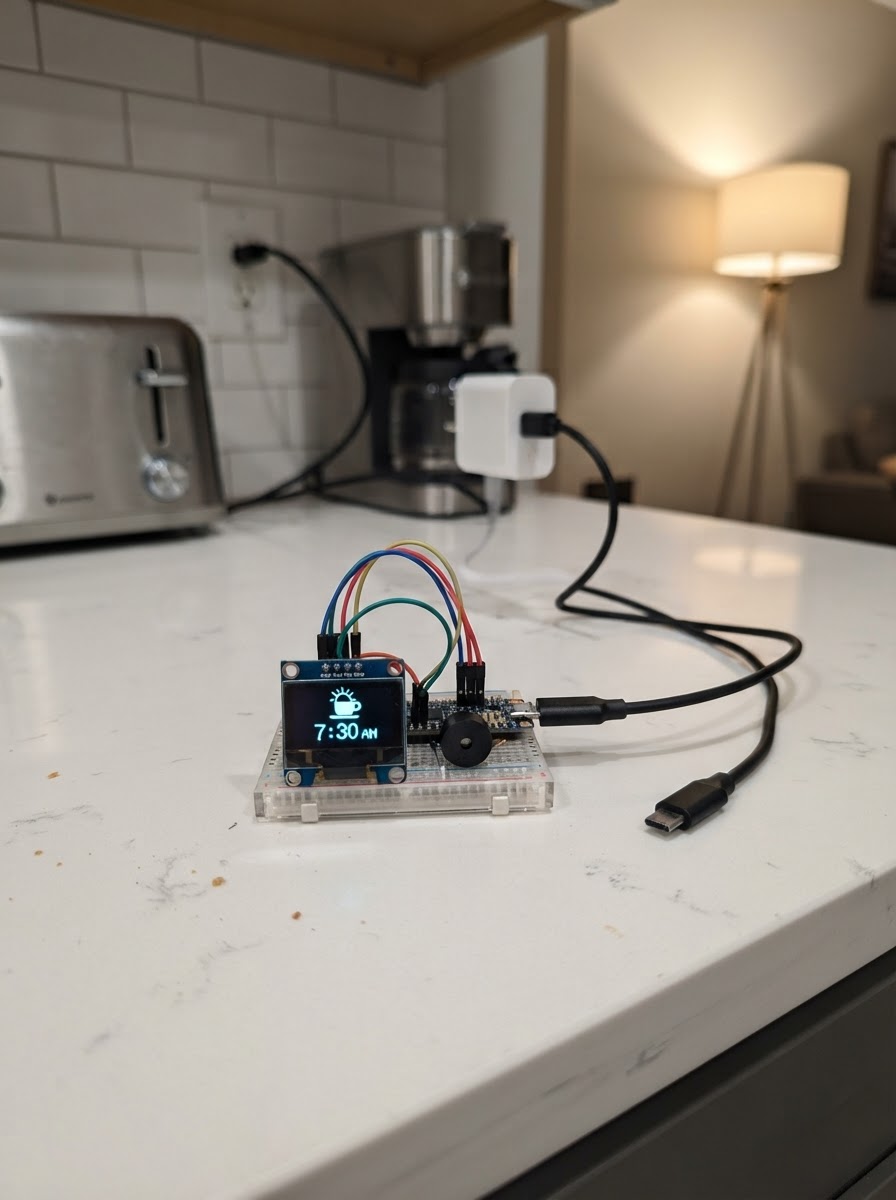
The Symbolic Routine Clock is an ESP32-based display that shows daily routines using symbols and text on a built-in touchscreen. It helps visualize schedules throughout the day with customizable routines, timers, and visual feedback.
This guide provides a complete parts list, wiring diagram, and step-by-step assembly instructions for mounting the clock board into its protective case and connecting the USB-C power adapter. The included firmware handles WiFi connectivity, schedule management, and the touchscreen interface, so the clock is ready to display routines once powered on.
Wiring diagram
Gather all the parts
Assemble it in 4 steps
1. Print or obtain the protective case
Use the included `data/symbol_clock_enclosure.scad` model to print a two-part enclosure in PETG or PLA. Before printing, measure the actual board and its visible screen area; update the clearly marked dimensions in the file if they differ. Print the front bezel and then change `rear_cover = true` to print the back. Use four M3 screws to close it.
- PETG is tougher than PLA in a warm sunny room.
- Use 0.2 mm layers, three wall perimeters, and no support material.
- The front bezel leaves the touch glass uncovered; do not add a thick screen protector that makes touch less responsive.
- This is a mechanical design starting point: measure your specific board before printing because small board revisions can differ.
- Keep all screws and the bare board away from children until the case is fully closed.
2. Mount the clock board
Place the Waveshare ESP32-S3-Touch-LCD-4 face-down into the front bezel so the display sits behind the opening. Ensure its USB-C connector lines up with the lower cable exit. Fit the rear cover and secure it with the four M3 screws without overtightening.
- The rear holes let the built-in gentle-alert buzzer be heard and provide ventilation.
- Check that the touchscreen has an unobstructed view through the front opening before closing the case.
- Do not pinch, sharply bend, or trap the USB-C cable.
- Do not block the rear sound or ventilation openings.
3. Connect the low-voltage power accessories
Plug the USB-C-to-USB-C cable into the USB-C 5 V wall adapter, then plug the other end into the clock board through the case cable exit. Plug the adapter into a wall outlet only after all low-voltage connections are made.
- Use the specified regulated 5 V, 2 A minimum, safety-certified adapter; its extra current capacity is normal and does not force current into the clock.
- Route the cable behind furniture or use a cable cover/strain relief so it cannot be tugged by a child.
- Use only an undamaged USB-C cable and a reputable, safety-certified low-voltage adapter.
- Never put mains wiring, loose batteries, or charging electronics inside the child-accessible enclosure.
4. Set up the routine display
After using Schematik’s Deploy button, power the clock and use its configuration webpage to set home Wi-Fi, the time zone, daily symbol schedule, and any one-off timers. Place the finished clock on a stable shelf where the child can see and touch it.
- Keep it connected to wall power for reliable time and Wi-Fi; it will also avoid a battery charging routine.
- Test each schedule symbol and a short timer before relying on it in a daily routine.
- The case is not a toy. Supervise young children and place the clock where it cannot be pulled down.
Review all connections
1. Connections between "usb_c_wall_adapter" and "ESP32"
2. Connections between "usb_c_cable" and "ESP32"
Deploy the firmware
#include <Arduino.h>
#include <WiFi.h>
#include <WebServer.h>
#include <Preferences.h>
#include <time.h>
#include <Wire.h>

// The browser build omits a few Arduino byte helpers used internally by its
// display-library facade. Real ESP32 builds receive these from Arduino.h.
#if defined(__EMSCRIPTEN__)
  #ifndef lowByte
    #define lowByte(value) ((uint8_t)((value) & 0xFF))
  #endif
  #ifndef highByte
    #define highByte(value) ((uint8_t)(((value) >> 8) & 0xFF))
  #endif
#endif
#include <Arduino_GFX_Library.h>
#if !defined(__EMSCRIPTEN__)
  #include <TAMC_GT911.h>
#endif

// Built-in Waveshare ESP32-S3-Touch-LCD-4 hardware (no external wiring).
#define I2C_SDA 15
#define I2C_SCL 7
#define LCD_DE 40
#define LCD_VSYNC 39
#define LCD_HSYNC 38
#define LCD_PCLK 41
#define LCD_R0 46
#define LCD_R1 3
#define LCD_R2 8
#define LCD_R3 18
#define LCD_R4 17
#define LCD_G0 14
#define LCD_G1 13
#define LCD_G2 12
#define LCD_G3 11
#define LCD_G4 10
#define LCD_G5 9
#define LCD_B0 5
#define LCD_B1 45
#define LCD_B2 48
#define LCD_B3 47
#define LCD_B4 21

struct Schedule { int minute; String symbol; };
struct Timer { String label; unsigned long finish; bool active; };


// Forward declarations

// Forward declarations
void setBuzzer(bool enabled);

String labelFor(const String &s);
void loadSchedule();
void centered(const String &text, int y, uint16_t color, uint8_t size);
void symbol(const String &s);
void drawScreen(bool timerMode, const String &s, const String &caption);
void updateClock();
String page();
void startWeb();
void queueChime();
void serviceChime();

#if defined(__EMSCRIPTEN__)
// Browser-only drawing facade: it lets the simulator check the clock logic.
// The real device path below still drives the ST7701 RGB panel.
class SimulatorGfx {
 public:
  void begin() {}
  void fillRect(int, int, int, int, uint16_t) {}
  void fillCircle(int, int, int, uint16_t) {}
  void fillRoundRect(int, int, int, int, int, uint16_t) {}
  void fillTriangle(int, int, int, int, int, int, uint16_t) {}
  void drawLine(int, int, int, int, uint16_t) {}
  void fillScreen(uint16_t) {}
  void setTextSize(uint8_t) {}
  void setTextColor(uint16_t) {}
  void getTextBounds(const String &text, int16_t, int16_t, int16_t *x1, int16_t *y1, uint16_t *w, uint16_t *h) { *x1 = 0; *y1 = 0; *w = text.length() * 6; *h = 8; }
  void setCursor(int, int) {}
  void print(const String &) {}
};
SimulatorGfx gfx;
#else
Arduino_ESP32RGBPanel *rgb = new Arduino_ESP32RGBPanel(
  LCD_DE, LCD_VSYNC, LCD_HSYNC, LCD_PCLK,
  LCD_R0, LCD_R1, LCD_R2, LCD_R3, LCD_R4,
  LCD_G0, LCD_G1, LCD_G2, LCD_G3, LCD_G4, LCD_G5,
  LCD_B0, LCD_B1, LCD_B2, LCD_B3, LCD_B4,
  1, 16, 8, 10, 50, 8, 8, 8, 0, 16000000);
Arduino_RGB_Display gfx(480, 480, rgb, 0, true);
#endif
#if defined(__EMSCRIPTEN__)
class SimulatorTouch {
 public:
  bool isTouched = false;
  SimulatorTouch(int, int, int, int, int, int) {}
  void begin() {}
  void read() { isTouched = false; }
};
SimulatorTouch touch(I2C_SDA, I2C_SCL, -1, -1, 480, 480);
#else
TAMC_GT911 touch(I2C_SDA, I2C_SCL, -1, -1, 480, 480);
#endif
WebServer web(80);
Preferences prefs;
Schedule schedule[12]; int scheduleCount = 0;
Timer timers[5] = {};
String ssid, password;
int utcOffset = -5, lastMinute = -1, lastSecond = -1;
unsigned long lastPoll = 0;
// V4.0 board assumption: CH32V003 IO expander at 0x24, BEE_EN register/pin 6.
const uint8_t IO_EXPANDER_ADDR = 0x24;
const uint8_t BEE_EN = 6;
bool chimeQueued = false, chimeOn = false;
uint8_t chimeStage = 0;
unsigned long chimeChangedAt = 0;
String displayedSymbol;
const char *DEFAULT_SCHEDULE = "07:00|sun;07:30|brush;08:00|school;12:00|food;13:00|play;18:00|food;18:30|bath;19:00|brush;19:30|bed;";

String labelFor(const String &s) {
  if(s=="sun") return "Daytime"; if(s=="moon") return "Night time";
  if(s=="brush") return "Brush teeth"; if(s=="food") return "Meal time";
  if(s=="school") return "School time"; if(s=="play") return "Play time";
  if(s=="bath") return "Bath time"; if(s=="bed") return "Bedtime";
  return s;
}
void loadSchedule() {
  String raw = prefs.getString("schedule", DEFAULT_SCHEDULE); scheduleCount=0; int pos=0;
  while(pos < raw.length() && scheduleCount < 12) {
    int end=raw.indexOf(';',pos); if(end<0) end=raw.length(); String item=raw.substring(pos,end); int bar=item.indexOf('|');
    if(bar==5) { int h=item.substring(0,2).toInt(), m=item.substring(3,5).toInt();
      if(h>=0&&h<24&&m>=0&&m<60) schedule[scheduleCount++]={h*60+m,item.substring(bar+1)}; }
    pos=end+1;
  }
}
void centered(const String &text, int y, uint16_t color, uint8_t size) {
  gfx.setTextSize(size); gfx.setTextColor(color); int16_t x1,y1; uint16_t w,h; gfx.getTextBounds(text,0,0,&x1,&y1,&w,&h); gfx.setCursor((480-w)/2,y); gfx.print(text);
}
void symbol(const String &s) {
  const int x=240,y=250; gfx.fillRect(0,95,480,280,0x1082);
  if(s=="sun") { gfx.fillCircle(x,y,66,0xFFE0); for(int a=0;a<360;a+=30) { float r=a*PI/180; gfx.drawLine(x+82*cos(r),y+82*sin(r),x+110*cos(r),y+110*sin(r),0xFFE0); } }
  else if(s=="moon"||s=="bed") { gfx.fillCircle(x-15,y,78,0xFFE0); gfx.fillCircle(x+24,y-22,78,0x1082); gfx.fillCircle(355,172,6,0xFFFF); gfx.fillCircle(390,215,4,0xFFFF); }
  else if(s=="brush") { gfx.fillRoundRect(150,212,190,34,12,0x07FF); gfx.fillRoundRect(140,245,34,120,12,0xF800); for(int i=160;i<340;i+=18) gfx.drawLine(i,211,i,190,0xFFFF); }
  else if(s=="food") { gfx.fillCircle(x,y+10,80,0xFFFF); gfx.fillCircle(x,y+10,58,0xFD20); gfx.fillRect(112,166,10,168,0xC618); gfx.fillRect(358,166,10,168,0xC618); }
  else if(s=="school") { gfx.fillTriangle(145,244,240,162,335,244,0xF800); gfx.fillRect(155,244,170,105,0xFD20); gfx.fillRect(222,294,36,55,0x4208); }
  else if(s=="play") gfx.fillTriangle(170,165,170,340,330,252,0x07E0);
  else if(s=="bath") { gfx.fillRoundRect(120,262,240,72,24,0x07FF); gfx.fillCircle(180,238,18,0xFFFF); gfx.fillCircle(230,210,13,0xFFFF); gfx.fillCircle(280,235,20,0xFFFF); }
  else gfx.fillCircle(x,y,70,0xF81F);
}
void drawScreen(bool timerMode, const String &s, const String &caption) {
  struct tm t; char clock[10]="--:--"; if(getLocalTime(&t,5)) strftime(clock,sizeof(clock),"%H:%M",&t);
  gfx.fillScreen(0x1082); centered(clock,18,0xFFFF,7); symbol(s); centered(caption,390,0xFFFF,3);
  centered(timerMode ? "Tap the screen to cancel" : "Configure at 192.168.4.1",445,0xC618,1);
}
void queueChime() { chimeQueued = true; }
void setBuzzer(bool enabled) {
  Wire.beginTransmission(IO_EXPANDER_ADDR);
  Wire.write(BEE_EN);
  Wire.write(enabled ? 1 : 0);
  Wire.endTransmission();
}
// Three short pulses are gentler than a long alarm. The onboard buzzer has one fixed pitch.
void serviceChime() {
  const unsigned long ON_MS = 75, OFF_MS = 110;
  if (chimeQueued && !chimeOn && chimeStage == 0) { chimeQueued=false; chimeOn=true; chimeChangedAt=millis(); setBuzzer(true); return; }
  if (!chimeOn && chimeStage == 0) return;
  unsigned long interval = chimeOn ? ON_MS : OFF_MS;
  if (millis() - chimeChangedAt < interval) return;
  if (chimeOn) { setBuzzer(false); chimeOn=false; chimeStage++; }
  else if (chimeStage < 3) { setBuzzer(true); chimeOn=true; }
  else { chimeStage=0; }
  chimeChangedAt=millis();
}
void updateClock() {
  struct tm now; bool valid=getLocalTime(&now,5); bool timerOn=false; int seconds=-1; String timerText;
  for(int i=0;i<5;i++) if(timers[i].active) { long left=(long)(timers[i].finish-millis()); if(left<=0) { timers[i].active=false; lastMinute=-1; queueChime(); }
    else { timerOn=true; seconds=left/1000; timerText=timers[i].label+" "+String(seconds/60)+":"+(seconds%60<10?"0":"")+String(seconds%60); break; } }
  if(timerOn) { if(seconds!=lastSecond) { lastSecond=seconds; drawScreen(true,"play",timerText); } return; }
  lastSecond=-1; if(!valid || now.tm_min==lastMinute) return; lastMinute=now.tm_min;
  int current=-1, minute=now.tm_hour*60+now.tm_min; for(int i=0;i<scheduleCount;i++) if(schedule[i].minute<=minute) current=i;
  if(current<0 && scheduleCount) current=scheduleCount-1; String s=current>=0?schedule[current].symbol:"sun";
  if (!displayedSymbol.length()) displayedSymbol=s; else if (s != displayedSymbol) { displayedSymbol=s; queueChime(); }
  drawScreen(false,s,labelFor(s));
}
String page() {
  String r=prefs.getString("schedule",DEFAULT_SCHEDULE); String h="<!doctype html><meta name=viewport content='width=device-width,initial-scale=1'><style>body{font-family:sans-serif;max-width:680px;margin:auto;padding:16px;background:#f7f4ed}input,textarea,button{box-sizing:border-box;width:100%;padding:11px;margin:5px 0;font-size:16px}button{background:#1565c0;color:white;border:0;border-radius:8px}small{display:block}</style><h1>Symbol Clock</h1>";
  h+="<h2>Daily picture routine</h2><form action=/schedule><textarea name=r rows=7>"+r+"</textarea><small>Format: HH:MM|symbol; Symbols: sun, moon, brush, food, school, play, bath, bed.</small><button>Save routine</button></form>";
  h+="<h2>Independent timer</h2><form action=/timer><input name=label value='Time to tidy up' placeholder='Timer message'><input name=min type=number min=1 max=240 value=5><button>Start timer</button></form>";
  h+="<h2>Home Wi-Fi and time zone</h2><form action=/wifi><input name=ssid value='"+ssid+"' placeholder='Home Wi-Fi name'><input name=pass type=password placeholder='Home Wi-Fi password'><input name=utc type=number value='"+String(utcOffset)+"'><small>UTC offset: New York winter -5; London 0; Sydney +10. Setup Wi-Fi stays available.</small><button>Save and restart</button></form>"; return h;
}
void startWeb() {
  web.on("/",[](){web.send(200,"text/html",page());});
  web.on("/schedule",[](){if(web.hasArg("r")){prefs.putString("schedule",web.arg("r"));loadSchedule();lastMinute=-1;}web.sendHeader("Location","/");web.send(303);});
  web.on("/timer",[](){int mins=constrain(web.arg("min").toInt(),1,240);for(int i=0;i<5;i++)if(!timers[i].active){timers[i]={web.arg("label").length()?web.arg("label"):"Timer",millis()+(unsigned long)mins*60000,true};break;}web.sendHeader("Location","/");web.send(303);});
  web.on("/wifi",[](){prefs.putString("ssid",web.arg("ssid"));if(web.arg("pass").length())prefs.putString("pass",web.arg("pass"));prefs.putInt("utc",web.arg("utc").toInt());web.send(200,"text/html","Saved. Restarting...");delay(400);ESP.restart();}); web.begin();
}
void setup() {
  Serial.begin(115200); prefs.begin("symbolclock",false); loadSchedule(); ssid=prefs.getString("ssid",""); password=prefs.getString("pass",""); utcOffset=prefs.getInt("utc",-5);
  Wire.begin(I2C_SDA,I2C_SCL); setBuzzer(false); gfx.begin(); touch.begin();
  WiFi.mode(WIFI_AP_STA); WiFi.softAP("SymbolClock-Setup","symbolclock"); if(ssid.length()) WiFi.begin(ssid.c_str(),password.c_str());
  configTime(utcOffset*3600,0,"pool.ntp.org","time.nist.gov"); startWeb(); drawScreen(false,"sun","Loading time...");
}
void loop() {
  web.handleClient(); serviceChime(); touch.read(); if(touch.isTouched) { for(int i=0;i<5;i++) timers[i].active=false; lastMinute=-1; delay(180); }
  if(millis()-lastPoll>=500) { lastPoll=millis(); updateClock(); }
}
Remix this project
Make it yours in one click
Open a full copy of this project in your own Schematik workspace, diagram, code, parts, and assembly steps included. Swap the sensor, add features, or redesign the whole thing with AI. The author's original stays untouched.