Community project
Tiny Touch DeskBuddy
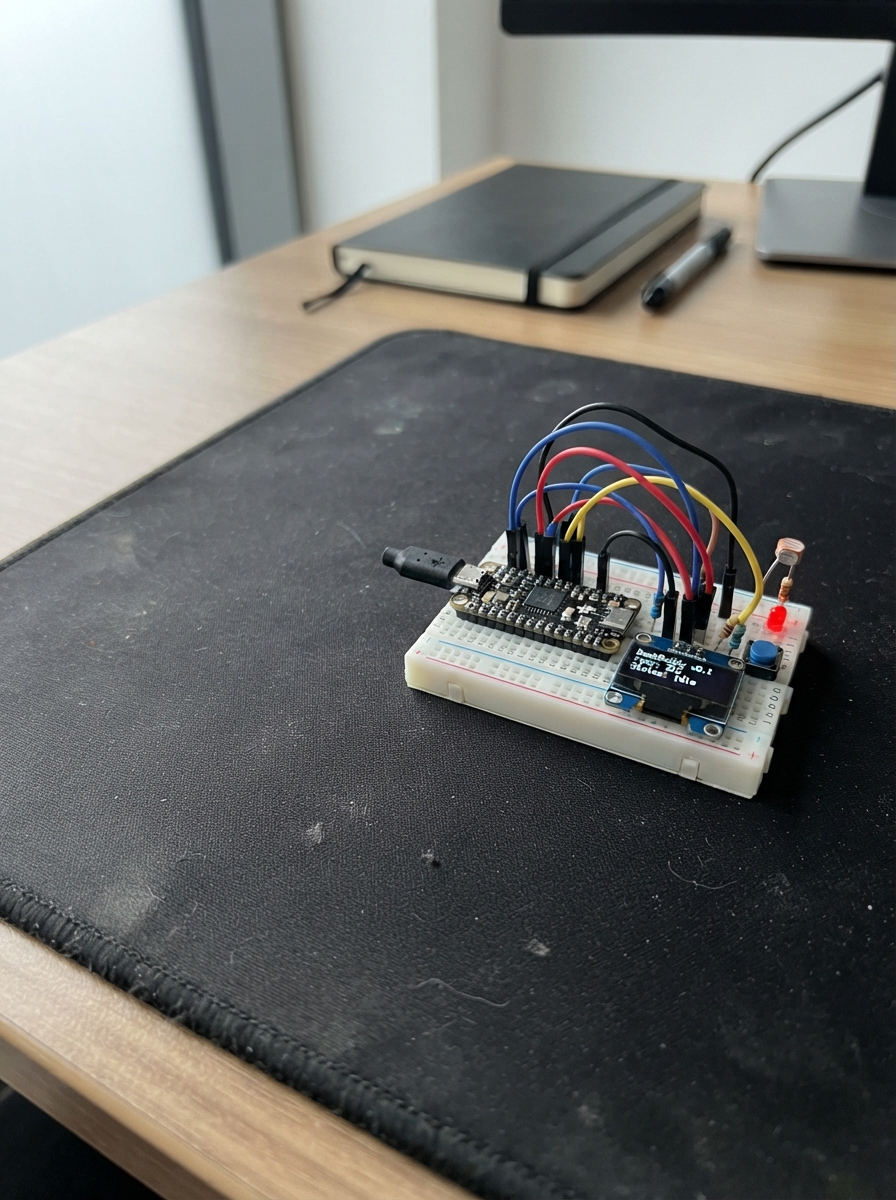
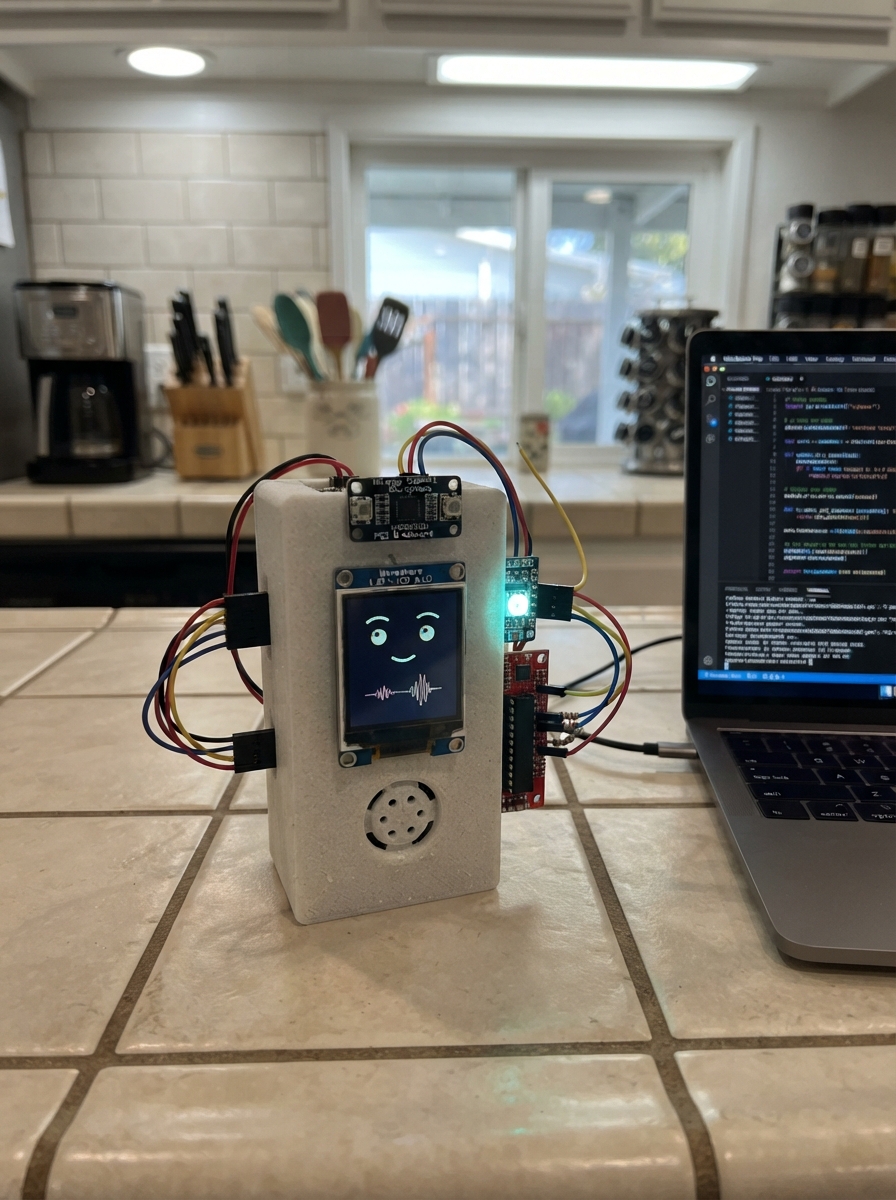
Tiny Touch DeskBuddy is a compact desk companion built around the M5Stack StickS3, a palm-sized ESP32-S3 device with a small color display. It connects to Wi-Fi to fetch and display live information like weather, time, date, moon phases, stock prices, and GitHub stats, plus animated mood faces to brighten your workspace.
This guide provides everything needed to assemble and configure your DeskBuddy: a wiring diagram, complete parts list, pre-built firmware, and step-by-step assembly instructions. The project keeps the StickS3 intact, uses a custom 3D-printed enclosure, and is controlled via two buttons—one to navigate pages and one to change mood or refresh data.
Wiring diagram
Assemble it in 5 steps
1. Keep the StickS3 intact
Use the M5Stack StickS3 as a complete board; its screen, buttons, IMU, microphone, speaker, battery gauge, charging circuit, and 250 mAh battery are already inside. Do not solder a second LiPo battery to its exposed connectors.
- Do not puncture, bend, crush, or heat the built-in battery; a damaged lithium battery can catch fire.
2. Check the printed enclosure fit
Test-fit the bare StickS3 in the printed enclosure before closing it. Leave the screen, both physical buttons, USB-C socket, microphone opening, speaker opening, and side ventilation clear.
- Use plastic screws or a light friction fit so the case does not press on the display or buttons.
- A sealed case can trap heat while charging. Leave ventilation around the board and never charge it under bedding, in a hot car, or unattended.
3. Route the USB-C opening
Make sure a USB-C cable slides into the enclosure without forcing the StickS3 sideways. The cable supplies power and charges the built-in battery.
- Stop if the connector needs force; forcing it can damage the USB-C socket or the printed case.
4. Set up private Wi-Fi details
Open include/secrets.h in the project and enter your Wi-Fi name and password between the quotation marks. Optionally enter a public GitHub username for the GitHub page; leave it blank to keep that page in setup mode.
- This file starts with blank values, so no Wi-Fi password is stored in the program source.
5. Use the DeskBuddy controls
After flashing, press button A to move through Face, Clock, Date, Weather, Moon, AAPL, and GitHub. On the Face page, press button B to choose a different mood. On a network page, button B asks for a fresh update.
- Hold the device roughly upright during use so the BMI270 motion sensor can move the eyes naturally.
Deploy the firmware
// DeskBuddy for M5Stack StickS3 / ESP32-S3-PICO-1.
// A = next page. B = face mood, or refresh a network page.
#include <M5Unified.h>
#include <WiFi.h>
#include <HTTPClient.h>
#include <WiFiClientSecure.h>
#include <ArduinoJson.h>
#include <time.h>
#include <math.h>
#include "secrets.h"
constexpr uint16_t W=TFT_WHITE,K=TFT_BLACK; enum Page:uint8_t{FACE,CLOCK,DATE,WEATHER,MOON,STOCK,GITHUB};
Page page=FACE;uint8_t mood=0;bool dirty=true,wifiStarted=false,timeOK=false;uint32_t frame=0,nextBlink=1200,blinkEnd=0;float ex=0,ey=0;
struct Weather{bool ok=false;int temp=0,hum=0;String text="OFFLINE";uint32_t at=0;}weather;struct Quote{bool ok=false;float price=0;String when="";uint32_t at=0;}quote;struct Gh{bool ok=false;int followers=0,repos=0;uint32_t at=0;}gh;
bool hasWiFi(){return strlen(DESKBUDDY_WIFI_SSID)>0;}bool hasGitHub(){return strlen(DESKBUDDY_GITHUB_USER)>0;}
void mid(const String&s,int y,int z=1){M5.Display.setTextSize(z);M5.Display.setTextColor(W,K);M5.Display.setCursor((M5.Display.width()-s.length()*6*z)/2,y);M5.Display.print(s);}void top(const char*s){M5.Display.fillScreen(K);M5.Display.setTextColor(W,K);M5.Display.setTextSize(1);M5.Display.setCursor(3,4);M5.Display.print(s);M5.Display.setCursor(92,4);M5.Display.printf("%d%%%s",M5.Power.getBatteryLevel(),M5.Power.isCharging()?"+":"");M5.Display.drawFastHLine(0,16,135,W);}void dots(){for(int i=0;i<7;i++){int x=13+i*18;if(i==page)M5.Display.fillCircle(x,231,3,W);else M5.Display.drawCircle(x,231,2,W);}}
bool wifi(){if(WiFi.status()==WL_CONNECTED)return true;if(!hasWiFi())return false;if(!wifiStarted){wifiStarted=true;WiFi.mode(WIFI_STA);WiFi.begin(DESKBUDDY_WIFI_SSID,DESKBUDDY_WIFI_PASSWORD);}return false;}void ntp(){if(timeOK||WiFi.status()!=WL_CONNECTED)return;configTime(0,0,"pool.ntp.org","time.nist.gov");struct tm t;if(getLocalTime(&t,300))timeOK=true;}
bool json(const String&u,JsonDocument&d){WiFiClientSecure c;c.setInsecure();HTTPClient h;h.setTimeout(6500);if(!h.begin(c,u))return false;h.addHeader("User-Agent","DeskBuddy-StickS3");int r=h.GET();if(r!=200){h.end();return false;}auto e=deserializeJson(d,h.getStream());h.end();return !e;}const char* wt(int c){if(c==0)return"CLEAR";if(c<=2)return"PART CLOUDY";if(c==3)return"CLOUDY";if(c==45||c==48)return"FOG";if(c>=51&&c<=67)return"RAIN";if(c>=71&&c<=77)return"SNOW";if(c>=95)return"STORM";return"SHOWERS";}
void getWeather(){if(!wifi())return;JsonDocument d;String u="https://api.open-meteo.com/v1/forecast?latitude=40.7128&longitude=-74.0060¤t=temperature_2m,relative_humidity_2m,weather_code&temperature_unit=fahrenheit";if(json(u,d)){weather.temp=round(d["current"]["temperature_2m"].as<float>());weather.hum=d["current"]["relative_humidity_2m"].as<int>();weather.text=wt(d["current"]["weather_code"].as<int>());weather.ok=true;weather.at=millis();dirty=true;}}
void getQuote(){if(!wifi())return;WiFiClientSecure c;c.setInsecure();HTTPClient h;h.setTimeout(6500);if(!h.begin(c,"https://stooq.com/q/l/?s=aapl.us&f=sd2t2c&h&e=csv"))return;if(h.GET()!=200){h.end();return;}String s=h.getString();h.end();int a=s.indexOf('\n'),b=s.indexOf('\n',a+1);s=s.substring(a+1,b);s.trim();int p1=s.indexOf(','),p2=s.indexOf(',',p1+1),p3=s.indexOf(',',p2+1),p4=s.indexOf(',',p3+1);if(p4<0)return;String v=s.substring(p4+1);v.trim();if(v=="N/D")return;quote.price=v.toFloat();quote.when=s.substring(p1+1,p3);quote.when.replace(","," ");quote.ok=true;quote.at=millis();dirty=true;}
void getGitHub(){if(!hasGitHub()||!wifi())return;JsonDocument d;if(json("https://api.github.com/users/"+String(DESKBUDDY_GITHUB_USER),d)){gh.followers=d["followers"].as<int>();gh.repos=d["public_repos"].as<int>();gh.ok=true;gh.at=millis();dirty=true;}}void network(){wifi();ntp();uint32_t n=millis();if(page==WEATHER&&(!weather.ok||n-weather.at>1200000UL))getWeather();if(page==STOCK&&(!quote.ok||n-quote.at>1800000UL))getQuote();if(page==GITHUB&&(!gh.ok||n-gh.at>3600000UL))getGitHub();}
void eye(int x,int y,bool shut){if(shut){M5.Display.fillRoundRect(x-22,y-2,44,4,2,W);return;}M5.Display.fillRoundRect(x-23,y-28,46,56,20,W);M5.Display.fillCircle(x+(int)ex,y+(int)ey,9,K);}void face(){M5.Display.fillRect(0,17,135,223,K);M5.Display.setTextColor(W,K);M5.Display.setCursor(3,4);M5.Display.print("DESKBUDDY");bool b=millis()<blinkEnd;eye(37,83,b||mood==3);eye(97,83,b||mood==3);if(mood==0)M5.Display.drawArc(67,134,22,10,25,155,W);else if(mood==1){M5.Display.fillCircle(67,132,13,W);M5.Display.fillCircle(67,132,6,K);}else if(mood==2)M5.Display.fillRoundRect(42,130,50,5,2,W);else M5.Display.drawLine(45,139,89,127,W);mid("A PAGE / B MOOD",166);dots();}
void clockPage(){top("CLOCK");struct tm t;if(timeOK&&getLocalTime(&t,20)){char b[12];strftime(b,sizeof b,"%H:%M",&t);mid(b,70,4);strftime(b,sizeof b,"%Z",&t);mid(b,132);}else mid(hasWiFi()?"SYNCING TIME...":"SET WIFI IN secrets.h",95);dots();}void datePage(){top("DATE");struct tm t;if(timeOK&&getLocalTime(&t,20)){char b[20];strftime(b,sizeof b,"%a",&t);mid(b,54,2);strftime(b,sizeof b,"%d %b",&t);mid(b,90,3);strftime(b,sizeof b,"%Y",&t);mid(b,140,2);}else mid("WAITING FOR TIME",95);dots();}void weatherPage(){top("WEATHER / NYC");if(!hasWiFi())mid("SET WIFI IN secrets.h",95);else if(!weather.ok)mid(WiFi.status()==WL_CONNECTED?"LOADING...":"CONNECTING...",95);else{mid(String(weather.temp)+" F",55,4);mid(weather.text,118,2);mid("HUMIDITY "+String(weather.hum)+"%",150);}dots();}void moonPage(){top("MOON");float p=.5f;time_t n=time(nullptr);if(timeOK&&n>100000)p=fmodf((n/86400.0f-10957.5f)/29.53058867f,1);int r=37,x=67,y=90;M5.Display.fillCircle(x,y,r,W);M5.Display.fillCircle(p<.5?x-r*2*p:x+r*2*(p-.5),y,r,K);M5.Display.drawCircle(x,y,r,W);mid(String((int)round((1-cosf(p*2*PI))*50))+"% LIT",145,2);dots();}void stockPage(){top("AAPL / STOOQ");if(!hasWiFi())mid("SET WIFI IN secrets.h",95);else if(!quote.ok)mid(WiFi.status()==WL_CONNECTED?"LOADING...":"CONNECTING...",95);else{mid("$"+String(quote.price,2),70,3);mid(quote.when,130);}dots();}void githubPage(){top("GITHUB");if(!hasGitHub())mid("SET USER IN secrets.h",95);else if(!gh.ok)mid(WiFi.status()==WL_CONNECTED?"LOADING...":"CONNECTING...",95);else{mid("@"+String(DESKBUDDY_GITHUB_USER),50);mid(String(gh.followers),80,3);mid("FOLLOWERS",122);mid("REPOS "+String(gh.repos),148,2);}dots();}
void staticPage(){if(page==CLOCK)clockPage();else if(page==DATE)datePage();else if(page==WEATHER)weatherPage();else if(page==MOON)moonPage();else if(page==STOCK)stockPage();else if(page==GITHUB)githubPage();dirty=false;}void controls(){if(M5.BtnA.wasClicked()){page=(Page)((page+1)%7);dirty=true;}if(M5.BtnB.wasClicked()){if(page==FACE)mood=(mood+1)%4;else if(page==WEATHER)weather.ok=false;else if(page==STOCK)quote.ok=false;else if(page==GITHUB)gh.ok=false;dirty=true;}}
void setup(){auto c=M5.config();M5.begin(c);M5.Display.setRotation(0);M5.Display.setTextWrap(false);M5.Display.setBrightness(90);Serial.begin(115200);Serial.println("DeskBuddy: StickS3 ESP32-S3");}void loop(){M5.update();controls();if(M5.Imu.update()){auto d=M5.Imu.getImuData();ex=constrain(ex*.82f-d.accel.y*6,-10,10);ey=constrain(ey*.82f+d.accel.x*6,-8,8);}network();uint32_t n=millis();if(n>=nextBlink){blinkEnd=n+100;nextBlink=n+1300+random(2200);}if(page==FACE){if(n-frame>=50){frame=n;face();}}else if(dirty||(page==CLOCK&&n%1000<10)||(page==DATE&&n%1000<10))staticPage();delay(5);}Remix this project
Make it yours in one click
Open a full copy of this project in your own Schematik workspace — diagram, code, parts, and assembly steps included. Swap the sensor, add features, or redesign the whole thing with AI. The author's original stays untouched.