Community project
Touchscreen Utility Dashboard
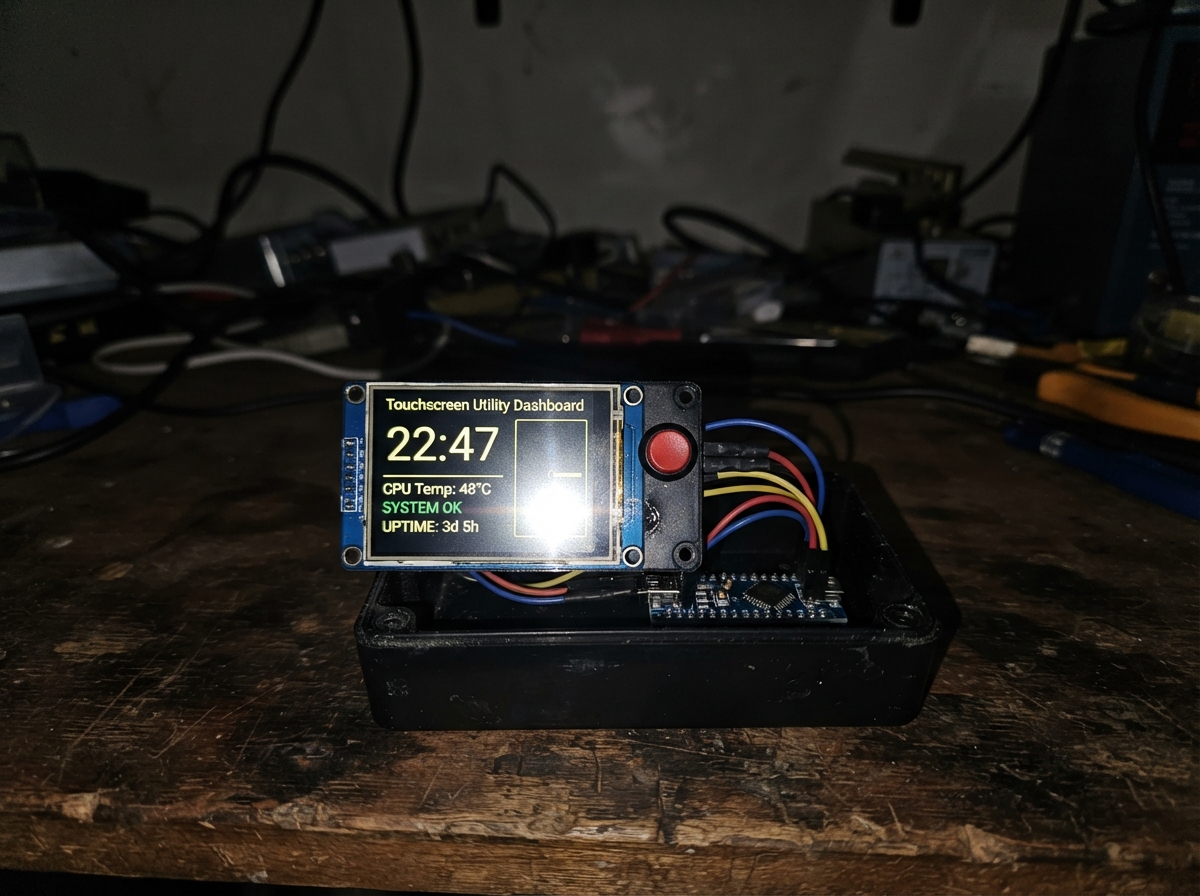
Build an interactive touchscreen dashboard powered by an ESP32 that combines physical button control with capacitive touch input. This project uses a 3.2-inch ILI9341 TFT display paired with an XPT2046 touch controller and six push buttons to create a responsive utility interface capable of displaying menus, app carousels, games, and configuration screens.
This guide provides a complete wiring diagram showing all SPI connections between the ESP32 and display, a detailed parts list, and fully commented Arduino firmware that handles both touch and button input. Follow the step-by-step assembly instructions to connect power, data lines, and control pins, then upload the firmware to bring your dashboard to life with smooth screen transitions and interactive elements.
Wiring diagram
Gather all the parts
Assemble it in 6 steps
1. Place the board and screen
Put the ESP32 DevKit v1 and the 2.8-inch ILI9341/XPT2046 screen on a non-metal surface. Keep the screen’s printed pin names facing you so VCC and GND are easy to identify.
- Use female-to-female jumper wires if both boards have header pins.
- Do not connect the screen to 5V — its display and touch electronics are intended for 3.3V and can be damaged by 5V.
2. Wire power to the screen
Connect screen VCC to ESP32 3V3 (power), screen GND to ESP32 GND (ground), and screen TFT_BL to ESP32 3V3 (backlight power).
- Use a red wire for 3V3 and a black wire for GND so the power connections are easy to inspect.
- Make sure VCC and GND are not swapped — swapped power can damage the screen.
3. Wire the shared screen and touch data lines
Connect screen SCK to ESP32 GPIO18 (clock), MOSI to GPIO23 (data to the screen), and MISO to GPIO19 (data from touch). These three wires are shared by the display and its touch controller.
- Keep these three jumper wires short and firmly seated to avoid a flickering display or missed touches.
- Do not move these wires to different pins without also changing the firmware, because the screen will no longer receive its data.
4. Wire the display and touch control pins
Connect TFT_CS to GPIO27 (selects the display), TFT_DC to GPIO26 (tells the display whether data is text or a command), TFT_RST to GPIO25 (resets the display), and TOUCH_CS to GPIO33 (selects the touch controller).
- A screen board may label TFT_CS simply as CS and TOUCH_CS as T_CS; follow the labels on your module.
- Do not join TFT_CS and TOUCH_CS together — each chip needs its own separate select wire.
5. Wire the six control buttons
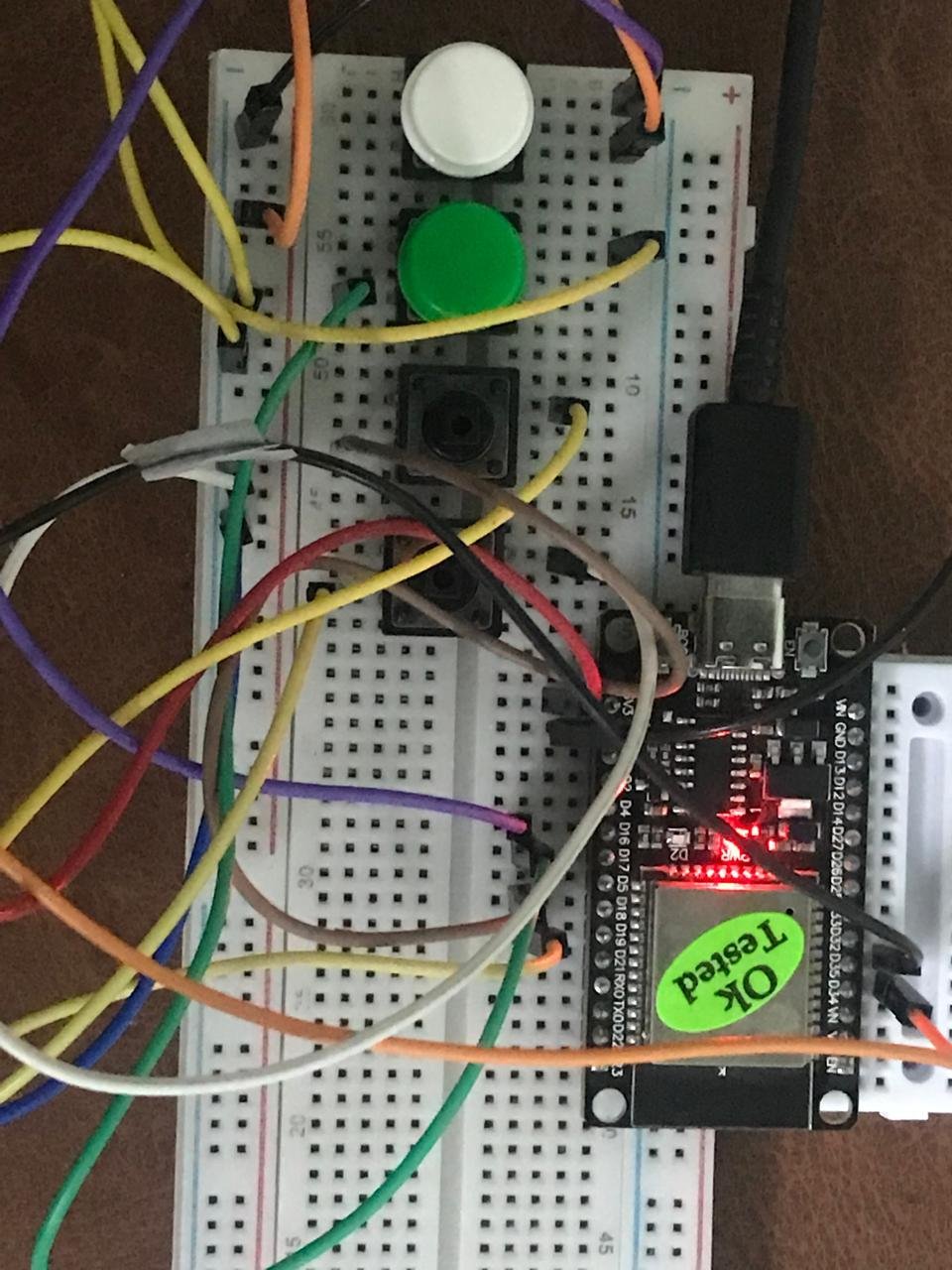
For each button, connect one leg to ESP32 GND (ground). Connect the other leg of the UP button to GPIO4 (signal), DOWN to GPIO13 (signal), LEFT to GPIO14 (signal), RIGHT to GPIO16 (signal), SELECT to GPIO17 (signal), and BACK to GPIO32 (signal). On a four-leg pushbutton, use two legs on opposite sides; legs on the same side are already connected together.
- Give each button a small label after wiring it. The firmware uses the ESP32’s built-in pull-up resistors, so no extra resistors are needed for these buttons.
- If a button appears to be held down all the time, it is usually rotated 90 degrees on the breadboard so both wires are on the same internally connected side.
6. Power and test the interface
Inspect every connection once more, then plug the ESP32 into your computer with USB. The screen should show the Pocket S3 dashboard; use the buttons or tap the screen to open the menus.
- The touch position can vary between screen batches. If taps do not match the visible buttons, the interface still works fully with the six physical buttons.
- If the screen stays blank, unplug USB before moving wires; changing connections while powered can short adjacent pins.
Review all connections
1. Connections between "tft_touch_1" and "ESP32"
2. Connections between "button_up" and "ESP32"
3. Connections between "button_down" and "ESP32"
4. Connections between "button_left" and "ESP32"
5. Connections between "button_right" and "ESP32"
6. Connections between "button_select" and "ESP32"
7. Connections between "button_back" and "ESP32"
Deploy the firmware
#include <Arduino.h>
#include <SPI.h>
#include <Adafruit_GFX.h>
#include <Adafruit_ILI9341.h>
#include <XPT2046_Touchscreen.h>


enum Button { BTN_UP, BTN_DOWN, BTN_LEFT, BTN_RIGHT, BTN_SELECT, BTN_BACK };

enum Screen { DASHBOARD, MENU, APP_CAROUSEL, TOOL, GAME_LIST, GAME, SLEEP_CLOCK, CONFIG };


// Forward declarations
int itemCount();
void top(const char *label);
void bottom(const char *text);
void clockText(int y, int size);
void panel(const char *title, const char *help);
void dashboard();
void configScreen();
void appCarousel();
void drawAppIcon(int index);
void openAppPage();
void menu();
void tool();
void gameList();
void game();
void sleepClock();
void redraw();
void back();
void openItem();
void press(Button p);
void buttons();
void touchPoll();

constexpr int TFT_CS_PIN = 27;
constexpr int TFT_DC_PIN = 26;
constexpr int TFT_RST_PIN = 25;
constexpr int TOUCH_CS_PIN = 33;
constexpr int TFT_SCK_PIN = 18;
constexpr int TFT_MISO_PIN = 19;
constexpr int TFT_MOSI_PIN = 23;
constexpr int UP_PIN = 4;
constexpr int DOWN_PIN = 13;
constexpr int LEFT_PIN = 14;
constexpr int RIGHT_PIN = 16;
constexpr int SELECT_PIN = 17;
constexpr int BACK_PIN = 32;


constexpr uint16_t BLACK = ILI9341_BLACK;
constexpr uint16_t PURPLE = 0xA81F;
constexpr uint16_t VIOLET = 0x6012;
constexpr uint16_t PANEL = 0x2008;
constexpr uint16_t TEXT = 0xD69A;
constexpr uint16_t DIM = 0x7B8F;

Adafruit_ILI9341 tft(TFT_CS_PIN, TFT_DC_PIN, TFT_RST_PIN);
XPT2046_Touchscreen touch(TOUCH_CS_PIN);

Screen screen = DASHBOARD;
int tab = 0, cursor = 0, appPage = 0, activeTool = 0, selectedGame = 0;
int counterValue = 0, diceValue = 1, timerSeconds = 60;
bool timerRunning = false, homeSwitchOn = false;
unsigned long timerStarted = 0, lastClockSecond = ULONG_MAX, lastTouch = 0;

const int buttonPins[] = {UP_PIN, DOWN_PIN, LEFT_PIN, RIGHT_PIN, SELECT_PIN, BACK_PIN};
const char *tabNames[] = {"MAIN", "TOOLS", "MORE"};
const char *mainItems[] = {"CLOCK", "GAMES", "STOPWATCH", "HOMEKIT"};
const char *toolItems[] = {"TIMER", "COUNTER", "DICE", "CONFIG", "FLASHLIGHT", "COLOR VIEW"};
const char *moreItems[] = {"BUTTON TEST", "TOUCH TEST", "PIXEL CHECK", "DISPLAY CHECK", "SLEEP CLOCK"};
const char *gameItems[] = {"REFLEX", "DODGE", "MEMORY", "NUMBER GUESS", "PONG"};
const char *appNames[] = {"CLOCK", "GAMES", "STOPWATCH", "HOMEKIT", "TIMER", "COUNTER", "DICE", "CONFIG", "FLASHLIGHT", "COLOR VIEW", "BUTTON TEST", "TOUCH TEST", "PIXEL CHECK", "DISPLAY CHECK", "SLEEP CLOCK"};
const uint8_t appTabs[] = {0,0,0,0,1,1,1,1,1,1,2,2,2,2,2};
const uint8_t appCursors[] = {0,1,2,3,0,1,2,3,4,5,0,1,2,3,4};
constexpr int APP_COUNT = sizeof(appNames) / sizeof(appNames[0]);

int itemCount() { return tab == 0 ? 4 : (tab == 1 ? 6 : 5); }
const char *itemName(int i) { return tab == 0 ? mainItems[i] : (tab == 1 ? toolItems[i] : moreItems[i]); }

void top(const char *label) {
  tft.fillRect(0, 0, 240, 29, BLACK);
  tft.drawFastHLine(0, 28, 240, PURPLE);
  tft.setTextSize(1); tft.setTextColor(DIM); tft.setCursor(6, 9); tft.print("POCKET S3");
  tft.setTextColor(PURPLE); tft.setCursor(89, 9); tft.print(label);

  // Bluetooth symbol: this is a status decoration only; this project does not connect wirelessly.
  tft.drawLine(164, 5, 164, 23, PURPLE);
  tft.drawLine(164, 5, 171, 11, PURPLE);
  tft.drawLine(171, 11, 158, 18, PURPLE);
  tft.drawLine(158, 18, 164, 23, PURPLE);
  tft.drawLine(164, 23, 171, 17, PURPLE);
  tft.drawLine(171, 17, 158, 10, PURPLE);

  // Wi-Fi status decoration, drawn with lines so it works on the real display and in the browser simulator.
  tft.fillCircle(190, 20, 2, PURPLE);
  tft.drawLine(185, 16, 190, 13, PURPLE);
  tft.drawLine(190, 13, 195, 16, PURPLE);
  tft.drawLine(181, 12, 190, 7, PURPLE);
  tft.drawLine(190, 7, 199, 12, PURPLE);
  tft.drawLine(177, 8, 190, 3, PURPLE);
  tft.drawLine(190, 3, 203, 8, PURPLE);

  // Small battery outline.
  tft.drawRoundRect(211, 6, 21, 16, 2, PURPLE);
  tft.fillRect(232, 10, 3, 8, PURPLE);
  tft.fillRect(214, 9, 14, 10, ILI9341_GREEN);
}

void bottom(const char *text) {
  tft.fillRect(0, 296, 240, 24, BLACK);
  tft.drawFastHLine(0, 296, 240, PURPLE);
  tft.setTextSize(1); tft.setTextColor(DIM); tft.setCursor(6, 305); tft.print(text);
}

void clockText(int y, int size) {
  unsigned long s = millis() / 1000UL;
  char out[12];
  snprintf(out, sizeof(out), "%02lu:%02lu:%02lu", (s / 3600UL) % 24UL, (s / 60UL) % 60UL, s % 60UL);
  tft.setTextColor(TEXT); tft.setTextSize(size); tft.setCursor(size == 3 ? 34 : 48, y); tft.print(out);
}

void panel(const char *title, const char *help) {
  tft.fillScreen(BLACK); top(title); tft.drawRoundRect(10, 43, 220, 230, 8, PURPLE); bottom(help);
}

void dashboard() {
  tft.fillScreen(BLACK); top("DASHBOARD"); tft.drawRoundRect(8, 42, 224, 228, 8, PURPLE);
  tft.setTextColor(PURPLE); tft.setTextSize(2); tft.setCursor(70, 64); tft.print("POCKET S3");
  clockText(112, 3);
  tft.setTextColor(DIM); tft.setTextSize(1); tft.setCursor(34, 194); tft.print("LEFT / RIGHT: OPEN MENU");
  tft.setCursor(51, 216); tft.print("SELECT OR TAP: OPEN MENU"); bottom("SAFE OFFLINE UTILITY DECK");
}

void configScreen() {
  tft.fillScreen(BLACK); top("CONFIG");
  tft.drawRoundRect(10, 60, 220, 200, 8, PURPLE);
  tft.setTextColor(PURPLE); tft.setTextSize(2); tft.setCursor(29, 93); tft.print("DISPLAY & UI");
  tft.drawFastHLine(28, 121, 184, PURPLE);
  tft.setTextColor(TEXT); tft.setTextSize(1); tft.setCursor(81, 146); tft.print("LED CONFIG");
  bottom("LEFT/RIGHT: APPS    BACK: HOME");
}

void drawAppIcon(int index) {
  int cx = 120, cy = 145;
  tft.setTextColor(PURPLE); tft.setTextSize(1);
  switch (index) {
    case 0: tft.drawCircle(cx, cy, 42, PURPLE); tft.drawLine(cx, cy, cx, cy - 27, PURPLE); tft.drawLine(cx, cy, cx + 21, cy + 10, PURPLE); break;
    case 1: tft.drawRoundRect(70, 105, 100, 72, 8, PURPLE); tft.fillCircle(98, 135, 8, PURPLE); tft.fillCircle(142, 135, 8, PURPLE); break;
    case 2: tft.drawCircle(cx, cy, 40, PURPLE); tft.drawLine(cx, cy - 27, cx, cy, PURPLE); tft.drawLine(cx, cy, cx + 21, cy, PURPLE); break;
    case 3: tft.drawRoundRect(73, 120, 94, 55, 8, PURPLE); tft.drawCircle(120, 105, 17, PURPLE); break;
    case 4: tft.drawRoundRect(78, 93, 84, 104, 8, PURPLE); tft.setTextSize(4); tft.setCursor(94, 123); tft.print("T"); break;
    case 5: tft.drawRect(82, 96, 76, 96, PURPLE); tft.drawFastHLine(82, 120, 76, PURPLE); tft.drawFastHLine(82, 144, 76, PURPLE); tft.drawFastVLine(107, 96, 96, PURPLE); tft.drawFastVLine(132, 96, 96, PURPLE); break;
    case 6: tft.drawRoundRect(78, 102, 84, 84, 10, PURPLE); for (int i = 0; i < 3; ++i) tft.fillCircle(100 + i * 20, 125 + (i == 1 ? 35 : 0), 6, PURPLE); break;
    case 7: tft.fillCircle(cx, cy, 29, PURPLE); tft.fillCircle(cx, cy, 13, BLACK); for (int i = 0; i < 8; ++i) { float a = i * 0.785f; tft.fillRect(cx + cos(a) * 38 - 6, cy + sin(a) * 38 - 6, 12, 12, PURPLE); } break;
    case 8: tft.drawCircle(cx, cy, 39, PURPLE); tft.fillTriangle(109, 107, 136, 107, 120, 145, PURPLE); tft.fillRect(112, 145, 16, 38, PURPLE); break;
    case 9: tft.fillRect(77, 102, 86, 86, PURPLE); tft.fillRect(91, 116, 58, 58, ILI9341_BLUE); break;
    case 10: tft.drawRoundRect(76, 105, 88, 70, 8, PURPLE); for (int i = 0; i < 3; ++i) tft.fillCircle(96 + i * 24, 140, 7, PURPLE); break;
    case 11: tft.drawRoundRect(74, 98, 92, 92, 8, PURPLE); tft.drawFastHLine(88, 144, 64, PURPLE); tft.drawFastVLine(120, 112, 64, PURPLE); break;
    case 12: for (int x = 76; x <= 156; x += 20) for (int y = 102; y <= 182; y += 20) tft.fillRect(x, y, 10, 10, PURPLE); break;
    case 13: tft.drawRect(73, 100, 94, 84, PURPLE); tft.drawFastHLine(87, 128, 66, PURPLE); tft.drawFastHLine(87, 151, 66, PURPLE); break;
    default: tft.drawRoundRect(73, 96, 94, 94, 8, PURPLE); tft.setTextSize(3); tft.setCursor(94, 126); tft.print("Z"); break;
  }
}

void appCarousel() {
  tft.fillScreen(BLACK); top("APPS");
  // The taller outline keeps the icon, name, and page number together on one app card.
  tft.drawRoundRect(5, 4, 230, 270, 3, PURPLE);
  tft.setTextColor(PURPLE); tft.setTextSize(4); tft.setCursor(38, 129); tft.print("<"); tft.setCursor(180, 129); tft.print(">");
  drawAppIcon(appPage);
  tft.setTextColor(PURPLE); tft.setTextSize(2); int nameWidth = strlen(appNames[appPage]) * 12; tft.setCursor((240 - nameWidth) / 2, 211); tft.print(appNames[appPage]);
  tft.drawRoundRect(91, 232, 58, 25, 5, VIOLET);
  tft.setTextColor(TEXT); tft.setTextSize(1); tft.setCursor(101, 241); tft.print(appPage + 1); tft.print(" / "); tft.print(APP_COUNT);
  bottom("LEFT/RIGHT: BROWSE   SELECT: OPEN");
}

void openAppPage() { tab = appTabs[appPage]; cursor = appCursors[appPage]; openItem(); }

void menu() {
  tft.fillScreen(BLACK); top(tabNames[tab]);
  for (int i = 0; i < 3; ++i) {
    int x = 12 + i * 76; bool on = i == tab;
    tft.drawRect(x, 38, 68, 22, on ? PURPLE : VIOLET); tft.setTextColor(on ? TEXT : DIM); tft.setTextSize(1); tft.setCursor(x + 12, 45); tft.print(tabNames[i]);
  }
  tft.setTextColor(PURPLE); tft.setTextSize(3); tft.setCursor(4, 145); tft.print("<"); tft.setCursor(214, 145); tft.print(">");
  for (int i = 0; i < itemCount(); ++i) {
    int y = 72 + i * 36; bool on = i == cursor;
    if (on) tft.fillRoundRect(30, y, 180, 29, 5, PURPLE); else tft.drawRoundRect(30, y, 180, 29, 5, VIOLET);
    tft.setTextColor(on ? BLACK : TEXT); tft.setTextSize(1); tft.setCursor(45, y + 10); tft.print(itemName(i));
  }
  bottom("LEFT/RIGHT: TAB   UP/DOWN: SELECT");
}

void tool() {
  if (tab == 0 && activeTool == 0) { panel("CLOCK", "BACK: MENU"); clockText(128, 3); return; }
  if (tab == 0 && activeTool == 2) { panel("STOPWATCH", "SELECT: SCORE   BACK: MENU"); tft.setTextColor(TEXT); tft.setTextSize(2); tft.setCursor(67, 136); tft.print("SAFE TIMER"); return; }
  if (tab == 0 && activeTool == 3) {
    panel("HOMEKIT", "SELECT: TOGGLE LOCAL SWITCH"); tft.setTextColor(TEXT); tft.setTextSize(2); tft.setCursor(46, 78); tft.print("HOME SWITCH");
    tft.fillRoundRect(45, 120, 150, 64, 12, homeSwitchOn ? ILI9341_GREEN : PANEL); tft.setTextColor(homeSwitchOn ? BLACK : TEXT); tft.setTextSize(3); tft.setCursor(homeSwitchOn ? 96 : 87, 140); tft.print(homeSwitchOn ? "ON" : "OFF"); return;
  }
  if (tab == 1 && activeTool == 0) {
    panel("TIMER", "UP/DOWN: ADJUST   SELECT: START/PAUSE"); int left = timerRunning ? max(0, timerSeconds - (int)((millis() - timerStarted) / 1000UL)) : timerSeconds;
    tft.setTextColor(left == 0 ? ILI9341_RED : TEXT); tft.setTextSize(5); tft.setCursor(67, 120); tft.print(left); tft.setTextColor(DIM); tft.setTextSize(1); tft.setCursor(98, 180); tft.print("SECONDS"); return;
  }
  if (tab == 1 && activeTool == 1) { panel("COUNTER", "LEFT -1  RIGHT +1  UP: RESET"); tft.setTextColor(PURPLE); tft.setTextSize(6); tft.setCursor(83, 119); tft.print(counterValue); return; }
  if (tab == 1 && activeTool == 2) { panel("DICE", "SELECT: ROLL"); tft.fillRoundRect(73, 91, 94, 94, 10, TEXT); tft.setTextColor(BLACK); tft.setTextSize(6); tft.setCursor(105, 111); tft.print(diceValue); return; }
  if (tab == 1 && activeTool == 4) { tft.fillScreen(ILI9341_WHITE); tft.setTextColor(BLACK); tft.setTextSize(2); tft.setCursor(65, 145); tft.print("FLASHLIGHT"); bottom("BACK: MENU"); return; }
  if (tab == 1 && activeTool == 5) { const uint16_t c[] = {ILI9341_RED, ILI9341_GREEN, ILI9341_BLUE, ILI9341_YELLOW, ILI9341_MAGENTA}; tft.fillScreen(c[counterValue % 5]); bottom("LEFT/RIGHT: CHANGE COLOR"); return; }
  panel(itemName(activeTool), "BACK: MENU"); tft.setTextColor(TEXT); tft.setTextSize(2); tft.setCursor(43, 116); tft.print("SAFE DISPLAY TOOL");
}

void gameList() { tft.fillScreen(BLACK); top("GAMES"); for (int i = 0; i < 5; ++i) { int y = 52 + i * 40; bool on = i == selectedGame; if (on) tft.fillRoundRect(30, y, 180, 30, 5, PURPLE); else tft.drawRoundRect(30, y, 180, 30, 5, VIOLET); tft.setTextColor(on ? BLACK : TEXT); tft.setTextSize(1); tft.setCursor(46, y + 10); tft.print(gameItems[i]); } bottom("UP/DOWN: SELECT   BACK: MENU"); }
void game() { panel(gameItems[selectedGame], "ARROWS/SELECT: SCORE  BACK: GAMES"); tft.setTextColor(PURPLE); tft.setTextSize(2); tft.setCursor(65, 95); tft.print("OFFLINE GAME"); tft.setTextColor(TEXT); tft.setTextSize(1); tft.setCursor(57, 179); tft.print("Score: "); tft.print(counterValue); }
void sleepClock() { tft.fillScreen(BLACK); tft.drawRoundRect(10, 65, 220, 150, 6, PURPLE); clockText(116, 3); tft.setTextColor(TEXT); tft.setTextSize(1); tft.setCursor(75, 180); tft.print("CASIO SLEEP CLOCK"); }

void redraw() { if (screen == DASHBOARD) dashboard(); else if (screen == MENU) menu(); else if (screen == APP_CAROUSEL) appCarousel(); else if (screen == TOOL) tool(); else if (screen == GAME_LIST) gameList(); else if (screen == GAME) game(); else if (screen == SLEEP_CLOCK) sleepClock(); else configScreen(); }
void back() { if (screen == DASHBOARD) return; if (screen == GAME) screen = GAME_LIST; else if (screen == MENU || screen == APP_CAROUSEL || screen == CONFIG) screen = DASHBOARD; else screen = APP_CAROUSEL; redraw(); }
void openItem() { activeTool = cursor; if (tab == 0 && cursor == 1) screen = GAME_LIST; else if (tab == 1 && cursor == 3) screen = CONFIG; else if (tab == 2 && cursor == 4) screen = SLEEP_CLOCK; else screen = TOOL; redraw(); }

void press(Button p) {
  if (screen == SLEEP_CLOCK) { screen = DASHBOARD; redraw(); return; }
  if (p == BTN_BACK) { back(); return; }
  if (screen == DASHBOARD) { if (p == BTN_SELECT || p == BTN_LEFT || p == BTN_RIGHT) { screen = APP_CAROUSEL; redraw(); } return; }
  if (screen == CONFIG) { if (p == BTN_LEFT || p == BTN_RIGHT) { screen = APP_CAROUSEL; redraw(); } return; }
  if (screen == APP_CAROUSEL) { if (p == BTN_LEFT) appPage = (appPage + APP_COUNT - 1) % APP_COUNT; else if (p == BTN_RIGHT) appPage = (appPage + 1) % APP_COUNT; else if (p == BTN_SELECT) { openAppPage(); return; } redraw(); return; }
  if (screen == MENU) { if (p == BTN_LEFT) { tab = (tab + 2) % 3; cursor = 0; } else if (p == BTN_RIGHT) { tab = (tab + 1) % 3; cursor = 0; } else if (p == BTN_UP) cursor = (cursor + itemCount() - 1) % itemCount(); else if (p == BTN_DOWN) cursor = (cursor + 1) % itemCount(); else if (p == BTN_SELECT) { openItem(); return; } redraw(); return; }
  if (screen == GAME_LIST) { if (p == BTN_UP) selectedGame = (selectedGame + 4) % 5; else if (p == BTN_DOWN) selectedGame = (selectedGame + 1) % 5; else if (p == BTN_SELECT) { counterValue = 0; screen = GAME; } redraw(); return; }
  if (screen == GAME) { if (p == BTN_LEFT || p == BTN_RIGHT || p == BTN_SELECT) ++counterValue; redraw(); return; }
  if (tab == 0 && activeTool == 3 && p == BTN_SELECT) homeSwitchOn = !homeSwitchOn;
  else if (tab == 1 && activeTool == 0) { if (p == BTN_UP) timerSeconds += 10; else if (p == BTN_DOWN) timerSeconds = max(0, timerSeconds - 10); else if (p == BTN_SELECT) { if (timerRunning) timerSeconds = max(0, timerSeconds - (int)((millis() - timerStarted) / 1000UL)); timerStarted = millis(); timerRunning = !timerRunning; } }
  else if (tab == 1 && activeTool == 1) { if (p == BTN_LEFT) --counterValue; else if (p == BTN_RIGHT || p == BTN_SELECT) ++counterValue; else if (p == BTN_UP) counterValue = 0; }
  else if (tab == 1 && activeTool == 2 && p == BTN_SELECT) diceValue = random(1, 7);
  else if (tab == 1 && (activeTool == 3 || activeTool == 5)) { if (p == BTN_LEFT) counterValue = max(0, counterValue - 1); else if (p == BTN_RIGHT || p == BTN_SELECT) ++counterValue; }
  redraw();
}

void buttons() { static bool previous[] = {HIGH, HIGH, HIGH, HIGH, HIGH, HIGH}; for (int i = 0; i < 6; ++i) { bool now = digitalRead(buttonPins[i]); if (previous[i] && !now) { delay(12); if (!digitalRead(buttonPins[i])) press((Button)i); } previous[i] = now; } }
void touchPoll() { if (!touch.touched() || millis() - lastTouch < 220) return; TS_Point q = touch.getPoint(); int x = constrain(map(q.x, 200, 3800, 0, 240), 0, 239); int y = constrain(map(q.y, 200, 3800, 0, 320), 0, 319); lastTouch = millis(); if (screen == DASHBOARD || screen == SLEEP_CLOCK) { screen = APP_CAROUSEL; redraw(); return; } if (screen == APP_CAROUSEL) { if (x < 80) press(BTN_LEFT); else if (x > 160) press(BTN_RIGHT); else press(BTN_SELECT); return; } if (screen == MENU) { if (x < 55) press(BTN_LEFT); else if (x > 185) press(BTN_RIGHT); else if (y > 70 && y < 290) { cursor = constrain((y - 72) / 36, 0, itemCount() - 1); openItem(); } return; } if (screen == CONFIG) { screen = MENU; redraw(); return; } if (x < 45 && y < 45) back(); else press(BTN_SELECT); }

void setup() { for (int p : buttonPins) pinMode(p, INPUT_PULLUP); SPI.begin(TFT_SCK_PIN, TFT_MISO_PIN, TFT_MOSI_PIN, TFT_CS_PIN); tft.begin(); tft.setRotation(0); touch.begin(); touch.setRotation(0); randomSeed(micros()); redraw(); }
void loop() { buttons(); touchPoll(); unsigned long second = millis() / 1000UL; if (second != lastClockSecond && (screen == DASHBOARD || screen == SLEEP_CLOCK || (screen == TOOL && ((tab == 0 && activeTool == 0) || (tab == 1 && activeTool == 0))))) { lastClockSecond = second; redraw(); } }
Remix this project
Make it yours in one click
Open a full copy of this project in your own Schematik workspace, diagram, code, parts, and assembly steps included. Swap the sensor, add features, or redesign the whole thing with AI. The author's original stays untouched.