Community project
UNIHIKER K10 Overview
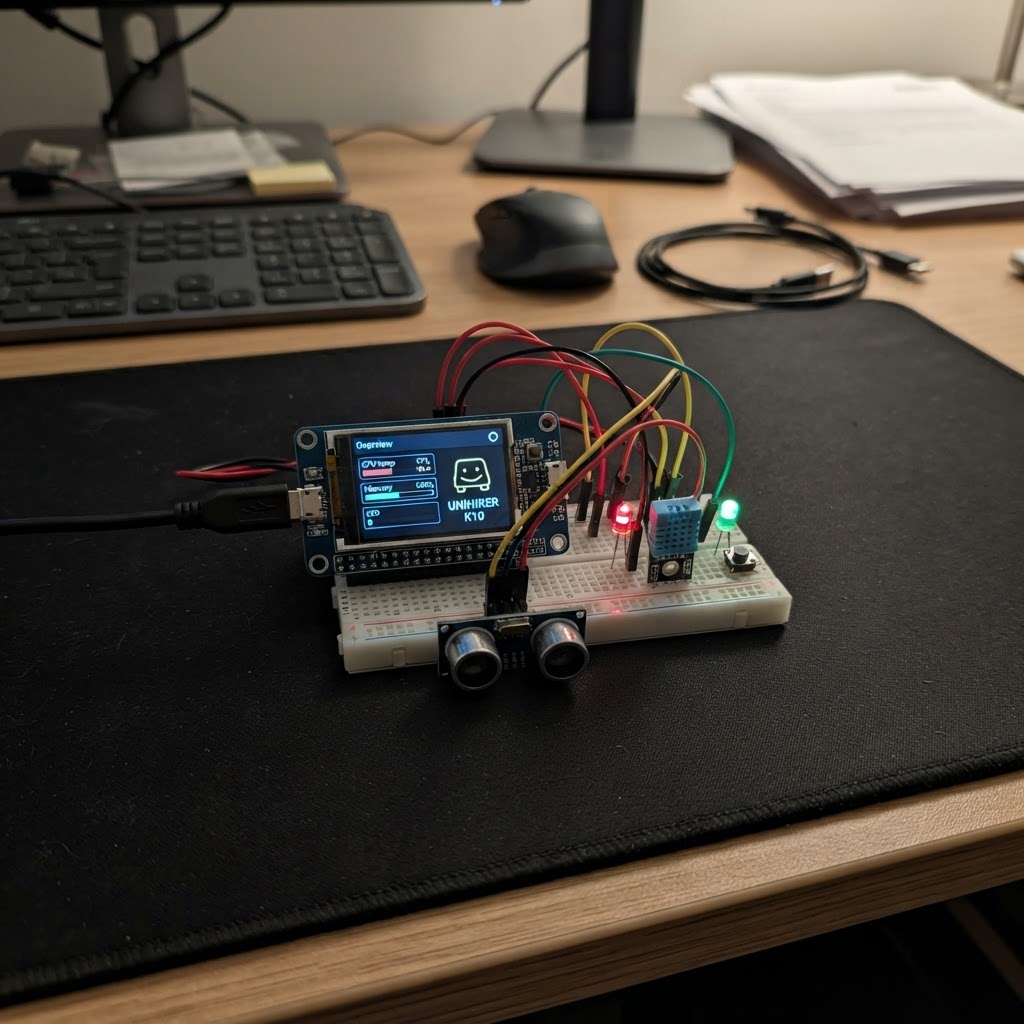
The UNIHIKER K10 is a compact ESP32-based handheld device with a built-in display and control buttons, perfect for running interactive games and applications. This guide walks through setting up the K10 hardware, connecting power and programming cables, and configuring button controls to get started with custom firmware projects.
This project includes a complete Snake game implementation that demonstrates the K10's display capabilities and button input handling. The guide provides a wiring diagram, parts checklist, step-by-step assembly instructions, and ready-to-use firmware code that renders a grid-based game with score tracking and collision detection.
Wiring diagram
Assemble it in 3 steps
1. 确认所需硬件
本项目只使用 UNIHIKER K10(板载 LCD 与板载 A/B 按键),不需要面包板、杜邦线、电阻或外接传感器。
- 请确认设备是 UNIHIKER K10(DFR0992-EN),而不是其他 UNIHIKER 型号。
- 不要把外部电路接到 GPIO12/P5;该引脚与 K10 的板载 LCD SPI 时钟共享,游戏运行时必须保留给屏幕。
2. 连接供电与下载线
使用一根可传输数据的 USB-C 线,将 K10 的 USB-C 接口连接到电脑。该线同时为开发板供电。
- 屏幕点亮表示板子已经获得供电。
- 如果屏幕不亮,先检查 USB-C 线是否为数据/充电线以及接口是否插牢。
- 仅使用电脑 USB 或可靠的 5 V USB 电源供电;不要向边缘 GPIO 引脚直接输入电源。
3. 确认操控方式
屏幕横向显示游戏画面。游戏中短按板载 Button A 让蛇向左转,短按板载 Button B 让蛇向右转;蛇撞墙或撞到自身后,按住 A 和 B 两个按键即可重新开始。
- 转向只能左转或右转,因此不会发生直接掉头撞到自己的情况。
- 初始移动速度约每 190 ms 前进一步,吃到食物后会增长并加分。
- 按键是板载部件,不需要、也不应为本项目另外接外置按键。
Deploy the firmware
#include <Arduino.h>
#include <unihiker_k10.h>
#include <lvgl.h>


// Hoisted type definitions
enum Direction : uint8_t { UP, RIGHT, DOWN, LEFT };

struct Cell {
  int8_t x;
  int8_t y;
};


// Forward declarations
bool sameCell(const Cell &a, const Cell &b);
bool snakeContains(const Cell &candidate);
void paintCell(const Cell &cell, lv_color_t color);
void updateScoreText();
void placeFood();
void startGame();
void turnLeft();
void turnRight();
void endGame();
void advanceSnake();
void createInterface();

UNIHIKER_K10 k10;

constexpr uint8_t COLS = 16;
constexpr uint8_t ROWS = 19;
constexpr uint8_t CELL = 14;
constexpr uint8_t MAX_SNAKE = COLS * ROWS;
constexpr uint32_t STEP_INTERVAL_MS = 190;


lv_obj_t *gridCells[ROWS][COLS];
lv_obj_t *scoreLabel;
lv_obj_t *hintLabel;

Cell snake[MAX_SNAKE];
Cell food;
uint16_t snakeLength;
uint16_t score;
Direction direction;
bool gameOver;
bool previousA;
bool previousB;
uint32_t lastStepMs;

const lv_color_t COLOR_EMPTY = lv_color_hex(0x112029);
const lv_color_t COLOR_HEAD = lv_color_hex(0x5CE1E6);
const lv_color_t COLOR_BODY = lv_color_hex(0x32B17C);
const lv_color_t COLOR_FOOD = lv_color_hex(0xFF6B6B);

bool sameCell(const Cell &a, const Cell &b) {
  return a.x == b.x && a.y == b.y;
}

bool snakeContains(const Cell &candidate) {
  for (uint16_t i = 0; i < snakeLength; ++i) {
    if (sameCell(snake[i], candidate)) {
      return true;
    }
  }
  return false;
}

void paintCell(const Cell &cell, lv_color_t color) {
  if (cell.x >= 0 && cell.x < COLS && cell.y >= 0 && cell.y < ROWS) {
    lv_obj_set_style_bg_color(gridCells[cell.y][cell.x], color, LV_PART_MAIN);
  }
}

void updateScoreText() {
  char text[28];
  snprintf(text, sizeof(text), "SNAKE   SCORE: %u", score);
  lv_label_set_text(scoreLabel, text);
}

void placeFood() {
  uint16_t available = MAX_SNAKE - snakeLength;
  if (available == 0) {
    gameOver = true;
    lv_label_set_text(hintLabel, "YOU WIN! Hold A+B to play again");
    return;
  }

  uint16_t chosen = random(available);
  for (uint8_t y = 0; y < ROWS; ++y) {
    for (uint8_t x = 0; x < COLS; ++x) {
      Cell candidate = {(int8_t)x, (int8_t)y};
      if (!snakeContains(candidate)) {
        if (chosen == 0) {
          food = candidate;
          paintCell(food, COLOR_FOOD);
          return;
        }
        --chosen;
      }
    }
  }
}

void startGame() {
  for (uint8_t y = 0; y < ROWS; ++y) {
    for (uint8_t x = 0; x < COLS; ++x) {
      Cell cell = {(int8_t)x, (int8_t)y};
      paintCell(cell, COLOR_EMPTY);
    }
  }

  snakeLength = 4;
  snake[0] = {8, 9};
  snake[1] = {7, 9};
  snake[2] = {6, 9};
  snake[3] = {5, 9};
  score = 0;
  direction = RIGHT;
  gameOver = false;
  updateScoreText();
  lv_label_set_text(hintLabel, "A: turn left     B: turn right");

  for (uint16_t i = 0; i < snakeLength; ++i) {
    paintCell(snake[i], i == 0 ? COLOR_HEAD : COLOR_BODY);
  }
  placeFood();
  lastStepMs = millis();
}

void turnLeft() {
  direction = static_cast<Direction>((direction + 3) % 4);
}

void turnRight() {
  direction = static_cast<Direction>((direction + 1) % 4);
}

void endGame() {
  gameOver = true;
  lv_label_set_text(hintLabel, "GAME OVER - hold A+B to restart");
}

void advanceSnake() {
  Cell next = snake[0];
  if (direction == UP) --next.y;
  if (direction == RIGHT) ++next.x;
  if (direction == DOWN) ++next.y;
  if (direction == LEFT) --next.x;

  bool ateFood = sameCell(next, food);
  if (next.x < 0 || next.x >= COLS || next.y < 0 || next.y >= ROWS) {
    endGame();
    return;
  }

  uint16_t collisionLength = ateFood ? snakeLength : snakeLength - 1;
  for (uint16_t i = 0; i < collisionLength; ++i) {
    if (sameCell(next, snake[i])) {
      endGame();
      return;
    }
  }

  Cell oldTail = snake[snakeLength - 1];
  if (!ateFood) {
    paintCell(oldTail, COLOR_EMPTY);
  } else {
    ++snakeLength;
    ++score;
    updateScoreText();
  }

  for (int16_t i = snakeLength - 1; i > 0; --i) {
    snake[i] = snake[i - 1];
  }
  snake[0] = next;

  paintCell(snake[1], COLOR_BODY);
  paintCell(snake[0], COLOR_HEAD);

  if (ateFood) {
    placeFood();
  }
}

void createInterface() {
  k10.setScreenBackground(0x0B141A);

  scoreLabel = lv_label_create(lv_scr_act());
  lv_obj_set_pos(scoreLabel, 8, 7);
  lv_obj_set_style_text_color(scoreLabel, lv_color_hex(0xE6F1F5), LV_PART_MAIN);
  lv_obj_set_style_text_font(scoreLabel, &lv_font_montserrat_14, LV_PART_MAIN);

  hintLabel = lv_label_create(lv_scr_act());
  lv_obj_set_pos(hintLabel, 8, 27);
  lv_obj_set_style_text_color(hintLabel, lv_color_hex(0xA9BBC3), LV_PART_MAIN);
  lv_obj_set_style_text_font(hintLabel, &lv_font_montserrat_14, LV_PART_MAIN);

  for (uint8_t y = 0; y < ROWS; ++y) {
    for (uint8_t x = 0; x < COLS; ++x) {
      lv_obj_t *tile = lv_obj_create(lv_scr_act());
      gridCells[y][x] = tile;
      lv_obj_set_size(tile, CELL - 1, CELL - 1);
      lv_obj_set_pos(tile, 8 + x * CELL, 53 + y * CELL);
      lv_obj_set_style_bg_opa(tile, LV_OPA_COVER, LV_PART_MAIN);
      lv_obj_set_style_bg_color(tile, COLOR_EMPTY, LV_PART_MAIN);
      lv_obj_set_style_border_width(tile, 0, LV_PART_MAIN);
      lv_obj_set_style_radius(tile, 2, LV_PART_MAIN);
      lv_obj_clear_flag(tile, LV_OBJ_FLAG_SCROLLABLE);
    }
  }
}

void setup() {
  k10.begin();
  k10.initScreen();
  randomSeed(static_cast<uint32_t>(micros()));
  createInterface();
  startGame();
}

void loop() {
  lv_timer_handler();

  bool aPressed = k10.buttonA->isPressed();
  bool bPressed = k10.buttonB->isPressed();

  if (gameOver) {
    if (aPressed && bPressed) {
      startGame();
    }
  } else {
    if (aPressed && !previousA && !bPressed) {
      turnLeft();
    }
    if (bPressed && !previousB && !aPressed) {
      turnRight();
    }
    if (millis() - lastStepMs >= STEP_INTERVAL_MS) {
      lastStepMs += STEP_INTERVAL_MS;
      advanceSnake();
    }
  }

  previousA = aPressed;
  previousB = bPressed;
  delay(5);
}
Remix this project
Make it yours in one click
Open a full copy of this project in your own Schematik workspace — diagram, code, parts, and assembly steps included. Swap the sensor, add features, or redesign the whole thing with AI. The author's original stays untouched.