Community project
Unihiker Rabbit Drawing
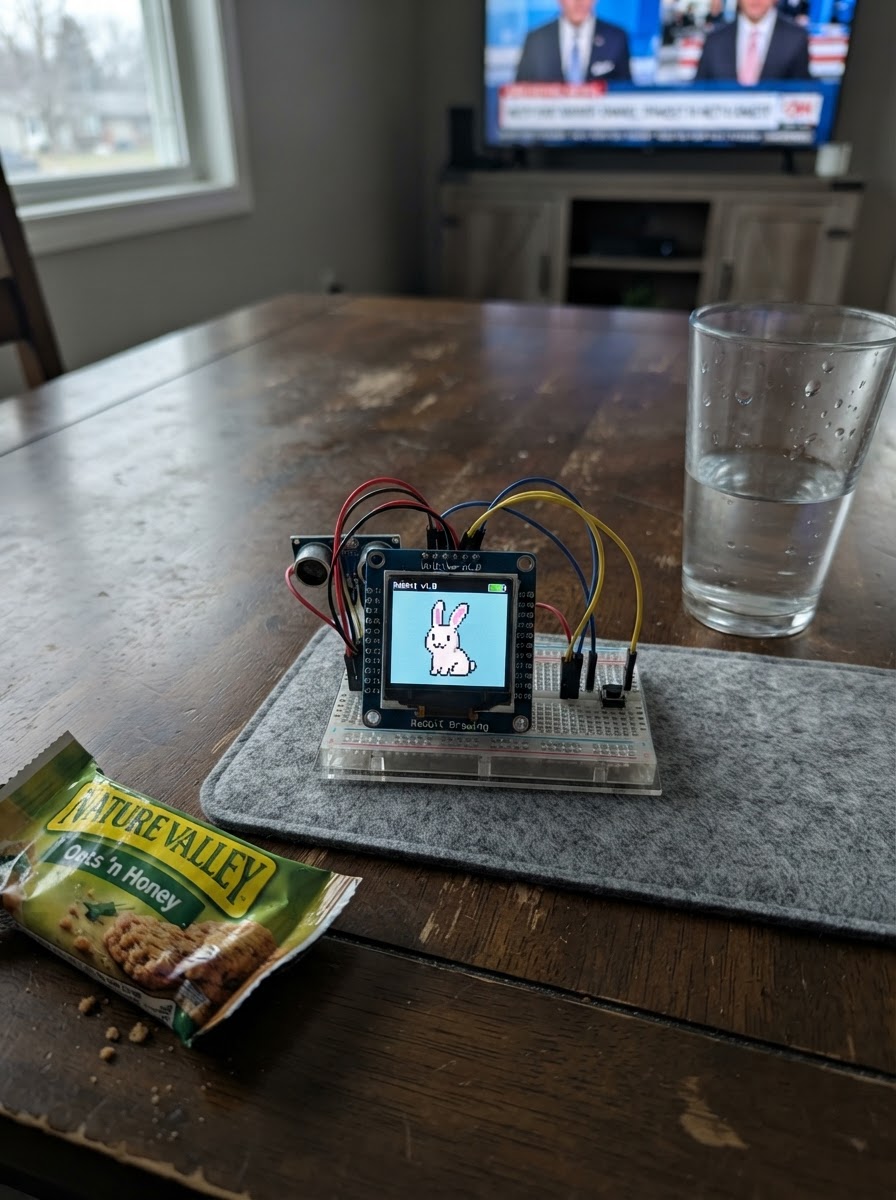
This project displays a charming pixel-art greyhound on the UNIHIKER K10 display. The guide covers powering up the device and running firmware that renders a fawn-colored dog against a sky and grass background using LVGL graphics primitives.
Builders will receive a complete parts list, wiring diagram for powering the UNIHIKER K10, and the full Arduino firmware with pixel-drawing functions. Follow the assembly steps to load the code and watch the greyhound illustration appear on screen.
Wiring diagram
Assemble it in 2 steps
1. Power the UNIHIKER K10
Place the UNIHIKER K10 on a stable, non-conductive surface and power it through its USB port. The greyhound artwork uses only the built-in LCD, so leave all GPIO headers unconnected.
- Keep the screen facing upward so the illustration is easy to view.
- Do not connect anything to GPIO12; it is used internally by the K10 display.
2. View the fawn greyhound
After deploying the project, the built-in display shows the static fawn-colored greyhound scene. No buttons, sensors, or external components are required.
- The drawing is created once at startup, avoiding needless full-screen redraws.
Deploy the firmware
#include <Arduino.h>
#include <unihiker_k10.h>
#include <lvgl.h>


// Forward declarations
static void pixel(lv_obj_t *parent, int x, int y, int w, int h, uint32_t color);
static void drawPixelGreyhound();

UNIHIKER_K10 k10;

static void pixel(lv_obj_t *parent, int x, int y, int w, int h, uint32_t color) {
  lv_obj_t *block = lv_obj_create(parent);
  lv_obj_clear_flag(block, LV_OBJ_FLAG_SCROLLABLE);
  lv_obj_set_pos(block, x, y);
  lv_obj_set_size(block, w, h);
  lv_obj_set_style_bg_color(block, lv_color_hex(color), 0);
  lv_obj_set_style_bg_opa(block, LV_OPA_COVER, 0);
  lv_obj_set_style_border_width(block, 0, 0);
  lv_obj_set_style_radius(block, 0, 0);
}

static void drawPixelGreyhound() {
  lv_obj_t *screen = lv_scr_act();
  const uint32_t SKY = 0x8ED2E6;
  const uint32_t CLOUD = 0xEAF8F8;
  const uint32_t GRASS = 0x72B85B;
  const uint32_t GRASS_DARK = 0x4C8B47;
  const uint32_t FAWN = 0xCF995F;
  const uint32_t FAWN_LIGHT = 0xE8C18B;
  const uint32_t CREAM = 0xF5E2BE;
  const uint32_t OUTLINE = 0x49382E;
  const uint32_t COLLAR = 0x3E6FA5;

  lv_obj_set_style_bg_color(screen, lv_color_hex(SKY), 0);
  lv_obj_set_style_bg_opa(screen, LV_OPA_COVER, 0);

  // Pixel clouds and ground.
  pixel(screen, 20, 48, 48, 8, CLOUD);
  pixel(screen, 28, 40, 24, 8, CLOUD);
  pixel(screen, 36, 32, 8, 8, CLOUD);
  pixel(screen, 173, 63, 40, 8, CLOUD);
  pixel(screen, 181, 55, 16, 8, CLOUD);
  pixel(screen, 0, 272, 240, 48, GRASS);
  pixel(screen, 0, 288, 240, 8, GRASS_DARK);
  pixel(screen, 16, 264, 8, 16, GRASS_DARK);
  pixel(screen, 32, 256, 8, 24, GRASS_DARK);
  pixel(screen, 208, 256, 8, 24, GRASS_DARK);
  pixel(screen, 224, 264, 8, 16, GRASS_DARK);

  // Tail, a blocky long body, chest, and tucked waist.
  pixel(screen, 24, 200, 16, 8, OUTLINE);
  pixel(screen, 32, 192, 16, 8, OUTLINE);
  pixel(screen, 40, 184, 16, 8, OUTLINE);
  pixel(screen, 32, 200, 16, 8, FAWN);
  pixel(screen, 40, 192, 16, 8, FAWN);
  pixel(screen, 48, 184, 16, 8, FAWN);
  pixel(screen, 56, 168, 96, 56, OUTLINE);
  pixel(screen, 64, 168, 88, 48, FAWN);
  pixel(screen, 72, 176, 72, 32, FAWN_LIGHT);
  pixel(screen, 96, 208, 48, 16, FAWN);
  pixel(screen, 112, 216, 32, 16, SKY);
  pixel(screen, 144, 176, 32, 48, OUTLINE);
  pixel(screen, 144, 176, 24, 40, FAWN);

  // Four straight, slim legs with dark paws.
  pixel(screen, 72, 216, 16, 56, OUTLINE);
  pixel(screen, 80, 216, 8, 48, FAWN);
  pixel(screen, 96, 216, 16, 56, OUTLINE);
  pixel(screen, 96, 216, 8, 48, FAWN_LIGHT);
  pixel(screen, 144, 216, 16, 56, OUTLINE);
  pixel(screen, 144, 216, 8, 48, FAWN);
  pixel(screen, 168, 216, 16, 56, OUTLINE);
  pixel(screen, 168, 216, 8, 48, FAWN_LIGHT);
  pixel(screen, 64, 264, 32, 8, OUTLINE);
  pixel(screen, 88, 264, 32, 8, OUTLINE);
  pixel(screen, 136, 264, 32, 8, OUTLINE);
  pixel(screen, 160, 264, 32, 8, OUTLINE);

  // Tall neck, angular head, muzzle, and folded ears.
  pixel(screen, 152, 112, 32, 72, OUTLINE);
  pixel(screen, 160, 112, 24, 64, FAWN);
  pixel(screen, 168, 96, 48, 48, OUTLINE);
  pixel(screen, 176, 96, 32, 40, FAWN);
  pixel(screen, 200, 120, 32, 24, OUTLINE);
  pixel(screen, 200, 120, 24, 16, CREAM);
  pixel(screen, 184, 80, 16, 24, OUTLINE);
  pixel(screen, 184, 88, 8, 16, FAWN_LIGHT);
  pixel(screen, 168, 80, 16, 24, OUTLINE);
  pixel(screen, 168, 88, 8, 16, FAWN);

  // Face, collar, and a pale fawn marking.
  pixel(screen, 200, 104, 8, 8, OUTLINE);
  pixel(screen, 224, 128, 8, 8, OUTLINE);
  pixel(screen, 152, 152, 32, 8, OUTLINE);
  pixel(screen, 160, 152, 24, 8, COLLAR);
  pixel(screen, 96, 176, 24, 16, CREAM);
  pixel(screen, 88, 176, 8, 8, 0xFFFFFF);

  lv_obj_t *caption = lv_label_create(screen);
  lv_label_set_text(caption, "PIXEL GREYHOUND");
  lv_obj_set_style_text_font(caption, &lv_font_montserrat_14, 0);
  lv_obj_set_style_text_color(caption, lv_color_hex(OUTLINE), 0);
  lv_obj_align(caption, LV_ALIGN_TOP_MID, 0, 10);
}

void setup() {
  k10.begin();
  k10.initScreen();
  drawPixelGreyhound();
}

void loop() {
  lv_timer_handler();
  delay(5);
}
Remix this project
Make it yours in one click
Open a full copy of this project in your own Schematik workspace, diagram, code, parts, and assembly steps included. Swap the sensor, add features, or redesign the whole thing with AI. The author's original stays untouched.