Community project
Automatic Medicine Dispenser
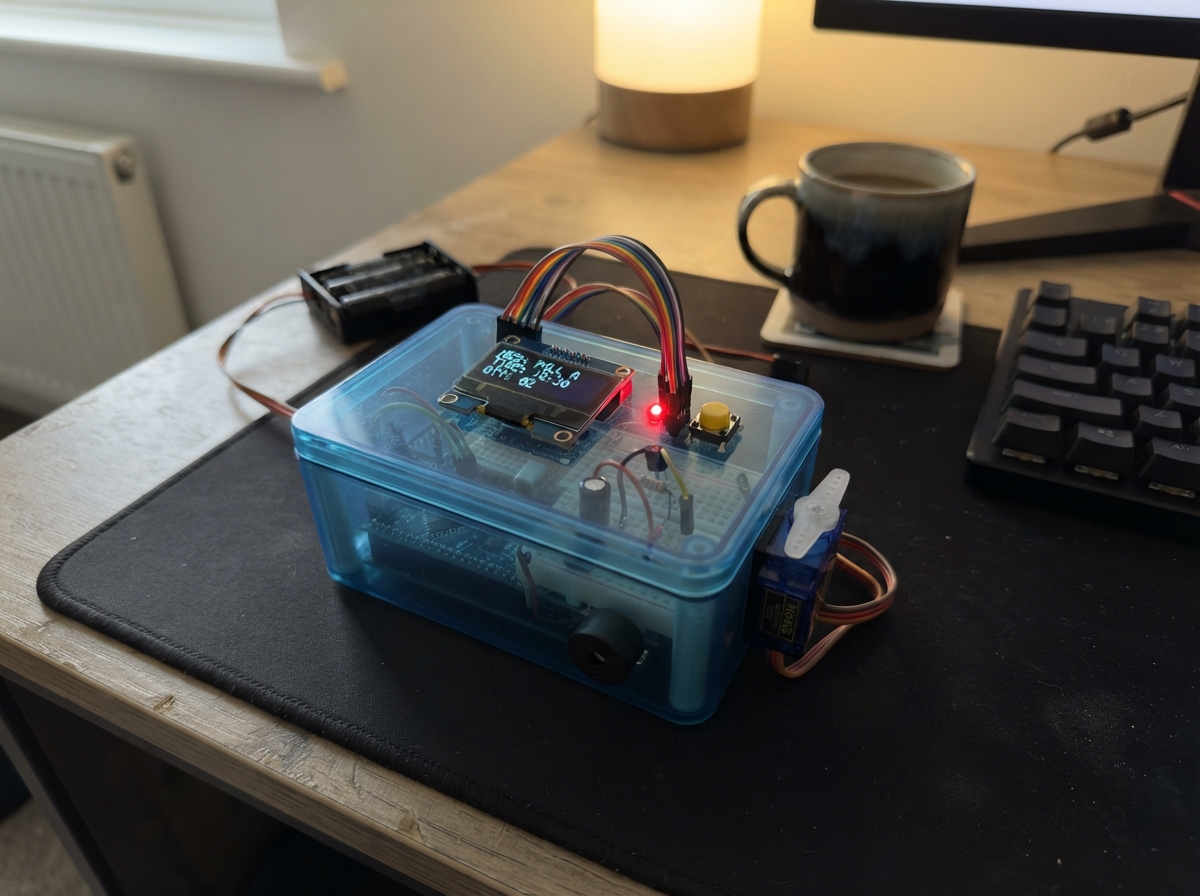
This automatic medicine dispenser uses an ESP32 microcontroller to manage timed medication delivery across four separate compartments. Each compartment has its own servo-controlled lid, status LED, and can be accessed via a web interface or local buttons. The guide provides a complete wiring diagram, parts list, and step-by-step assembly instructions to build a networked medication reminder system.
The dispenser features a 0.96-inch OLED display for status feedback, audible and visual alerts via buzzer and LEDs, battery monitoring, and Wi-Fi connectivity for remote scheduling. Builders will receive detailed schematics showing how to wire the servo motors, LEDs, buzzer, buttons, and display to the ESP32, along with the complete firmware needed to run the system.
Wiring diagram
Gather all the parts
Assemble it in 10 steps
1. Remove power and clear the breadboard
Unplug the ESP32 USB cable and disconnect one wire from the 4×AA battery pack. Place the ESP32 across the breadboard’s center gap and use one long blue rail as the shared ground rail.
- Leave the top-left area for the QR button and the bottom-right area for the alarm-stop button.
- Do not connect the 4×AA pack’s positive wire to ESP32 3V3 or VIN. Keep the USB cable unplugged while changing wires.
2. Make separate low-voltage and battery rails
Connect ESP32 GND → the blue shared ground rail (ground). Connect battery_pack_4aa NEGATIVE → that same blue rail (ground). Connect ESP32 3V3 → a short red rail used only by oled_1 (power). Put battery_pack_4aa POSITIVE on a different red rail for the servo red wires, buzzer, and battery meter.
- Mark the battery rail with tape so it cannot be confused with the 3V3 rail.
- Do not join the battery-positive rail to the OLED 3V3 rail — the higher battery voltage can damage the OLED and ESP32.
- Make sure the capacitor’s striped negative side goes to ground; reversed capacitors can overheat or burst.
3. Wire the OLED from its printed labels
Connect OLED VCC → ESP32 3V3 (power), OLED GND → blue shared ground rail (ground), OLED SCK or D0 → GPIO18 (clock), OLED SDA or D1 → GPIO23 (data), OLED RES or RST → GPIO16 (reset), and OLED DC → GPIO17 (screen control). Follow the labels printed beside the OLED pins, not their left-to-right order.
- On this six-wire OLED, D0 means SCK and D1 means the data input. Keep the six jumpers short.
- Do not use the 4×AA battery rail for OLED VCC.
- Make sure VCC and GND are not swapped — swapped power can damage the screen.
4. Add the safe battery meter link
Place battery_divider_top (100 kΩ) and battery_divider_bottom (56 kΩ) end-to-end in two separate breadboard rows. Connect the free end of the 100 kΩ resistor → battery positive rail (battery measurement). Join its other end to one end of the 56 kΩ resistor and also run that same joined row → GPIO34 (measurement signal). Connect the free end of the 56 kΩ resistor → blue shared ground rail (ground).
- GPIO34 is input-only, which is exactly what this voltage-reading wire needs.
- The joined middle row is the only wire that goes to GPIO34.
- Never connect the battery-positive rail directly to GPIO34 — the full battery voltage can permanently damage the ESP32. Both resistors must be present.
5. Place the four compartment lights
For each LED, connect its short leg → blue ground rail (ground). Connect LED 1 long leg → resistor_1 → GPIO25 (Container 1 light signal). Connect LED 2 long leg → resistor_2 → GPIO26 (Container 2 light signal). Connect LED 3 long leg → resistor_3 → GPIO27 (Container 3 light signal). Connect LED 4 long leg → resistor_7 → GPIO12 (Container 4 light signal).
- The long LED leg is positive; the flat side marks the short negative leg.
- Keep the GPIO12 LED lead and its resistor separate from the ESP32’s BOOT and EN buttons.
- Never put an LED directly between an ESP32 pin and ground without its 180 Ω resistor.
- GPIO12 helps the ESP32 choose its startup settings. If the board will not start after this LED is fitted, remove power and check that the LED is wired only through its 180 Ω resistor, with the short leg on ground.
6. Add the servo power switch
Place servo_power_mosfet so each leg is in a separate breadboard row. Connect its SOURCE → blue shared ground rail (ground). Join all four servo brown or black GND wires → its DRAIN pin (switched ground). Connect GPIO22 → resistor_5 (220 Ω) → its GATE pin (switch control). Connect resistor_6 (10 kΩ) from that same GATE row → blue shared ground rail (keeps the switch off while starting).
- Check the IRLZ44N’s printed front face against its datasheet before wiring; a backwards MOSFET will not switch the servos correctly.
- The 10 kΩ resistor is essential: it prevents a brief unwanted servo movement when the ESP32 starts.
- Do not connect any servo brown or black wire straight to the blue rail now — each must go only to the MOSFET DRAIN pin, or that servo will stay powered.
- Keep the ESP32 ground, battery negative, and MOSFET SOURCE joined on the blue rail; without this shared reference, the control signal cannot work.
7. Wire all four lid servos
Connect servo_1 SIG → GPIO32 (lid 1 signal), servo_2 SIG → GPIO33 (lid 2 signal), servo_3 SIG → GPIO13 (lid 3 signal), and servo_4 SIG → GPIO19 (lid 4 signal). Connect every servo red VCC wire → battery positive rail (power). Connect capacitor_1 POSITIVE → battery positive rail and its striped NEGATIVE side → blue shared ground rail (ground).
- The orange or yellow wire is SIG, red is VCC, and brown or black is GND.
- Put the capacitor close to the point where the four red servo wires meet the battery rail.
- Do not power any servo from ESP32 3V3.
- Keep fingers clear of all lid arms when power is restored. Four servos can pull a large current, so use fresh AA cells and do not try to move several lids by hand while powered.
8. Wire the buzzer through its transistor
Connect buzzer_1 RED / + → battery positive rail (power). Connect buzzer_1 BLACK / − → transistor_1 COLLECTOR. Connect transistor_1 EMITTER → blue shared ground rail (ground). Connect GPIO4 → resistor_4 → transistor_1 BASE (buzzer control).
- Keep the transistor’s three legs in separate breadboard rows.
- S8050 pin order varies between look-alike parts. Use the markings for your actual part rather than guessing its base, collector, and emitter legs.
9. Put the two buttons in place
Place each push button across the breadboard center gap. Connect qr_button_1: one side → GPIO14 (signal), opposite side → blue shared ground rail (ground). Connect alarm_stop_button_1: one side → GPIO21 (signal), opposite side → blue shared ground rail (ground).
- The firmware supplies the needed internal pull-up, so neither button needs an extra resistor.
- If both wires are on the same side of a four-leg push button, pressing it will do nothing.
- Do not connect either button to the battery-positive rail — battery voltage can damage an ESP32 input.
10. Check the screen and restore power
Recheck OLED VCC → 3V3 (power), OLED GND → GND (ground), SCK/D0 → GPIO18 (clock), SDA/D1 → GPIO23 (data), RES/RST → GPIO16 (reset), and DC → GPIO17 (screen control). Recheck that the two battery-meter resistors are in series between battery positive and ground, with only their middle join going to GPIO34. Confirm all four servo ground wires go to MOSFET DRAIN, not directly to ground. Then reconnect the battery pack and plug in ESP32 USB.
- When no alarm is active, the servos should remain unpowered. At an alarm, the controller waits a short moment after switching power on before moving the selected lid.
- Stop and remove power if the OLED becomes hot, smells unusual, or the ESP32 repeatedly resets.
- Keep fingers clear while testing an alarm because the selected lid servo will move after power is applied.
Review all connections
1. Connections between "oled_1" and "ESP32"
2. Connections between "resistor_1" and "ESP32"
3. Connections between "led_1" and "ESP32"
4. Connections between "resistor_2" and "ESP32"
5. Connections between "led_2" and "ESP32"
6. Connections between "resistor_3" and "ESP32"
7. Connections between "led_3" and "ESP32"
8. Connections between "resistor_7" and "ESP32"
9. Connections between "led_4" and "ESP32"
10. Connections between "battery_pack_4aa" and "ESP32"
11. Connections between "servo_1" and "ESP32"
12. Connections between "servo_2" and "ESP32"
13. Connections between "servo_3" and "ESP32"
14. Connections between "servo_4" and "ESP32"
15. Connections between "capacitor_1" and "ESP32"
16. Connections between "buzzer_1" and "ESP32"
17. Connections between "transistor_1" and "ESP32"
18. Connections between "resistor_4" and "ESP32"
19. Connections between "qr_button_1" and "ESP32"
20. Connections between "alarm_stop_button_1" and "ESP32"
21. Connections between "battery_divider_top" and "ESP32"
22. Connections between "battery_divider_bottom" and "ESP32"
23. Connections between "resistor_5" and "ESP32"
24. Connections between "resistor_6" and "ESP32"
25. Connections between "servo_power_mosfet" and "ESP32"
Deploy the firmware
#include <Arduino.h>
#include <SPI.h>
#include <WiFi.h>
#include <ESPmDNS.h>
#include <DNSServer.h>
#include <WebServer.h>
#include <Preferences.h>
#include <Adafruit_GFX.h>
#include <Adafruit_SSD1306.h>
#include <qrcode.h>
#include <esp_system.h>
#include <esp_mac.h>
#include "web_html.h"
#include "web_css.h"
#include "web_js.h"

// Set to true to print raw button pin states to the Serial Monitor (115200 baud).
constexpr bool DEBUG_BUTTONS=false;
// Set to false when the servos work. Prints each step of opening a lid to the Serial Monitor (115200 baud).
constexpr bool DEBUG_SERVO=true;

// Fixed Wi-Fi network. The password must be at least 8 characters for WPA2.
constexpr const char* WIFI_SSID="SmartPill";
constexpr const char* WIFI_PASS="smartpill123";

// ---------------------------------------------------------------- pins
constexpr int OLED_SCK=18,OLED_MOSI=23,OLED_RESET=16,OLED_DC=17,OLED_CS_DUMMY=5;
// Container indicators follow the physical light order:
// Container 1 -> Light 1, Container 2 -> Light 2, Container 3 -> Light 3, Container 4 -> Light 4.
// (Light 1 = GPIO25, Light 2 = GPIO26, Light 3 = GPIO27, Light 4 = GPIO12.)
constexpr int LED1=25,LED2=26,LED3=27,LED4=12,BUZZER=4;
constexpr int SERVO1=32,SERVO2=33,SERVO3=13,SERVO4=19,SERVO_POWER=22;
constexpr int QR_BUTTON=14,ALARM_STOP_BUTTON=21,BATTERY_ADC=34;
constexpr int SERVO_CLOSED=0,SERVO_OPEN=25;               // closed = 0 degrees, open = 25 degrees
constexpr uint32_t OLED_IDLE_MS=60UL*1000UL;      // screen turns off after this long with no button press (saves battery)
constexpr uint8_t N=12,LN=48;
constexpr uint32_t LATE=1800;                 // seconds after the alarm that still counts as "late", not "on time"

// ---------------------------------------------------------------- data
struct Slot{String name;uint8_t h,m,c;bool on;uint8_t repeatMask=127;String note="";String date="";};
struct Log{uint32_t t=0;uint8_t s=0;String st;String label;uint8_t h=0,m=0,c=1;};
struct ContainerDetail{String medicine;uint16_t pills;uint16_t refillAt;};

Slot slot[N]; Log logg[LN]; ContainerDetail container[4];
uint8_t head=0;                               // index of the NEXT log entry to write (always 0..LN-1)
uint64_t base=0,due=0,snoozeUntil=0;
uint32_t baseMs=0,lastSave=0,servoPowerOnAt=0,servoPowerOffAt=0;
uint32_t firedDay[N]={0};
int32_t off=0; int8_t active=-1; bool servoMoved=false,lidRequested=false;   // lidRequested: STOP was pressed, so the due dose's lid may open

Preferences pref; WebServer server(80); DNSServer dns;
Adafruit_SSD1306 oled(128,64,&SPI,OLED_DC,OLED_RESET,OLED_CS_DUMMY);

bool use24Hour=false,alarmSound=true,alarmLed=true,highContrast=false,largeText=false,testAlarmActive=false;
String deviceName="SmartPill",alarmVolume="medium",language="English";
uint16_t snoozeMinutes=10,missedMinutes=60; uint32_t testAlarmUntil=0;

bool timeSynced=false;                        // true once a phone has set the clock since this power-up
bool alarmSilenced=false;                     // STOP pressed: sound/light off, lid stays open until taken/skipped/missed

// Wi-Fi + PIN
String wifiSsid,wifiPass,pinCode;
uint8_t pinFails=0; uint32_t pinLockUntil=0;

// Timer (counted by the box itself, so the phone can sleep or leave)
bool timerActive=false,timerRing=false; uint32_t timerEndMs=0,timerRingStart=0; uint8_t timerComp=1;

// OLED screens: 0 = status, 1 = Wi-Fi QR, 2 = Wi-Fi details as text
uint8_t oledMode=0; uint32_t oledModeAt=0,lastOledUpdate=0;
bool oledOn=true; uint32_t lastOledActivity=0;      // screen power saving: either button wakes it

// Wi-Fi power saving: the access point switches off when nobody uses the app, and the QR button wakes it
bool wifiOn=true; uint32_t lastWifiActivity=0;

uint32_t lastBatteryRead=0; float cachedBatteryV=-1.0f;

// Component tests started from the web app (Settings > Test components)
enum TestKind:uint8_t{ T_NONE,T_LED,T_BUZZER,T_SERVO,T_OLED };
uint8_t testKind=T_NONE,testTarget=0; bool testPulse=false; uint32_t testStart=0,testDuration=0;
uint16_t qrPresses=0,stopPresses=0;               // counted so the app can confirm each button works
const char* testName(){ return testKind==T_LED?"led":testKind==T_BUZZER?"buzzer":testKind==T_SERVO?"servo":testKind==T_OLED?"oled":"none"; }

uint64_t now();
String tm(uint64_t e);
String dateKey(uint64_t e);

// ---------------------------------------------------------------- small helpers
String prefString(const char* key,const char* fallback=""){ return pref.isKey(key)?pref.getString(key):String(fallback); }
String two(int n){ return n<10?"0"+String(n):String(n); }
String fit(const String& s,uint8_t n){ return s.length()>n?s.substring(0,n):s; }
const char* yn(bool v){ return v?"true":"false"; }

// Remove characters that could break the JSON / saved-string formats.
String cleanText(const String& in,size_t maxLen){
  String o; o.reserve(maxLen);
  for(size_t i=0;i<in.length()&&o.length()<maxLen;i++){
    char c=in[i];
    if((uint8_t)c<32||c=='"'||c=='\\'||c=='|'||c=='{'||c=='}'||c=='['||c==']') continue;
    o+=c;
  }
  o.trim(); return o;
}

// Reads one value from a JSON object string.  Quoted values may contain commas and escaped quotes.
String field(const String& j,const char* k){
  int p=j.indexOf(String("\"")+k+"\""); if(p<0) return "";
  p=j.indexOf(':',p); if(p<0) return ""; p++;
  const int len=j.length();
  while(p<len&&(j[p]==' '||j[p]=='\n'||j[p]=='\r'||j[p]=='\t')) p++;
  if(p>=len) return "";
  String out;
  if(j[p]=='"'){
    for(p++;p<len&&j[p]!='"';p++){ if(j[p]=='\\'&&p+1<len) p++; out+=j[p]; }
  }else{
    for(;p<len&&j[p]!=','&&j[p]!='}'&&j[p]!=']'&&j[p]!=' '&&j[p]!='\n'&&j[p]!='\r';p++) out+=j[p];
  }
  return out;
}

// Index of the "}" that closes the "{" at position p (ignores braces inside strings).
int jsonObjectEnd(const String& b,int p){
  bool str=false,esc=false; int depth=0;
  for(int i=p;i<(int)b.length();i++){
    char c=b[i];
    if(str){ if(esc) esc=false; else if(c=='\\') esc=true; else if(c=='"') str=false; continue; }
    if(c=='"'){ str=true; continue; }
    if(c=='{') depth++;
    else if(c=='}'){ depth--; if(depth==0) return i; }
  }
  return -1;
}

// ---------------------------------------------------------------- clock
uint64_t now(){ return base?base+(millis()-baseMs)/1000:0; }
String tm(uint64_t e){
  int64_t x=(int64_t)e-off; if(x<0) x+=86400;
  int h=(x%86400)/3600,m=(x%3600)/60;
  if(use24Hour) return two(h)+":"+two(m);
  return String(h%12?h%12:12)+":"+two(m)+(h<12?" AM":" PM");
}
String dateKey(uint64_t e){
  int64_t z=(int64_t)(e-off)/86400+719468; const int era=(z>=0?z:z-146096)/146097;
  const unsigned doe=(unsigned)(z-era*146097), yoe=(doe-doe/1460+doe/36524-doe/146096)/365;
  int y=(int)yoe+era*400; const unsigned doy=doe-(365*yoe+yoe/4-yoe/100), mp=(5*doy+2)/153;
  unsigned d=doy-(153*mp+2)/5+1, m=mp+(mp<10?3:-9); y+=(m<=2);
  return String(y)+"-"+two(m)+"-"+two(d);
}

// ---------------------------------------------------------------- battery (cached: reading blocks for ~16 ms)
float batteryVoltage(){
  if(lastBatteryRead&&millis()-lastBatteryRead<5000) return cachedBatteryV;
  uint32_t total=0;
  for(int i=0;i<8;i++){ total+=analogReadMilliVolts(BATTERY_ADC); delay(2); }
  const float millivolts=total/8.0f;
  // An undriven divider input is reported as "no battery reading", not 0%.
  cachedBatteryV=millivolts<1200.0f?-1.0f:(millivolts/1000.0f)*156.0f/56.0f;   // GPIO34 sees 56/(100+56) of the pack
  lastBatteryRead=millis();
  return cachedBatteryV;
}
int batteryPercent(){
  const float v=batteryVoltage();
  if(v<3.5f) return -1;
  return constrain((int)((v-4.4f)*50.0f+0.5f),0,100);    // 4 x AA alkaline: empty 4.4 V, fresh 6.4 V
}

// ---------------------------------------------------------------- outputs
void setLeds(bool on){ digitalWrite(LED1,on); digitalWrite(LED2,on); digitalWrite(LED3,on); digitalWrite(LED4,on); }
void ledFor(uint8_t c,bool on){ int p=c==1?LED1:c==2?LED2:c==3?LED3:LED4; digitalWrite(p,on); }
// Light only container c (all other container lights off) without briefly switching any light off and on.
void onlyLed(uint8_t c){ digitalWrite(LED1,c==1); digitalWrite(LED2,c==2); digitalWrite(LED3,c==3); digitalWrite(LED4,c==4); }
void silenceOutputs(){ digitalWrite(BUZZER,LOW); setLeds(false); }
void servo(uint8_t c,int a){
  uint32_t d=(500UL+(uint32_t)constrain(a,0,180)*1900/180)*65535/20000;
  if(c>=1&&c<=4) ledcWriteChannel(c-1,d);
}
void allOutputsOff(){
  silenceOutputs(); digitalWrite(SERVO_POWER,LOW);
  active=-1; due=0; servoMoved=false; lidRequested=false; servoPowerOnAt=0; servoPowerOffAt=0; alarmSilenced=false;
}
void closeAll(){
  silenceOutputs();
  for(uint8_t c=1;c<=4;c++) servo(c,SERVO_CLOSED);
  servoPowerOffAt=millis()+700; active=-1; due=0; servoMoved=false; lidRequested=false; alarmSilenced=false;
}

// ---------------------------------------------------------------- schedule
bool slotAppliesOn(uint8_t i,uint64_t epoch){
  int64_t local=(int64_t)epoch-off; int64_t day=local/86400; if(local<0&&local%86400) day--;
  if(slot[i].date.length()) return slot[i].date==dateKey(epoch);
  uint8_t weekday=(uint8_t)((day+4)%7);          // Unix day 0 was a Thursday; bit 0 of repeatMask is Sunday
  return (slot[i].repeatMask&(1<<weekday))!=0;
}
// Next time alarm i will ring (0 = never), honouring repeat days and one-date alarms.
uint64_t nextForSlot(int i){
  const uint64_t t=now();
  if(!t||!slot[i].on||!slot[i].name.length()) return 0;
  const int64_t local=(int64_t)t-off;
  const uint64_t today=t-(uint64_t)(local%86400);
  for(int d=0;d<367;d++){
    const uint64_t cand=today+(uint64_t)d*86400UL+slot[i].h*3600UL+slot[i].m*60UL;
    if(cand<=t) continue;
    if(slotAppliesOn(i,cand)) return cand;
  }
  return 0;
}
int nextSlotIndex(uint64_t &nextAt){
  int answer=-1; nextAt=0;
  for(int i=0;i<N;i++){ uint64_t c=nextForSlot(i); if(c&&(answer<0||c<nextAt)){ answer=i; nextAt=c; } }
  return answer;
}

// ---------------------------------------------------------------- saved data
void loadLegacySlots(){            // only used by very old firmware that saved "s0".."s11"
  for(int i=0;i<N;i++){
    slot[i]={"",8,0,1,false};
    String r=prefString(("s"+String(i)).c_str());
    if(r.length()){ int a,b,c,d; char z[17]; if(sscanf(r.c_str(),"%16[^|]|%d|%d|%d|%d",z,&a,&b,&c,&d)==5) slot[i]={z,(uint8_t)a,(uint8_t)b,(uint8_t)c,(bool)d}; }
  }
}
void loadContainers(){
  for(int i=0;i<4;i++){
    String r=prefString(("c"+String(i)).c_str());
    int p=r.lastIndexOf('|'),q=p<0?-1:r.lastIndexOf('|',p-1);
    if(q>=0) container[i]={r.substring(0,q),uint16_t(r.substring(q+1,p).toInt()),uint16_t(r.substring(p+1).toInt())};
    else container[i]={"",0,0};
  }
}
void saveContainers(){ for(int i=0;i<4;i++) pref.putString(("c"+String(i)).c_str(),container[i].medicine+"|"+container[i].pills+"|"+container[i].refillAt); }
String containerJson(){
  String o="{\"containers\":[";
  for(int i=0;i<4;i++){
    if(i) o+=",";
    o+="{\"id\":"+String(i+1)+",\"medicine\":\""+container[i].medicine+"\",\"pills\":"+String(container[i].pills)+",\"refillAt\":"+String(container[i].refillAt)+"}";
  }
  return o+"]}";
}

// The log is a ring buffer.  Each entry stores the alarm's name, time and container as they were when the
// dose happened, so editing or deleting an alarm later does not rewrite history.
void addLog(uint8_t s,const char* st){
  Log &l=logg[head];
  l.t=(uint32_t)now(); l.s=s; l.st=st; l.label=slot[s].name; l.h=slot[s].h; l.m=slot[s].m; l.c=slot[s].c;
  pref.putString(("l"+String(head)).c_str(),String(l.t)+"|"+String(s)+"|"+st+"|"+l.label+"|"+two(l.h)+":"+two(l.m)+"|"+String(l.c));
  head=(head+1)%LN; pref.putUChar("head",head);
}
void loadLog(){
  head=pref.getUChar("head",0)%LN;
  for(int i=0;i<LN;i++){
    String r=prefString(("l"+String(i)).c_str()); if(!r.length()) continue;
    String f[6]; int n=0,p=0;
    while(n<6){ int q=r.indexOf('|',p); if(q<0){ f[n++]=r.substring(p); break; } f[n++]=r.substring(p,q); p=q+1; }
    if(n<3) continue;
    logg[i].t=f[0].toInt(); logg[i].s=f[1].toInt(); logg[i].st=f[2];
    if(n>=6){ logg[i].label=f[3]; logg[i].h=f[4].substring(0,2).toInt(); logg[i].m=f[4].substring(3,5).toInt(); logg[i].c=f[5].toInt(); }
    else if(logg[i].s<N){ logg[i].label=slot[logg[i].s].name; logg[i].h=slot[logg[i].s].h; logg[i].m=slot[logg[i].s].m; logg[i].c=slot[logg[i].s].c; }
    if(logg[i].c<1||logg[i].c>4) logg[i].c=1;
  }
}

// A submitted alarm list is the complete saved schedule.
void applyAlarmList(const String& b){
  for(int i=0;i<N;i++){ slot[i].on=false; slot[i].name=""; slot[i].note=""; slot[i].date=""; }
  int p=b.indexOf("\"alarms\""); if(p<0) return;
  p=b.indexOf('[',p); if(p<0) return; p++;
  int count=0;
  while(count<N){
    p=b.indexOf('{',p); if(p<0) break;
    int q=jsonObjectEnd(b,p); if(q<0) break;
    String x=b.substring(p,q+1), t=field(x,"time"), label=cleanText(field(x,"label"),32);
    const int hh=t.substring(0,2).toInt(), mm=t.substring(3,5).toInt();
    if(t.length()==5&&t[2]==':'&&hh<24&&mm<60){
      if(!label.length()) label="Alarm "+String(count+1);
      int c=field(x,"compartment").toInt(); if(c<1||c>4) c=1;
      int mask=field(x,"repeatMask").toInt(); if(!mask&&x.indexOf("repeatMask")<0) mask=127;
      String date=field(x,"date"); if(date.length()!=10) date="";
      slot[count]={label,(uint8_t)hh,(uint8_t)mm,(uint8_t)c,field(x,"enabled")!="false",(uint8_t)(mask&127),cleanText(field(x,"notes"),96),date};
      count++;
    }
    p=q+1;
  }
}
void applyStoredSchedule(){ String b=prefString("schedule"); if(b.indexOf("\"alarms\"")>=0) applyAlarmList(b); }
String alarmSchedule(){
  String out="{\"alarms\":["; bool first=true;
  for(int i=0;i<N;i++) if(slot[i].name.length()){
    if(!first) out+=','; first=false;
    out+="{\"id\":"+String(i)+",\"label\":\""+slot[i].name+"\",\"time\":\""+two(slot[i].h)+":"+two(slot[i].m)+"\",\"compartment\":"+String(slot[i].c)+",\"enabled\":"+yn(slot[i].on)+",\"repeatMask\":"+String(slot[i].repeatMask)+",\"notes\":\""+slot[i].note+"\",\"date\":\""+slot[i].date+"\"}";
  }
  return out+"]}";
}

// ---------------------------------------------------------------- Wi-Fi access point
String wifiEscape(const String& s){
  String o; for(size_t i=0;i<s.length();i++){ char c=s[i]; if(c=='\\'||c==';'||c==','||c==':'||c=='"') o+='\\'; o+=c; }
  return o;
}
// The QR code contains the local WPA2 network name and password.
String wifiPayload(){ return "WIFI:T:WPA;S:"+wifiEscape(wifiSsid)+";P:"+wifiEscape(wifiPass)+";;"; }
void startAccessPoint(bool restart){
  if(restart){ WiFi.softAPdisconnect(true); delay(200); }
  WiFi.mode(WIFI_AP);
  WiFi.softAP(wifiSsid.c_str(),wifiPass.c_str());
}

// ---------------------------------------------------------------- timer
uint32_t timerRemainingSec(){
  if(!timerActive) return 0;
  int32_t ms=(int32_t)(timerEndMs-millis());
  return ms>0?(uint32_t)((ms+999)/1000):0;
}
void stopTimerRing(){ timerRing=false; closeAll(); }
void startTimer(uint32_t seconds,uint8_t comp){
  if(timerRing) stopTimerRing();
  timerComp=comp; timerEndMs=millis()+seconds*1000UL; timerActive=true;
}
void cancelTimer(){ timerActive=false; if(timerRing) stopTimerRing(); }
void startTimerRing(){
  timerActive=false; timerRing=true; timerRingStart=millis();
  servoMoved=false; lidRequested=false; alarmSilenced=false;
  ledFor(timerComp,true);                           // light first; the lid opens when STOP is pressed
}

// ---------------------------------------------------------------- JSON state for the web app
String state(){
  const int battery=batteryPercent(); const float voltage=batteryVoltage();
  String o; o.reserve(2800);
  o+="{\"now\":"+String((unsigned long long)now());
  o+=",\"lastSync\":"+String((unsigned long long)base);
  o+=String(",\"timeSynced\":")+yn(timeSynced);
  o+=String(",\"use24Hour\":")+yn(use24Hour);
  o+=String(",\"highContrast\":")+yn(highContrast);
  o+=String(",\"largeText\":")+yn(largeText);
  o+=",\"deviceName\":\""+deviceName+"\"";
  o+=",\"ssid\":\""+wifiSsid+"\"";
  o+=String(",\"pinSet\":")+yn(pinCode.length()>0);
  o+=String(",\"alarmSound\":\"")+(alarmSound?"on":"off")+"\"";
  o+=",\"alarmVolume\":\""+alarmVolume+"\"";
  o+=String(",\"alarmLed\":\"")+(alarmLed?"on":"off")+"\"";
  o+=",\"snoozeMinutes\":"+String(snoozeMinutes)+",\"missedMinutes\":"+String(missedMinutes);
  o+=",\"language\":\""+language+"\",\"firmwareVersion\":\"1.2.0\"";
  o+=",\"battery\":\""+(battery>=0?String(battery)+"%":String("Unknown"))+"\",\"batteryPercent\":"+String(battery);
  o+=",\"batteryVoltage\":"+(voltage>=0?String(voltage,2):String("null"));
  o+=String(",\"lid\":\"")+(lidRequested?"Open":"Closed")+"\"";
  o+=String(",\"alarmActive\":")+yn(active>=0)+",\"alarmIndex\":"+String(active)+",\"alarmSilenced\":"+yn(alarmSilenced);
  o+=String(",\"timerActive\":")+yn(timerActive)+",\"timerRemaining\":"+String(timerRemainingSec())+",\"timerCompartment\":"+String(timerComp)+",\"timerRinging\":"+yn(timerRing);
  o+=String(",\"testComponent\":\"")+testName()+"\"";
  o+=",\"slots\":[";
  for(int i=0;i<N;i++){
    if(i) o+=",";
    o+="{\"name\":\""+slot[i].name+"\",\"time\":\""+two(slot[i].h)+":"+two(slot[i].m)+"\",\"compartment\":"+String(slot[i].c)+",\"label\":\"Container "+String(slot[i].c)+"\",\"enabled\":"+yn(slot[i].on&&slot[i].name.length())+",\"nextEpoch\":"+String((unsigned long long)nextForSlot(i))+"}";
  }
  o+="],"; o+=containerJson().substring(1);
  return o;
}

// ---------------------------------------------------------------- PIN
// A PIN (4-8 digits) is optional.  When set, clearing data and changing the PIN need it.  Five wrong
// tries lock the check for one minute.  The PIN is checked here, on the box, not in the browser.
bool checkPin(const String& body,const char* key){
  if(!pinCode.length()) return true;
  if(pinFails>=5){
    if((int32_t)(millis()-pinLockUntil)<0){ server.send(429,"application/json","{\"error\":\"Too many attempts\"}"); return false; }
    pinFails=0;
  }
  if(field(body,key)==pinCode){ pinFails=0; return true; }
  if(++pinFails>=5) pinLockUntil=millis()+60000UL;
  server.send(403,"application/json","{\"error\":\"Wrong PIN\"}");
  return false;
}

// ---------------------------------------------------------------- OLED
String hms(uint32_t s){ return s>=3600?String(s/3600)+":"+two((s%3600)/60)+":"+two(s%60):two(s/60)+":"+two(s%60); }
void showStatusScreen(){
  uint64_t nextAt=0; const int next=nextSlotIndex(nextAt);
  oled.invertDisplay(false);
  oled.clearDisplay(); oled.setTextColor(WHITE); oled.setTextSize(1);
  oled.setCursor(0,0); oled.print(fit(deviceName,12));
  const int battery=batteryPercent();
  const String bat=battery>=0?String(battery)+"%":String("Bat ?");
  oled.setCursor(128-6*bat.length(),0); oled.print(bat);
  oled.setTextSize(2); oled.setCursor(0,14);
  if(now()){ oled.print(tm(now())); if(!timeSynced) oled.print('?'); } else oled.print("--:--");
  oled.setTextSize(1); oled.setCursor(0,37);
  if(active>=0){ oled.print("ALARM: "); oled.print(fit(slot[active].name,14)); }
  else if(timerRing){ oled.print("TIMER DONE  C"); oled.print(timerComp); }
  else if(timerActive){ oled.print("Timer C"); oled.print(timerComp); oled.print(' '); oled.print(hms(timerRemainingSec())); }
  else if(next>=0){ oled.print("Next: "); oled.print(fit(slot[next].name,15)); }
  else oled.print("No alarm set");
  oled.setCursor(0,50);
  if(active>=0) oled.print(lidRequested?"Lid open. Use the app":"Press STOP to open");
  else if(timerRing) oled.print(lidRequested?"Press STOP to close":"Press STOP to open");
  else if(timerActive||next<0) oled.print(!wifiOn?"Wi-Fi off. Press QR":(now()&&!timeSynced)?"Open app to sync time":"Press QR for Wi-Fi");
  else { oled.print("at "); oled.print(tm(nextAt)); }
  oled.display();
}
void drawWifiTextScreen(){
  oled.invertDisplay(false);
  oled.clearDisplay(); oled.setTextColor(WHITE); oled.setTextSize(1);
  oled.setCursor(0,0);  oled.print("Join Wi-Fi:");
  oled.setCursor(0,9);  oled.print(fit(wifiSsid,21));
  oled.setCursor(0,18); oled.print("Pass: "); oled.print(wifiPass);
  oled.setCursor(0,30); oled.print("Then open:");
  oled.setCursor(0,43); oled.print("medicinebox.local");
  oled.setCursor(0,54); oled.print("or 192.168.4.1");
  oled.display();
}
void drawQrScreen(){
  QRCode qr; uint8_t qrData[qrcode_getBufferSize(3)];
  const String payload=wifiPayload();
  if(qrcode_initText(&qr,qrData,3,ECC_LOW,payload.c_str())!=0){ drawWifiTextScreen(); return; }
  // Modules are drawn "on" and the whole display is inverted, so the code appears dark on a white screen
  // with a wide quiet zone, which phone cameras read far more reliably than light-on-dark.
  oled.invertDisplay(true);
  oled.clearDisplay(); oled.setTextColor(WHITE); oled.setTextSize(1);
  oled.setCursor(0,6);  oled.print("Scan to");
  oled.setCursor(0,16); oled.print("join");
  oled.setCursor(0,26); oled.print("Wi-Fi");
  oled.setCursor(0,46); oled.print("Press QR");
  oled.setCursor(0,55); oled.print("for text");
  const int scale=2,x0=66,y0=3;
  for(int row=0;row<qr.size;row++) for(int col=0;col<qr.size;col++)
    if(qrcode_getModule(&qr,col,row)) oled.fillRect(x0+col*scale,y0+row*scale,scale,scale,WHITE);
  oled.display();
}
void setOledMode(uint8_t m){
  oledMode=m; oledModeAt=millis();
  if(m==1) drawQrScreen(); else if(m==2) drawWifiTextScreen(); else { showStatusScreen(); lastOledUpdate=millis(); }
}
void oledSleep(){ oled.ssd1306_command(SSD1306_DISPLAYOFF); oledOn=false; }
void oledWake(){                                      // also restarts the idle countdown when the screen is already on
  lastOledActivity=millis();
  if(oledOn) return;
  oled.ssd1306_command(SSD1306_DISPLAYON); oledOn=true;
  setOledMode(0);
}
// Full screen reset: pulses the OLED's RESET pin and sends the whole start-up sequence again.  Use it when the
// picture is garbled or blank (for example after electrical noise while charging).  The SPI bus is left as it is.
void resetOled(){
  oled.begin(SSD1306_SWITCHCAPVCC,0,true,false);
  oledOn=true; lastOledActivity=millis();
  setOledMode(0);
}

// ---------------------------------------------------------------- component tests
void drawOledTest(){
  oled.invertDisplay(false);
  oled.clearDisplay(); oled.setTextColor(WHITE); oled.setTextSize(1);
  oled.drawRect(0,0,128,64,WHITE);
  oled.setTextSize(2); oled.setCursor(10,6); oled.print("OLED TEST");
  oled.setTextSize(1);
  for(int x=4;x<124;x+=8) for(int y=28;y<60;y+=8) if(((x/8)+(y/8))&1) oled.fillRect(x,y,8,8,WHITE);
  oled.display();
}
void endComponentTest(){
  if(!testKind) return;
  const uint8_t k=testKind; testKind=T_NONE;
  if(k==T_LED||k==T_BUZZER) silenceOutputs();
  else if(k==T_SERVO) closeAll();
  else if(k==T_OLED) setOledMode(0);
}
// target: 0 = all, 1..4 = one container.  Tests ignore the sound/light settings so they always show the hardware works.
void startComponentTest(uint8_t kind,uint8_t target,bool pulse){
  endComponentTest();
  testKind=kind; testTarget=target; testPulse=pulse; testStart=millis();
  if(kind==T_LED){
    testDuration=3000; silenceOutputs();
    if(target==0) setLeds(true); else ledFor(target,true);
  }else if(kind==T_BUZZER){
    testDuration=2500; if(!pulse) digitalWrite(BUZZER,HIGH);
  }else if(kind==T_SERVO){
    testDuration=2600; servoMoved=false; servoPowerOffAt=0;
    digitalWrite(SERVO_POWER,HIGH); servoPowerOnAt=millis();
  }else if(kind==T_OLED){
    testDuration=4000; testPulse=false; oledWake(); oledMode=3; oledModeAt=millis(); drawOledTest();
  }
}
void updateComponentTest(){
  if(!testKind) return;
  const uint32_t el=millis()-testStart;
  if(el>=testDuration){ endComponentTest(); return; }
  if(testKind==T_BUZZER&&testPulse) digitalWrite(BUZZER,((el/250)%2)==0);
  else if(testKind==T_SERVO&&!servoMoved&&millis()-servoPowerOnAt>=100){
    if(testTarget==0) for(uint8_t c=1;c<=4;c++) servo(c,SERVO_OPEN); else servo(testTarget,SERVO_OPEN);
    servoMoved=true;
  }else if(testKind==T_OLED&&!testPulse&&el>=2000){ testPulse=true; oled.invertDisplay(true); }
}

// ---------------------------------------------------------------- Wi-Fi power saving
// Alarms and timers run on the box itself, so Wi-Fi is only needed while someone uses the app.
// It switches off after WIFI_IDLE_MS without any request from the app, and comes back when the QR button
// is pressed or when a dose alarm / timer rings (so the app can mark the dose as taken).
constexpr uint32_t WIFI_IDLE_MS=10UL*60UL*1000UL;      // 10 minutes
void wifiTouch(){ lastWifiActivity=millis(); }
void wifiStart(){
  if(wifiOn){ wifiTouch(); return; }
  startAccessPoint(false);
  MDNS.begin("medicinebox"); MDNS.addService("http","tcp",80);
  dns.start(53,"*",WiFi.softAPIP());
  server.begin();
  wifiOn=true; wifiTouch();
}
void wifiStop(){
  if(!wifiOn) return;
  server.stop(); dns.stop(); MDNS.end();
  WiFi.softAPdisconnect(true); WiFi.mode(WIFI_OFF);
  wifiOn=false;
}
void updateWifiPower(){
  if(active>=0||timerRing){ if(!wifiOn) wifiStart(); else wifiTouch(); return; }
  if(wifiOn&&oledMode!=0) wifiTouch();                  // someone is reading the Wi-Fi QR / password screen
  if(wifiOn&&millis()-lastWifiActivity>=WIFI_IDLE_MS) wifiStop();
}
// Every web request counts as activity.
void route(const char* uri,WebServer::THandlerFunction fn){ server.on(uri,[fn](){ wifiTouch(); fn(); }); }
void route(const char* uri,HTTPMethod m,WebServer::THandlerFunction fn){ server.on(uri,m,[fn](){ wifiTouch(); fn(); }); }

// What a press of the physical STOP button does.  The web app's Stop buttons call this same function.
void stopAction(){
  if(active>=0){
    alarmSilenced=true;
    silenceOutputs();
    if(alarmLed) ledFor(slot[active].c,true); // steady container light: this dose still needs an app decision
    if(!lidRequested){                        // first STOP press: now the lid opens
      lidRequested=true; servoMoved=false; servoPowerOffAt=0;
      if(DEBUG_SERVO) Serial.printf("STOP: opening container %d lid, servo power ON\n",slot[active].c);
      digitalWrite(SERVO_POWER,HIGH); servoPowerOnAt=millis();
    }
  }else if(timerRing){
    if(!lidRequested){                          // first STOP press: silence and open the lid
      lidRequested=true; alarmSilenced=true; silenceOutputs();
      if(alarmLed) ledFor(timerComp,true);
      servoMoved=false; servoPowerOffAt=0;
      digitalWrite(SERVO_POWER,HIGH); servoPowerOnAt=millis();
    }else stopTimerRing();                      // second STOP press: close the lid
  }else if(testAlarmActive){
    testAlarmActive=false;
    silenceOutputs();
  }else if(testKind){                           // a running component test from the app
    endComponentTest();
  }
}

// ---------------------------------------------------------------- setup
void setup(){
  Serial.begin(115200);
  if(DEBUG_SERVO){ const int r=(int)esp_reset_reason(); Serial.printf("\nBoot. Reset reason: %d%s\n",r,r==9?" (BROWNOUT: the power dipped and the board restarted)":r==1?" (normal power-on)":""); }
  SPI.begin(OLED_SCK,-1,OLED_MOSI,-1);
  oled.begin(SSD1306_SWITCHCAPVCC);
  analogReadResolution(12); analogRead(BATTERY_ADC); analogSetPinAttenuation(BATTERY_ADC,ADC_11db);
  for(int p:{LED1,LED2,LED3,LED4,BUZZER,SERVO_POWER}) pinMode(p,OUTPUT);
  pinMode(QR_BUTTON,INPUT_PULLUP); pinMode(ALARM_STOP_BUTTON,INPUT_PULLUP);
  ledcAttachChannel(SERVO1,50,16,0); ledcAttachChannel(SERVO2,50,16,1); ledcAttachChannel(SERVO3,50,16,2); ledcAttachChannel(SERVO4,50,16,3);
  allOutputsOff();

  pref.begin("medbox",false);
  base=pref.getULong64("time",0); off=pref.getInt("offset",0); baseMs=millis();
  use24Hour=pref.getBool("use24",false); deviceName=prefString("devname","SmartPill");
  alarmSound=pref.getBool("sound",true); alarmLed=pref.getBool("led",true);
  alarmVolume=prefString("volume","medium"); language=prefString("lang","English");
  highContrast=pref.getBool("contrast",false); largeText=pref.getBool("largeText",false);
  snoozeMinutes=pref.getUShort("snooze",10); missedMinutes=pref.getUShort("missed",60);
  loadLegacySlots(); loadContainers(); loadLog(); applyStoredSchedule();

  wifiSsid=WIFI_SSID; wifiPass=WIFI_PASS;
  pinCode=prefString("pin");
  startAccessPoint(false);
  MDNS.begin("medicinebox"); MDNS.addService("http","tcp",80);
  dns.start(53,"*",WiFi.softAPIP());

  // ---- web app (CSS/JS are cached; the ?v= in web_html.h changes when they do)
  route("/",[](){ server.sendHeader("Cache-Control","no-cache"); server.send_P(200,"text/html",WEB_HTML); });
  route("/style.css",[](){ server.sendHeader("Cache-Control","public, max-age=86400"); server.send_P(200,"text/css",WEB_CSS); });
  route("/app.js",[](){ server.sendHeader("Cache-Control","public, max-age=86400"); server.send_P(200,"application/javascript",WEB_JS); });

  route("/api/state",[](){ server.send(200,"application/json",state()); });
  route("/api/schedule",HTTP_GET,[](){ server.send(200,"application/json",alarmSchedule()); });
  route("/api/schedule",HTTP_POST,[](){
    String b=server.arg("plain");
    if(b.indexOf("\"alarms\"")<0){ server.send(400,"application/json","{\"error\":\"Expected alarms list\"}"); return; }
    applyAlarmList(b); pref.putString("schedule",alarmSchedule());
    server.send(200,"application/json",alarmSchedule());
  });

  route("/api/settings",HTTP_POST,[](){
    String b=server.arg("plain"),v;
    v=field(b,"use24Hour"); if(v=="true"||v=="false"){ use24Hour=v=="true"; pref.putBool("use24",use24Hour); }
    v=cleanText(field(b,"deviceName"),20); if(v.length()){ deviceName=v; pref.putString("devname",deviceName); }
    v=field(b,"alarmSound"); if(v.length()){ alarmSound=v!="off"; pref.putBool("sound",alarmSound); }
    v=field(b,"alarmLed"); if(v.length()){ alarmLed=v!="off"; pref.putBool("led",alarmLed); }
    v=field(b,"alarmVolume"); if(v=="low"||v=="medium"||v=="high"){ alarmVolume=v; pref.putString("volume",v); }
    v=cleanText(field(b,"language"),16); if(v.length()){ language=v; pref.putString("lang",v); }
    v=field(b,"highContrast"); if(v=="true"||v=="false"){ highContrast=v=="true"; pref.putBool("contrast",highContrast); }
    v=field(b,"largeText"); if(v=="true"||v=="false"){ largeText=v=="true"; pref.putBool("largeText",largeText); }
    v=field(b,"snoozeMinutes"); if(v.length()){ snoozeMinutes=constrain(v.toInt(),1,60); pref.putUShort("snooze",snoozeMinutes); }
    v=field(b,"missedMinutes"); if(v.length()){ missedMinutes=constrain(v.toInt(),5,240); pref.putUShort("missed",missedMinutes); }
    server.send(200,"application/json",state());
  });

  route("/api/containers",HTTP_GET,[](){ server.send(200,"application/json",containerJson()); });
  route("/api/containers",HTTP_POST,[](){
    String b=server.arg("plain"); int p=b.indexOf('['); if(p<0){ server.send(400,"application/json","{\"error\":\"Expected containers list\"}"); return; }
    p++;
    for(int i=0;i<4;i++){
      p=b.indexOf('{',p); if(p<0) break;
      int q=jsonObjectEnd(b,p); if(q<0) break;
      String x=b.substring(p,q+1);
      container[i].medicine=cleanText(field(x,"medicine"),24);
      container[i].pills=constrain(field(x,"pills").toInt(),0,9999);
      container[i].refillAt=constrain(field(x,"refillAt").toInt(),0,9999);
      p=q+1;
    }
    saveContainers(); server.send(200,"application/json",containerJson());
  });

  route("/api/time",HTTP_POST,[](){
    String b=server.arg("plain");
    uint64_t e=strtoull(field(b,"epoch").c_str(),0,10);
    if(e>1700000000000ULL){
      const uint64_t before=now();
      base=e/1000; off=field(b,"offset").toInt()*60; baseMs=millis(); timeSynced=true;
      if(before){                                   // keep a running alarm's timers consistent with the corrected clock
        const int64_t delta=(int64_t)now()-(int64_t)before;
        if(active>=0) due=(uint64_t)((int64_t)due+delta);
        if(snoozeUntil) snoozeUntil=(uint64_t)((int64_t)snoozeUntil+delta);
      }
      pref.putULong64("time",base); pref.putInt("offset",off);
    }
    server.send(200,"application/json",state());
  });

  route("/api/log",[](){
    String out;                                      // oldest first, one JSON object per line
    for(int k=0;k<LN;k++){
      const int i=(head+k)%LN; if(!logg[i].t) continue;
      if(out.length()) out+='\n';
      out+="{\"date\":\""+dateKey(logg[i].t)+"\",\"label\":\""+logg[i].label+"\",\"compartment\":"+String(logg[i].c)+",\"scheduledTime\":\""+two(logg[i].h)+":"+two(logg[i].m)+"\",\"takenAt\":\""+tm(logg[i].t)+"\",\"status\":\""+logg[i].st+"\"}";
    }
    server.send(200,"application/x-ndjson",out);
  });

  route("/api/taken",HTTP_POST,[](){
    if(active<0){ server.send(409,"application/json","{\"error\":\"No dose is currently due\"}"); return; }
    addLog(active,now()-due>LATE?"late":"on_time");
    if(container[slot[active].c-1].pills>0){ container[slot[active].c-1].pills--; saveContainers(); }
    snoozeUntil=0; closeAll(); server.send(200,"application/json",state());
  });
  route("/api/skip",HTTP_POST,[](){
    if(active<0){ server.send(409,"application/json","{\"error\":\"No dose is currently due\"}"); return; }
    addLog(active,"missed"); snoozeUntil=0; closeAll(); server.send(200,"application/json",state());
  });
  route("/api/snooze",HTTP_POST,[](){
    if(active<0){ server.send(409,"application/json","{\"error\":\"No dose is currently due\"}"); return; }
    snoozeUntil=now()+(uint64_t)snoozeMinutes*60UL; alarmSilenced=false; silenceOutputs();
    server.send(200,"application/json",state());
  });
  route("/api/test-alarm",HTTP_POST,[](){
    if(active>=0||timerRing){ server.send(409,"application/json","{\"error\":\"Alarm already active\"}"); return; }
    testAlarmActive=true; testAlarmUntil=millis()+3000;
    if(alarmLed) setLeds(true);
    if(alarmSound) digitalWrite(BUZZER,HIGH);
    server.send(200,"application/json","{\"ok\":true}");
  });

  route("/api/timer",HTTP_POST,[](){
    String b=server.arg("plain"); const long sec=field(b,"seconds").toInt(); const int c=field(b,"compartment").toInt();
    if(sec<1||sec>86399||c<1||c>4){ server.send(400,"application/json","{\"error\":\"Bad timer\"}"); return; }
    startTimer((uint32_t)sec,(uint8_t)c); server.send(200,"application/json",state());
  });
  route("/api/timer/cancel",HTTP_POST,[](){ cancelTimer(); server.send(200,"application/json",state()); });

  route("/api/test",HTTP_POST,[](){
    String b=server.arg("plain"),c=field(b,"component");
    if(c=="stop"){ endComponentTest(); server.send(200,"application/json",state()); return; }
    if(active>=0||timerRing||testAlarmActive){ server.send(409,"application/json","{\"error\":\"An alarm is active\"}"); return; }
    const int t=field(b,"target").toInt();                  // 0 or "all" = every container
    if(t<0||t>4){ server.send(400,"application/json","{\"error\":\"Bad container\"}"); return; }
    const bool pulse=field(b,"mode")=="pulse";
    uint8_t kind=c=="led"?T_LED:c=="buzzer"?T_BUZZER:c=="servo"?T_SERVO:c=="oled"?T_OLED:T_NONE;
    if(!kind){ server.send(400,"application/json","{\"error\":\"Unknown component\"}"); return; }
    startComponentTest(kind,(uint8_t)t,pulse);
    server.send(200,"application/json","{\"ok\":true,\"component\":\""+c+"\",\"seconds\":"+String(testDuration/1000.0f,1)+"}");
  });
  route("/api/test/buttons",HTTP_GET,[](){
    server.send(200,"application/json",String("{\"qr\":")+yn(digitalRead(QR_BUTTON)==LOW)+",\"stop\":"+yn(digitalRead(ALARM_STOP_BUTTON)==LOW)+",\"qrPresses\":"+String(qrPresses)+",\"stopPresses\":"+String(stopPresses)+"}");
  });
  route("/api/oled/reset",HTTP_POST,[](){
    endComponentTest();                                    // stop a running screen test first
    resetOled();
    server.send(200,"application/json","{\"ok\":true}");
  });
  route("/api/stop",HTTP_POST,[](){                        // same as pressing the physical STOP button
    if(active<0&&!timerRing&&!testAlarmActive&&!testKind){ server.send(409,"application/json","{\"error\":\"Nothing to stop\"}"); return; }
    stopAction();
    server.send(200,"application/json",state());
  });
  route("/api/pin",HTTP_POST,[](){
    String b=server.arg("plain");
    if(!checkPin(b,"current")) return;
    String np=field(b,"pin");
    bool ok=np.length()==0||(np.length()>=4&&np.length()<=8);
    for(size_t i=0;ok&&i<np.length();i++) if(np[i]<'0'||np[i]>'9') ok=false;
    if(!ok){ server.send(400,"application/json","{\"error\":\"PIN must be 4 to 8 digits\"}"); return; }
    pinCode=np; if(np.length()) pref.putString("pin",np); else pref.remove("pin");
    server.send(200,"application/json",state());
  });
  route("/api/clear-data",HTTP_POST,[](){
    String b=server.arg("plain");
    if(!checkPin(b,"pin")) return;
    endComponentTest(); allOutputsOff(); timerActive=false; timerRing=false;
    const String keepPin=pinCode;                     // the PIN survives a data wipe
    pref.clear(); if(keepPin.length()) pref.putString("pin",keepPin);
    base=0; off=0; timeSynced=false; snoozeUntil=0;
    use24Hour=false; deviceName="SmartPill"; alarmSound=true; alarmLed=true; alarmVolume="medium"; language="English";
    highContrast=false; largeText=false; snoozeMinutes=10; missedMinutes=60;
    for(int i=0;i<N;i++){ slot[i].name=""; slot[i].on=false; slot[i].note=""; slot[i].date=""; }
    for(int i=0;i<4;i++) container[i]={"",0,0};
    for(int i=0;i<LN;i++) logg[i]=Log();
    head=0; server.send(200,"application/json",state());
  });

  server.onNotFound([](){ wifiTouch(); server.sendHeader("Location","/"); server.send(302,"text/plain",""); });
  server.begin();
  wifiTouch();
  showStatusScreen();
  lastOledActivity=millis();
}

// ---------------------------------------------------------------- loop pieces
void handleButtons(){
  static bool stopWasDown=false;
  static bool qrRaw=false,qrStable=false,wakeOnly=false;   // wakeOnly: the tap that wakes a dark screen does nothing else
  static uint32_t stopLast=0,qrRawChangedAt=0;

  // STOP is a debounced, one-press acknowledgement: it silences an active dose while leaving its
  // lid open for the app's Taken/Skip choice, closes a finished timer, and ends a test alarm.
  const bool stopDown=digitalRead(ALARM_STOP_BUTTON)==LOW;
  if(stopDown&&!stopWasDown&&millis()-stopLast>250){
    stopLast=millis();
    stopPresses++;
    oledWake();                                 // any press lights the screen; STOP still does its job below
    if(DEBUG_BUTTONS) Serial.println("STOP pressed");
    stopAction();
  }
  stopWasDown=stopDown;

  // The two legs of a push button make and break contact several times as it is pressed.  Accept a
  // QR-button change only after it has stayed the same for 30 ms, so one deliberate tap is one action.
  const bool qrSample=digitalRead(QR_BUTTON)==LOW;
  if(qrSample!=qrRaw){ qrRaw=qrSample; qrRawChangedAt=millis(); }
  if(qrStable!=qrRaw&&millis()-qrRawChangedAt>=30){
    qrStable=qrRaw;
    if(qrStable){ qrPresses++; wakeOnly=!oledOn; oledWake(); }
    if(DEBUG_BUTTONS) Serial.println(qrStable?"QR pressed":"QR released");
    // Tap = QR code -> Wi-Fi details as text -> back to status (acts on release).
    if(!qrStable){
      if(wakeOnly) wakeOnly=false;                      // the screen was off: this tap only wakes it
      else if(!wifiOn){ wifiStart(); setOledMode(1); }  // Wi-Fi was off: wake it and show the QR code
      else setOledMode(oledMode==0?1:oledMode==1?2:0);
    }
  }

  // Raw pin states, 1 = released, 0 = pressed (pin goes to GND). Prints about 3 times a second.
  if(DEBUG_BUTTONS){
    static uint32_t lastDbg=0;
    if(millis()-lastDbg>300){
      lastDbg=millis();
      Serial.printf("QR(GPIO%d)=%d  STOP(GPIO%d)=%d\n",QR_BUTTON,digitalRead(QR_BUTTON),ALARM_STOP_BUTTON,digitalRead(ALARM_STOP_BUTTON));
    }
  }
}

void updateAlarm(uint64_t n){
  if(active>=0){
    if(lidRequested&&!servoMoved&&millis()-servoPowerOnAt>=100){
      servo(slot[active].c,SERVO_OPEN); servoMoved=true;
      if(DEBUG_SERVO) Serial.printf("Servo %d moved to %d degrees (servo power pin reads %d)\n",slot[active].c,SERVO_OPEN,digitalRead(SERVO_POWER));
    }
    if(n-due>=(uint64_t)missedMinutes*60UL){ addLog(active,"missed"); snoozeUntil=0; closeAll(); return; }
    if(alarmSilenced||(snoozeUntil&&n<snoozeUntil)){
      digitalWrite(BUZZER,LOW);
      if(alarmSilenced&&alarmLed) onlyLed(slot[active].c);          // steady light shows which lid is open
      else setLeds(false);
    }else{
      snoozeUntil=0; const bool pulse=((n-due)%2)==0;
      if(alarmSound) digitalWrite(BUZZER,pulse);
      if(alarmLed) onlyLed(slot[active].c);                         // steady light on this alarm's container only
    }
    return;
  }
  if(!n) return;
  const int64_t local=(int64_t)n-off; const uint32_t d=local%86400,day=local/86400;
  for(int i=0;i<N;i++){
    if(!slot[i].on||!slot[i].name.length()) continue;
    const uint32_t start=slot[i].h*3600UL+slot[i].m*60UL;
    if(d<start||d>=start+30) continue;
    if(firedDay[i]==day||!slotAppliesOn(i,n)) continue;
    if(timerRing) stopTimerRing();                  // a dose is more important than a timer
    endComponentTest(); firedDay[i]=day; active=i; due=n; alarmSilenced=false; servoMoved=false; lidRequested=false;
    ledFor(slot[i].c,true);                         // light first; the lid opens when STOP is pressed
    break;
  }
}

void updateTimer(){
  if(timerActive&&(int32_t)(millis()-timerEndMs)>=0&&active<0&&!testAlarmActive&&!testKind) startTimerRing();
  if(!timerRing) return;
  if(lidRequested&&!servoMoved&&millis()-servoPowerOnAt>=100){ servo(timerComp,SERVO_OPEN); servoMoved=true; }
  if(alarmSilenced){                                // STOP pressed: quiet, steady light, lid open
    digitalWrite(BUZZER,LOW);
    if(alarmLed) onlyLed(timerComp); else setLeds(false);
  }else{
    const bool pulse=((millis()/500)%2)==0;
    if(alarmSound) digitalWrite(BUZZER,pulse);
    if(alarmLed) onlyLed(timerComp);                // steady light on this timer's container only
  }
  if(millis()-timerRingStart>=300000UL) stopTimerRing();   // give up after 5 minutes and close the lid
}

void updateDisplay(){
  if(active>=0||timerRing||testKind==T_OLED) oledWake();   // alarms and the screen test always light the screen
  if(!oledOn) return;
  if(oledMode!=0&&millis()-oledModeAt>=30000) setOledMode(0);
  if(oledMode==0&&millis()-lastOledUpdate>=1000){ lastOledUpdate=millis(); showStatusScreen(); }
  if(millis()-lastOledActivity>=OLED_IDLE_MS) oledSleep();
}

void loop(){
  handleButtons();
  if(wifiOn){ dns.processNextRequest(); server.handleClient(); }
  const uint64_t n=now();
  if(servoPowerOffAt&&(int32_t)(millis()-servoPowerOffAt)>=0){ digitalWrite(SERVO_POWER,LOW); servoPowerOffAt=0; }
  if(base&&millis()-lastSave>60000){ pref.putULong64("time",n); lastSave=millis(); }
  if(testAlarmActive&&(int32_t)(millis()-testAlarmUntil)>=0){ testAlarmActive=false; if(active<0&&!timerRing) silenceOutputs(); }
  updateAlarm(n);
  updateWifiPower();
  updateTimer();
  updateComponentTest();
  updateDisplay();
}
Remix this project
Make it yours in one click
Open a full copy of this project in your own Schematik workspace, diagram, code, parts, and assembly steps included. Swap the sensor, add features, or redesign the whole thing with AI. The author's original stays untouched.