Community project
AWS IoT LED Control
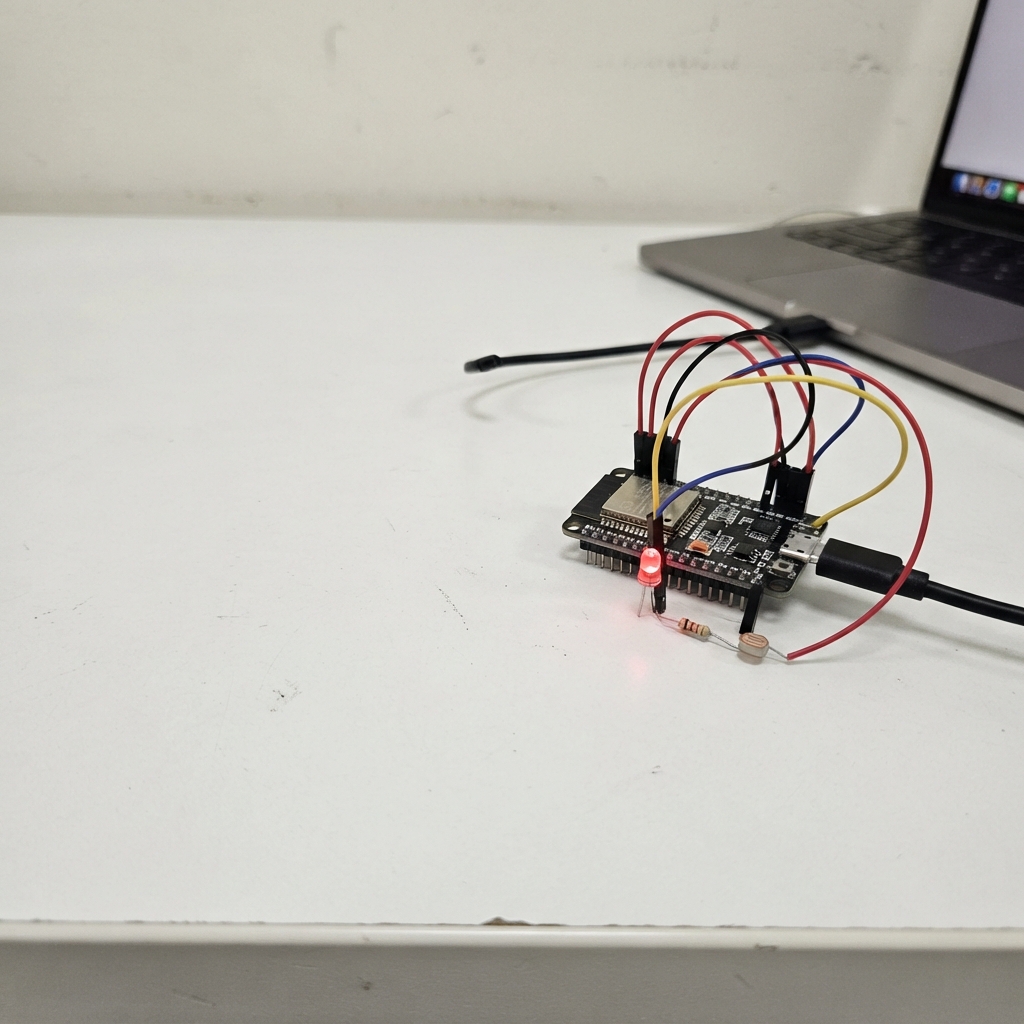
This project turns an ESP32 into a cloud-connected LED controller using AWS IoT Core. The board's built-in addressable LED responds to commands sent remotely over the internet, while a physical button allows local control. Multiple lighting effects—solid colors, breathing animations, and disco modes—can be triggered from anywhere.
The guide provides a complete wiring diagram, parts list, and step-by-step assembly instructions for connecting the ESP32 via USB. Firmware code handles WiFi connection, secure MQTT communication with AWS, LED animations, and button debouncing. Readers will learn how to set up AWS IoT certificates, configure the device for cloud messaging, and control the LED through both local and remote commands.
Wiring diagram
Assemble it in 3 steps
1. Use the board’s built-in light and button
Place the ESP32-C3-DevKitM-1 where you can see its tiny RGB LED and reach the button marked BOOT. Both are already connected inside the board: the LED uses GPIO8 (light control) and the BOOT button uses GPIO9 (button press), so do not add any wires or an external LED.
- A short BOOT-button press steps through off, green, red, blue, white, a gentle breathing light, and fast changing disco colours.
- Do not connect anything to GPIO8 or GPIO9 — they are already connected inside the board, and extra wiring can stop the board starting normally.
2. Connect the board by USB
Use a USB data cable to connect the board’s USB socket to your computer. This provides power and opens the text command console used to save your Wi-Fi and AWS IoT details.
- Use a cable that normally transfers files or data; a charge-only cable cannot carry the setup commands.
- Keep the board on a dry, non-metal surface while powered so its exposed pins cannot touch each other.
3. Send remote light commands
After the board has joined AWS IoT, publish a short text message to the MQTT topic you saved. Use COLOR GREEN, COLOR RED, COLOR BLUE, COLOR WHITE, or COLOR 255 120 0 to choose a colour; BRIGHTNESS 0 through BRIGHTNESS 255 to set brightness; and EFFECT BREATHING or EFFECT DISCO to start an effect.
- Send EFFECT SOLID to stop an effect and keep the selected colour. ON still selects green, and OFF turns the light off.
- Keep the private key and device certificate private — anyone who has them may be able to connect as this device.
Deploy the firmware
#include <Arduino.h>
#include <WiFi.h>
#include <WiFiClientSecure.h>
#include <PubSubClient.h>
#include <Preferences.h>
#include <Adafruit_NeoPixel.h>
#include <mbedtls/base64.h>

constexpr uint8_t WS2812_PIN = 8;
constexpr uint8_t BOOT_BUTTON_PIN = 9;
constexpr uint8_t LED_COUNT = 1;
constexpr uint32_t SERIAL_BAUD = 115200;
constexpr size_t MAX_COMMAND_LENGTH = 5200;
constexpr uint32_t WIFI_RETRY_MS = 10000;
constexpr uint32_t MQTT_RETRY_MS = 5000;
constexpr uint32_t EFFECT_FRAME_MS = 50;
constexpr uint32_t BUTTON_DEBOUNCE_MS = 35;

Preferences preferences;
WiFiClientSecure secureClient;
PubSubClient mqttClient(secureClient);
Adafruit_NeoPixel pixel(LED_COUNT, WS2812_PIN, NEO_GRB + NEO_KHZ800);

enum EffectMode { EFFECT_OFF, EFFECT_SOLID, EFFECT_BREATHING, EFFECT_DISCO };
String serialLine;
EffectMode effectMode = EFFECT_OFF;
uint8_t redValue = 0, greenValue = 80, blueValue = 0, brightness = 80;
unsigned long lastWiFiAttempt = 0, lastMqttAttempt = 0, lastEffectFrame = 0, lastButtonChange = 0;
bool lastButtonReading = HIGH, stableButtonState = HIGH;

void printCredentialStatus();

void setLed(uint8_t red, uint8_t green, uint8_t blue, uint8_t level) {
  pixel.setPixelColor(0, pixel.Color((static_cast<uint16_t>(red) * level) / 255, (static_cast<uint16_t>(green) * level) / 255, (static_cast<uint16_t>(blue) * level) / 255));
  pixel.show();
}
const char *effectName() { if (effectMode == EFFECT_SOLID) return "SOLID"; if (effectMode == EFFECT_BREATHING) return "BREATHING"; if (effectMode == EFFECT_DISCO) return "DISCO"; return "OFF"; }
void renderStaticState() { if (effectMode == EFFECT_OFF) setLed(0, 0, 0, 0); else if (effectMode == EFFECT_SOLID) setLed(redValue, greenValue, blueValue, brightness); }
void setSolidColor(uint8_t red, uint8_t green, uint8_t blue) { redValue = red; greenValue = green; blueValue = blue; effectMode = EFFECT_SOLID; renderStaticState(); }

String readSetting(const char *key) {
  // A missing key is normal on a new board. Check first so Preferences does not
  // repeatedly print an error while the setup console is waiting for commands.
  if (!preferences.isKey(key)) {
    return String();
  }
  return preferences.getString(key, "");
}

bool haveSettings() {
  return readSetting("ssid").length() > 0 &&
         readSetting("endpoint").length() > 0 &&
         readSetting("topic").length() > 0 &&
         readSetting("rootca").length() > 0 &&
         readSetting("cert").length() > 0 &&
         readSetting("pkey").length() > 0;
}

String trimCopy(String value) {
  value.trim();
  return value;
}

bool decodeBase64(const String &encoded, String &decoded) {
  size_t outputLength = 0;
  int result = mbedtls_base64_decode(nullptr, 0, &outputLength,
                                     reinterpret_cast<const unsigned char *>(encoded.c_str()), encoded.length());
  if (result != MBEDTLS_ERR_BASE64_BUFFER_TOO_SMALL || outputLength == 0) {
    return false;
  }
  std::unique_ptr<unsigned char[]> output(new unsigned char[outputLength + 1]);
  result = mbedtls_base64_decode(output.get(), outputLength, &outputLength,
                                 reinterpret_cast<const unsigned char *>(encoded.c_str()), encoded.length());
  if (result != 0) {
    return false;
  }
  output[outputLength] = '\0';
  decoded = String(reinterpret_cast<char *>(output.get()));
  return true;
}

void printHelp() {
  Serial.println("Commands:");
  Serial.println("  SET WIFI <network name>|<password>");
  Serial.println("  SET ENDPOINT <your AWS IoT endpoint>");
  Serial.println("  SET TOPIC <MQTT topic to listen to>");
  Serial.println("  SET CLIENTID <AWS IoT MQTT client ID, for example xmas-light>");
  Serial.println("  SET ROOTCA <base64 Amazon Root CA 1 PEM>");
  Serial.println("  SET CERT <base64 device certificate PEM>");
  Serial.println("  SET KEY <base64 device private-key PEM>");
  Serial.println("  STATUS");
  Serial.println("  TEST TLS");
  Serial.println("  CLEAR");
  Serial.println("  REBOOT");
  Serial.println("MQTT: ON, OFF, COLOR GREEN/RED/BLUE/WHITE, or COLOR <red> <green> <blue>");
  Serial.println("MQTT: BRIGHTNESS <0-255> or EFFECT SOLID/BREATHING/DISCO");
  Serial.println("The BOOT button cycles off, green, red, blue, white, breathing, and disco.");
}

void printStatus() {
  Serial.print("Wi-Fi: ");
  Serial.println(WiFi.status() == WL_CONNECTED ? WiFi.localIP().toString() : "not connected");
  Serial.print("AWS settings: ");
  Serial.println(haveSettings() ? "complete" : "incomplete");
  Serial.print("MQTT: ");
  Serial.println(mqttClient.connected() ? "connected" : "not connected");
  Serial.print("Topic: ");
  String topic = readSetting("topic");
  Serial.println(topic.length() ? topic : "not set");
  Serial.print("MQTT client ID: ");
  String savedClientId = readSetting("clientid");
  if (savedClientId.length()) {
    Serial.println(savedClientId);
  } else {
    String defaultClientId = "c3-led-" + WiFi.macAddress();
    defaultClientId.replace(":", "");
    Serial.println(defaultClientId + " (automatic)");
  }
  Serial.print("LED effect: ");
  Serial.println(effectName());
  Serial.print("Brightness (0-255): ");
  Serial.println(brightness);
  printCredentialStatus();
}

void mqttCallback(char *topic, byte *payload, unsigned int length) {
  String message; for (unsigned int i = 0; i < length; ++i) message += static_cast<char>(payload[i]);
  message = trimCopy(message); String upper = message; upper.toUpperCase();
  if (upper == "ON" || upper == "COLOR GREEN") setSolidColor(0, 255, 0);
  else if (upper == "OFF") { effectMode = EFFECT_OFF; renderStaticState(); }
  else if (upper == "COLOR RED") setSolidColor(255, 0, 0);
  else if (upper == "COLOR BLUE") setSolidColor(0, 0, 255);
  else if (upper == "COLOR WHITE") setSolidColor(255, 255, 255);
  else if (upper == "EFFECT SOLID") { effectMode = EFFECT_SOLID; renderStaticState(); }
  else if (upper == "EFFECT BREATHING") effectMode = EFFECT_BREATHING;
  else if (upper == "EFFECT DISCO") effectMode = EFFECT_DISCO;
  else if (upper.startsWith("BRIGHTNESS ")) { int level = message.substring(11).toInt(); if (level < 0 || level > 255) { Serial.println("Brightness must be 0 to 255."); return; } brightness = level; renderStaticState(); }
  else if (upper.startsWith("COLOR ")) { int first = message.indexOf(' ', 6), second = first < 0 ? -1 : message.indexOf(' ', first + 1); if (first < 0 || second < 0) { Serial.println("Use COLOR <red> <green> <blue>."); return; } int red = message.substring(6, first).toInt(), green = message.substring(first + 1, second).toInt(), blue = message.substring(second + 1).toInt(); if (red < 0 || red > 255 || green < 0 || green > 255 || blue < 0 || blue > 255) { Serial.println("Colour values must be 0 to 255."); return; } setSolidColor(red, green, blue); }
  else { Serial.println("MQTT command ignored; type HELP for commands."); return; }
  Serial.print("MQTT command applied: "); Serial.println(message);
}

bool syncClock() {
  configTime(0, 0, "pool.ntp.org", "time.nist.gov");
  Serial.print("Setting clock for secure AWS connection");
  time_t now = time(nullptr);
  unsigned long started = millis();
  while (now < 1700000000 && millis() - started < 15000) {
    delay(250);
    Serial.print('.');
    now = time(nullptr);
  }
  Serial.println();
  if (now >= 1700000000) {
    Serial.print("Clock is set (Unix time: ");
    Serial.print(static_cast<unsigned long>(now));
    Serial.println(").");
    return true;
  }
  return false;
}

bool isPem(const String &value, const char *header) {
  return value.indexOf(header) >= 0 && value.indexOf("-----END ") >= 0;
}

void printCredentialStatus() {
  String rootCa = readSetting("rootca");
  String certificate = readSetting("cert");
  String privateKey = readSetting("pkey");
  Serial.print("Root CA PEM: ");
  Serial.println(isPem(rootCa, "-----BEGIN CERTIFICATE-----") ? "valid-looking" : "missing or invalid");
  Serial.print("Device certificate PEM: ");
  Serial.println(isPem(certificate, "-----BEGIN CERTIFICATE-----") ? "valid-looking" : "missing or invalid");
  Serial.print("Private key PEM: ");
  Serial.println((isPem(privateKey, "-----BEGIN PRIVATE KEY-----") || isPem(privateKey, "-----BEGIN RSA PRIVATE KEY-----") || isPem(privateKey, "-----BEGIN EC PRIVATE KEY-----")) ? "valid-looking" : "missing or invalid");
}

void testTlsConnection() {
  if (WiFi.status() != WL_CONNECTED) {
    Serial.println("TLS test skipped: Wi-Fi is not connected.");
    return;
  }
  String endpoint = readSetting("endpoint");
  String rootCa = readSetting("rootca");
  String certificate = readSetting("cert");
  String privateKey = readSetting("pkey");
  if (endpoint.isEmpty() || !syncClock()) {
    Serial.println("TLS test skipped: endpoint or clock is unavailable.");
    return;
  }
  secureClient.stop();
  secureClient.setCACert(rootCa.c_str());
  secureClient.setCertificate(certificate.c_str());
  secureClient.setPrivateKey(privateKey.c_str());
  Serial.print("Testing TLS connection to ");
  Serial.println(endpoint);
  if (secureClient.connect(endpoint.c_str(), 8883)) {
    Serial.println("TLS test passed: AWS accepted the encrypted client-certificate connection.");
    secureClient.stop();
  } else {
    Serial.println("TLS test failed: AWS did not complete the encrypted client-certificate connection.");
    secureClient.stop();
  }
}

void connectWiFi() {
  if (WiFi.status() == WL_CONNECTED || !haveSettings()) {
    return;
  }
  String ssid = readSetting("ssid");
  String password = readSetting("pass");
  if (ssid.isEmpty()) {
    return;
  }
  Serial.print("Connecting to Wi-Fi: ");
  Serial.println(ssid);
  WiFi.mode(WIFI_STA);
  WiFi.begin(ssid.c_str(), password.c_str());
}

void connectMqtt() {
  if (WiFi.status() != WL_CONNECTED || mqttClient.connected() || !haveSettings()) {
    return;
  }

  String rootCa = readSetting("rootca");
  String certificate = readSetting("cert");
  String privateKey = readSetting("pkey");
  String endpoint = readSetting("endpoint");
  String topic = readSetting("topic");
  secureClient.setCACert(rootCa.c_str());
  secureClient.setCertificate(certificate.c_str());
  secureClient.setPrivateKey(privateKey.c_str());
  mqttClient.setServer(endpoint.c_str(), 8883);

  if (!syncClock()) {
    Serial.println("Clock was not set; waiting for Wi-Fi/NTP before AWS IoT connection.");
    return;
  }

  String clientId = readSetting("clientid");
  if (clientId.isEmpty()) {
    clientId = "c3-led-" + WiFi.macAddress();
    clientId.replace(":", "");
  }
  Serial.print("Connecting to AWS IoT MQTT as ");
  Serial.println(clientId);
  if (mqttClient.connect(clientId.c_str())) {
    if (mqttClient.subscribe(topic.c_str())) {
      Serial.println("AWS IoT connected and subscribed.");
      renderStaticState();
    } else {
      Serial.println("Connected to AWS IoT but topic subscription failed.");
    }
  } else {
    Serial.print("AWS IoT connection failed, MQTT state: ");
    Serial.println(mqttClient.state());
  }
}

void handleCommand(String command) {
  command = trimCopy(command);
  if (command.isEmpty()) return;
  String upper = command;
  upper.toUpperCase();

  if (upper == "HELP") {
    printHelp();
  } else if (upper == "STATUS") {
    printStatus();
  } else if (upper == "TEST TLS") {
    printCredentialStatus();
    testTlsConnection();
  } else if (upper == "CLEAR") {
    preferences.clear();
    WiFi.disconnect(true, true);
    mqttClient.disconnect();
    effectMode = EFFECT_OFF;
    renderStaticState();
    Serial.println("Saved AWS and Wi-Fi settings erased.");
  } else if (upper == "REBOOT") {
    Serial.println("Restarting...");
    delay(200);
    ESP.restart();
  } else if (upper.startsWith("SET WIFI ")) {
    String values = command.substring(9);
    int divider = values.indexOf('|');
    if (divider < 1) {
      Serial.println("Use: SET WIFI <network name>|<password>");
      return;
    }
    preferences.putString("ssid", values.substring(0, divider));
    preferences.putString("pass", values.substring(divider + 1));
    WiFi.disconnect(true, false);
    Serial.println("Wi-Fi settings saved.");
  } else if (upper.startsWith("SET ENDPOINT ")) {
    preferences.putString("endpoint", trimCopy(command.substring(13)));
    Serial.println("AWS IoT endpoint saved.");
  } else if (upper.startsWith("SET TOPIC ")) {
    preferences.putString("topic", trimCopy(command.substring(10)));
    mqttClient.disconnect();
    Serial.println("MQTT topic saved.");
  } else if (upper.startsWith("SET CLIENTID ")) {
    String clientId = trimCopy(command.substring(13));
    if (clientId.isEmpty() || clientId.length() > 128) {
      Serial.println("Client ID must be 1 to 128 characters.");
      return;
    }
    preferences.putString("clientid", clientId);
    mqttClient.disconnect();
    Serial.println("MQTT client ID saved. It will be used on the next connection.");
  } else if (upper.startsWith("SET ROOTCA ") || upper.startsWith("SET CERT ") || upper.startsWith("SET KEY ")) {
    int firstSpace = command.indexOf(' ');
    int secondSpace = command.indexOf(' ', firstSpace + 1);
    String field = upper.substring(firstSpace + 1, secondSpace);
    String pem;
    if (!decodeBase64(trimCopy(command.substring(secondSpace + 1)), pem)) {
      Serial.println("Certificate text was not valid Base64.");
      return;
    }
    const char *key = field == "ROOTCA" ? "rootca" : (field == "CERT" ? "cert" : "pkey");
    preferences.putString(key, pem);
    Serial.println("Certificate setting saved.");
  } else {
    Serial.println("Unknown command. Type HELP.");
  }
}

void readSerialConsole() {
  while (Serial.available()) {
    char character = static_cast<char>(Serial.read());
    if (character == '\r') continue;
    if (character == '\n') {
      handleCommand(serialLine);
      serialLine = "";
    } else if (serialLine.length() < MAX_COMMAND_LENGTH) {
      serialLine += character;
    } else {
      serialLine = "";
      Serial.println("Command too long; discarded.");
    }
  }
}

void setup() {
  Serial.begin(SERIAL_BAUD);
  delay(500);
  pixel.begin();
  pixel.clear();
  pixel.show();
  pinMode(BOOT_BUTTON_PIN, INPUT_PULLUP);
  preferences.begin("awsled", false);
  mqttClient.setCallback(mqttCallback);
  mqttClient.setBufferSize(1024);
  Serial.println("AWS IoT WS2812 controller ready. Type HELP for setup commands.");
  if (!haveSettings()) {
    setLed(0, 0, 40, 40);
    Serial.println("Settings are incomplete. The blue LED means setup is needed.");
  }
}

void updateEffect(unsigned long now) {
  if ((effectMode != EFFECT_BREATHING && effectMode != EFFECT_DISCO) || now - lastEffectFrame < EFFECT_FRAME_MS) return;
  lastEffectFrame = now;
  if (effectMode == EFFECT_BREATHING) { uint16_t phase = (now % 2000UL) * 255UL / 2000UL; uint8_t level = phase < 128 ? phase * 2 : (255 - phase) * 2; setLed(redValue, greenValue, blueValue, (static_cast<uint16_t>(brightness) * level) / 255); }
  else { uint32_t colour = pixel.gamma32(pixel.ColorHSV(static_cast<uint16_t>((now / EFFECT_FRAME_MS) % 256) * 257)); setLed((colour >> 16) & 0xFF, (colour >> 8) & 0xFF, colour & 0xFF, brightness); }
}
void cycleBootMode() { static uint8_t modeIndex = 0; modeIndex = (modeIndex + 1) % 7; if (modeIndex == 0) { effectMode = EFFECT_OFF; renderStaticState(); } else if (modeIndex == 1) setSolidColor(0, 255, 0); else if (modeIndex == 2) setSolidColor(255, 0, 0); else if (modeIndex == 3) setSolidColor(0, 0, 255); else if (modeIndex == 4) setSolidColor(255, 255, 255); else if (modeIndex == 5) effectMode = EFFECT_BREATHING; else effectMode = EFFECT_DISCO; Serial.print("BOOT button selected: "); Serial.println(effectName()); }
void readBootButton(unsigned long now) { bool reading = digitalRead(BOOT_BUTTON_PIN); if (reading != lastButtonReading) { lastButtonChange = now; lastButtonReading = reading; } if (now - lastButtonChange >= BUTTON_DEBOUNCE_MS && reading != stableButtonState) { stableButtonState = reading; if (stableButtonState == LOW) cycleBootMode(); } }
void loop() {
  readSerialConsole();
  unsigned long now = millis();
  readBootButton(now);
  updateEffect(now);

  if (haveSettings() && WiFi.status() != WL_CONNECTED && now - lastWiFiAttempt >= WIFI_RETRY_MS) {
    lastWiFiAttempt = now;
    connectWiFi();
  }
  if (haveSettings() && WiFi.status() == WL_CONNECTED && !mqttClient.connected() && now - lastMqttAttempt >= MQTT_RETRY_MS) {
    lastMqttAttempt = now;
    connectMqtt();
  }
  if (mqttClient.connected()) {
    mqttClient.loop();
  }
}
Remix this project
Make it yours in one click
Open a full copy of this project in your own Schematik workspace — diagram, code, parts, and assembly steps included. Swap the sensor, add features, or redesign the whole thing with AI. The author's original stays untouched.