Community project
Create A Custom Rom Esp32 Board Lcd Screen
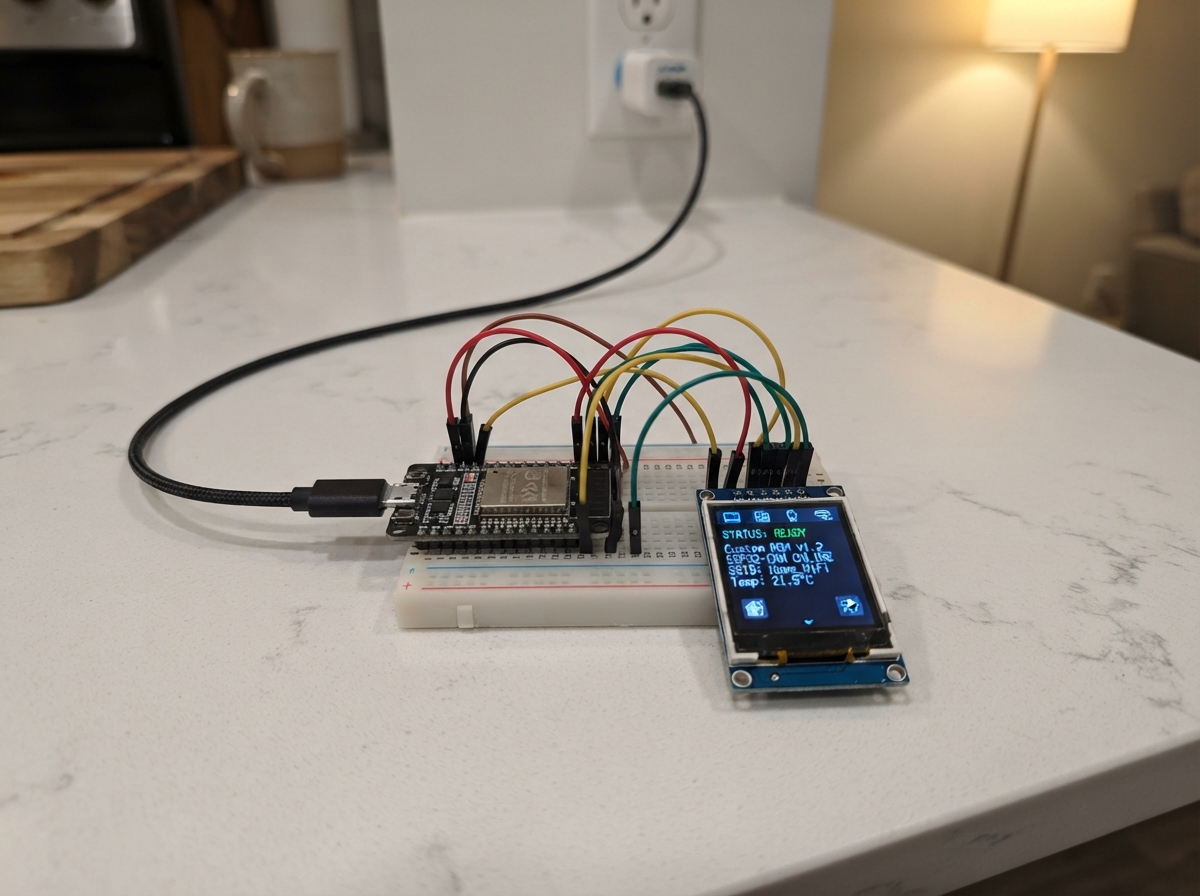
Build a custom ROM ESP32 board with an integrated LCD touchscreen that runs multiple interactive applications. This project combines the ESP32 microcontroller with a TFT display and XPT2046 touch controller to create a portable device capable of running a calculator, games, AI connectivity features, a virtual pet, clock, and system information display.
This guide provides everything needed to assemble and program the device: a complete wiring diagram showing all GPIO connections, a detailed parts list with component specifications, pre-written firmware with multiple application pages, and step-by-step assembly instructions. The firmware includes WiFi and Bluetooth connectivity, touch input handling, and a home screen interface to navigate between different applications.
Wiring diagram
Assemble it in 5 steps
1. Coloca la placa con la pantalla hacia arriba
Pon la ESP32-2432S028R sobre una mesa de madera, plástico o cartón, con la pantalla mirando hacia arriba. La pantalla, el panel táctil, la pequeña luz de colores y el altavoz ya vienen integrados, así que no necesitas conectar piezas adicionales.
- Sujeta la placa por los bordes para no rayar la pantalla táctil.
- No apoyes la placa sobre metal ni dejes tornillos sueltos debajo; pueden tocar los pines y provocar un cortocircuito.
2. Conecta el cable USB
Conecta un cable USB que sirva para datos y alimentación al conector de la placa y al ordenador. El cable enciende la placa y permite que Schematik instale Glass OS.
- Si la pantalla no se enciende, prueba otro cable: algunos cables de carga solo llevan energía y no datos.
- No conectes ni desconectes cables con las manos mojadas, y no dejes objetos metálicos tocando los pines mientras la placa está encendida.
3. Configura el Wi-Fi local si quieres datos en línea
Antes de desplegar, abre el archivo include/secrets.h del proyecto y escribe el nombre y la contraseña de tu propia red Wi-Fi en las dos líneas indicadas. Si los dejas vacíos, Glass OS sigue funcionando y crea GlassOS-Setup, pero las páginas de tiempo, AAPL y GitHub no descargarán datos.
- No compartas el archivo secrets.h ni publiques su contraseña.
- La pantalla INFO consulta Open-Meteo, la cotización pública de AAPL y un repositorio público de GitHub solo cuando tocas ACTUALIZAR.
- Usa solo tu propia red Wi-Fi; una contraseña escrita en el firmware puede verla cualquiera que tenga una copia del proyecto.
4. Protege la placa si la harás portátil
Para una carcasa, usa una caja plástica no conductora con una abertura amplia para la pantalla y espacio para que el cable USB no quede doblado. Si más adelante usas batería, elige una batería protegida con su cargador adecuado y mantenla fuera de la pantalla y de los pines.
- Una carcasa de plástico evita que los pines toquen una mesa metálica.
- Deja una pequeña ventilación y no cierres la placa mientras se carga una batería.
- No conectes una batería directamente a pines al azar: una conexión equivocada puede calentar la batería, dañar la placa o iniciar un incendio.
5. Abre y usa las aplicaciones
Después de desplegar, toca las tarjetas: RELOJ muestra hora, fecha y fase lunar aproximada; INFO muestra el tiempo de Madrid, AAPL y GitHub; y toca el título GLASS OS para abrir a Nova. Las notas de seguridad parpadean entre consejos útiles.
- Toca cerca del centro de cada tarjeta para una pulsación más fiable.
- La fase lunar es una aproximación y se corrige cuando la placa tiene hora por Wi-Fi.
- No presiones la pantalla con un destornillador, bolígrafo metálico u otro objeto duro; podría rayar o romper la capa táctil.
Deploy the firmware
#include <Arduino.h>
#include <WiFi.h>
#include <BluetoothSerial.h>
#include <HTTPClient.h>
#include <WiFiClientSecure.h>
#include <time.h>
#include "secrets.h"
#include <Arduino_GFX_Library.h>
#include <XPT2046_Touchscreen.h>
#include <math.h>
#define TFT_CS 15
#define TFT_DC 2
#define TFT_RST -1
#define LED_BLUE 17
#define TFT_MISO 12
#define TFT_MOSI 13
#define TOUCH_CS 33
#define LED_GREEN 16
#define TOUCH_IRQ 36
#define TOUCH_MISO 39
#define TOUCH_MOSI 32
enum Page { HOME, CALCULATOR, GAME, AI, CONNECTIVITY, TAMAGOTCHI, CLOCK_PAGE, INFO_PAGE };
// Forward declarations
// Forward declarations
String jsonValue(const String &body, const String &key);
void setStatusLED(uint16_t color);
void wallpaperBackground();
void panel(int16_t x, int16_t y, int16_t w, int16_t h, uint16_t accent);
void titleBar(const char *title, const char *caption);
void homeTile(int16_t x, int16_t y, const char *name, const char *hint, uint16_t color);
void drawBackHint();
void drawHome();
void printKey(int16_t x, int16_t y, const char *label, uint16_t color);
void drawCalculator();
void drawGame();
void drawAI();
void drawConnectivity();
void drawTamagotchi();
void drawClockPage();
void drawInfoPage();
void refreshOnlineInfo();
void drawNova(bool clearArea);
void updateNovaAnimation();
void drawPage();
bool getTouch(int16_t &x, int16_t &y);
void tidyResult(float value);
void calculateEquals();
void applyScientific(const String &key);
void calculatorTap(int16_t x, int16_t y);
void scanWiFi();
void handleTap(int16_t x, int16_t y);
constexpr int TFT_SCK = 14;
constexpr int TFT_BACKLIGHT = 21;
constexpr int TOUCH_SCK = 25;
constexpr int LED_RED = 4;
constexpr char AP_NAME[] = "GlassOS-Setup";
constexpr char AP_PASSWORD[] = "glassos2026";
constexpr uint16_t OBSIDIAN = 0x0841, GLASS = 0x18E7, WHITE_NEON = 0xFFFF;
constexpr uint16_t CYAN_NEON = 0x07FF, CRIMSON = 0xC9A7, GOLD_NEON = 0xFEA0, BLUE_GLOW = 0x45FF;
Arduino_DataBus *tftBus = new Arduino_ESP32SPI(TFT_DC, TFT_CS, TFT_SCK, TFT_MOSI, TFT_MISO, HSPI);
Arduino_GFX *screen = new Arduino_ILI9341(tftBus, TFT_RST, 1);
SPIClass touchSPI(VSPI);
XPT2046_Touchscreen touch(TOUCH_CS, TOUCH_IRQ);
BluetoothSerial SerialBT;
Page page = HOME;
uint8_t wallpaper = 0;
String calcText = "0";
float calcFirst = 0;
char calcOp = 0;
bool scientific = false;
uint16_t gameScore = 0;
int16_t targetX = 160, targetY = 143;
String aiReply = "Toca una pregunta para empezar.";
bool bluetoothOn = false;
String wifiInfo = "Red local activa";
String scanInfo = "Toca BUSCAR para ver redes cercanas.";
uint8_t petHunger = 35;
uint8_t petJoy = 70;
String petMood = "Contento";
String petAction = "sonrie";
uint8_t novaShape = 0;
bool novaTears = false;
uint32_t novaActionUntil = 0;
uint32_t novaLastFrame = 0;
bool novaDancePhase = false;
String weatherInfo = "Toca ACTUALIZAR para consultar Open-Meteo.";
String stockInfo = "AAPL: sin actualizar";
String githubInfo = "GitHub: sin actualizar";
String onlineStatus = "Configura secrets.h para conectarte a tu Wi-Fi.";
uint32_t lastNoteBlink = 0;
bool showSafetyNote = true;
void setStatusLED(uint16_t color) {
digitalWrite(LED_RED, (color & 0xF800) ? LOW : HIGH);
digitalWrite(LED_GREEN, (color & 0x07E0) ? LOW : HIGH);
digitalWrite(LED_BLUE, (color & 0x001F) ? LOW : HIGH);
}
void wallpaperBackground() {
screen->fillScreen(OBSIDIAN);
uint16_t left = wallpaper == 1 ? CRIMSON : (wallpaper == 2 ? GOLD_NEON : CYAN_NEON);
uint16_t right = wallpaper == 3 ? WHITE_NEON : (wallpaper == 1 ? CYAN_NEON : BLUE_GLOW);
screen->fillCircle(25, 34, 78, left);
screen->fillCircle(292, 45, 76, right);
screen->fillCircle(280, 218, 84, wallpaper == 2 ? GOLD_NEON : CRIMSON);
screen->fillCircle(36, 212, 70, BLUE_GLOW);
screen->fillRoundRect(5, 6, 310, 228, 24, 0x10A4);
screen->drawRoundRect(5, 6, 310, 228, 24, WHITE_NEON);
}
void panel(int16_t x, int16_t y, int16_t w, int16_t h, uint16_t accent) {
screen->fillRoundRect(x, y, w, h, 10, GLASS);
screen->drawRoundRect(x, y, w, h, 10, accent);
screen->drawLine(x + 10, y + 4, x + w - 12, y + 4, WHITE_NEON);
}
void titleBar(const char *title, const char *caption) {
panel(12, 10, 296, 47, CYAN_NEON);
screen->setTextColor(WHITE_NEON, GLASS); screen->setTextSize(2); screen->setCursor(25, 18); screen->print(title);
screen->setTextSize(1); screen->setTextColor(CYAN_NEON, GLASS); screen->setCursor(26, 41); screen->print(caption);
}
void homeTile(int16_t x, int16_t y, const char *name, const char *hint, uint16_t color) {
panel(x, y, 138, 66, color);
screen->setTextColor(WHITE_NEON, GLASS); screen->setTextSize(2); screen->setCursor(x + 11, y + 16); screen->print(name);
screen->setTextColor(color, GLASS); screen->setTextSize(1); screen->setCursor(x + 11, y + 45); screen->print(hint);
}
void drawBackHint() {
screen->setTextColor(WHITE_NEON, OBSIDIAN); screen->setTextSize(1); screen->setCursor(12, 228);
screen->print("Toca abajo a la izquierda para Inicio");
}
void drawHome() {
wallpaperBackground(); titleBar("GLASS OS", "Toca este titulo para abrir a Nova");
homeTile(16, 64, "CALC", "Calculadora", CYAN_NEON);
homeTile(166, 64, "JUEGO", "Reflejos", CRIMSON);
homeTile(16, 119, "GLASS AI", "Asistente", GOLD_NEON);
homeTile(166, 119, "CONECT.", "Wi-Fi y BT", BLUE_GLOW);
homeTile(16, 174, "RELOJ", "Fecha y luna", WHITE_NEON);
homeTile(166, 174, "INFO", "Tiempo y web", CYAN_NEON);
}
void printKey(int16_t x, int16_t y, const char *label, uint16_t color) {
panel(x, y, 64, 22, color);
screen->setTextColor(WHITE_NEON, GLASS); screen->setTextSize(1);
int16_t offset = (strlen(label) <= 2) ? 27 : (strlen(label) == 3 ? 22 : 16);
screen->setCursor(x + offset, y + 7); screen->print(label);
}
void drawCalculator() {
wallpaperBackground();
titleBar(scientific ? "ULTRA-HIPERCALC" : "CALCULADORA", scientific ? "Modo cientifico: funciones y constantes" : "Basica; toca SCI para funciones cientificas");
panel(16, 65, 210, 33, CYAN_NEON);
screen->setTextColor(WHITE_NEON, GLASS); screen->setTextSize(2); screen->setCursor(24, 74);
String shown = calcText.length() > 16 ? calcText.substring(calcText.length() - 16) : calcText;
screen->print(shown);
panel(235, 65, 69, 33, scientific ? GOLD_NEON : BLUE_GLOW);
screen->setTextColor(WHITE_NEON, GLASS); screen->setTextSize(1); screen->setCursor(254, 77); screen->print(scientific ? "BAS" : "SCI");
if (!scientific) {
const char *keys[] = {"7","8","9","+","4","5","6","-","1","2","3","x","C","0","=","/"};
for (uint8_t i = 0; i < 16; i++) printKey(16 + (i % 4) * 72, 106 + (i / 4) * 27, keys[i], (i % 4 == 3) ? GOLD_NEON : CYAN_NEON);
} else {
const char *keys[] = {"SIN","COS","TAN","RAIZ","LOG","LN","x2","1/x","PI","^","+/-","C","ANS","DEG","RAD","="};
for (uint8_t i = 0; i < 16; i++) printKey(16 + (i % 4) * 72, 106 + (i / 4) * 27, keys[i], (i == 11 || i == 15) ? CRIMSON : GOLD_NEON);
}
drawBackHint();
}
void drawGame() {
wallpaperBackground(); titleBar("JUEGO DE REFLEJOS", "Toca el circulo luminoso");
screen->setTextColor(WHITE_NEON, OBSIDIAN); screen->setTextSize(2); screen->setCursor(18, 70); screen->print("Puntos: "); screen->print(gameScore);
screen->fillCircle(targetX, targetY, 20, CRIMSON); screen->drawCircle(targetX, targetY, 23, WHITE_NEON); screen->fillCircle(targetX - 6, targetY - 6, 5, WHITE_NEON); drawBackHint();
}
void drawAI() {
wallpaperBackground(); titleBar("GLASS AI", "Asistente local: respuestas en el dispositivo"); panel(16, 67, 288, 61, GOLD_NEON);
screen->setTextColor(WHITE_NEON, GLASS); screen->setTextSize(1); screen->setCursor(26, 80); screen->print(aiReply);
const char *b[] = {"HOLA", "HORA", "CONSEJO"}; uint16_t c[] = {CYAN_NEON, BLUE_GLOW, CRIMSON};
for (uint8_t i = 0; i < 3; i++) { panel(16 + i * 98, 145, 90, 39, c[i]); screen->setTextColor(WHITE_NEON, GLASS); screen->setCursor(30 + i * 98, 160); screen->print(b[i]); }
screen->setTextColor(WHITE_NEON, OBSIDIAN); screen->setCursor(30, 203); screen->print("No envia datos ni necesita Internet."); drawBackHint();
}
void drawConnectivity() {
wallpaperBackground(); titleBar("CONECTIVIDAD", "Conexiones normales y protegidas");
panel(16, 67, 288, 48, CYAN_NEON); screen->setTextColor(WHITE_NEON, GLASS); screen->setTextSize(1); screen->setCursor(27, 79); screen->print("Wi-Fi: "); screen->print(AP_NAME); screen->setCursor(27, 96); screen->print(wifiInfo);
panel(16, 124, 138, 45, GOLD_NEON); screen->setCursor(41, 143); screen->print("BUSCAR Wi-Fi");
panel(166, 124, 138, 45, bluetoothOn ? BLUE_GLOW : CRIMSON); screen->setCursor(185, 137); screen->print("BLUETOOTH"); screen->setCursor(199, 153); screen->print(bluetoothOn ? "ACTIVO" : "APAGADO");
panel(16, 178, 288, 34, WHITE_NEON); screen->setCursor(27, 190); screen->print(scanInfo); drawBackHint();
}
String jsonValue(const String &body, const String &key) {
int p = body.indexOf("\\\"" + key + "\\\"");
if (p < 0) return "?";
p = body.indexOf(':', p); if (p < 0) return "?";
p++; while (p < body.length() && (body[p] == ' ' || body[p] == '\"')) p++;
int e = p; while (e < body.length() && body[e] != ',' && body[e] != '}' && body[e] != '\"') e++;
return body.substring(p, e);
}
String webGet(const String &url) {
if (WiFi.status() != WL_CONNECTED) return "";
HTTPClient http; WiFiClientSecure secure; secure.setInsecure();
if (!http.begin(secure, url)) return "";
http.setUserAgent("GlassOS-ESP32/1.0");
int status = http.GET(); String text = status == 200 ? http.getString() : ""; http.end(); return text;
}
void refreshOnlineInfo() {
if (WiFi.status() != WL_CONNECTED) { onlineStatus = "Sin Wi-Fi: completa secrets.h y vuelve a desplegar."; return; }
onlineStatus = "Actualizado por Wi-Fi local.";
String weather = webGet("https://api.open-meteo.com/v1/forecast?latitude=40.4168&longitude=-3.7038¤t=temperature_2m,weather_code");
weatherInfo = weather.length() ? "Madrid: " + jsonValue(weather, "temperature_2m") + " C, codigo " + jsonValue(weather, "weather_code") : "Open-Meteo no respondio.";
String stock = webGet("https://query1.finance.yahoo.com/v8/finance/chart/AAPL?range=1d&interval=1m");
stockInfo = stock.length() ? "AAPL: $" + jsonValue(stock, "regularMarketPrice") : "AAPL no respondio.";
String git = webGet(String("https://api.github.com/repos/") + GLASS_GITHUB_OWNER + "/" + GLASS_GITHUB_REPO);
githubInfo = git.length() ? "GitHub: " + jsonValue(git, "stargazers_count") + " estrellas" : "GitHub no respondio.";
}
void drawClockPage() {
wallpaperBackground(); titleBar("RELOJ Y FECHA", "Hora local, fecha y fase lunar aproximada");
panel(16, 68, 288, 74, WHITE_NEON);
struct tm t; bool valid = getLocalTime(&t, 20);
screen->setTextColor(WHITE_NEON, GLASS); screen->setTextSize(3); screen->setCursor(39, 80);
if (valid) { char timeText[12]; strftime(timeText, sizeof(timeText), "%H:%M", &t); screen->print(timeText); }
else screen->print("--:--");
screen->setTextSize(1); screen->setCursor(42, 119);
if (valid) { char dateText[24]; strftime(dateText, sizeof(dateText), "%d/%m/%Y", &t); screen->print(dateText); } else screen->print("Conecta Wi-Fi para ajustar la hora");
time_t now = time(nullptr); int moonDay = now > 1700000000 ? (int)((now / 86400 + 4) % 30) : 0;
const char *moon = moonDay < 2 ? "Luna nueva" : moonDay < 8 ? "Creciente" : moonDay < 16 ? "Luna llena" : moonDay < 23 ? "Menguante" : "Luna nueva";
panel(16, 153, 288, 37, BLUE_GLOW); screen->setTextColor(WHITE_NEON, GLASS); screen->setCursor(28, 167); screen->print("Fase lunar: "); screen->print(moon);
panel(16, 199, 288, 22, GOLD_NEON); screen->setCursor(27, 206); screen->print(showSafetyNote ? "Nota: actualiza la hora con Wi-Fi." : "Consejo: usa una bateria protegida."); drawBackHint();
}
void drawInfoPage() {
wallpaperBackground(); titleBar("INFO EN LINEA", "Open-Meteo, AAPL y GitHub publico");
panel(12, 65, 296, 31, CYAN_NEON); screen->setTextColor(WHITE_NEON, GLASS); screen->setTextSize(1); screen->setCursor(22, 76); screen->print(weatherInfo);
panel(12, 101, 296, 31, GOLD_NEON); screen->setCursor(22, 112); screen->print(stockInfo);
panel(12, 137, 296, 31, BLUE_GLOW); screen->setCursor(22, 148); screen->print(githubInfo);
panel(12, 174, 142, 29, WHITE_NEON); screen->setCursor(35, 185); screen->print("ACTUALIZAR");
panel(166, 174, 142, 29, CRIMSON); screen->setCursor(189, 185); screen->print("BIBLIOTECAS");
screen->setTextColor(WHITE_NEON, OBSIDIAN); screen->setCursor(17, 211); screen->print(showSafetyNote ? onlineStatus : "Bateria: usa celda protegida y carcasa ventilada."); drawBackHint();
}
void drawNova(bool clearArea) {
if (clearArea) screen->fillRect(35, 70, 100, 82, GLASS);
uint16_t petColor = petJoy >= 65 ? CYAN_NEON : (petHunger >= 70 ? CRIMSON : GOLD_NEON);
int16_t cx = 83 + ((petAction == "baila" && novaDancePhase) ? 8 : 0);
int16_t cy = 110 + ((petAction == "baila" && !novaDancePhase) ? 5 : 0);
// Bracitos y manos de bebé: cada emoción cambia su postura.
// Cuerpo chibi de bebé: torso corto, pañal claro y pies pequeños de cristal.
screen->fillRoundRect(cx - 20, cy + 18, 40, 27, 13, petColor);
screen->drawRoundRect(cx - 20, cy + 18, 40, 27, 13, WHITE_NEON);
screen->fillRoundRect(cx - 15, cy + 34, 30, 13, 6, WHITE_NEON);
screen->drawLine(cx, cy + 35, cx, cy + 46, BLUE_GLOW);
screen->fillCircle(cx - 12, cy + 47, 7, WHITE_NEON);
screen->fillCircle(cx + 12, cy + 47, 7, WHITE_NEON);
screen->drawLine(cx - 13, cy + 44, cx - 16, cy + 48, BLUE_GLOW);
screen->drawLine(cx + 13, cy + 44, cx + 16, cy + 48, BLUE_GLOW);
int16_t leftHandX = cx - 41, rightHandX = cx + 41;
int16_t leftHandY = cy + 19, rightHandY = cy + 19;
if (petAction == "baila") { leftHandY -= novaDancePhase ? 15 : 4; rightHandY -= novaDancePhase ? 4 : 15; }
else if (petAction == "sonrie") { leftHandY -= 9; rightHandY -= 9; }
else if (petAction == "come") { leftHandX = cx - 22; rightHandX = cx + 22; leftHandY = cy + 4; rightHandY = cy + 4; }
else if (petAction == "juega") { leftHandY -= novaDancePhase ? 14 : 5; rightHandY -= novaDancePhase ? 5 : 14; }
else if (petAction == "duerme") { leftHandX = cx - 22; rightHandX = cx + 22; leftHandY = cy + 34; rightHandY = cy + 34; }
else if (petAction == "siente") { leftHandY -= 4; rightHandY += 3; }
else if (petAction == "llora") { leftHandX = cx - 31; rightHandX = cx + 31; leftHandY = cy + 30; rightHandY = cy + 30; }
else if (petAction == "enoja") { leftHandX = cx - 46; rightHandX = cx + 46; leftHandY = cy + 5; rightHandY = cy + 5; }
else if (petAction == "miedo") { leftHandX = cx - 28; rightHandX = cx + 28; leftHandY = cy - 25; rightHandY = cy - 25; }
else if (petAction == "asco") { leftHandX = cx - 48; rightHandX = cx + 30; leftHandY = cy + 3; rightHandY = cy - 2; }
else if (petAction == "berrinche") {
// Durante el berrinche Nova agita sus dos manitas de bebé hacia abajo.
leftHandX = cx - (novaDancePhase ? 52 : 43);
rightHandX = cx + (novaDancePhase ? 52 : 43);
leftHandY = cy + (novaDancePhase ? 22 : 31);
rightHandY = cy + (novaDancePhase ? 31 : 22);
}
screen->drawLine(cx - 25, cy + 10, leftHandX, leftHandY, WHITE_NEON);
screen->drawLine(cx + 25, cy + 10, rightHandX, rightHandY, WHITE_NEON);
screen->fillCircle(leftHandX, leftHandY, 7, WHITE_NEON);
screen->fillCircle(rightHandX, rightHandY, 7, WHITE_NEON);
screen->drawLine(leftHandX - 3, leftHandY - 4, leftHandX - 5, leftHandY - 9, BLUE_GLOW);
screen->drawLine(leftHandX + 1, leftHandY - 5, leftHandX + 1, leftHandY - 10, BLUE_GLOW);
screen->drawLine(rightHandX + 3, rightHandY - 4, rightHandX + 5, rightHandY - 9, BLUE_GLOW);
screen->drawLine(rightHandX - 1, rightHandY - 5, rightHandX - 1, rightHandY - 10, BLUE_GLOW);
if (novaShape == 0) screen->fillCircle(cx, cy, 29, petColor);
else if (novaShape == 1) screen->fillRoundRect(cx - 30, cy - 23, 60, 46, 18, petColor);
else screen->fillTriangle(cx, cy - 31, cx - 31, cy + 26, cx + 31, cy + 26, petColor);
screen->drawCircle(cx, cy, 31, WHITE_NEON);
screen->fillCircle(cx - 10, cy - 8, 4, OBSIDIAN); screen->fillCircle(cx + 10, cy - 8, 4, OBSIDIAN);
if (novaTears) { screen->drawLine(cx - 10, cy - 2, cx - 10, cy + 12, BLUE_GLOW); screen->drawLine(cx + 10, cy - 2, cx + 10, cy + 12, BLUE_GLOW); }
// Mamila digital: Nova la sostiene con sus manitas durante la acción COMER.
if (petAction == "come") {
screen->fillRoundRect(cx - 8, cy + 1, 16, 28, 5, WHITE_NEON);
screen->drawRoundRect(cx - 8, cy + 1, 16, 28, 5, BLUE_GLOW);
screen->fillRoundRect(cx - 6, cy + 12, 12, 14, 3, 0xFFE0);
screen->fillTriangle(cx - 4, cy + 1, cx + 4, cy + 1, cx, cy - 7, WHITE_NEON);
screen->drawLine(cx - 5, cy + 18, cx + 5, cy + 18, GOLD_NEON);
}
if (petAction == "sonrie" || petAction == "siente" || petAction == "come" || petAction == "juega") { screen->drawLine(cx - 12, cy + 10, cx, cy + 16, OBSIDIAN); screen->drawLine(cx, cy + 16, cx + 12, cy + 10, OBSIDIAN); }
else if (petAction == "duerme") { screen->drawLine(cx - 15, cy - 8, cx - 5, cy - 8, OBSIDIAN); screen->drawLine(cx + 5, cy - 8, cx + 15, cy - 8, OBSIDIAN); screen->drawLine(cx - 8, cy + 12, cx + 8, cy + 12, OBSIDIAN); }
else if (petAction == "llora") { screen->drawLine(cx - 12, cy + 16, cx, cy + 10, OBSIDIAN); screen->drawLine(cx, cy + 10, cx + 12, cy + 16, OBSIDIAN); }
else if (petAction == "enoja") { screen->drawLine(cx - 16, cy - 16, cx - 5, cy - 11, OBSIDIAN); screen->drawLine(cx + 16, cy - 16, cx + 5, cy - 11, OBSIDIAN); screen->drawLine(cx - 12, cy + 16, cx + 12, cy + 16, OBSIDIAN); }
else if (petAction == "miedo") { screen->drawCircle(cx - 10, cy - 8, 7, OBSIDIAN); screen->drawCircle(cx + 10, cy - 8, 7, OBSIDIAN); screen->fillCircle(cx, cy + 13, 7, OBSIDIAN); screen->drawLine(cx - 22, cy - 25, cx - 31, cy - 34, WHITE_NEON); screen->drawLine(cx + 22, cy - 25, cx + 31, cy - 34, WHITE_NEON); }
else if (petAction == "asco") { screen->drawLine(cx - 15, cy - 17, cx - 4, cy - 13, OBSIDIAN); screen->drawLine(cx + 15, cy - 17, cx + 4, cy - 13, OBSIDIAN); screen->drawLine(cx - 13, cy + 16, cx + 11, cy + 8, OBSIDIAN); screen->drawLine(cx + 11, cy + 8, cx + 15, cy + 13, OBSIDIAN); }
else if (petAction == "berrinche") { screen->drawLine(cx - 17, cy - 17, cx - 5, cy - 11, OBSIDIAN); screen->drawLine(cx + 17, cy - 17, cx + 5, cy - 11, OBSIDIAN); screen->fillCircle(cx - 11, cy + 10, 4, BLUE_GLOW); screen->fillCircle(cx + 11, cy + 10, 4, BLUE_GLOW); screen->drawLine(cx - 12, cy + 19, cx + 12, cy + 19, OBSIDIAN); }
else screen->drawLine(cx - 12, cy + 12, cx + 12, cy + 12, OBSIDIAN);
}
void drawTamagotchi() {
wallpaperBackground(); titleBar("TAMAGOTCHI", "Nova expresa emociones de forma simulada");
panel(16, 66, 288, 89, WHITE_NEON); drawNova(false);
screen->setTextColor(WHITE_NEON, GLASS); screen->setTextSize(2); screen->setCursor(129, 80); screen->print("NOVA");
screen->setTextSize(1); screen->setCursor(129, 102); screen->print("Animo: "); screen->print(petMood);
screen->setCursor(129, 117); screen->print("Hambre: "); screen->print(petHunger); screen->print("%");
screen->setCursor(129, 132); screen->print("Alegria: "); screen->print(petJoy); screen->print("%");
screen->setCursor(129, 145); screen->print("Accion: "); screen->print(petAction);
const char *emotion[] = {"BAILAR", "SONRIE", "SENTIR", "LLORAR", "ENOJO", "MIEDO", "ASCO", "BERR."}; uint16_t ec[] = {GOLD_NEON, CYAN_NEON, BLUE_GLOW, CRIMSON, CRIMSON, BLUE_GLOW, GOLD_NEON, CRIMSON};
for (uint8_t i = 0; i < 8; i++) { int16_t bx = 16 + (i % 4) * 72; int16_t by = 158 + (i / 4) * 22; panel(bx, by, 64, 18, ec[i]); screen->setTextColor(WHITE_NEON, GLASS); screen->setTextSize(1); screen->setCursor(bx + 7, by + 5); screen->print(emotion[i]); }
panel(16, 203, 88, 18, GOLD_NEON); panel(116, 203, 88, 18, CYAN_NEON); panel(216, 203, 88, 18, BLUE_GLOW);
screen->setTextColor(WHITE_NEON, GLASS); screen->setCursor(34, 208); screen->print("COMER"); screen->setCursor(138, 208); screen->print("JUGAR"); screen->setCursor(234, 208); screen->print("DORMIR");
drawBackHint();
}
void updateNovaAnimation() {
if (page != TAMAGOTCHI || (petAction != "baila" && petAction != "juega" && petAction != "berrinche") || millis() > novaActionUntil) return;
if (millis() - novaLastFrame >= 150) {
novaLastFrame = millis();
novaDancePhase = !novaDancePhase;
drawNova(true);
}
}
void drawPage() { if (page == HOME) drawHome(); else if (page == CALCULATOR) drawCalculator(); else if (page == GAME) drawGame(); else if (page == AI) drawAI(); else if (page == CONNECTIVITY) drawConnectivity(); else if (page == TAMAGOTCHI) drawTamagotchi(); else if (page == CLOCK_PAGE) drawClockPage(); else drawInfoPage(); }
bool getTouch(int16_t &x, int16_t &y) { if (!touch.touched()) return false; TS_Point p = touch.getPoint(); x = constrain(map(p.x, 240, 3800, 0, 320), 0, 319); y = constrain(map(p.y, 300, 3750, 0, 240), 0, 239); return true; }
void tidyResult(float value) { if (isnan(value) || isinf(value)) calcText = "ERROR"; else { calcText = String(value, 6); while (calcText.endsWith("0")) calcText = calcText.substring(0, calcText.length() - 1); if (calcText.endsWith(".")) calcText = calcText.substring(0, calcText.length() - 1); } }
void calculateEquals() { float second = calcText.toFloat(), result = calcFirst; if (calcOp == '+') result += second; else if (calcOp == '-') result -= second; else if (calcOp == '*') result *= second; else if (calcOp == '/' && second != 0) result /= second; else if (calcOp == '^') result = powf(result, second); else if (calcOp == '/') { calcText = "ERROR"; calcOp = 0; return; } tidyResult(result); calcOp = 0; }
void applyScientific(const String &key) {
float v = calcText.toFloat();
if (key == "PI") calcText = "3.141593";
else if (key == "+/-") tidyResult(-v);
else if (key == "x2") tidyResult(v * v);
else if (key == "1/x") { if (v == 0) calcText = "ERROR"; else tidyResult(1.0f / v); }
else if (key == "RAIZ") { if (v < 0) calcText = "ERROR"; else tidyResult(sqrtf(v)); }
else if (key == "LOG") { if (v <= 0) calcText = "ERROR"; else tidyResult(log10f(v)); }
else if (key == "LN") { if (v <= 0) calcText = "ERROR"; else tidyResult(logf(v)); }
else if (key == "SIN") tidyResult(sinf(v * PI / 180.0f));
else if (key == "COS") tidyResult(cosf(v * PI / 180.0f));
else if (key == "TAN") tidyResult(tanf(v * PI / 180.0f));
}
void calculatorTap(int16_t x, int16_t y) {
if (y >= 65 && y <= 98 && x >= 235) { scientific = !scientific; drawCalculator(); return; }
if (y < 106 || y > 214) return;
uint8_t col = constrain((x - 16) / 72, 0, 3), row = constrain((y - 106) / 27, 0, 3), index = row * 4 + col;
if (!scientific) {
const char *keys[] = {"7","8","9","+","4","5","6","-","1","2","3","x","C","0","=","/"}; String key = keys[index];
if (key.length() == 1 && isDigit(key[0])) { if (calcText == "0" || calcText == "ERROR") calcText = key; else calcText += key; }
else if (key == "C") { calcText = "0"; calcOp = 0; }
else if (key == "=") calculateEquals();
else { calcFirst = calcText.toFloat(); calcOp = key == "x" ? '*' : key[0]; calcText = "0"; }
} else {
const char *keys[] = {"SIN","COS","TAN","RAIZ","LOG","LN","x2","1/x","PI","^","+/-","C","ANS","DEG","RAD","="}; String key = keys[index];
if (key == "C") { calcText = "0"; calcOp = 0; }
else if (key == "=") calculateEquals();
else if (key == "^") { calcFirst = calcText.toFloat(); calcOp = '^'; calcText = "0"; }
else if (key == "ANS") { } else if (key == "DEG" || key == "RAD") { } else applyScientific(key);
}
drawCalculator();
}
void scanWiFi() { int found = WiFi.scanNetworks(); if (found <= 0) scanInfo = "No se encontraron redes ahora."; else { scanInfo = String(found) + " redes: " + WiFi.SSID(0); if (found > 1) scanInfo += ", " + WiFi.SSID(1); } }
void handleTap(int16_t x, int16_t y) {
if (page != HOME && x < 75 && y > 215) { page = HOME; drawHome(); return; }
if (page == HOME) {
if (y >= 10 && y < 57) { page = TAMAGOTCHI; drawTamagotchi(); return; }
if (y >= 64 && y < 112) page = x < 160 ? CALCULATOR : GAME;
else if (y >= 119 && y < 167) page = x < 160 ? AI : CONNECTIVITY;
else if (y >= 174 && y < 222) page = x < 160 ? CLOCK_PAGE : INFO_PAGE;
drawPage(); return;
}
if (page == CALCULATOR) calculatorTap(x, y);
else if (page == GAME && abs(x - targetX) < 28 && abs(y - targetY) < 28) { gameScore++; targetX = 45 + random(230); targetY = 90 + random(105); setStatusLED(CRIMSON); drawGame(); }
else if (page == AI && y >= 145 && y <= 184) { if (x < 110) aiReply = "Hola. Soy Glass AI, tu ayudante local."; else if (x < 210) aiReply = "Tiempo desde inicio: " + String(millis() / 1000) + " segundos."; else aiReply = "Consejo: usa conexiones con contrasena."; drawAI(); }
else if (page == CONNECTIVITY && y >= 124 && y <= 169) { if (x < 160) { scanWiFi(); setStatusLED(CYAN_NEON); } else { bluetoothOn = !bluetoothOn; if (bluetoothOn) { SerialBT.setPin("1234"); SerialBT.begin("Glass OS"); scanInfo = "Bluetooth visible: Glass OS. PIN 1234"; setStatusLED(BLUE_GLOW); } else { SerialBT.end(); scanInfo = "Bluetooth apagado."; setStatusLED(CRIMSON); } } drawConnectivity(); }
else if (page == CLOCK_PAGE) { showSafetyNote = !showSafetyNote; drawClockPage(); }
else if (page == INFO_PAGE && y >= 174 && y <= 203) { if (x < 160) refreshOnlineInfo(); else onlineStatus = "Arduino GFX y XPT2046: instaladas automaticamente."; drawInfoPage(); }
else if (page == TAMAGOTCHI && y >= 158 && y <= 221) {
novaTears = false; novaDancePhase = false;
if (y < 198) {
uint8_t choice = constrain(((y - 158) / 22) * 4 + ((x - 16) / 72), 0, 7);
if (choice == 0) { petAction = "baila"; petMood = "Euforico"; petJoy = min(100, petJoy + 12); novaActionUntil = millis() + 5000; setStatusLED(GOLD_NEON); }
else if (choice == 1) { petAction = "sonrie"; petMood = "Feliz"; petJoy = min(100, petJoy + 6); setStatusLED(CYAN_NEON); }
else if (choice == 2) { petAction = "siente"; petMood = "Curioso"; novaShape = (novaShape + 1) % 3; petJoy = min(100, petJoy + 3); setStatusLED(BLUE_GLOW); }
else if (choice == 3) { petAction = "llora"; petMood = "Triste"; novaTears = true; petJoy = petJoy > 12 ? petJoy - 12 : 0; setStatusLED(CRIMSON); }
else if (choice == 4) { petAction = "enoja"; petMood = "Enojado"; petJoy = petJoy > 6 ? petJoy - 6 : 0; novaShape = 2; setStatusLED(CRIMSON); }
else if (choice == 5) { petAction = "miedo"; petMood = "Asustado"; petJoy = petJoy > 8 ? petJoy - 8 : 0; novaShape = 0; setStatusLED(BLUE_GLOW); }
else if (choice == 6) { petAction = "asco"; petMood = "Disgustado"; petJoy = petJoy > 4 ? petJoy - 4 : 0; novaShape = 1; setStatusLED(GOLD_NEON); }
else { petAction = "berrinche"; petMood = "Berrinche"; petJoy = petJoy > 10 ? petJoy - 10 : 0; novaTears = true; novaShape = 2; novaActionUntil = millis() + 3000; setStatusLED(CRIMSON); }
} else if (x < 106) { petHunger = petHunger > 25 ? petHunger - 25 : 0; petJoy = min(100, petJoy + 8); petMood = "Satisfecho"; petAction = "come"; setStatusLED(GOLD_NEON); }
else if (x < 210) { petJoy = min(100, petJoy + 18); petHunger = min(100, petHunger + 8); petMood = "Muy feliz"; petAction = "juega"; novaActionUntil = millis() + 3000; setStatusLED(CYAN_NEON); }
else { petHunger = min(100, petHunger + 3); petJoy = min(100, petJoy + 5); petMood = "Descansado"; petAction = "duerme"; setStatusLED(BLUE_GLOW); }
drawTamagotchi();
}
}
void setup() {
pinMode(TFT_BACKLIGHT, OUTPUT); digitalWrite(TFT_BACKLIGHT, HIGH);
pinMode(LED_RED, OUTPUT); pinMode(LED_GREEN, OUTPUT); pinMode(LED_BLUE, OUTPUT); setStatusLED(CYAN_NEON);
screen->begin(); touchSPI.begin(TOUCH_SCK, TOUCH_MISO, TOUCH_MOSI, TOUCH_CS); touch.begin(touchSPI); touch.setRotation(1);
WiFi.mode(WIFI_AP_STA); WiFi.softAP(AP_NAME, AP_PASSWORD); wifiInfo = "Activa; clave: glassos2026";
if (strlen(GLASS_WIFI_SSID) > 0) { WiFi.begin(GLASS_WIFI_SSID, GLASS_WIFI_PASSWORD); uint32_t start = millis(); while (WiFi.status() != WL_CONNECTED && millis() - start < 8000) delay(100); }
if (WiFi.status() == WL_CONNECTED) { configTime(0, 0, "pool.ntp.org", "time.nist.gov"); onlineStatus = "Wi-Fi local conectado."; }
randomSeed(micros()); drawHome();
}
void loop() { static bool wasTouching = false; int16_t x, y; bool touching = getTouch(x, y); if (touching && !wasTouching) handleTap(x, y); wasTouching = touching; updateNovaAnimation(); if (millis() - lastNoteBlink > 2500) { lastNoteBlink = millis(); showSafetyNote = !showSafetyNote; if (page == CLOCK_PAGE) drawClockPage(); else if (page == INFO_PAGE) drawInfoPage(); } }Remix this project
Make it yours in one click
Open a full copy of this project in your own Schematik workspace — diagram, code, parts, and assembly steps included. Swap the sensor, add features, or redesign the whole thing with AI. The author's original stays untouched.