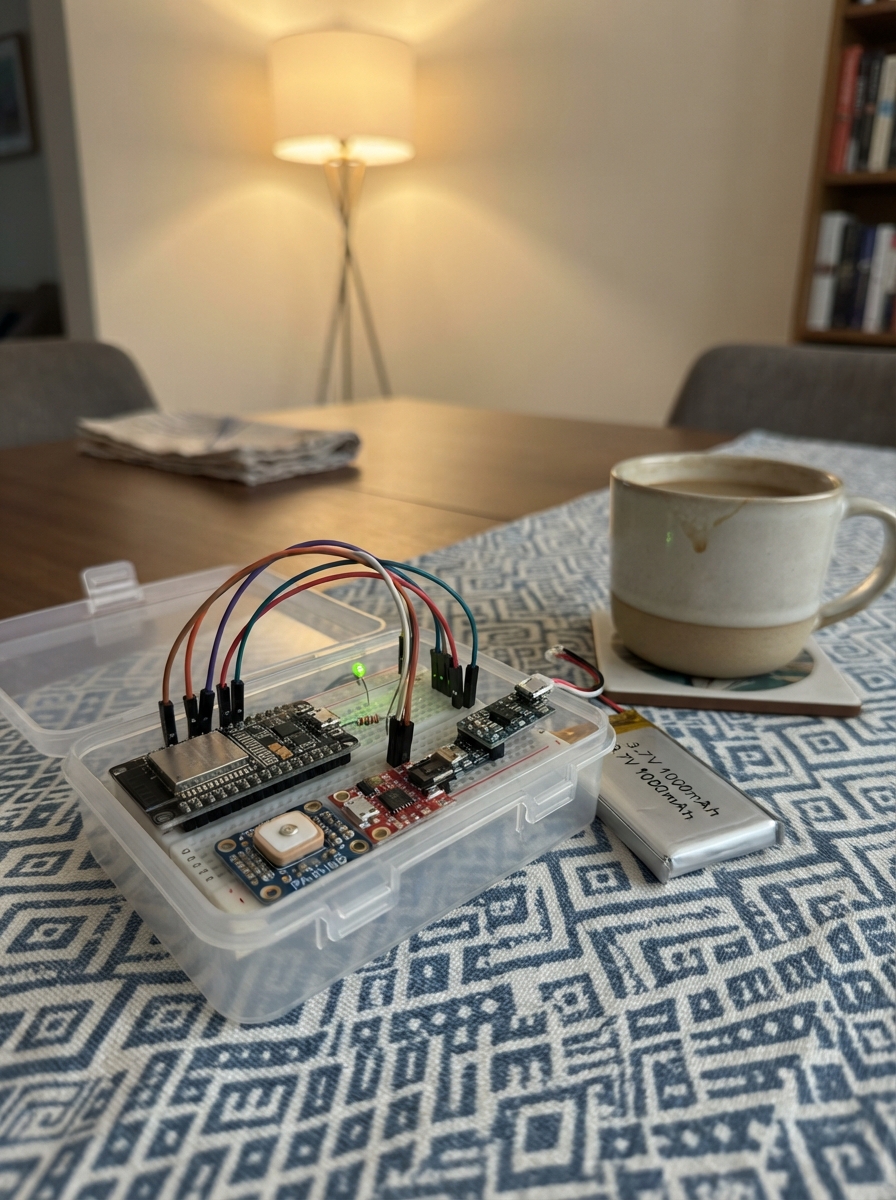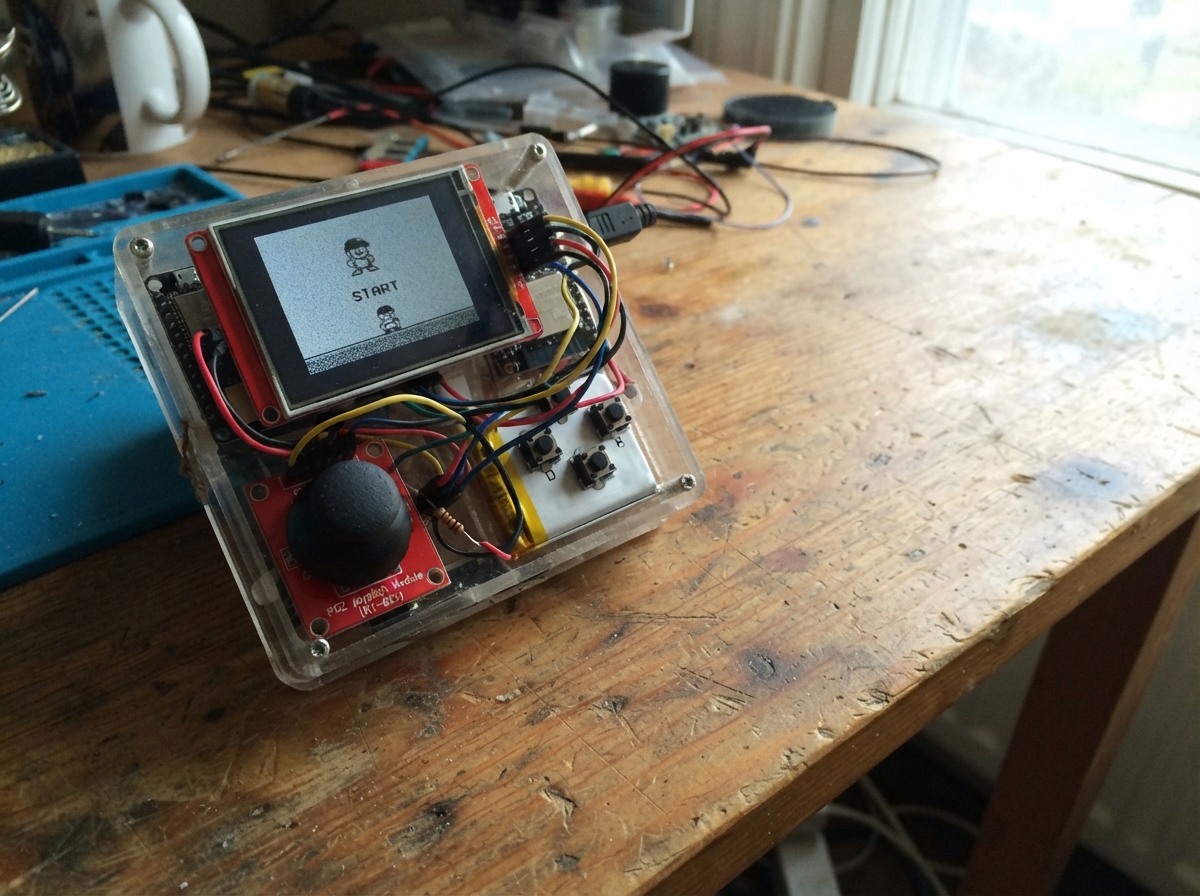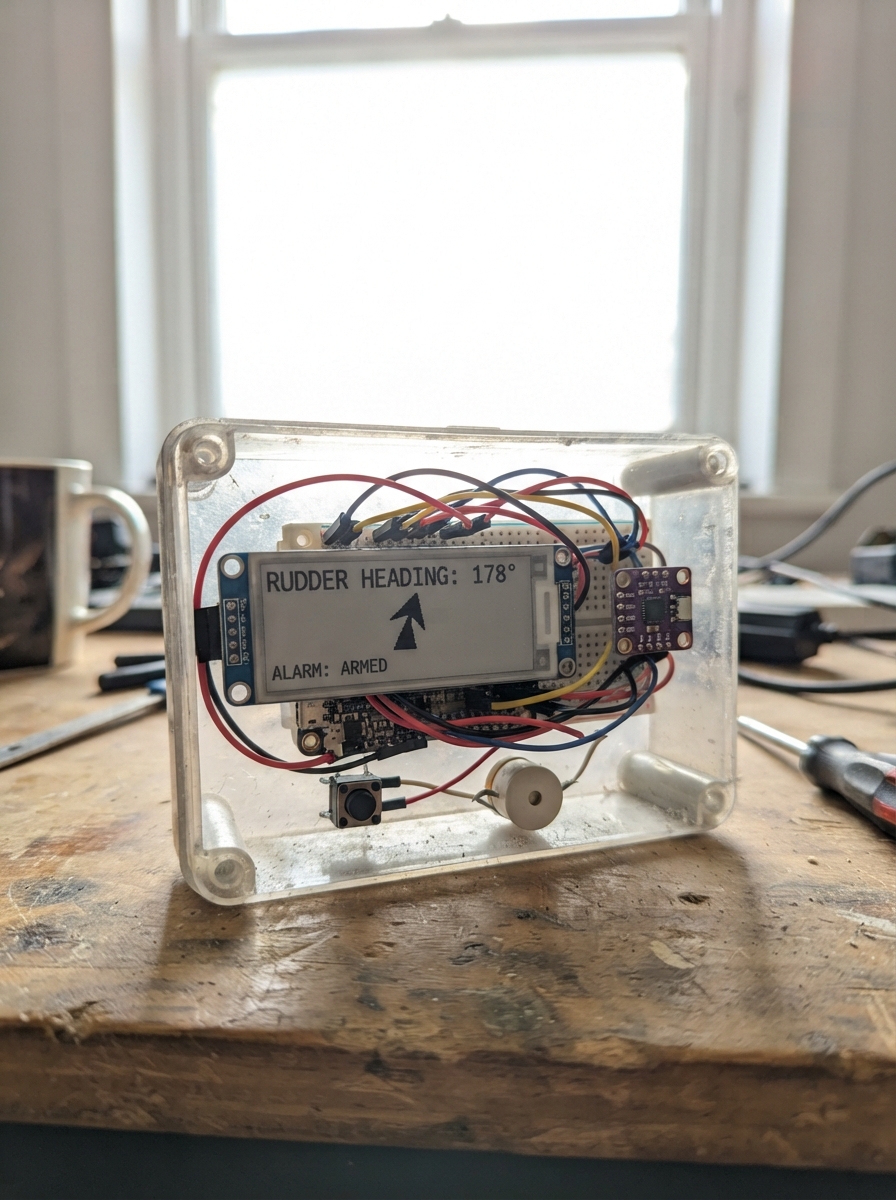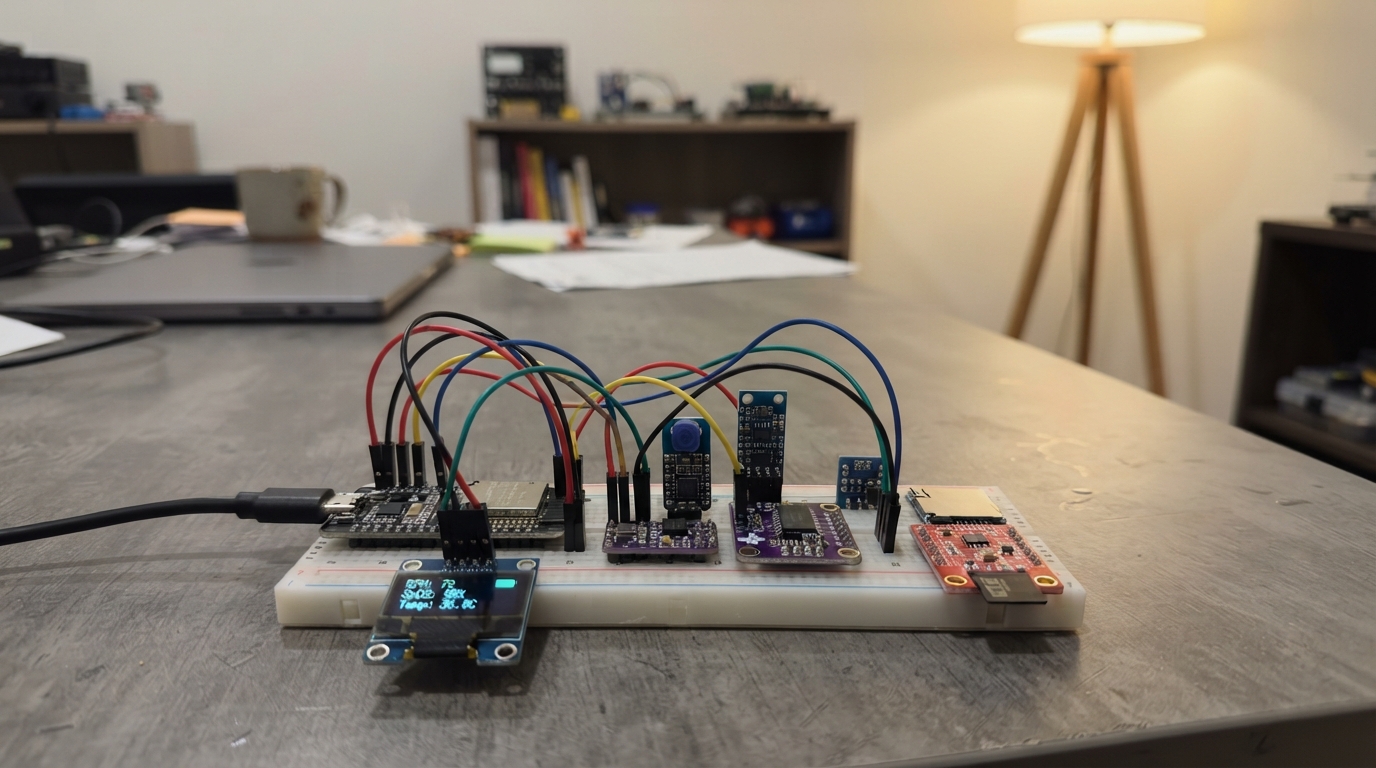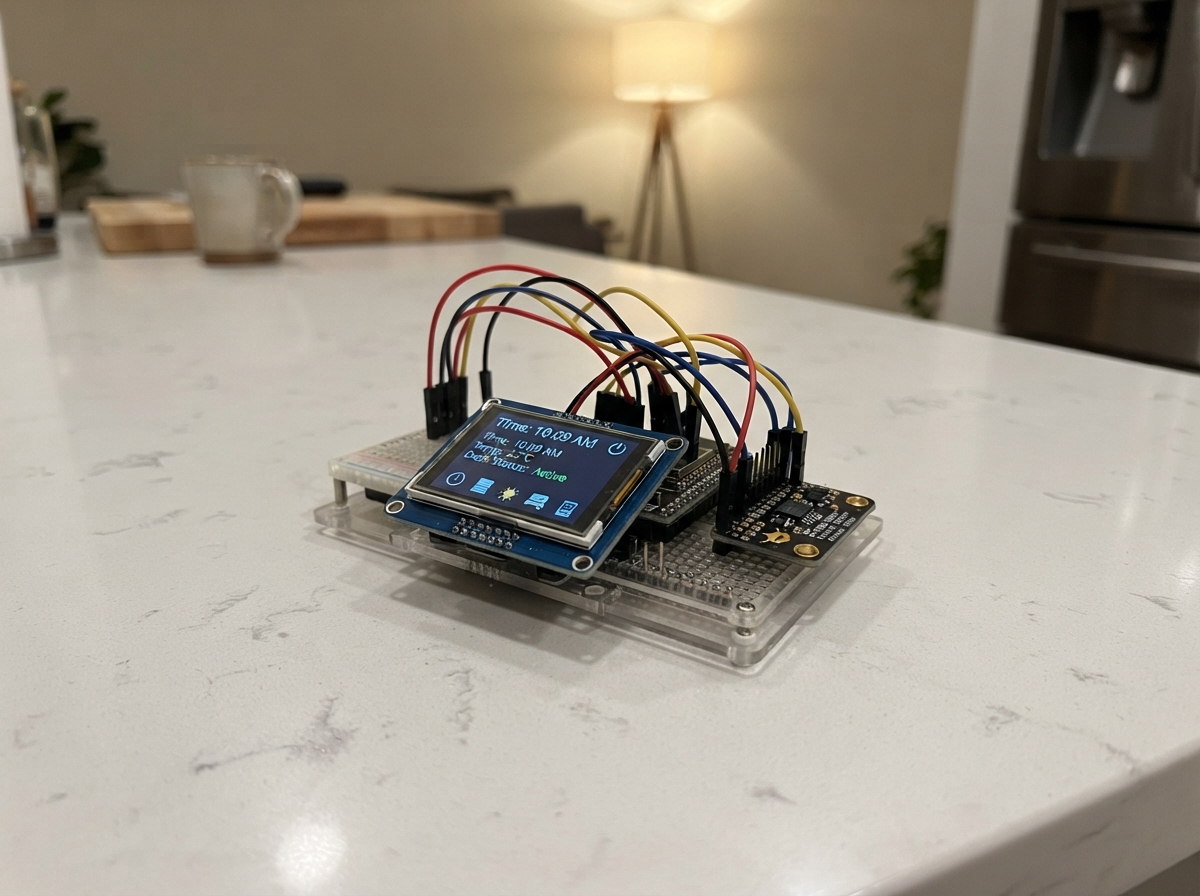
DeskBuddy Dashboard is a compact ESP32-powered display that brings live data and motion sensing to your desk. Built around a 2.8-inch touchscreen and a 6-axis motion sensor, this project creates an interactive dashboard that responds to your movements and displays information fetched from the web.
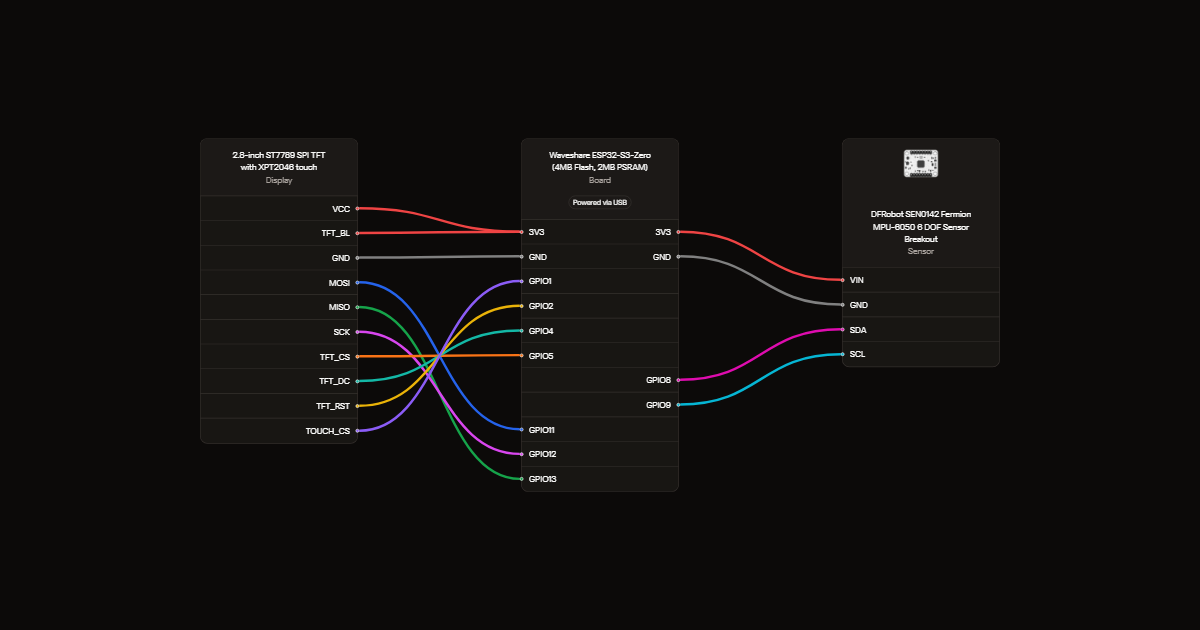
This guide provides everything needed to assemble and program your DeskBuddy: a complete wiring diagram showing connections between the ST7789 display, XPT2046 touch controller, and MPU-6050 sensor; a full parts list with component specifications; Arduino firmware with Wi-Fi setup, web integration, and sensor reading capabilities; and step-by-step assembly instructions including enclosure fitting.
Wiring diagram
Gather all the parts
Assemble it in 5 steps
1. Choose the matching modules
Use a separate 2.8-inch 240x320 SPI ST7789 display with XPT2046 resistive touch, supporting 3.3V supply and logic, with onboard backlight current limiting. Use the DFRobot SEN0142 MPU6050 breakout. Do not use a parallel display or a bare LCD panel.
- Do not connect a bare backlight LED directly to the supply.
2. Connect screen power and data
With USB unplugged, connect VCC and TFT_BL to 3V3 and GND to GND. MOSI goes to GPIO11 (data to screen), MISO to GPIO13 (data from touch), and SCK to GPIO12 (clock). Join touch T_DIN to MOSI, T_DO to MISO, and T_CLK to SCK if your display exposes separate touch pins.
3. Connect screen control wires
TFT_CS to GPIO5 (screen select), TFT_DC to GPIO4 (commands or pixels), TFT_RST to GPIO2 (reset), and TOUCH_CS to GPIO1 (touch select). Leave touch IRQ and all SD-card pins unconnected.
4. Connect the motion sensor
VIN to 3V3, GND to GND, SDA to GPIO8 (data), SCL to GPIO9 (clock). Leave INT unconnected. Mount the sensor securely with its axes aligned to the screen. Test tilt direction before closing the case.
5. Fit a nonconductive printed enclosure
Measure the actual display PCB, visible screen, mounting holes, board and USB plug before printing. Use a two-piece ventilated enclosure with insulating standoffs and a removable back. Leave access to BOOT and RESET. Keep the touch surface free of bezel pressure, isolate solder joints, and provide USB strain relief. Keep material and wires clear of the Zero ceramic antenna.
- Dry-fit the parts before final assembly; do not force the screen glass or tighten screws against it.
- V1 is USB powered only. Do not install a LiPo or connect a cell to 3V3 or 5V. The Zero has no battery charger or protection circuit.
Review all connections
1. Connections between "screen" and "ESP32"
2. Connections between "imu" and "ESP32"
Deploy the firmware
#include <Arduino.h>
#include <SPI.h>
#include <Wire.h>
#include <WiFi.h>
#include <WebServer.h>
#include <Preferences.h>
#include <WiFiClientSecure.h>
#include <HTTPClient.h>
#include <ArduinoJson.h>
#include <Adafruit_GFX.h>
#include <Adafruit_ST7789.h>
#include <Adafruit_MPU6050.h>
#include <XPT2046_Touchscreen.h>
#include <time.h>
#include "secrets.h"
WebServer setupServer(80);
Preferences settings;
bool setupActive=false;
uint32_t wifiStarted=0, restartAt=0;
void startWifiSetup(){
if(setupActive) return;
setupActive=true;
WiFi.mode(WIFI_AP_STA);
WiFi.softAP("DeskBuddy-Setup", "deskbuddy123");
setupServer.on("/", HTTP_GET, [](){
setupServer.send(200,"text/html", R"HTML(<!doctype html><meta name="viewport" content="width=device-width"><h1>DeskBuddy Wi-Fi</h1><p>Enter your home 2.4 GHz Wi-Fi details. Leave optional GitHub and Finnhub settings blank in secrets.h if unused.</p><form method="post" action="/save"><label>Wi-Fi name <input name="ssid" maxlength="32" required></label><br><label>Wi-Fi password <input name="password" type="password" maxlength="63"></label><br><button>Save and restart</button></form>)HTML");
});
setupServer.on("/save", HTTP_POST, [](){
String name=setupServer.arg("ssid"), pass=setupServer.arg("password");
if(name.length()==0 || name.length()>32 || pass.length()>63){setupServer.send(400,"text/plain","Invalid Wi-Fi details");return;}
settings.putString("ssid",name);settings.putString("pass",pass);
setupServer.send(200,"text/plain","Saved. Restarting. Rejoin your home Wi-Fi. If connection fails, setup returns after 30 seconds.");
restartAt=millis()+1500;
});
setupServer.begin();
}
Adafruit_ST7789 lcd(5,4,2);
XPT2046_Touchscreen touch(1);
Adafruit_MPU6050 imu;
GFXcanvas1 canvas(320,240);
// Every page and startup screen uses a solid black background.
constexpr uint16_t BACKGROUND_COLOR = ST77XX_BLACK;
bool hasImu=false, dirty=true;
int page=0,mood=0,dx=0,dy=0;
const char* moods[]={"CONTENT","HAPPY","SLEEPY","CURIOUS"};
String weather="Waiting for Wi-Fi",stock="Set FINNHUB_TOKEN",github="Set GITHUB_USER";
SemaphoreHandle_t dataLock;
String wCopy,sCopy,gCopy;
// Network runs separately so HTTPS timeouts never stop touch and animation.
bool request(const String& url, JsonDocument &doc) {
WiFiClientSecure tls;
// Prototype policy: encrypted transport but no server identity validation.
// Do not send a privileged GitHub token; only a restricted quote key is used.
tls.setInsecure();
HTTPClient http; http.useHTTP10(true); http.setConnectTimeout(4000); http.setTimeout(5000);
if(!http.begin(tls,url)) return false;
http.addHeader("User-Agent","Tiny-ESP-DeskBuddy/1.0");
int code=http.GET(); bool ok=false;
if(code==200 && (http.getSize()<0 || http.getSize()<=16384)) ok=!deserializeJson(doc,http.getStream());
http.end(); return ok;
}
void network(void*) {
uint32_t lastWeather=0,lastStock=0,lastGit=0;
bool first=true;
for(;;) {
if(WiFi.status()==WL_CONNECTED) {
uint32_t now=millis(); JsonDocument doc;
if(first || now-lastWeather>=900000) {
String v="Weather unavailable";
if(request(String("https://api.open-meteo.com/v1/forecast?latitude=")+LATITUDE+"&longitude="+LONGITUDE+"¤t=temperature_2m,weather_code",doc) && doc["current"]["temperature_2m"].is<float>())
v=String(doc["current"]["temperature_2m"].as<float>(),1)+" C\nWMO code "+String(doc["current"]["weather_code"].as<int>());
xSemaphoreTake(dataLock,portMAX_DELAY); weather=v; xSemaphoreGive(dataLock); lastWeather=now;
}
if(strlen(FINNHUB_TOKEN) && (first || now-lastStock>=300000)) {
doc.clear(); String v="AAPL quote unavailable";
if(request(String("https://finnhub.io/api/v1/quote?symbol=AAPL&token=")+FINNHUB_TOKEN,doc) && doc["c"].as<float>()>0)
v="$"+String(doc["c"].as<float>(),2)+"\n"+String(doc["dp"].as<float>(),2)+" %";
xSemaphoreTake(dataLock,portMAX_DELAY);stock=v;xSemaphoreGive(dataLock);lastStock=now;
}
if(strlen(GITHUB_USER) && (first || now-lastGit>=900000)) {
doc.clear();String v="GitHub unavailable";
if(request(String("https://api.github.com/users/")+GITHUB_USER,doc) && doc["public_repos"].is<int>())
v=String(doc["public_repos"].as<int>())+" public repos\n"+String(doc["followers"].as<int>())+" followers";
xSemaphoreTake(dataLock,portMAX_DELAY);github=v;xSemaphoreGive(dataLock);lastGit=now;
}
first=false;
}
vTaskDelay(pdMS_TO_TICKS(1000));
}
}
void text(int x,int y,const String& s,int size=2){canvas.setCursor(x,y);canvas.setTextSize(size);canvas.print(s);}
void render(time_t now) {
canvas.fillScreen(0);canvas.setTextColor(1);canvas.setTextWrap(true);
struct tm tm; localtime_r(&now,&tm); char buf[48];
if(setupActive){
text(10,48,"WI-FI SETUP");
text(10,80,"Join: DeskBuddy-Setup",1);
text(10,102,"Password: deskbuddy123",1);
text(10,124,"Open http://192.168.4.1",1);
text(10,152,"Enter home Wi-Fi details",1);
} else if(page==0){
// Solid rounded-square eyes; tilt moves the eyes, not black pupils.
const int eyeSize = mood==3 ? 76 : 72;
for(int x: {96,224}) {
canvas.fillRoundRect(x-eyeSize/2+dx,65+dy,eyeSize,eyeSize,14,1);
if(mood==2) canvas.fillRect(x-eyeSize/2+dx,65+dy,eyeSize,eyeSize/2,0);
}
if(mood==1){
// Thick, softly stepped smile.
for(int x=-24;x<=24;++x){
int y=180-(x*x)/48;
canvas.fillCircle(160+x,y,3,1);
}
} else {
int mouthWidth=mood==3?22:44;
canvas.fillRoundRect(160-mouthWidth/2,174,mouthWidth,7,3,1);
}
} else if(page==1) {
if(now<1700000000) text(15,80,"Waiting for NTP");
else {strftime(buf,sizeof(buf),"%H:%M:%S",&tm);text(16,95,buf,4);}
} else if(page==2) {
if(now<1700000000)text(15,80,"Waiting for NTP");
else {strftime(buf,sizeof(buf),"%A\n\n%Y-%m-%d",&tm);text(16,65,buf);}
} else if(page==3) {text(16,85,wCopy);}
else if(page==4){
if(now<1700000000)text(12,65,"Waiting for NTP");
else {
double age=fmod((double(now)-947182440.0)/86400.0,29.530588853);if(age<0)age+=29.530588853;
const char* names[]={"New moon","Waxing crescent","First quarter","Waxing gibbous","Full moon","Waning gibbous","Last quarter","Waning crescent"};
text(12,65,names[int(age/29.530588853*8+0.5)%8]);
text(12,110,String(50*(1-cos(age/29.530588853*2*PI)),0)+"% illuminated");
}
} else if(page==5){text(16,50,"AAPL",2);text(16,95,sCopy);}
else {text(12,55,GITHUB_USER);text(12,95,gCopy);}
// Small arrows have generous touch areas across every information page.
if(!setupActive && page!=0) {
canvas.drawLine(54,209,47,216,1);
canvas.drawLine(47,216,54,223,1);
canvas.drawLine(266,209,273,216,1);
canvas.drawLine(273,216,266,223,1);
canvas.fillRoundRect(142,214,36,5,2,1);
}
lcd.drawBitmap(0,0,canvas.getBuffer(),320,240,ST77XX_BLUE,BACKGROUND_COLOR);
}
void setup(){
Serial.begin(115200);
delay(150);
Serial.println("DeskBuddy V1.1: starting (USB only)");
dataLock=xSemaphoreCreateMutex();
if(!dataLock) { Serial.println("Cannot allocate data mutex; restart board"); while(true) delay(1000); }
pinMode(5,OUTPUT);digitalWrite(5,HIGH);pinMode(1,OUTPUT);digitalWrite(1,HIGH);
// Keep both SPI devices deselected before initializing the shared bus.
SPI.begin(12,13,11);
lcd.init(240,320);
lcd.setSPISpeed(4000000); // conservative speed for short jumper wires
lcd.setRotation(1);
// This module displays blue as yellow with the default ST7789 inversion.
// Disable inversion before drawing so black stays black and blue stays blue.
lcd.invertDisplay(false);
lcd.fillScreen(BACKGROUND_COLOR);
lcd.setTextColor(ST77XX_BLUE);
lcd.setTextSize(2);
lcd.fillCircle(148,120,3,ST77XX_BLUE);
lcd.fillCircle(160,120,3,ST77XX_BLUE);
lcd.fillCircle(172,120,3,ST77XX_BLUE);
Serial.println("ST7789 initialization commands sent; physical display not detectable");
touch.begin();touch.setRotation(1);
Wire.begin(8,9);
Wire.setClock(100000);
Wire.setTimeOut(50);
hasImu=imu.begin(0x68,&Wire);
if(!hasImu) hasImu=imu.begin(0x69,&Wire);
Serial.println(hasImu ? "MPU6050 ready" : "MPU6050 absent: centered eyes, continuing");
settings.begin("deskbuddy",false);
String ssid=settings.getString("ssid", "");
String pass=settings.getString("pass", "");
WiFi.mode(WIFI_STA);WiFi.setAutoReconnect(true);
wifiStarted=millis();
if(ssid.length()) WiFi.begin(ssid.c_str(),pass.c_str());
else startWifiSetup();
configTzTime(TZ_RULE,"pool.ntp.org","time.nist.gov");
if(xTaskCreate(network,"network",12288,nullptr,1,nullptr)!=pdPASS) {
weather="Network task unavailable";
Serial.println("Network task allocation failed; local UI still available");
}
Serial.println("Startup complete");
wCopy=weather; sCopy=stock; gCopy=github;
render(time(nullptr)); dirty=false;
}
void loop(){
if(restartAt && (int32_t)(millis()-restartAt)>=0) ESP.restart();
if(!setupActive && WiFi.status()!=WL_CONNECTED && millis()-wifiStarted>30000) {startWifiSetup();dirty=true;}
if(setupActive){
setupServer.handleClient();
if(WiFi.status()==WL_CONNECTED && !restartAt){setupServer.stop();WiFi.softAPdisconnect(true);WiFi.mode(WIFI_STA);setupActive=false;wifiStarted=millis();dirty=true;}
}
static uint32_t tick=0,pressTime=0;
static bool pressed=false, infoTouchHandled=false;
static int x0=0,y0=0,x1=0,y1=0,maxMove=0;
static time_t previous=0;static bool online=false;
static uint32_t lastTouch=0,lastContact=0;
if(millis()-lastTouch>=10){
lastTouch=millis();
if(touch.touched()){
TS_Point p=touch.getPoint();
// Ignore very light/noisy contact. Keep existing module calibration.
if(p.z>=200){
x1=constrain(map(p.x,TOUCH_X_MIN,TOUCH_X_MAX,0,319),0,319);
y1=constrain(map(p.y,TOUCH_Y_MIN,TOUCH_Y_MAX,0,239),0,239);
lastContact=millis();
if(!pressed){
pressed=true;x0=x1;y0=y1;pressTime=millis();maxMove=0;
infoTouchHandled=false;
// Information pages respond on contact, not on a release that
// can be missed during a screen redraw. One action per press.
if(!setupActive && page!=0){
if(x0<107) page=(page+6)%7;
else if(x0>=213) page=(page+1)%7;
else page=0;
infoTouchHandled=true;
dirty=true;
}
}
maxMove=max(maxMove,max(abs(x1-x0),abs(y1-y0)));
}
}
// Brief gaps do not split one finger press into several taps.
if(pressed && millis()-lastContact>=40){
pressed=false;
// Eye targets include all tilt positions, with room for a finger.
uint32_t duration=lastContact-pressTime;
if(!setupActive && !infoTouchHandled && maxMove<30 && duration<800){
int action=0;
if(page==0){
if(y0>=40 && y0<=160 && y1>=40 && y1<=160){
if(x0>=40 && x0<=150 && x1>=40 && x1<=150) action=-1;
else if(x0>=170 && x0<=280 && x1>=170 && x1<=280) action=1;
} else if(y0>=160 && y1>=160 && x0>=120 && x0<=200 && x1>=120 && x1<=200) action=2;
} else {
// Entire left/right thirds navigate, not just a tiny bottom target.
// The middle third returns home on every information page.
if(x0<107) action=-1;
else if(x0>=213) action=1;
else action=2;
}
if(action==-1) page=(page+6)%7;
else if(action==1) page=(page+1)%7;
else if(action==2){if(page==0) mood=(mood+1)%4;page=0;}
if(action) dirty=true;
}
}
}
if(millis()-tick>=40){
tick=millis();
if(hasImu && page==0){sensors_event_t a,g,t;imu.getEvent(&a,&g,&t);
int nx=constrain(int(a.acceleration.x*1.5),-13,13),ny=constrain(int(a.acceleration.y*1.5),-16,16);
if(abs(nx-dx)>1||abs(ny-dy)>1){dx=nx;dy=ny;dirty=true;}}
time_t now=time(nullptr);if(now!=previous){previous=now;if(page==1||page==2||page==4)dirty=true;}
bool connected=WiFi.status()==WL_CONNECTED;if(connected!=online){online=connected;dirty=true;}
xSemaphoreTake(dataLock,portMAX_DELAY);
if(wCopy!=weather||sCopy!=stock||gCopy!=github){wCopy=weather;sCopy=stock;gCopy=github;dirty=true;}
xSemaphoreGive(dataLock);
}
if(dirty){render(time(nullptr));dirty=false;}
delay(2);
}Remix this project
Make it yours in one click
Open a full copy of this project in your own Schematik workspace, diagram, code, parts, and assembly steps included. Swap the sensor, add features, or redesign the whole thing with AI. The author's original stays untouched.